Running a small business means juggling multiple marketing tasks at once, especially in the early stages. You manage leads, send emails, follow up with customers, and track results.
Handling all of this manually is time-consuming and increases the risk of errors. That’s why we recommend using marketing automation software like HubSpot to streamline operations. HubSpot offers all-in-one sales, marketing, and service automation. It’s easy to use, allowing businesses to automate repetitive tasks and set up workflows that run automatically.
While many marketing automation platforms promise advanced automation features, some can be expensive or difficult to manage without dedicated technical resources.
In this guide, we'll break down what to look for when choosing marketing automation software for small businesses. We’ll also provide a clear comparison between HubSpot and other marketing automation platforms. This will help you choose a solution that fits your goals, budget, and team size.
Disclaimer: This content contains some affiliate links for which we will earn a commission (at no additional cost to you). This is to ensure that we can keep creating free content for you.
What is Marketing Automation Software for Small Businesses?
Marketing automation software for small businesses are tools that helps teams streamline and manage their marketing efforts. Its main purpose is to help businesses reach potential customers, generate and nurture leads into paying customers.
At a basic level, marketing automation software for small businesses automates repetitive marketing tasks. It works by triggering automated actions such as emails or follow-ups based on how customers interact with your business.
Beyond marketing and sales automation, marketing automation software for small businesses also helps organize customer information. Some platforms include a built-in customer relationship management system. This allows businesses to track interactions and store detailed information about each contact.
Marketing automation software for small businesses provides analytics and reporting tools that help monitor campaign performance in real time. Businesses can use this data to improve strategies and increase their return on investment (ROI).
In essence, marketing automation software organizes marketing processes and helps businesses communicate with customers at every stage of the marketing funnel.
How to Choose Marketing Automation Software for Small Businesses
It's important to carefully select the right digital marketing automation software for your workflow. Focus on marketing tools that align with your business needs, budget, and the way your team operates.
Here's what to look out for before you make a choice:
- Ease of Use: The software should be intuitive and simple to navigate. Small businesses or startups often don’t have dedicated IT staff, so a steep learning curve can slow down adoption.
- CRM Integration: A good marketing automation tool should include your customer relationship management (CRM) system. HubSpot connects marketing, sales, and CRM platforms. This ensures all your contacts, leads, and customer interactions are in one place, giving you a complete view of your audience.
- Automation Capabilities: Some tools support basic actions, while others allow more advanced workflows with conditional rules and multiple steps. Choose a tool that provides the level of automation your business needs.
- Analytics and Reporting: The best marketing automation software for small businesses should provide analytics on marketing campaign performance. Reporting helps you see what’s working, what needs improvement, and how to optimize your strategy.
- Multi-Channel Marketing: The best tools support multiple channels like email, social media, SMS, and web messaging. Reaching customers across several channels can increase engagement and ensure your message is seen.
- Scalability and Flexibility: Your software should adapt to your business as your needs expand. It should allow you to add more contacts, advanced features, or additional campaigns without switching platforms.
- Pricing Structure: Pricing should be transparent and realistic for a small business budget. Look beyond the starting price and consider how costs change as you add more features or users.
The right marketing automation software for small businesses should be easy to use and flexible enough to grow with you.
HubSpot and Top Marketing Automation Software: An Overview
Below, you’ll find an overview of HubSpot and other marketing automation software for small businesses. This table highlights the key features of each software, along with their pricing.
| Marketing Automation Software | Key Automation Features | Free Plan | Pricing Starts At | Best For |
|---|---|---|---|---|
| HubSpot | Workflow automation, CRM integration, email automation, marketing analytics | ✅ | $15/month/seat | Growing small businesses that want an all-in-one platform to manage CRM, marketing automation, and sales |
| ActiveCampaign | Advanced workflows, email automation, segmentation, and lead scoring | ❌ | $15/month | AI-supported marketing automation to scale campaigns for growing teams |
| Mailchimp | Email automation, basic workflows, and audience segmentation | ✅ | $13/month | Small businesses that want to start email-focused marketing automation |
| Keap | CRM automation, email sequences, sales pipeline automation | ❌ | $299/month | Service-based businesses focused on lead follow-up and sales pipelines |
| Klaviyo | Behavior-based flows, dynamic segmentation, SMS + email automation | ❌ | $20/month | Ecommerce revenue-focused automation |
| Moosend | AI-driven email automation, landing pages, and marketing campaign segmentation | ❌ | $9/month | Small businesses that want simple, flexible email automation without technical complexity |
| Omnisend | Multi-channel automation (email + SMS), segmentation, ecommerce marketing workflows | ✅ | $19/month | Ecommerce businesses that want simple omnichannel automation to drive sales |
| Brevo | No-code multi-channel marketing automation, transactional messaging, and advanced segmentation | ✅ | $9/month | Small teams needing multi-channel marketing and automation |
| Kit | Email automation, visual marketing funnels, and creator-focused workflows | ✅ | $39/month | Creators and content-driven small businesses who want simple, visual automation |
| GetResponse | AI-driven email and SMS automation workflows, behavioral targeting | ❌ | $19/month | Businesses that need integrated ecommerce automation tools |
| Zoho Marketing Automation | Multi-channel campaign workflows, lead nurturing, CRM integration, and behavior tracking | ❌ | $19/month | Small and growing businesses looking for multi-channel marketing automation fully integrated within the Zoho ecosystem |
From the table, it's evident that different marketing automation software for small businesses have different strengths. Let’s take a look at each of the small business marketing tools in detail.
11 Best Marketing Automation Software for Small Businesses
We evaluated each marketing automation software for small businesses based on real-world performance, ease of use, scalability, and value for money. Below is a detailed breakdown of the key features, pricing, strengths, and limitations of each platform.
1. HubSpot
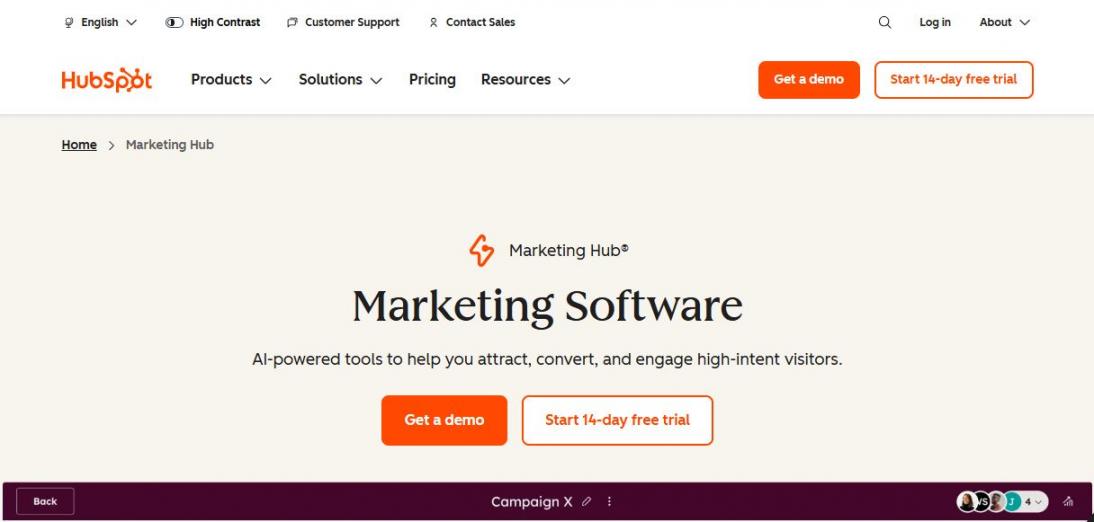
Image via HubSpot
HubSpot is the best marketing automation software for small businesses looking to manage lead generation, marketing, sales processes, and customer data from a single platform.
The software is part of HubSpot Marketing Hub and works directly with its built-in CRM. This allows businesses to base automation on real contact data and behavior.
What makes it stand out from other marketing automation software for small businesses?
This marketing automation software emphasizes email campaigns and form creation and automation to enhance marketing performance. For the forms automation, sales and marketing teams can create forms to capture leads from website visitors.
HubSpot forms can adjust based on visitor behavior, which improves conversion rates. After a form is submitted, HubSpot can trigger automated follow-up emails.
Additionally, businesses can create custom workflows to handle follow-ups, lead nurturing, and internal notifications. These workflows are built using a visual editor or an AI-powered feature that does not require technical skills. This makes HubSpot marketing automation software practical for growing businesses with limited resources.
Let's look at some key features that distinguish HubSpot as the best marketing automation software for small businesses.
Key Features
- CRM-powered marketing automation workflows to track, nurture, and follow up with leads
- A/B testing for emails and workflows to optimize messaging, timing, and conversion rates
- Form automation using stored CRM contact data to keep customer records updated
- Email automation with triggered follow-ups and multi-step sequences
- Automated lead scoring based on behavior and engagement to prioritize high-intent leads
- Customer journey orchestration for personalized experiences
Pros
- Easy-to-use interface suitable for beginners and small teams
- Strong task automation built directly on CRM data
- Easy to scale from simple to advanced workflows
Cons
- Pricing increases as marketing needs expand
- Some automation features are limited in lower plans
Pricing
- Free
- Starter: $15/month/seat
- Professional: $890/month for 3 seats
- Enterprise: $3600/month for 5 seats
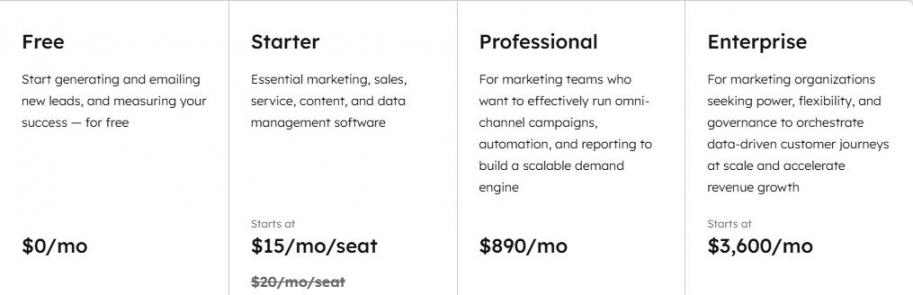
Image via HubSpot
Best For: Growing small businesses that want an all-in-one platform to manage CRM, marketing automation, and sales.
2. ActiveCampaign
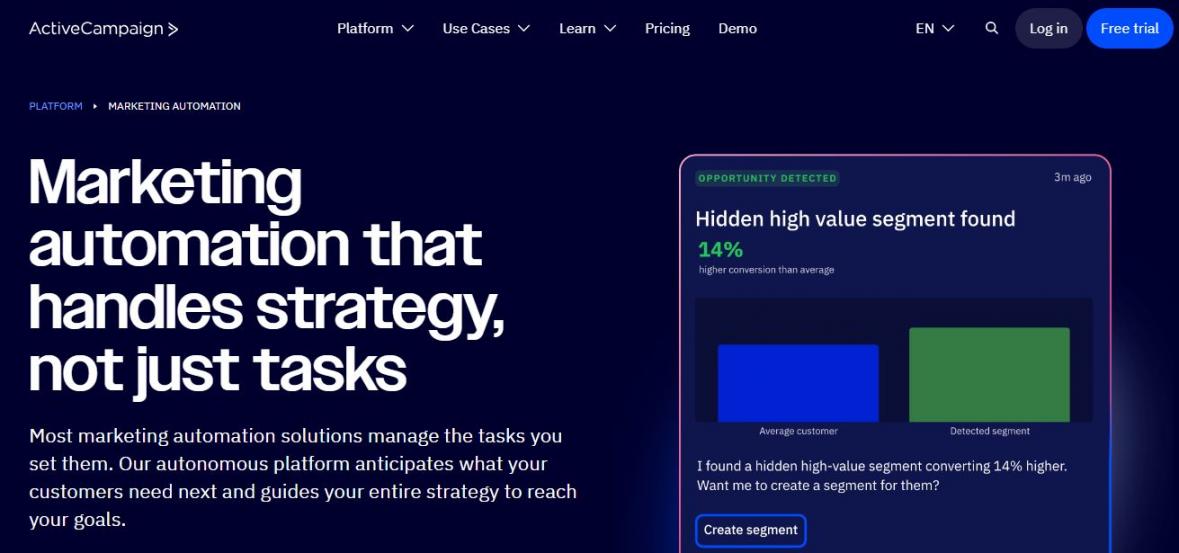
Image via ActiveCampaign
ActiveCampaign is a powerful marketing automation software for small businesses that want to create personalized campaigns. It helps teams design, launch, and manage marketing campaign workflows across email, SMS, WhatsApp, social, and web channels.
One area where ActiveCampaign stands out is its use of Active Intelligence, its AI-driven engine that powers its automation features. The system creates structured campaigns based on defined marketing goals. This reduces the need to build workflows from scratch, unlike other marketing automation software for small businesses.
ActiveCampaign also supports advanced automation paths with split testing, branching logic, and behavioral triggers that adapt based on customer actions such as email clicks, purchases, or website visits.
This helps deliver messages when they are most relevant. As a marketing automation software for small businesses, this supports consistent and timely communication.
Key Features
- AI-powered campaign creation using goal-based prompts
- Intelligent automation workflows with branching logic
- Behavioral triggers based on customer actions and engagement
- Cross-channel campaign coordination across email and messaging tools
- Pre-built automation actions enhanced with intelligent recommendations
- Marketing attribution tools for revenue and campaign tracking
Pros
- Strong automation depth, including branching and triggers for growing business audiences
- Pre-built AI action tools that help reduce manual setup
- Flexible workflows that adapt to customer behavior
Cons
- The workflow setup can feel complex for complete beginners
- Pricing increases as contact lists grow, and no free plan, unlike HubSpot
Pricing
The plans are billed annually, and they include the following:
- Starter: $15/month
- Plus: $49/month
- Pro: $79/month
- Enterprise: $145/month
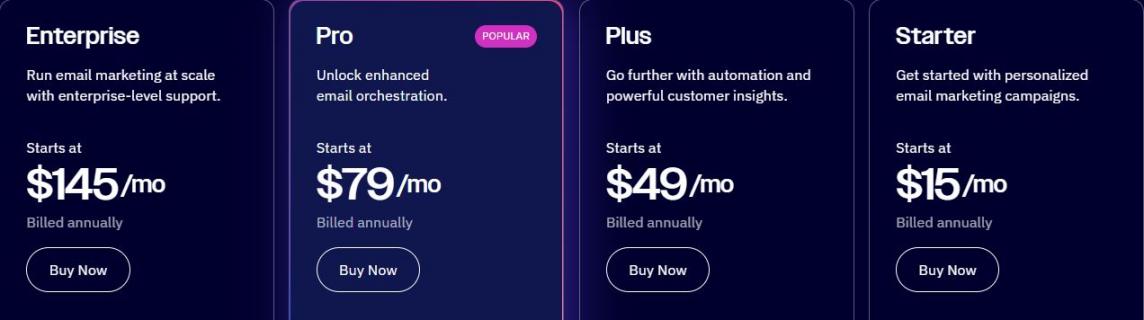
Image via ActiveCampaign
Best For: AI-supported marketing automation to scale campaigns for growing teams.
3. Mailchimp
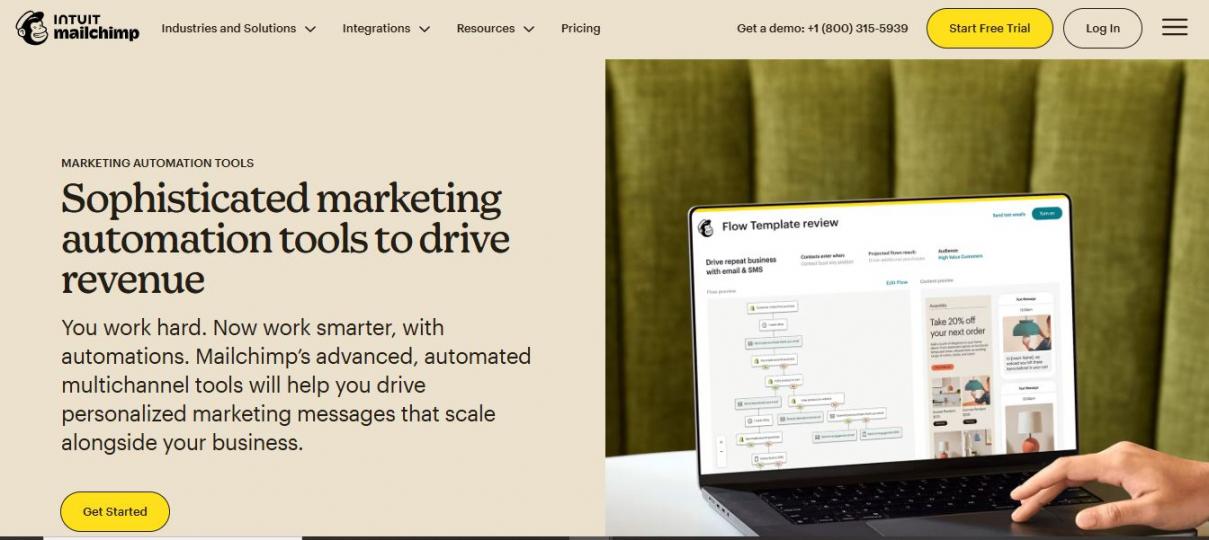
Image via Mailchimp
Mailchimp is a widely used marketing automation software for small businesses that want to send brand promotional messages at scale. It is best known for email marketing, but it also supports basic automation for SMS and social media marketing.
One of Mailchimp’s features is its marketing automation flows. These allow businesses to automate messages based on customer behavior and engagement signals. Actions such as email opens, clicks, and purchases can trigger follow-up messages. This reduces the need for manual campaign management.
In addition to automation, Mailchimp helps aggregate data, but does not function as a full CRM like HubSpot. It connects with ecommerce platforms like Shopify to track browsing and purchase behavior. This data can then trigger targeted emails based on what customers view or search for. This enables more relevant and timely messaging for small business audiences.
Key Features
- Automated marketing flows with 60+ prebuilt workflow templates for common customer journeys
- Campaign management across email, SMS, and social media
- Behavioral triggers based on customer actions
- Ecommerce data integration for targeted automation
- Audience segmentation using engagement data
- Marketing performance tracking and reporting
Pros
- Easy to start with minimal setup
- Offers a free plan for small businesses on a budget to get started with
- Offers a large template library for quick launches
Cons
- Advanced automation is limited to lower plans
- SMS marketing automation features are limited by region
Pricing
- Free
- Essentials: $13/month
- Standard: $20/month
- Premium: $350/month
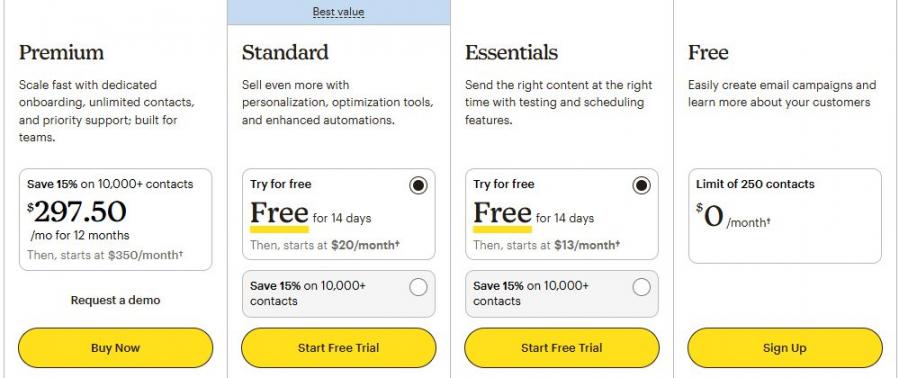
Image via Mailchimp
Best For: Small businesses that want to start email-focused marketing automation.
4. Keap
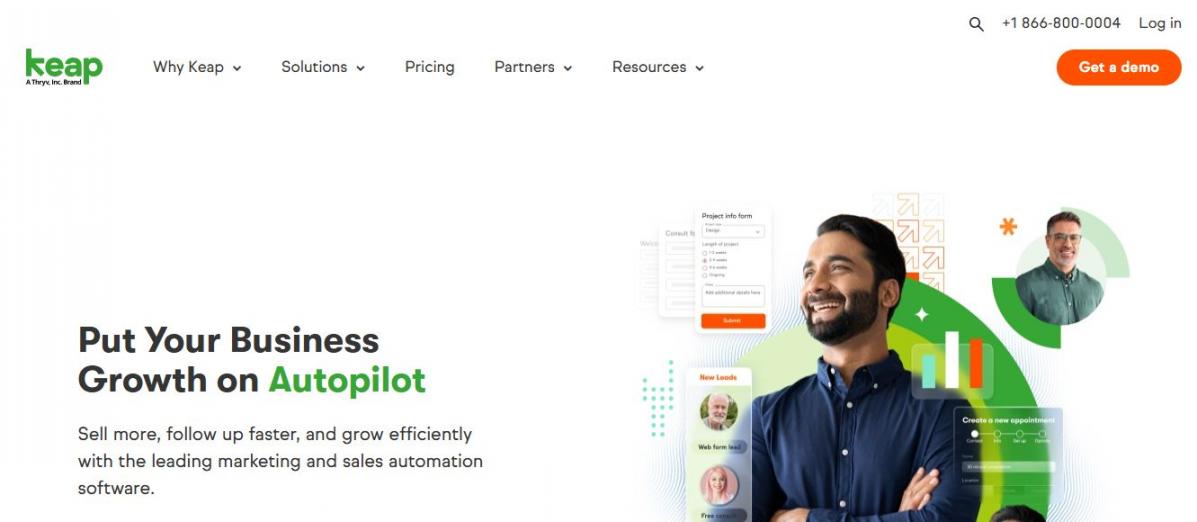
Image via Keap
Keap is a marketing automation software for small businesses that want simple, sales-focused automation to manage leads and customer follow-ups. With Keap, businesses can use simple automation workflows or more advanced ones, depending on their needs.
Basic automation handles common tasks like new lead follow-up and appointment reminders. Advanced automations allow deeper customization of sales and marketing processes. These automations follow clear rules based on customer actions.
As a marketing automation software for small businesses, Keap supports better conversions through timely communication. It focuses heavily on fast lead response. When a lead submits a form, Keap can trigger immediate email and SMS campaigns. This speed helps businesses engage prospects before interest drops.
Its integration with over 4,000 third-party tools helps businesses build workflows that match their operations across other systems.
Key Features
- Automated email and text follow-ups for new leads
- Advanced automation builder for custom workflows
- Lead capture from forms and landing pages
- Appointment scheduling and reminder automation
- Sales pipeline tracking and deal management
- Advanced integration support through Zapier
Pros
- Flexible automation for simple and complex needs
- Large integration ecosystem through Zapier
- Combines sales and marketing in one platform
Cons
- Higher starting price compared to some marketing automation software for small businesses
- Can feel complex during initial setup
Pricing
- Plan starts at $299/month for 2 users
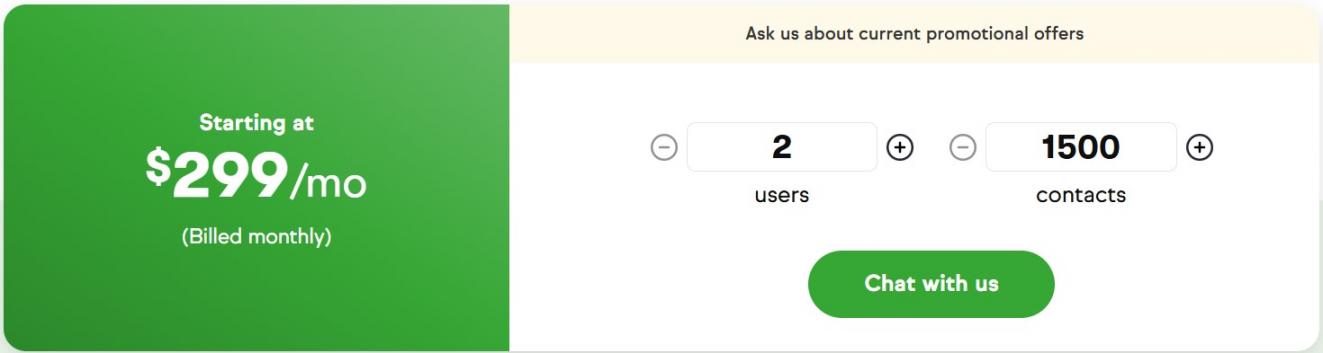
Image via Keap
Best For: Service-based businesses focused on lead follow-up and sales pipelines.
5. Klaviyo
Image via Klaviyo
Klaviyo is a data-driven marketing automation software for small businesses that want to build stronger customer relationships using behavior data.
One reason many teams choose Klaviyo is its focus on deeper personalization. All customer data is stored in a central profile that updates in real time. Businesses can use browsing history, purchases, and engagement to refine automated marketing messages.
Klaviyo also supports omnichannel marketing automation. Businesses can automate email, SMS, mobile push, WhatsApp (for available regions), and review requests. This makes Klaviyo a flexible marketing automation software for small businesses to keep communication consistent.
To simplify setup, Klaviyo provides pre-built flows and templates for common use cases. These include welcome sequences, abandoned cart reminders, and loyalty campaigns.
Key Features
- Built-in customer data platform for unified profiles
- Advanced audience segmentation using real-time data
- Pre-built automation flows for key customer moments
- AI-powered marketing automation optimization for campaign messaging
- Multi-channel campaign builder for coordinated messaging
- Behavioral triggers based on customer actions
Pros
- Easy setup with templates and guided tools
- Scales well with growing customer data
- Flexible integrations with 350+ popular business platforms
Cons
- Advanced segmentation can take time to master
- Not designed for B2B sales pipelines
Pricing
- Email: $20/month for up to 500 active profiles
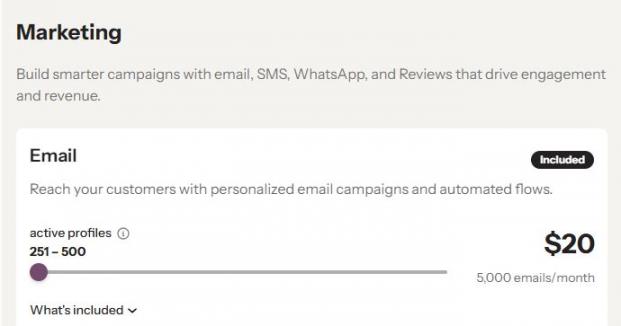
Image via Klaviyo
Best For: Ecommerce revenue-focused automation.
6. Moosend
Image via Moosend
Small businesses that want to automate their email and web marketing campaigns with ease can use Moosend's beginner-friendly automation platform. It allows businesses to create workflows based on how people interact with your brand, not fixed paths that may not fit everyone.
Like most marketing automation software for small businesses, Moosend provides ready-to-use automation templates. These templates cover common scenarios like welcome emails, onboarding, and abandoned carts. They reduce the learning curve for new users.
But that's not all. Here are the key features that set Moosend apart from other marketing automation software for small businesses.
Key Features
- Visual automation workflow builder with triggers, conditions, and actions
- Ready-made automation recipes for common marketing scenarios
- Behavior-based email automation driven by real-time user activity
- Advanced audience segmentation based on engagement and actions
- A/B testing functionality for optimizing campaign performance
- Detailed campaign analytics and reporting dashboard
Pros
- Very easy to learn and use, even for beginners
- Flexible workflows that adapt as customer behavior changes
- Helpful templates that speed up campaign setup
Cons
- Limited advanced features for enterprise-level marketing
- Fewer native integrations compared to other marketing automation software for small businesses
Pricing
- Pro: $9/month
- Moosend+: Custom pricing
- Enterprise: Custom pricing
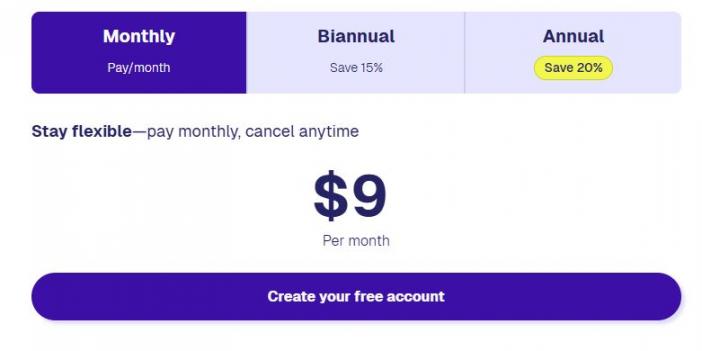
Image via Moosend
Best For: Small businesses that want simple, flexible email automation without technical complexity.
7. Omnisend
Image via Omnisend
Omnisend is a marketing automation software widely used by ecommerce teams for its omnichannel capabilities. It enables businesses to automate communication across email, SMS, and web push notifications from a single platform.
One of Omnisend’s strongest features as a marketing automation software for small businesses is its visual automation builder. Businesses can design marketing workflows by dragging steps into place. Delays, conditions, and message branches are easy to add based on customer journeys.
For brands looking for easy-to-use marketing automation software for small businesses, this flexibility comes in handy. Growing teams can handle multiple marketing channels within a single workflow, which makes communication more coordinated and effective.
Key Features
- Drag-and-drop omnichannel automation builder for email, SMS, and push
- Multi-step customer journeys with conditional logic and branching
- Real-time behavior-based automation triggers
- Audience filtering and segmentation based on activity
- Automation performance and revenue attribution reports
- A/B testing for automated messages
Pros
- Combines multiple channels in one workflow
- Offers helpful templates based on real use cases
- Easy setup with no technical skills needed
Cons
- Best features are mainly useful for ecommerce brands
- SMS campaign costs add up for high-volume campaigns
Pricing
- Free
- Standard: $16/month
- Pro: $59/month
- Custom Plan
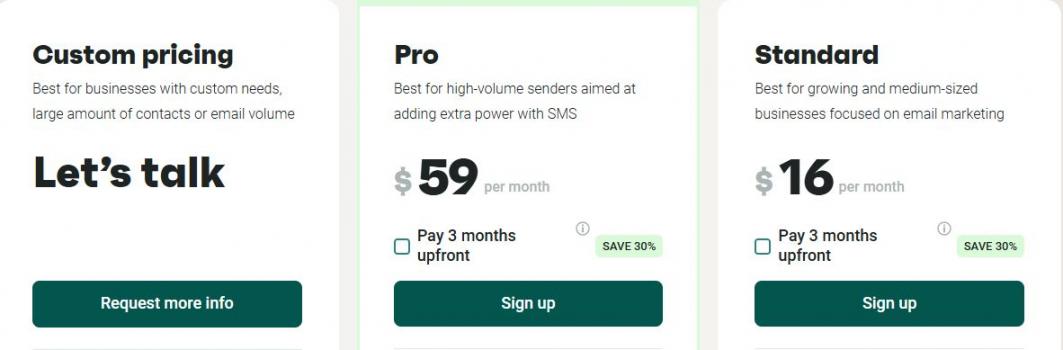
Image via Omnisend
Best For: Ecommerce businesses that want simple omnichannel automation to drive sales.
8. Brevo
Image via Brevo
Brevo is a marketing platform that allows businesses to create automated workflows that send messages based on customer behavior. Businesses can launch automations using premade templates or craft their own campaigns with Brevo’s drag-and-drop editor.
With the platform’s workflow editor, businesses can visually map out each step of a campaign. Also, you can set triggers, delays, or conditions based on customer actions. The editor supports multi-channel communication for email and SMS marketing in a single workflow.
Brevo’s automation platform also provides audience segmentation features for personalized campaigns. You can group contacts based on activity, engagement with past campaigns, or other behaviors. Segments are updated automatically as users interact with emails or website forms. This ensures that automated marketing messages are targeted and relevant.
Key Features
- Prebuilt automation templates for welcome emails, cart abandonment, and thank-you messages
- Workflow triggers based on customer activity or interactions
- Multi-step automation with conditions and actions for personalized sequences
- Audience segmentation based on contact activity and past campaign interactions
- Automated lead scoring to identify high-interest contacts
Pros
- Free and affordable marketing automation software for small businesses
- Intuitive drag-and-drop editor makes workflows easy to create
- Provides prebuilt templates that save time for common marketing scenarios
Cons
- Multi-channel automation beyond email and SMS is not included
- Customization options are basic compared to advanced marketing automation platforms
Pricing
- Free
- Starter: $9/month
- Standard: $18/month
- Professional: $499/month
- Enterprise: Custom pricing
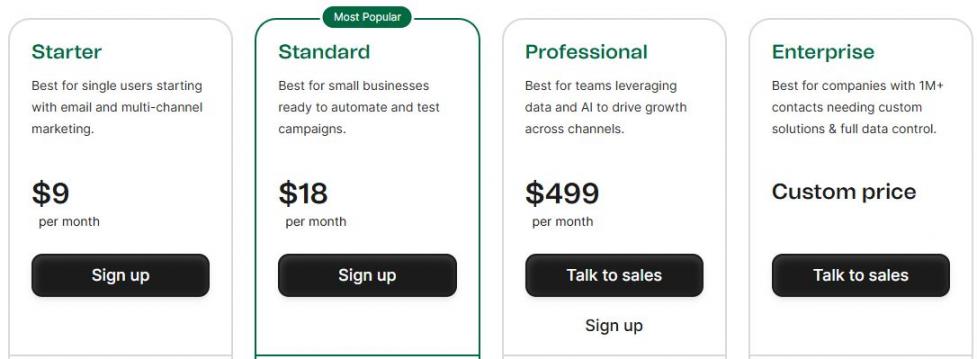
Image via Brevo
Best For: Small teams needing multi-channel marketing and automation.
9. Kit
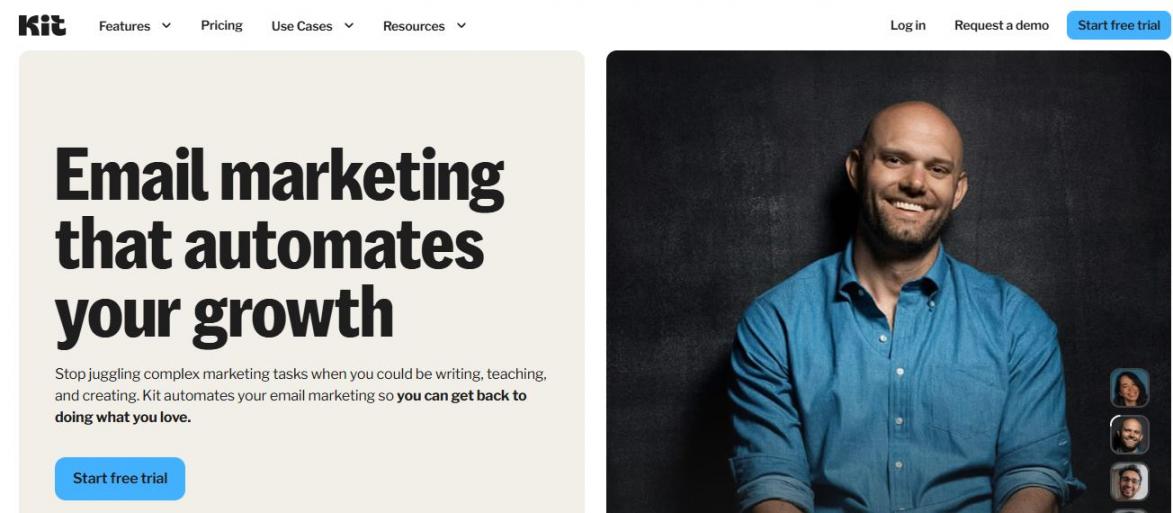
Image via Kit
Kit (formerly ConvertKit) is a user-friendly marketing automation software for small businesses, creators, authors, and bloggers. The platform uses visual automation tools to let users map workflows for welcome sequences, sales funnels, or product launches.
Each automation workflow can send multiple emails in sequence, guiding subscribers along personalized paths based on their interactions.
One of Kit’s strongest marketing automation features is its content editing functionality. Businesses can modify emails or forms directly within a workflow without switching tabs or disrupting the automation.
Another feature that sets it apart from other marketing automation software for small businesses is its RSS feed integration. You can connect an RSS feed to an email automation workflow. This way, every time new content is published, it can trigger an email or a digest to the subscriber list.
Key Features
- Visual automation builder for mapping subscriber journeys
- Ready-to-use automation templates for different campaigns
- Multi-step email sequences with conditional logic based on subscriber actions
- Automated removal of subscribers from irrelevant flows to maintain list relevance
- Re-engagement automation for inactive subscribers after a specified time period
- Notifications and reminders are built into workflows to guide subscriber engagement
Pros
- Intuitive visual tools make workflows easy to plan and manage
- Keeps subscribers engaged with timely and relevant content
- Automated list cleaning improves deliverability
Cons
- Limited built-in analytics compared to some other marketing automation software for small businesses
- No built-in SMS or omnichannel marketing options
Pricing
- Newsletter: $0/month
- Creator: $39/month
- Pro: $79/month
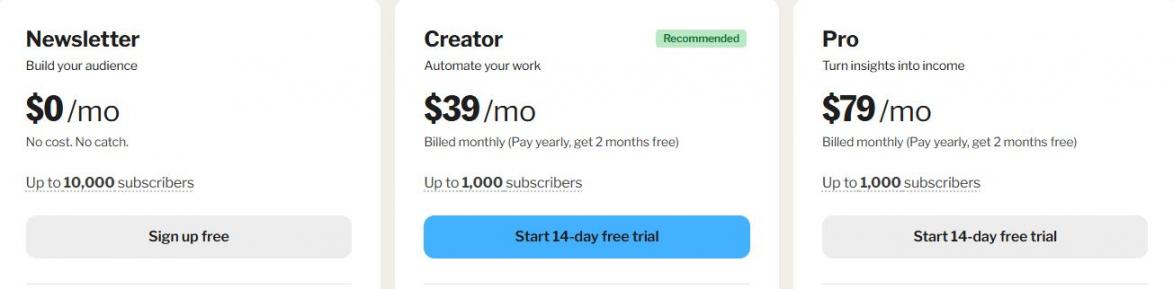
Image via Kit
Best For: Creators and content-driven small businesses who want simple, visual automation.
10. GetResponse
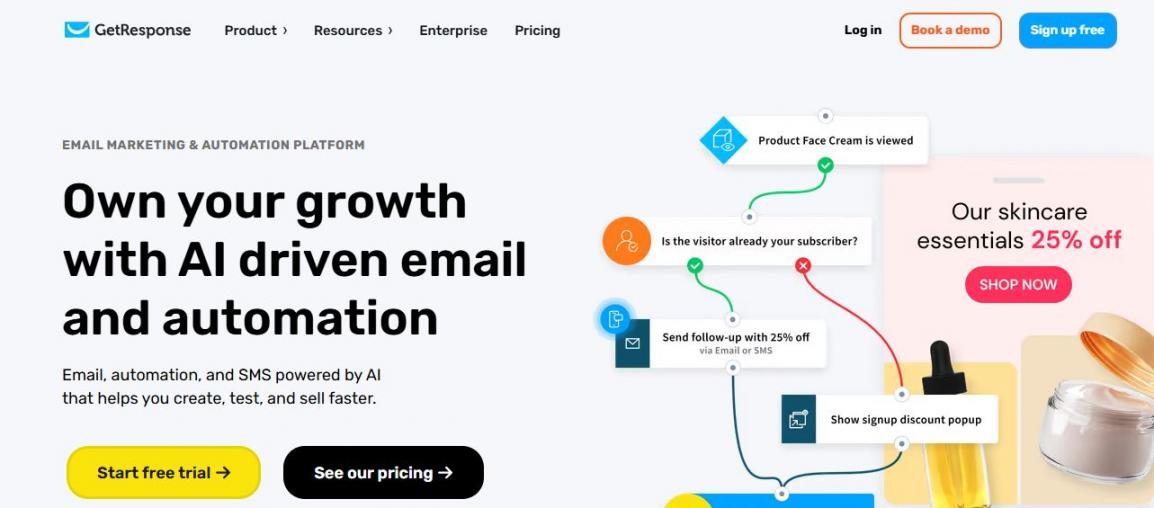
Image via GetResponse
GetResponse helps small businesses create automated customer journeys that guide contacts from first interaction to conversion. This marketing automation software for small businesses allows users to set up workflows using prebuilt templates or build custom campaigns from scratch.
One key advantage of GetResponse is its support for multiple types of automated emails. Businesses can set up sequences for nurturing new signups, sending product suggestions based on past purchases, or recovering abandoned carts.
GetResponse connects with ecommerce stores, CRMs, and payment systems to ensure automation workflows reflect customer behavior. Businesses can monitor performance through reports and analytics, which help them refine their automation strategy.
For businesses with advanced needs, GetResponse offers features like dedicated 24/7 support, transactional emails, and AI-powered recommendations.
Key Features
- Automated email sequences for nurturing new subscribers and engaging leads
- Behavioral targeting to track customer actions on websites, landing pages, and emails
- Advanced segmentation with unlimited tags to create precise audience groups
- Integration with ecommerce tools, CRMs, and payment systems for synced automation
- Performance monitoring and analytics to refine marketing strategies
- Customizable automation events triggered by customer behavior and specific conditions
Pros
- GetResponse lets businesses create multi-step workflows, which improve engagement
- It allows quick automation setup with predesigned templates
- Integrates with ecommerce stores and CRM tools
Cons
- Some advanced features are only available in GetResponse MAX
- Complex workflows can take time to master
Pricing
- Starter: $19/month
- Marketer: $59/month
- Creator: $69/month
- Enterprise: Custom pricing
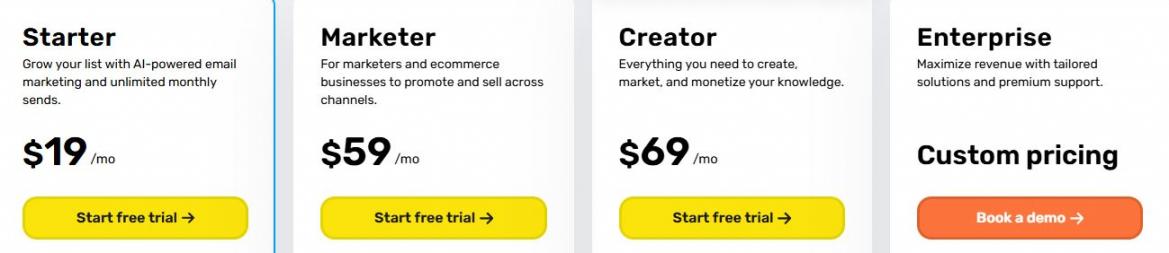
Image via GetResponse
Best For: Small businesses that need integrated ecommerce and marketing automation tools.
11. Zoho Marketing Automation
Image via Zoho Marketing Automation
Zoho Marketing Automation is a marketing automation software for small businesses that helps manage leads, nurture prospects, and drive sales-ready conversations using structured, rule-based automation. Like other marketing automation platforms reviewed here, Zoho combines lead generation, lead nurturing, lead scoring, and marketing automation into a single platform.
The platform supports campaign automation across marketing channels, enabling businesses to reach leads where they are most active.
Zoho helps businesses capture leads using forms, pop ups, landing pages, and social posts. These leads are automatically added to the system, with relevant content triggered based on each lead’s behavior and engagement.
Lead nurturing is another core strength of the Zoho marketing automation tool. The tool allows businesses to send automated, personalized messages based on user actions.
Key Features
- Multichannel campaign automation across email, SMS, WhatsApp, and social media
- Lead capture tools, including forms, pop ups, and landing pages
- Behavioral lead scoring based on engagement and intent
- Automated lead assignment to sales teams
- Visual workflow builder for customer journey automation
- Campaign performance and ROI tracking dashboard
Pros
- Supports multiple communication channels in one platform
- Easy to track campaign performance and ROI
- Integrates with other Zoho products
Cons
- Costs increase as you add more contacts
- Initial automation workflow building may feel complex for beginners
Pricing
- Standard: Starts at $19/month for 1,000 contacts
- Professional: $29/month for 1,000 contacts
- Enterprise: $59/month for 1,000 contacts
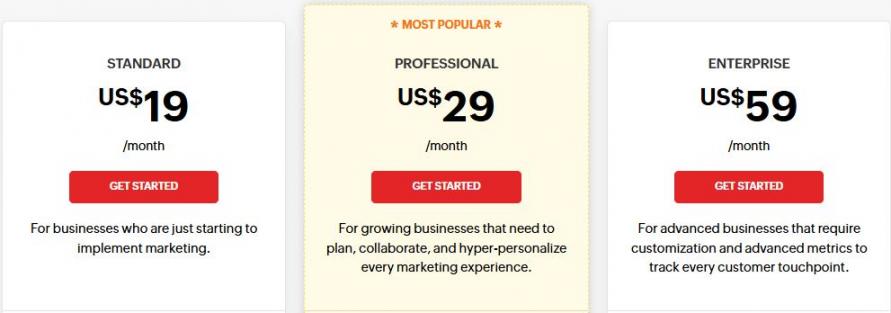
Image via Zoho Marketing Automation
Best For: Small and growing businesses looking for multi-channel marketing automation fully integrated within the Zoho ecosystem.
FAQ
Q1. How does marketing automation software for small businesses work?
A. Marketing automation software for small businesses works by automating repeated marketing tasks based on customer actions and data. Businesses can set rules and workflows that trigger emails, messages, or follow-ups when someone signs up, clicks a link, or makes a purchase. The software also tracks customer behavior, segments contacts, and shows performance reports.
Q2. Can small businesses use HubSpot for multi-channel campaign automation?
A. Yes. HubSpot allows businesses to create and run automated marketing campaigns across email, social media, websites, and landing pages. Businesses can trigger automated emails based on website activity, form submissions, or CRM updates.
Q3. Does marketing automation software for small businesses integrate with other tools?
A. Absolutely. Most marketing automation software for small businesses, including HubSpot, integrates with a wide range of tools. These include CRMs, ecommerce platforms, analytics software, customer support apps, and more. These integrations help sync real-time customer information between platforms and give you a complete view of customer behavior for automated flows.
Q4. What features should I look for in marketing automation software for small businesses?
A. When choosing marketing automation software for small businesses, look for these key features:
- Simple and intuitive user interface
- Smooth CRM connectivity for contact management
- Flexible automation workflows with triggers and conditions
- Clear campaign analytics and performance reporting
- Support for multiple marketing channels
- Ability to scale as your business grows
- Transparent and predictable pricing structure
Q5. Is marketing automation software like HubSpot suitable for businesses in all industries?
A. Yes. HubSpot is designed to be flexible and works across many industries, including ecommerce and SaaS. You can customize workflows, create industry-specific campaigns, and track performance-specific metrics.
Q6. Can marketing automation software for small businesses help with social media marketing?
A. Marketing automation software can make social media marketing much easier to manage. Many tools, like HubSpot, allow you to schedule posts in advance, track engagement, and connect social interactions with your contact database. This means leads from social channels can enter automated workflows, receive follow-up emails, or be scored based on activity.
Conclusion: Is HubSpot Worth It for Small Businesses?
As this guide shows, there are many marketing automation software solutions for small businesses in the market. Each offers different strengths depending on your goals, budget, and team size.
HubSpot Marketing Automation software stands out as the most well-rounded option for small businesses. Its all-in-one platform combines CRM software, email marketing, workflow automation, analytics, and customer support tools in a single system. This makes it easier to manage leads, personalize campaigns, and track performance without juggling multiple tools.
You can sign up easily on HubSpot’s free plan, which lowers the barrier to entry, while its paid plans scale as your marketing needs grow.
That said, you can also explore other tools that fit your workflow and needs better. Choosing the right marketing automation software for small businesses comes down to factors like ease of use, scalability, and how well the tool supports your full customer journey.
Disclaimer: This content contains some affiliate links for which we will earn a commission (at no additional cost to you). This is to ensure that we can keep creating free content for you.