- Fit beats features: the right chat tool depends first on whether your priority is sales conversion or customer support.
- Free is genuinely viable: HubSpot and tawk.to both offer live chat at no cost, so small teams can start without a paid subscription.
- AI is becoming a key differentiator: the best live chat tools combine fast responses with 24/7 availability, better conversion opportunities, and lower support costs.
- Price models differ wildly: per-seat, per-conversation, and free-with-add-ons pricing all behave differently as you grow.
- Speed is the point: buyers now expect near-instant answers, so response time is the metric that decides whether chat works.
The best live chat software in 2026 depends on your use case. HubSpot is the best all-in-one option for teams that want live chat connected to CRM, sales, and service tools. LiveChat is strongest for dedicated live chat, while tawk.to is the top free option. Intercom leads on AI-focused support, and Olark is well suited to smaller teams that prioritise simplicity.
Often, teams select tools for their extensive feature set, only to find that the software doesn’t fit their use case. A support team may end up with a sales-focused chat tool, while a sales team may choose a platform built primarily for ticket management. This guide separates the options not only by features, but by the tasks you need to perform.
Below, I share how I picked each live chat software solution, a side-by-side comparison, and a simple way to choose yours.
Disclaimer: This content contains some affiliate links for which we will earn a commission (at no additional cost to you). This is to ensure that we can keep creating free content for you.
Table of Contents
What Is Live Chat Software?
Live chat software is a customer service tool that lets businesses communicate with customers visiting their sites in real time through a chat widget. The software enables businesses to respond quickly to customers. It can also handle sales conversations and distribute customer service requests to the right agents.
Modern live chat software solutions now come equipped with AI, enabling them to do more than answer basic questions. For example, they can transform a passive ecommerce website into a two-way communication channel.
The way it works is pretty simple. You add a small snippet of code to your website, and a chat window appears for visitors. Their messages land in a shared inbox where your team, or an AI chatbot, replies.
Good live chat software systems provide pre-written replies for faster customer support. They also offer chat routing and analytics tools for more in-depth conversations.
These days, most live chat software vendors include a knowledge base, IT ticketing, and an omnichannel inbox that collates emails and social media messages. This shift alone is why buyers now see modern live chat software for website support as the entry point to their whole customer service infrastructure.
Speed is why it’s spread so fast. According to HubSpot’s 2025 State of Customer Service, 67% of consumers expect a support ticket resolved within three hours. Chat is the fastest way to meet that bar.
Understanding what chat isn't can be helpful as well. A help desk manages tickets across the ticket lifecycle, while a shared inbox brings messages from multiple channels into one place.
Live chat adds real-time communication to the mix. Many modern live chat software platforms combine chat with help desk and shared inbox functionality, but these are separate capabilities.
Chat meets visitors at the moment of intent, when they are ready to buy or about to leave. No other channel is that immediate.
How I Picked These Live Chat Tools
I chose these live chat tools the way I evaluate software for real client rollouts, rather than relying on marketing claims. I compared each platform across five areas that matter when deciding whether a tool is a good fit for a team and its workflow. Every pick had to earn its place on more than one of these criteria.
Here are the criteria I used:
- Core Chat Quality: Real-time speed, widget customization, and reliable routing.
- AI Capability: The strength of the tool’s AI agent, copilot, or automation, judged on 2026 standards.
- Pricing Honesty: Transparent, current pricing with a workable free or entry tier.
- Ease of Setup: How fast a small team gets live without an admin.
- Fit by Use Case: Whether it leans toward sales, support, or both.
I verified every live chat software solution’s price on each vendor’s live pricing page, and I pulled current G2 ratings for each tool. Where I had no first-hand data, I said so rather than inventing a test. That is how I built my list of the best live chat tools below.
A tool earns a spot when it’s the clear best choice for a specific buyer, rather than vaguely good for everyone.
Best Live Chat Software Compared
For an all-in-one that starts free, HubSpot is my top pick. For a dedicated chat experience, choose LiveChat. For a genuinely free option, use tawk.to. For AI-first support, pick Intercom. For a simple small-team setup, go with Olark.
Here’s how the five live chat software platforms compare on pricing, G2 rating, and free-plan availability. Pricing figures were verified as of August 2026.
| Tool | Best For | Starting Price (monthly) | G2 Rating | Free Plan |
|---|---|---|---|---|
| HubSpot | All-in-one sales + service | Free (paid from $20/seat) | 4.4/5 (2,920) | Yes |
| LiveChat | Dedicated live chat | $25/seat | 4.5/5 (812) | No (14-day trial) |
| tawk.to | Free, unlimited agents | Free (add-ons from $29) | 4.5/5 (203) | Yes |
| Intercom | AI-first support | $29/seat + Fin usage | 4.5/5 (3,900) | No (free trial) |
| Olark | Simple small-team chat | $29/seat | 4.3/5 (224) | No (free trial) |
One note on the free tiers. HubSpot and tawk.to are genuinely free, yet each caps something, whether branding, seats, or AI features. Check those limits before you lean on a free plan.
Start with HubSpot if you want room to grow for free. Pick a specialist like LiveChat or Intercom when chat is your core channel.
How to Choose the Right Live Chat Tool
Start by naming the one job you need chat to do. Sales-led teams need proactive chat, visitor tracking, and CRM sync, the engine behind B2B SaaS lead generation. Support-led teams need ticketing, a knowledge base, and strong routing. Most tools do one side well and the other adequately.
It would be a mistake to let the demo presentation and not the daily workflow of your team, guide your decision. I've seen teams choose an aesthetically pleasing widget that couldn't route a lead to their CRM.
Make sure the live chat tool complements your team's actual workflow, not just whatever feature captured attention during the call.
To quickly decide what kind of live chat software you need: if your chats typically end with a sale, you're sales-led. If they end with a solved problem, you’re support-led. Buy for whichever happens more often.
Cost is the second factor to consider. Live chat software may be priced per seat, by usage, or through additional charges for AI resolutions and other features. Compare the pricing model with your expected number of agents and chat volume, and calculate how costs could change as your usage grows.
If you primarily need customer service live chat, focus on ticketing and routing, not aesthetics.
Which Live Chat Software Should You Choose?
If you need an integrated sales and support platform, go for HubSpot with its free CRM and chat. LiveChat is your best option if you’re looking for a dedicated, polished chat experience.
If you want a real free tool for a small team, tawk.to is a good option. If you want to rely on your AI to automatically resolve your requests at scale, go with the Intercom platform.
Before you settle for any one live chat software solution, run every option through these questions:
- What’s the total cost at our chat volume (not just sticker)?
- Can our agents adopt it without extensive training?
- Does it sync with my CRM and existing stack?
- How good is its AI agent, honestly?
- Can I export my data and leave if I need to?
If you’re using chat mainly to capture leads, pair it with a broader plan from my guide on lead generation strategies.
The tool follows the job. Decide sales versus support first, then let price and AI break the tie.
What’s the Difference Between Live Chat, AI Agents, and Copilots?
In 2026, AI-powered chatbots, AI agents, and AI copilots differ mainly in what they can do and how much human involvement they require. Their performance also depends on factors such as the task, underlying data, automation, and integrations. They are three different things, but people tend to get them mixed up.
Here are my three distinct definitions. A chatbot is rule-based and does what you tell it to do. An AI agent can resolve entire conversations on its own. An AI copilot helps your human agents reply faster. Knowing which one you need beforehand will help you narrow the options more efficiently.
Choosing the right tool has a financial impact. According to HubSpot's 2025 State of Customer Service research, CRM leaders say that AI has helped reduce their response time. 75 percent of them confirm that AI has helped them reduce their customer service response time.
HubSpot reports that its service teams save more than two hours per day using its AI chatbot. Intercom reports that its Fin AI agent can resolve customer conversations without human intervention. These figures come from the vendors, so I treat them as reported claims rather than independently verified performance results.
| AI Type | What It Does | Best When |
|---|---|---|
| Rule-based chatbot | Answers set questions, books meetings | You have predictable FAQs |
| AI agent | Resolves full conversations on its own | You want deflection at scale |
| AI copilot | Drafts and suggests agent replies | You want faster human support |
This simple test can help you reach a quicker decision. Does your team have to respond to the same 50 questions each day? If yes, then an AI agent that takes care of them is a smart purchase.
When the questions that come in are complex and different from each other, a copilot that helps humans respond faster will beat a bot that can only make assumptions.
Don’t buy “AI chat.” Decide whether you need deflection (an agent) or speed (a copilot), then judge each tool on that.
The 5 Best Live Chat Software
Below are my best live chat software picks, each with features, honest pros and cons, verified pricing, and who it fits. I kept the structure identical for every live chat software solution so you can compare them fairly, and I led with the job each one does best.
1. HubSpot
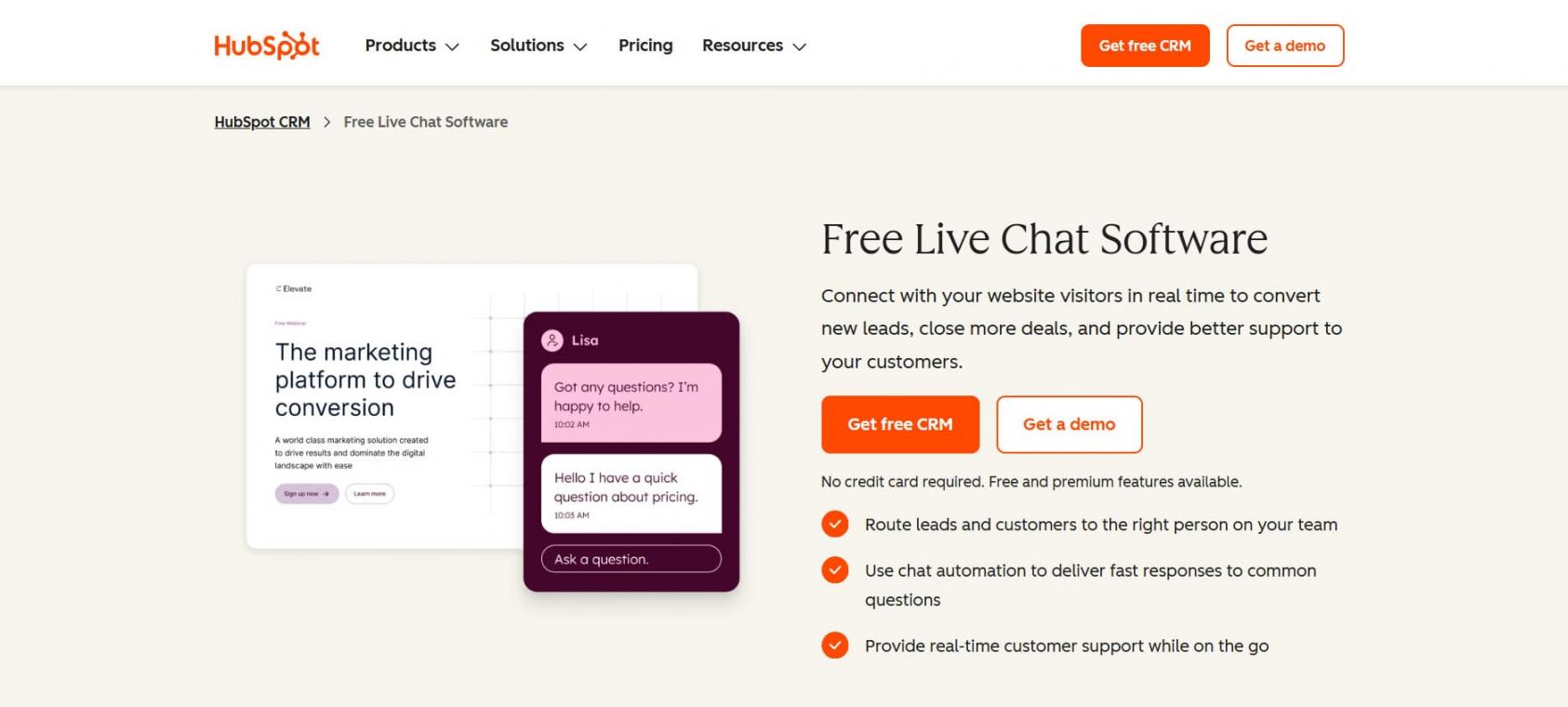
Image via HubSpot
HubSpot is the best all-in-one live chat software solution because its live chat integrates directly with HubSpot’s free CRM, while more advanced CRM and service features are available through paid plans.
In HubSpot, live chat conversations are automatically stored in the conversations inbox and connected with HubSpot’s CRM tools, giving teams context they can use for sales or support follow-up. It’s my top pick for teams that want sales and support in one place without paying on day one. The chat and chatbot builder are included in HubSpot’s free tools.
Key Features
- Free Chat and Chatbot Builder: Introduce live chat to your website with no credit card required
- Universal Inbox: Every conversation is stored on the contact’s CRM record
- Chat Routing: Send visitors to the right rep or team automatically
- Customer Agent: HubSpot’s AI-powered Customer Agent can answer questions and automatically resolve eligible conversations, with access available in Service Hub Professional and Enterprise
Pros
- The free tier is genuinely useful on its own.
- Chat data feeds sales, marketing, and service.
- Scales from solo founder to enterprise.
Cons
- The free widget carries HubSpot branding.
- Advanced workflow automations are locked in paid Service Hub tiers.
- For the best experience, your entire tool stack must be compatible with HubSpot.
Pricing
- Free
- Starter: $20 per seat per month
- Professional: $100 per seat per month
- Enterprise: $150 per seat per month
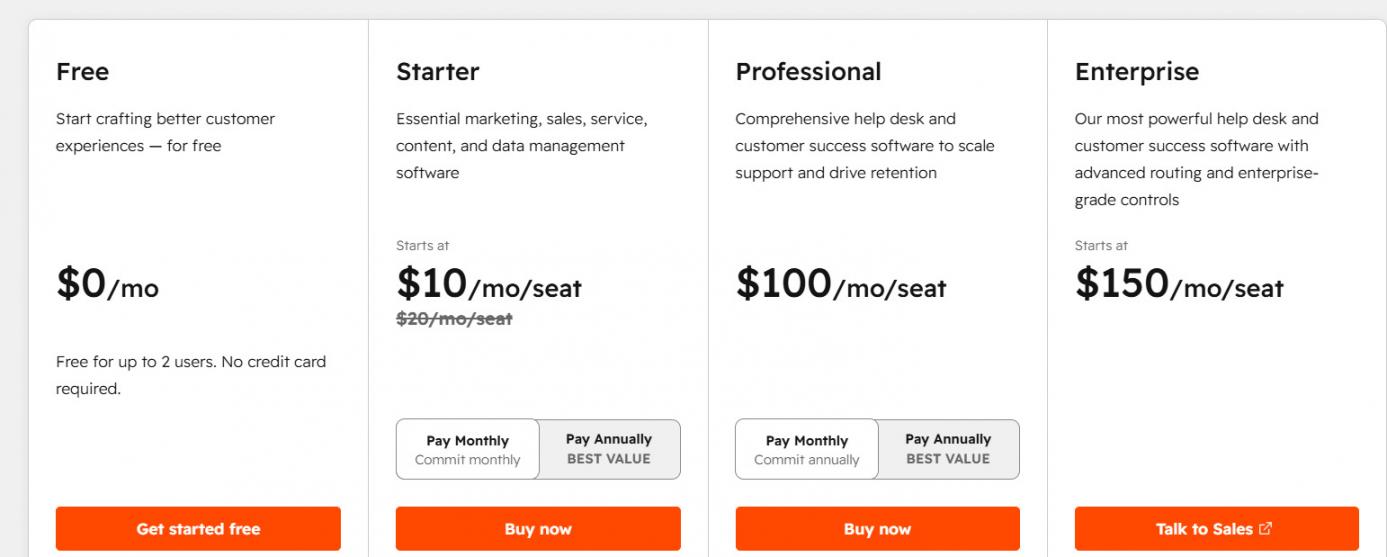
Image via HubSpot
Tool Level
- Suitable for solo operators, small businesses, and growing teams that want live chat connected to sales and customer service tools.
Usability
- Setup is straightforward, and the free tools can be configured without advanced technical skills. The wider HubSpot platform has more features to learn and may require additional setup as your needs grow.
Pro Tip: Activate chat transfer and a basic filtering bot right before you add reps. This way, chat will still capture leads even during the non-working hours.
It’s the only pick here where chat, CRM, and marketing live under one roof for free, so your chats never sit in a silo.
2. LiveChat
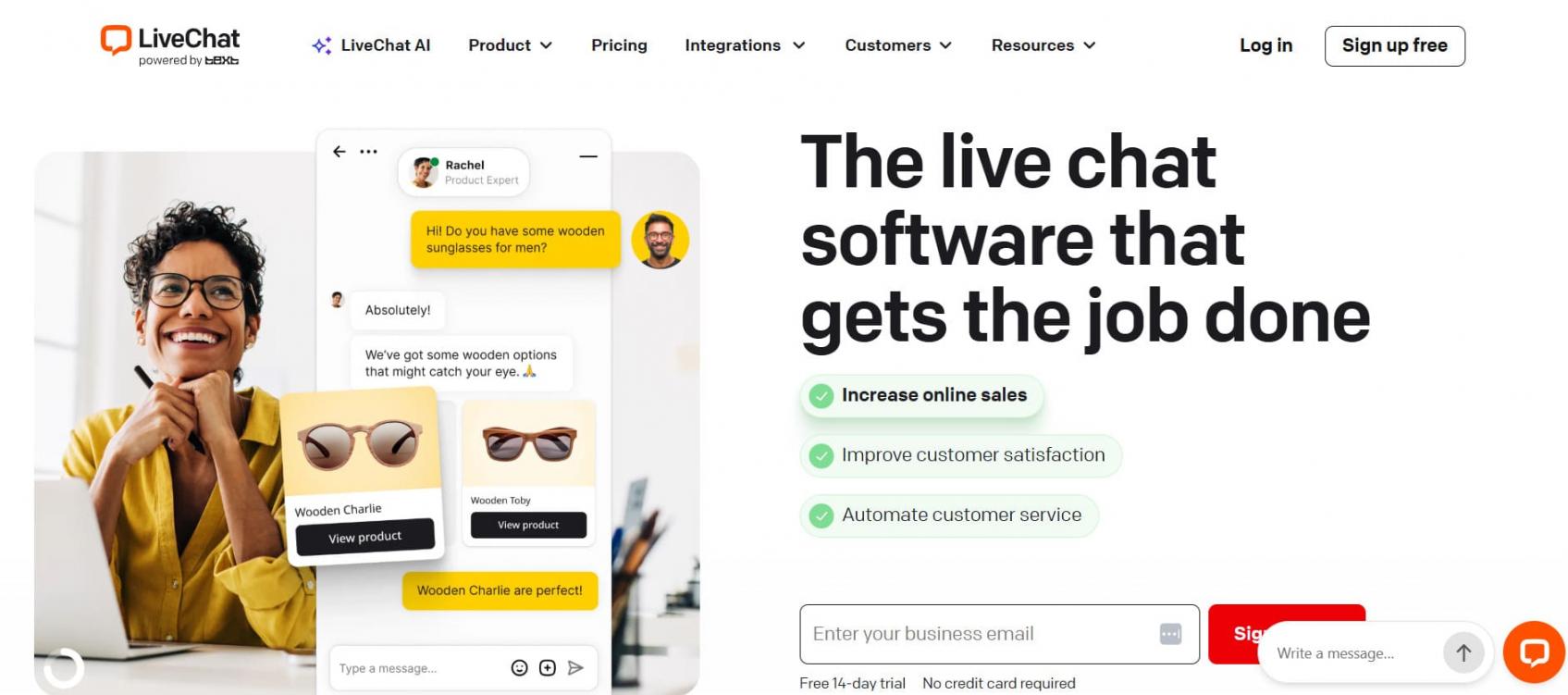
Image via LiveChat
LiveChat is a dedicated live chat software solution with customizable widgets, AI-assisted replies, and marketing reporting tools for monitoring agent performance and chat volume. Its features make it a practical choice for ecommerce stores and B2B websites that want chat as a primary customer communication channel rather than a broader customer service suite.
Key Features
- Fast, customizable widget: Match your brand in minutes
- Agent tools: Canned responses, message sneak peek, and tags
- Reporting: Staffing prediction and agent performance metrics
- Integrations: Connects to CRMs, help desks, and ecommerce platforms
Pros
- Clean, reliable real-time experience.
- Deep customization of the chat window.
- Strong reporting on higher tiers.
Cons
- No permanent free plan.
- AI features are lighter than Intercom’s.
- Costs rise as you add agents.
Pricing
- Starter: $25 per seat per month
- Team: $59 per seat per month
- Business: $89 per seat per month
- Enterprise: Contact Sales
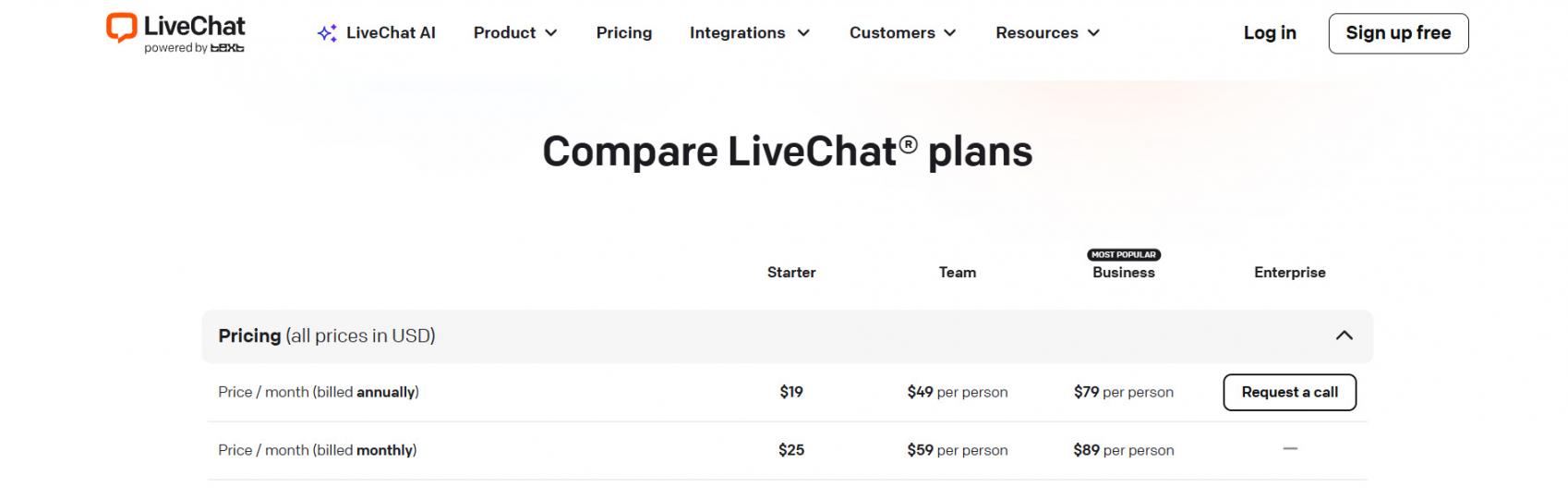
Image via LiveChat
Tool Level
- Best for small to mid-sized support and sales teams that treat chat as a primary channel.
Usability
- One of the easiest tools to launch here. Most teams are live the same day, with no admin help.
Pro Tip: Use targeted chat triggers on high-intent pages like pricing, so your best visitors get a proactive message.
It does one thing extremely well: real-time chat that’s fast to deploy and pleasant to use, with the reporting a busy team needs.
3. tawk.to
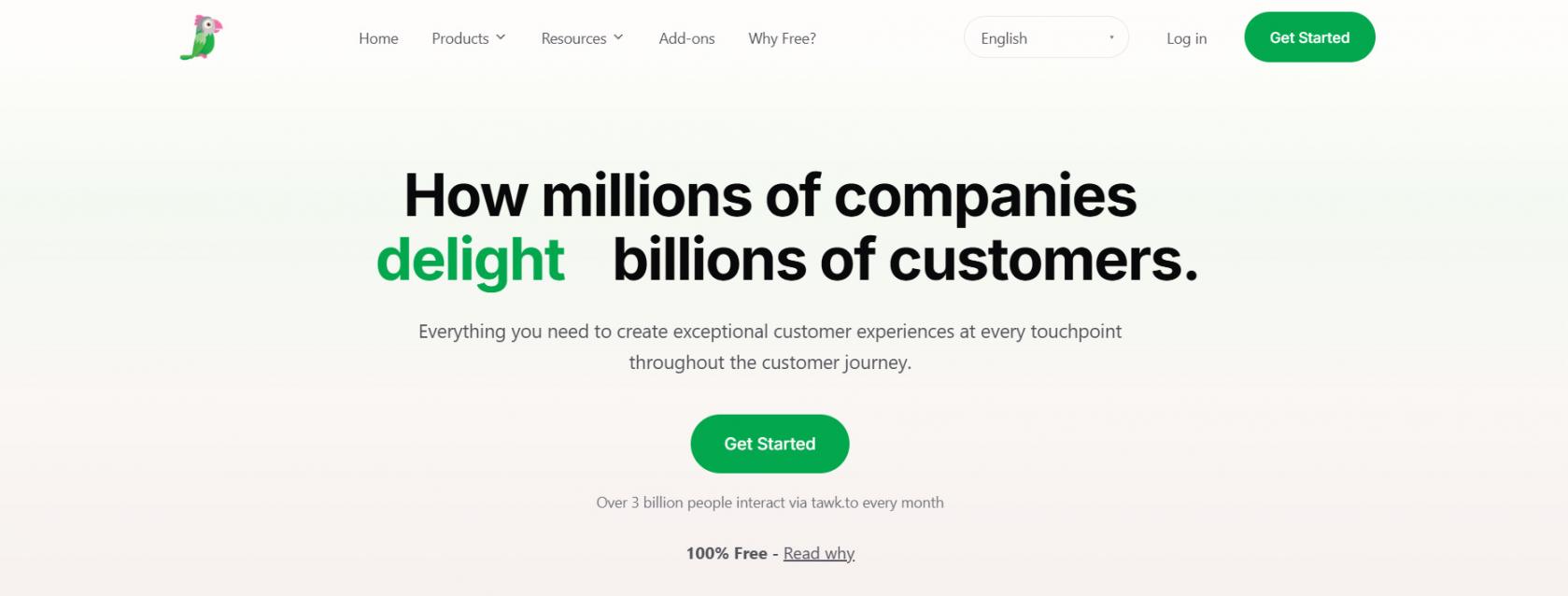
Image via tawk.to
tawk.to is a free live chat software solution that, unlike most “free” options, doesn’t cap your agents. It’s a strong fit for small businesses and side projects that want to add live chat without a recurring subscription for the core product. Additional services, including branding removal, AI Assist, and hired chat agents, are available as paid add-ons.
Key Features
- Unlimited free agents: Add your whole team at no cost
- Shared inbox: Chat, ticketing, and a knowledge base in one place
- AI Assist: Optional AI built on your knowledge base and FAQs
- Monitoring: See who’s on your site in real time
Pros
- A genuinely free core product.
- No limit on agent seats.
- Optional hired agents at $1 per hour.
Cons
- Branding removal is a paid add-on.
- AI is newer and less mature.
- Support is largely self-serve.
Pricing
- The core tool is free. Removing branding costs $29 per month, AI Assist starts at $29 per month, and hired chat agents are $1 per hour.
Tool Level
- Good option for solopreneurs, startups, and budget-conscious small businesses.
Usability
- Setting it up is straightforward, although its layout seems more crowded than paid rivals. Even so, you can have things working within the same day.
Pro Tip: Start by directing your AI Assist at a clean knowledge base before handing off live visitors.
The core chat module is free forever and supports unlimited agents. This gives small teams access to real tools without needing to subscribe.
4. Intercom
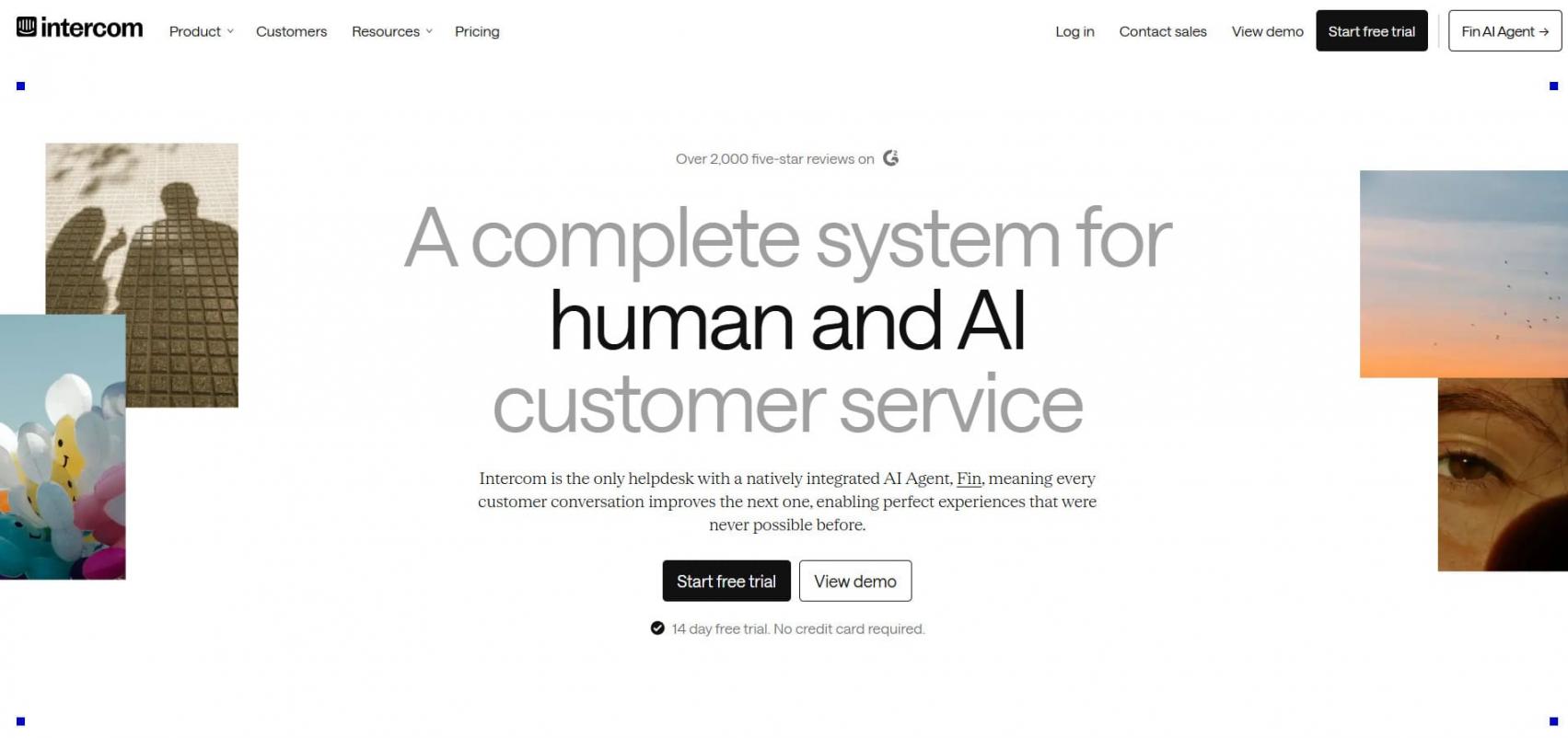
Image via Intercom
Intercom is an AI-focused live chat software solution for teams that want to automate more customer support conversations. Its Fin AI agent is built to resolve whole conversations. The platform is popular with SaaS and customer engagement teams, and you pay per seat plus a fee for each AI resolution.
Key Features
- Fin AI Agent: Resolves conversations on its own
- Omnichannel Inbox: Chat, email, and in-app messages together
- Copilot for Agents: Drafts replies and surfaces answers
- Workflows: No-code automation and routing
Pros
- A best-in-class AI agent
- A polished, modern interface
- Strong for product-led SaaS
Cons
- Per-resolution AI pricing can climb fast
- More complex than simple chat tools
- Costs add up for scaling teams
Pricing
- Essential: $39 per seat per month
- Advanced: $99 per seat per month
- Expert: $139 per seat per month
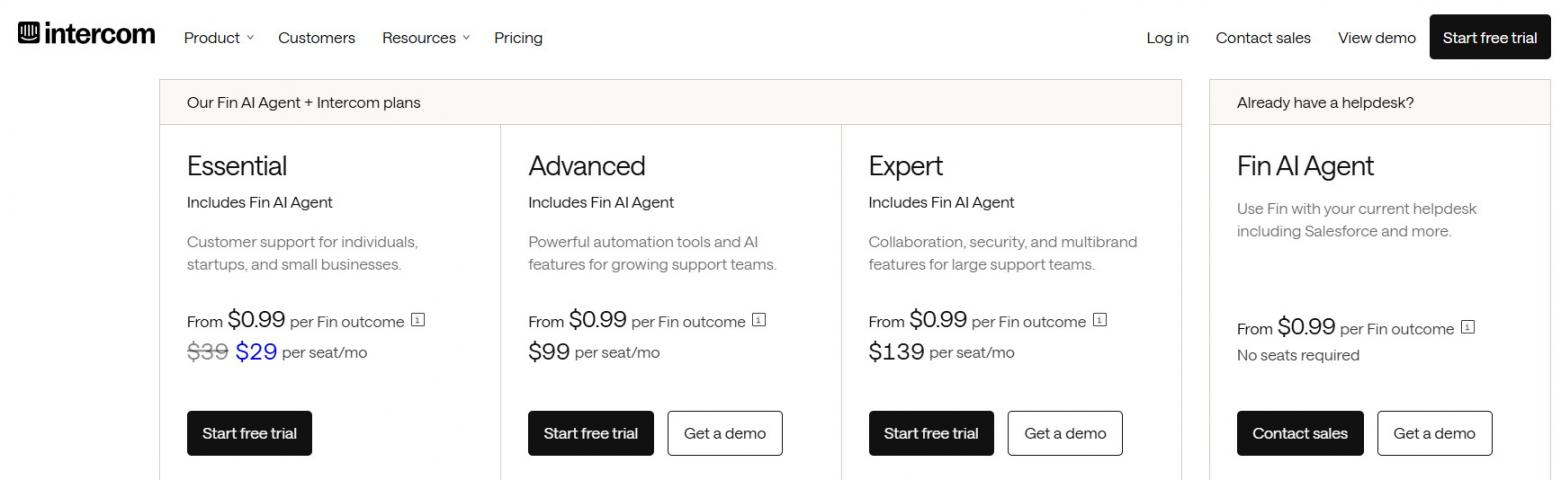
Image via Intercom
Tool Level
- Best suited to mid-sized SaaS teams who frequently generate real support inquiries and want to integrate the tool with their CRM automation tools.
Usability
- Setup is a bit more complex compared to a simple widget, but its automation capabilities make up for it. You may need to dedicate some time to mastering this live chat tool.
Pro Tip: Estimate Fin’s total monthly cost based on your expected chat volume, the share of conversations it may handle, and the applicable per-resolution fees. Compare that estimate with your current support costs before enabling AI at scale.
Fin is one of the most capable AI agents on the market, so high-volume teams can automate a real share of support.
5. Olark
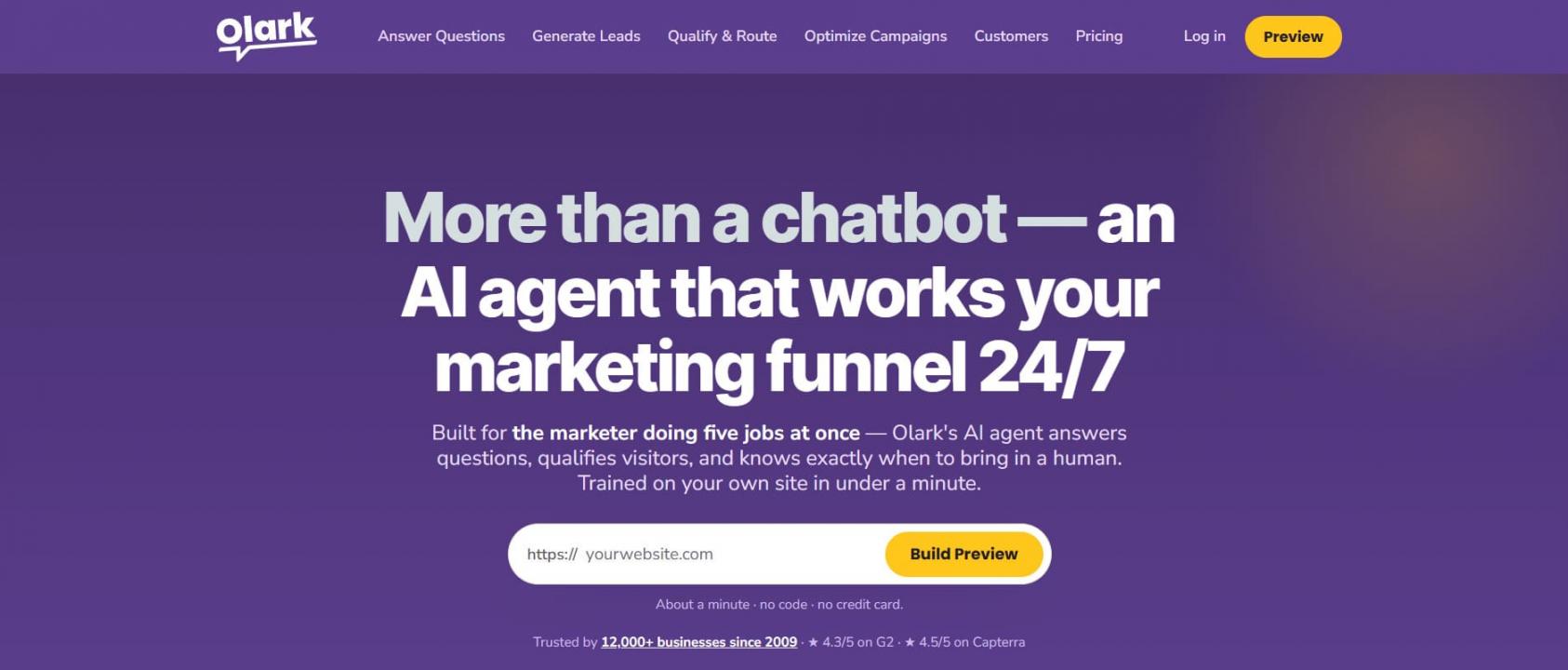
Image via Olark
Olark is a live chat software solution for small teams that need a straightforward way to communicate with website visitors and manage conversations. It focuses on straightforward real-time conversations and easy setup. It’s a clean choice when you don’t need a heavy suite, with an affordable chat-only plan and an optional AI tier.
Key Features
- Simple Live Chat: A clean widget with easy customization
- Automation: Triggered messages and routing rules
- Reporting: Real-time chat volume and agent activity
- Integrations: Connects to CRMs and help desks
Pros
- Very easy to learn and deploy.
- Affordable chat-only entry price.
- A reliable core experience.
Cons
- No permanent free plan.
- The AI tier is priced steeply.
- Fewer advanced features than rivals.
Pricing
- The chat-only plan is $29 per agent per month. Olark’s AI Website Agent runs $400 per month billed annually, with custom plans for larger teams and a free trial.
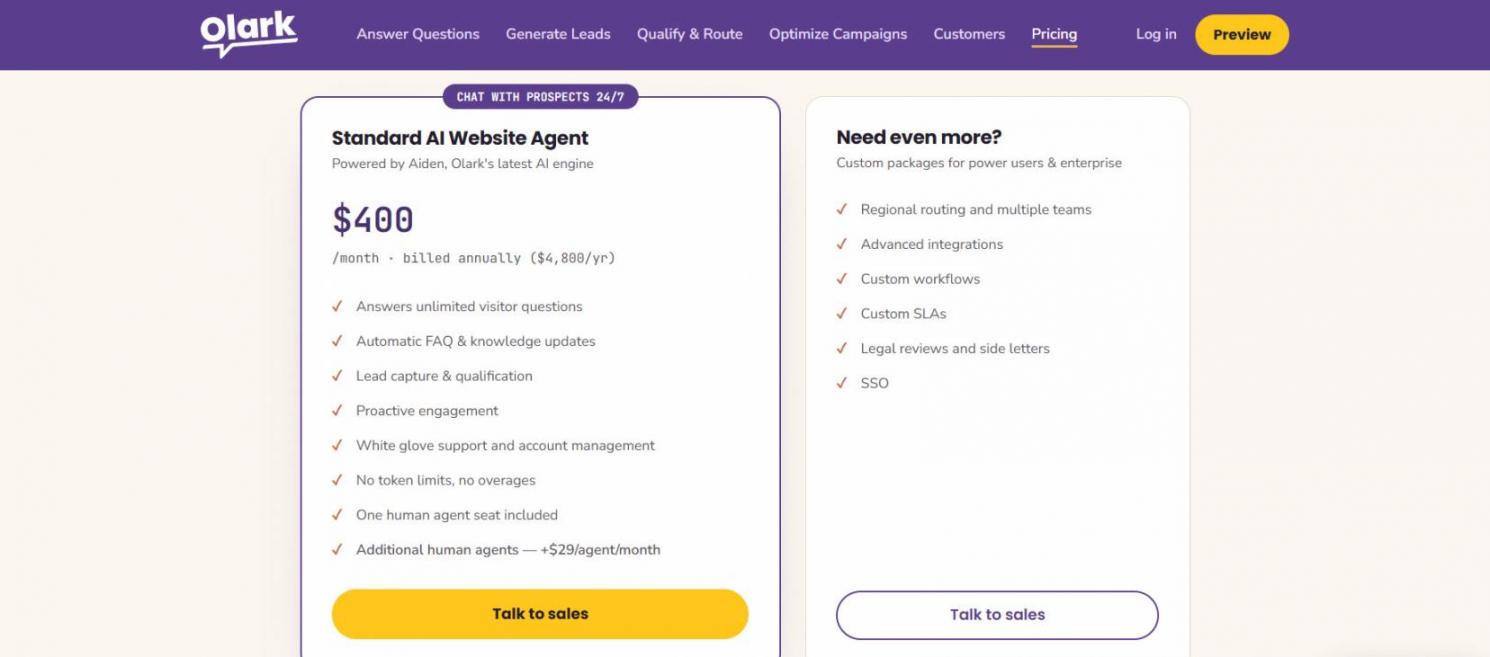
Image via Olark
Tool Level
- Best for startups and companies with lean customer service teams who need an uncomplicated chat and lead management system.
Usability
- Among the most approachable live chat tools here. You won’t need to hire a dedicated administrator to keep things moving.
Pro Tip: Start with Olark’s chat-only plan, then assess whether AI features are worthwhile based on your conversation volume, question complexity, and expected resolution rate. Compare the potential benefits with the additional cost before upgrading.
Its chat is so uncomplicated that a small team can set it up, customize it, and begin communicating with visitors on the same day.
FAQ
Q1. What is live chat software?
A. It’s a tool that lets businesses message website visitors in real time through a chat widget. It handles support and sales conversations, routes chats to the right agent, and often adds AI to answer common questions on its own.
Q2. What is the best free live chat tool?
A. tawk.to is the best fully free live chat software option because it doesn’t limit agent seats. HubSpot is the best free pick if you also want a CRM, since its chat and chatbot builder are free in HubSpot’s free tools.
Q3. How does live chat work?
A. Once you add a small snippet of code to your website, a live chat window appears for visitors. Their messages are sent to a shared inbox, where your team or an AI agent can respond. Chat routing and automation can then direct conversations to the appropriate agent or workflow.
Q4. Which live chat tool is best for ecommerce?
A. LiveChat is one of the best ecommerce tools for its fast widget speed and trigger system on high-intent pages. HubSpot is better suited to stores that want chat integrated with their CRM system so they can later follow up after the conversation.
Q5. How can I use chat for lead generation?
A. You can implement proactive chat triggers on the pages that your audience is most likely to buy or engage with, then add a qualifying bot to get their details. Lastly, make sure that the chat is synchronized with your CRM system. That way, you make your widget a lead capture channel as well as a support desk.
Q6. How much do these tools cost?
A. They range from free to enterprise pricing. tawk.to and HubSpot start free. LiveChat and Olark start near $25 to $29 per seat monthly, while AI-heavy platforms add per-resolution fees on top.
Q7. What’s the difference between live chat and an AI chatbot?
A. Live chat lets website visitors communicate with a business through a chat widget, either with a human agent or an automated system. An AI chatbot can answer questions using predefined rules or AI-generated responses. Modern live chat software often combines both, allowing AI to handle routine questions and route more complex conversations to human agents.
Q8. Is HubSpot’s chat really free?
A. Yes. HubSpot offers free live chat and a free chatbot builder with no credit card required. The free live chat includes HubSpot branding, while paid HubSpot plans provide additional functionality and remove HubSpot branding.
Final Thoughts
The best live chat software depends on what you need the tool to do. HubSpot stands out for teams that want chat connected to sales and customer service, while LiveChat is a stronger choice when chat itself is the priority. tawk.to offers the strongest free option, Intercom is suited to teams that want more AI-driven support, and Olark keeps things focused for smaller teams.
Use your primary use case, expected chat volume, pricing model, and AI requirements to narrow the list.
My advice is to start free, prove the channel works, then upgrade to the live chat tool that fits your primary job. If you want a free option that combines live chat with CRM features, HubSpot is a good place to start.
Above all, choose the platform your team will actually use every day. If you’d like help turning chat into a real pipeline, explore Attrock’s lead generation services.
Disclaimer: This content contains some affiliate links for which we will earn a commission (at no additional cost to you). This is to ensure that we can keep creating free content for you.