- Free CRM vs Free Trial: A free CRM plan has no fixed expiry date, while a free trial ends after a set period. Confirm which option you're getting before importing data.
- Identify Your Key Limit: Compare each CRM's limits for users, contacts, pipelines, storage, and emails. Check how they stack up against your team's current and expected needs.
- Plan for Growth: Estimate how your team and contact list may grow. Then choose a CRM that can keep up without dropping essential features.
- Check for Changes: CRM pricing, features, and plan limits can change. Verify the current terms before committing to a platform.
Free CRM software lets businesses organize customer data, track communications, and automate daily tasks. There's no upfront software cost involved.
But free doesn't mean unlimited. Each platform sets its own caps on users, contacts, storage, and features. So before you choose one, check what each plan actually lets you do.
We've compared seven free CRM platforms to help you find one that fits your workflow and budget. The guide also explains what each free plan includes and where its limits may affect your team.
Disclaimer: This content contains some affiliate links for which we will earn a commission (at no additional cost to you). This helps us keep creating free content for you.
How We Picked the Best Free CRM Tools
Free CRM is a crowded category. Plenty of platforms use the term to describe a limited trial rather than a real product. Our picks had to offer genuine free plans with no expiry date and real CRM functionality out of the box.
- Free Plan Access: We looked into CRM platforms that offer free plans with no fixed end date, not short-term trials. Teams needing ongoing access without paying for an upgrade want that distinction from the start.
- Reasonable Usage Limits: We checked restrictions on users, contacts, storage, pipelines, emails, and other key resources. These limits can determine whether a free CRM remains practical as your business grows.
- Core CRM Features: The free plan needed to cover the basics like contact management, deal tracking, and pipeline visibility. We also looked for extras such as task management and AI tools.
- Best-Fit Use Cases: No single CRM is right for every business. We identified where each platform's free offering makes most sense, from small sales teams to businesses needing broader collaboration tools.
- Ease of Use: A long feature list doesn't help if the software is difficult for your business to adopt and use. We considered how accessible each platform is for teams that want to get started quickly.
These tools offer useful free plans, essential CRM features, practical limits, and a manageable user experience. We also considered which teams and workflows each free CRM suits best.
Is There a 100% Free CRM, or Just a Free Trial?
Yes, completely free CRM plans exist, and they don't expire after a set trial period. A free trial, by contrast, gives you temporary access to a CRM's paid features.
- Free CRM: Provides a set of features at no cost for an unlimited time
- Free Trial: Provides access to paid features for a limited period, after which you need to upgrade
Free customer relationship management software plans are ideal for solo entrepreneurs or micro-businesses just getting started. They can give you enough tools for contact management, deal tracking, and other essential tasks without a monthly fee.
However, free plans often come with limits on users, contacts, storage, or advanced features. Upgrading can remove some of these restrictions and give your team access to more capabilities.
A free CRM gives you ongoing access to a set of features at no cost. A free trial provides temporary access to features that ultimately require a paid plan.
What Should You Compare Before Choosing a Free CRM?
Free CRM tools typically include contact management, lead tracking, deal pipelines, task organization, reporting, and email features.
Before choosing a free CRM, compare its user, contact, storage, and feature limits with your team's needs. This can help you avoid outgrowing the plan sooner than expected.
| CRM Tool | Best For | Free Plan | Paid Plans From | G2 Rating |
|---|---|---|---|---|
| HubSpot | Small Businesses | Yes | $20/month/seat | 4.4 |
| Zoho CRM | Sales Automation | Yes | $9/user/month | 4.1 |
| Bitrix24 | All-in-one collaboration | Yes | $69/organization/month | 4.1 |
| Freshsales | Lead tracking | Yes | $11/user/month | 4.5 |
| Capsule CRM | Small teams | Yes | $21/user/month | 4.7 |
| Vtiger CRM | Open-source flexibility | Yes | $15/user/month | 4.3 |
| Flowlu | CRM and project management | Yes | $12/user/month | 4.7 |
Prices were verified on vendor pages as of September 2026.
Free CRMs trade cost for caps. They typically differ on automation, team size, number of contacts, and data storage.
Which Free CRM Tools Made Our List?
We reviewed seven free CRM tools based on their features, pricing, usability, and G2 ratings. Each tool includes its main advantages, disadvantages, and a practical tip to help you decide on business fit.
The right CRM depends on your business needs, team size, and how easy the platform is to pick up and use.
1. HubSpot
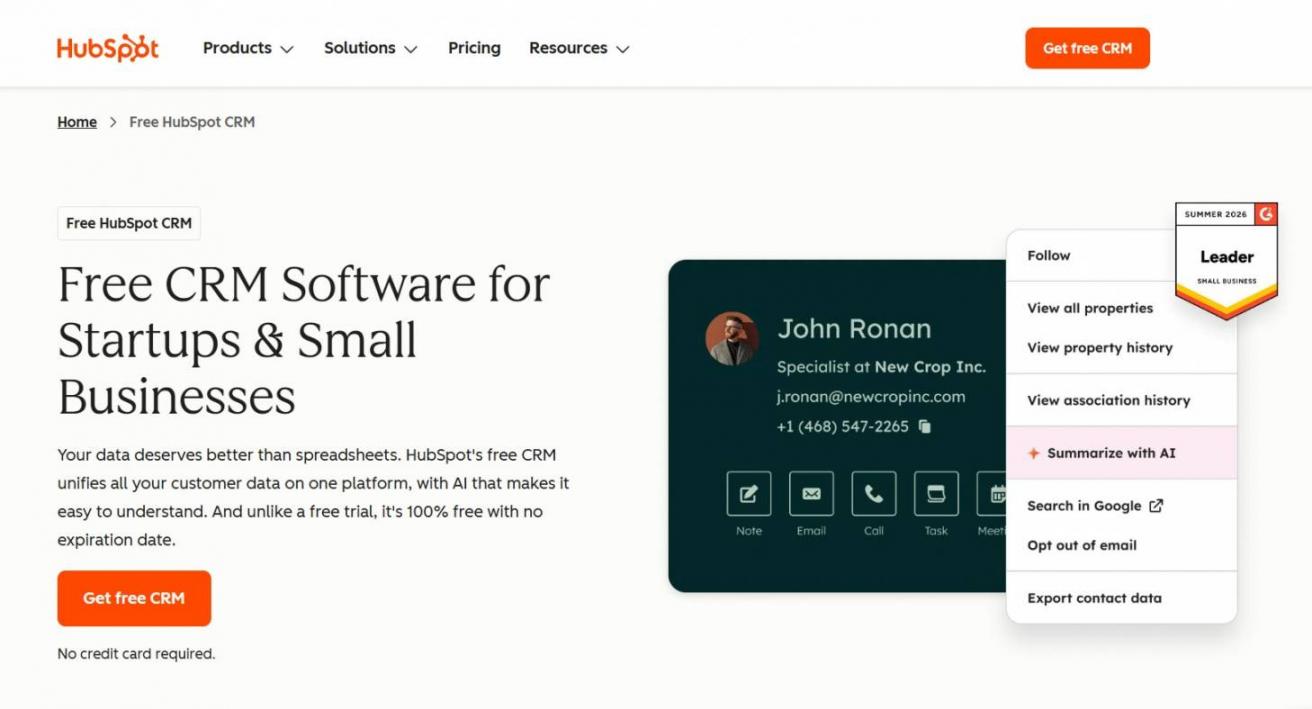
Image via HubSpot
HubSpot's Smart CRM brings contacts, deals, tasks, and chat into one workspace. Its free CRM doesn't require a credit card to get started.
The platform supports a maximum of two users and one thousand contacts. It provides helpful AI assistance, which allows startups to build early customer relationships smoothly.
Free accounts allow only one active deal pipeline. That single pipeline lets you visualize your sales cycle, log customer interactions in one click, and navigate the platform without getting lost.
Key Features
- Contact Management: Store and track customer records and activity
- Deal Pipeline: Manage one active pipeline with drag-and-drop stages
- Communication Tools: Connect email, schedule meetings, and use basic chat features
- No Expiration: The free tier never expires and doesn't require a credit card
Pros
- Unifies sales, service, and marketing tools in one place
- Lets early-stage startups and SMBs build their database without a time limit
- Integrates with Gmail, Outlook, Slack, and other business apps on the free tier
Cons
- Scaling to Professional or Enterprise triggers a significant price jump
- The massive feature ecosystem creates a steep learning curve for CRM beginners
- Customer support on the free plan is restricted to community forums
Pricing
- Free
- Starter: Starts at $20/month per seat
- Professional: $50/month per seat
- Enterprise: $75/month per seat
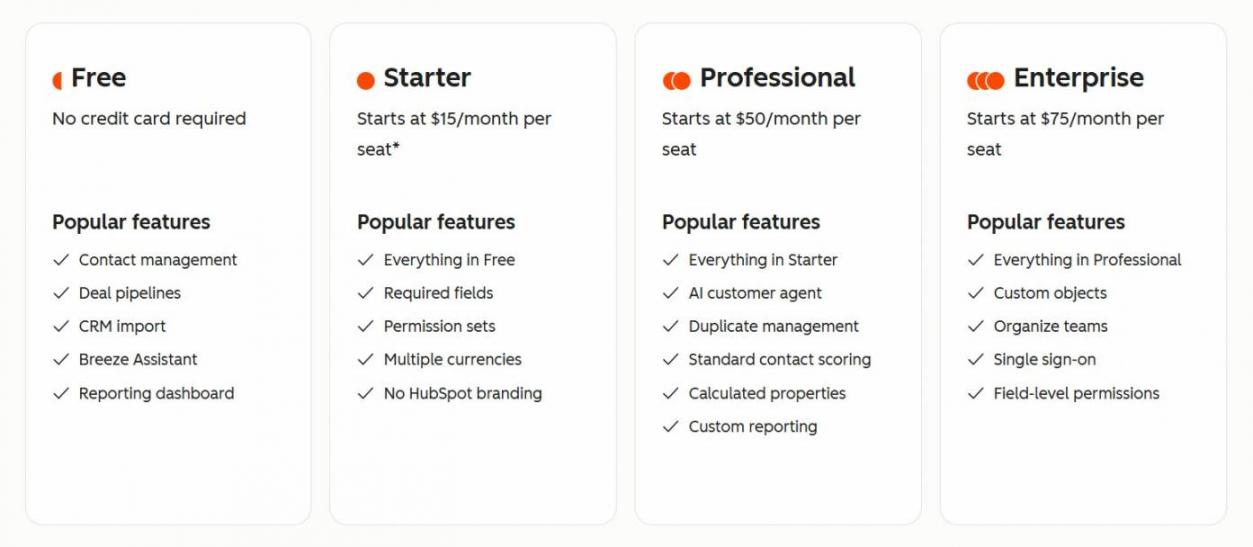
Image via HubSpot
Tool Level
- Beginner to advanced
Usability
- HubSpot CRM offers a clean, drag-and-drop interface with visual pipelines and guided tools for common CRM tasks
Pro Tip: Filter your contact view by “last activity date” each morning. It shows who's recently engaged, so you reach out at the right moment instead of going through a static list.
2. Zoho CRM
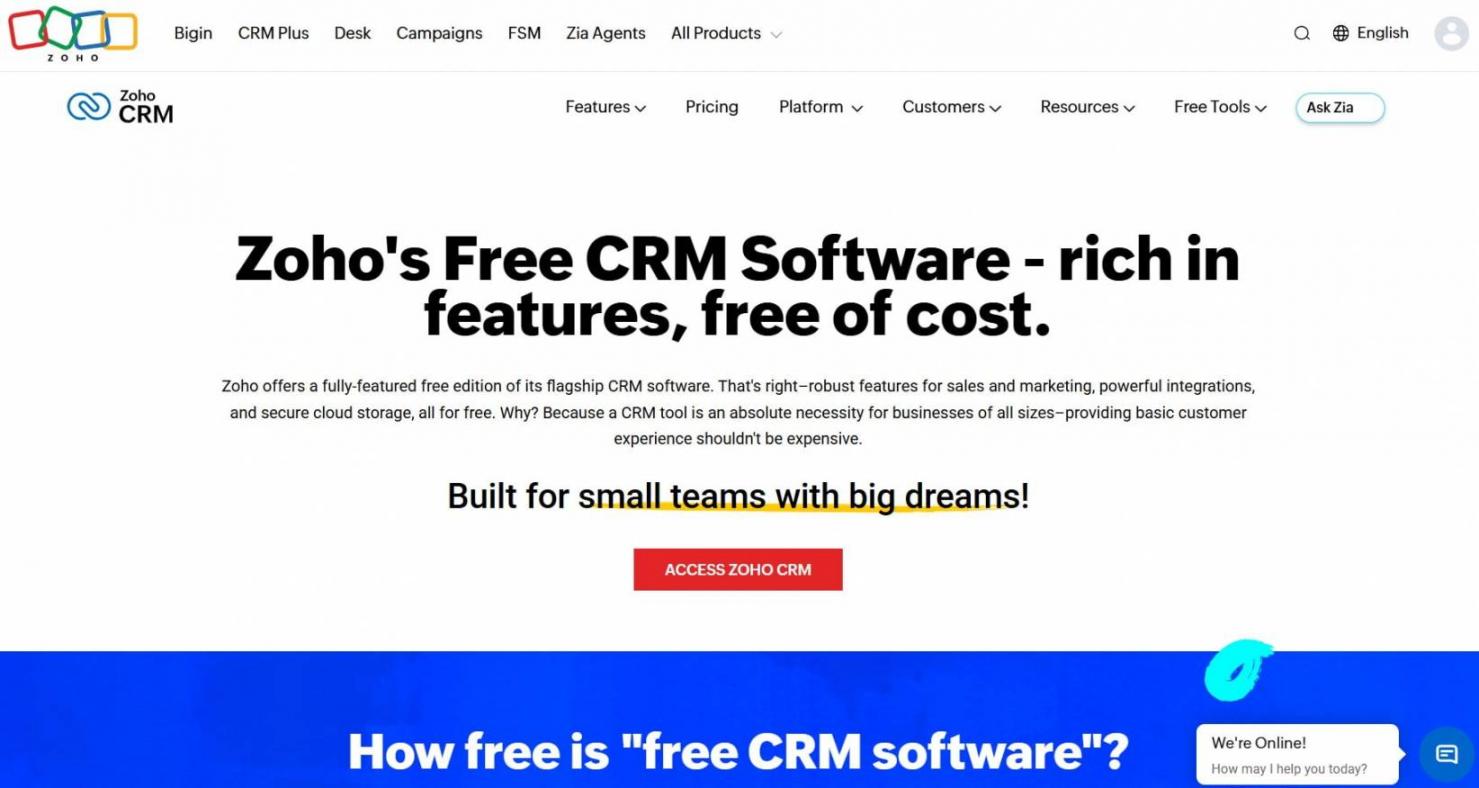
Image via Zoho
Zoho CRM is a standalone application for managing leads, contacts, deals, and sales pipelines. It's one of the better free CRM options for small businesses, with no time-limited trials or hidden fees.
Zoho CRM's offers a free plan for up to 3 users that doesn't expire. It lets businesses organize contacts, leads, and deals while automating time-consuming tasks like data entry. That frees your team to focus on strategy and customer interaction.
Key Features
- Workflow Management: Tracks leads, contacts, events, and distinct deal stages with basic workflow rules
- Lead Capture Forms: Generates basic website contact forms and pulls submissions directly into the CRM
- Standard Reporting: Shows business performance through standard reports and dashboards
- Mobile Access: Lets users manage CRM data from native iOS and Android apps
Pros
- Gives three full user seats at no cost, so small teams don't need to share logins
- Integrates seamlessly with the broader free Zoho ecosystem, including Zoho Mail
- Sends free outbound system emails with no Zoho branding attached
Cons
- Lacks high-volume email tools, which limits direct outreach at scale
- Caps custom fields at 10 per module, getting restrictive as teams grow
- Zia AI sales intelligence tools and predictive lead scoring are unavailable on the Free plan
Pricing
- Free
- Bigin Express: $9/user/month
- Standard: $20/user/month
- Professional: $35/user/month
- Enterprise: $50/user/month
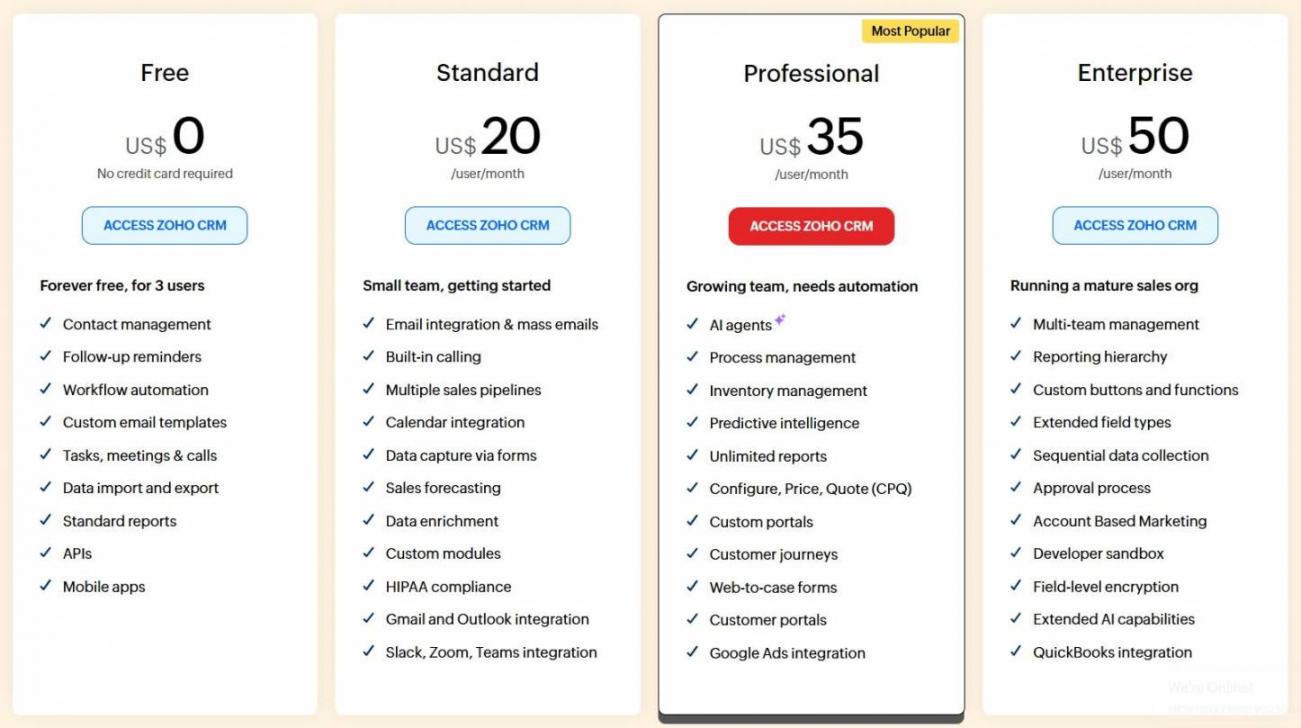
Image via Zoho
Tool Level
- Beginner to intermediate
Usability
- Zoho CRM's dashboard can feel dense at first, and setting up workflows takes some getting used to
Pro Tip: Zoho limits free mass emails to 50 per user each day. Check this cap before you plan a campaign around the free plan.
3. Bitrix24
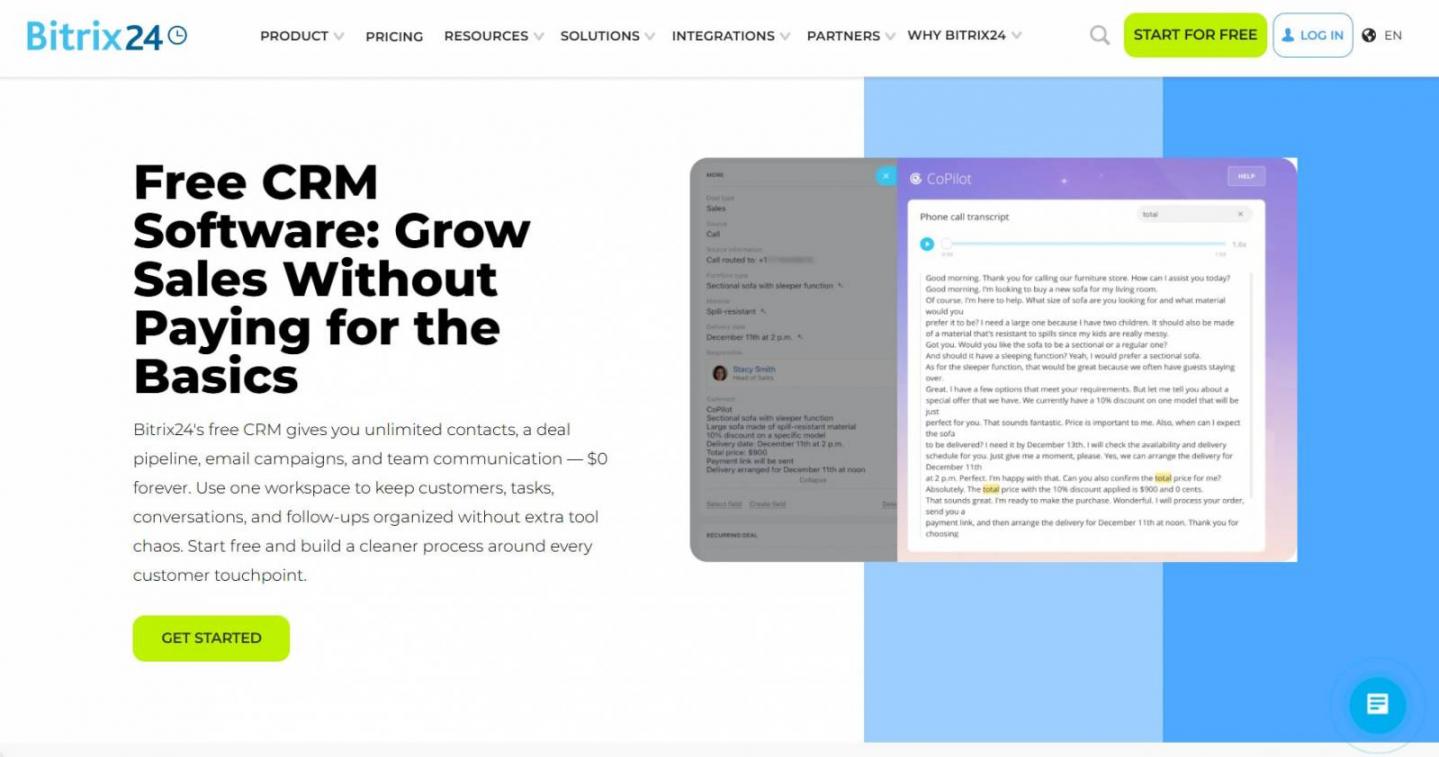
Image via Bitrix24
Bitrix24’s free CRM gives small businesses tools for project, inventory, document, website, and communication management.
The free CRM plan provides client tracking, internal communication, project management, chat, video calls, and online stores. It also includes 5 GB of cloud storage and a 1,000-record CRM filtering limit, plus access for up to two users.
Key Features
- Unified Workspace: Combines CRM, team chat, video calls, calendars, and project management
- AI Assistant: Includes the built-in generative AI CoPilot, which handles text writing, call transcription, and CRM field autocomplete
- Task Management: Offers task tracking via Kanban boards, standard lists, and Gantt charts
- Cloud Storage: Free users get 5 GB online storage to store and share work files
Pros
- Supports unlimited users on the free plan with no per-seat fees
- Houses messaging, task tracking, and video tools in one platform
- Offers flat-rate paid tiers when you're ready to scale
Cons
- Deletes your entire account after 50 consecutive days of inactivity
- Restricts advanced cross-module workflow automation and approval rules to premium tiers
- Limits technical assistance to self-service forums, with zero live chat support for free users
Pricing
- Free
- Basic: $69/organization/month
- Standard: $144/organization/month
- Professional: $289/organization/month
- Enterprise: $579/organization/month
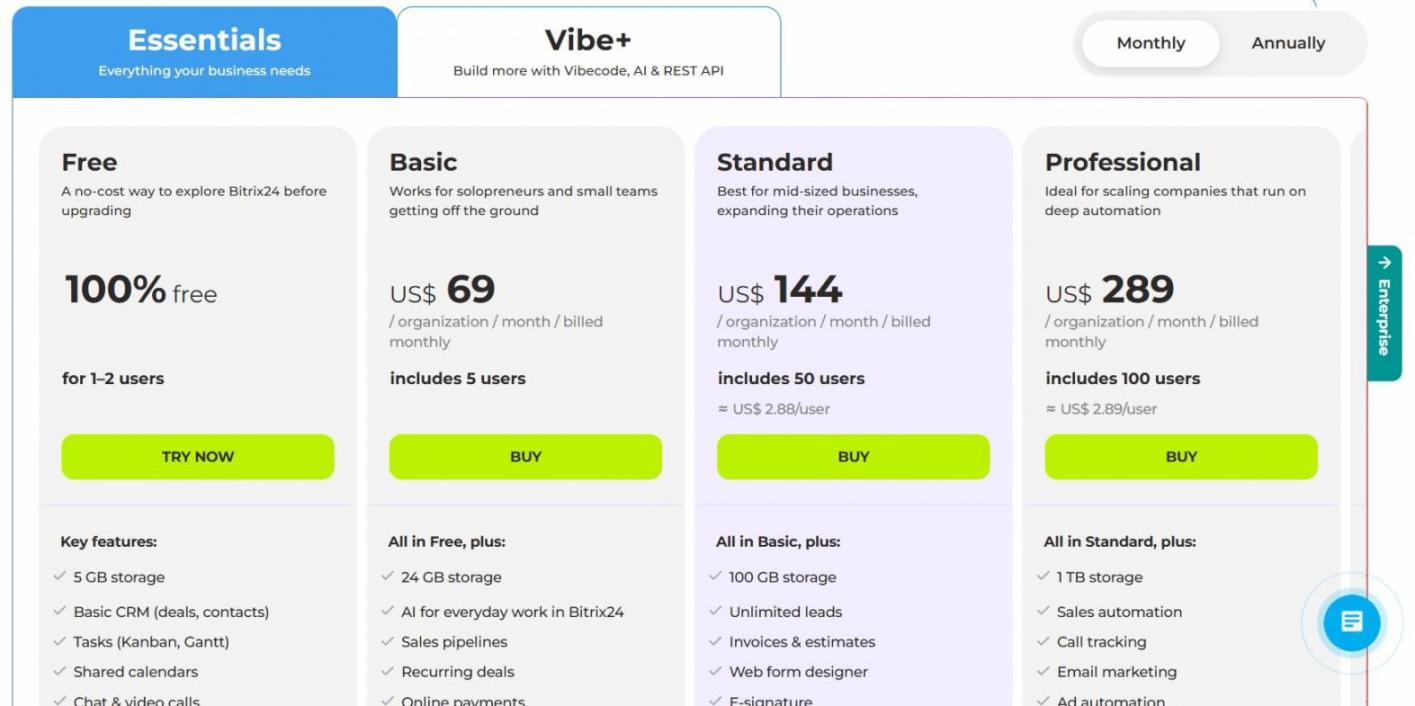
Image via Bitrix24
Tool Level
- Intermediate
Usability
- Bitrix24 packs a lot into one interface, making it powerful but initially overwhelming for first-time users
Pro Tip: Start with the CRM and task tools you need most. Avoid configuring the entire platform until your team is comfortable with the basics.
4. Freshsales
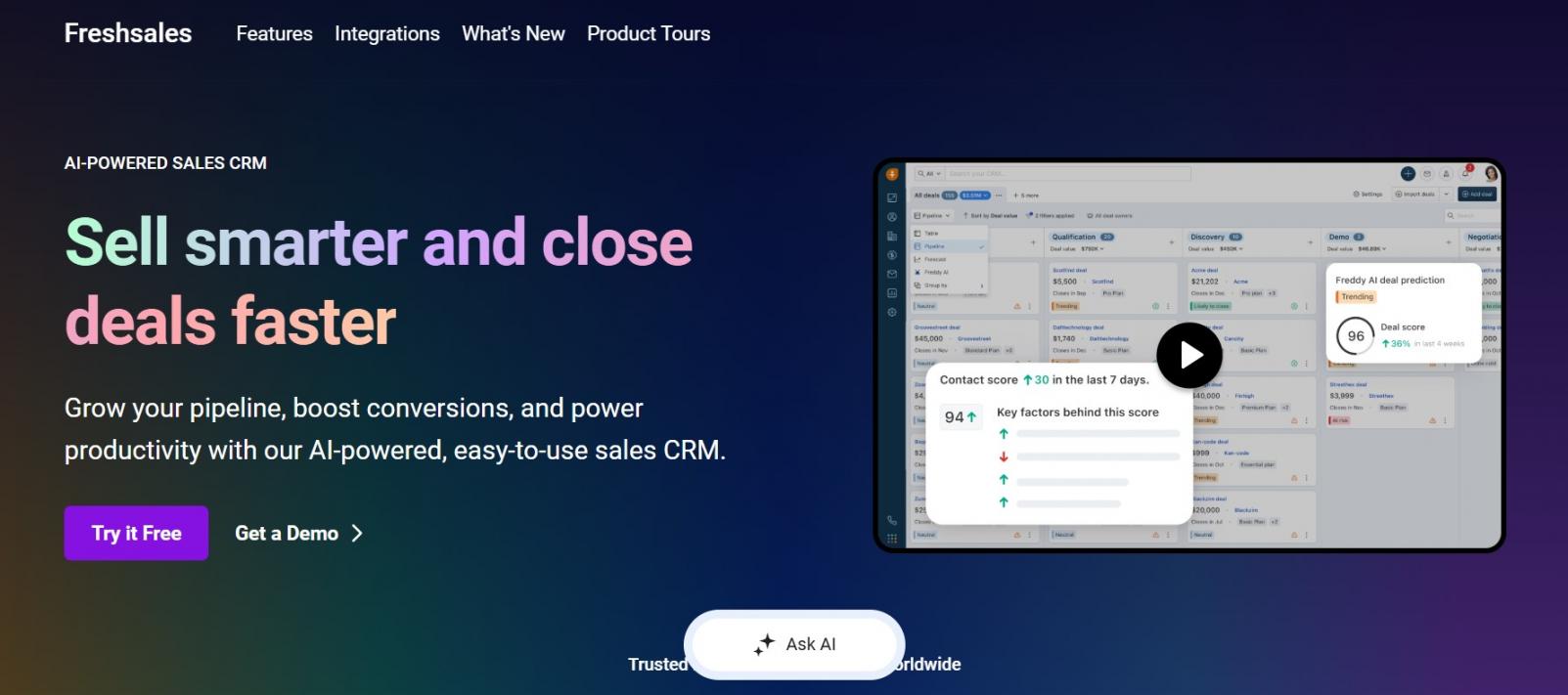
Image via Freshworks
Freshsales is a free CRM built around sales automation for small teams needing contact, deal, and pipeline management. Its free plan includes tools for managing customer records, sales activities, and basic CRM customization.
Formerly known as Freshworks CRM, Freshsales also brings email, phone, and other communication tools into customer records. Its visual interface and Kanban views make it easier for small teams to manage sales activity without a complex setup.
Key Features
- Contact Management: Contacts, accounts, and deals are managed in one place
- Integrated Communication: Calls and emails are linked to customer records
- CRM Customization: Each module can have five custom fields
- Team Access: The free plan covers teams of up to three users
Pros
- Visual pipeline makes onboarding fast without any technical setup
- Permanently free for teams of up to three users with no expiry date
- Provides 24/5 customer support over phone, email, and live chat even for free users
Cons
- Free users miss out on custom workflows, multiple pipelines, and advanced analytics
- Freddy AI and features such as contact scoring and deal insights start with Pro
- Integration and reporting features are fairly limited
Pricing
- Free
- Growth: $11/user/month
- Pro: $47/user/month
- Enterprise: $71/user/month
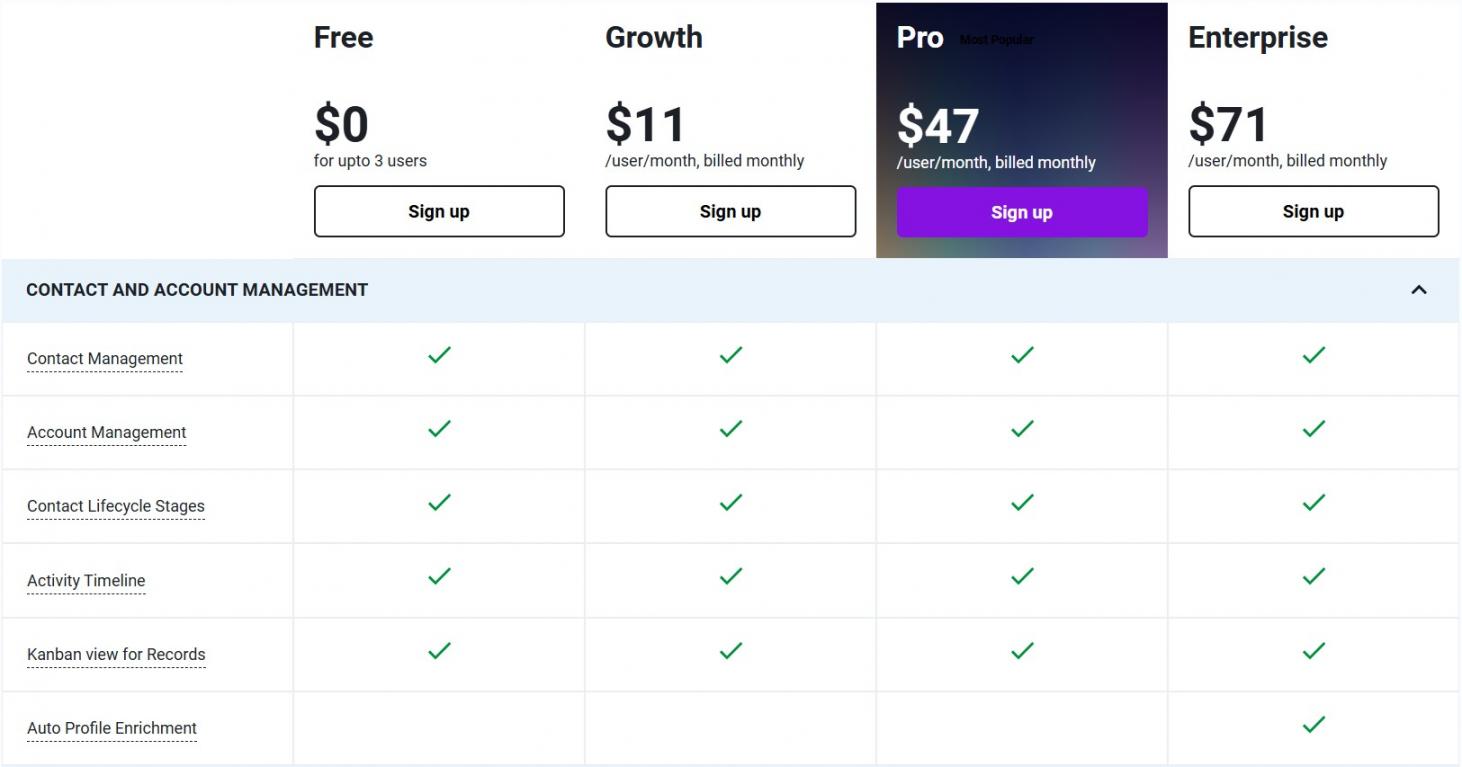
Image via Freshsales
Tool Level
- Beginner to intermediate
Usability
- Freshsales keeps its interface clean and task-focused, making it easy for small teams to get started
Pro Tip: Download the Freshsales mobile app. It includes a caller ID and voice note feature that helps you add context to deals and leads on the go.
5. Capsule CRM
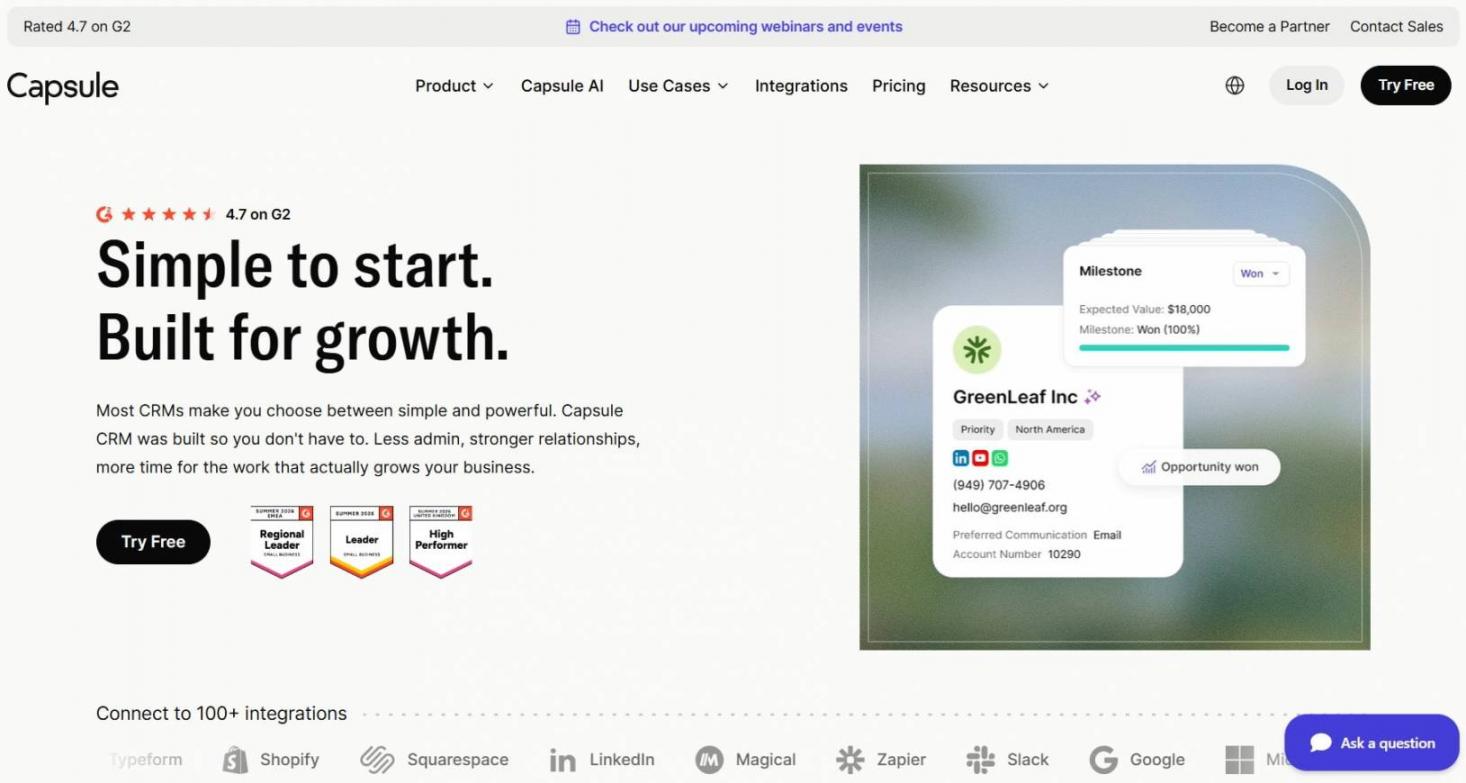
Image via Capsule
Capsule CRM offers a free CRM plan for up to two users, with 250 contacts and one sales pipeline included. It covers the essentials, including contact organization, task lists, calendar sync, and 10 instances of AI email assists.
The platform is built around simplicity. Its free plan works well for freelancers and micro-teams with a small contact base. You'll need to upgrade as your data and automation needs grow, but it's ideal for managing client relationships without a steep learning curve.
Key Features
- Contact Organization: Link individuals to parent organizations, add tags, and build relationship timelines
- Weighted Sales Pipeline: Lets you track your deals through one visual pipeline and apply win probabilities to them
- Project Board: One project management board for tracking delivery or tasks after deals close
- Customization: Allows up to five custom fields to capture unique business data
Pros
- Clean, clutter-free dashboard that non-technical users can pick up quickly
- Free users get full access, including offline support, to the Capsule Mobile App
- Connects, with minimal setup, to Gmail or Outlook for email management
Cons
- Free storage is capped at 50MB, which fills fast with attachments or pitch decks
- Multi-step workflows and automated task sequences aren't available on the free plan
- Free analytics aren't advanced enough to meaningfully track pipeline growth
Pricing
- Free
- Starter: $21/user/month
- Growth: $38/user/month
- Advanced: $60/user/month
- Ultimate: Custom pricing
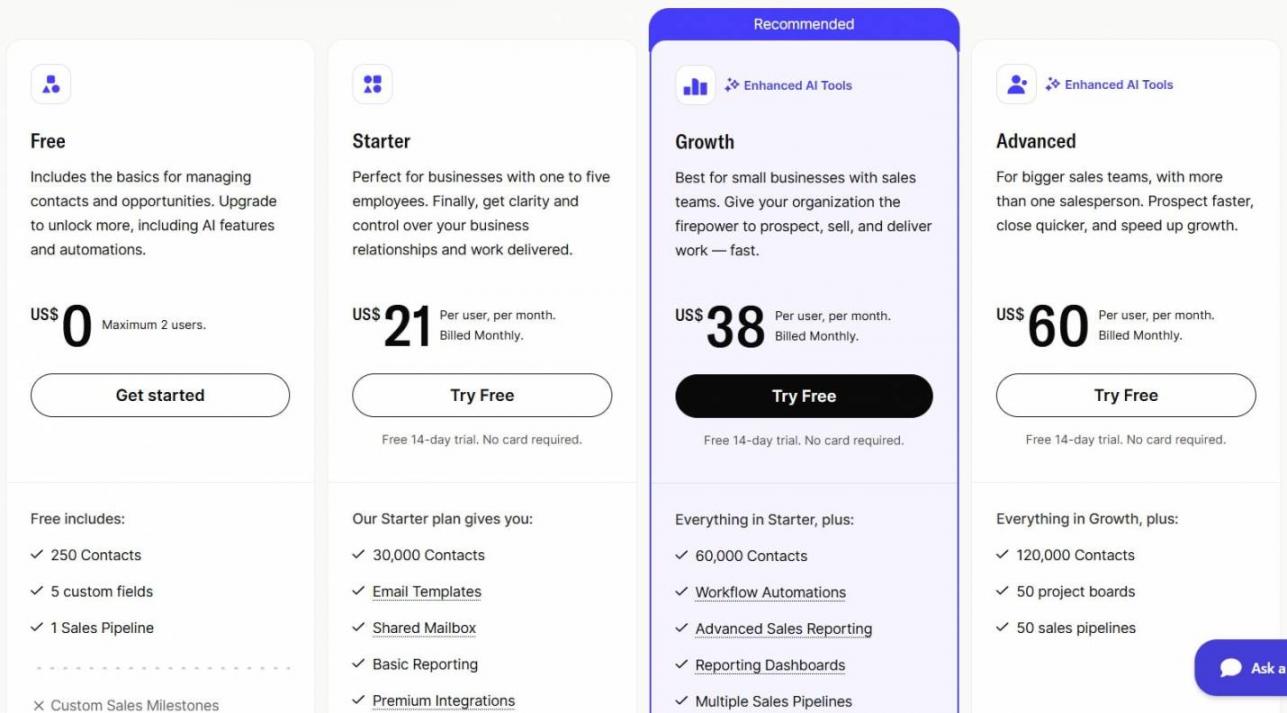
Image via Capsule
Tool Level
- Beginner
Usability
- Capsule CRM has a clean, simple interface that doesn't take much time to learn
Pro Tip: Check your contact count before choosing the free plan. The 250-contact limit can become restrictive as your customer database grows.
6. Vtiger CRM
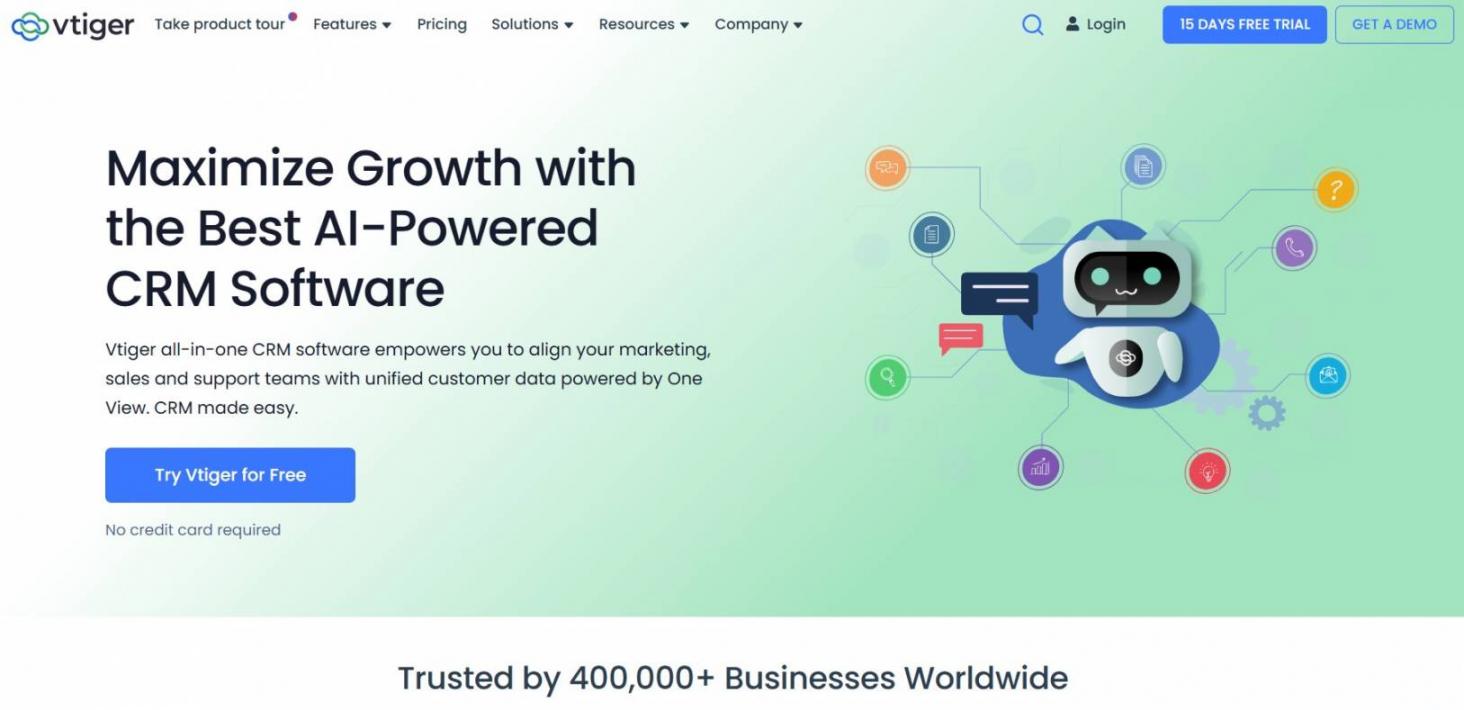
Image via Vtiger
Vtiger CRM is a cloud-based free CRM that brings marketing, sales, and support into one central platform. Its free One Pilot plan supports up to 10 users and 3,000 records. This makes it suitable for small teams with modest data needs.
It also includes contact management, email and phone integration, project tools, and basic marketing automation. The free plan includes 3 GB of storage and 1,000 marketing emails per month. Plus, it provides one sales pipeline and two custom fields per module.
Key Features
- Multi-Module Platform: Gives access to standard modules across Sales, Helpdesk, Marketing, and Project Management
- “One View” Dashboard: Consolidates a single, unfiltered history of customer touchpoints across channels and departments
- Custom Reporting: Includes pre-built templates and 25 custom reports for tracking sales pipelines and team activity
- Communication Integrations: Provides built-in hooks for Gmail, Outlook, Zoom, and Google Meet
Pros
- Offers a generous ten-user cap, making it highly viable for small, collaborative teams
- Free accounts share a reasonable allocation of 3 GB of total storage
- Has excellent multi-department scope, including basic inventory and project management tracking
Cons
- Advanced generative and predictive AI tools are reserved for paid plans
- Complex interface and setup make for a steep learning curve
- Free plan allows only two custom fields per module
Pricing
- One Pilot: Free
- One Growth: $15/user/month
- One Professional: $42/user/month
- One Enterprise: $58/user/month
- One AI: $66/user/month
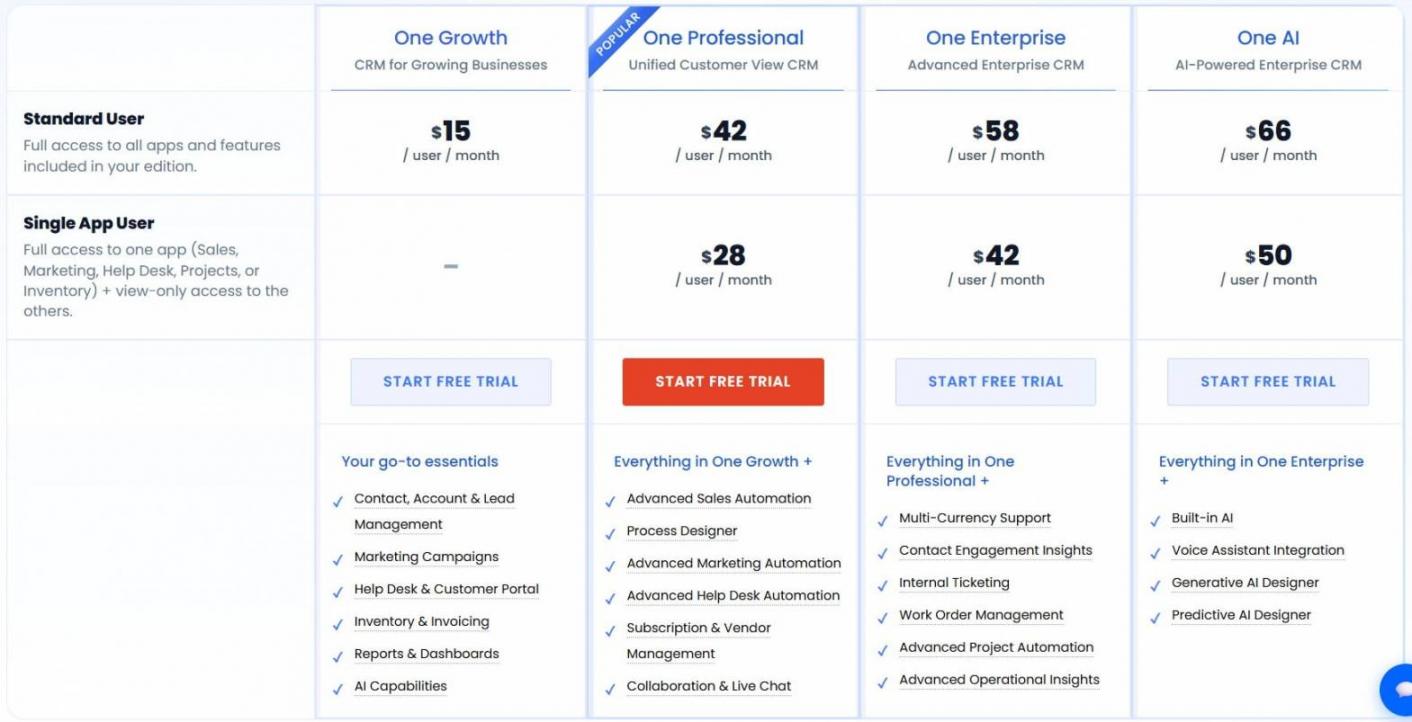
Image via Vtiger
Tool Level
- Intermediate
Usability
- Vtiger combines several business functions in one interface, so users may need time to learn its broader feature set
Pro Tip: Use the 1,000-email monthly email credits for lifecycle messages only. They run out quickly on broadcast sends.
7. Flowlu
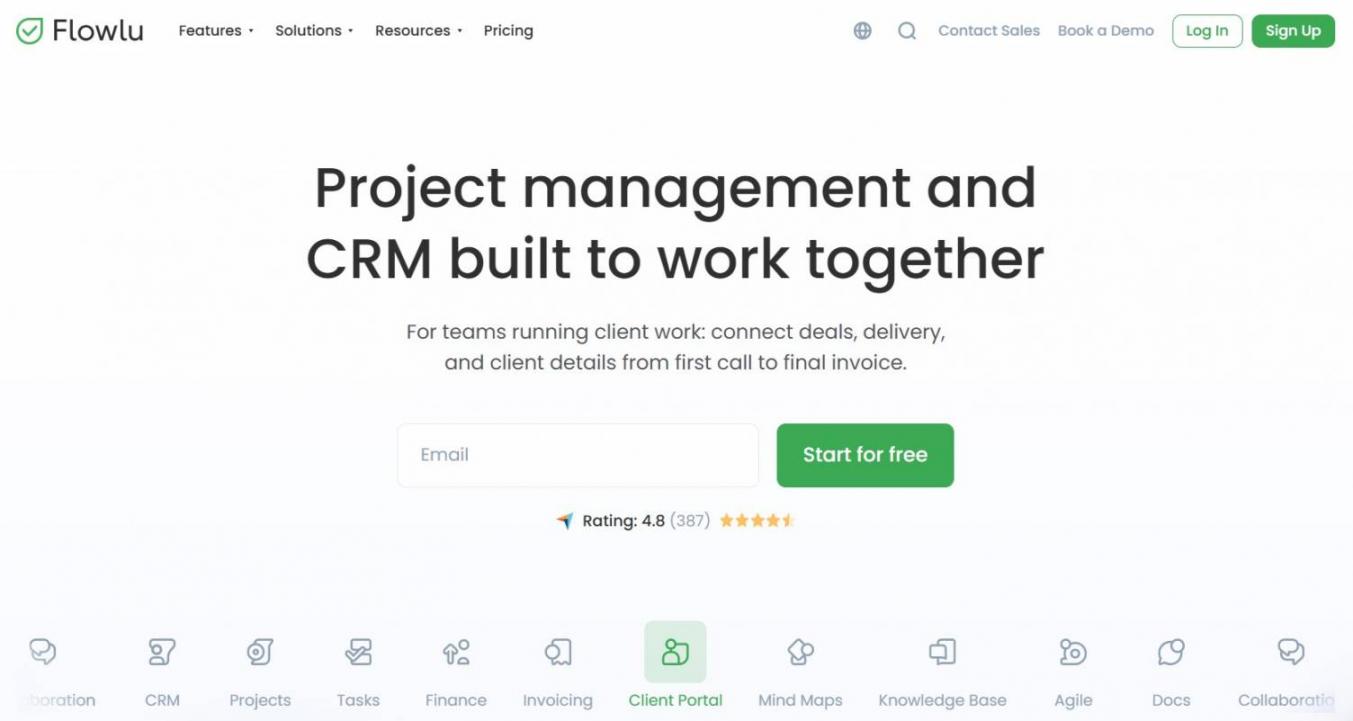
Image via Flowlu
Flowlu is a free CRM and work management platform built for freelancers and project-focused teams. It combines client tracking, project workflows, invoicing, and expense management in one place at no cost.
The free plan is capped at two users, 100 contacts, and 1 GB of shared storage. It offers one sales pipeline and is a practical starting point for teams that manage customer relationships alongside projects and client work.
Key Features
- Project Tracking: Lets users create workflows, assign tasks, and monitor project milestones in one view
- Expense Tracking: Records incoming revenues and outgoing expenses against specific project budgets
- Client Invoicing: Bill clients directly from the platform using a pre-saved product catalog
- Collaboration: Use chat, calendars, comments, and mentions to coordinate work
Pros
- Kanban boards make it easy to track multi-stage project progress and deadlines
- Records payments against project budgets so you can see true profitability at a glance
- No artificial cap on the number of projects you can manage or tasks you can assign
Cons
- Invoicing automation and automatic payment reminders are locked behind paid plans
- Native email integration (two-way syncing with Gmail or Outlook) is completely locked
- No client portals for viewing, collaborating, and tracking project progress
Pricing
- Free
- Essential: $12/user/month
- Advanced: $22/user/month
- Ultimate: $32/user/month
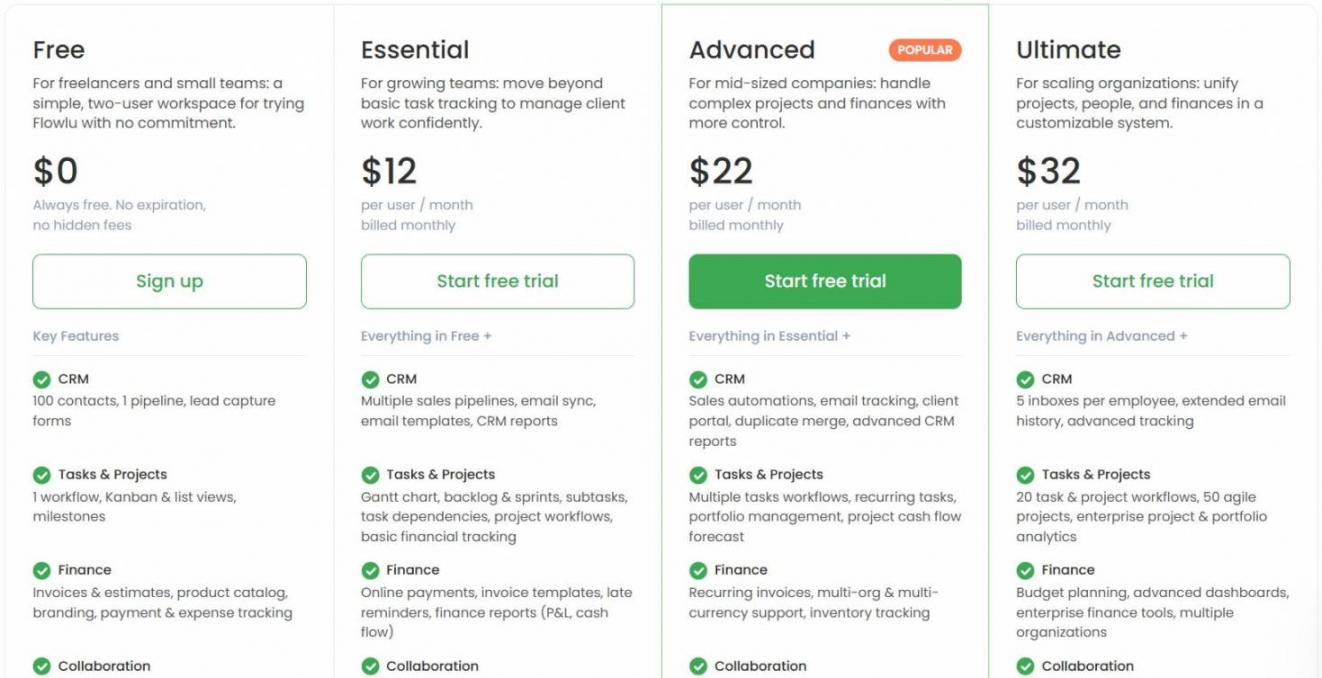
Image via Flowlu
Tool Level
- Beginner to intermediate
Usability
- Flowlu combines several business tools in one interface, so its broad feature set can take time to learn.
Pro Tip: Keep prospects out of Flowlu until they're qualified. With a 100-contact limit, the free plan is best used for active opportunities only.
HubSpot and Zoho focus on core CRM needs, while Bitrix24, Vtiger, and Flowlu combine CRM with broader business tools. Freshsales and Capsule keep the focus on straightforward sales and contact management. The right pick depends on team size, workflow, and growth plans, so match each tool's plan limits to where your team is.
FAQ
Q1. Is HubSpot CRM Still Free?
A. HubSpot CRM features a free tier providing essential tools for contact management, email marketing, and live chat without an expiration date. Upgrading to a paid plan gives access to advanced features, automation, and higher usage limits.
Q2. Is Zoho CRM Free?
A. Yes, Zoho CRM is free for up to three users and 5,000 records. Mass email isn't available on the free plan. Sending campaigns requires a paid tier.
Q3. Is an Excel Spreadsheet a CRM Tool?
A. No, a spreadsheet isn't a CRM. It stores contacts but doesn't track activity, manage pipeline stages, or prompt follow-ups.
Q4. Does Google Have a Free CRM?
A. No native Customer Relationship Management (CRM) product exists in Google's lineup. Google Workspace covers productivity infrastructure — Gmail, Google Sheets, and Google Calendar — but CRM functionality isn't built into any of those tools.
Q5. Which Free CRM Is Easiest for a Beginner?
A. HubSpot CRM is widely considered the easiest free CRM for beginners. It has a clean interface, drag-and-drop sales pipelines, and is easy to learn.
Q6. Is a CRM Difficult to Learn?
A. Most CRM systems are fairly easy to learn. The basics usually take a few days, especially with built-in onboarding and free tutorials.
Q7. What Happens to My Data If I Outgrow a Free CRM?
A. Your data usually stays in the CRM, but you'll need to upgrade if you need more users, storage, or other paid features. You can also export your records if you decide to move to another system.
Q8. Can a Free CRM Send Marketing Emails?
A. Some free CRMs let you send marketing emails, but they usually cap the number you can send. More advanced automation may require a paid plan.
How Can You Choose the Right Free CRM for Your Team?
Evaluate each free CRM by comparing its plan limits with your team's current needs and likely growth. Check user seats, contacts, storage, emails, pipelines, and automation before moving your data.
Start with the limit most likely to affect your team. A small team may have no issue with user caps, while a growing database could make contact limits more important. The best free CRM is the one whose limits you'll outgrow last.
If you need a starting point, HubSpot's free plan covers the essentials with no time limit.
Need help building a working sales pipeline? A lead generation audit from Attrock will map your sales funnel to the plan that fits.
Disclaimer: This content contains some affiliate links for which we will earn a commission (at no additional cost to you). This helps us keep creating free content for you.