- There’s no single chatbot builder that fits every business, so start with the job you need it to handle.
- HubSpot, Chatbase, and Landbot are good options to start if you want CRM, AI knowledge, and no-code website flows.
- ManyChat and Chatfuel are better suited to businesses doing a lot of marketing or selling through social channels.
- Botpress gives technical teams more flexibility, while Intercom is built for higher-volume customer support.
- Before you buy, test the workflow and look beyond the starting price to see what scaling will actually cost.
The best chatbot builder for your business depends on the job, channel, and the level of AI you need. HubSpot fits teams that need a free chatbot connected to their CRM. Chatbase is a good option for AI trained on business content, while ManyChat is geared toward Instagram and WhatsApp automation.
Other builders have a narrower focus. Landbot works well for visual, no-code flows, Botpress gives developers more control, and Chatfuel is designed for Meta-focused ecommerce. Intercom is better suited to larger customer support operations.
I tested seven chatbot builders and compared their features, pricing, channels, and usability. Here’s what each one is actually good at and where the trade-offs start to show.
Disclaimer: This content contains some affiliate links for which we will earn a commission (at no additional cost to you). This helps us keep creating free content for you.
How Did I Pick the Best Chatbot Builders?
I tested these chatbot builders based on the work you’d actually expect a bot to handle. That includes capturing leads, answering customer questions, and automating conversations across different channels.
Here’s what I looked at:
- Free or Low-Cost Entry: I checked how much you can do before a paid plan becomes necessary. A generous free plan can make a big difference when you’re testing a new tool.
- AI and Automation Quality: I looked at how well each builder handles questions that don’t follow a set script. I also checked what kinds of tasks and actions you can automate.
- Channel Coverage: I compared support for websites, WhatsApp, Instagram, Messenger, Slack, and voice. The most useful channel mix depends on where your customers already spend their time.
- CRM and Data Fit: I checked whether conversations can feed useful customer data into your existing tools. That matters when chatbot conversations need to trigger follow-ups, sales tasks, or other workflows.
- Ease of Use: I looked at how easy it is for a marketer to build and launch a working bot. I also considered how much technical knowledge you need once you move beyond simple flows.
I used hands-on testing, current vendor pricing, and G2 review data for the comparison.
I looked at how each tool handles the jobs businesses actually use chatbots for, from capturing leads to answering customer questions. I also compared the cost, AI capabilities, channels, CRM connections, ease of use, and available user feedback.
How Do the Top Chatbot Builders Compare?
These seven chatbot builders cover very different needs, so the cheapest option isn’t necessarily the right one. HubSpot focuses on CRM-connected chat, Chatbase on AI trained on your data, and ManyChat on social and WhatsApp. Other tools take different approaches.
The table gives you a quick way to compare starting prices, G2 ratings, free plans, and use cases. Use it to narrow your shortlist before digging into each tool’s features and limitations.
| Chatbot Builder | Best For | Starting Price (USD/mo) | G2 Rating | Free Plan |
|---|---|---|---|---|
| HubSpot | Free all-in-one, CRM-native | Free; $100 (Advanced features) | 4.4 | Yes |
| Chatbase | AI trained on your data | $40 | 4.9 | Yes |
| Landbot | No-code visual flows | $45 | 4.7 | Yes |
| ManyChat | Social and WhatsApp | $17 | 4.5 | Yes |
| Botpress | Developers, custom agents | $189 | 4.5 | Yes |
| Chatfuel | Meta-channel ecommerce | $69 | 4.4 | Trial |
| Intercom | Enterprise AI support | $39/seat + $0.99/resolution | 4.5 | Trial |
Ratings and prices are current as of September 2026. However, it’s highly advised to recheck them before buying. Since HubSpot’s Chatbot Builder is a free tool with no separate review page, I’ve used the overall HubSpot rating as a proxy.
Which are the 7 Best Chatbot Builders?
HubSpot’s chatbot builder, Chatbase, Landbot, ManyChat, Botpress, Chatfuel, and Intercom are the top seven chatbot builders based on my analysis.
Let’s see what each has to offer.
1. HubSpot
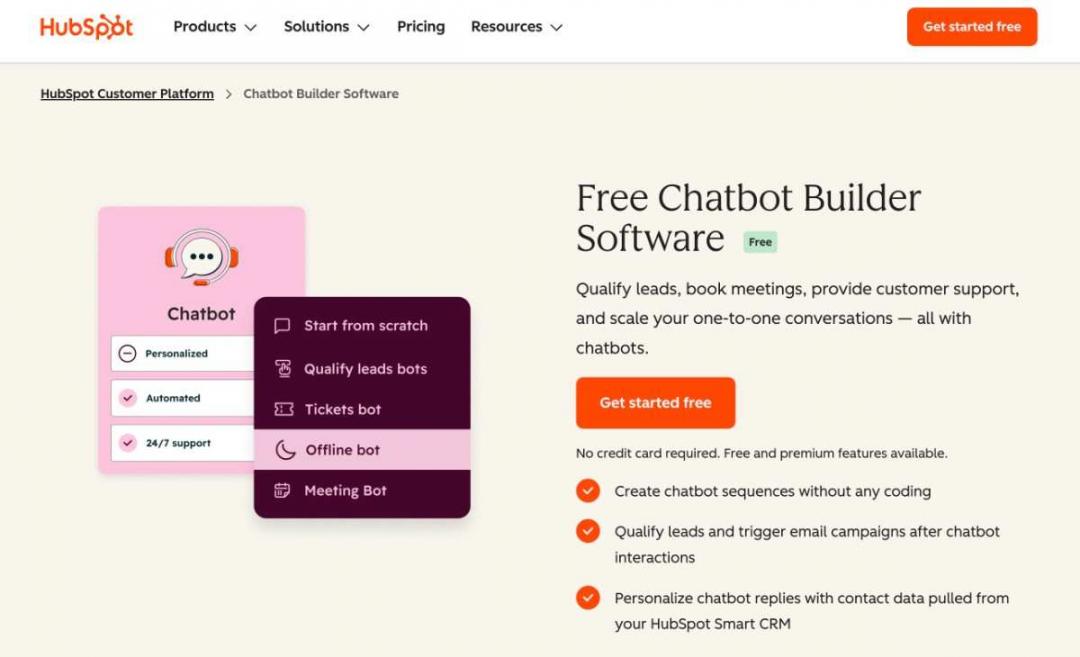
Image via HubSpot
HubSpot combines a no-code chatbot builder with its Smart CRM, which makes it useful for teams that want chat and customer data in the same place. You can build flows for lead qualification, meeting booking, and human handoff from the visual editor.
The free builder is the bigger draw for small teams. Chatbot conversations can also feed into HubSpot’s sales and marketing workflows rather than being in a separate tool.
Key Features
- Visual, No-Code Editor: Build chatbot flows with if-then branching without writing code.
- Smart CRM Sync: Automatically add chat data to the relevant contact record.
- Lead and Meeting Bots: Qualify visitors and let them book meetings directly in the chat.
- Customer Agent: Answer customer questions using your business content with AI.
Pros
- Its basic features are free, so it’s accessible to small teams.
- Built-in CRM integration keeps customer data connected.
- Has a high G2 rating, even with tens of thousands of reviews.
Cons
- Advanced AI answers require paid Marketing Hub or Service Hub tiers.
- Advanced customization may require learning more of the broader HubSpot platform.
Pricing
The basic features of HubSpot’s chatbot builder software solution are free. The advanced features are available with the premium plans of its other products. These include the Marketing Hub, Service Hub, Customer Platform, and more. Each has a different pricing structure, so choose the one that fits your broader business needs. The lowest price for the Professional plan is $100 per month for Sales Hub and Service Hub.
Tool Level
- Beginner to advanced
Usability
- It’s one of the chatbot builders that are fairly easy to use. However, the advanced features have a learning curve.
Pro Tip: Connect your chatbot to your CRM so new leads automatically enter the right follow-up workflow.
2. Chatbase
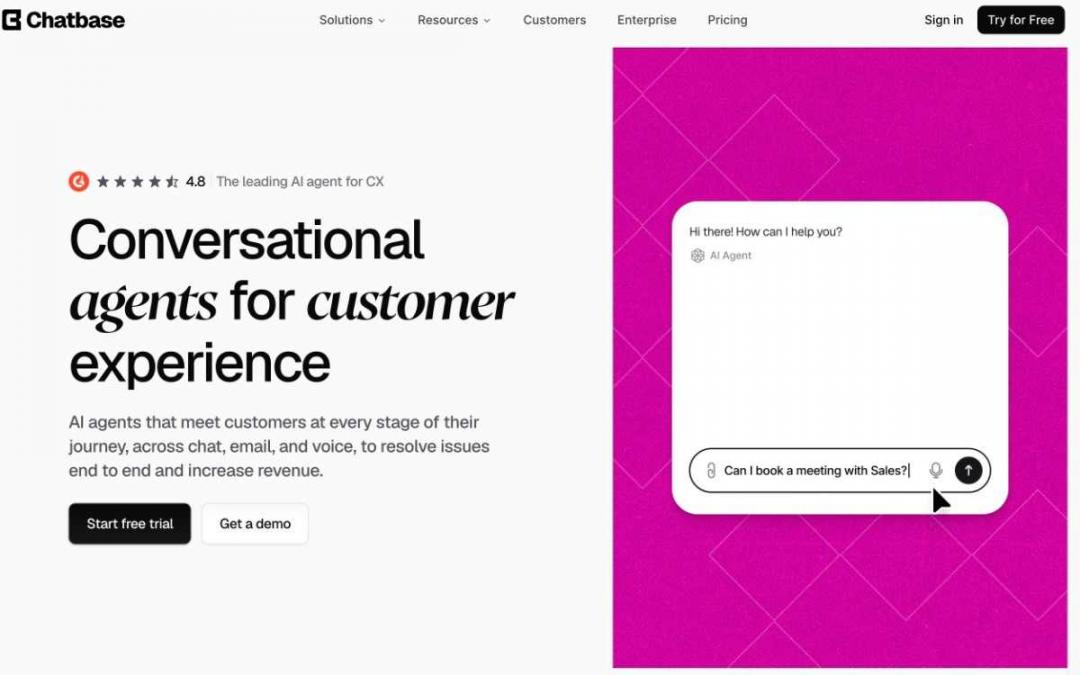
Image via Chatbase
Chatbase is built for teams that want a chatbot to answer questions from their own data. Add documents, URLs, or a knowledge base, and the AI uses that material to respond instead of relying only on generic answers.
You can use the same chatbot across chat, email, and Slack. That’s especially useful for support teams with a lot of repeat questions and existing documentation.
Key Features
- Train On Your Data: Upload documents and URLs and use them as the source for chatbot answers.
- Multiple Channels: Deploy the chatbot on your website, WhatsApp, and Slack.
- Actions and Integrations: Connect services such as Stripe or custom APIs for more advanced tasks.
- Human Handoff: Let a support agent take over when the chatbot can’t answer.
Pros
- Quick setup if you already have good documentation.
- Answer quality improves when your source material is clear and well maintained.
- The message-credit model makes usage easy to keep an eye on.
Cons
- The credit system can get expensive as usage grows.
- It offers fewer marketing and social DM features than specialized AI tools.
Pricing
- Free: For up to 50 credits per month
- Hobby: $40 per month
- Standard: $150 per month
- Pro: $500 per month
- Enterprise: Custom pricing
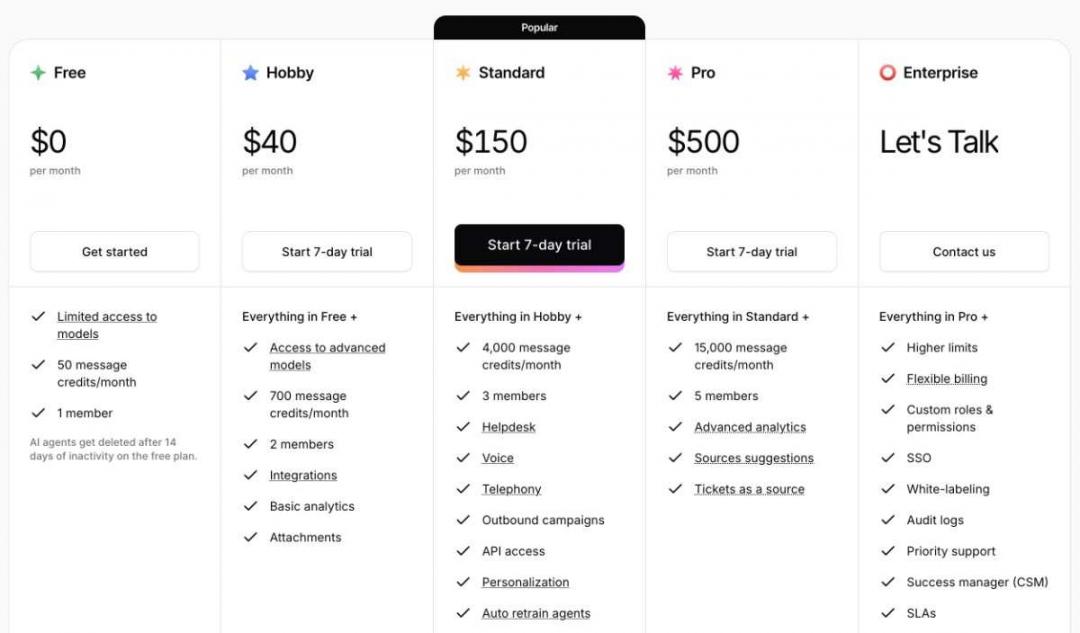
Image via Chatbase
Tool Level
- Beginner to Intermediate
Usability
- This chatbot builder is easy enough to set up, and the credit meter shows how much you’re using.
Pro Tip: Tidy up your help docs before you train the bot. If the source material is messy or outdated, the answers can be too.
3. Landbot
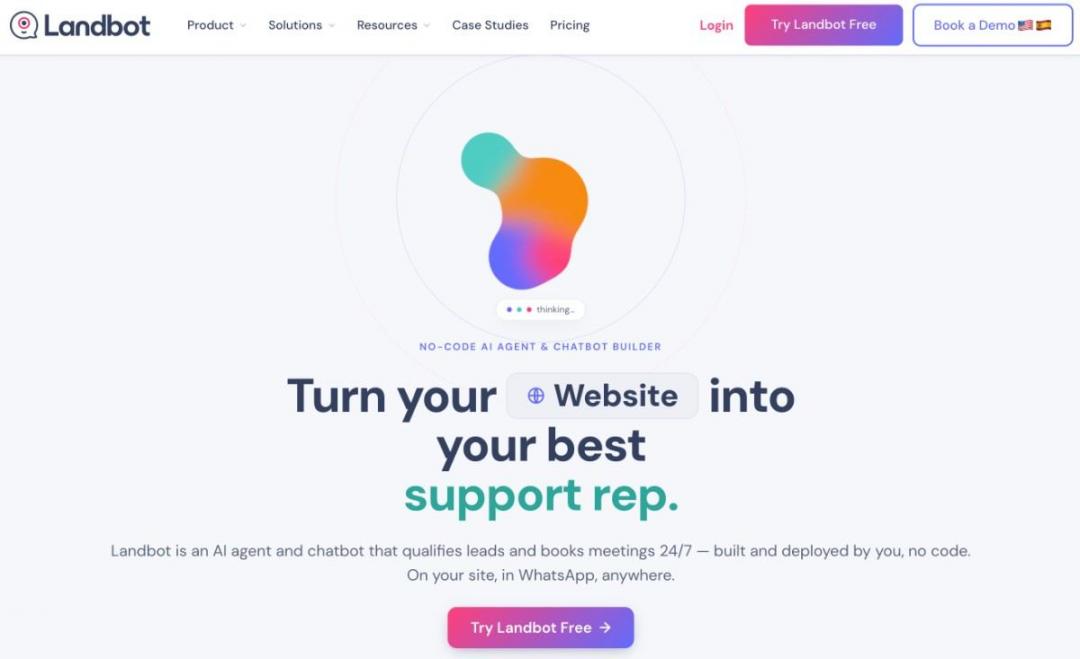
Image via Landbot
Landbot is a strong no-code chatbot builder for interactive conversations across websites and WhatsApp. Its visual builder lets you map out conversations with simple blocks so marketers can build lead-generation and survey bots on their own.
Landbot’s drag-and-drop canvas makes it easy to build branching conversations without getting stuck in technical setup.
Key Features
- Visual Flow Builder: Build your chatbot by laying out the conversation step by step.
- Web and WhatsApp: Let customers live chat with the same bot on your site or WhatsApp.
- Human Takeover: Agents can take over a chat from the shared inbox when needed.
- Native Integrations: Send chatbot data to HubSpot, Salesforce, or Pipedrive directly.
Pros
- The builder is easy to pick up, even for beginners.
- Plenty of useful templates for lead capture and surveys.
- Good integration options for mid-market marketing teams.
Cons
- AI conversations are metered once you go beyond the included allowance.
- Plans are priced in euros, which can make US costs fluctuate.
- WhatsApp features come with an additional cost on top of the base plan.
Pricing
- Free: For up to 100 chats per month
- Starter: $45 per month
- Professional: $110 per month
- Business: Custom pricing
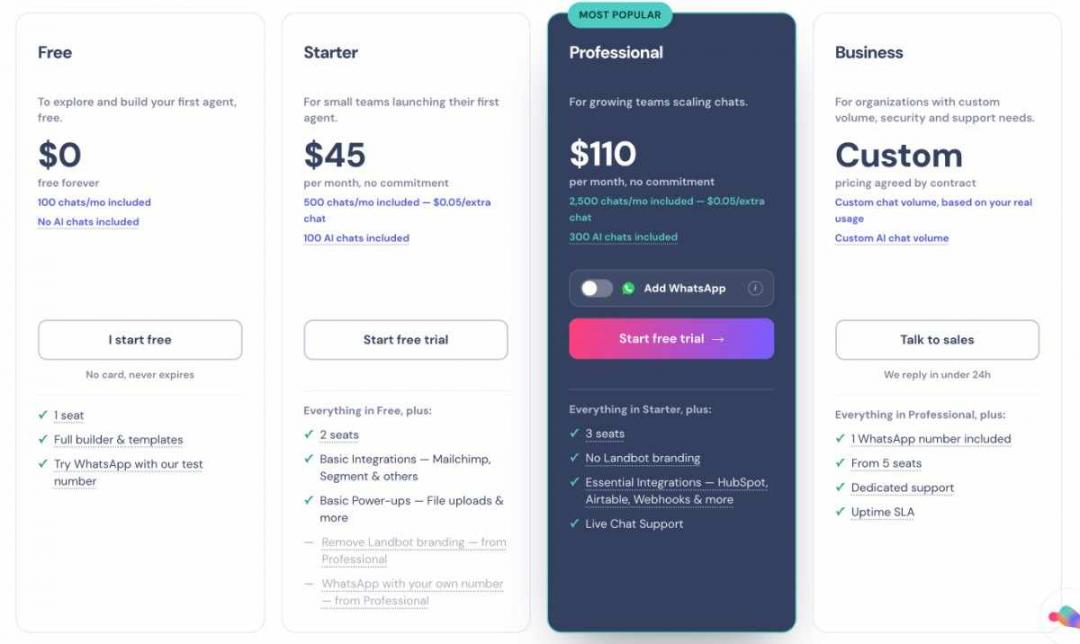
Image via Landbot
Tool Level
- Beginner to intermediate
Usability
- This chatbot builder is easy to use.
Pro Tip: Use Landbot’s conditional logic to pre-qualify leads before they reach a sales rep.
4. ManyChat
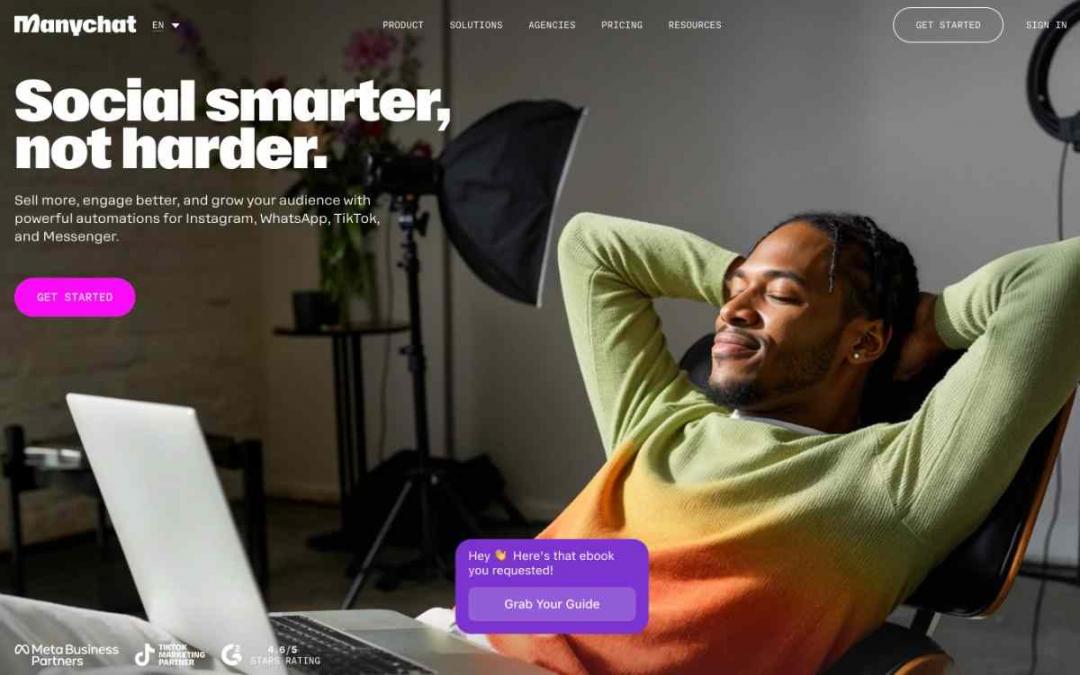
Image via ManyChat
ManyChat is a chatbot builder for brands that use social media and WhatsApp to connect with customers. It can handle DMs and comment replies across Instagram, Messenger, WhatsApp, and TikTok. If most of your customers come through social platforms, ManyChat is worth considering.
ManyChat offers deeper Instagram and WhatsApp automation than the other chatbot builders on this list.
Key Features
- DM Automation: Automatically respond to comments, stories, and specific keywords.
- Multi-Channel: Handle conversations across Instagram, Messenger, WhatsApp, TikTok, and SMS.
- Unlimited Flows: Build as many automated conversation flows as your plan supports.
- Broadcasts: Send targeted messages to existing contacts and bring them back into the conversation.
Pros
- Especially useful if most of your customer conversations happen in social DMs.
- The starting price is relatively low for smaller teams.
- The template and integration library gives you plenty to work with.
Cons
- Better for social messaging than traditional website chat.
- AI isn’t included in the basic offering.
- Less flexible for more advanced support use cases.
Pricing
- Free: For up to 25 contacts per month
- Essential: $17 per month
- Pro: $39 per month
- Business: $99 per month
- Advanced: $199 per month
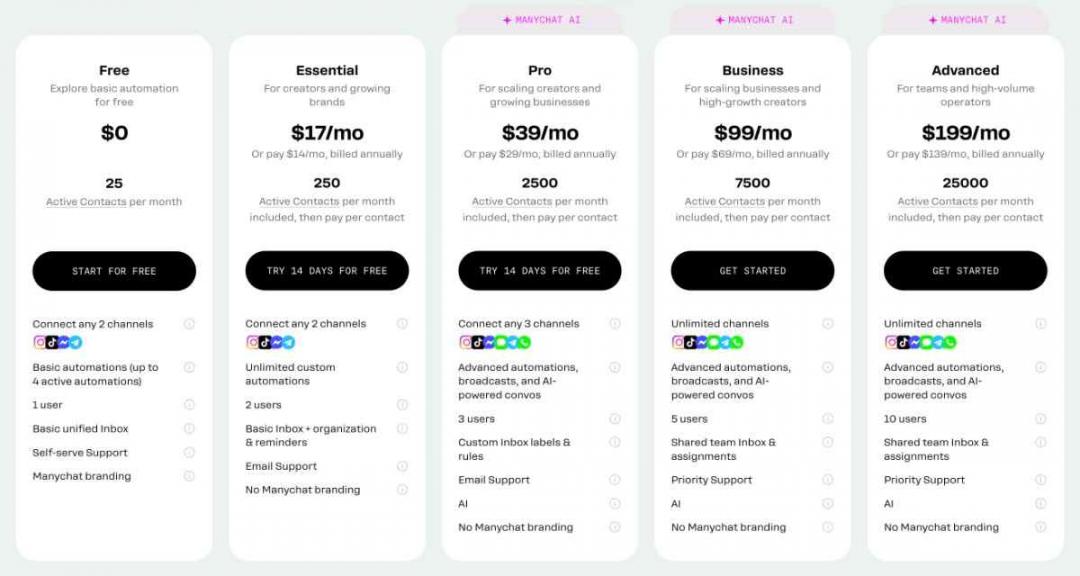
Image via ManyChat
Tool Level
- Beginner
Usability
- It’s one of the easy-to-use chatbot builders on this list.
Pro Tip: Use a comment-triggered flow for a time-sensitive offer and guide interested people into a simple lead generation flow.
5. Botpress
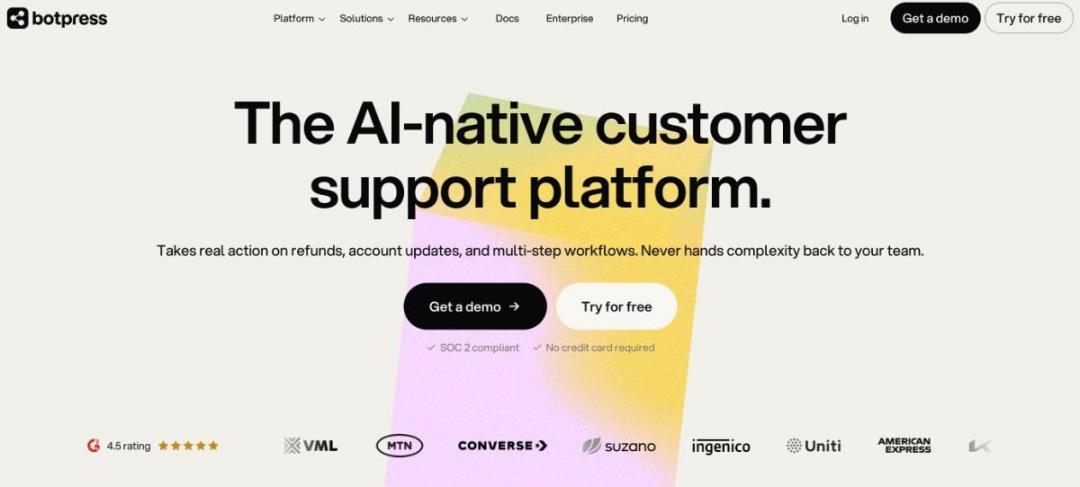
Image via Botpress
Botpress is the best chatbot builder platform for technical teams that need more control over how their AI agents work. You can design flows visually while still working directly with code, models, logic, and integrations. It’s a good fit when standard chatbot builders don’t offer enough flexibility for your use case.
Botpress combines a visual builder with direct control over LLM agents, giving developers more freedom to customize how their bots work.
Key Features
- LLM Agent Builder: Build an AI agent without code, or use code when you want to customize it further.
- Knowledge Base: Give the agent access to your own content so it has useful information to work with.
- Human Handoff: Hand a conversation over to a person without making the customer start over.
- Pass-Through AI Billing: You pay the underlying AI provider’s usage costs on top of the platform fees.
Pros
- Plenty of flexibility for complex and custom projects.
- Useful analytics for tracking conversations and agent performance.
- A flexible pay-as-you-go option for getting started.
Cons
- Takes more time to learn than typical no-code builders.
- Usage-based AI costs can make budgeting less predictable.
- More functionality than you need for a basic FAQ bot.
Pricing
- Free: For up to 100 conversations
- Plus: $189 per month
- Team: $939 per month
- Custom: Custom pricing
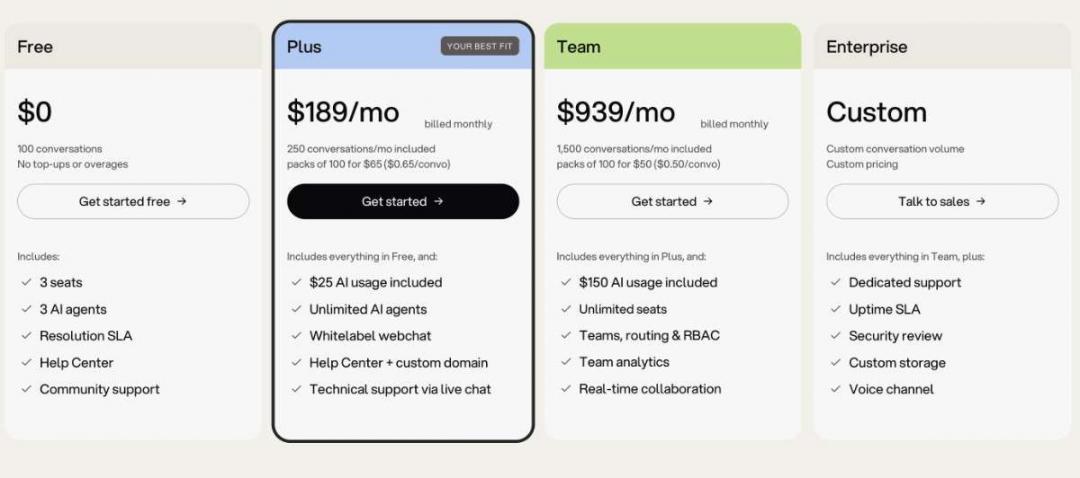
Image via Botpress
Tool Level
- Advanced
Usability
- It’s a chatbot builder with a learning curve.
Pro Tip: Don’t jump into custom code right away. Build what you can visually, then code the parts that need more control.
6. Chatfuel
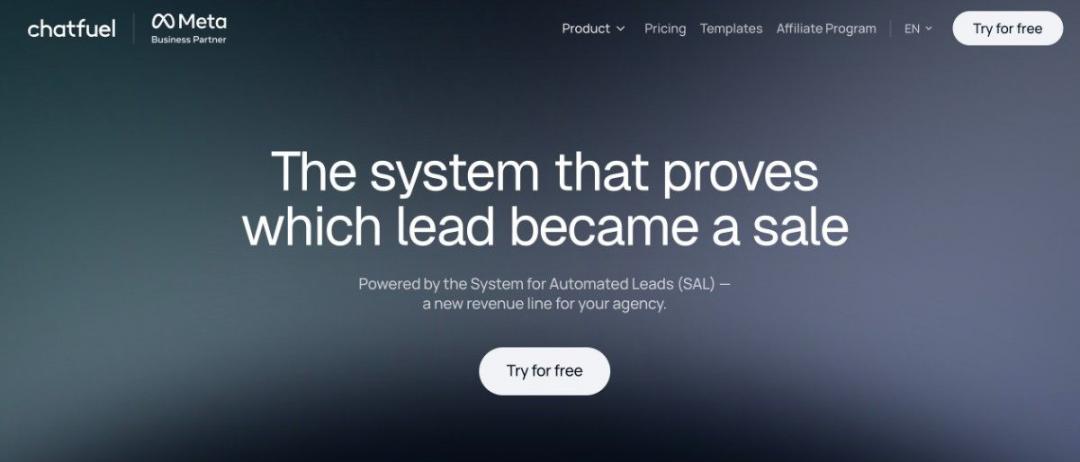
Image via Chatfuel
Chatfuel is a strong chatbot builder for ecommerce brands selling through WhatsApp and Instagram. It’s built around sales, with AI agents that can answer product questions, recover abandoned carts, and help customers complete purchases directly in chat.
It’s built specifically for selling through Meta platforms, with an AI sales agent that handles conversations across WhatsApp, Instagram, and Messenger.
Key Features
- Meta-Channel Focus: Connect with customers through WhatsApp, Instagram, and Messenger.
- AI Sales Agent: Answer product questions and help move customers toward a purchase.
- Knowledge Base: Use your product catalog to give more relevant responses.
- Segmentation: Group and target contacts based on their actions and behavior.
Pros
- A good fit if most of your sales happen through ecommerce and messaging.
- WhatsApp automation is one of its stronger areas.
- The interface is straightforward, even if you’re new to the tool.
Cons
- It won’t give you as much flexibility across non-Meta channels.
- You’ll pay more upfront than with some social-focused chatbot builders.
- Look elsewhere if website support is your main priority.
Pricing
- Chatfuel Light: Free
- AI Pro: $69 per month
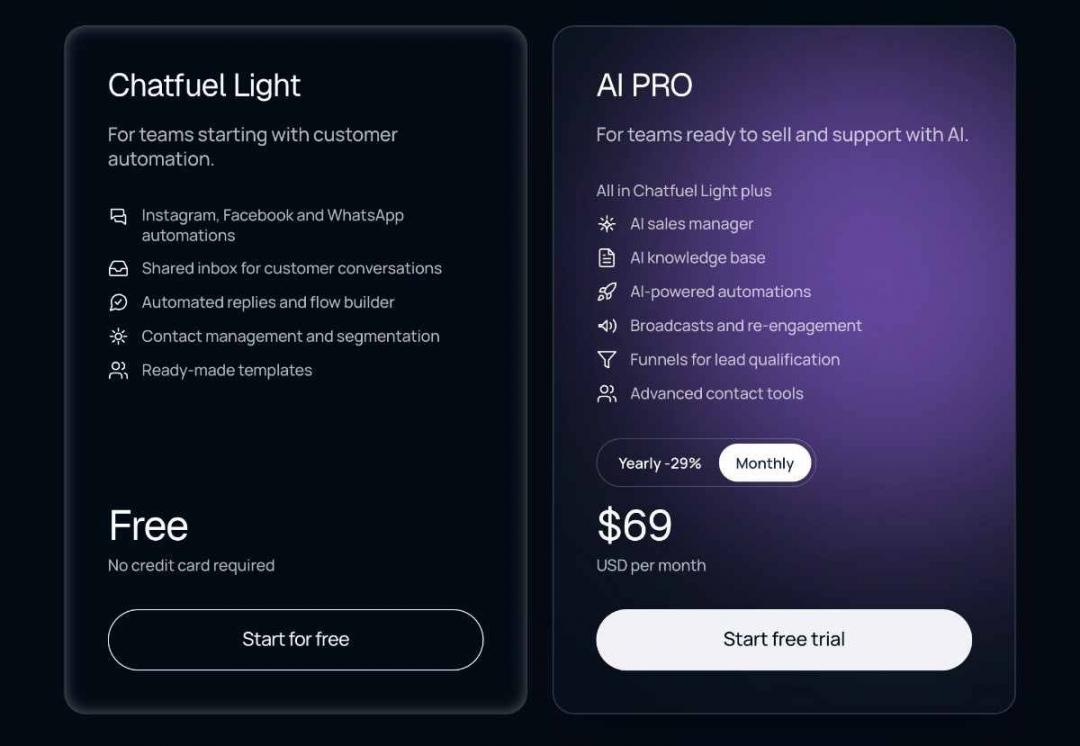
Image via Chatfuel
Tool Level
- Beginner
Usability
- If you’ve used chatbot builders before, you’ll find the setup familiar, particularly for Instagram and WhatsApp.
Pro Tip: Try an abandoned-cart flow on WhatsApp to follow up with shoppers who don’t complete their purchase.
7. Intercom
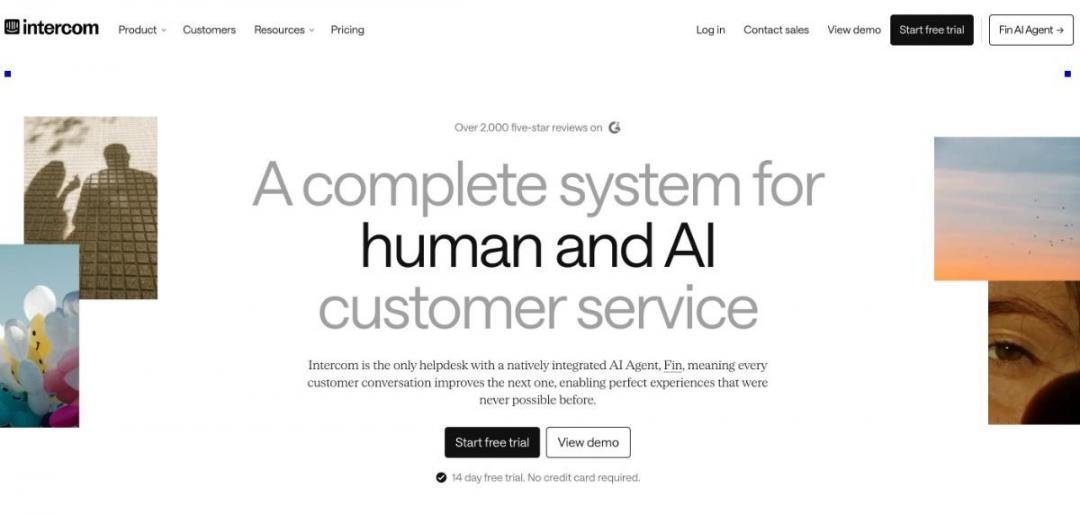
Image via Intercom
Intercom is a chatbot builder built with larger customer support teams in mind. Its Fin AI agent can answer questions across chat, email, and phone, while Intercom also covers the help-desk work that human agents need.
Fin can handle many support conversations on its own. You pay based on resolved outcomes rather than simply paying more as you add seats.
Key Features
- Fin AI Agent: Answers common support questions and handles them without human help.
- Shared Inbox: Keep chat, email, and phone conversations together.
- Workflow Builder: Automate routing and other support tasks.
- Rich Reporting: See resolution rates, CSAT, and other key support numbers.
Pros
- Capable AI agent for handling routine support conversations.
- Full help-desk features for larger support teams.
- AI costs are tied to resolved conversations rather than seats alone.
Cons
- There’s no free plan, although you can try the platform first.
- AI costs can add up when support volume increases.
- More expensive than chatbot builders aimed at smaller teams.
Pricing
- Essential: $0.99 per Fin outcome and $39 per seat per month
- Advanced: $0.99 per Fin outcome and $99 per seat per month
- Expert: $0.99 per Fin outcome and $139 per seat per month
- Fin AI Agent: $0.99 per Fin outcome
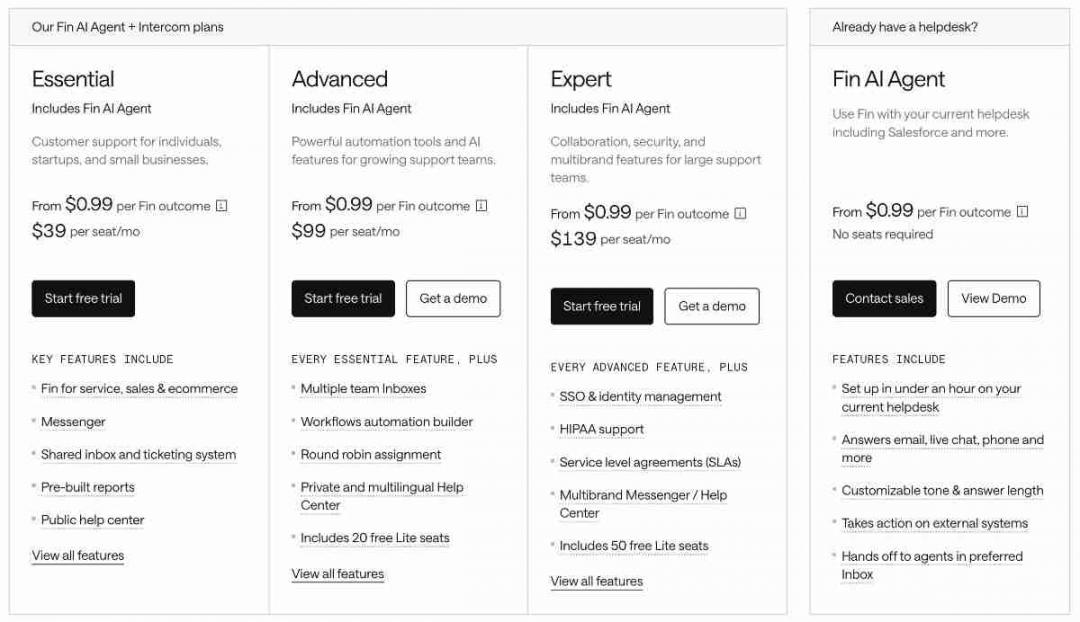
Image via Intercom
Tool Level
- Intermediate to advanced
Usability
- The interface is easy to navigate, but there’s a lot to learn compared with simpler chatbot builders.
Pro Tip: Start with simple, repetitive questions and add more as you see how well it handles them.
The best options vary by how you plan to use your chatbot. HubSpot and Landbot are good for no-code setups, and ManyChat or Chatfuel for social and ecommerce. Botpress and Intercom are better suited to more advanced needs.
FAQ
Q1. What is a chatbot builder?
A. Think of a chatbot builder as a way to create a chatbot without starting with code. You can lay out the conversation, add your own business information, and choose where the bot will appear, such as your website or WhatsApp. Many tools now add AI so the bot can handle questions you didn’t write a specific response for.
Q2. Do I need coding skills to build a chatbot?
A. No. Most chatbot builders are made for people who don’t know how to code. Tools such as HubSpot, Landbot, and ManyChat use visual editors where you can build conversations by connecting blocks. If you need more control, platforms like Botpress also let developers work with code.
Q3. Is there a free chatbot builder?
A. Yes. You don’t have to pay to get started with a chatbot builder. HubSpot, Chatbase, Landbot, ManyChat, and Botpress all offer free options, although the limits vary. If you expect a lot of conversations, check how much usage the free plan actually includes.
Q4. What does a chatbot builder cost?
A. A chatbot builder can cost anywhere from around $17 to $139 per month to start. The catch is that platforms use different pricing models. You may pay based on contacts, seats, messages, or AI resolutions, so compare the total cost rather than just the starting price. Intercom, for example, charges separately for Fin AI resolutions.
Q5. What is the difference between a chatbot builder and a chatbot platform?
A. A chatbot builder mainly handles the process of creating your chatbot. A chatbot platform usually goes further, adding things like analytics, integrations, hosting, and customer management. In practice, the two terms can mean the same thing, so compare the actual features instead.
Q6. Which chatbot builder is best for WhatsApp and Instagram?
A. ManyChat and Chatfuel are both good chatbot builders for WhatsApp and Instagram. ManyChat has more social media automation features, including DMs and comment triggers. Chatfuel puts more emphasis on ecommerce and selling through Meta channels, so the better fit depends on your goal.
Q7. Which is the best chatbot builder for customer support?
A. Intercom, Chatbase, and HubSpot are good options for customer support, but each takes a different approach. Intercom is better suited to larger teams managing high support volumes, while Chatbase focuses on AI agents that use your support content to answer customers. HubSpot is useful if you want chatbot features connected to your CRM. Your support volume and budget should guide the decision.
Q8. Are AI chatbots safe to use for my business?
A. They can be, but don’t assume every chatbot builder handles business data the same way. Check its data practices, security controls, and model-training policies before you connect sensitive information. It’s also worth keeping human oversight for requests where an incorrect answer could cause problems.
Conclusion
The best chatbot builder is the one that fits your business needs, not the one with the longest feature list.
Start with your main goal, whether that’s capturing leads, answering support questions, selling products, or automating social conversations. Then narrow your options based on channels, integrations, ease of use, and cost.
If you’re using chatbots to bring in new business, make sure your lead-generation strategy supports them. Attrock’s lead generation services can help you attract and convert more qualified prospects.
If you want to start with a free chatbot builder, consider HubSpot’s chatbot builder software solution.
Disclaimer: This content contains some affiliate links for which we will earn a commission (at no additional cost to you). This helps us keep creating free content for you.