- HubSpot Service Hub is best if you want customer support and CRM in one platform.
- Freshdesk is best for support teams that need more channels and strong SLA features.
- HubSpot offers a lower entry price, while Freshdesk provides more support features in its lower-tier plans.
- Both platforms earned the same overall rating in my hands-on testing.
- Pick the one that best fits your support workflows, not just your budget.
In the HubSpot vs Freshdesk decision, HubSpot Service Hub wins for teams that want support tied to a unified customer record. Freshdesk wins for support-first teams that need true omnichannel coverage at a lower starting cost.
Both are excellent customer service software solutions. They just solve the problem from opposite ends.
Freshdesk starts as a help desk and adds depth. HubSpot Service Hub starts from a single customer record and adds service features around it. That one difference shapes price, channels, AI, and how cleanly each tool fits your stack.
I set up and compared both platforms across ratings, pricing, features, AI, ease of use, and support. By the end of this HubSpot vs Freshdesk comparison, you'll know which one fits your team, budget, and support model.
Disclaimer: This content contains some affiliate links for which we will earn a commission (at no additional cost to you). This is to ensure that we can keep creating free content for you.
HubSpot vs Freshdesk: The Summary Box
Short on time? This summary box is the whole comparison at a glance: a side-by-side overview, my own product ratings, pros and cons, pricing, and the verdict. The detailed review and the full pricing breakdown follow further down.
| HubSpot Service Hub | Freshdesk |
 |  |
| HubSpot Service Hub is a customer service software solution that keeps every support conversation in a single, unified customer record. It gives you ticketing, a knowledge base, a customer portal, and an AI agent that works from shared customer context. It’s best for teams that want service and reporting in one platform. | Freshdesk Omni is a support-first help desk by Freshworks built for omnichannel ticketing at scale. It covers email, chat, phone, and social from one inbox, with strong service SLAs and automation. It’s best for teams that want deep, affordable support features without a broader platform built around them. |
HubSpot Service Hub
- HubSpot Service Hub is a customer service software solution that keeps every support conversation in a single, unified customer record. It gives you ticketing, a knowledge base, a customer portal, and an AI agent that works from shared customer context. It’s best for teams that want service and reporting in one platform.
Freshdesk
- Freshdesk Omni is a support-first help desk by Freshworks built for omnichannel ticketing at scale. It covers email, chat, phone, and social from one inbox, with strong service SLAs and automation. It’s best for teams that want deep, affordable support features without a broader platform built around them.
HubSpot vs Freshdesk: Product Ratings
These are my own ratings out of 5, based on hands-on setup and testing of both tools, not pulled from review sites. The G2 and Capterra scores appear later, in the user reviews section of this HubSpot vs Freshdesk comparison.
| HubSpot | Freshdesk Omni | |
| Overall | ||
| Support | ||
| Features | ||
| User-Friendliness | ||
| Value for Money |
HubSpot
- Overall:
- Support:
- Features:
- User-Friendliness:
- Value for Money:
Freshdesk Omni
- Overall:
- Support:
- Features:
- User-Friendliness:
- Value for Money:
Note: Freshdesk has an email-only option and an omnichannel option (Omni) for the same price. For this HubSpot vs Freshdesk comparison, I have considered the Freshdesk Omni. That’s because it will keep the comparison fair.
Pros and Cons: HubSpot Service Hub
| Pros | Cons |
| Unified customer record for every ticket | Knowledge base and AI gated behind higher-tier plans |
| Strong reporting and customer-success tools | Per-seat cost climbs fast at scale |
| Breeze Customer Agent resolves with full context | Advanced routing only on the Enterprise plan |
| Fast, out-of-the-box setup | |
| Generous free tools to start with | |
| Scales well with growing businesses |
Pros
- Unified customer record for every ticket
- Strong reporting and customer-success tools
- Breeze Customer Agent resolves with full context
- Fast, out-of-the-box setup
- Generous free tools to start with
- Scales well with growing businesses
Cons
- Knowledge base and AI gated behind higher-tier plans
- Per-seat cost climbs fast at scale
- Advanced routing only on the Enterprise plan
Pros and Cons: Freshdesk Omni
| Pros | Cons |
| True omnichannel support coverage | Limited CRM capabilities |
| Knowledge base available even for the free plan users | The free plan now runs for only 6 months |
| Strong SLA management and routing | Freddy AI sessions cost extra |
| Easy to set up and use | Advanced reporting is available only on higher tiers |
| Purpose-built support depth |
Pros
- True omnichannel support coverage
- Knowledge base available even for the free plan users
- Strong SLA management and routing
- Easy to set up and use
- Purpose-built support depthe
Cons
- Limited CRM capabilities
- The free plan now runs for only 6 months
- Freddy AI sessions cost extra
- Advanced reporting is available only on higher tiers
Pricing Details: HubSpot
| Plan | Cost (Per Seat Per Month) |
| Free | For up to 2 users |
| Starter | $10 |
| Professional | $100 |
| Enterprise | $150 |
- Free: For up to 2 users
- Starter: $10
- Professional: $100
- Enterprise: $150
*Prices verified as of June 2026
Freshdesk and Freshdesk Omni
| Plan | Cost (Per Agent Per Month) |
| Free | For 6 months |
| Growth | $23 |
| Pro | $66 |
| Enterprise | $107 |
- Free For 6 months
- Growth $23
- Pro $66
- Enterprise $107
*Prices verified as of June 2026. Note that both Freshdesk and Freshdesk Omni have the same pricing plans. So, you can choose the one that fits your needs.
Verdict:HubSpot Service Hub wins for teams that want service tied to a single customer record, with strong reporting and a context-aware AI agent. Freshdesk wins for support-first teams that need real omnichannel coverage and a lower entry price.
Table of Contents
HubSpot vs Freshdesk: Quick Comparison Table
Here's the head-to-head HubSpot vs Freshdesk comparison at a glance. Both score closely on core help-desk basics, but differ on channels, pricing, and ecosystem.
| Criterion | HubSpot Service Hub | Freshdesk Omni | Winner |
|---|---|---|---|
| Best for | Teams that want a unified customer record | Support-first teams that want omnichannel | Split |
| Channels | Email, chat, phone, Messenger, web | Email, chat, phone, WhatsApp, social, Line, Apple, web | Freshdesk |
| CRM Integration | Built into HubSpot CRM | Connects to many CRM tools | HubSpot |
| Knowledge Base | Professional tier and up | Included in all plans | Freshdesk |
| AI Agent | Breeze Customer Agent | Freddy (session-priced) | Split |
| Ease of Use | Fast, out of the box | Fast for standalone support | Split |
| Free Plan | Up to 2 users, ongoing | Up to 2 agents, 6 months | HubSpot |
| Starting Price | $10/seat/mo | ~$23/agent/mo | HubSpot |
| Cost at Scale | High onboarding fees; key features missing from the entry plan | Knowledge base available on every plan; no mandatory onboarding fee | Freshdesk |
| SLA Management | Solid; advanced SLAs in higher tiers | Stronger SLA tooling | Freshdesk |
The HubSpot vs Freshdesk comparison shows that both platforms handle customer support well. Freshdesk stands out for omnichannel support and SLA management. HubSpot offers a more connected customer platform.
The better choice depends on whether you need a standalone help desk or an all-in-one CRM.
HubSpot vs Freshdesk: Which Tool Fits Your Business?
The fastest way to decide the outcome of your HubSpot vs Freshdesk comparison is to match the tool to your situation. If you want your support, sales, and customer data in one place, HubSpot Service Hub is a strong fit. If you need a help desk with solid features at a lower cost, Freshdesk is often the better choice.
The table below compares HubSpot vs Freshdesk across common business scenarios. Find the use case that best suits your business and start from there. Read the detailed review below to make the right decision.
| Your situation | HubSpot Service Hub | Freshdesk Omni | Best fit |
|---|---|---|---|
| Bootstrapped/ Small Support Team | Free for 2 users, but thin | Free 6 months, KB included | Split |
| Teams That Want One Unified Customer Record | Built around it | Needs integration work | HubSpot |
| High-Volume Omnichannel Support | Fewer native channels | WhatsApp, social, Line, Apple | Freshdesk |
| Reporting-Led Support Operations | Deep, context-rich reporting | Solid but support-scoped | HubSpot |
| Budget-Led Mid-Market | Cost climbs with seats | Lower per-agent cost | Freshdesk |
| Agency/Multi-Client Support | Strong per-client reporting | Flexible, support-scoped | Split |
Before you choose, think about what you're actually paying for.
HubSpot Service Hub is more than a help desk. Most of its value comes from the unified customer record, reporting, and CRM. If you won't use those features, it's difficult to justify the higher price of the top-tier plans.
Freshdesk focuses on doing one job well: customer support. It helps support teams work faster, but it doesn't give you the same complete customer view as HubSpot.
The right trade-off depends on how your team works today and where you expect it to grow.
How Did I Compare HubSpot vs Freshdesk?
For this HubSpot vs Freshdesk comparison, I evaluated them as a support team would. I used both tools and ran support workflows to test their capabilities.
Instead of reading feature lists, I built the same support setup on both platforms. I configured ticketing, a knowledge base, automations, and an AI agent.
Then, I worked through the same customer support scenarios in each tool. This helped me see how they performed in day-to-day use.
I weighed five things, in this order of importance for most SMB and mid-market teams:
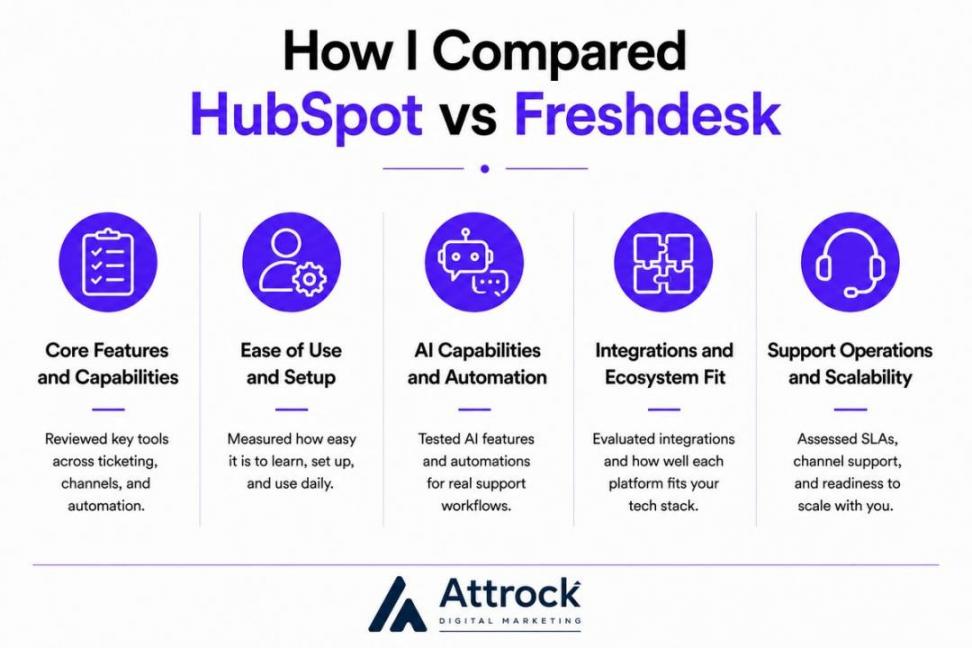
- Features and Core Capabilities: Ticketing, channels, knowledge base, and automation
- Ease of Use and Setup: How fast a team learns the features and starts using the platforms
- AI Capabilities: The issues that the built-in agents actually resolve
- Integrations and the CRM Ecosystem: How well the tools fit your tech stack
- Support, SLAs, and Omnichannel: How well each platform can support growing customer service operations
The two factors I weighted most heavily were overall cost and how well each platform fits into your existing stack. Those are often the biggest ongoing concerns for growing support teams. Since pricing affects every buying decision, I also included a separate HubSpot vs Freshdesk pricing comparison.
I confirmed each platform’s pricing from its official website as of July 2026. I also compared customer feedback across G2, Capterra, and Reddit. This helped me identify their common strengths and recurring complaints.
Whenever a statistic comes from the vendor, I clearly say so. Whenever I'm sharing my own opinion from testing, I mention it clearly.
The scores in my summary are based on my own evaluation, while the review ratings come directly from user review sites.
I tested both tools to make this HubSpot vs Freshdesk comparison as fair as possible. I used the same support setup and completed the same tasks on each platform. I compared features, pricing, AI, ease of use, integrations, and customer support. I also verified pricing on each company's website and reviewed customer feedback.
HubSpot vs Freshdesk: Detailed Review and Comparison
On core help-desk work, both are effective, so the differences below will help you decide. Freshdesk leads on channels, SLAs, and price, while HubSpot Service Hub leads on unified context and reporting.
Each criterion below opens with the answer, compares both tools, and declares a winner.
Features and Core Capabilities
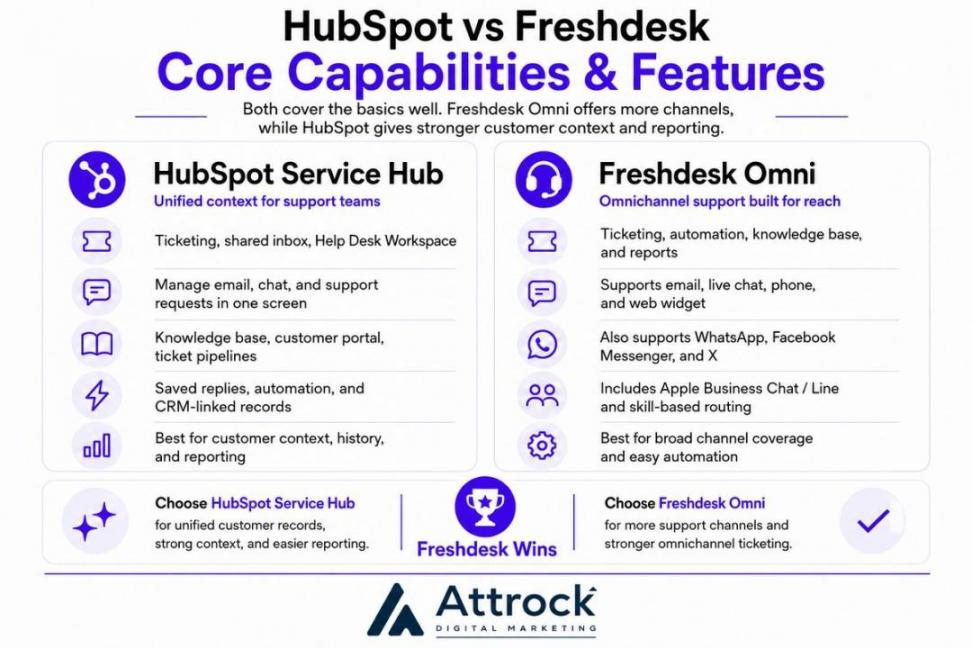
When I tested HubSpot vs Freshdesk, I found that both platforms handled the basics well. They both include ticketing, automation, and self-service tools. Freshdesk offers more ways for customers to reach your team. HubSpot gives agents more customer context and stronger reporting.
Let’s discuss the core capabilities of both in more detail.
HubSpot Service Hub
The HubSpot Service Hub includes ticketing, a shared inbox, and the Help Desk Workspace. Your team can manage emails, chats, and other support requests from one screen. It also includes a knowledge base, a customer portal, ticket pipelines, saved replies, and automation.
Its biggest strength is the customer record. Every ticket stays connected to the customer's details, past conversations, and earlier tickets. Agents do not have to open different tools to find information.
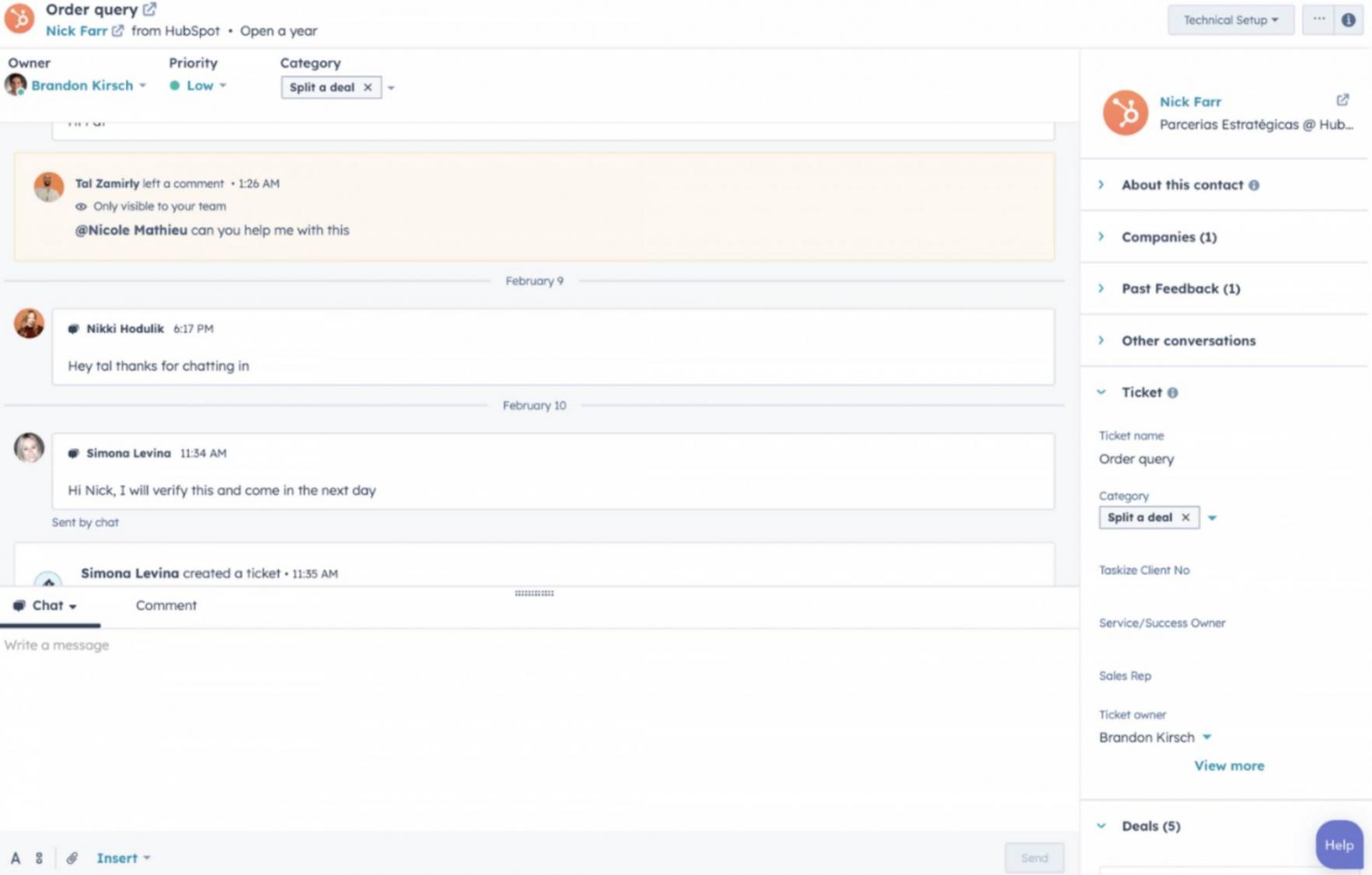
Image via HubSpot
The CRM context saves time and helps them solve problems faster. It also makes reporting much easier.
This HubSpot vs Freshdesk comparison won’t be fair if I don’t mention its limitations.
Some features need a higher plan. The knowledge base and customer portal start with the Professional plan. Skill-based routing is only available with the Enterprise plan.
For most email, chat, and phone teams, the core features are enough.
Freshdesk
Freshdesk Omni is ideal for support teams that talk to customers across many channels. It supports email, live chat, phone, WhatsApp, Facebook Messenger, and more channels.
Every customer conversation stays in one queue. That makes it easier to track requests and avoid missing messages.
Here's what the interface looks like.
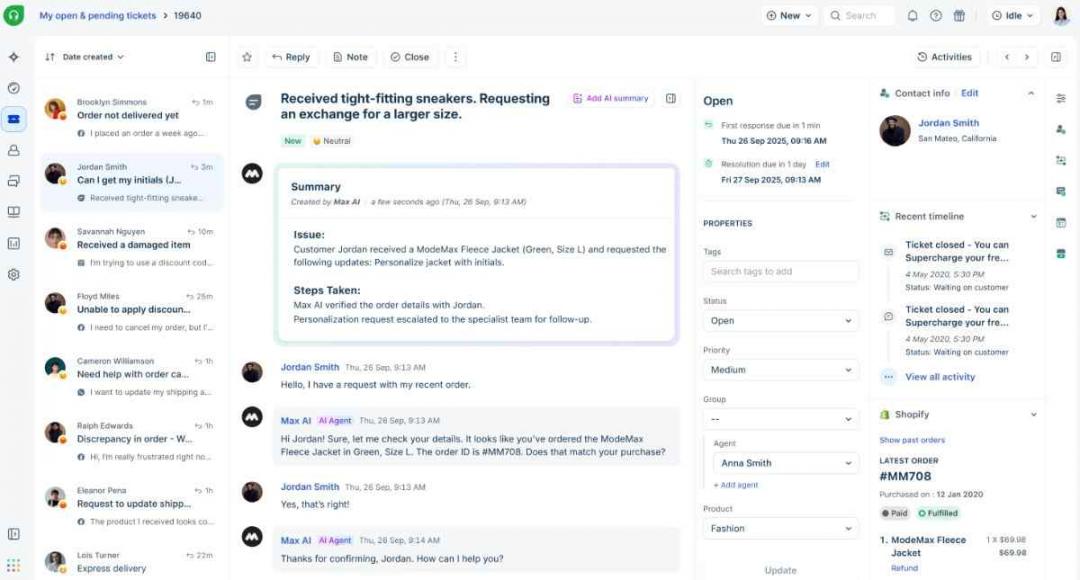
Image via Freshdesk
The knowledge base solution is accessible even to the free plan users. It also offers automation, custom ticket fields, collaboration tools, and reports.
Its automation tools are one of the biggest reasons businesses choose Freshdesk. You can route tickets to the right agent based on skills. It also supports automatic ticket assignment and SLA reminders. You don’t need coding skills to build these automated workflows.
Here’s how HubSpot vs Freshdesk compare on support channels.
| Channel | HubSpot Service Hub | Freshdesk Omni |
|---|---|---|
| Yes | Yes | |
| Live Chat | Yes | Yes |
| Phone | Yes | Yes |
| Limited | Yes | |
| Facebook Messenger | Yes | Yes |
| X/Social | Limited | Yes |
| Apple Business Chat / Line | No | Yes |
| Web Widget | Yes | Yes |
HubSpot vs Freshdesk: Which supports more channels?
Freshdesk supports more channels than HubSpot Service Hub. It supports WhatsApp, Line, Apple Business Chat, and more social platforms. HubSpot Service Hub covers the main business channels but offers fewer options overall.
Winner: Freshdesk wins mainly because of more channel coverage and more features on entry-level plans. However, HubSpot offers more than just help desk tools, with its CRM and advanced analytics and reporting.
Ease of Use and Setup
When I tested HubSpot vs Freshdesk, I found that both platforms were easy to use. Neither takes long to set up.
Let’s get into the details of this HubSpot vs Freshdesk comparison.
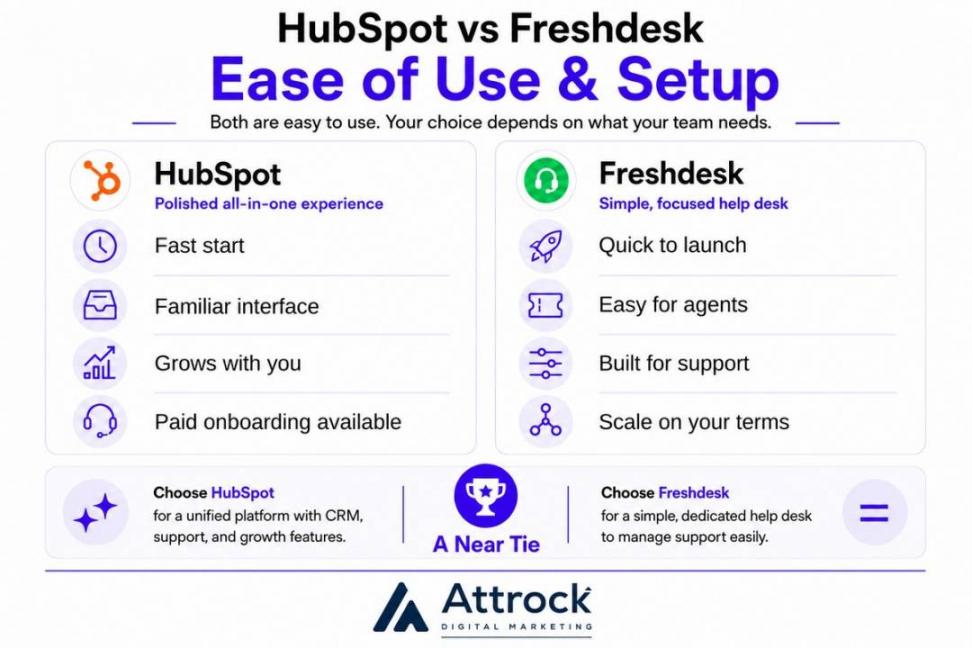
HubSpot Service Hub
Getting started with HubSpot Service Hub takes very little time. You can link your email, import contacts, and start creating tickets in a single session. Most teams can start using the platform on the first day.
The interface is clean and easy to follow. Menus are well organized, and most tools are where you expect them to be.
New agents can usually find what they need without much training. The inbox also looks and works like a standard email inbox, so it feels familiar from day one.
As your team grows, you can add more features. These include automation, reporting, and the customer portal. These tools do make the platform more complex, but you only need to learn them when you're ready. So, the learning curve feels gradual instead of overwhelming.
For the higher-tier plans, you also get paid onboarding services. These are great for setting up the workflows for a large team without hassle. These have a one-time fee of $1,500 and $3,500 for Professional and Enterprise plans, respectively.
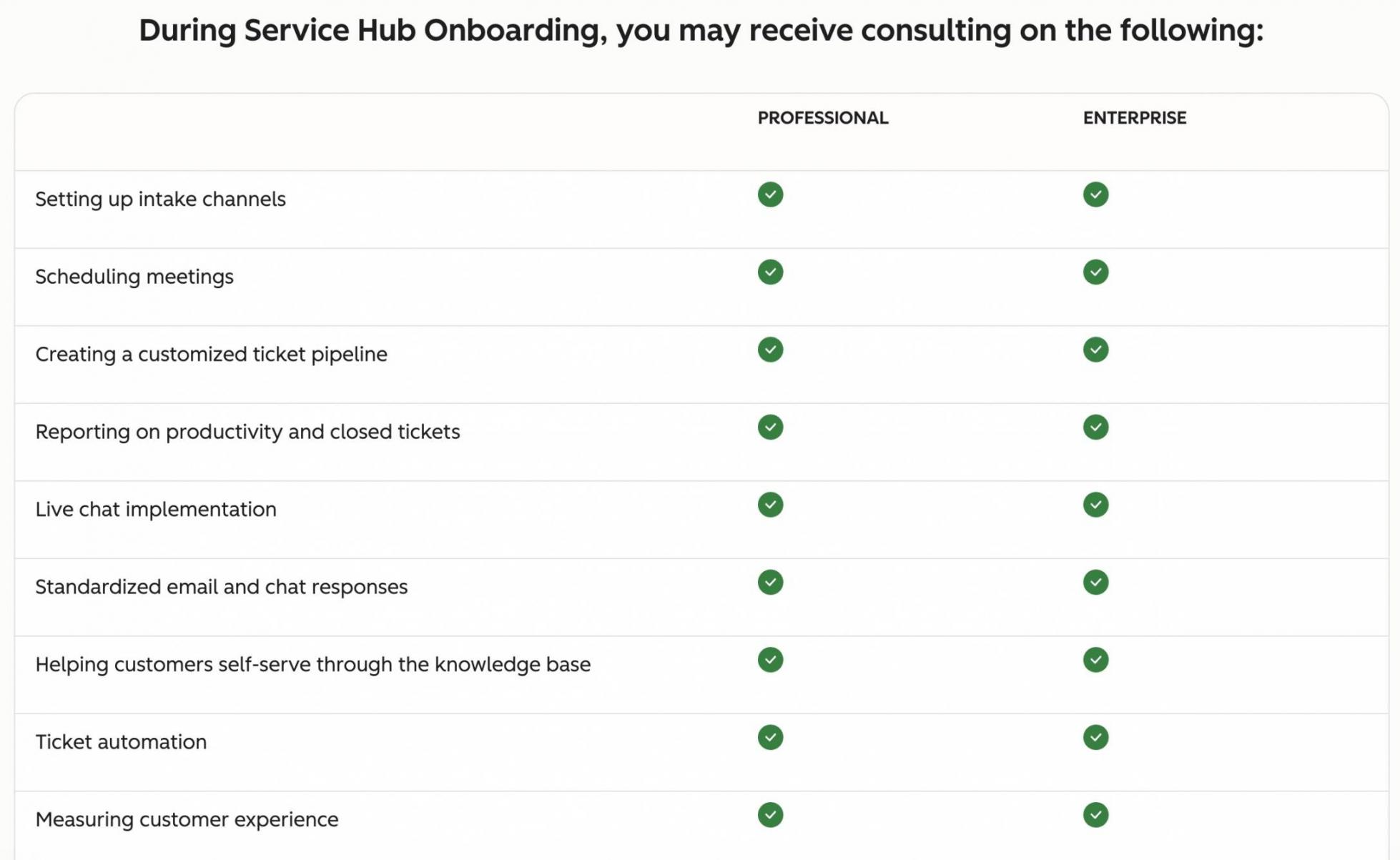
Image via HubSpot
Once set up, the platform runs smoothly.
Freshdesk
Freshdesk makes it easy for new support teams to get started. Agents can learn the platform quickly and begin working with very little training. The layout is clean, and the ticketing tools are easy to understand.
Setting up the platform is just as simple. Freshdesk guides admins through the basics. It helps you set business hours, support channels, and SLA policies. Most teams can finish the setup and start helping customers on the same day.
New users can take a product tour to get started.
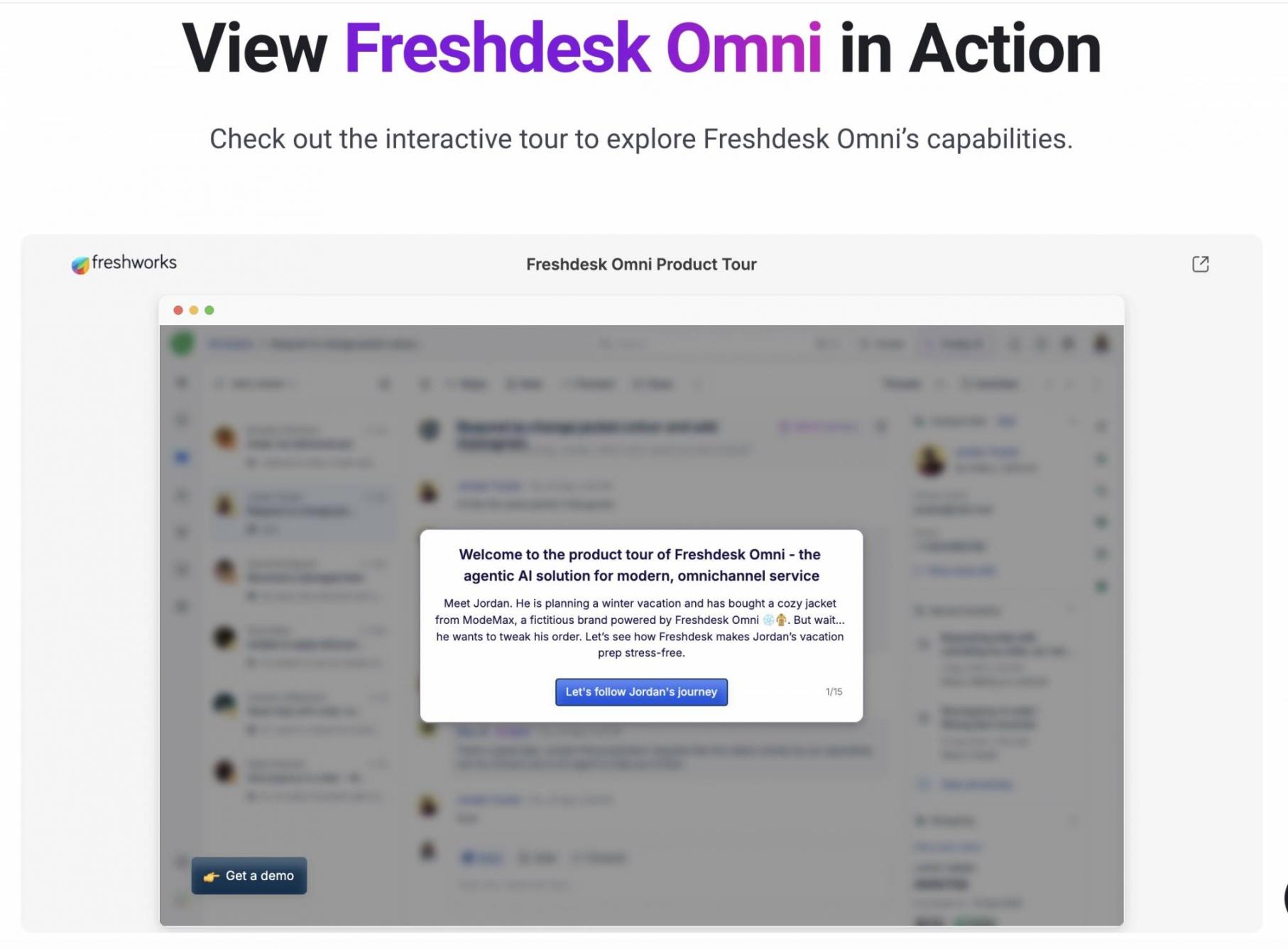
Image via Freshdesk Omni
As your support team grows, you can add automation, more channels, and advanced workflows. This adds more settings, but the default setup is still strong enough for most teams. So, you can launch quickly and make changes as your business grows.
HubSpot vs Freshdesk: Which is easier to use?
Based on my experience, I’d say both are beginner-friendly. I had no trouble getting started with either tool.
HubSpot Service Hub feels more polished because customer data and support tools work together.
Winner: There is no clear winner in this round of the HubSpot vs Freshdesk comparison. Both tools are easy to use, so your choice will depend on the use case and other criteria.
AI Capabilities: HubSpot Breeze AI vs Freshdesk Freddy AI
Both platforms help agents save time, but they use AI in different ways. Breeze Customer Agent works with your customer data across HubSpot. Freshworks’ Freddy AI, however, helps mainly with customer support.
AI is one area where HubSpot and Freshdesk take different paths. So, let’s do a more detailed HubSpot vs Freshdesk comparison.
HubSpot Service Hub: Breeze AI
Breeze AI offers several tools, and the Breeze Customer Agent is the most useful for support teams. It can chat with customers, solve simple issues, and pass complex cases to a human agent when needed.
One of Breeze's biggest strengths is its access to the full customer record. It can see previous tickets, past conversations, account details, and other CRM data. This helps it give more relevant answers instead of relying only on your knowledge base.
According to HubSpot (July 2026), Breeze Customer Agent resolves 70% of conversations automatically. Teams that use it resolve tickets 39% faster than teams that don't use it.
Lastly, the AI can adapt your brand’s tone and voice. You can set the guidelines for how you want it to respond.
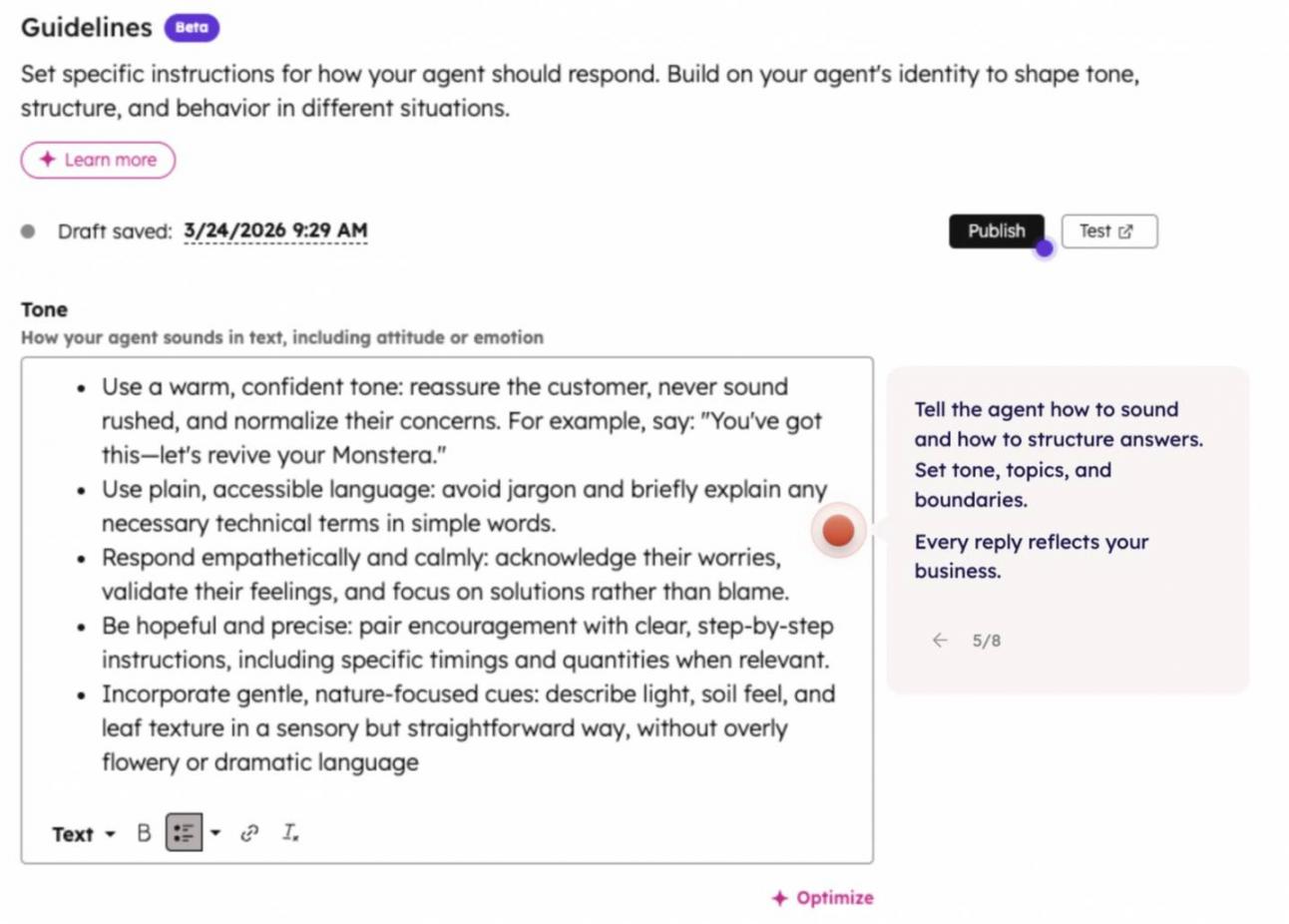
Image via HubSpot
The Breeze Customer Agent is available with Professional and Enterprise plans. It works on a credit system.
Freshdesk: Freddy AI
Freddy AI gives support teams three AI tools:
- The AI Agent helps customers directly by answering questions and handling simple tasks.
- AI Copilot helps agents write replies faster and summarizes long conversations.
- AI Insights highlights trends, common issues, and other useful support data.
Freshdesk includes 500 AI sessions with its Pro and Enterprise plans. After that, you can add more sessions whenever you need them.
Here’s a quick comparison of HubSpot vs Freshdesk in terms of AI capabilities.
| Dimension | HubSpot’s Breeze AI | Freshdesk’s Freddy AI |
|---|---|---|
| Scope | Full customer record | Support-scoped |
| Pricing Model | Seats/credits | Per session |
| Free Allowance | 3k credits with Professional and 5k credits with Enterprise | 500 sessions on Pro/Enterprise |
| Best for | Context-rich resolution | Predictable cost at volume |
How do HubSpot and Freshdesk differ in AI capabilities?
Breeze uses your full customer history to give more relevant answers. Freddy focuses on support tasks and uses session-based pricing. Choose Breeze for richer context or Freddy for predictable pricing.
Winner: It’s a tie. Breeze is stronger for personalized support. Freddy is better for cost control.
Integrations and the CRM Ecosystem
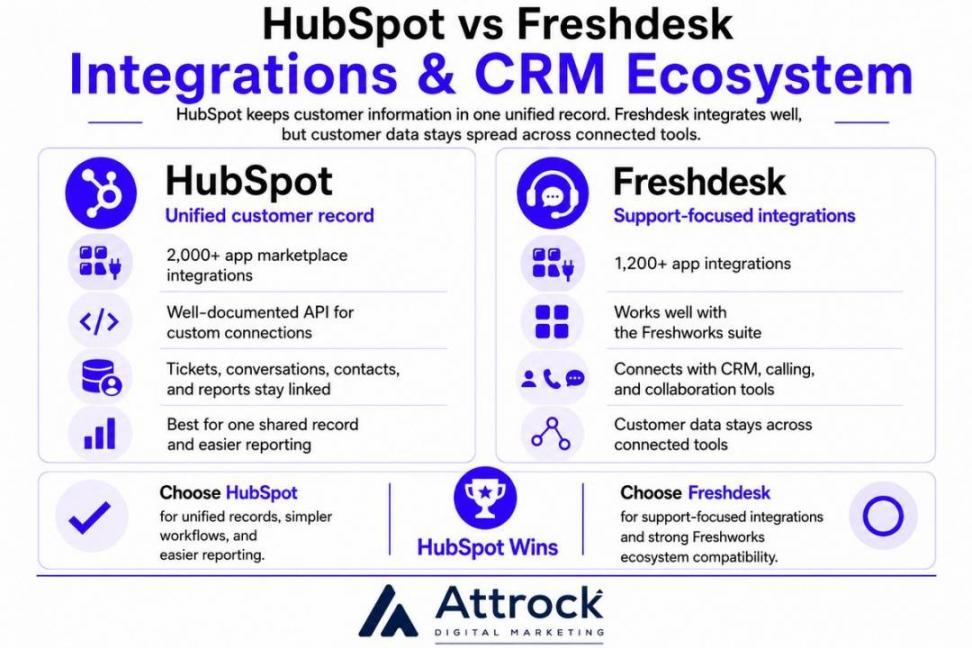
HubSpot Service Hub wins in this category because it keeps customer information together. Instead of storing data across different tools, everything connects to one customer record. That makes daily work much simpler for support teams.
HubSpot Service Hub
HubSpot Service Hub connects with more than 2,000 apps through its app marketplace. If you need a custom connection, HubSpot also provides a well-documented API.
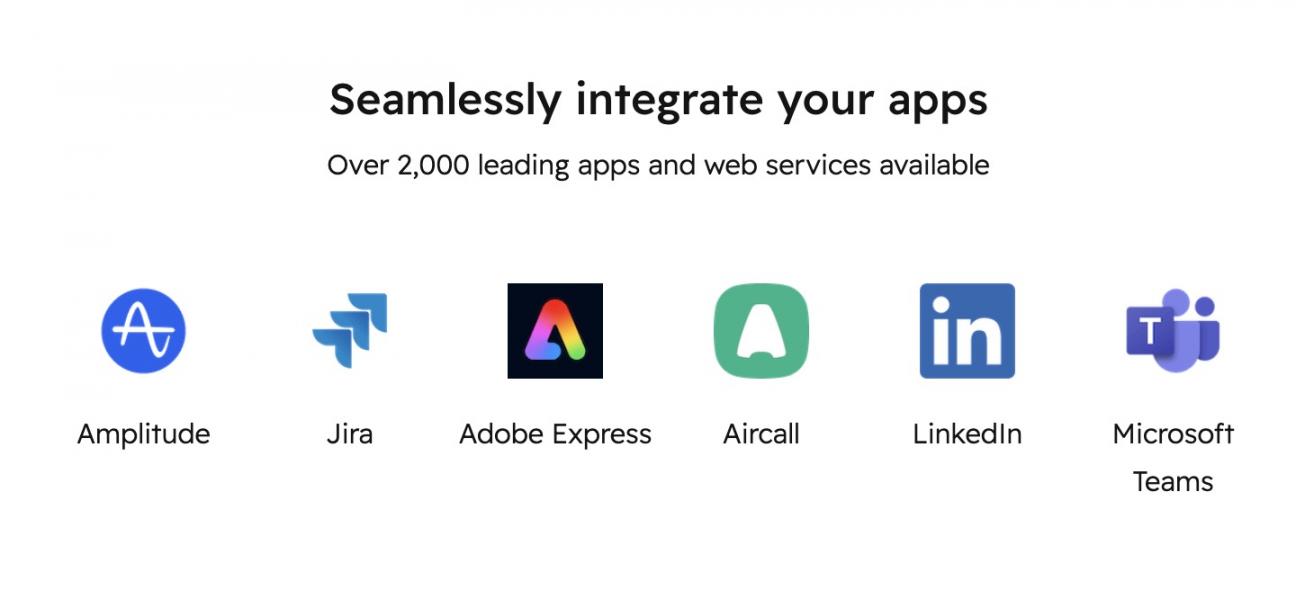
Image via HubSpot
As I’ve mentioned earlier, the unified customer record is where HubSpot shines. Every ticket, conversation, contact, and report stays connected.
This also makes reporting easier because every tool uses the same customer data. If you want one place to manage customer relationships, HubSpot Service Hub has a clear advantage.
Freshdesk
Freshdesk connects with 1,200+ apps and works well with the Freshworks suite. It also supports popular CRMs, calling tools, and collaboration apps.
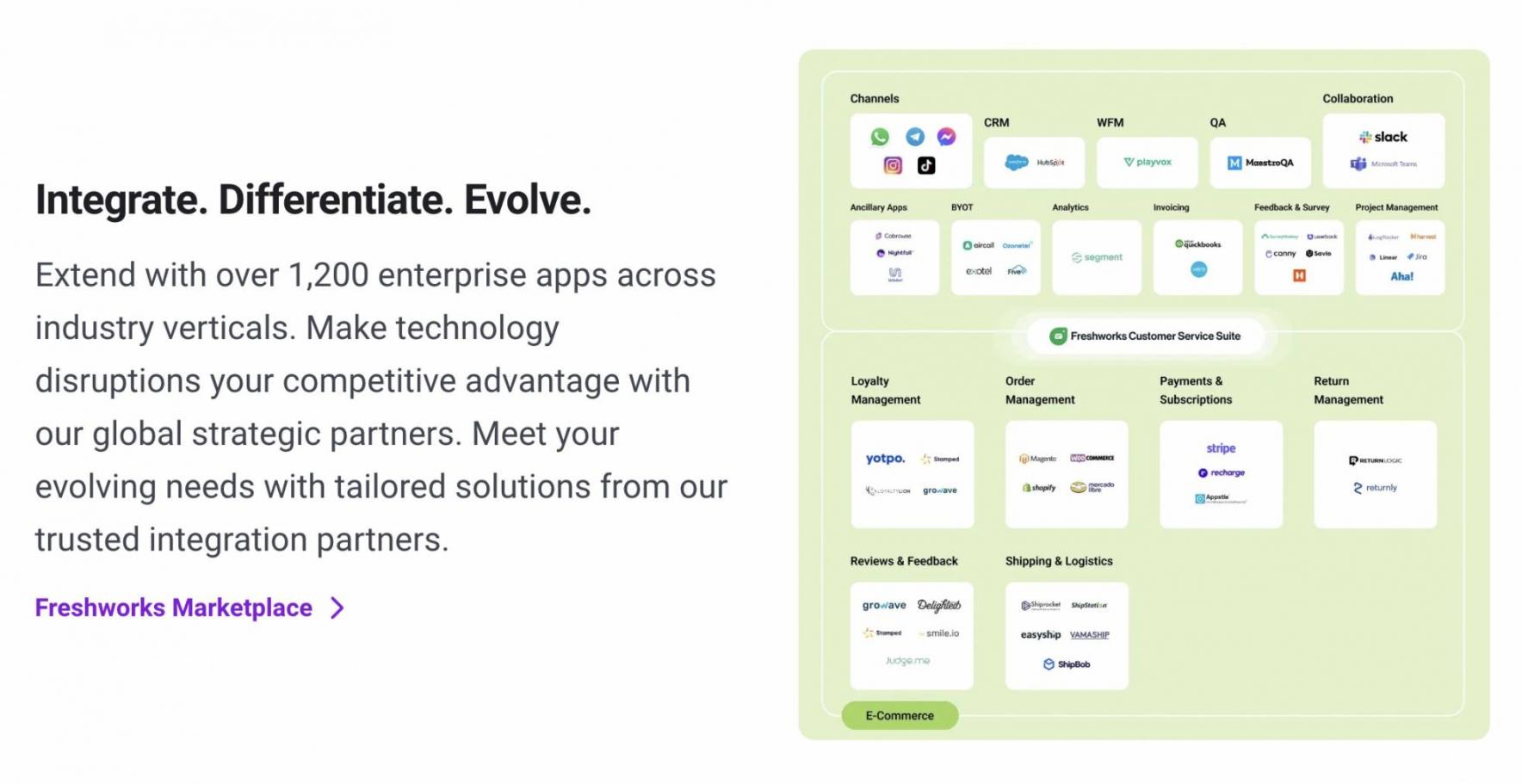
Image via Freshdesk
Its integrations focus on customer support. Customer data stays across connected tools instead of one shared record.
Winner: HubSpot Service Hub is the clear winner in this round of HubSpot vs Freshdesk comparison.
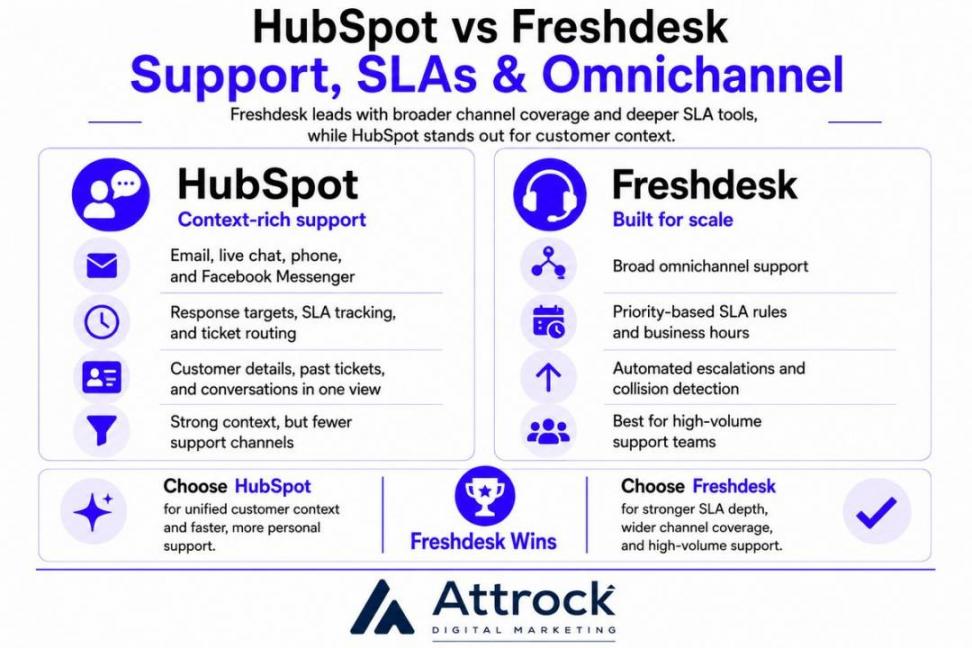
Support, SLAs, and Omnichannel
Freshdesk leads in this category. It offers more support channels and stronger SLA tools. HubSpot is also a strong option, but it focuses only on channels most businesses use.
HubSpot Service Hub
HubSpot Service Hub includes email, live chat, phone, and Facebook Messenger. It lets you set response targets, track SLA performance, and route tickets between teams. Some advanced SLA features require higher plans.
Its biggest strength is context. Agents can see customer details, past tickets, and earlier conversations without leaving the page. That makes it easier to give faster and more personal support.
During my HubSpot vs Freshdesk review, I found that the only real limitation is channel coverage.
Freshdesk
Freshdesk is built for teams that handle a large number of support requests. It supports many communication channels and includes strong SLA tools from the start.
You can create SLA rules based on ticket priority, set business hours, and automate ticket escalations. It also stops two agents from replying to the same customer at the same time.
These features help support teams stay organized as ticket volume grows.
HubSpot vs Freshdesk: Which is better for high-volume support?
Freshdesk is better due to its omnichannel reach and SLA features.
Winner: Freshdesk wins this round of HubSpot vs Freshdesk comparison.
HubSpot is the better choice if you want customer support, CRM, AI, and reporting on a single platform. Freshdesk is better for businesses that need omnichannel support and advanced SLA features. Both platforms are easy to use and include AI, but they solve different business needs. HubSpot starts at a lower price, while Freshdesk often offers better value as your team grows.
HubSpot vs Freshdesk: How Do They Compare on Pricing?
HubSpot has a lower starting price than Freshdesk, but costs rise with higher-tier plans. Freshdesk offers more features at its entry-level tiers, so teams don’t always need to upgrade.
If you only need basic support, HubSpot Service Hub costs less. If you need a knowledge base from day one, Freshdesk offers more value.
Let’s check out the pricing plans before you come to a HubSpot vs Freshdesk verdict.
HubSpot Service Hub Pricing
- Free: $0 for up to 2 users, ongoing. Basic ticketing and a shared inbox.
- Starter: $10 per seat/month. Adds simple automation and removes branding.
- Professional: $100 per seat/month, plus a one-time $1,500 onboarding fee. Unlocks the knowledge base, Breeze Customer Agent, Help Desk Workspace, and customer portal.
- Enterprise: $150 per seat/month. Unlocks conditional SLAs, skill-based routing, and customer-journey analytics, plus a larger onboarding fee.
The thing to watch with HubSpot is what's gated and what's mandatory. The onboarding fee is mandatory, so the first-year costs are quite high for the top-tier plans.
Freshdesk Pricing
- Free: $0 for 1 to 2 agents, for 6 months. It includes ticketing tools and a knowledge base.
- Growth: $123 per agent/month. It’s a core help desk for small teams.
- Pro: $66 per agent/month. It’s the most popular tier, with omnichannel and advanced automation.
- Enterprise: $107 per agent/month. It offers audit logs, approval workflows, and skills-based assignments.
The free plan is time-limited to six months. Freddy AI is billed by session on top of your plan.
HubSpot vs Freshdesk Pricing Comparison
The starting price only tells part of the story. So, I compared HubSpot Service Hub Professional with Freshdesk Omni Pro head-on. These are the prices for different numbers of agents or seats.
| Team size | HubSpot Service Hub Professional | Freshdesk Omni Pro |
|---|---|---|
| 10 agents | $1,000/mo + $1,500 onboarding | $660/mo |
| 25 agents | $2,500/mo + $1,500 onboarding | $1,650/mo |
| 50 agents | $5,000/mo + $1,500 onboarding | $3,300/mo |
Is Freshdesk cheaper than HubSpot?
For the mid-tier and enterprise plans, yes. HubSpot is more affordable only on the entry-level plan, which offers fewer features.
Winner: Freshdesk on entry cost and total cost at scale. HubSpot Service Hub is worth the premium when its context and reporting pay back.
HubSpot vs Freshdesk: What Do Real Users Say About Them?
Beyond my own testing, here's how real users rate both tools on the major review sites. Use it to sanity-check the verdict against the wider market.
| Source | HubSpot Service Hub | Freshdesk |
|---|---|---|
| G2 | 4.4 | 4.4 |
| Capterra | 4.4 | 4.5 |
| User Review | “With HubSpot Service Hub, we can handle customizations in-house without a lot of external assistance. It's really user-friendly, making it easy for new and existing staff to adapt when we implemented it.” | “Freshdesk is easy to use and helps manage customer queries efficiently. I like how it keeps all tickets organized in one place, making it simple to track issues, collaborate with teams, and provide timely support to customers.” |
Both HubSpot and Freshdesk are top-rated platforms loved by their users. So, this round of HubSpot vs Freshdesk comparison ends with a tie.
HubSpot vs Freshdesk: Which One Should You Choose?
Choose HubSpot if you want CRM context and value deep analytics and reporting. Choose Freshdesk if you want a core, omnichannel help desk tool.
Here’s a quick decision box to help you out.
| Choose HubSpot Service Hub if… | Choose Freshdesk if… |
|---|---|
| You want support with one unified customer record | Support is your core job, and budget matters |
| You value deep reporting and customer-success tooling | You need true omnichannel, including WhatsApp and social |
| You want a context-aware AI agent across support | You want a knowledge base and strong SLAs without a big upfront spend |
| You can absorb onboarding fees for the long-term payoff | You want more value for money at scale |
Skip both if you need a much simpler help desk tool. Zoho Desk or Help Scout are good alternatives you can consider.
Both HubSpot and Freshdesk are great options. So, choose one that best meets your needs and budget.
FAQ
Q1. Is Freshdesk cheaper than HubSpot Service Hub?
A. While HubSpot offers a lower starting price, Freshdesk is more affordable at scale. This is mainly because of the high onboarding fees charged by HubSpot. However, if you run a large business and want CRM depth with your support tool, it’s worth it.
Q2. Is Freshdesk a CRM?
A. No. Freshdesk is a support-first help desk for ticketing and customer service. It doesn’t offer CRM functionality. HubSpot Service Hub keeps support on a unified customer record because it comes with a built-in CRM.
Q3. Can HubSpot Service Hub replace Freshdesk?
A. Yes, for many businesses it can. It can replace Freshdesk if you want customer support and CRM in one platform. It includes ticketing, a knowledge base, AI, automation, and a shared customer record. So, you get everything that Freshdesk offers and a lot more.
Q4. Which is easier to use, HubSpot or Freshdesk?
A. Both platforms are easy to learn and quick to set up. HubSpot offers a clean interface and a familiar inbox, making it easy for growing teams. Freshdesk also offers a user-friendly interface that agents can start using from day one.
Q5. Does Freshdesk have a free plan?
A. Yes, with a catch. Freshdesk's free plan covers 1 to 2 agents and now runs for six months, including ticketing and a knowledge base. HubSpot Service Hub's free plan supports up to 2 users on an ongoing basis but offers fewer features.
Q6. What AI does each platform offer?
A. Both platforms include AI, but they focus on different needs. HubSpot’s Breeze Customer Agent answers questions using customer records, past tickets, and CRM data. Freshdesk includes Freddy AI, which helps automate customer support and uses session-based pricing.
Q7. Is HubSpot Service Hub worth the price?
A. HubSpot Service Hub is worth the price if you want customer support, CRM, and reporting in one platform. The shared customer record can help teams work faster and deliver better support. If you only need a help desk, Freshdesk offers similar support features at a lower overall cost.
Q8. Who is HubSpot's biggest competitor?
A. It varies by category. In customer service specifically, HubSpot Service Hub competes most directly with Freshdesk, Zendesk, and Zoho Desk.
Q9. HubSpot vs Freshdesk: Which should a small support team pick?
A. Most small support teams should start with Freshdesk for its lower cost and included knowledge base. The exception is a small team that wants a unified customer record from day one. In that case, the HubSpot Service Hub wins.
Q10. Why should I choose HubSpot over Freshdesk?
A. Choose HubSpot Service Hub if your business is growing. It brings customer support, CRM, automation, and AI together in one platform. Everyone works from the same customer record. That saves time, improves teamwork, and helps your team deliver more consistent support.
Conclusion
In this HubSpot vs Freshdesk comparison, there isn't one winner for every business. HubSpot Service Hub wins for teams that want service on a unified customer record, with strong reporting and a context-aware AI agent.
Freshdesk wins for support-first teams that need omnichannel reach and a lower cost to run. Neither is the universal best; they're built for different buyers.
If your business needs more than a help desk, HubSpot Service Hub is worth a closer look. It brings customer support, CRM, reporting, and AI together in one platform. So, your team can work faster without switching between different tools.
If that matches what you're looking for, you can explore HubSpot Service Hub below.
Disclaimer: This content contains some affiliate links for which we will earn a commission (at no additional cost to you). This is to ensure that we can keep creating free content for you.