This listicle explains the best customer feedback tools and how to choose the right one. The right tool helps you understand what customers really think about your brand. You can then fix issues, such as updating your features to reduce churn and increase customer satisfaction.
Each tool I've broken down includes the main features, official vendor pricing, and pro tips.
Customer feedback tools help you collect, organize, and act on customer feedback about your website, products, and customer service. The best customer feedback tools in 2026 include HubSpot Service Hub, Qualtrics, SurveyMonkey, Hotjar, and Typeform. The list also includes Survicate, Zonka Feedback, Canny, AskNicely, Sprig, and InMoment.
The right pick depends on your goals, team size, and budget. I've spent 12 years running customer feedback and CX programs for clients. Collecting feedback is only half the job. Acting on it to improve the customer experience and reduce churn is the hard part.
That matters even more in 2026 because direct feedback has been declining for years. In fact, only about three in 10 customers explain why they leave, according to Qualtrics.
Below, I break down 11 customer feedback tools. You’ll understand how I picked them and which tools are best for your business. You’ll also learn the metrics behind customer feedback and security considerations.
Disclaimer: This content contains some affiliate links for which we will earn a commission (at no additional cost to you). This is to ensure that we can keep creating free content for you.
If you want one platform for surveys, CRM, and customer support, choose HubSpot Service Hub. Growing teams benefit from an all-in-one platform.
Some teams may need specialized customer feedback tools for product feedback, website behavior, or enterprise CX. Choose a tool that helps you solve your biggest customer feedback challenge.
How I Picked the Best Customer Feedback Tools
I chose these customer feedback tools the way I would for a client. I looked at feedback channels, metrics support, AI capabilities, and integrations. I also evaluated ease of use, pricing, and security:
- Feedback Channels: Supports email, web, in-app, mobile, and offline feedback
- Customer Feedback Metrics: Tracks NPS, CSAT, and CES with reporting
- AI Capabilities: whether the tool uses AI to detect common themes, identify sentiment, and summarize feedback
- Integrations: Connects with CRMs, help desks, Slack, analytics, and marketing tools
- Ease of use: How easy the tool is to learn, get set up, and the time it takes to first survey
- Pricing and value: I compared pricing, feature limits, and overall value for the cost
- Security: Compliance certifications and customer data protection
These customer feedback tools were chosen based on channel support, feedback metrics, AI capabilities, integrations, ease of use, and security. Pricing was verified from live vendor pages.
Quick Comparison of the Best Customer Feedback Tools
This table helps you compare the best customer feedback tools side-by-side. It includes what the tools are best for, starting price, whether the tools have free plans, and G2 ratings:
| Tool | Best For | Starting Price | Free Plan | G2 Rating |
|---|---|---|---|---|
| HubSpot Service Hub | All-in-one customer feedback tied to CRM | $20/month/seat | Yes | 4.4 (~2915) |
| Qualtrics | VoC and enterprise CX | Contact sales | No | 4.3 (~751) |
| SurveyMonkey | Creating engaging surveys | $25/user/month for teams | Yes. Free plan for individuals, not teams. | 4.4 (~23,557) |
| Hotjar | Website behavior + surveys | $49/month | Yes | 4.5 (~342) |
| Typeform | Engaging surveys and forms | $39/month | Yes | 4.5 (~1,002) |
| Survicate | Multichannel SaaS feedback | $89/month | Yes | 4.6 (~211) |
| Zonka Feedback | AI feedback intelligence, NPS, CSAT, CES surveys | Custom pricing | No | 4.7 (~81) |
| Canny | Product feedback/requests | $99/month | Yes | 4.5 (~107) |
| AskNicely | NPS, CSAT, CES surveys | Contact sales | No | 4.7 (~1,050) |
| Sprig | In-product micro-surveys | Contact sales | Yes | 4.5 (~105) |
| InMoment | Enterprise omnichannel feedback | Contact sales | No | 4.7 (~319) |
How Do You Choose the Right Customer Feedback Tools for Your Team?
Match the tool to your primary feedback goal and channel. For example, start with where customers already share feedback. This can be on your website, in your mobile app, or through support interactions.
Here’s how to choose:
By Team:
- Product Team: Canny, Sprig
- Support/CS Team: HubSpot Service Hub, AskNicely
- Marketing/CX Team: Hotjar, Survicate, Typeform
- Enterprise CX Team: Qualtrics, InMoment
By Feedback Channel:
- On Your Website: Hotjar, Survicate
- Inside Your Product or App: Sprig, Survicate
- After a Support Ticket: HubSpot Service Hub, AskNicely
By Your Existing Software:
- Teams Already Using Tools like HubSpot CRM: HubSpot Service Hub
- Teams Needing a Standalone Survey Tool: SurveyMonkey, Typeform
The most common mistake I see teams make is choosing customer feedback tools with the most features. Then, they realize no one is responsible for reviewing feedback or following up with customers.
Following up on customer feedback is an effective way to improve customer retention.
It depends on your team, feedback channel, or existing tools you use. For example, product teams may need in-app feedback.
If you only collect feedback through your website, choose a tool built for website surveys and forms. If you already use a CRM, pick a feedback tool that integrates with it.
What Are Customer Feedback Tools & Which Types Matter?
Customer feedback tools are software platforms that help you collect, analyze, and act on feedback from customers. They help measure customer satisfaction and improve your product to increase conversions.
Customer feedback tools have different types. Some focus on form and survey building. Others collect feedback from websites and track user behavior.
There are also tools to collect product feedback. Some also include Voice of Customer (VoC) and CX features. Some focus on collecting feedback after support interactions. Here are the main custom feedback tool types at a glance:
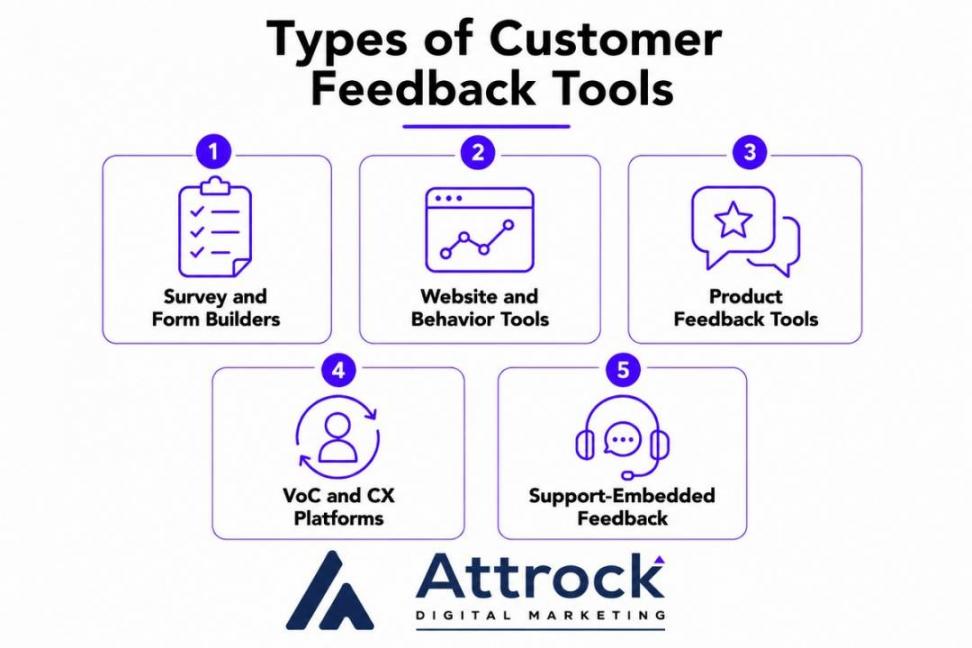
Image via Attrock
When used correctly, these tools help you improve customer experience, which is tied to revenue.
In fact, according to PwC, 29% of customers stop buying from brands due to poor customer experience.
Here’s a breakdown of the main types of customer feedback tools:
| Type | What it Does | Best Moment to Use It | Example Tools |
|---|---|---|---|
| Survey and Form Builders | Create customer surveys and feedback forms | After purchases, support interactions, or regular check-ins | SurveyMonkey, Typeform, HubSpot Service Hub |
| Website and Behavior Tools | Collect website feedback and track user behavior | While customers browse, sign up, or make a purchase | Hotjar, Survicate, HubSpot Service Hub |
| Product Feedback Tools | Collect feature requests and let customers vote on ideas | When planning which types of products to build next | Canny, HubSpot Service Hub |
| VoC and CX Platforms | Collect, analyze, and improve customer feedback across multiple channels | Managing customer feedback across multiple teams and locations | Qualtrics, InMoment |
| Support-Embedded Feedback | Collect feedback after customer support interactions | Right after a support interaction, such as a live chat | HubSpot Service Hub, AskNicely |
There are also two types of customer feedback. Solicited feedback is what you ask for through surveys.
Unsolicited feedback appears in reviews, support interactions, and on social media. The best customer feedback tools capture both.
These are software platforms that help collect customer feedback across different channels. They also help you analyze and act on customer feedback. For example, product teams use feature requests to plan the next update.
What Are the 11 Top Customer Feedback Tools?
The 11 best customer feedback tools include HubSpot Service Hub, Qualtrics, SurveyMonkey, Hotjar, Typeform, and Survicate. They also include Zonka Feedback, Canny, AskNicely, Sprig, and InMoment.
Each tool broken down below includes key features, pros, cons, pricing, and usability. It also includes tool-level and pro tips.
1. HubSpot Service Hub
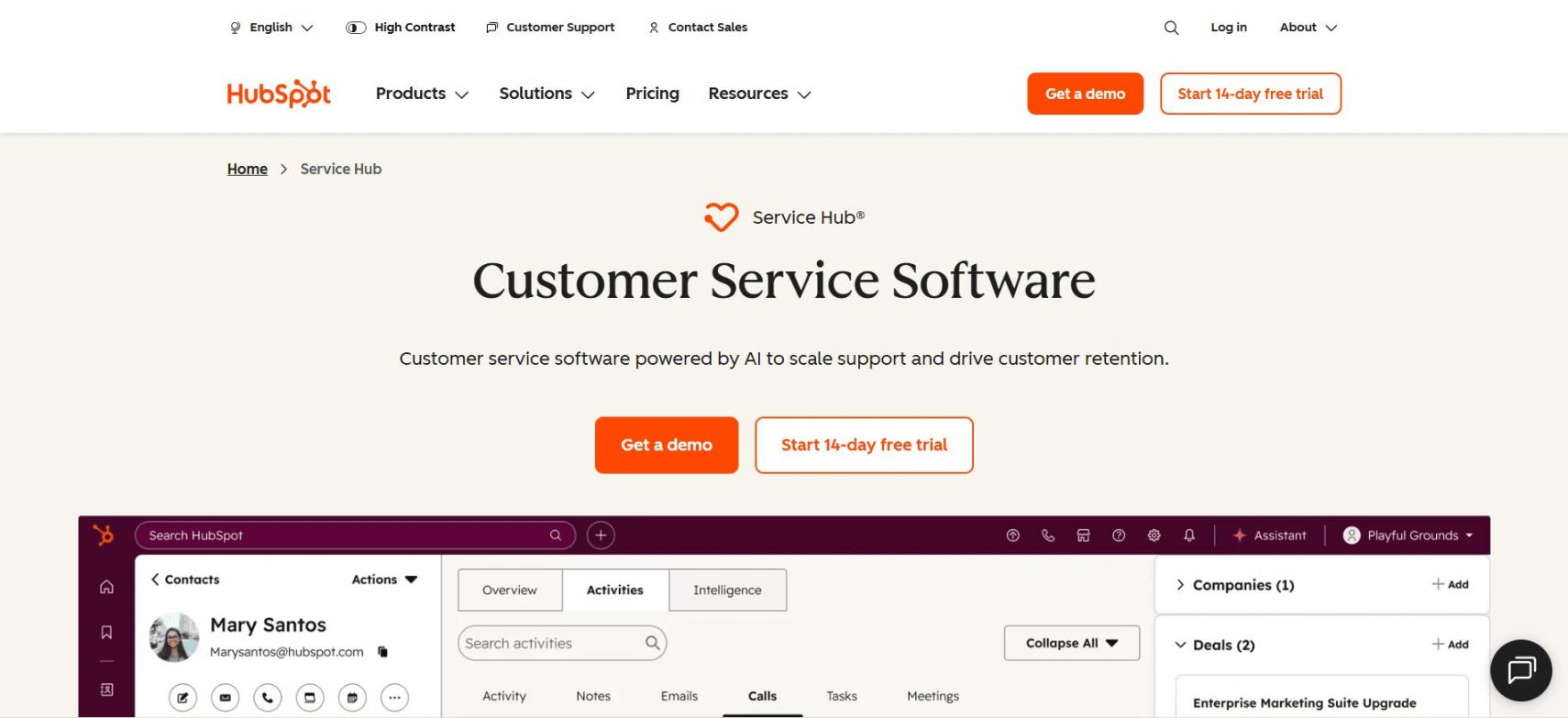
Image via HubSpot
HubSpot Service Hub is one of the best all-in-one customer feedback tools. 72% of service leaders have reported an increase in customer lifetime value (CLV).
HubSpot’s Customer Feedback Software helps you analyze feedback data so you can close more deals and improve retention.
Key Features
- Built-In NPS, CES, and CSAT Surveys: Create custom surveys in multiple languages. Capture feedback from all stages of the customer journey.
- Feedback Dashboards: View the number of responses from each survey. See how many are detractors, passives, and promoters.
- Breeze AI: Summarize survey responses. Instead of manually reading every response, Breeze AI helps you see recurring issues and sentiment patterns at a glance.
- Native CRM and Helpdesk: All feedback data and service interactions are visible to the entire team. Your team can respond faster and send more personalized follow-ups.
Pros
- Get free customer satisfaction survey templates
- 2,000+ built-in and third-party integrations, such as marketing software
- Intuitive dashboard with a minimal learning curve
Cons
- Customer Feedback Software is only available on Professional and Enterprise tiers
- Costs increase as you add seats and tiers
- Customer feedback surveys are limited to 50 for CES and NPS, and 100 for CSAT
Pricing
- Free for up to two users
- Starter: $20/month/seat
- Professional: $100/month/seat
- Enterprise: $150/month/seat
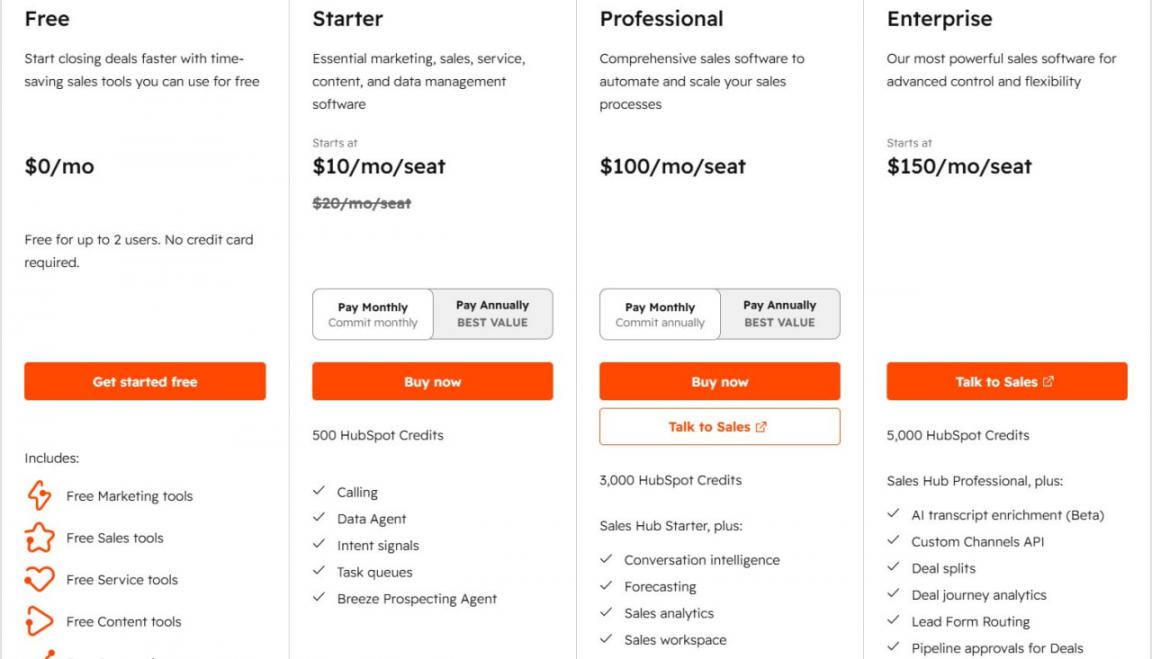
Image via HubSpot
Tool Level
- Beginner to intermediate
Usability
- Users rate HubSpot Service Hub 4.4 out of five on G2 and praise its intuitive interface. They also praise the seamless integrations with HubSpot products, making customer support and CRM tasks efficient.
Pro Tip: Send a CSAT survey after every closed support ticket. If a customer gives a low score, automatically assign it to a team member so they can send a follow-up. This helps you fix problems before customers churn.
Your customer feedback data is connected to HubSpot CRM and the helpdesk. Product, marketing, and support teams see the same data.
This means you can improve your product, send more personalized offers, and resolve issues faster. This increases customer satisfaction and revenue.
2. Qualtrics
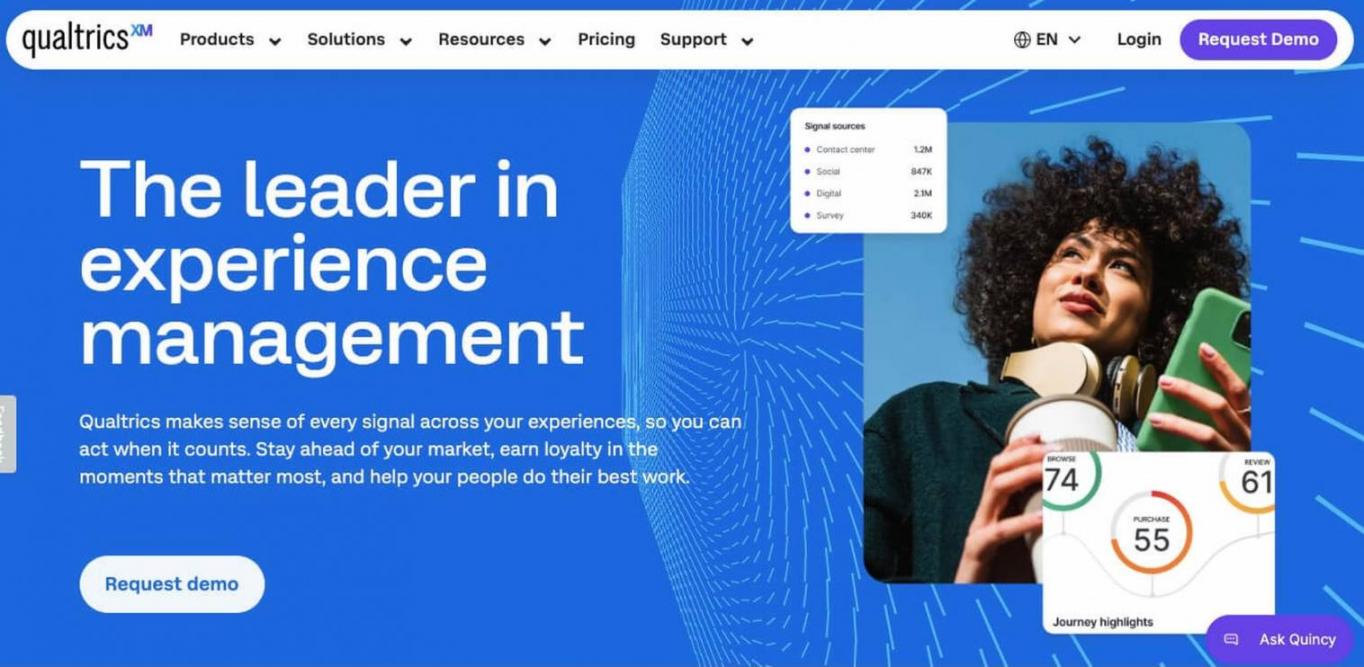
Image via Qualtrics
Qualtrics is an enterprise tool for CX and VoC programs. It’s one of the customer feedback tools that has helped businesses increase retention by seven to 13%.
Key Features
- Omnichannel Experience Management: Collect feedback from email, web, app, SMS, and in-store. AI automatically analyzes data to reveal patterns. Use Experience Agents to reach out to customers before they churn.
- Qualtrics Assist: After collecting VoC feedback across channels, this feature surfaces what matters. It asks customers questions about sentiment and pain points. Then shows you trends and themes.
- Predictive Analytics: Identify at-risk customers early. Get a unified view of every customer signal from first interaction to renewal. Identify what drives retention and loyalty, and act before customers churn.
- Close-Loop Workflows: This consists of two loops. The inner loop is collecting customer responses while they’re still engaged, using conversational AI. The outer loop is where recurring issues are routed to the right team.
Pros
- Qualtrics offers a free online survey tool
- Holds ISO 270001, ISO 420001, SOC 2 Type 2, and HITRUST certifications
- Access the Qualtrics Experience Community to ask questions and learn from other users
Cons
- No free forever plan
- Setup usually needs a specialist or admin
- Many advanced features sit behind higher tiers, which can be too pricey when you’re still growing your business
Pricing
- Contact the sales team to know Qualtrics pricing for the Customer Experience Suite
Tool Level
- Advanced
Usability
- Powerful but has a steep learning curve. Users rate it a 4.3 on G2, praising its advanced analytics and survey design capabilities.
Pro Tip: Start by collecting feedback at a single stage, such as after purchase. Make sure every low score reaches the right team and gets resolved. Then expand to the rest of the customer journey once your follow-up process works.
It pairs omnichannel feedback collection with AI-driven text and predictive analytics. AI can ask customers specific questions to help you understand sentiment. Then, automatically follow up or resolve issues before customers leave.
3. SurveyMonkey
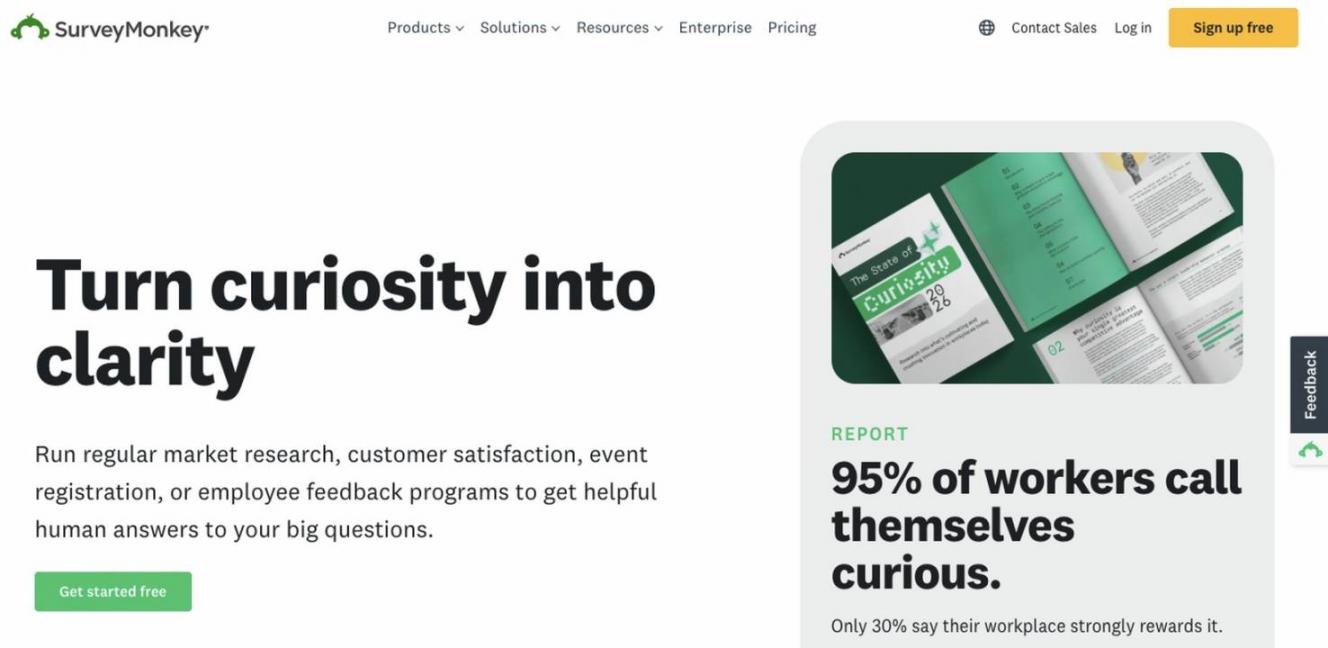
Image via SurveyMonkey
SurveyMonkey is one of the customer feedback tools made for small and growing businesses. This tool is trusted by over 260,000 organizations worldwide.
Key Features
- Template Library: Start creating surveys in minutes with 500+ templates. These include CSAT, NPS, post-purchase surveys, and more.
- Question Skip Logic and Advanced Branching: Lets you skip respondents to a different question in surveys. You can also show or hide pages or invalidate questions based on conditions.
- AI Features: Includes an AI-powered survey builder. AI sentiment analysis spots themes in open-ended questions.
- Integrations: Connects to 200+ tools. These include CRM tools, analytics, communications, and marketing software.
Pros
- Free forever plan
- No steep learning curve
- Access the help center that provides resources on how features work, so you don’t get stuck
Cons
- You can only view 25 responses on the Basic (Free) plan, even if you collect more
- You can't use a team plan with fewer than three users
- Advanced Branching and removal of the SurveyMonkey footer are only available in higher tiers
Pricing
- Free for one user
- Team Advantage: $25/user/month starting at three users
- Team Premier: $75/user/month starting at three users
- Enterprise: Custom pricing
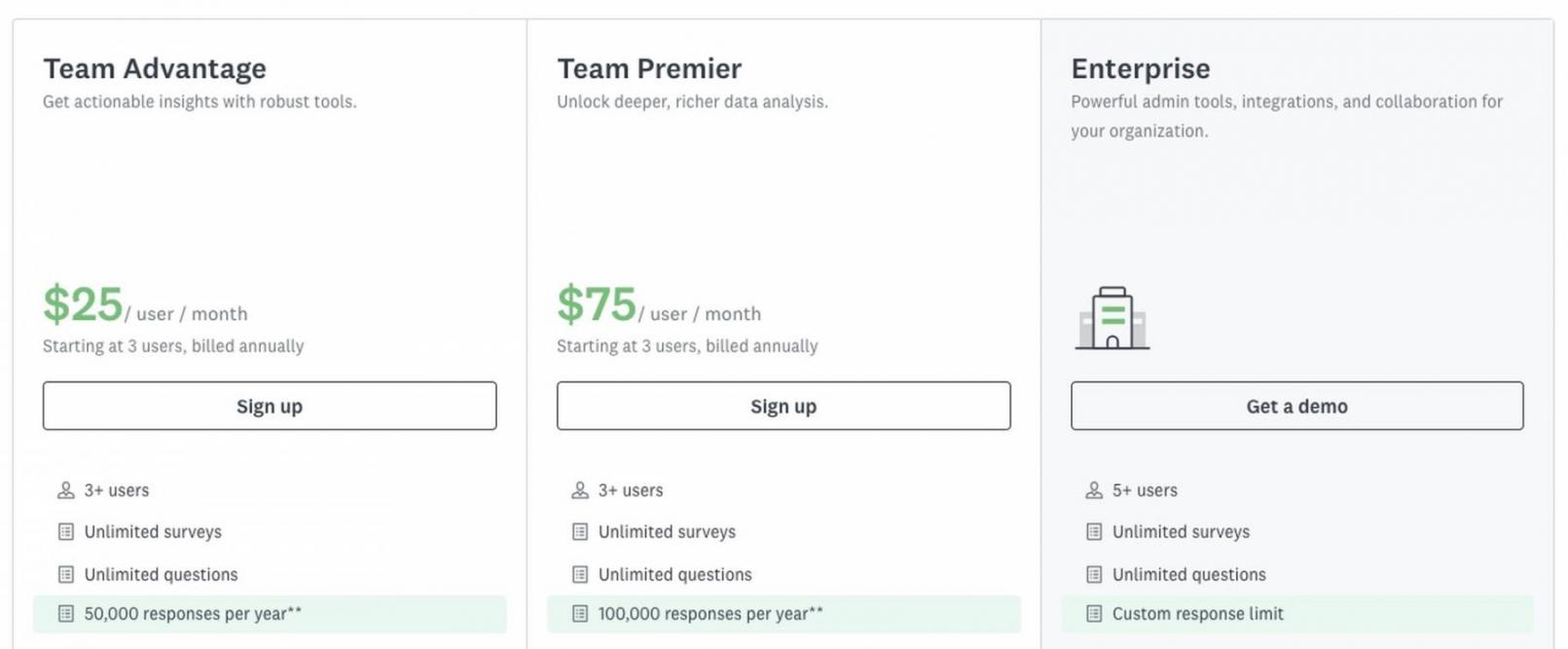
Image via SurveyMonkey
Tool Level
- Beginner
Usability
- Intuitive interface and no steep learning curve. You can start creating surveys and collecting data with no technical skills. G2 reviewers rate it 4.4 out of five.
Pro Tip: Use Question Skip Logic and Branching to route customers to questions relevant to their previous answers. For example, ask about delivery times only if they’ve previously mentioned shipping issues.
It’s one of the customer feedback tools that offers advanced survey creation features without the complexity of enterprise tools. These include AI-powered survey builders, skip logic, and branching. You can start running surveys in a matter of minutes.
4. Hotjar
Image via Hotjar
Hotjar is one of the effective customer feedback tools for websites and on-page feedback collection. It’s best suited for small businesses, startups, and mid-sized businesses.
Key Features
- Surveys: Launch surveys in your preferred style, such as a button, a popup, or embed them on your website. Choose from 40+ templates.
- Heatmaps: See how users move through your site and what grabs their attention. Or, the buttons or content they miss.
- Session Replay: Sense AI summarizes multiple and single-session replays into one overview. Then fix customer issues because they churn.
- Funnels: Sense AI spots where customers drop off in your sales funnel. Watch session recordings of those visits and see the actions customers took before abandoning a page.
Pros
- No credit card required to get started
- Unlimited heatmaps on all plans
- Free plan and integrations with powerful CRM tools like HubSpot
Cons
- Not built for omnichannel CX programs
- High-traffic sites can outgrow lower tiers
- Some users experience slow load times
Pricing
- Free frover
- Growth: $49/month
- Pro: Custom pricing
- Enterprise: Custom pricing
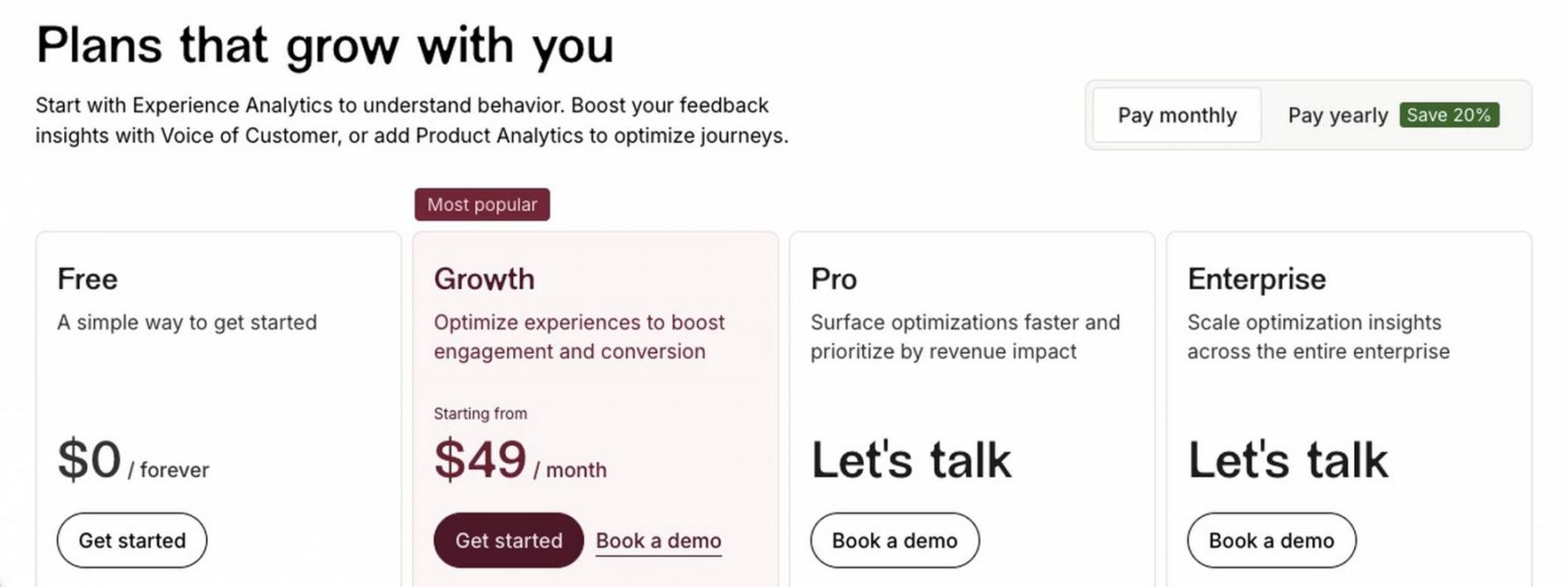
Image via Hotjar
Tool Level
- Beginner to intermediate
Usability
- Easy for non-technical teams to get started immediately. Users rate it a 4.3 on G2 and find it invaluable for understanding user interactions on their sites.
Pro Tip: Trigger an exit survey only after a visitor scrolls past a specific section, such as a pricing page. This way, you collect feedback while customers are engaged. You can also pair Hotjar with web analytics tools.
It connects quantitative data (what visitors do on your site) to qualitative data (why they do it). You use surveys, heatmaps, and session recordings to understand why customers leave. Then use the data to optimize your site and prevent churn.
5. Typeform
Image via Typeform
Typeform is among the top customer feedback tools because it helps you create engaging, on-brand surveys and forms. This tool helps 150,000+ SMBs and ecommerce businesses increase revenue.
Key Features
- Intelligent Forms: Create feedback forms with a drag-and-drop editor. Choose from 1,500 templates and get 3.5x more data.
- Customized Surveys: Use brand kits to customize every aspect of your survey. Then use conditional logic to ask relevant questions and add pre-fill functionality.
- Growth Flow: Automate follow-ups and turn leads into customers. Create segments and send personalized messages.
- Research Flow: Run AI-moderated customer interviews. This helps to understand the reasons behind customer behavior.
Pros
- Typeform prioritizes security with GDPR and HIPAA-compliant tools
- Easy to get started without technical skills
- Design surveys with your team members regardless of location, in real-time
Cons
- Premium themes, brand kits, and removal of Typeform branding are in higher tiers
- Custom fonts are limited to the Enterprise tier
- Native analytics can lack depth
Pricing
- Free plan
- Basic: $39/month
- Plus: $79/month
- Business: $129/month
- Growth Flow: 379/month
- Enterprise: Contact the sales team
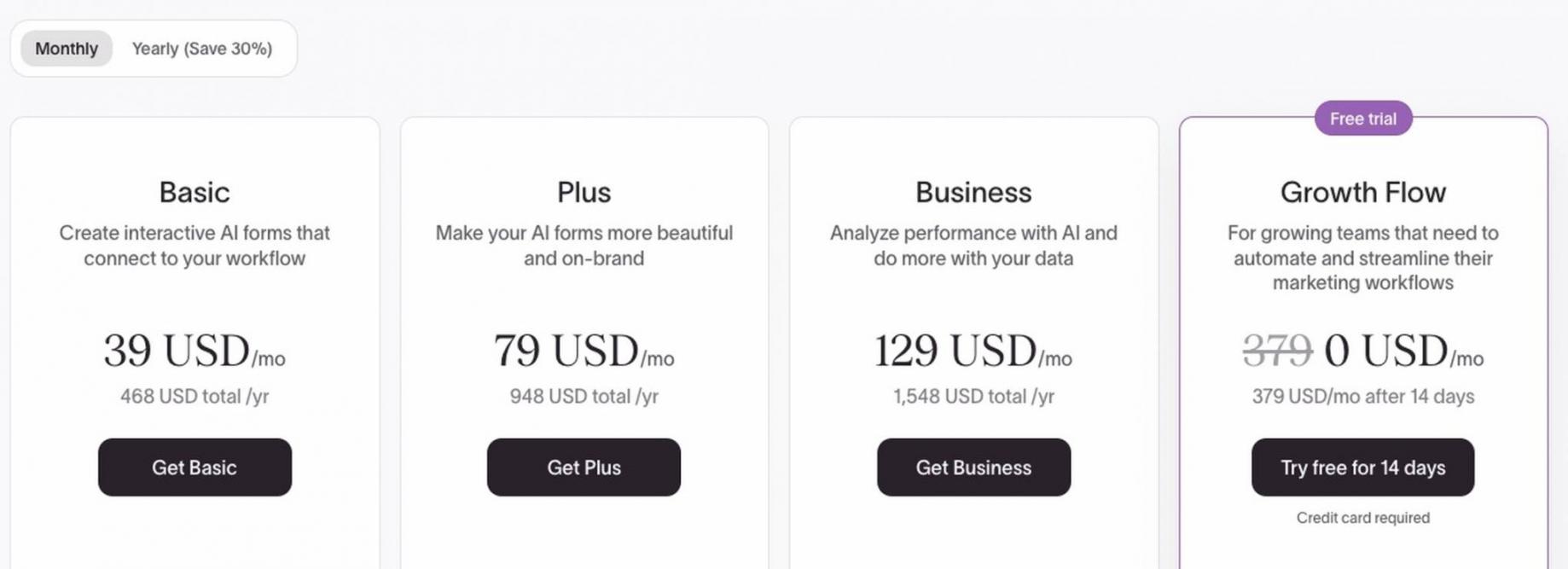
Image via Typeform
Tool Level
- Beginner, but has advanced AI features
Usability
- Includes powerful features but has a minimal learning curve. Users rate it a 4.5 on G2. They praise its intuitive interface that makes creating and completing forms efficient.
Pro Tip: Keep customer surveys under six questions. Typeform’s research shows that surveys with more than six questions have a less than 50% completion rate.
Businesses can create customized, on-brand surveys and forms. They can personalize every response, automate follow-ups, and run AI interviews to uncover specific reasons behind customer feedback.
6. Survicate
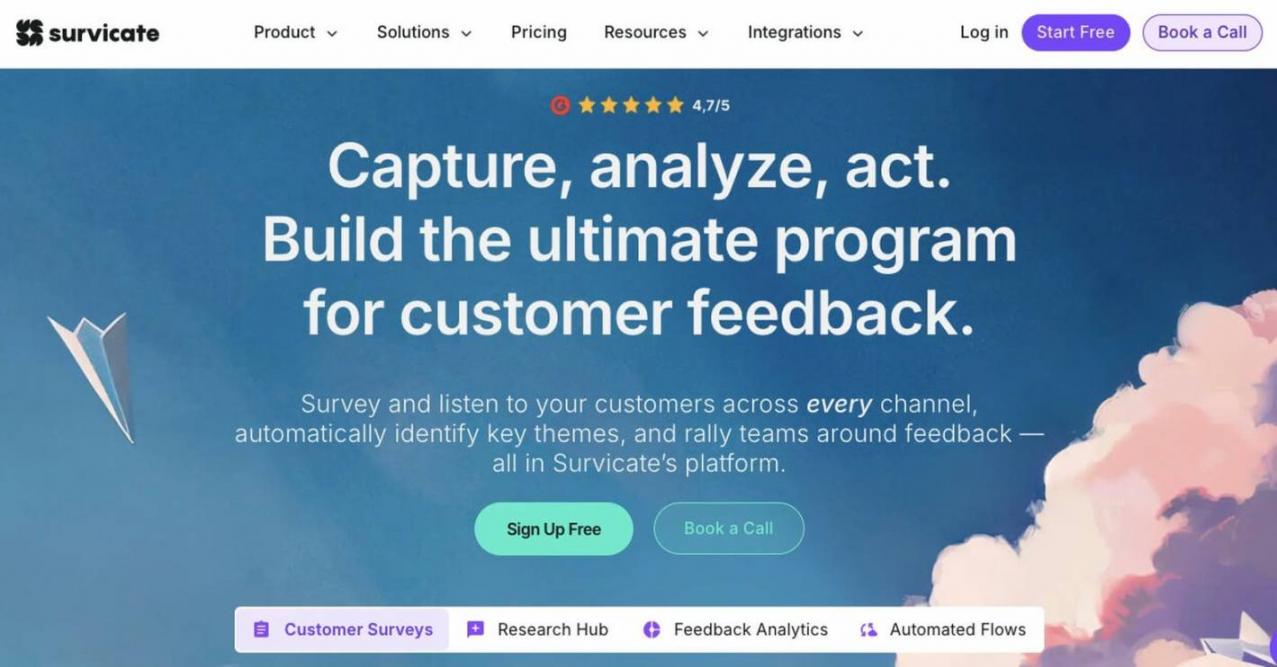
Image via Survicate
Survicate is one of the customer feedback tools that is best for multichannel SaaS feedback. It's trusted by 2,000+ digital businesses.
Key Features
- Multichannel Surveys: Run NPS, CSAT, and CES surveys across email and your website. You can also run them in your app.
- Targeting Based on Visitor Filters: Define an Audience and add up to 50 filters to one Audience. Then target surveys to users from a chosen visit source
- One-Click Native Integrations: Send survey data to all your tools in one click. These can include HubSpot, Salesforce, or email marketing tools.
- AI Categorization: Sort feedback into topics. Use default topics or create your own, and AI will assign feedback to relevant categories.
Pros
- Free forever plan
- Your data is never used to train AI models
- Get live customer support with a two-minute first response time
Cons
- More survey responses and data options can get pricey
- AI follow-up questions are only available on yearly plans
- Not all integrations are available in the Starter monthly plan
Pricing
- Free plan
- Starter: $89/month
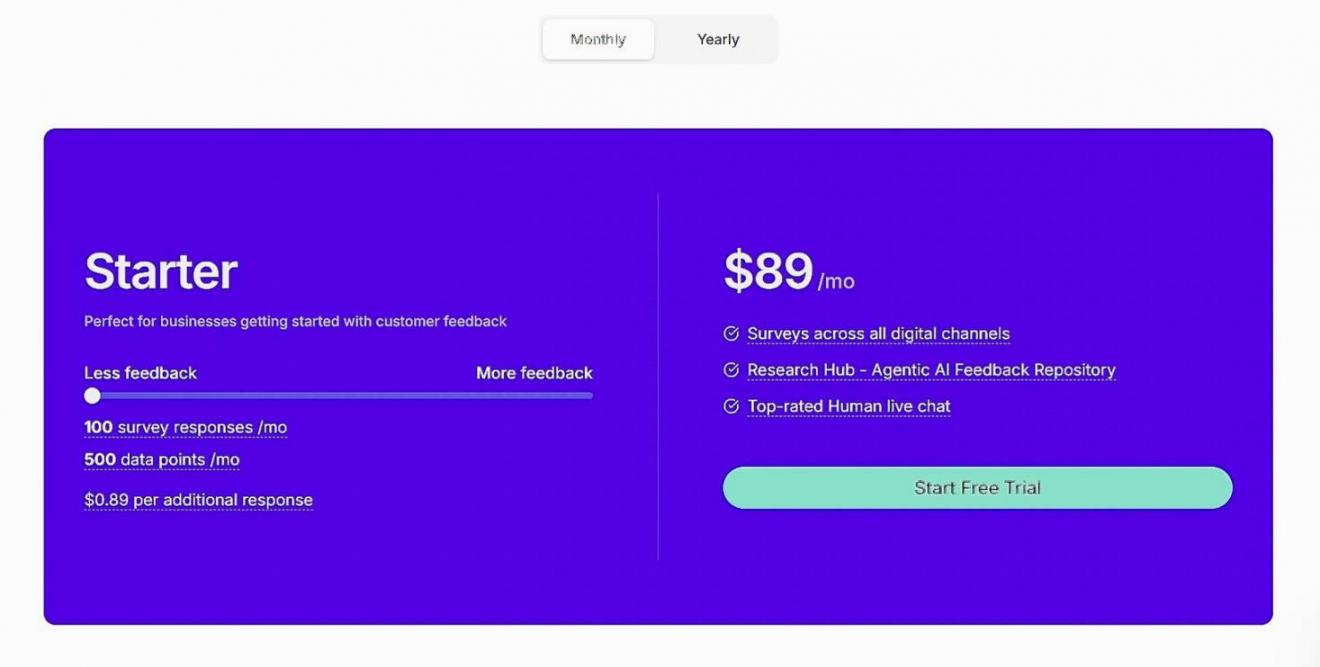
Image via Survicate
- Growth: $56/month billed annually
- Pro: $349/month billed monthly or annually
- Enterprise: $569/month
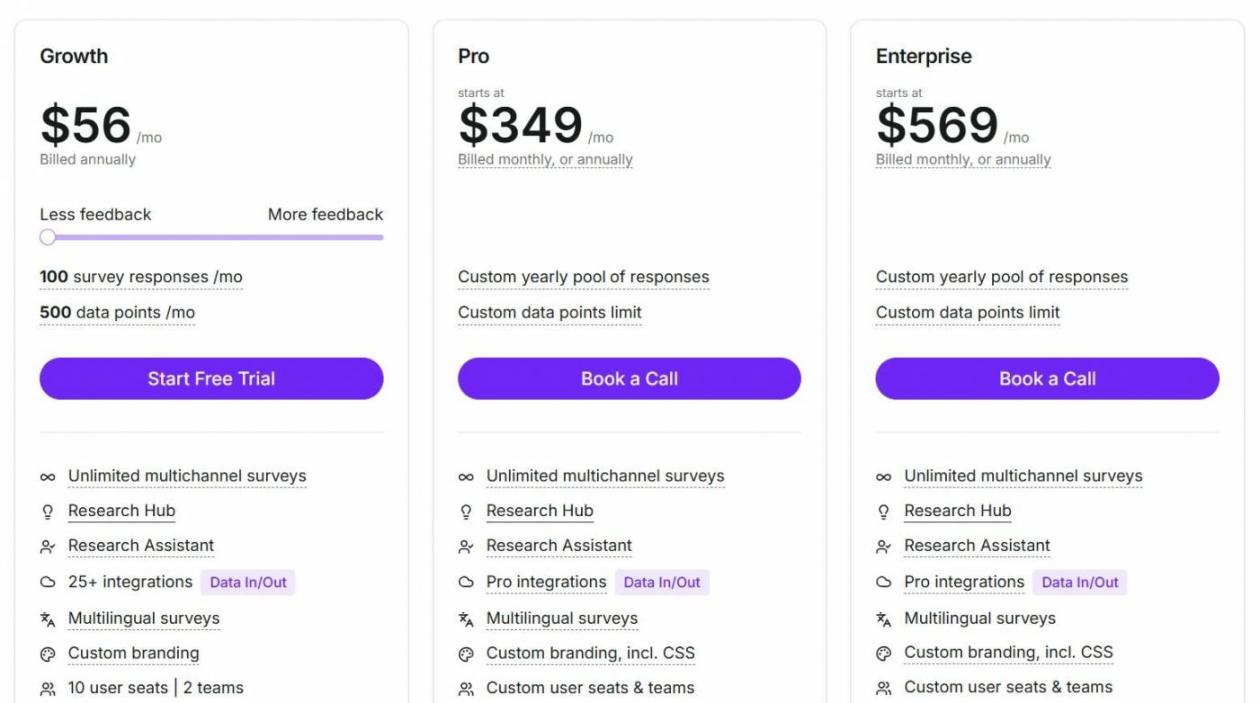
Image via Survicate
Tool Level
- Beginner to intermediate
Usability
- Many teams launch their first survey the same day. Users rate it 4.6 on G2 and praise Survicte’s responsive customer support.
Pro Tip: Connect Survicate to your CRM tool. Use customer attributes, such as plan tier or monthly recurring revenue, to trigger targeted in-app surveys.
SaaS businesses need to address customer issues and prioritize product improvements before customers churn. Survicate helps SaaS teams do this by collecting feedback across multiple customer touchpoints.
This includes email, in-app, and website. Sales or support teams can send personalized follow-ups, which increase retention.
7. Zonka Feedback
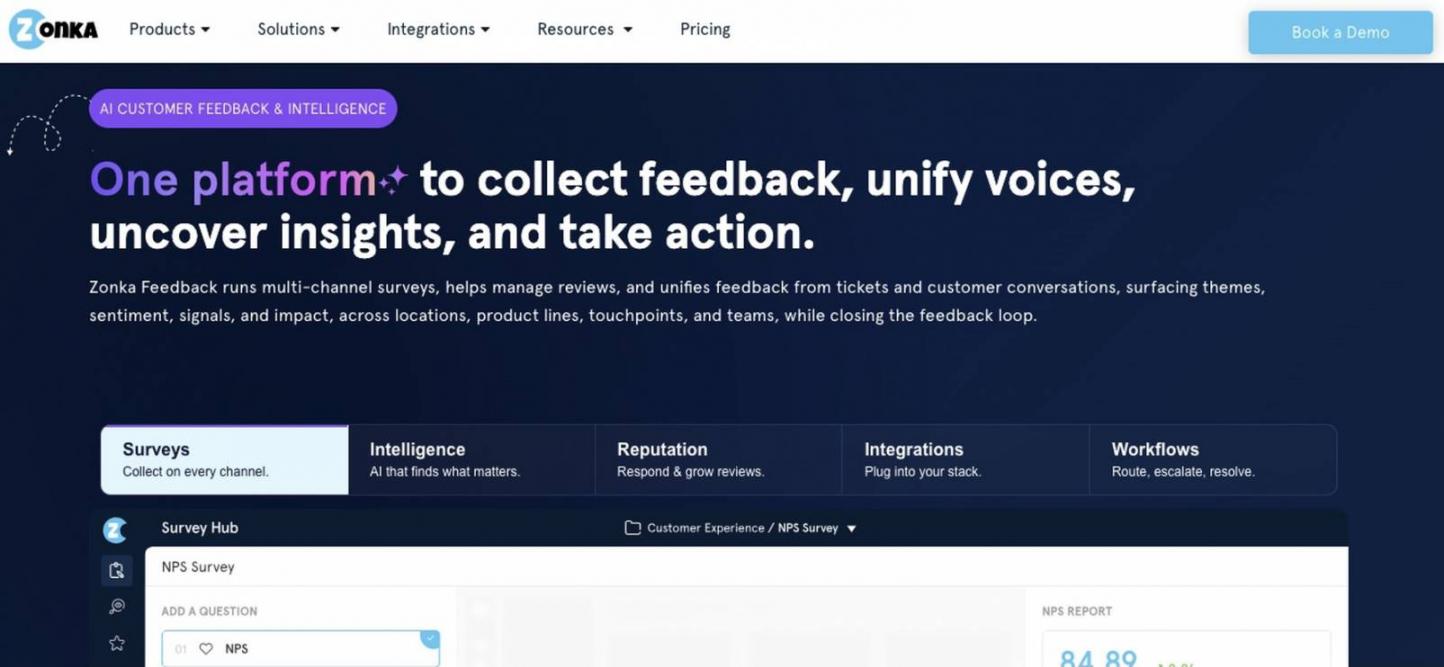
Image via Zonka Feedback
For AI intelligence without the enterprise complexity, Zonka Feedback is a strong option among customer feedback tools. It’s trusted by over 1,000 industry leaders worldwide.
Key Features
- AI Feedback Intelligence: Detects theme and topic patterns. Automatically sort feedback by agent, team, or location, and get root cause analysis.
- Role-Based Dashboards: Team members can get tailored views of customer insights. They can each take ownership and improve the customer experience faster.
- AI Emotion Detection: Detects underlying emotions and intent. This helps improve customer satisfaction and increases conversions.
- Closed Feedback Loop: Build a closed-loop process with AI. Automate follow-ups and customer communication from a unified response inbox.
Pros
- Help center to help you learn how to use Zonka Feedback
- Auto-import in-app reviews and star ratings
- No steep learning curve for beginners
Cons
- No free plan
- Some users mention layout issues leading to a confusing navigation
- Analytics and reporting are limited compared to tools such as HubSpot
Pricing
- Get a custom quote
Tool Level
- Beginner to intermediate
Usability
- Zonka Feedback has an intuitive interface, but advanced features have a learning curve. Users rate it 4.7 on G2 and praise its customization options.
Pro Tip: Import customer feedback from reviews and support tickets. Zonka's AI groups similar feedback into themes, making recurring issues easier to spot.
Zonka’s AI shows you which customer feedback has the biggest impact on CSAT, NPS, and CES. You know exactly who needs to fix it because AI tags a specific team or agent to each issue.
8. Canny
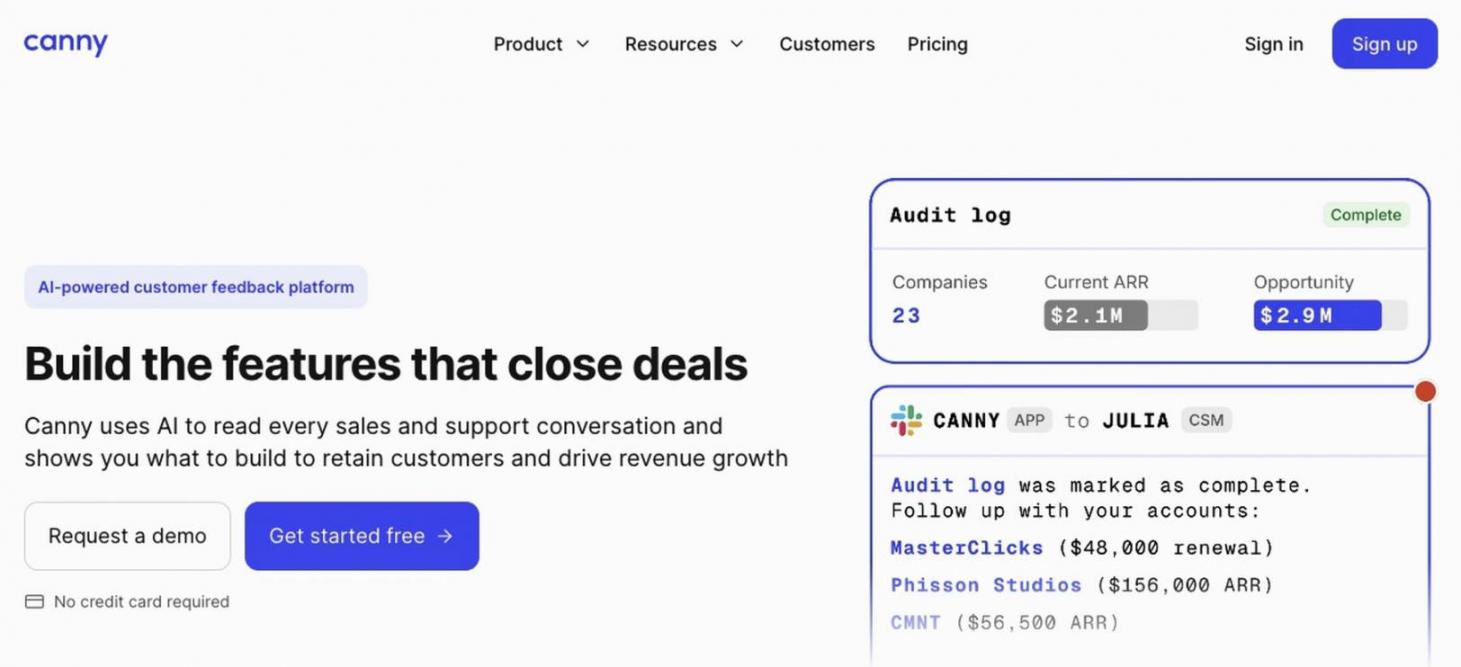
Image via Canny
From the list of custom feedback tools, Canny is best for product feedback and feature requests. It’s trusted by small businesses, startups, and industry leaders.
Key Features
- Feedback Boards: Organize customer feedback with a public or private product feedback board. Engage with customers who have similar requests.
- Prioritization and Roadmap: Score and rank feature requests so you know what to build next. Create a public roadmap so customers can see the progress.
- Changelog: Announce product updates. Use widgets to embed updates in your products and increase engagement.
- Canny Autopilot: AI-powered tool. It extracts, organizes, and analyzes customer feedback from review sites, sales calls, and support tickets.
Pros
- Free forever plan
- Free resources, such as a prioritization template
- Secure tool with SOC 2 certification
Cons
- CRM tool integration is not available on the Free or Pro plans
- Some users have difficulties navigating the interface
- Not a full product management tool, you'll need another tool to build requested features
Pricing
- Free plan
- Pro: Starts at $99/month
- Business: Custom pricing
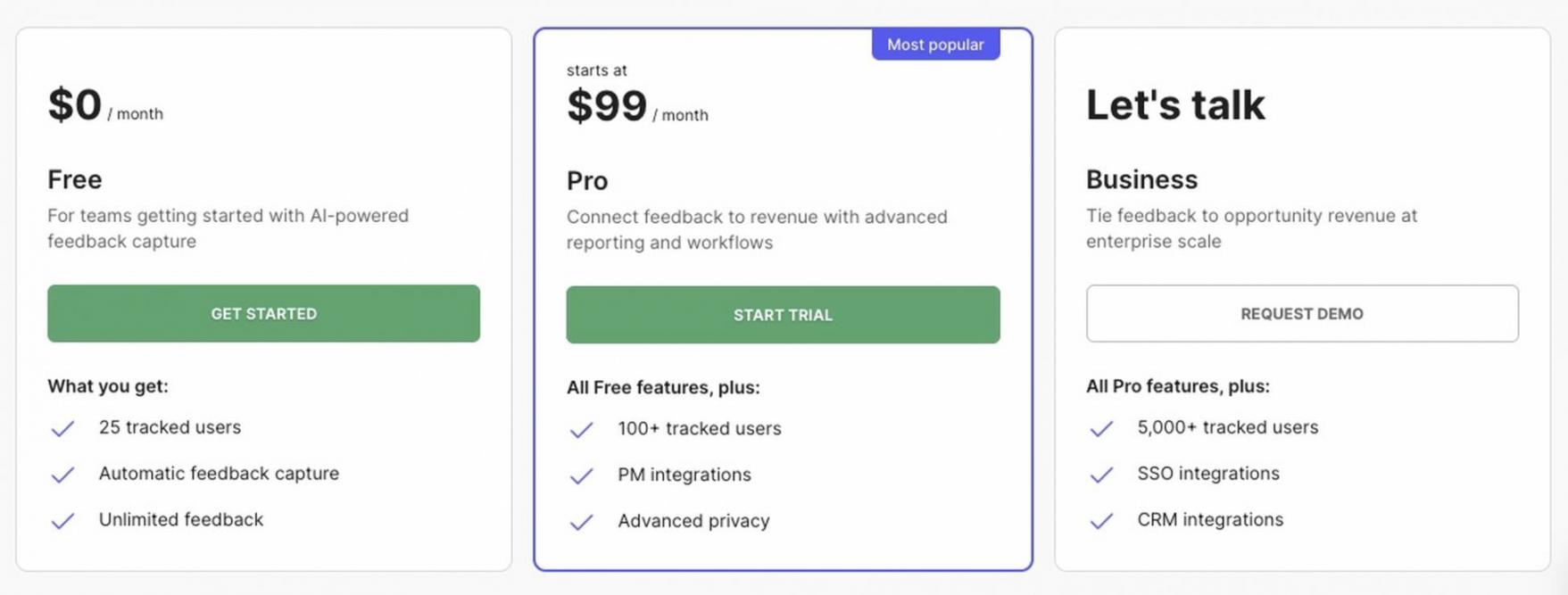
Image via Canny
Tool Level
- Beginner to intermediate
Usability
- Canny is one of the customer feedback tools with an intuitive interface. Users rate it 4.5 on G2. However, they mention limitations on filtering capabilities and customization options.
Pro Tip: Update the status of popular feature requests regularly. Customers who voted for them should receive automatic updates. This shows that their feedback is valuable and increases conversions when updates launch.
You can collect every feature request in one centralized voting hub instead of losing feedback across emails. Customer votes reveal which features or products they need most. You can prioritize building them before customers switch to a competitor.
9. AskNicely
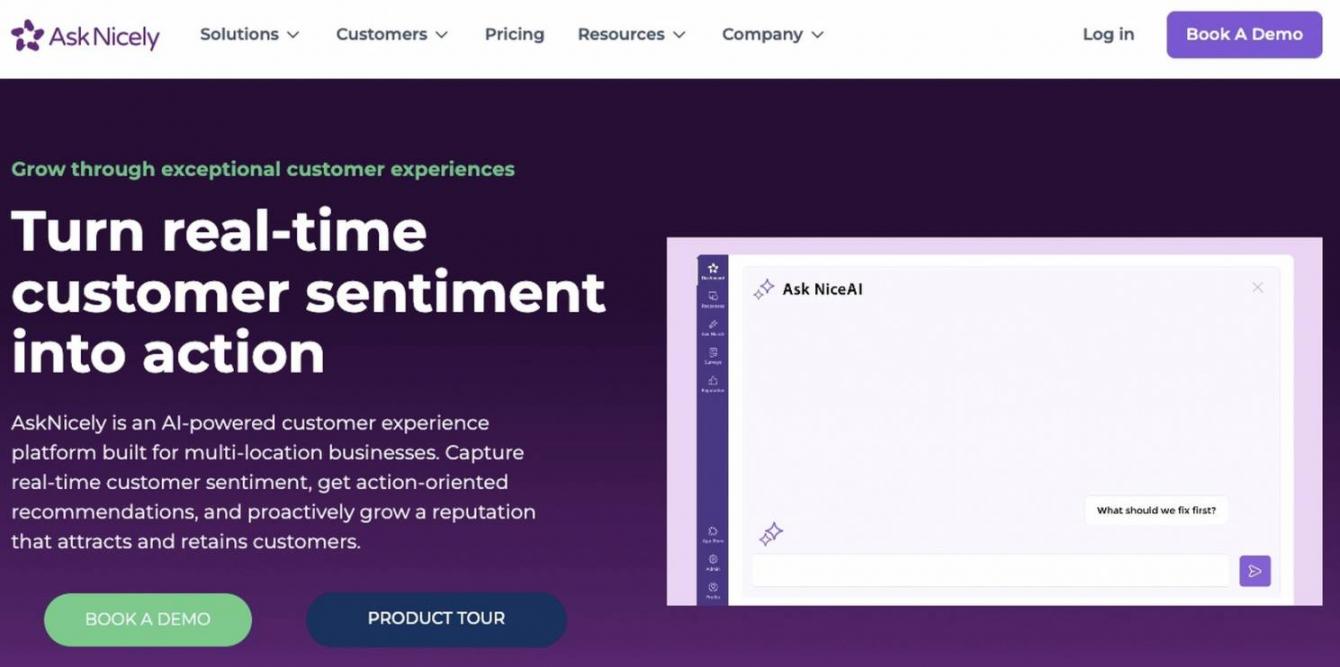
Image via AskNicely
AskNicely is one of the most effective customer feedback tools for frontline NPS programs. This means NPS feedback is shared directly with frontline employees, such as support agents. This helps them improve future customer interactions.
Improving NPS directly impacts revenue. Bain found that retail customers who are promoters spend 3.5x more than detractors.
Key Features
- NPS Software: Trigger NPS surveys after key customer interactions. Collect real-time feedback across every stage of the customer journey and improve retention.
- Real-Time Case Management: Automate theme synthesis and actions for your team immediately after customers submit feedback. Acting on feedback fast helps turn detractors into promoters.
- Personalized Employee Dashboards: Customized insights related to individual performance. Get reports on mobile and web.
- Employee Recognition and Training: Reward your team for delivering exceptional service. Identify areas for development and improve employee training.
Pros
- Improved employee productivity and morale from instant insights and shoutouts
- Customer support with regular check-ins and fast issue resolution
- Free reputation report to see how you rank online vs competitors
Cons
- No free plan
- Takes around one month to set up and implement
- You need to invest in the Grow and Transform plans for advanced case management
Pricing
- The three tiers, Learn, Grow, and Transform, have custom pricing
Tool Level
- Beginner to intermediate
Usability
- Designed for non-technical teams. Frontline staff can understand and act on feedback easily. Users rate it a 4.7 on G2.
Pro Tip: Display NPS scores on a team leaderboard. Provide training to improve employee performance.
Businesses need NPS programs to increase customer loyalty and create more promoters over time. AskNicely helps by routing feedback to the right frontline employees. They can resolve issues quickly and improve the customer experience.
10. Sprig
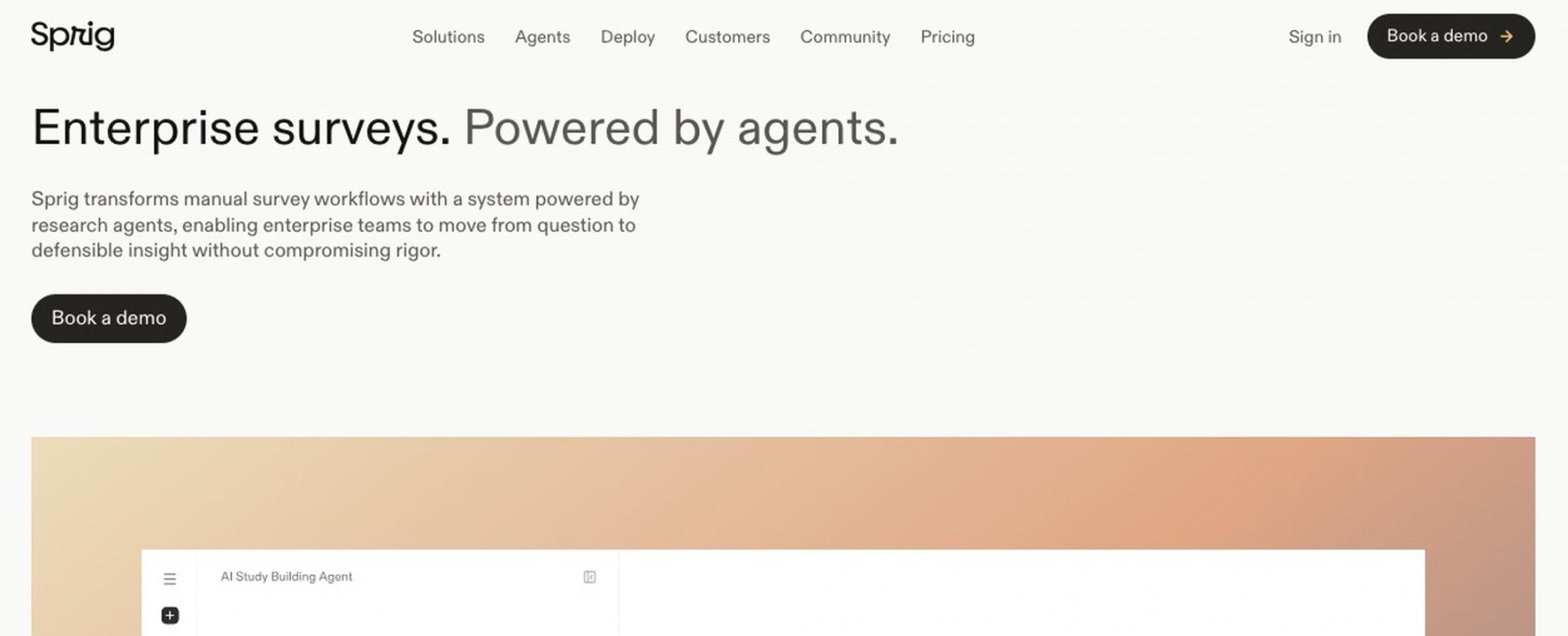
Image via Sprig
Sprig is one of the customer feedback tools designed to collect in-product feedback using AI. You can capture feedback while users are actively using the product.
Key Features
- In-Product Surveys: Learn how users feel about features. Discover pain points and prioritize what to build next.
- Design Agent: Upload a research brief. The AI will build a study of the survey, which you can refine before deployment.
- Field Agent: AI that automatically adapts surveys to participants. This includes personalizing surveys with customer data, like their in-app activity.
- Optimize Product Journeys: Understand where users drop off and why. Resolve issues and increase conversion and retention.
Pros
- Free tier to experiment
- No-code implementation
- Sprig has on-call engineering resources available 24/7
Cons
- Users find the time-consuming setup frustrating
- Some users experience confusing billing
- Users report data inaccuracy issues
Pricing
- Free plan
- Starter: Contact sales
- Enterprise: Contact sales
Tool Level
- Intermediate to advanced
Usability
- Intuitive interface, but advanced AI research features take time to learn. Users rate this platform 4.5 out of five on G2.
Pro Tip: Use the Design Agent for your first survey draft. Always review the questions before publishing. Instead of asking “Did you love our new checkout?”, ask users “How would you describe the new checkout experience?”.
Sprig helps you capture feedback while customers are using your products. This results in more accurate feedback because the experience is fresh. Sprig’s AI lets you personalize surveys, uncover pain points, and improve product journeys.
11. InMoment
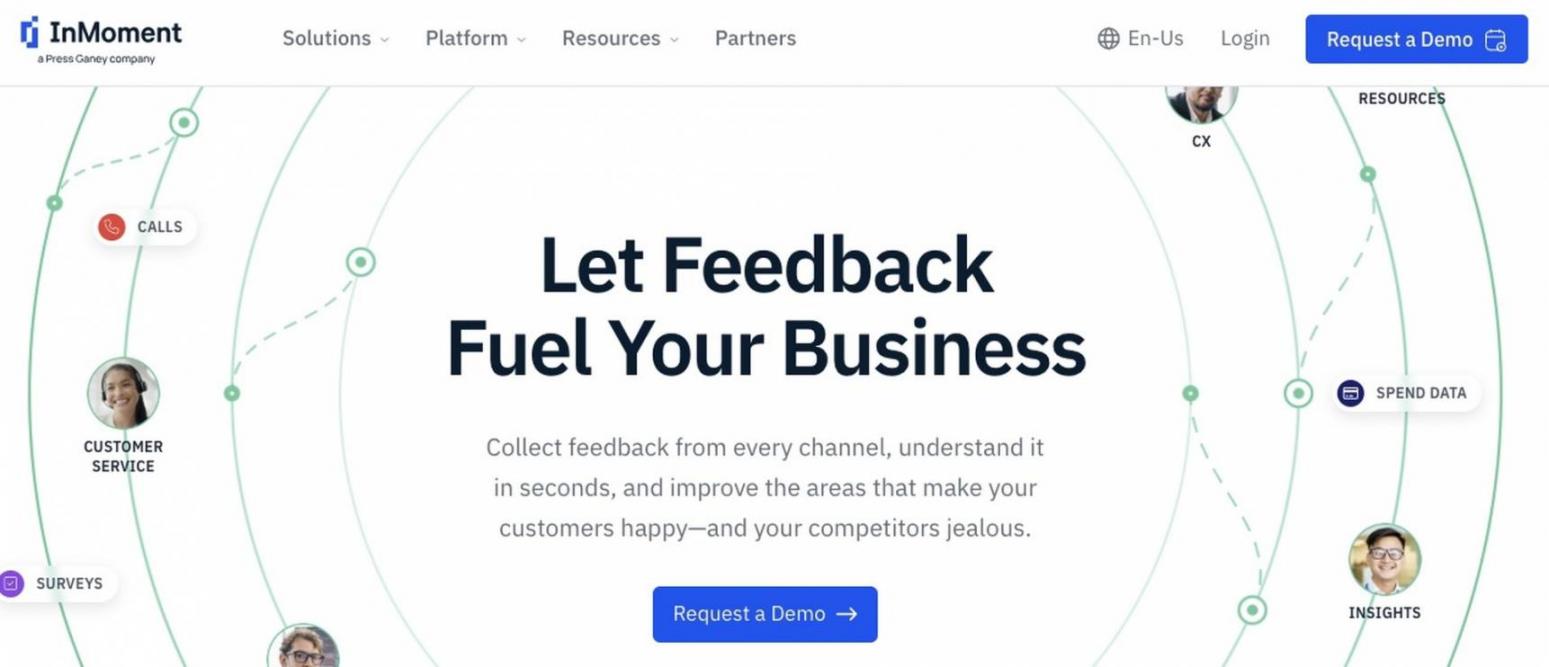
Image via InMoment
This is a strong option from the list of customer feedback tools for enterprises. InMoment is a feedback management and customer experience platform. Its users capture 2.4x more actionable feedback with AI.
Key Features
- Customer Feedback Survey: Design and deploy AI-infused surveys. Understand customer journeys, improve retention, and grow your business.
- Reputation Management: Best for marketing teams. They can track competitor ratings and use AI to respond to customer reviews.
- Digital Listening: Best for product teams. Collect real-time feedback across your website, mobile app, and chat.
- Conversational Intelligence: Best for CX teams. AI analyzes customer calls, chats, and emails to uncover recurring issues. This helps resolve issues faster. InMoment reports that 61% of customers expect issues to be resolved on the first contact, or they switch brands.
Pros
- InMoment reports that its pricing flexibility is the highest rated in the industry, at 4.8/5
- Resource library with advice from experts
- Responsive customer support
Cons
- No free plan
- Steeper learning curve compared to other customer feedback tools
- No transparent pricing, you must contact the sales team
Pricing
- Custom pricing for packages such as Integrated CX
Tool Level
- Advanced
Usability
- Powerful once configured, but it can take one month to implement. Users rate it a 4.7 on G2 and see ROI after 12 months.
Pro Tip: Monitor competitor reviews as well as your own. This helps you spot customer expectations and gaps in your product compared to competitors.
InMoment centralizes customer feedback across marketing, product, support, and CX teams. This helps enterprises prioritize improvements and deliver consistent customer experiences.
What Are the Metrics Behind Customer Feedback? (NPS vs. CSAT vs. CES)
NPS (Net Promoter Score) measures long-term loyalty by gauging whether customers would recommend your brand. CSAT (Customer Satisfaction Score) measures satisfaction with a specific interaction, like a support chat.
CES (Customer Effort Score) measures the ease of completing a task, such as resetting a password.
The table below compares the three metrics. Including what they measure, the questions they ask, and when to use each one:
| Metric | The Question it Asks | Scale | What it Measures | Best Used For |
|---|---|---|---|---|
| NPS | “How likely are you to recommend us?” | Zero to 10 | Customer loyalty | Tracking customer loyalty over time |
| CSAT | “How satisfied were you?” | One to five (or %) | Customer satisfaction | Evaluating support, purchases, or other individual interactions |
| CES | “How easy was it?” | One to seven | The effort it takes to complete a task | Finding friction in support or onboarding |
You should also measure customer retention rate (CRR), time to resolution, and close-the-loop rate. CRR is the percentage of customers a business keeps over a specific period.
Time to resolution is a customer service metric. It measures the time it takes for a support team to fully resolve a customer issue.
Closing the loop means three things — acknowledge the customer, act on the issue, and tell them what changed. Close-the-loop rate measures how effectively you execute this process.
You can use a response time tracking solution like timetoreply to improve both of the above metrics. It will send alerts if your team doesn’t reply to customer emails on time.
Here are some industry benchmarks for the metrics mentioned above so you know what to aim for:
- NPS: The average NPS is different for B2C and B2B, where B2C is 47 and B2B is 29, per Survicate’s data
- CSAT: Top-performing customer service teams achieve an average CSAT of 99.58% for conversational support, according to Freshworks
- CES: On a five-point scale, a good CES is typically below three
- CRR: According to Customer Gauge, the average CRR across industries is 72.5%
- Resolution Time: Top-performing support teams have a resolution time of two minutes and seven seconds, according to Freshworks
- Close-the-Loop Rate: CustomerGauge reports that closing the loop within 48 hours can increase retention by 12%
You should track NPS, CSAT, and CES alongside customer retention rate (CRR), resolution time, and close-the-loop rate. Together, these metrics measure customer loyalty, satisfaction, effort, and retention.
How Do You Keep Customer Feedback Data Secure & Compliant?
Choose customer feedback tools that protect customer data and are compliant with regulations such as GDPR and CCPA. You should also pick tools that give you control over how customer feedback data is stored, shared, and deleted.
Here’s what to verify before choosing customer feedback tools:
| What to Verify | Why it Matters | How to Check |
|---|---|---|
| GDPR/CCPA Compliance | Required for handling Canada and EU customer data legally | Review the vendor's Trust Center or Data Processing Agreement (DPA) |
| SOC 2 Type II | Proves security control, such as backups and encryption, over time | Request the latest SOC 2 Type II report |
| ISO 27001 | Proves vendors have an information security management system | Request the current ISO 27001 certificate |
| Encryption (In Transit and At Rest) | Protects customer data when it's being sent or stored | Security documentation |
| Data Residency | Ensures customer data is stored within regions that meet local laws | Review supported hosting regions |
| Retention and Deletion | Lets you control how long customer data is kept | Data retention policy and admin settings |
| No Training on Customer Data | Feedback data is not used to train AI models | Review the vendor's AI and data usage policy |
Always confirm that you can export your customer feedback data. If you ever migrate to another platform, you should be able to take your data with you.
Choose customer feedback tools that comply with GDPR and CCPA and follow security standards such as SOC 2 Type II. The tools should also encrypt customer data and let you control where it’s stored. Always verify this through vendors’ trust centers.
What Are the Customer Feedback Trends to Watch in 2026?
AI feedback intelligence is transforming how businesses collect, analyze, and act on customer feedback. In 2026, emerging trends include AI-powered feedback analysis and conversational feedback collection.
They also include omnichannel feedback collection. Here are the main trends broken down:
- AI-Powered Feedback Analysis: This means AI automatically analyzes customer feedback to detect sentiment and recurring themes. It also summarizes responses and prioritizes issues without manual review.
This capability is becoming one of the standard features in customer feedback tools in 2026.
- Conversational and Real-Time Feedback: This replaces long surveys with short, chat-style interactions. In 2025, conversational surveys produced responses up to 8× longer than traditional surveys.
They were also rated as more engaging (69% vs. 50%) than traditional surveys, per Reach3’s data.
- Omnichannel Customer Feedback Collection: This means collecting customer feedback across multiple channels in one place. 85% of customers say they used more than one channel to reach out to businesses, according to Verint (2025).
As a result, the best customer feedback tools support omnichannel feedback collection.
AI-powered feedback analysis now identifies sentiment and summarizes responses automatically. Conversational surveys generate richer feedback and are 69% more engaging than traditional surveys (Reach3, 2025).
Omnichannel feedback combines insights from multiple customer touchpoints into one view.
Customer Feedback Glossary & Evaluation Checklist
If you’re new to this space, here’s a quick glossary of terms related to customer feedback tools:
- NPS (Net Promoter Score): Measures customer loyalty using a “Would you recommend us?” question
- CSAT (Customer Satisfaction): Measures satisfaction with a specific interaction.
- CES (Customer Effort Score): Measures the effort required to complete a task
- VoC (Voice of Customer): A program used for collecting and analyzing customer feedback to improve experiences and products
- Closed Loop: Acknowledging feedback, acting on it, and following up with customers
- Sentiment Analysis: AI identifies positive, neutral, or negative feedback
- Theme Detection: AI groups similar feedback into common topics
- In-App Survey: A survey shown inside a website or app while customers are actively using it
- Response Rate: The percentage of people who complete a survey
- Feedback Widget: An always-visible button for collecting feedback
- Omnichannel: Collecting feedback across channels such as email, web, and mobile
Use this checklist when comparing customer feedback tools:
- Does it cover my main feedback channels?
- Does it support NPS, CSAT, and CES natively?
- Does it offer AI analysis and theme detection?
- Will it route and track detractor follow-up?
- Does it integrate with CRM tools and helpdesks?
- Is the pricing fair at my real volume?
- Does it meet security and compliance needs?
- Can it scale as channels and users grow?
- Can I export my data if I switch customer feedback tools?
FAQ
Q1. What are customer feedback tools?
A. Customer feedback tools are software platforms that help you gather customer feedback, analyze, organize, and act on it. They help you run surveys like NPS, CSAT, and CES and gather website and in-app responses.
Q2. What are the five methods of collecting customer feedback?
A. The five methods are surveys and questionnaires, customer interviews and focus groups, and in-app or website feedback widgets. They also include social listening and online reviews, plus live chat or support ticket feedback.
Q3. What is the best customer feedback tool (and best CX software)?
A. There is no single best tool. It depends on your use case. For example, HubSpot Service Hub ties feedback to your CRM. Qualtrics and InMoment lead for enterprise CX. While SurveyMonkey and Typeform are best for creating engaging surveys.
Q4. Are there free customer feedback tools?
A. Yes. Tools like HubSpot Service Hub, Hotjar, SurveyMonkey, Typeform, Canny, and Sprig offer free plans. Survicate and AskNicely also have free plans.
Q5. How do I choose a customer feedback tool?
A. Match customer feedback tools to your primary channel and team. Then confirm it can quickly route a response to a human. Verify the pricing, ease of adoption, integrations, and security.
Q6. What’s the difference between NPS, CSAT, and CES?
A. NPS measures customer loyalty by asking how likely customers are to recommend your business. CSAT measures customer satisfaction after a specific interaction, such as a purchase. CES measures how easy or hard it was for customers to complete a task, such as checking out.
Q7. What are CSM tools, and how do they differ from feedback tools?
A. Customer success management (CSM) tools help manage customer relationships, including onboarding, health scores, renewals, and retention. Customer feedback tools collect, measure, and analyze customer feedback. Many CSM platforms include feedback features.
Q8. How much do customer feedback tools cost?
A. The starting price for customer feedback tools is around $20/user/month to $99/month. Some customer feedback tools have custom pricing. Always confirm pricing on the vendor’s live page.
Final Thoughts: Which Customer Feedback Tools Should You Choose?
The right customer feedback tools depend on your goals. For example, tools like HubSpot Service Hub work well if you want customer feedback connected directly to your CRM. Customer feedback tools help grow your business by turning customer opinions into actions that improve satisfaction, retention, and revenue.
You can also choose from the other tools I've broken down in this listicle. Some are specialized for product feedback, website insights, or enterprise VoC programs.
Whichever tool you choose, focus on one that helps your team analyze feedback and close the loop quickly. You must also verify whether the tools are secure and compliant.
If you're looking for an all-in-one platform, start with HubSpot Service Hub. It combines surveys, customer feedback, automation, and CRM data in one place.
Disclaimer: This content contains some affiliate links for which we will earn a commission (at no additional cost to you). This is to ensure that we can keep creating free content for you.