Running a small business today means juggling leads, follow-ups, and customer interactions across emails, social media, and sales calls.
Owners drowning in spreadsheets, sticky notes, and forgotten tasks need a reliable CRM system to streamline communication and daily operations.
Without the right CRM tools for small businesses, even the most promising opportunities can slip through unnoticed.
Modern CRM software centralizes customer data, automates repetitive work, and ensures every lead receives timely attention. From contact management and pipeline tracking to email marketing and task management, tools like HubSpot Smart CRM offer powerful features at accessible price points.
Choosing the right CRM tools for small business growth directly affects how quickly you close deals, protect sensitive data, and scale effectively.
In this guide, we’ll explore seven powerful CRM platforms designed to help small businesses strengthen customer relationships, manage data seamlessly, and ensure success.
Disclaimer: This content contains some affiliate links for which we will earn a commission (at no additional cost to you). This is to ensure that we can keep creating free content for you.
How We Chose the Best CRM Tools for Small Businesses
Not all CRM platforms cater to the needs of small businesses. The best CRM tools for small businesses balance functionality, ease of use, and affordability without unnecessary complexity.
Before selecting a CRM provider, we evaluated how well the platform aligns with your workflows, sales processes, and long-term growth goals. When comparing CRM tools for small business use, focus on:
- Ease of Use and Onboarding: Your CRM platform should simplify operations, not complicate them. Look for intuitive dashboards, straightforward navigation, and minimal learning curves. With a user-friendly CRM, your sales team can start tracking leads and managing contacts immediately without extensive training.
- Core CRM Features and Functionality: Prioritize CRM tools that cover your core needs, such as contact management, pipeline management, lead tracking, and email marketing. Advanced features like social media integrations, web forms, and artificial intelligence add value, but basic functionality must work flawlessly first.
- Data Security and Mobile Access: Protecting sensitive data is non-negotiable. Choose CRM providers with robust encryption and reliable data backup. Platforms like HubSpot Smart CRM also deliver secure mobile access, enabling teams to track leads, manage tasks, and close deals safely and confidently from anywhere.
- Pricing and Scalability: Budget-friendly CRM software is essential for small businesses, but growth requires scalability. Consider CRM providers offering flexible plans, free CRM options, and affordable upgrades as your contact database expands. By balancing current affordability and future scalability, you can avoid expensive migrations later.
- Integration Capabilities: A good CRM platform should connect seamlessly with communication tools, project management software, and social media integrations. Reliable integrations ensure centralized data management, eliminate duplicate data entry, and create a unified workflow across your business operations.
- Customer Support and Training: Even the best CRM software can feel frustrating without proper support. Look for providers offering responsive help, tutorials, and onboarding resources to maximize adoption. For example, HubSpot CRM Academy is a free and active community forum providing training and peer support for smooth implementation.
Ultimately, the best CRM tools for small businesses support daily operations today while remaining flexible enough to scale tomorrow.
Top CRM Tools for Small Businesses: Quick Comparison
Choosing the right CRM tools for small businesses requires evaluating features, pricing, and how well each platform aligns with your workflow. Some solutions excel at automation, while others prioritize simplicity or affordability.
For a quick comparison, we’ve summarized the key strengths, automation capabilities, and pricing for each platform, including HubSpot CRM.
| Top CRM Tools Compared for Small Businesses | ||||||
|---|---|---|---|---|---|---|
| Tool | Key Automation Features | Unique Strength | Free Tier | Starting Price | Best For | |
| HubSpot Smart CRM | AI insights, workflows, email sequences, lead scoring | All‑in‑one CRM with a generous free tier | ✅ | From $15/seat/month | Small and growing businesses wanting a scalable, unified platform | |
| Less Annoying CRM | Simple task reminders, basic workflows | Ultra-simple with exceptional support | ❌ | From $15/user/month | Teams needing a clean, no‑frills CRM | |
| OnePageCRM | Action-based workflows, automated lead capture and follow-ups | “Next action” productivity‑driven sales system | ❌ | From $15/user/month | Sales teams wanting task‑focused lead management | |
| Method CRM | Workflow automation, customer portals, automated estimates and invoicing | Real-time two-way QuickBooks integration | ✅ | From $35/user/month | QuickBooks-based businesses needing CRM, invoicing, and operational workflow automation | |
| Bigin by Zoho CRM | Pipeline automations, web‑form routing, WhatsApp auto-assignment | Multi-pipeline management for all customer-facing operations | ✅ | From $9/user/month | Small businesses needing an affordable multi-department CRM | |
| Keap | Email/SMS automation, ecommerce automation, AI workflows | Built-in payment processing and marketing automation | ❌ | From $299/month | Growth‑focused businesses needing automation depth | |
| monday CRM | AI automations and task generation, email sequences | Visual project management merged with CRM functionality | ❌ | From $18/seat/month | Teams wanting a CRM with project and task management capabilities | |
| Close | Multi-channel workflows, automated follow-up reminders | Built‑in communication tools | ❌ | From $19/seat/month | High-volume outreach and inside sales teams | |
| Nutshell CRM | Sales automation, AI call, and timeline summaries | All-in-one sales and marketing with unlimited CRM contacts | ❌ | From $19/user/month | Small teams wanting automation and marketing tools | |
| Pipedrive | Deal workflows, AI sales assistant, smart contact data enrichment | Visual pipeline management with AI-powered win probability | ❌ | From $24/seat/month | Teams focused on pipeline management and activity-based selling processes | |
| Capsule CRM | Workflow automation, task reminders, AI content assistance | Clean, simple interface with minimal learning curve | ✅ | From $21/user/month | Small teams wanting an easy, no-clutter CRM | |
These CRM tools for small businesses offer a wide range of capabilities, from simple contact management to advanced automation and AI‑powered sales workflows.
11 Best CRM Tools for Small Businesses
Small businesses thrive when they skillfully manage customer relationships, sales processes, and marketing tools. The right CRM tools for small businesses simplify these tasks, helping teams close deals faster and scale with confidence.
1. HubSpot Smart CRM
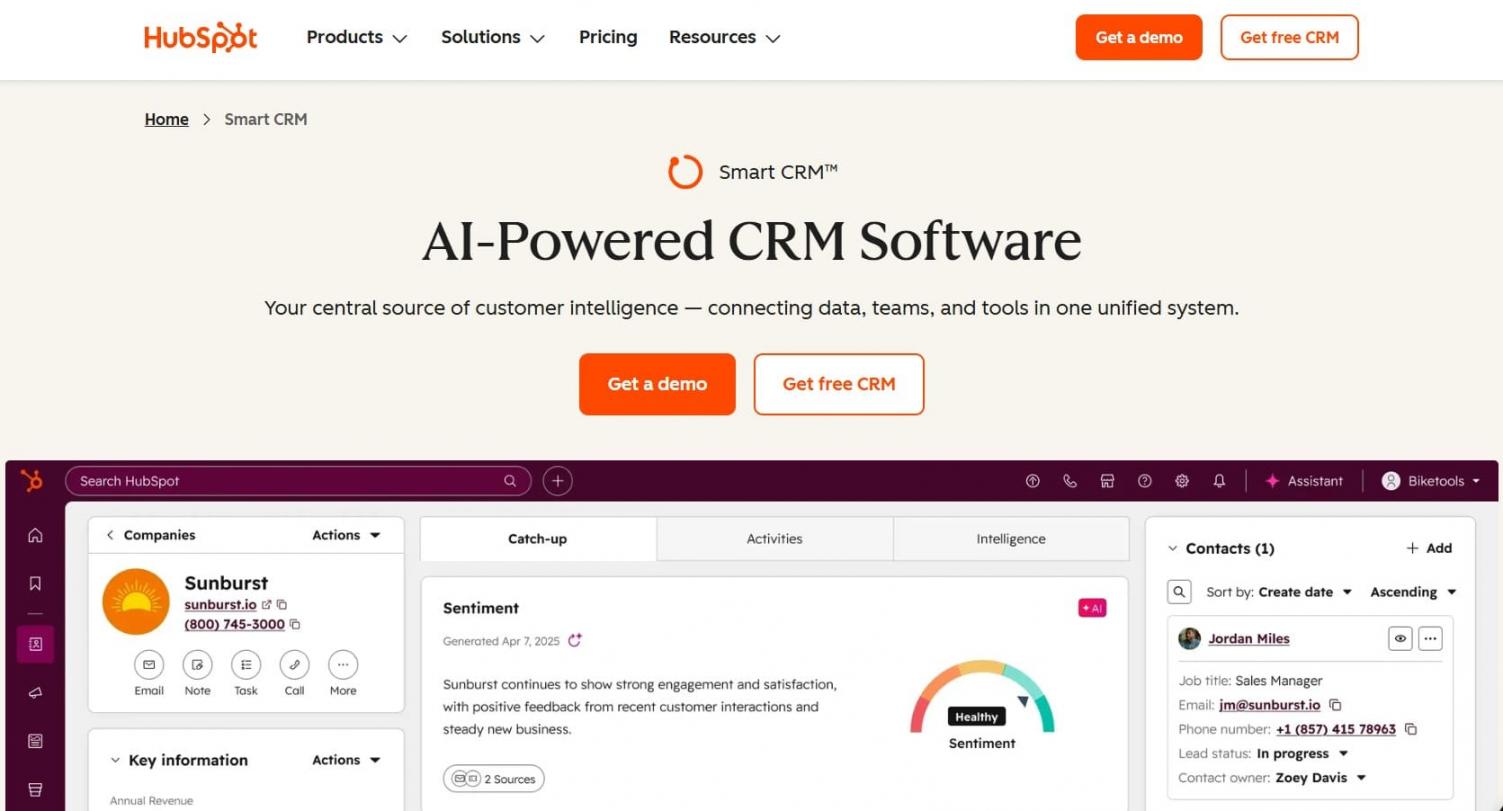
Image via HubSpot
HubSpot is one of the most accessible and scalable CRM tools for small businesses. It offers a powerful yet user-friendly CRM platform that combines sales, marketing, and customer service features in one place.
Its free CRM plan makes it especially attractive for startups and budget-conscious teams. Meanwhile, its AI CRM capabilities help automate follow-ups, track leads, and improve customer interactions.
At its core, HubSpot Smart CRM strengthens lead management and pipeline visibility. It automatically captures and enriches records using artificial intelligence, pulling data from emails, calls, and the web. This ensures every opportunity is organized and actionable.
Flexible CRM views, such as table, kanban, calendar, and even map layouts, help teams visualize work the way they prefer. The platform’s visual sales pipeline provides clear insight into deal progress, guiding teams from first contact to closed deal.
Real-time engagement tools, including an integrated chatbot builder, enable qualification of leads even outside business hours. HubSpots CRM also supports intelligent workflows that automate tasks and communications based on customer behavior.
Combined with robust email marketing, task management, and custom reporting, HubSpot is ideal for businesses seeking a unified, AI-powered system to confidently manage and scale customer relationships.
Key Features
- AI overviews that provide insights, flag issues, and highlight missing data
- Unified customer data combining structured data, conversations, and external signals
- Breeze AI data agents that answer customer questions using existing knowledge bases
- AI‑powered data enrichment from emails, calls, the web, and HubSpot’s dataset with automatic duplicate detection
- Integrated CRM and Sales Hub platform for unified lead management
- Sandbox environment for safe changes and functionality testing
- AI‑powered project management for cross‑team collaboration
- 2,000+ app integrations
Pricing
HubSpot offers a forever-free plan, with the following paid plans:
- Starter: $15/month/seat
- Professional: $50/month/seat
- Enterprise: $75/month/seat
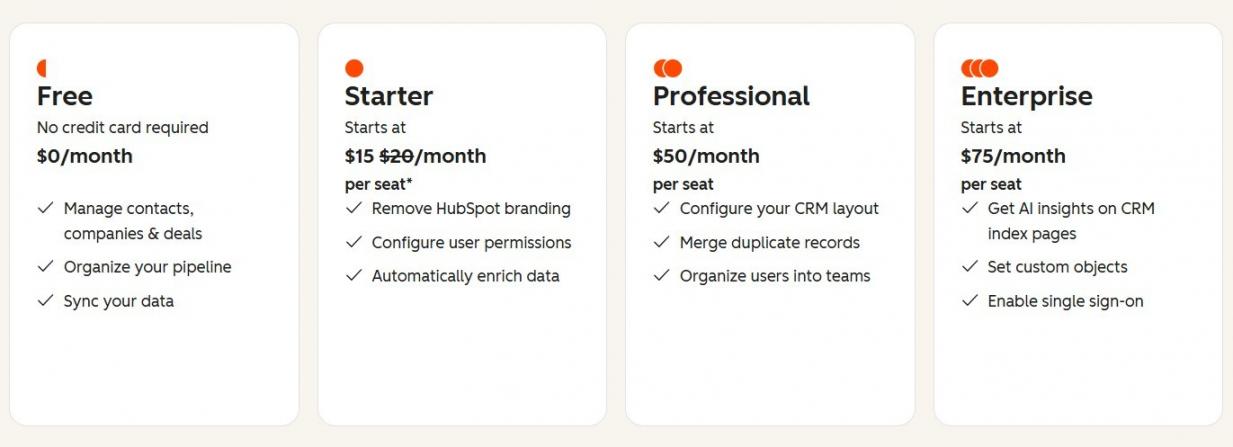
Image via HubSpot
Pros
- Generous free CRM plan with integrated AI features
- User-friendly interface suitable for small business teams
- Highly customizable CRM platform with extensive integrations
- AI CRM capabilities streamline sales processes
Cons
- Advanced features require higher-tier plans
- Costs can increase as teams scale
Pro Tip: Use HubSpot’s predictive scoring together with automated workflows to route high-value leads directly to your sales team.
2. Less Annoying CRM
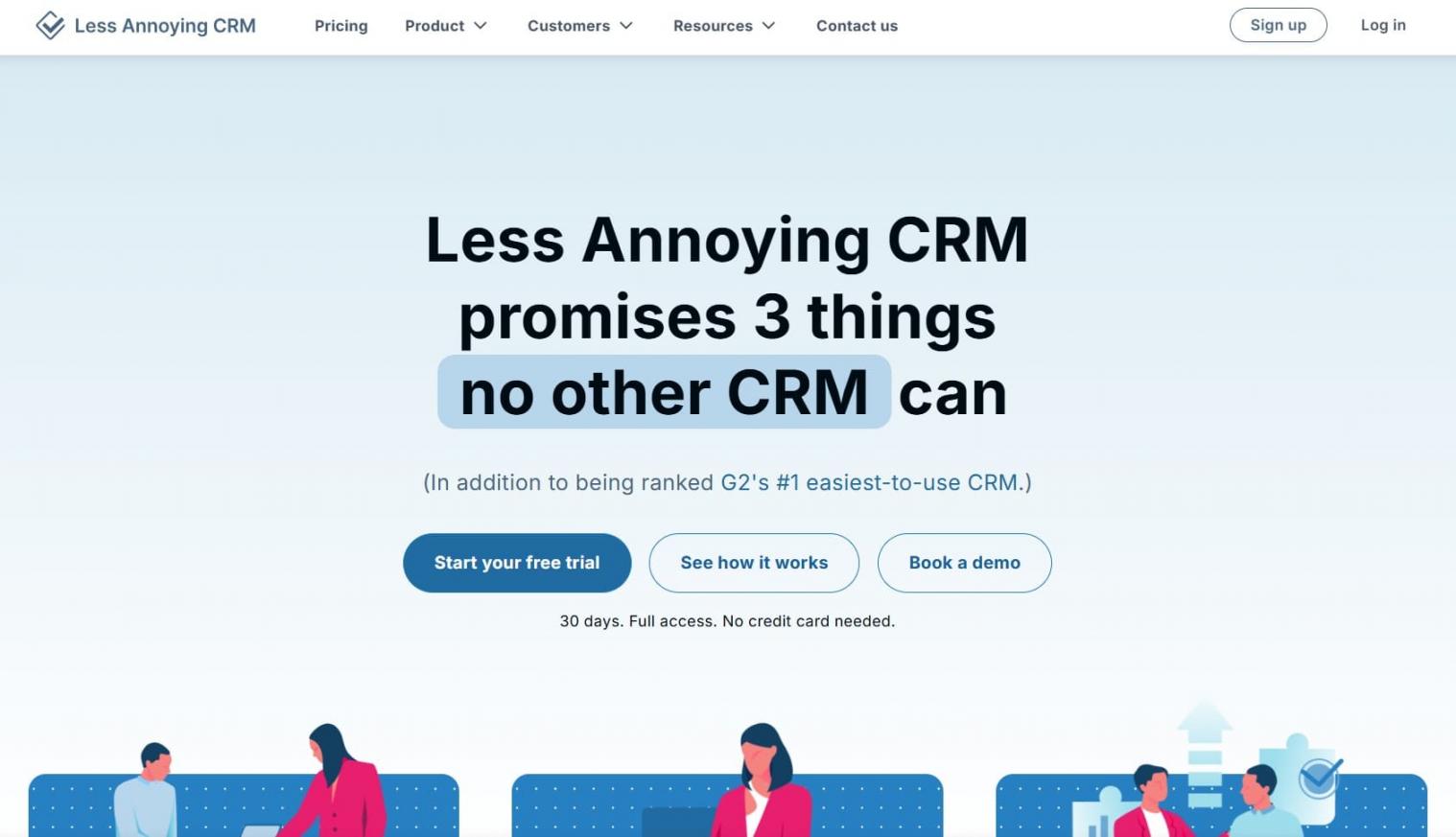
Image via Less Annoying CRM
Less Annoying CRM lives up to its name by eliminating the complexity that plagues many CRM tools for small businesses.
Built specifically for small teams, this simple CRM focuses on delivering essential functionality without sacrificing core capabilities. It focuses on contact management, lead tracking, and pipeline visibility without overwhelming users with unnecessary features.
The platform keeps everything in one place — from contacts and tasks to calendar events and notes. This makes it easier for teams to manage customer relationships and move deals forward.
Unlike many CRM tools that segment features behind tiered plans, Less Annoying CRM gives all users full access for a single price. Its clean interface helps small business owners spend less time learning software and more time engaging customers.
Granted, it doesn’t have advanced automation or built-in marketing tools like HubSpot Smart CRM. However, it covers everything most small businesses need for daily sales processes and customer relationship management at an affordable price.
Key Features
- Pipeline management for tracking leads and sales processes
- Contact management tools with customizable fields and easy search functions
- Task management features to organize follow-ups and manage tasks effectively
- Email logging and communication tools to streamline customer interactions
- Integrated calendar with Google Calendar sync and shared team calendars
- Mobile access to contacts and pipelines for sales reps on the go
Pricing
Less Annoying CRM offers a free 30-day trial, with a paid plan at $15/month/user.
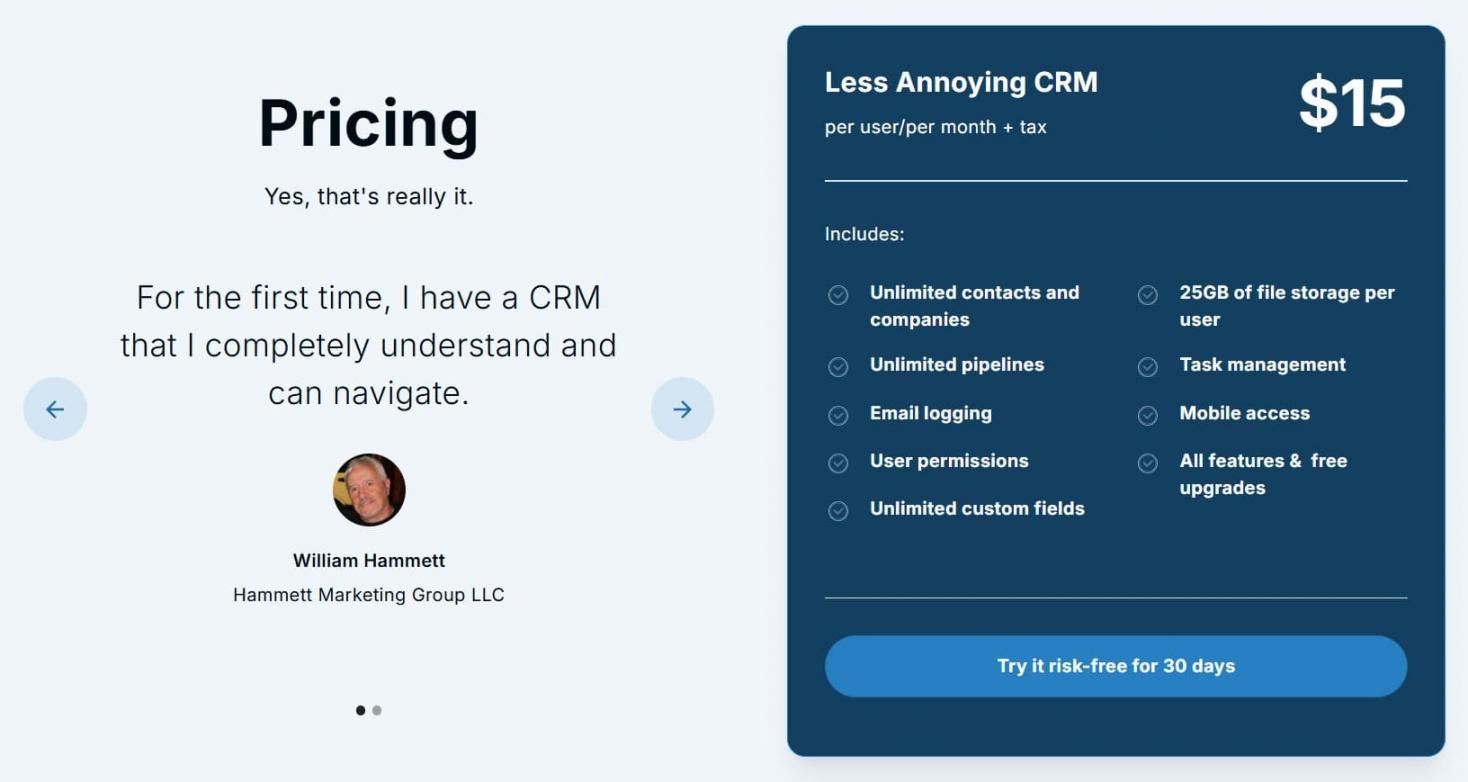
Image via Less Annoying CRM
Pros
- Simple CRM interface with intuitive navigation and minimal learning curve
- Excellent customer support with personalized assistance
- Transparent, budget-friendly CRM pricing model
Cons
- Lacks advanced automation and marketing capabilities
- No forever free plan
Pro Tip: Use this CRM tool if you have small businesses and want a simple, inexpensive system with essential features, reliable support, and a user-friendly interface.
3. OnePageCRM
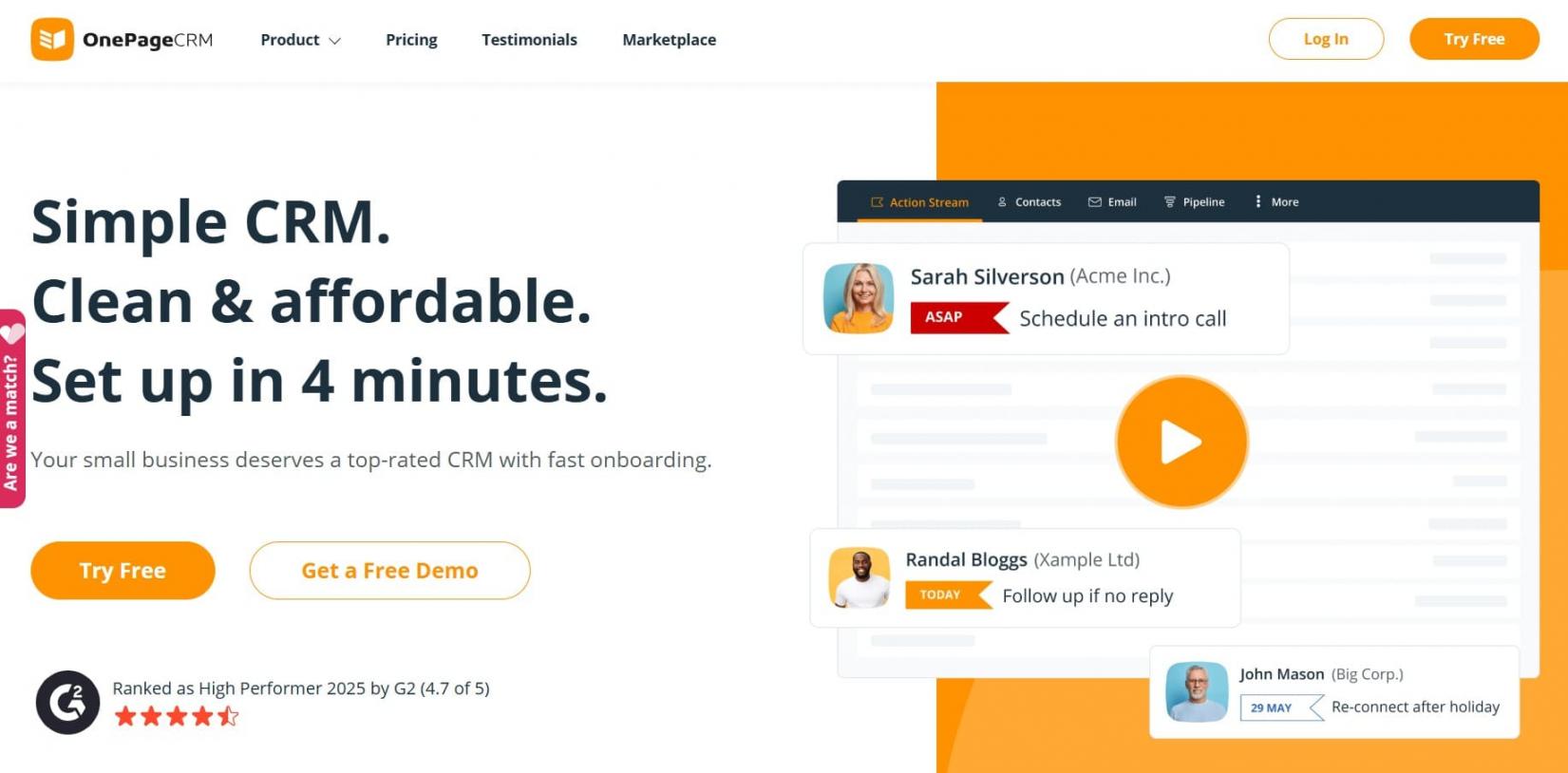
Image via OnePageCRM
OnePageCRM is an action‑focused CRM tool for small businesses. It transforms sales into a simple to‑do list.
Its standout feature is the Action Stream. This turns your contact database into a prioritized “Next Action” to-do list, so you can keep track of the next task for every lead. This ensures small teams stay on top of follow-ups, manage customer relationships effectively, and ensure no deal goes cold.
OnePageCRM also offers solid contact management, workflow automation, and pipeline visualization with a clean, straightforward interface. While it doesn’t offer a free CRM plan, as is the case with HubSpot, its pricing is affordable and includes unlimited records.
It also integrates with email marketing tools and offers bulk email sending. It also offers Android and iOS apps, so you can manage leads while on the go. With its mobile CRM apps, you get a business card scanner and an AI route planner for efficient navigation between client meetings.
These features, and more, make OnePageCRM a budget-friendly choice for businesses that want core CRM benefits without unnecessary extras.
Key Features
- Contact management tools with customizable fields and unlimited records
- Action‑focused “Next Action” workflow for better lead management and follow-ups
- One-click Lead Clipper browser extension to capture website prospect details
- Pipeline management with multiple pipelines and clear sales tracking
- Automations to streamline repetitive tasks and sales processes
- Email sync, templates, and bulk email sending with analytics
Pricing
OnePageCRM offers a 21-day free trial for the following paid plans:
- Professional: $15/month/user
- Business: $29/month/user
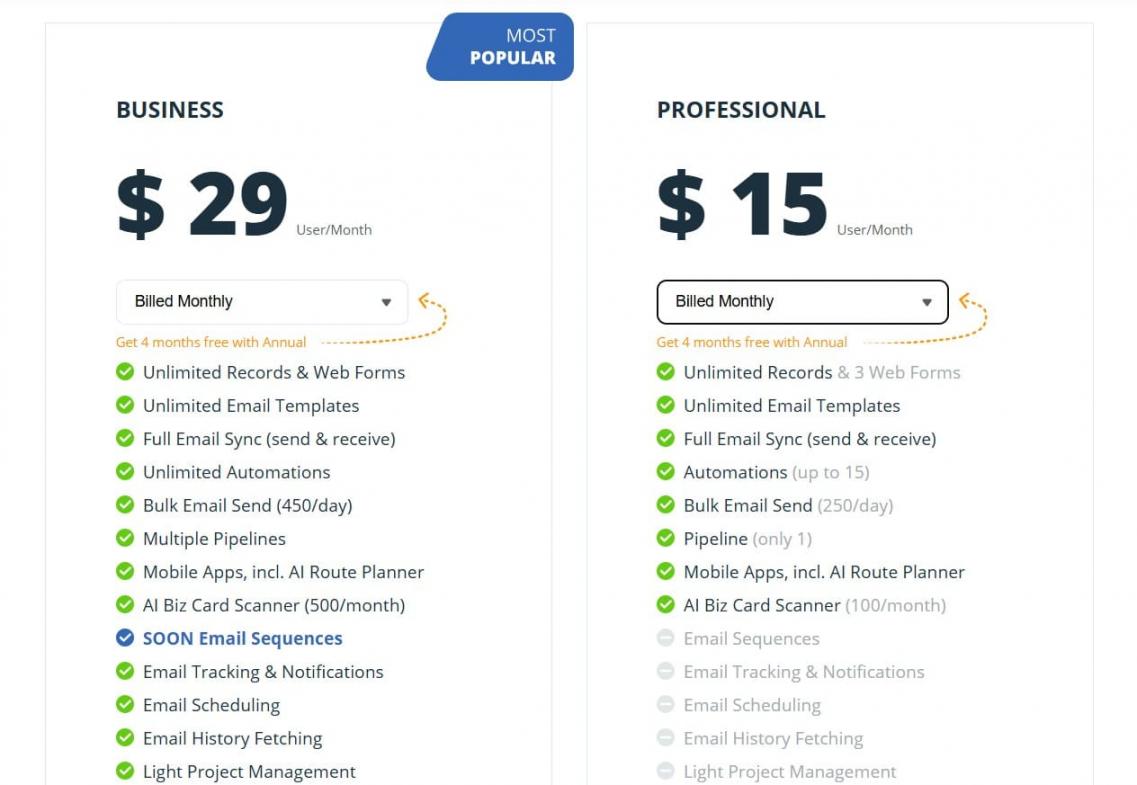
Image via OnePageCRM
Pros
- Affordable pricing that includes all core features
- Action Stream workflow shows priority tasks and eliminates decision paralysis
- Intuitive design requires minimal training
Cons
- Bulk email sending is capped daily
- Fewer advanced integrations than enterprise CRM solutions
Pro Tip: Add OnePageCRM’s free Widgets to view data from apps Mailchimp, quickbooks and more.
4. Method CRM
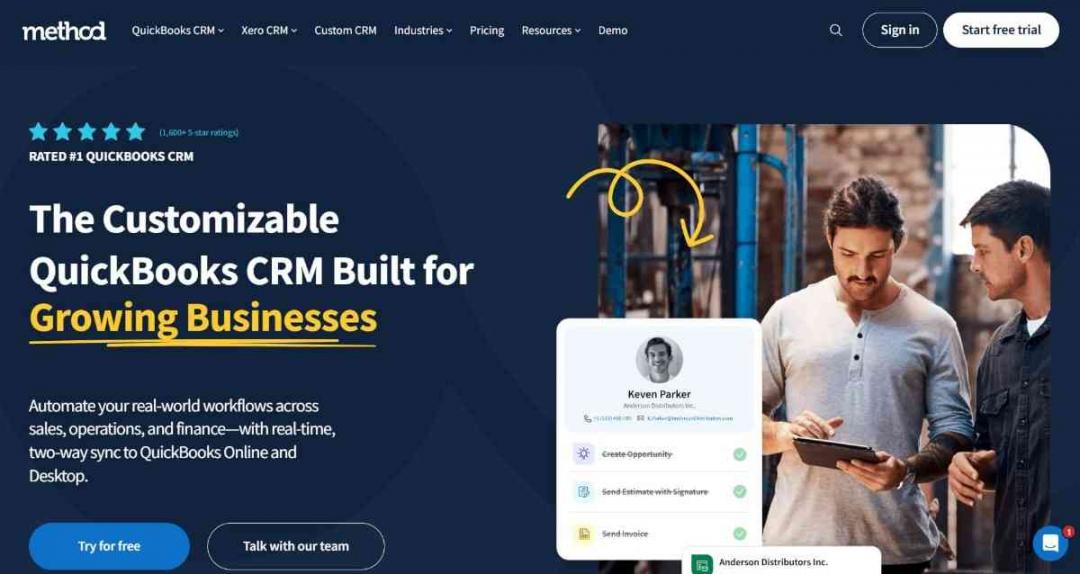
Image via Method CRM
Method CRM is one of the most flexible CRM tools for small business owners using QuickBooks or Xero. Unlike traditional CRM tools, Method focuses on syncing customer data, invoices, payments, and sales activity directly with accounting software.
QuickBooks users get real-time, two-way sync, while Xero users get two-way sync. This feature keeps customer and accounting records aligned across both systems. It also makes Method especially valuable for manufacturers, distributors, service businesses, and contractors.
Method is invaluable for growing and mid-sized businesses that want better customer management without duplicating data. Its no-code customization tools let you tailor workflows, forms, and automations to fit your sales and operational processes.
The CRM combines contact management, lead tracking, workflow automation, and online customer portals in one platform. Your team can create estimates, manage invoices, schedule jobs, and automate follow-ups. Plus, you can track customer interactions from a centralized dashboard.
Method also includes mobile access, reporting dashboards, and integrations with communication and marketing platforms. This helps your business improve efficiency while keeping financial records accurate.
Key Features
- Real-time two-way sync with QuickBooks
- Customizable workflows, fields, and no-code automation tools
- Contact management and lead tracking with centralized customer records
- Online customer portals for invoices, payments, and updates
- Estimates, invoicing, scheduling, and task management tools
Pricing
Method CRM offers a 10-day free trial, with paid plans starting at:
- CRM Quick Start: $35/user/month
- CRM Pro: $59/user/month
- CRM Enterprise: $97/user/month
- CRM Multi-entity: Custom pricing
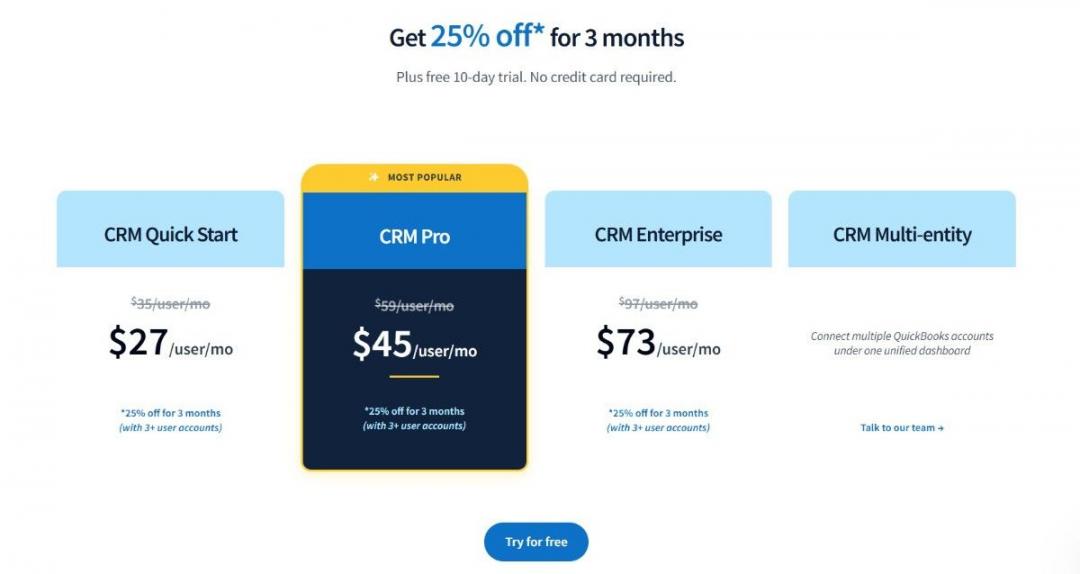
Image via Method CRM
Pros
- Deep QuickBooks integration with real-time synchronization
- Highly customizable workflows and business processes
- Strong fit for service-based businesses and field teams
Cons
- Only suitable for businesses using QuickBooks or Xero
- Advanced customization may require additional setup time
Pro Tip: Use automation workflows to reduce duplicate data entry between your CRM and accounting system while improving visibility across sales and finance teams.
5. Bigin by Zoho CRM
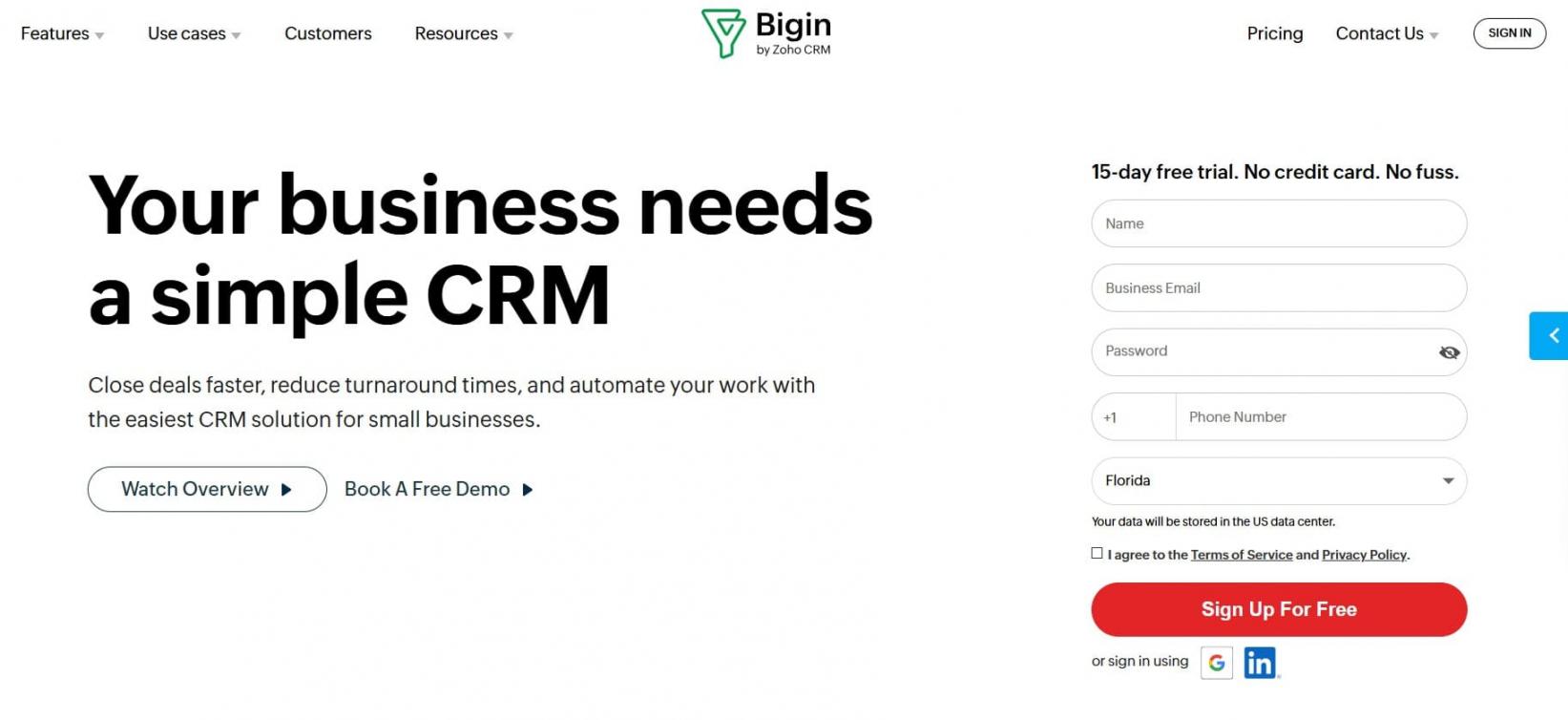
Image via Bigin
Bigin by Zoho CRM is a simplified CRM solution for customer-facing teams, startups, and small businesses. It was designed by Zoho as an affordable alternative to its full-featured Zoho CRM.
One of the popular CRM tools for small businesses, Bigin simplifies contact management, pipeline management, and lead tracking. Its clean and intuitive UI makes it easy to manage contacts, track deals, and automate everyday tasks.
Additionally, it integrates seamlessly with the broader Zoho ecosystem and other vendors. This gives teams access to email marketing, communication tools, and project management software, perfect for those looking to move beyond spreadsheets.
Bigin also supports workflow automation, customizable sales pipelines, and built-in telephony so users can make calls directly from the CRM.
The platform includes native mobile access and integrates with common tools like email, web forms, and third-party apps. It’s one of the most useful CRM tools for small businesses looking to centralize their customer interactions.
If you want a CRM with a free plan and inexpensive paid tiers, try HubSpot and Bigin as they’re both budget-friendly CRM tools for small business growth.
Key Features
- Pipeline management with team and connected pipelines
- External record sharing to keep customers and teammates updated
- Task management for creating, following up, and completing activities
- Customer management with lead capture, import/export, and migration tools
- Built-in phone features for making calls from the CRM and tracking activity
- Integrations via Zapier and native connectors
- Mobile CRM apps for iOS and Android
Pricing
Bigin by Zoho CRM offers a 15-day free trial. You also get a free plan, with paid plans priced at:
- Express: $9/month/user
- Premier: $15/month/user
- Bigin 360: $21/month/user
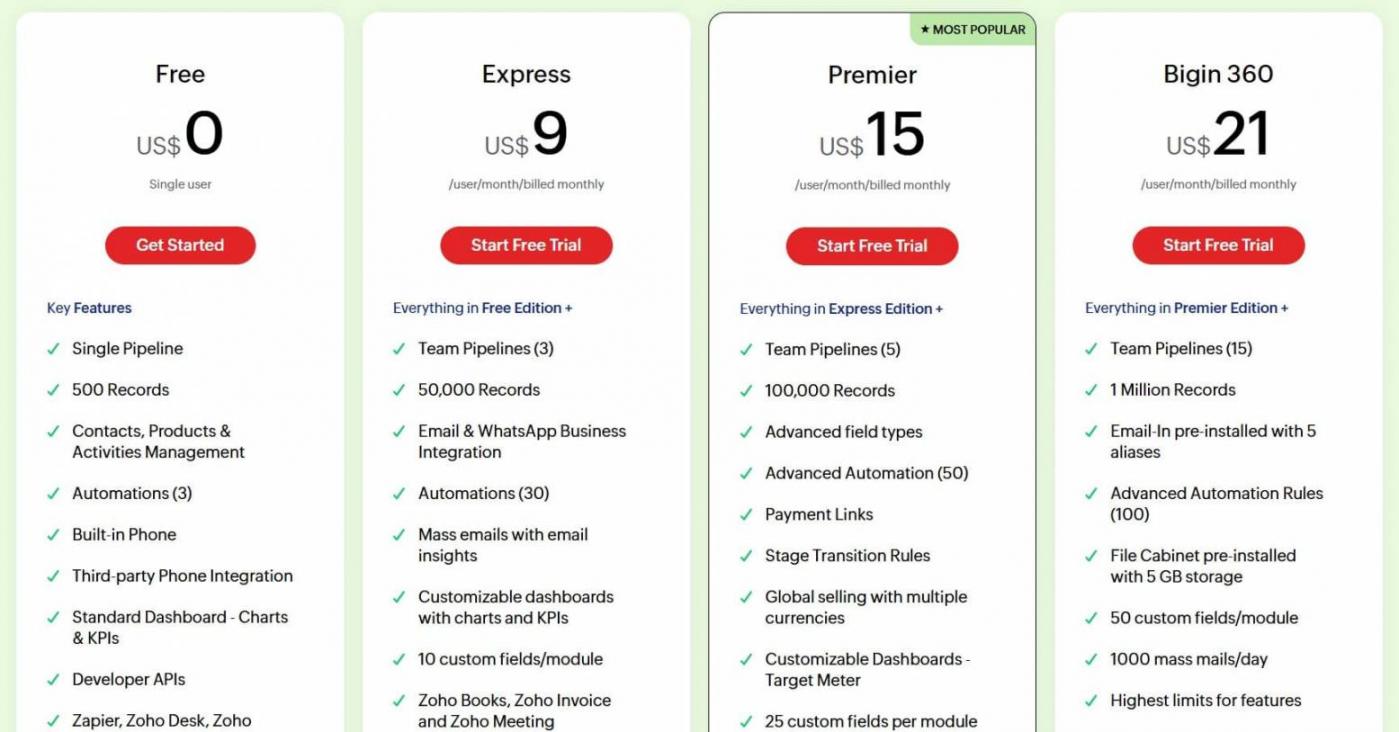
Image via Bigin
Pros
- Budget-friendly CRM with a free plan
- Pipeline-focused design, ideal for small sales teams
- One-click migration path to full Zoho CRM when you outgrow Bigin
Cons
- Not suitable for complex enterprise workflows
- Basic reporting and customization, unlike full CRM systems like HubSpot
Pro Tip: Try Bigin's Sheet View if you have to make bulk edits or compare multiple records before making edits.
6. Keap
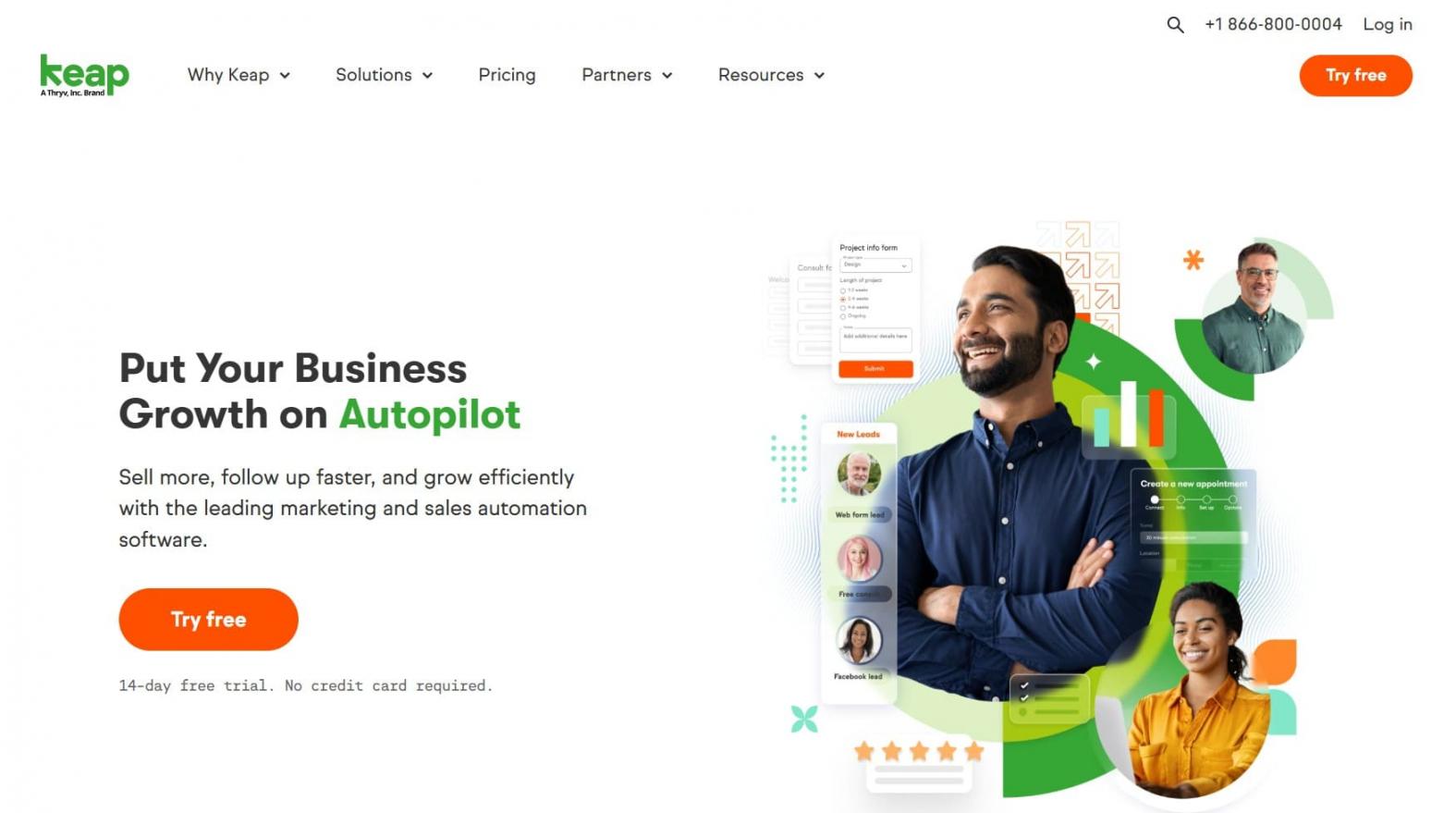
Image via Keap
Keap is an all-in-one CRM tool for small businesses that blends customer relationship management with advanced marketing automation.
It offers robust features like email marketing campaigns, SMS messaging, and lead scoring. It also provides ecommerce features like invoice creation and payment processing.
It’s great for small businesses that want to automate sales processes and customer interactions while reducing reliance on multiple tools.
Keap’s contact management tools allow segmentation and personalized communication. Meanwhile, its pipeline management system helps sales reps track leads and close deals efficiently.
The platform also includes appointment scheduling, invoicing, and integrations with communication tools, making it a comprehensive business automation solution. What distinguishes Keap among CRM tools for small businesses is its emphasis on end-to-end automation.
The platform provides two tiers of sales automation: easy and advanced. It comes with ready-made customizable templates and a visual drag-and-drop automation builder. Business owners can set up straightforward trigger-based workflows to gather website leads, schedule appointments, and send automated emails.
Keap’s comprehensive features and strong customer support make it a powerful choice for small businesses ready to scale.
Key Features
- Pipeline management with customizable stages and lead scoring
- Contact management with segmentation and detailed customer records
- Built-in ecommerce tools, including recurring billing and subscription management
- Email marketing automation with templates, triggers, and analytics
- Appointment scheduling, invoicing, and payment processing tools
- SMS messaging and follow-ups directly from the CRM platform
- Mobile CRM access and third-party integrations
Pricing
With Keap, you get a 14-day free trial. Its unified plan starts at $299/month.
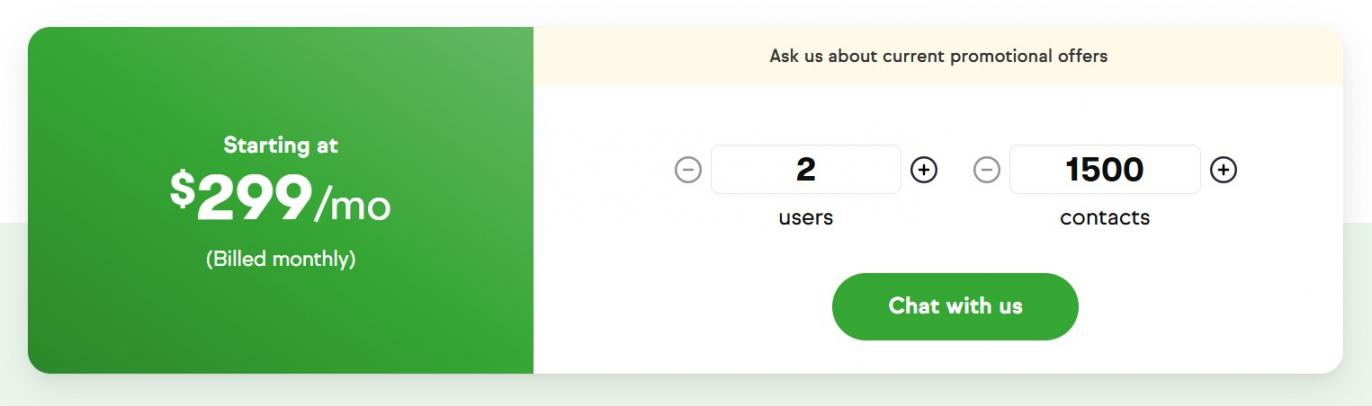
Image via Keap
Pros
- Powerful and user-friendly automation features with AI-powered workflows
- Built-in ecommerce, invoicing, and payment processing
- Reliable customer support and onboarding services
Cons
- Higher starting cost compared to other small business CRM solutions like HubSpot CRM
- Mandatory implementation services add to initial costs
Pro Tip: Evaluate campaign performance with Keap’s reporting feature to gain a deeper understanding of customer actions.
7. Monday CRM
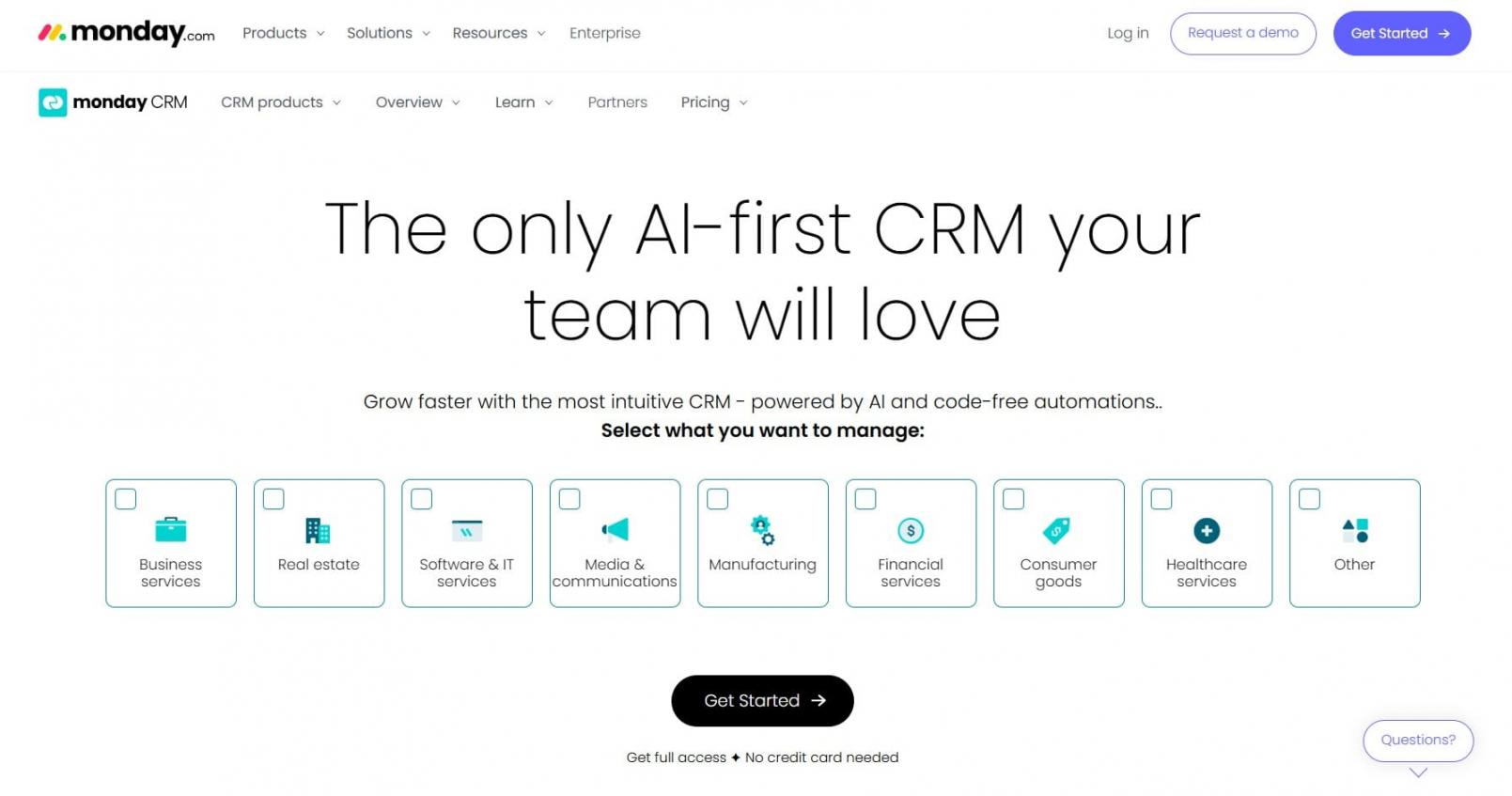
Image via monday CRM
Monday CRM is a flexible and user-friendly CRM tool for small businesses built on the monday.com Work OS.
It’s designed to help teams manage leads, contacts, and sales workflows with visual tools and customizable boards. Since it combines project management flexibility with CRM structure, you can track deals, automate follow-ups, and manage sales and operations on the same page.
Monday CRM is uniquely positioned among CRM tools for small businesses that value visual workflows and cross-functional collaboration.
Users can build tailored CRM boards that match their unique sales processes and track every touchpoint. The platform supports two-way email sync, AI-powered email generation, mass emails, and advanced automations.
Monday CRM also includes mobile access, so small teams can update pipelines and track customer interactions on the go. It offers strong integration potential.
It’s also appealing for teams already using monday.com for project management or cross-department workflows.
While monday CRM has great data visualization, you may need some support if you’re new to CRM management. That said, HubSpot customer onboarding helps you understand how to utilize your data in HubSpot, and help you optimize the functionality.
Key Features
- Centralized communication hub with integrated activity tracking
- Customizable CRM boards and pipelines for tailored sales workflows
- Email sequences and mass email capabilities for follow-ups and lead nurturing
- Integrations with marketing tools, project management software, and communication platforms
- Custom dashboards and reporting for visualizing sales processes
- iOS and Android mobile apps for managing tasks and leads on the go
- AI tools for email writing, data labeling, and automation suggestions
Pricing
Monday CRM offers a free 14-day trial for the following paid plans:
- Basic: $18/month/seat
- Standard: $25/month/seat
- Pro: $41/month/seat
- Enterprise: Custom pricing
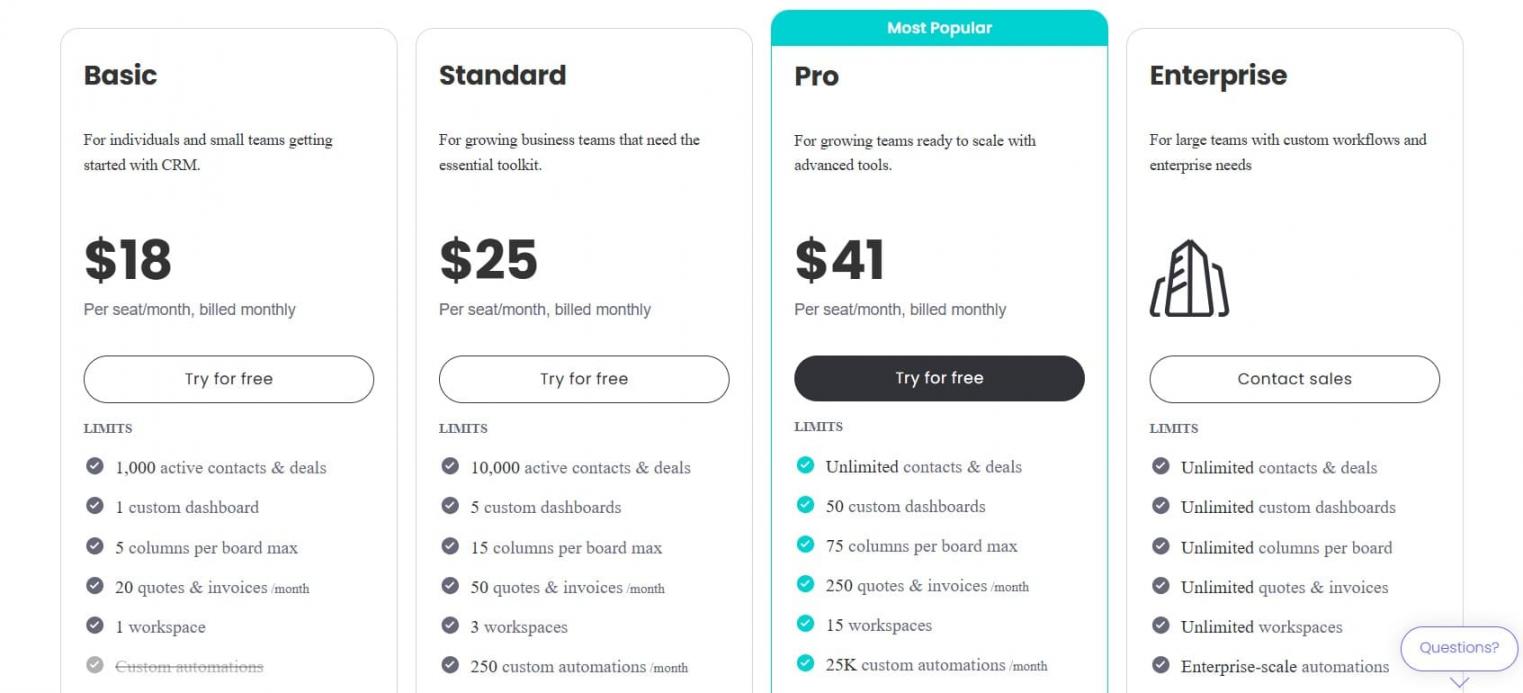
Image via monday
Pros
- Visual, board-style interface appeals to project-oriented teams
- Strong automation and AI features for small business efficiency
- 24/7 customer support and numerous templates
Cons
- Some AI and advanced features require higher‑tier plans
- Requires a minimum three-seat purchase, increasing entry cost
Pro Tip: You can choose monday CRM if you want a visually intuitive CRM platform that doubles as a project management tool.
8. Close
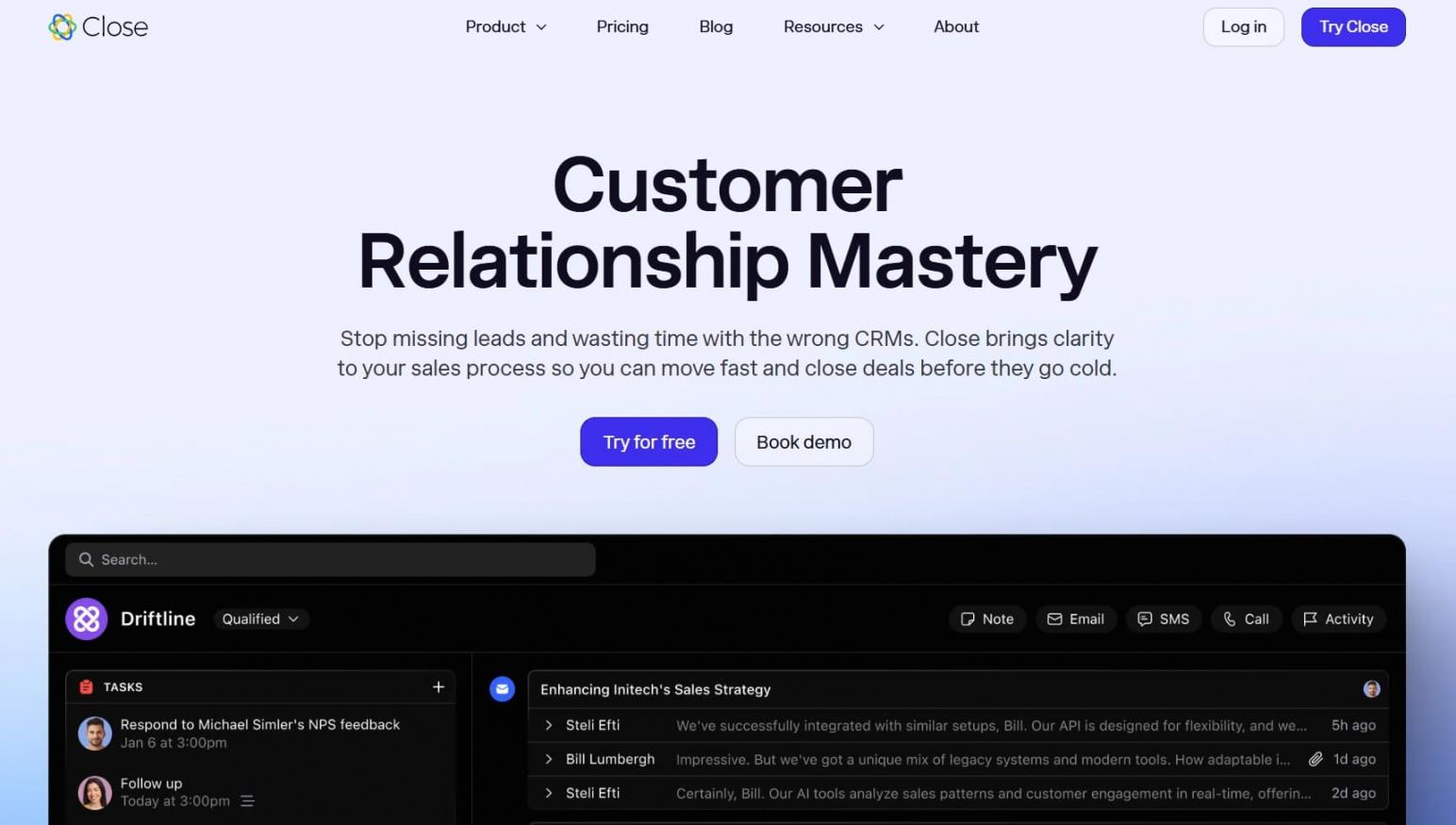
Image via Close
Close is a sales engagement CRM built specifically for startups and small businesses. It combines built-in calling, emailing, SMS, and AI-powered pipeline management in a unified CRM. This helps manage tasks and customer interactions without switching tools.
This CRM platform is built for speed and efficiency. It offers a centralized inbox, automated follow-ups, and powerful lead management features that reduce manual work.
Its built‑in Power Dialer and Predictive Dialer help small businesses increase outbound call volume, while email sequences support consistent outreach. This makes it one of the most comprehensive CRM tools for small businesses doing high-volume sales calls.
Close’s Workflows feature helps teams build sophisticated multi-channel outreach sequences combining email, calls, and SMS. It uses templates, timing triggers, and dynamic conditions to handle follow-ups automatically while still personalizing outreach.
It includes bulk email marketing capabilities that track opens, clicks, and replies directly within contact timelines. You also get features like AI Notetaker, AI Email Rewrite Assistant, and AI Enrich that automatically populate data like LinkedIn URLs and company information.
For small businesses that rely heavily on outreach and communication tools, Close is a solid choice.
Key Features
- Lead and contact management with smart filtering
- Centralized inbox for managing customer interactions in one place
- Customizable pipeline management with visual stages and opportunity tracking
- Two-way email sync that automatically links messages to leads and opportunities
- Built-in reporting and customizable reports for more accurate forecasting
- Custom activities and objects for tracking necessary actions/data
- Native mobile CRM access and reporting dashboards
Pricing
With Close, you get a free 14-day trial on these paid plans:
- Solo: $19/month/seat
- Essentials: $49/month/seat
- Growth: $109/month/seat
- Scale: $149/month/seat
- Custom pricing for large teams
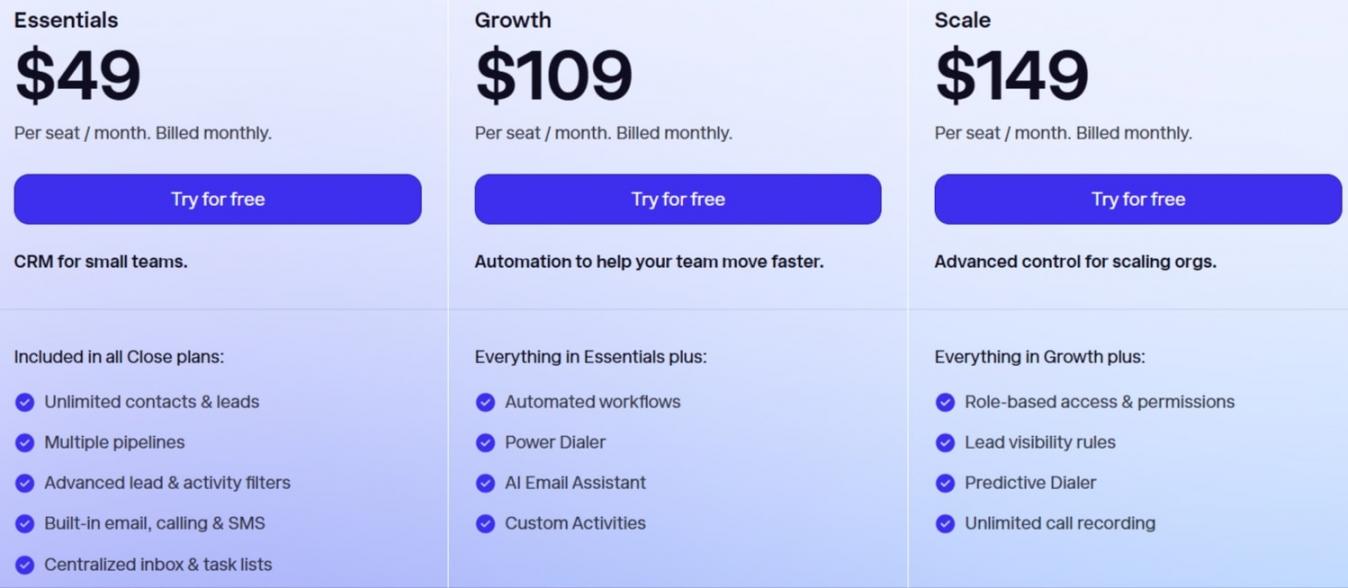
Image via Close
Pros
- Strong built-in calling, SMS, and email outreach
- Unlimited contacts and pipelines on most plans, making it scalable for SMBs
- Intelligent search and dynamic views (Smart Views) for contacts and leads
Cons
- No free CRM plan
- Limited marketing automation compared to all‑in‑one platforms like HubSpot’s Marketing Hub
Pro Tip: Check the pipeline stage report to see how many deals are in each stage of your sales flow.
9. Nutshell CRM
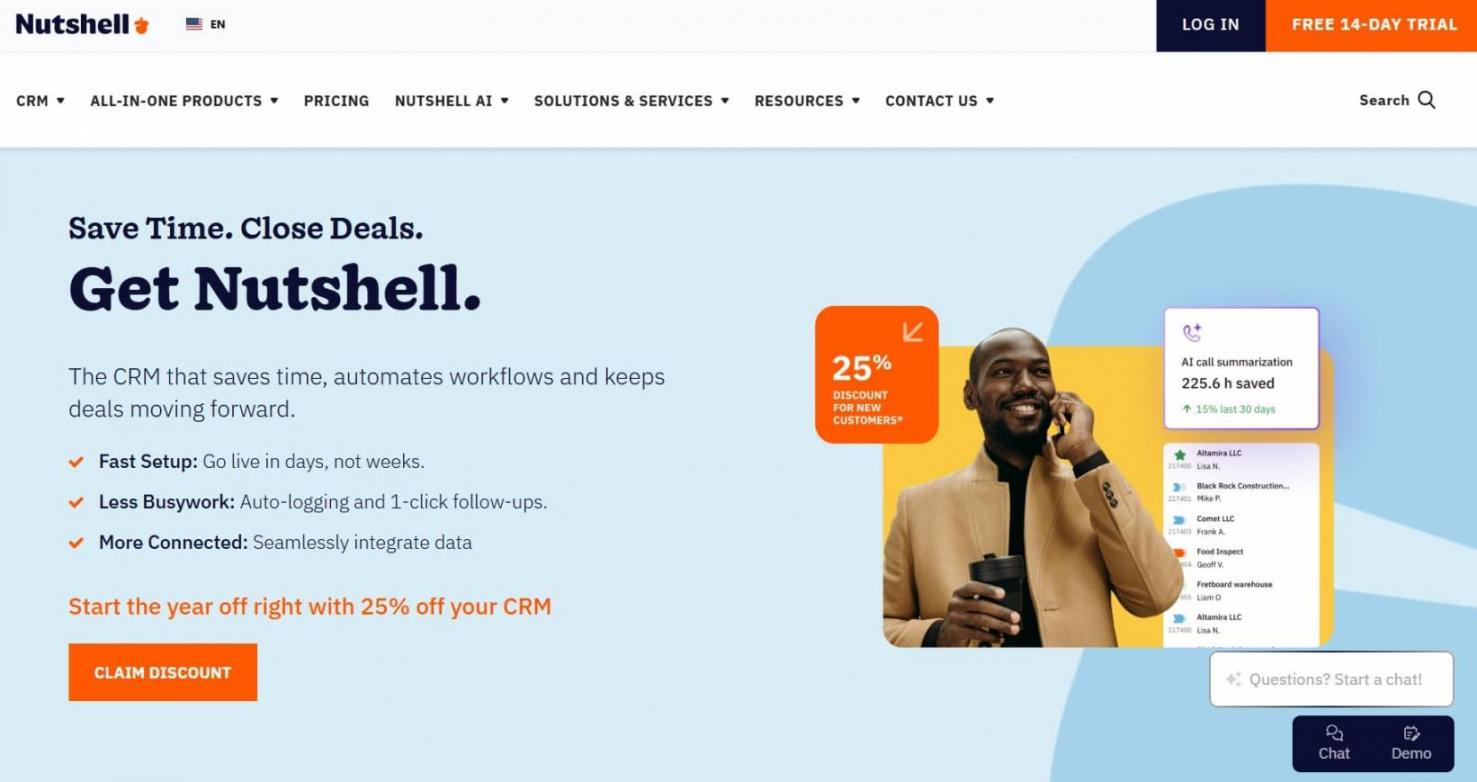
Image via Nutshell
Nutshell CRM is a user-friendly, all-in-one sales, marketing, and engagement CRM tool for small businesses.
It combines pipeline and contact management, email marketing, and team collaboration tools in a single interface. This way, you can streamline customer interactions without juggling multiple apps.
What sets Nutshell apart is how it ensures ease of use while providing advanced features like sales automation and customizable pipelines. Additionally, AI agents and lead recaps help sales reps track leads, manage tasks, and close deals more efficiently.
The platform also includes built-in web chat, chatbot, form builders, and landing page tools that support lead capture and engagement directly from your CRM.
Workflow automation handles repetitive sales processes like auto-assigning leads and creating follow-up tasks. This keeps deals moving forward with less manual effort. However, for advanced analytics, including conversion tracking, deal forecasting, and customer behavior insights, you can try HubSpot.
Every Nutshell subscription includes unlimited CRM contacts, storage, and live support. This makes it a scalable CRM system for growing teams. You can access it on the go with iOS and Android apps.
Key Features
- Contact management tools with unlimited contacts and data storage
- Sales automation for follow-ups, lead routing, and task management
- Visual pipeline management with customizable stages and activity tracking
- AI-powered tools, including timeline summarization, meeting transcription, and call summaries
- Integrations with Gmail, Outlook, Microsoft, and over 5,000 third‑party tools
- Web forms, landing pages, and engagement tools for lead capture
- Reporting suite with activity, funnel, and forecast insights
Pricing
Nutshell CRM provides a 14-day free trial on these plans:
- Foundation: $19/month/user
- Growth: $32/month/user
- Pro: $49/month/user
- Business: $67/month/user
- Enterprise: $89/month/user
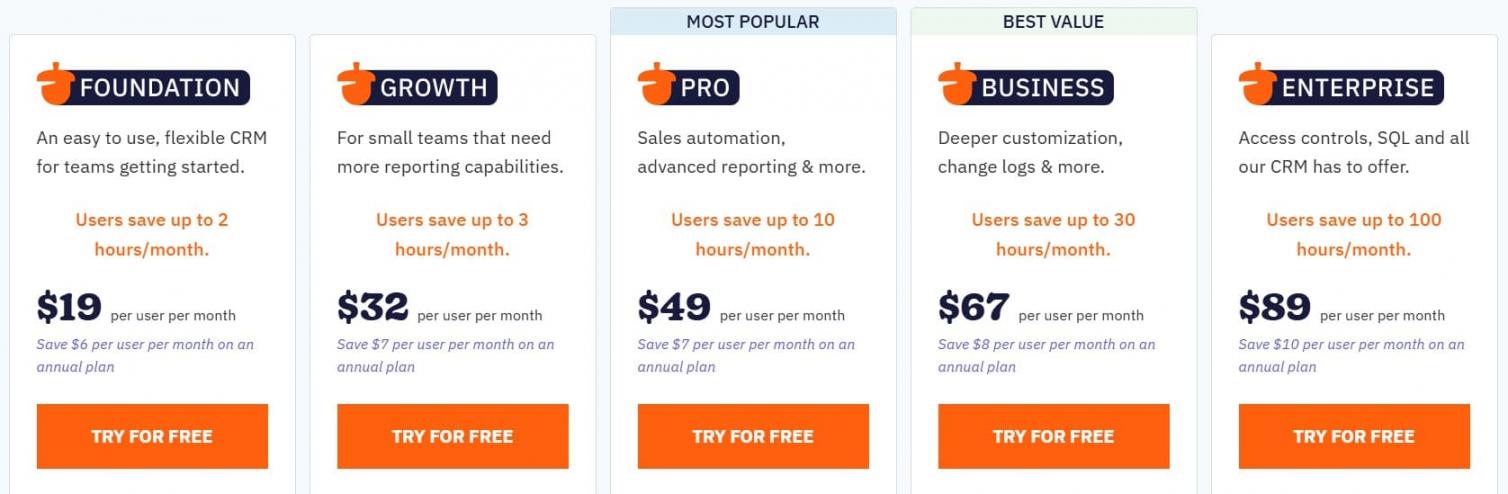
Image via Nutshell
Pros
- Simple, intuitive interface with a low learning curve
- Strong automation and built‑in email marketing tools
- Free live support and data migration assistance across all plans
Cons
- Email marketing and other premium add-ons increase total costs
- Features like unlimited pipelines and AI capabilities require expensive upgrades
Pro Tip: Leverage Nutshell’s AI power with Notetaker that uses conversational AI to generate highly accurate text from your voice, to help you save time on routine tasks.
10. Pipedrive
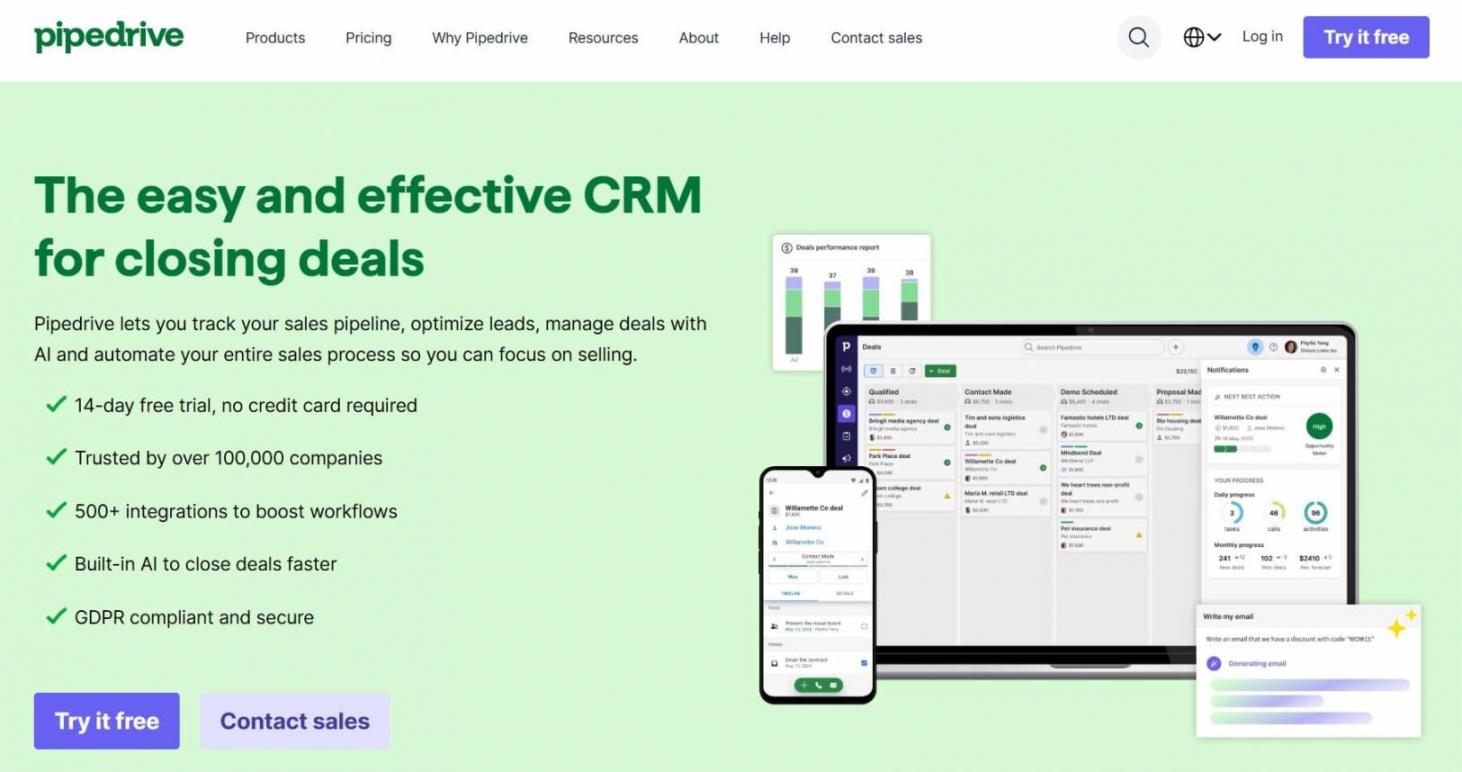
Image via Pipedrive
Pipedrive is a sales‑driven CRM tool for small businesses that focus on pipeline management and deal tracking. Its intuitive, visual interface makes it easy for sales reps to see where every lead stands, prioritize follow-ups, and close deals faster.
This CRM tool emphasizes simplicity and automation. As such, it offers customizable pipelines, email integration, and AI‑powered sales assistance. Pipeline is great for teams wanting straightforward pipeline visualization. However, it lacks the broader ecosystem tools like HubSpot’s Smart CRM provides.
Still, small businesses benefit from features like contact management, activity reminders, and reporting dashboards that provide actionable insights into sales processes.
With just an email address, Smart Contact Data automatically retrieves valuable prospect information from publicly available sources like LinkedIn.
Pipedrive also integrates with communication, project management, and marketing platforms, making it a flexible CRM solution for growing teams. Security features include AES-256 encryption, full SOC 2 compliance, and customizable permissions to protect sensitive data.
With affordable pricing and mobile access, Pipedrive delivers a user-friendly CRM platform that helps small businesses streamline customer interactions and scale operations effectively.
Key Features
- Visual pipeline management with drag‑and‑drop deal tracking
- Contact management tools with detailed customer records and activity history
- AI sales assistant for lead prioritization, win-probability predictions, and workflow suggestions
- Customizable dashboards for real-time reporting on revenue forecasts and team performance
- Workflow automation builder with customizable triggers for task management
- 500+ third-party integrations for marketing and communication tools
- Email integration with templates, tracking, and activity timelines
Pricing
Pipedrive offers a generous free 14-day trial, with paid plans priced at:
- Lite: $24/month/seat
- Growth: $49/month/seat
- Premium: $79/month/seat
- Ultimate: $99/month/seat
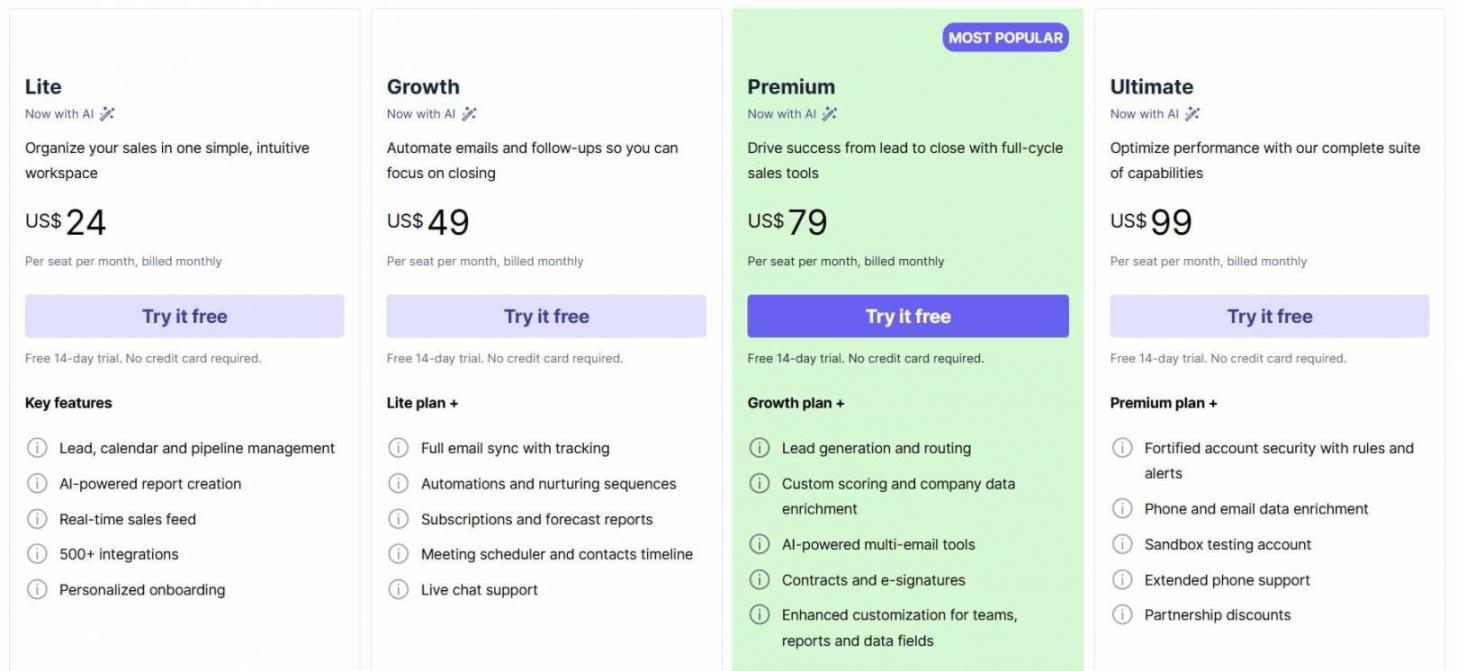
Image via Pipedrive
Pros
- Exceptionally intuitive visual interface with drag-and-drop functionality
- Reliable Android and iOS mobile apps with “offline mode” support
- Robust automation features and comprehensive reporting tools
Cons
- Add-ons like LeadBooster and Smart Docs can significantly increase total costs
- Live chat and phone support are restricted to higher-tier plans
Pro Tip: You can use the AI email creation feature by Pipedrive that facilitates email generation, follow-ups, and proposals to engage recipients.
11. Capsule CRM
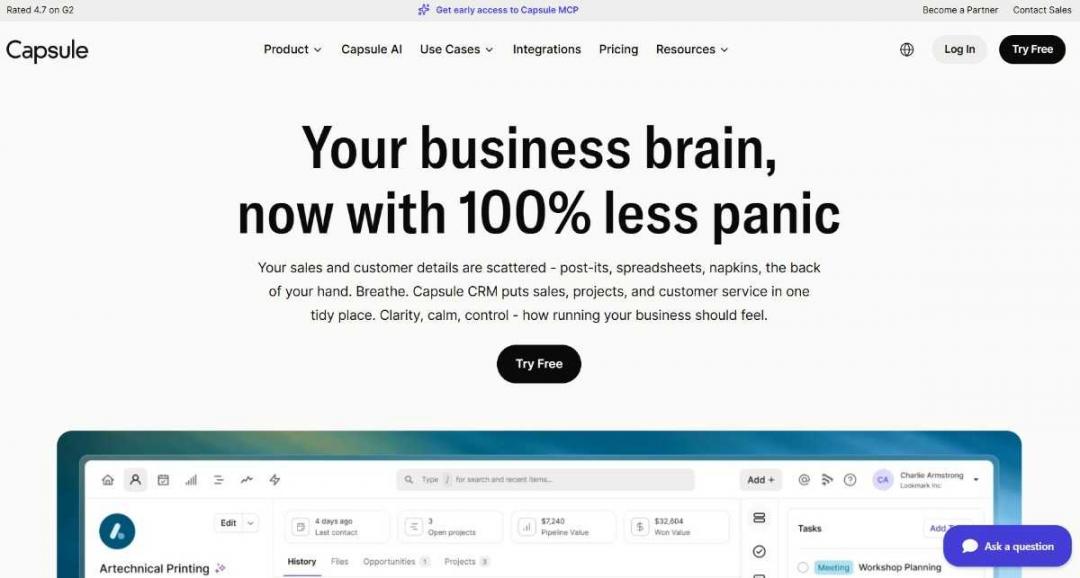
Image via Capsule CRM
Capsule CRM is one of the best CRM tools for small business owners who want a simple, easy-to-use platform. It's built for small businesses, consultants, agencies, and growing sales teams. There's no enterprise-level complexity to wade through, so it's ideal even for first-time CRM users.
The platform combines contact management, sales pipeline tracking, task management, and project delivery tools. This helps you track deals, schedule follow-ups, assign tasks, and store customer communications in one place. Plus, customizable sales pipelines help you manage different sales processes more effectively.
Capsule also includes workflow automation, reporting dashboards, and AI-powered writing assistance. It integrates with accounting, marketing, customer support, and productivity tools. These include Quickbooks, Xero, Zendesk, and Zapier
Meanwhile, mobile apps for iOS and Android let you manage customer relationships from anywhere. While not built for complex sales operations, Capsule is a solid choice if you value simplicity. It gets the basics right without overwhelming your team.
Key Features
- AI tools for contact enrichment, summaries, and meeting prep
- Contact and organization management with custom fields and tags
- Workflow automations for tasks, notifications, and stage changes
- QuickBooks and Xero integrations, plus 80+ other connections
- Customizable sales pipelines and opportunity tracking
- Project management via kanban-style boards
Pricing
Capsule CRM offers a 14-day free trial, with paid plans starting at:
- Free
- Starter: $21/user/month
- Growth: $38/user/month
- Advanced: $60/user/month
- Ultimate: Custom pricing
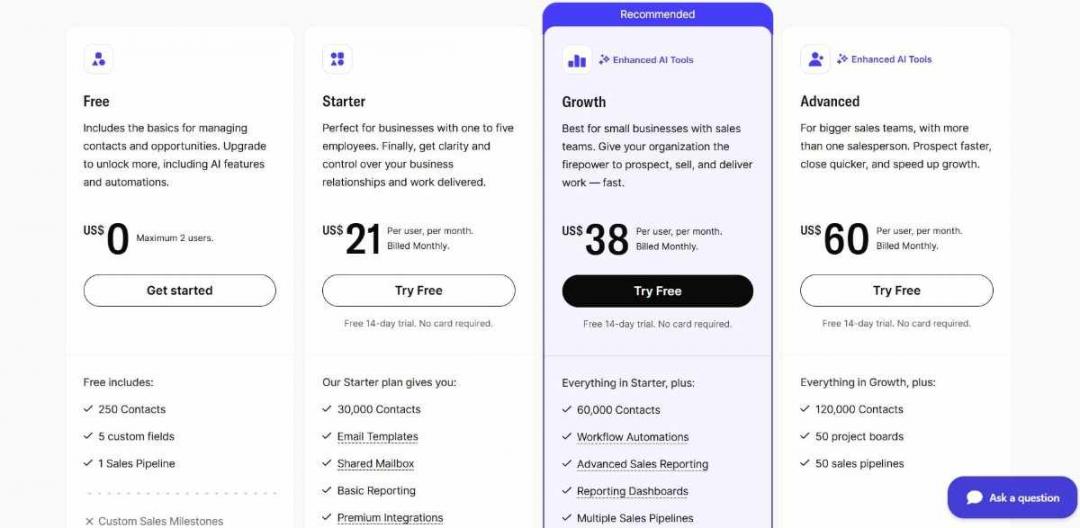
Image via Capsule CRM
Pros
- Clean, intuitive interface with a short learning curve
- Flexible contact and pipeline management for small teams
- Strong integration ecosystem for growing businesses
Cons
- No native email marketing automation
- Paywalled workflow automations and custom dashboards
Pro Tip: Start on the Growth plan if your team relies on repeatable sales processes, since the Starter tier lacks automation.
FAQ
Q1. What’s the best free CRM for small businesses?
A. HubSpot Smart CRM stands out as the best free CRM tool for small businesses. It offers two seats and up to one million contacts. Without time limits or forced upgrades, it offers essential features like contact and pipeline management and email tools.
Unlike limited free trials, HubSpot’s free tier includes visual sales pipelines, task management, meeting scheduling, and live chat capabilities. Bigin by Zoho CRM also offers a free plan, though it's restricted to only one user and 500 records.
Q2. What features should small businesses look for in a CRM?
A. The features small businesses should look for include contact management, pipeline tracking, automation, email tools, and mobile access. HubSpot’s platform offers all these in one solution, while tools like Pipedrive and Close focus more on sales‑driven workflows.
Q3. Can CRM tools integrate with my existing email and calendar?
A. Yes, virtually all modern CRM platforms integrate with Gmail, Outlook, and popular calendar systems. HubSpot offers seamless two-way email sync, automatically logging messages and scheduling follow-ups directly from your inbox.
Close, Pipedrive, and Nutshell provide similar integrations, while platforms like monday CRM and OnePageCRM sync calendars to prevent scheduling conflicts.
Q4. How do I choose between CRM platforms with similar pricing?
A. When CRM solutions have comparable costs, prioritize features that match your workflow. For instance, HubSpot excels for teams needing marketing automation and scalability. Close is perfect for outbound sales with built-in calling, while Pipedrive benefits visual thinkers with Kanban boards.
Test platforms using free trials. Many, including HubSpot CRM, Nutshell, and Pipedrive, offer 14-day trials.
Q5. Can CRM software help with customer retention?
A. Absolutely. CRM tools for small businesses improve retention by organizing customer interactions, automating follow-ups, and identifying at-risk accounts.
For instance, HubSpot’s automation triggers re-engagement campaigns when customers go inactive. Meanwhile, tools like Nutshell and Pipedrive provide renewal reminders and health scoring.
Choosing the Best CRM Tools for Small Businesses
Choosing the most suitable CRM tools for small businesses comes down to clarity, simplicity, and long‑term scalability. Get it right, and you’ll transform how you manage customer relationships, streamline sales processes, and scale operations.
HubSpot Smart CRM stands out for its free plan and all‑in‑one capabilities, while tools like Pipedrive, Bigin, and monday CRM offer strong alternatives for specific needs.
Narrow down your choices by determining what’s important to you. Then, use free trials to test features. Evaluate ease of use, automation capabilities, and integration with existing tools.
The right CRM system must do more than store contacts. It should actively help you close deals faster and build lasting customer relationships that drive sustainable growth.
Sign up on HubSpot and watch your growing team scale safely and sustainably.
Disclaimer: This content contains some affiliate links for which we will earn a commission (at no additional cost to you). This is to ensure that we can keep creating free content for you.