Some of the best AI customer service software include HubSpot Service Hub, Zendesk, or Intercom. These tools use NLP and machine learning to resolve customer support tickets automatically across email, chat, and voice. Picking the right tool depends on your team size, channels, and budget.
I’ve spent over 12 years in search and CX tooling. One thing is clear. Customers expect instant, 24/7 support, but many teams can’t scale fast enough to match that demand. This is where AI customer service software comes in.
AI for customer service is projected to grow to $47.82 billion by 2030, according to MarketsAndMarkets. This shows that more businesses are investing in AI to improve customer satisfaction and service quality.
This article breaks down the nine best AI customer service software tools. I include how I picked them, a comparison table, key features, and pricing. I’ll also cover security considerations and measure support team performance.
Disclaimer: This content contains some affiliate links for which we will earn a commission (at no additional cost to you). This is to ensure that we can keep creating free content for you.
Some teams need customer service tools with integrated CRM, while others need enterprise omnichannel support. It depends on your team size, budget, and channels.
AI deflection works for teams that want to reduce ticket volume. Ecommerce support teams need order and refund handling to increase customer satisfaction and sales. Lean teams prioritize simple chat-based support tools with fast setup.
How I Picked the Best AI Customer Service Software
I picked these customer service tools based on AI capability, pricing transparency, and channel coverage. I also evaluated the ease of setup, integrations, security, measurable impact, and user evidence. Each tool broken down in this article cleared these seven checks:
- Real AI Capability: Whether the tool offers an autonomous AI agent, a copilot, or just a rules-based chatbot
- Pricing Transparency: The true cost of the tool should be clear once you add seats, number of resolutions, and onboarding costs
- Channel Coverage: Whether the tool supports chat, email, voice, and social media in one place
- Ease of Setup and Adoption: Whether a small team can begin using the tool without a long setup process or hours of training
- Integrations and Security: It should connect with other tools like analytics or CRM tools, and meet security standards like SOC 2
- Measurable Impact: Whether you can measure support team and AI performance
- User Evidence: G2 reviews about how beneficial a tool is for users
These customer service tools were chosen based on AI capability, true cost, channels, ease of use, integrations, security, and verified reviews. Pricing was checked on live vendor pages.
AI Customer Service Software Comparison at a Glance
This table compares the top AI customer service tools based on who they’re best for, AI features, and starting price. You’ll also see the G2 ratings and whether the tool has a Free tier. If you find one that fits your business, click on it and discover how it can help improve customer service:
| Tool | Best For | Key AI Feature | Starting Price | Free Tier? | G2 Rating |
|---|---|---|---|---|---|
| HubSpot Service Hub | SMBs needing integrated CRM | Breeze Customer Agent | $20/seat/month | Yes | 4.4/5 (~2,914) |
| Zendesk | Enterprise businesses needing omnichannel support | AI agents and copilots | $19/agent/month | No | 4.3/5 (~6,948) |
| Intercom | AI deflections and SaaS businesses | Fin AI | $0.99/ resolution, $39/seat/month | No | 4.5/5 (~3,862) |
| Freshdesk | Brands needing Omnischannel support that’s affordable | Freddy AI | $23/agent/month | Yes | 4.4/5 (~3,751) |
| Zoho Desk | Small businesses with a lower budget | Zia | $9/user/month | Yes | 4.4/5 (~7,662) |
| Salesforce Service Cloud | Enterprise businesses needing CRM | Agentforce and Einstein | $25/user/month | No | 4.4/5 (~7,342) |
| Tidio | Smaller businesses needing an affordable tool | Lyro AI Agent | $29/month | Yes | 4.6/5 (~1,906) |
| Gorgias | Ecommerce businesses | Helpdesk + AI Agent | $10/month | No | 4.6/5 (~561) |
| Help Scout | Small teams needing an affordable tool | AI assist and AI answers | $30/user/month | Yes | 4.4/5 (~428) |
How to Choose the Best AI Customer Service Software for Your Business
The best AI customer support solution depends on your business size, channels, budget, and automation goals. An AI customer support solution that works well for a small ecommerce store may not work for enterprise support teams. Here’s how to choose:
By Team Size:
- 1–10 Support Agents: HubSpot Service Hub, Help Scout, Tidio
- 11–50 Support Agents: HubSpot Service Hub, Freshdesk, Zoho Desk, Intercom, Zendesk
- 50+ Support Agents: Salesforce Service Cloud
By Channel or Business Needs:
- Ecommerce and Shopify support: Gorgias
- Reducing Repetitive Customer Questions with AI: Intercom, Tidio
- CRM and Customer Support in One Platform: HubSpot Service Hub
- Omnichannel Support: Zendesk, Salesforce Service Cloud
- Lower-cost Support for Small and Growing Teams: Freshdesk, Zoho Desk, Help Scout
By Pricing Model:
- Predictable Per-seat Pricing: HubSpot Service Hub, Zoho Desk, Freshdesk, Help Scout
- Usage-based or Per-resolution Pricing: Intercom, Gorgias
- Enterprise Pricing with Advanced Customization: Zendesk, Salesforce Service Cloud
AI Agents, Copilots, Automation, Chatbots – What’s the Difference?
AI agents can act autonomously to resolve customer issues, while copilots assist human agents. AI Chatbots or automation rely on fixed rules and workflows. The table below breaks this down:
| Type | What it Does | How to Tell it Apart | Product Examples |
|---|---|---|---|
| AI Agent | Fully resolves customer issues from start to finish, based on training and system permissions | Can complete the entire customer request without human help | HubSpot Breeze Customer Agent, Intercom Fin |
| AI Copilot | Helps human agents by writing replies, summaries, or suggested answers | A human reviews and sends every response | Zendesk Copilot, Freddy Copilot |
| Automation | Performs predefined support actions like routing tickets or sending alerts | Works only when specific rules are triggered, for example — “if X happens, do Y” | Zendesk workflows, Freshdesk automation |
| Chatbot | Answers basic customer questions using pre-written scripts | Only works for fixed questions and fails when a query isn't in the script | Legacy website chatbots |
Most modern platforms ship more than one of these. HubSpot Service Hub, Intercom, and Freshdesk, for example, sell both an agent and a copilot. Remember, when a vendor says it has AI for customer service, always ask which type.
An AI agent can fully resolve customer issues end-to-end. A copilot assists human agents in resolving queries.
Automation runs rule-based triggers, such as “if ticket is urgent, assign to Tier 2.” Chatbots answer questions based on pre-written scripts.
The 9 Best AI Customer Service Software for 2026
I'll break down the top AI customer service tools, including HubSpot Service Hub, Zendesk, Intercom, Freshdesk, and Zoho Desk. The list also includes Salesforce Service Cloud, Tidio, Gorgias, and Help Scout.
1. HubSpot Service Hub
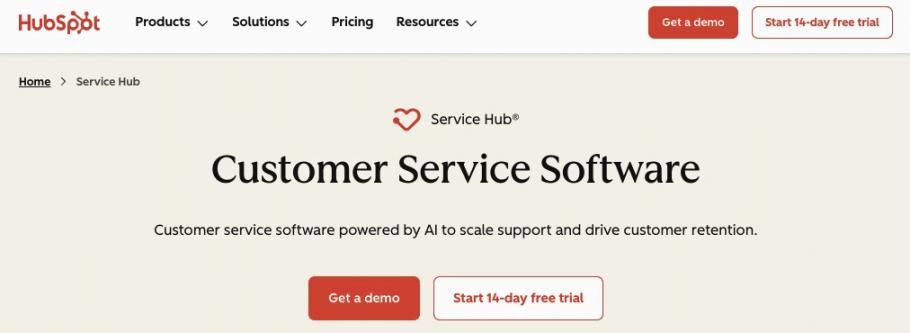
Image via HubSpot
HubSpot Service Hub is one of my top picks for AI customer service software. It includes both customer service tools and CRM in one place. In fact, Service Hub customers see a 57% increase in ticket close rate after just six months.
HubSpot's Breeze Customer Agent resolves routine tickets. Your support team can handle complex queries.
Key Features
- Breeze Customer Agent: An autonomous AI agent that answers and resolves questions across channels
- Help Desk Workspace: Deliver personalized, omnichannel customer support with an AI-powered help desk and ticketing workspace
- Breeze Knowledge Base Agent: Convert successful customer interactions into resources that help customers get answers faster
- Fully Integrated Smart CRM: Get access to every support interaction, deal stage, and marketing touchpoint in one place
- SLA Management: Define, track, and report on internal commitments for response and resolution time
Pros
- Service, marketing, sales, and CRM data live in one platform
- Free plan available
- An intuitive interface that beginners can learn fast
Cons
- The price jump from Starter to Professional is considered high
- Breeze Customer Agent sits behind the Professional tier
- Limited customization compared to other AI customer service software
Pricing
- Free for up to two users
- Starter: $20/month/seat
- Professional: $100/month/seat
- Enterprise: $150/month/seat
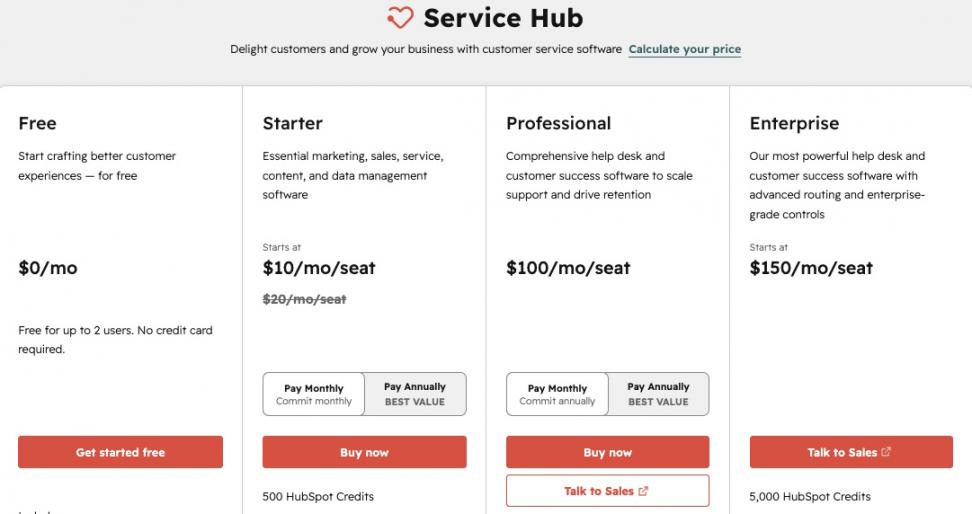
Image via HubSpot
Tool Level
- Basic to intermediate for small and growing teams. It also includes advanced features like Smart CRM.
Usability
- The learning curve is low to moderate. In fact, reviewers on G2 rate it 4.4/5. They often praise its intuitive interface, seamless integrations, and ease of use.
Pro Tip: Start on the Free or Starter plan and map your ticket flow. Switch to the Professional tier once your support ticket volume increases. Use the 14-day free trial to test out the customer agent first.
HubSpot Service Hub offers AI customer service tools like AI agents, help desk workspaces, and CRM in one place. It’s intuitive for beginners and powerful enough to scale as your ticket volume increases. Users experience a 57% increase in ticket close rate after six months.
2. Zendesk for Customer Service
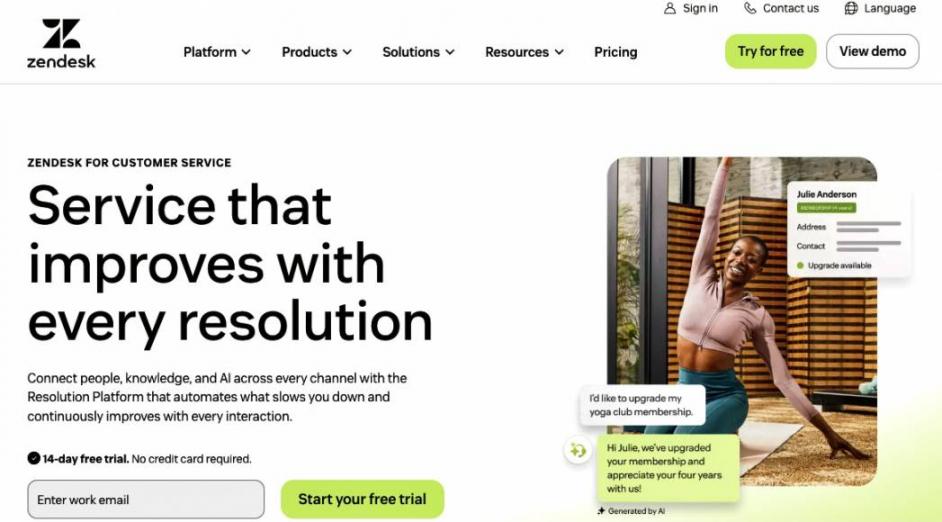
Image via Zendesk
Zendesk is an AI customer service software built for mid-market and enterprise teams that need omnichannel ticketing. Its self-learning AI agents can automate up to 80% of interactions. Copilot assists human agents in resolving issues and increases agent productivity by 82%, per Zendesk data.
Key Features
- Zendesk AI Agents: Self-improving AI agents powered by the Resolution Learning Loop, where every outcome strengthens the next
- Copilot: Assists human agents in drafting responses
- Omnichannel Ticketing: One workspace for every support channel, such as email, voice, or chat
- Improve Workflow Automation: Route tickets to the most qualified agents and build or customize pre-built workflows
- Reporting Suite: Track team performance and customer behavior to improve resolutions and increase customer satisfaction
Pros
- A large marketplace of integrations and apps
- Built-in reporting tools
- Get set up around 54% faster than other tools, according to Zendesk
Cons
- No free plan
- AI agents and Copilot are on higher tiers
- It can be challenging for small teams to set up and run
Pricing
- Support Team: $19/agent/month
- Suite team: $55/agent/month
- Suite Profesional: $155/agent/month
- Suite Enterprise + Copilot: Contact the sales team
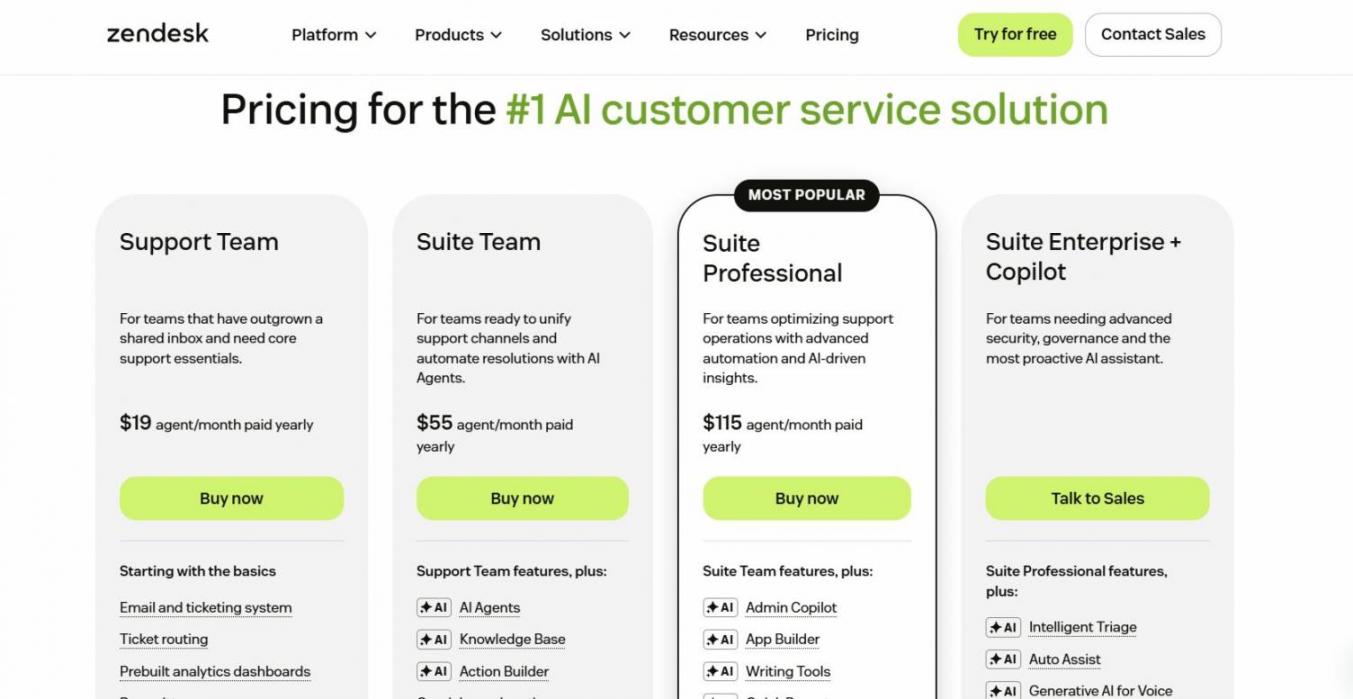
Image via Zendesk
Tool Level
- Intermediate to advanced
Usability
- A powerful tool for medium or large companies. But it has a steep learning curve for beginners. Its 4.3/5 G2 score across thousands of reviews reflects both its depth and its complexity.
Pro Tip: Start with Zendesk's pre-built workflows and automations before creating custom ones. This reduces setup complexity when teams are learning the platform.
Zendesk can handle large support ticket volumes. It also offers AI agents, copilots, automations, and omnichannel support.
If your support operation is growing fast, Zendesk gives you room to scale without needing to switch platforms later. One tradeoff is higher cost and a steeper learning curve for beginners.
3. Intercom
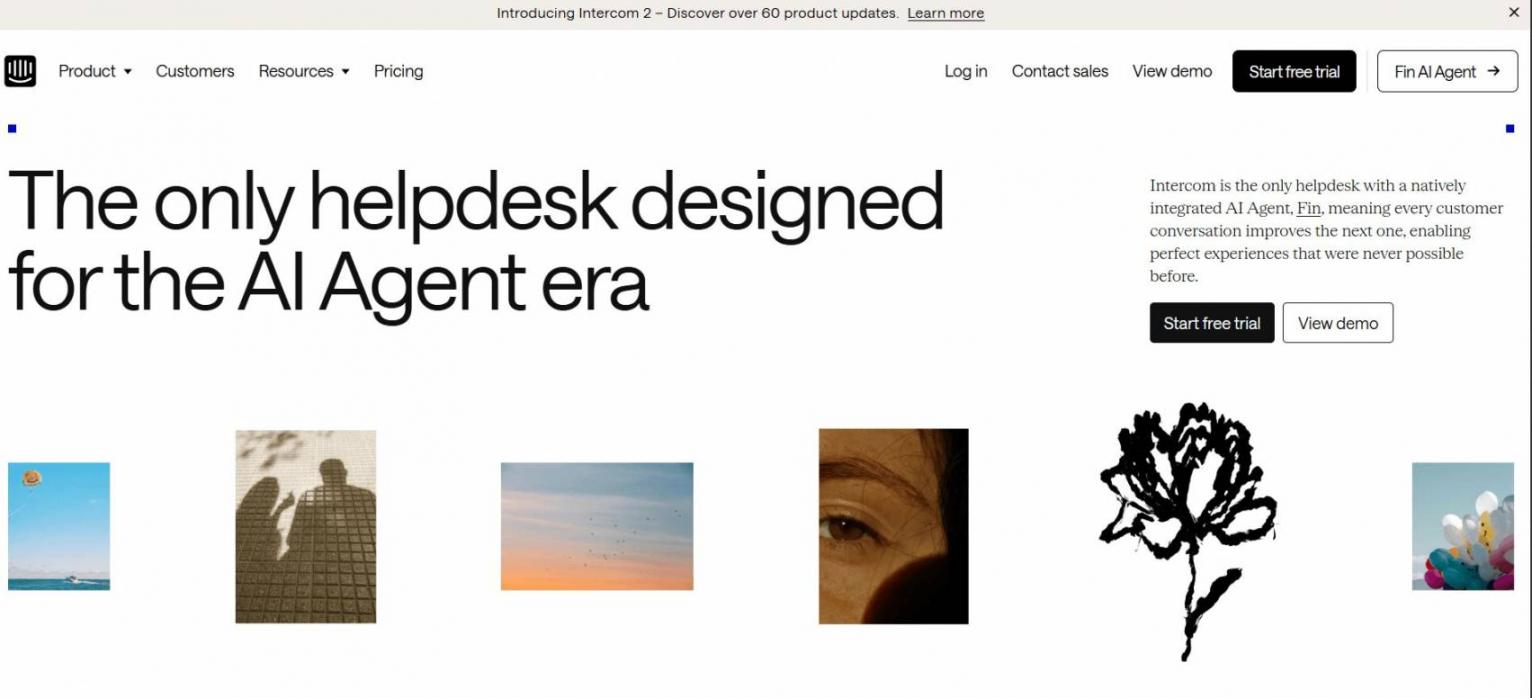
Image via Intercom
This AI customer service software suits digital and SaaS teams that need AI deflection. This means AI can solve a customer's issue before they need to contact a human support agent. This reduces support costs and helps improve customer retention in the long run.
Key Features
- Fin AI Agent: Autonomous AI agent that improves responses by learning from the best human agents in your team
- AI-Assisted Inbox: Team inboxes can connect your teams, channels, and tickets in one place
- Live Customer Intelligence: Access real-time records such as conversation history and behavioral data to tailor responses
- Copilot: Each human agent can have their own AI Copilot to improve responses
- Help Center: Provide customers with help articles in 45 different languages
Pros
- Intuitive interface for beginners
- Improve agent efficiency by speeding up response time
- Reduces support workload by deflecting routine queries through AI
Cons
- Two-layer pricing, such as seats and per-resolution costs, can get confusing
- Costs can climb fast at high ticket volume
- Some users express frustrations over poor customer support
Pricing
- Essential: From $0.99 per Fin outcome, $39 per seat/month
- Advanced: From $0.99 per Fin outcome, $99 per seat/month
- Expert: From $0.99 per Fin outcome, $139 per seat/month
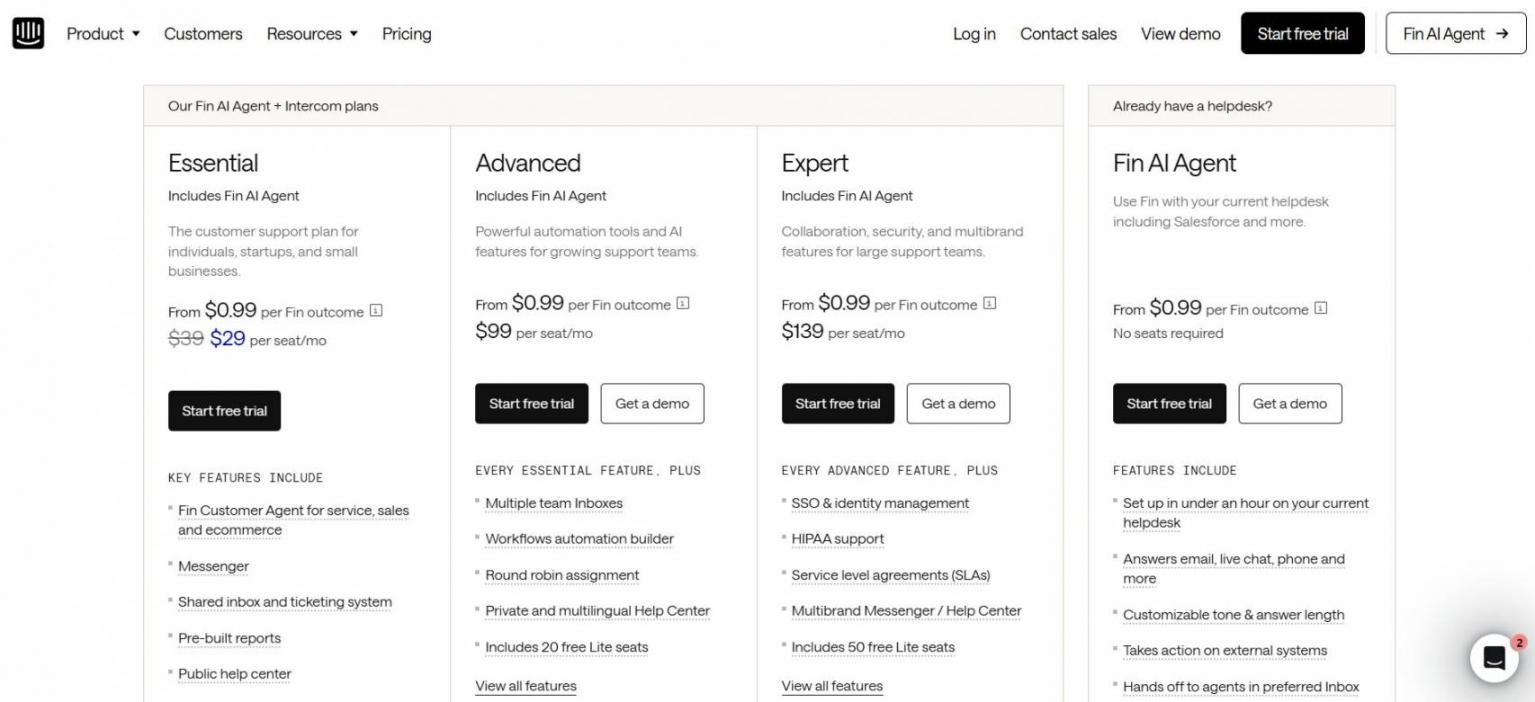
Image via Intercom
Tool Level
- Beginner to intermediate
Usability
- Has a smooth setup and intuitive workflows. Advanced AI features can take time to learn. Users rate this tool a 4.5/5 on G2.
Pro Tip: Model Fin's per-resolution cost against your monthly ticket volume before you buy.
Intercom helps you reduce repetitive support tickets with AI deflection and real-time agent assistance. Fin AI Agent is built to resolve repetitive customer issues without a human. This improves response speed and customer satisfaction.
4. Freshdesk
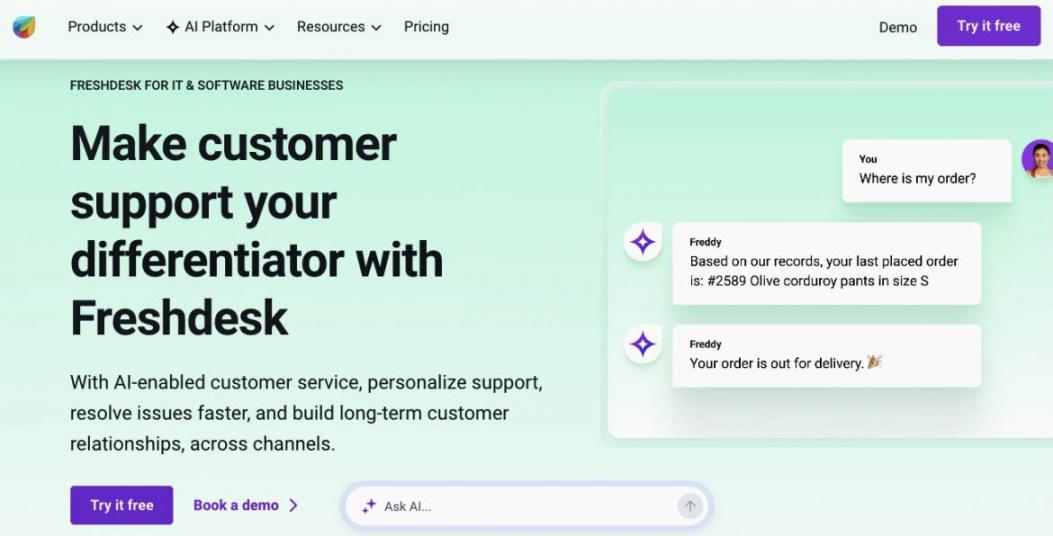
Image via Freshworks
Freshdesk, from Freshworks, is built for small businesses, startups, and mid-market teams needing omnichannel support. This AI customer service software is trusted by 74,000+ businesses worldwide. Users see an average conversational resolution time of under 2 minutes.
Key Features
- Omnichannel Support: Address customer inquiries and resolve issues on any channel with AI and automated workflows
- Freddy AI Agent: Resolves complex, repetitive customer queries
- Freddy Copilot: Human agents get live translations and AI summaries, improving productivity by 60%
- Freddy AI Insights: Track ticket volume and support categories during promotions, product launches, or service outages
- Team Collaboration: All team members can work together to resolve issues
Pros
- Free plan that smaller teams can get started with for six months
- Reduces manual workload on customer support teams
- Users praise the customization options that let them easily adapt workflows to team needs
Cons
- Freddy AI Agent and Copilot are only available in Pro and Enterprise tiers
- Less powerful for very large enterprises with highly complex support workflows
- Prices can get complex with more add-ons
Pricing
- Free for up to two users for six months
- Growth: $23/agent/month
- Pro: $66/agent/month
- Enterprise: $107/agent/month
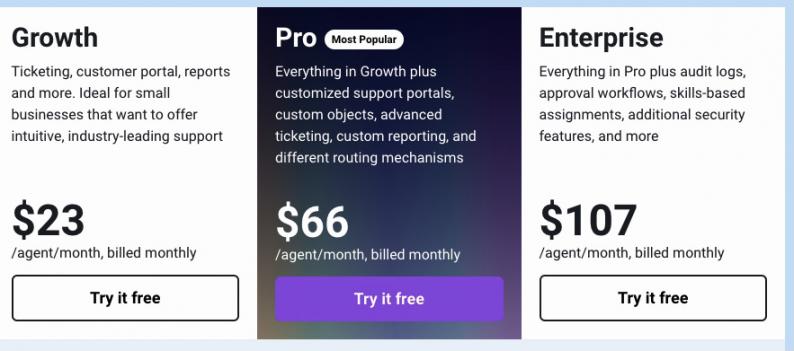
Image via Freshworks
Tool Level
- Beginner to intermediate
Usability
- No steep learning curve, making it ideal for small businesses. It has a 4.4/5 rating on G2, where users highlight its ease of use and automation tools that improve team collaboration.
Pro Tip: The Free and Growth tiers don't include Freddy AI Agent or Copilot. If you need AI for customer support, budget for it early on to avoid unexpected costs.
It equips small and growing teams with automation, AI agents, copilots, insights, and advanced workflows. Teams can start improving responses and resolution rates without the cost or complexity of enterprise-level platforms.
5. Zoho Desk
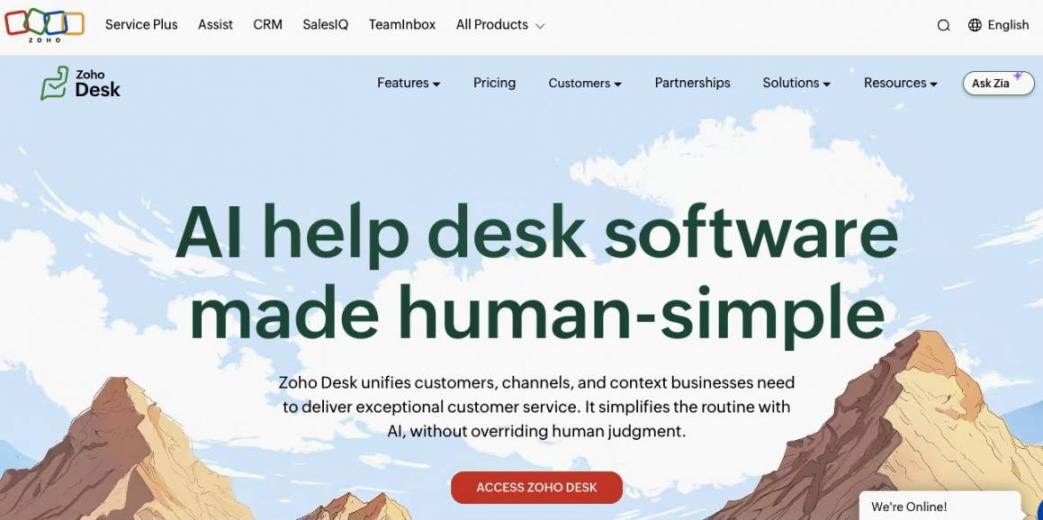
Image via Zoho Desk
Zoho Desk is a budget-friendly AI customer service software for SMBs. Users report a 15% first contact resolution rate and a 48% reduction in customer churn.
Key Features
- Zia AI: Create AI agents for every support need, such as resolution experts or sentiment analysts
- Blueprint Automation: Create sequences for ticket handling with the drag-and-drop Blueprint Builder, and ensure steps run automatically in the order you set
- Help Center: Create widgets with self-help capabilities, build a community for customers, and offer help in 50+ languages
- Zoho Integration: Integrates with some of the best CRM tools like Zoho CRM and 360+ apps
- User Customization: Allow human agents to customize their workspace and access Zoho Desk in 20+ languages
Pros
- Designed with Zoho’s commitment to security, privacy, and responsible data
- Offers a free plan that lets you automate tasks and create a help center
- Transparent pricing with flexible plans and no hidden costs
Cons
- Blueprint automation is only available in the Professional tier
- Some users find customization options confusing
- Users mention that Zoho Desk’s UI and reporting can be complex
Pricing
- Free forever for up to three users
- Express: $9/user/month
- Standard: $20/user/month
- Professional: $35/user/month
- Enterprise: $50/user/month
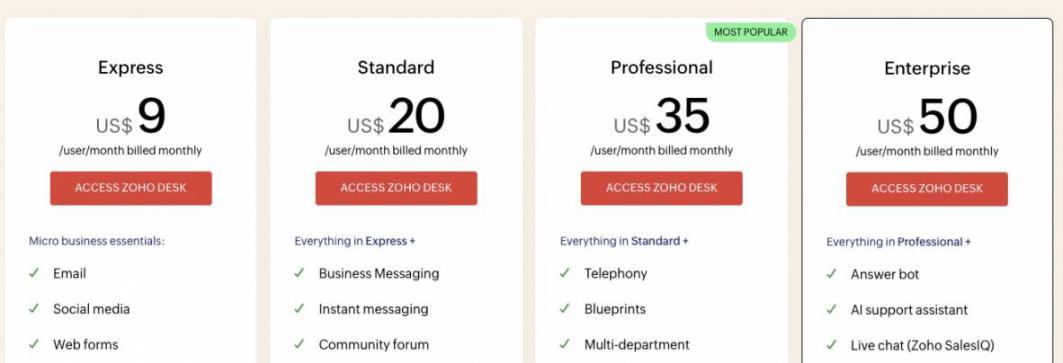
Image via Zoho Desk
Tool Level
- Beginner
Usability
- Generally easy to get started with for small businesses and startups due to its simple setup and guided workflows. Users rate the tool 4.4/5 on G2.
Pro Tip: Connect Zoho Desk with Zoho CRM. This gives human agents instant access to customer data, like their history. Agents can personalize responses and increase customer satisfaction.
Zoho Desk has a free forever plan that lets you create help centers and automate tasks. AI agents and blueprint automation requires the paid tiers. However, Zoho Desk paid tiers are more affordable compared to other AI customer service software tools.
6. Salesforce Service Cloud
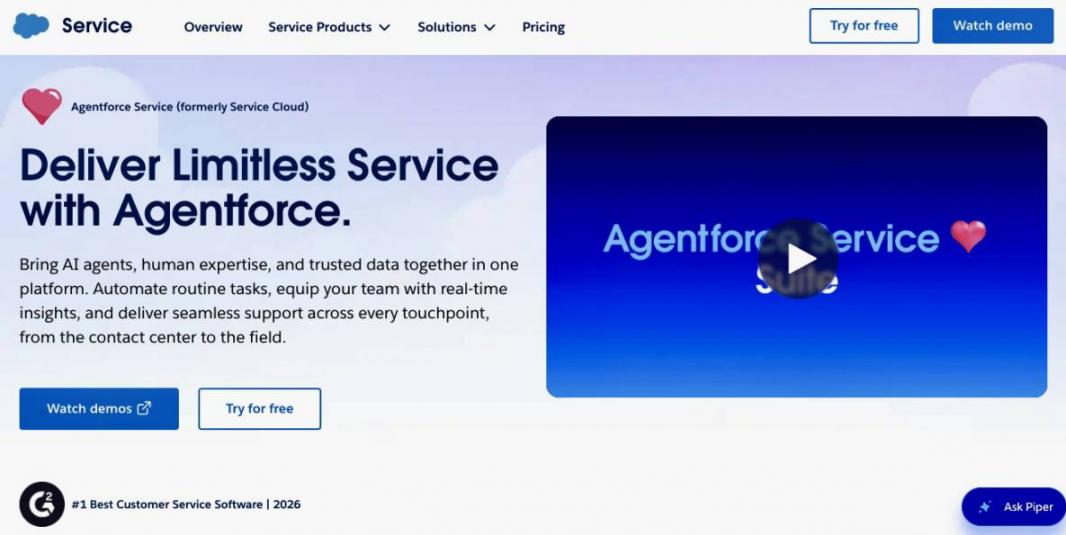
Image via Salesforce
Salesforce Service Cloud is the enterprise-grade choice in AI customer service software. It suits large or complex teams already on Salesforce. Its AI, Agentforce, solves around 85% of customer queries without a human.
Key Features
- Agentforce: Autonomous AI agents that deliver immediate answers 24/7 and reduce response time by 65%
- Einstein Bots: Deploy Einstein bots to every part of your business, from sales to marketing, to qualify and convert leads
- Case Management: Manage all customer interactions from one AI-powered workspace
- Omnichannel Personalization: Link every interaction to customer records and provide personalized interactions across any channel
- Data Cloud: Provides immediate access to customer journeys regardless of the touchpoints (call, chat, or social media)
Pros
- Users get free self-service resources and 24/7 technical support
- Integrates with CRM, analytics, and communication tools
- Helps reduce costs with streamlined workflows and deflection through customer portals
Cons
- No free plan
- Steep learning curve for beginners
- Users mention that Salesforce Service Cloud’s pricing structure can be too expensive
Pricing
- Started Suite: $25/user/month
- Pro Suite: $100/user/month
- Enterprise: 175/user/month
- Unlimited: $350/user/month
- Agentforce 1 Service: $550/user/month
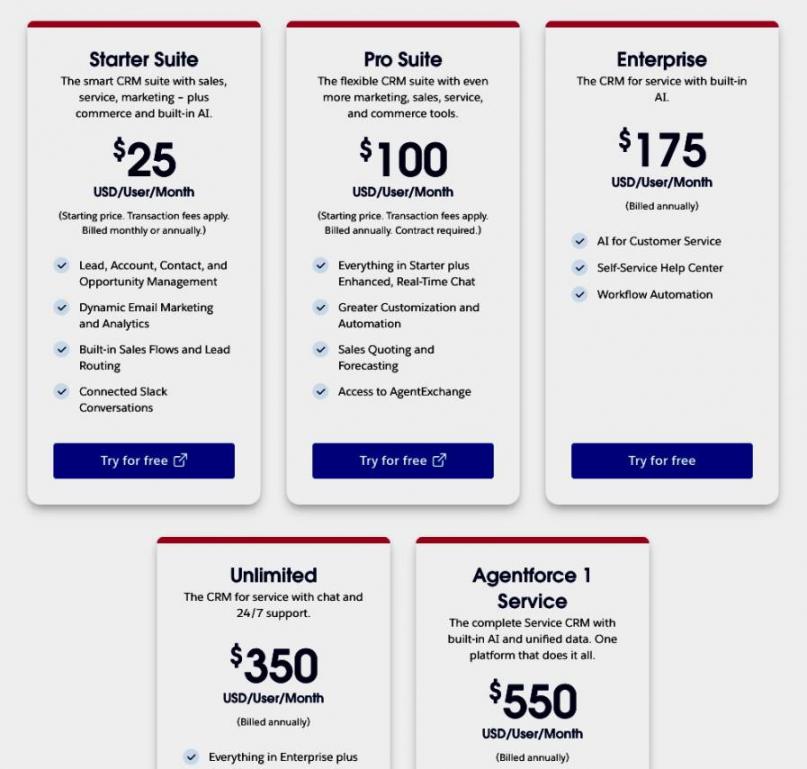
Image via Salesforce
Tool Level
- Advanced
Usability
- Most teams need an admin or partner to set up the tool due to its steep learning curve. Users rate it 4.4/5 on G2.
Pro Tip: Combine customer interactions from sales, service, and marketing in one place with Data Cloud. Then, Agentforce can use the full customer history to send tailored responses. This increases customer satisfaction and improves retention.
Salesforce Service Cloud can handle high support ticket volumes, even across global teams. It's designed for businesses that already use Salesforce. Sales, marketing, and service teams can all have access to the same customer data.
Then, Agentforce AI can personalize responses and even resolve around 85% of customer queries without human support.
7. Tidio
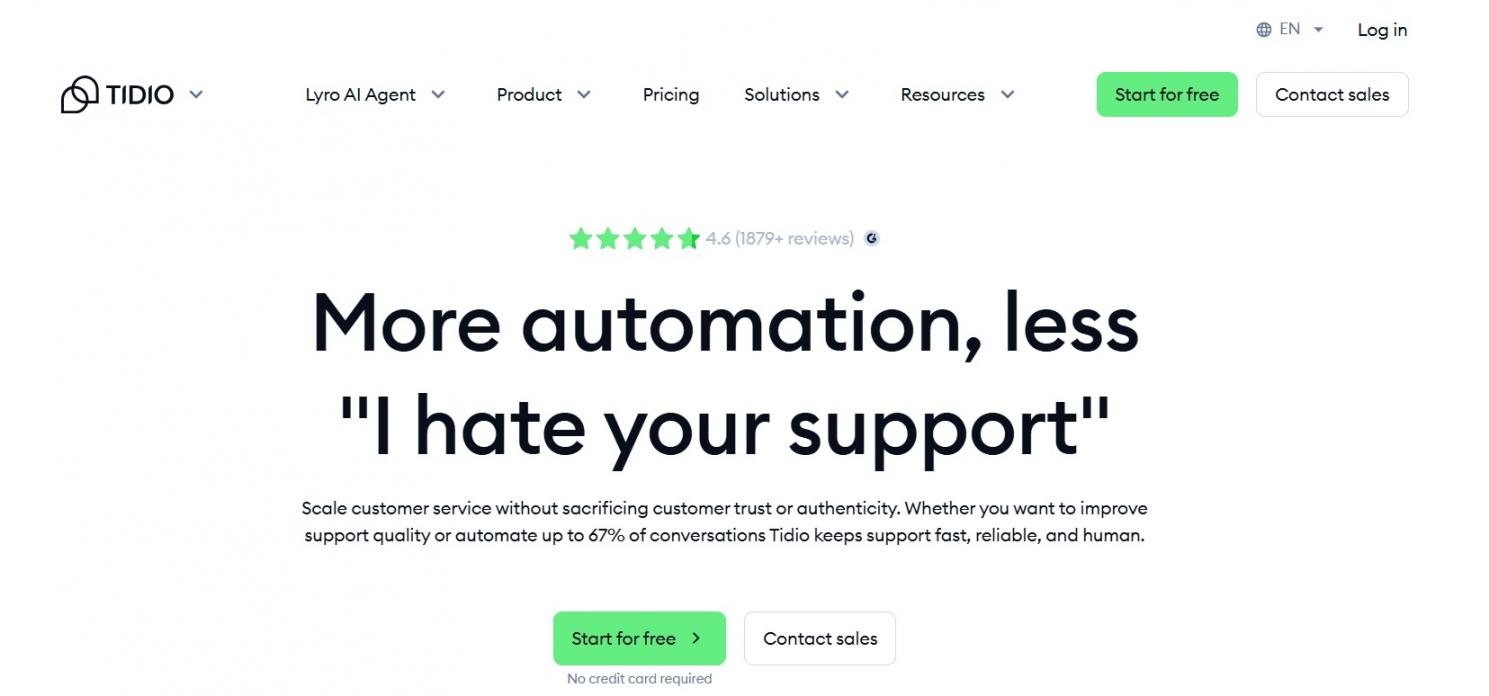
Image via Tidio
This AI customer service software is built for ecommerce brands and small teams needing AI agents and live chat features.
Key Features
- Lyro AI Agent: Resolves both routine and complex customer questions in your brand voice, in 48 languages
- Live Chat: Get live typing recommendations to improve response speed, and start live video calls directly from your site
- Real-Time Visitor Monitoring: Track what visitors do on your website and reach out to them directly
- Shared Inbox: Collaborate with your team in real time and resolve issues faster
- Ecommerce Integrations: Shopify, CRMs, marketing tools, and more
Pros
- Money-back guarantee if Tidio doesn’t help you increase resolution rates by 50%
- Affordable pricing and a Free plan
- Cut costs of hiring a full support team with Lyro AI Agent that resolves complex queries like a human
Cons
- Starter caps the number of Lyro conversations to only 50
- High price jumps between tiers
- Users point out the need for more customization options
Pricing
- Free
- Starter: $29/month
- Growth: $59/month
- Plus: $749/month
- Premium: Contact the sales team
- Start with Lyro AI Agent separately at $39/month
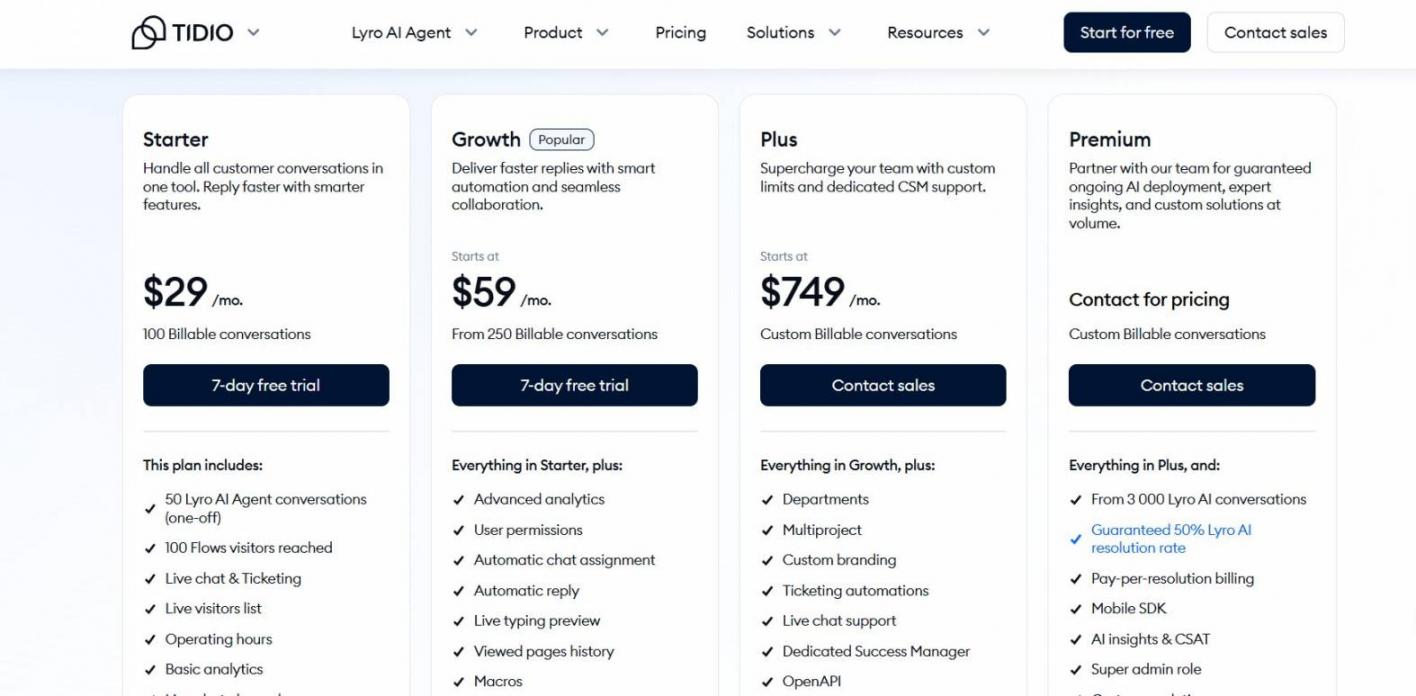
Image via Tidio
Tool Level
- Beginner to intermediate
Usability
- Tidio is one of the easiest tools to launch. It has a 4.6/5 G2 rating. Users praise its simplicity and ease of setup.
Pro Tip: Check your monthly chat volume before choosing a plan. Tidio limits Lyro AI Agent conversations, and you can run out of coverage as your store grows.
Tidio combines AI agents, live chat, and ecommerce integrations in a platform. This helps eliminate the need to juggle multiple apps. Its AI agent Lyro solves both routine and complex issues like a human.
This empowers businesses to automate support and increase sales without the cost of a large support team.
8. Gorgias
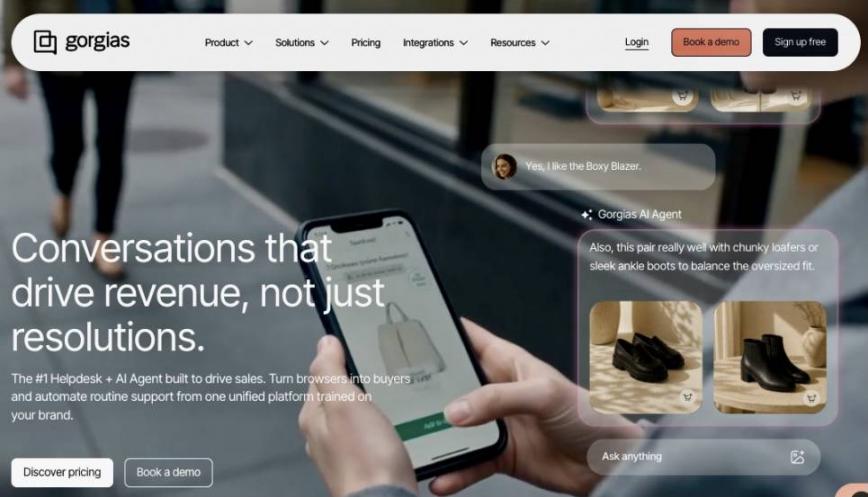
Image via Gorgias
Gorgias is a top pick among AI customer support software tools for ecommerce brands. Its Helpdesk and AI Agent are built to turn browsers into buyers and automate routine support.
Key Features
- AI Agent: Autonomously resolves a ticket or escalates it to a human agent
- Shopping Assistant: Trained on Shopify store customer data, personalizes messages, and increases engagement by 50%
- Shopify Integration: Offer personalized recommendations, chat in checkout, and Adaptive AI
- Macros: Create pre-made replies, then personalize them with variables such as customer names
- Revenue Statistics: See how much revenue is brought in from your customer support team
Pros
- Pre-trained on over one billion conversations
- AI coaching helps agents get better with every conversation
- Increases sales and customer satisfaction by speeding up ecommerce issue resolution
Cons
- No free plan
- Some G2 reviewers report that it has a steep learning curve
- Costs scale fast with order and ticket volume
Pricing
- Starter: $10/month
- Basic: $50/month
- Pro: $300/month
- Advanced: $750/month
- Enterprise: Custom pricing
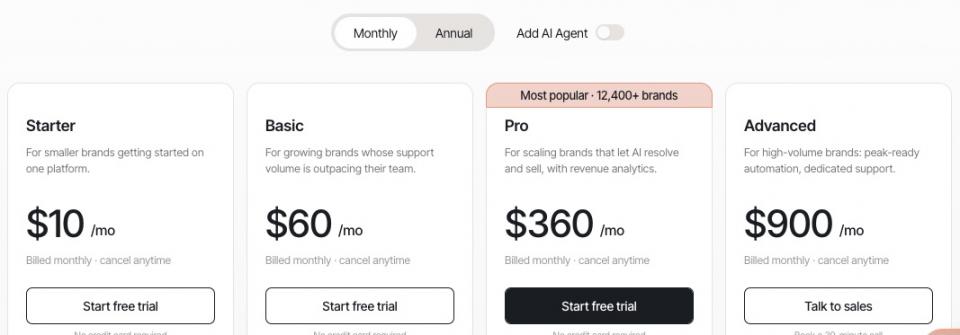
Image via Gorgias
Tool Level
- Beginner to intermediate
Usability
- Gorgias is intuitive and easy for Shopify brands to set up. It has a 4.6/5 rating on G2.
Pro Tip: Keep track of the per-resolution AI costs. If you’re starting out, it helps to explore different AI solutions for ecommerce before choosing a tool.
Gorgias helps ecommerce stores drive 50% higher engagement with AI Agents and Shopping Assistants. It helps improve response speed with pre-made replies.
This increases customer satisfaction and revenue. It also helps you measure the exact revenue generated from support teams.
9. Help Scout
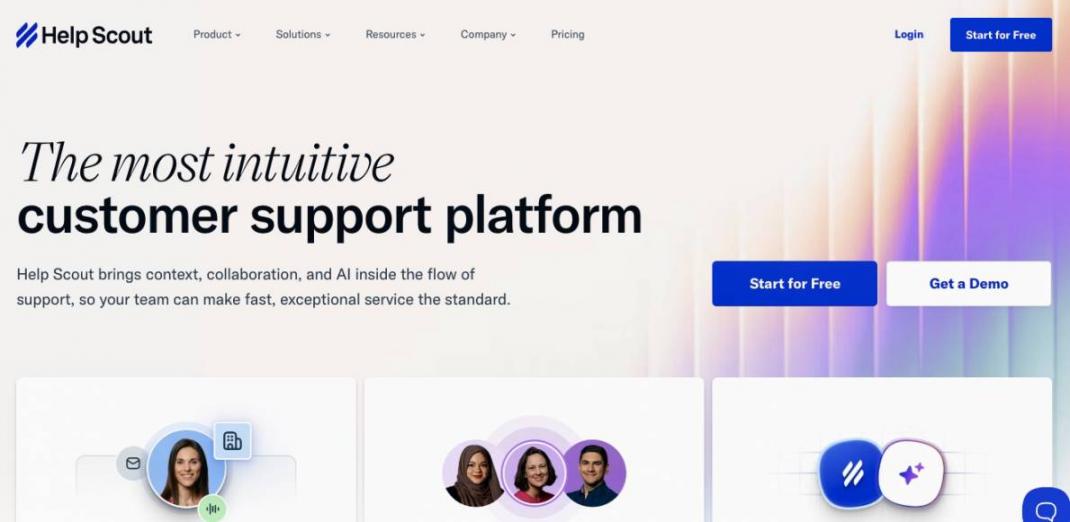
Image via Help Scout
Help Scout is an intuitive AI customer service software made for lean teams that want a shared inbox. It also includes AI drafts, summaries, and chatbots.
Key Features
- Shared Inbox: Manage, reply to, and track customer conversations from one unified mailbox
- AI Assist and Drafts: Get reply suggestions and rewrites before sending messages
- AI Summarize: Summarize long conversations instantly
- AI Answers: AI Agent powered by OpenAI that uses your Docs Knowledge Base to provide accurate responses to common queries
- Docs Knowledge Base: Built-in library of help articles, FAQs, and guides for customers
Pros
- Free plan available
- Integrates with 100+ tools, including marketing and CRM tools
- An intuitive interface that beginners can learn fast
Cons
- Limited reporting compared to other AI customer service software
- AI Answers is a separate per-resolution add-on that can increase costs
- Limited customization for complex workflows
Pricing
- Free for up to five users
- Standard: $30/user/month
- Plus: $45/user/month
- Pro: $90/user/month
- The add-on for AI Answer is $0/75/resolution
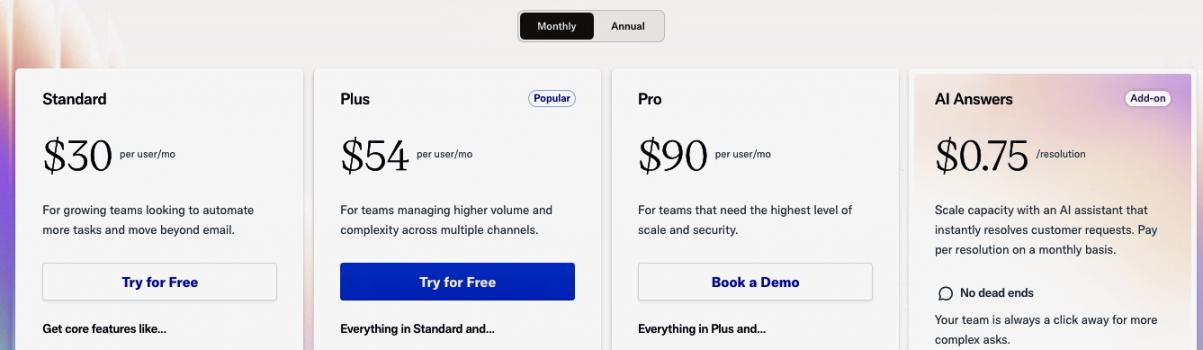
Image via Help Scout
Tool Level
- Beginner
Usability
- The tool earns a 4.4/5 on G2 for its simplicity. It also offers quick onboarding for small businesses.
Pro Tip: Choose Help Scout when you want shared inboxes or AI chatbots over a heavy ticketing system. You can switch to more powerful tools, such as HubSpot or Zendesk, as your business grows.
Help Scout eliminates the complexity of enterprise customer support platforms. Instead it offers an intuitive shared inbox, built-in AI tools, and a self-service knowledge base.
It also has a minimal learning curve. New hires can start answering tickets immediately without long training sessions.
Customer Data, Security, Compliance – What Should You Consider?
Customer data, security, and compliance must be checked before you start using any AI customer service software. This includes checking whether tools follow privacy laws, keep customer data secure, and help control who can access it.
In fact, security is also a major concern in AI adoption. 51% of customer service leaders say it has delayed or limited their AI initiatives, according to Salesforce.
I’ve broken down the most important security and compliance factors to verify when choosing an AI customer service tool:
| What to Verify | Why it Matters |
|---|---|
| SOC 2 Type II | Proves security controls like backups, data access, and encryption are working over time |
| ISO 27001 | A framework that proves vendors have an information security management system to handle risks |
| GDPR and CCPA | This is required to handle EU and California customer data lawfully |
| HIPAA / PCI DSS | Needed if you handle health data or processing credit card transactions |
| Data Residency | Ensures customer data is stored within required geographic regions to meet local laws |
| Encryption (In Transit and At Rest) | Protects data from interceptions when it’s being sent or stored |
| RBAC (Role-Based Access Control) | Limits access within your company so only approved users can view customer data |
| No Training on Customer Data | Ensures customer conversations are not used to train shared AI models of fed into LLMs |
| Audit Logs | Tracks actions taken by users in your company so data access can be reviewed or traced |
Always verify certifications through the vendor’s official trust center. Security and compliance claims can also differ by plan and may not apply to all users. Some vendors rely on certified cloud platforms like AWS or Google Cloud for security, instead of holding every certification themselves.
It can be, if the vendor has SOC 2 Type II and encrypts data. The vendor should not use customer data to train shared AI models, and it must meet your region's privacy laws. Always verify this before you choose an AI customer service software.
How Do You Measure the Impact of AI Customer Service Software on Customer Experience?
Start by tracking key metrics such as customer satisfaction, response times, and deflection rate. You should also track containment rate, escalation rate, and cost per contact. This shows whether AI is improving customer conversations, service quality, and team efficiency.
Below, I’ve broken down key KPIs to track, what they mean, and how AI typically influences them:
| KPI | What It Is | How AI Impacts It |
|---|---|---|
| CSAT | Customer satisfaction after a support interaction | Improves with fast, consistent answers and reduces is answers are inaccurate |
| First Response Time | Time to the first reply | Reduces when AI agents or chatbots reply instantly |
| Resolution Rate | Percentage of issues fully resolved | Increases when AI can solve issues without human help |
| Deflection Rate | Issues resolved without creating a ticket, such as through self-service | Rises with a strong knowledge base for customers |
| Containment Rate | Share of issues handled fully by AI without human agents | Increases as AI handles more conversations end-to-end |
| Escalation Rate | Share of issues passed to human agents | Decreases as AI becomes more accurate |
| Cost Per Contact | Average cost to resolve one customer issue | Falls as automation reduces human agent workload |
The goal is to improve resolution rates, reduce costs, and increase customer satisfaction. This helps improve customer retention.
AI can significantly improve efficiency in customer support teams. For example, service teams using AI report around 20% less time spent on routine cases. This frees up hours for more complex issues, according to Salesforce.
Customers expect more now, too. Around 74% expect 24/7 service because of AI, per Zendesk CX Trends 2026.
You can invest in tools like HubSpot Service Hub that report 39% less time in closing tickets with its AI Agent. Zendesk’s Copilot also assists human agents in recovering issues and improves productivity by 82%.
If your team relies on email as the primary support channel, then timetoreply is a great tool to have in your toolkit. It tracks how quickly your team replies to customer emails and sends alerts when they are about to miss SLA thresholds. Use it along with your AI customer service software solution to get the best results.
Track metrics such as resolution rate, response time, CSAT, and deflection rate. Also track containment and escalation rates, as well as cost per contact.
The AI customer service software you choose should improve response speed and resolution rate. This will help improve customer satisfaction and increase revenue in the long run.
AI for Customer Service – What Are The Trends to Watch in 2026?
AI customer service in 2026 is shifting from only assisting human agents to autonomous AI that can resolve issues on its own. Customers also want to know when AI is involved in solving queries. Additionally, most support teams haven't deployed AI at a mature level. Let's break this down:
AI Is Handling More Customer Service Conversations
By 2027, AI is expected to handle 50% of customer service cases, up from 30% today, per Salesforce data.
This shows that AI is moving beyond basic assistance. More businesses now trust AI to resolve customer issues without human involvement. This means businesses can cut costs and still resolve more queries without hiring new agents.
AI Transparency Is Becoming Essential
95% of consumers expect an explanation for AI-made decisions. 80% of CX leaders believe AI transparency will be required within two years, according to Zendesk.
Customers want to know why AI gave a specific answer or recommendation. If you can clearly explain why AI gave a specific answer, you're more likely to earn customer trust.
AI Adoption Is High, but Full Integration Is Still Low
82% of organizations invested in AI in 2025, 87% plan to invest in 2026. However, only 10% of teams have reached mature, fully integrated AI deployment, according to Intercom.
This means most businesses are still experimenting with AI. Very few have connected AI to their customer data, support workflows, and daily operations.
AI Tools Glossary & Technical Checklist
New to this space? Here are the key terms, followed by a checklist you can use to test vendors before committing:
- NLP (Natural Language Processing): A branch of AI that allows machines to read, interpret, and generate human language
- NLU (Natural Language Understanding): A subset of NLP that allows computers to interpret and extract meaning from human language
- LLM (Large Language Model): An AI model trained on text to understand and generate language
- Generative AI: AI that creates new content such as text, images, audio, or code
- Conversational AI: AI that can understand and respond to human conversations
- Agentic AI: AI that makes decisions and completes multi-step tasks on its own
- RAG (Retrieval-Augmented Generation): A framework that allows AI models, like ChatGPT, to search external documents for facts before answering a question
- Intent Recognition: Identifying the goal or purpose behind a user's message
- Sentiment Analysis: A technique that evaluates text to determine if the underlying tone is neutral, positive, or negative
- Knowledge Base: A centralized collection of information or articles that AI uses to answer questions
- Ticket Deflection: Resolving a customer issue through self-service before a support ticket has to be created
- Containment: Resolving a customer query entirely with AI
- Hallucination: When AI generates incorrect information and presents it as factual
Use this checklist to evaluate any AI customer service software before you buy:
- Does it support all the customer channels you use, such as chat, email, voice, and social media?
- Which languages can it understand and respond in?
- Does it integrate with your CRM and other business tools?
- Can it use your knowledge base to generate accurate answers?
- Does it meet security and compliance requirements?
- Can it track key metrics such as resolution rate, CSAT, deflection rate, and cost per contact?
- Can it escalate issues smoothly to human agents when needed?
- Is the pricing affordable and predictable for your expected support volume?
FAQ
Q1. What is AI customer service software?
A. AI customer service software uses NLP and machine learning to handle, route, and resolve support requests. The best tools resolve routine queries on their own and escalate complex ones to human agents.
Q2. What is the best AI customer service software?
A. There is no single best tool. Some of the best tools to choose from are HubSpot Service Hub, Zendesk, Intercom, and Freshdesk. You can also try Zoho Desk, Agentforce Cloud, Tidio, Gorgias, and Help Scout. Match the tool to your team size, channels, and budget.
Q3. How is AI used in customer service?
A. AI is used to answer customer questions, route tickets, suggest replies, and summarize conversations. It's also used to analyze sentiment and automate routine support tasks. The most advanced tools can resolve common issues without human involvement. This allows human support agents to focus on complex cases.
Q4. Can AI replace customer service agents?
A. Not fully. AI automates routine, repetitive questions like order status and password resets. It escalates complex tickets to human agents. AI copilots can also help improve human agent productivity.
Q5. How much does AI customer service software cost?
A. Pricing varies. Some of the best AI customer service software tools, like HubSpot or Freshdesk, offer Free tiers. Paid plans typically start at around $9–$30/user/month. Per-resolution costs also vary, with some tools charging $0.99 and others charging $0.75. Always compare pricing based on your needs before subscribing to a tool.
Q6. What is the difference between an AI agent, a copilot, and a chatbot?
A. An AI agent responds to and resolves routine customer queries. A copilot helps human agents by suggesting replies and creating message drafts. A chatbot answers basic customer inquiries using preset scripts.
Q7. Is AI customer service software secure?
A. It can be. Always verify how secure a tool is. Look for SOC 2 Type II and encryption in transit and at rest. Confirm data isolation, so your data is not used to train shared models. Then check the privacy standards your region requires. You can verify each claim at the vendor’s trust center.
Q8. How do I choose AI customer service software for a small business?
A. Start with your channels, team size, and budget. Check setup ease, integrations, and free-tier limits. For small or growing teams, HubSpot Service Hub, Tidio, and Help Scout are some of the powerful options.
Q9. Does AI customer service software work for ecommerce?
A. Yes. Tools like Gorgias and Tidio can handle high volumes of order, shipping, and return questions. They integrate with platforms like Shopify. The AI can then pull live order data and resolve common tickets fast.
Final Thoughts
The best AI customer service software for your business depends on your team size, channels, and budget. The top tools I’ve broken down in this listicle include HubSpot Service Hub, Zendesk, Intercom, Freshdesk, and Zoho Desk. I’ve also included tools such as Agentforce Cloud, Tidio, Gorgias, and Help Scout.
These tools help businesses automate support, reduce response times, and improve customer experience. Before choosing, check if the tool supports your main support channels, like chat, email, and social media.
Also, review its integrations, security standards, and how well its AI handles real customer queries. Finally, compare pricing based on your actual support volume and growth needs.
For example, Zendesk is best for large businesses, while Gorgias is best for ecommerce brands. You can also start with HubSpot Service Hub if you have a small or growing business.
Disclaimer: This content contains some affiliate links for which we will earn a commission (at no additional cost to you). This is to ensure that we can keep creating free content for you.