A conversational AI platform is a software solution that builds and manages AI assistants for customer conversations across chat and voice. It can instantly answer customer queries, qualify leads, and personalize conversations at scale. My top three picks for customer engagement in 2026 are HubSpot, Intercom, and Zendesk.
Your customers now expect instant, around-the-clock, personal answers. A human-only team cannot keep up, and the gap shows up as slow replies and lost sales.
So I tested and compared the platforms that marketing and support teams actually evaluate. This guide covers what a conversational AI platform is and how it works. Then it ranks the nine best tools with honest pros, cons, and pricing. It also shows how to choose and how to measure engagement.
Disclaimer: This content contains some affiliate links for which we will earn a commission (at no additional cost to you). This is to ensure that we can keep creating free content for you.
According to Gartner, at least 70% of customers will use conversational AI to start a service request by 2028. The category has moved from “nice to have” to table stakes.
I have developed various chat and AI agent workflows for clients in SaaS and ecommerce. Naturally, the selections listed here are the ones that work well in real-world scenarios, not just those that look good on paper.
Table of Contents
What Is a Conversational AI Platform
A conversational AI platform is software that understands customer messages and responds in real time across chat, messaging, and voice channels. It runs on natural language processing and machine learning. Unlike a single chatbot, a platform lets you build, deploy, and manage many AI assistants and agents at once.
Think of it as the engine room behind the chat widget. It connects to your knowledge base and systems. Then it interprets what a customer means, replies in natural language, and learns from each conversation.
The market reflects how fast this is growing. The global conversational AI market reached $14.3 billion in 2025. It should hit $78.9 billion by 2033, growing at 38.2% annually, per Grand View Research.
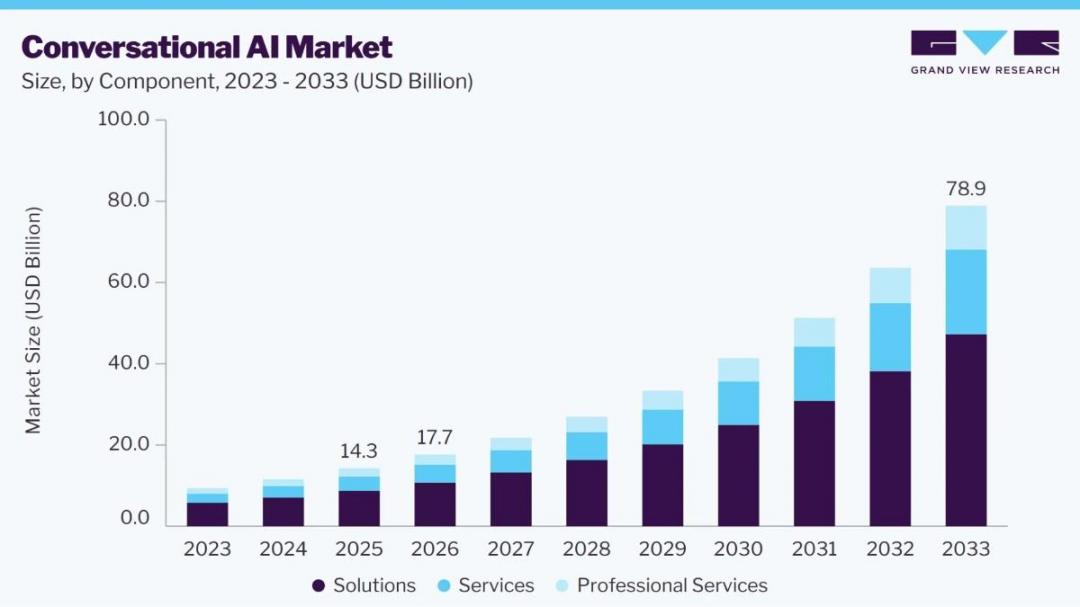
Image via Grand View Research
How Conversational AI Works: NLP, NLU, LLMs, and Machine Learning
Conversational AI works in four key steps, and each one maps to a piece of the technology:
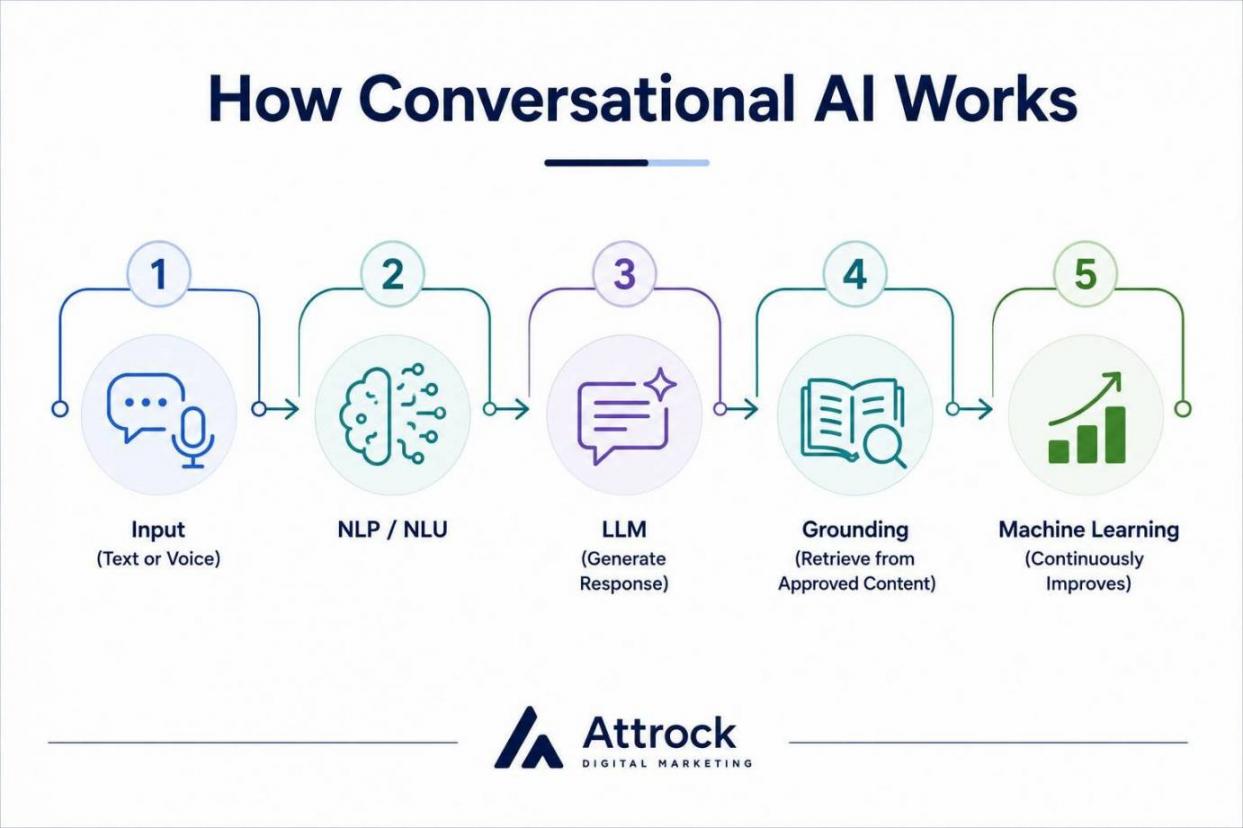
First, the platform receives input as text or voice. Second, natural language processing (NLP) and natural language understanding (NLU) analyze the message to identify the intent and main points.
Third, a large language model (LLM) drafts a suitable answer, usually based jointly on your help content via retrieval. Finally, machine learning improves accuracy as more conversations get processed.
That grounding step matters. When the model pulls answers from your approved content, it stays accurate and cites its source. That grounding keeps artificial intelligence from inventing facts.
How does a conversational AI platform actually work?
- It understands intent using NLP and NLU
- It generates a grounded answer using an LLM
- It improves through machine learning
The platform layer lets you manage that across every channel at once.
Conversational AI vs. a Basic Chatbot
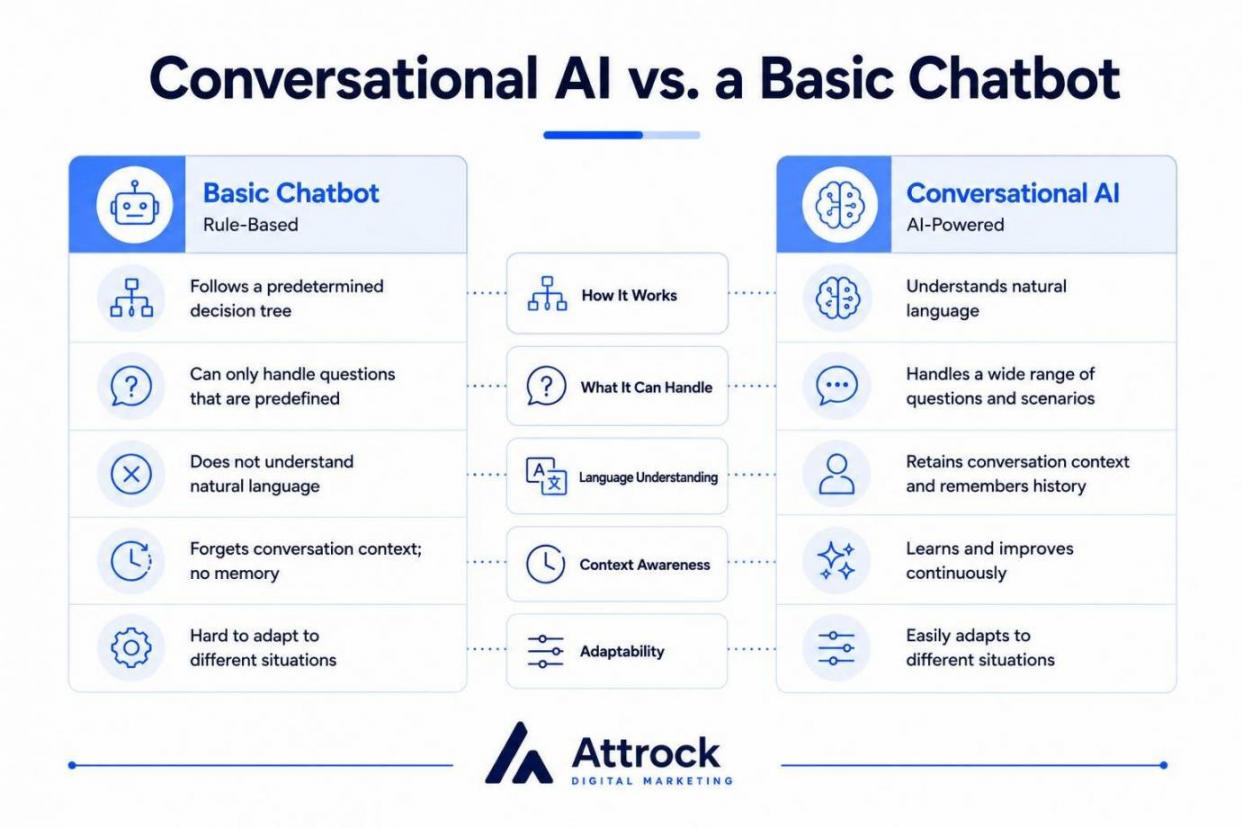
Basic chatbots are programmed with a predetermined decision tree. They can only handle questions that you have predefined. Conversational AI platforms, on the other hand, can understand natural language and retain conversation context. They can also easily adapt to different situations.
That difference is why a scripted bot frustrates customers while a true platform engages them. And yes, ChatGPT is a conversational AI. But it is a consumer assistant, not a business platform you configure for your own customers.
Conversational AI Capabilities: Chatbots, Assistants, Agents, and Copilots
Before you compare tools, you need to distinguish between capability types, because vendors use these terms loosely. The five you will meet are rule-based chatbots, generative chatbots, virtual assistants, AI agents, and AI copilots.
Each one handles a different engagement task, from answering a single scripted question to resolving a full request without human intervention.
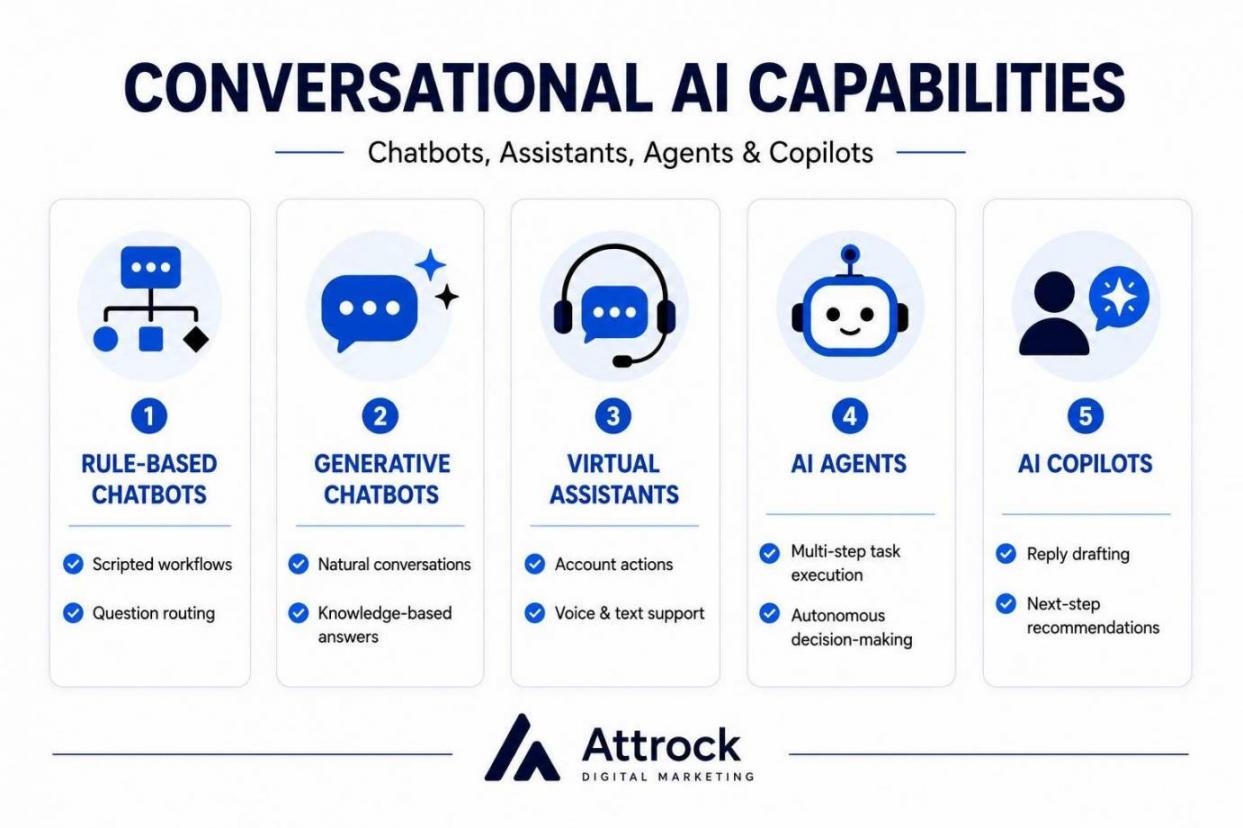
| Capability | How It Works | Best Customer-Engagement Use |
|---|---|---|
| Rule-based chatbot | Scripted decision trees, no real understanding | Simple FAQs, routing, lead capture forms |
| Generative (AI) chatbot | LLM generates answers from your content | Free-form support questions, product help |
| Virtual assistant | Voice or text assistant with broader skills | Guided self-service, account actions |
| AI agent | Autonomous, completes multi-step tasks | End-to-end resolution: refunds, troubleshooting |
| AI copilot | Assists a human agent in real time | Drafting replies, summarizing, suggesting next steps |
The shift everyone is talking about is the move toward AI agents. These act on their own. Generative AI and more advanced large language models have made them reliable enough to trust with live customers. Most conversational AI tools today blend several of these capabilities.
Channel coverage is the other axis that matters. The best conversational AI solutions work across web chat, WhatsApp, social, email, and voice. A customer can switch channels without repeating themselves.
Most platforms also hand off to human agents when a conversation gets complex or emotional. But that handoff is part of the design and not a failure. Service teams estimate that AI handles about 30% of cases today. That will rise toward 50% by 2027, per Salesforce’s State of Service report.
What is the difference between a chatbot and an AI agent?
A chatbot answers questions. An AI agent completes tasks end-to-end, such as processing a refund, and only escalates to a human when necessary.
How I Picked the Best Conversational AI Platforms
I picked these platforms based on six criteria:
- Answer quality
- Channels
- Integrations
- human handoff
- Security
- Verified pricing
Each tool below earns its place on real capability, not marketing claims.
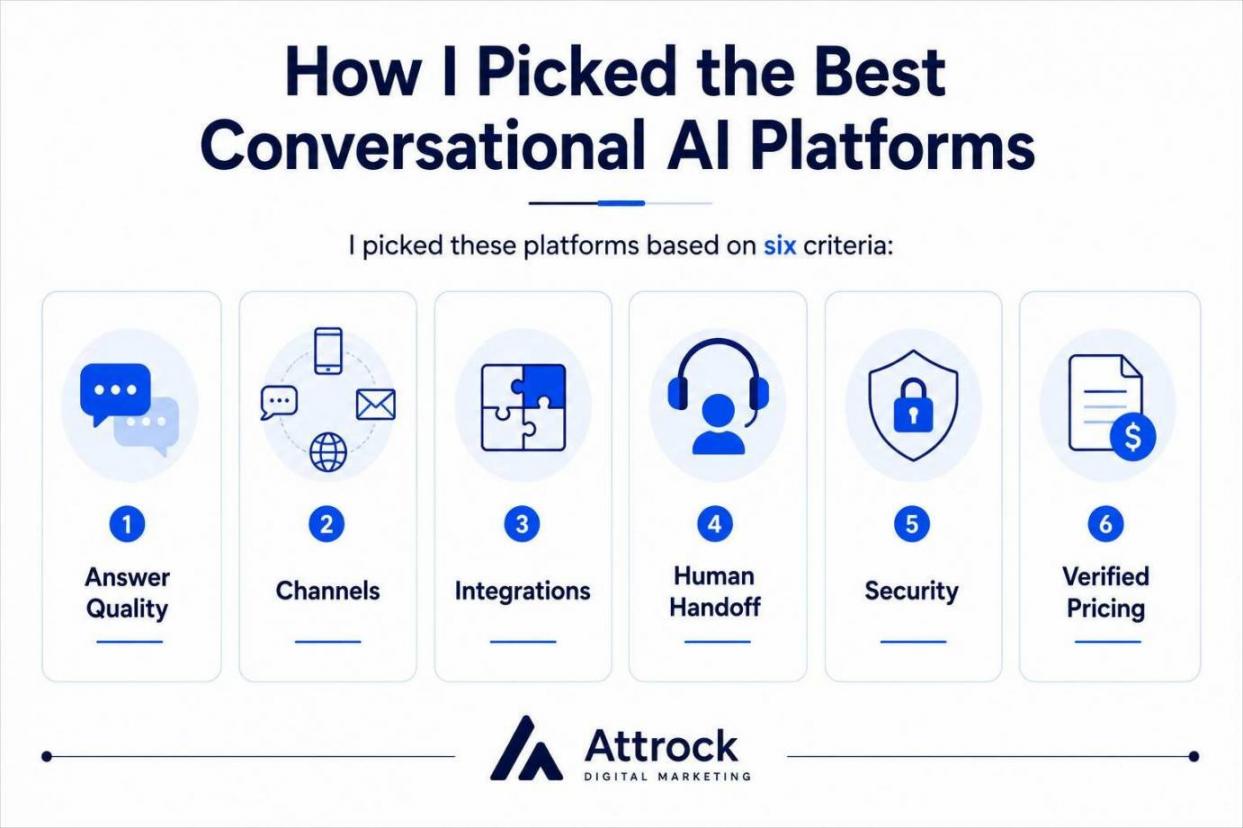
Here is how I weighted them. I rated the quality of the answers based on how well a tool could refer back to your content in its replies. It's referring back to content that keeps a bot on the right track. I looked at channel coverage across chat, messaging, and voice as these are the main channels through which customers are engaged.
I also weighed integrations with your CRM and help desk, the human agents' handoff, and security and compliance. Then I verified pricing on each vendor’s page and cross-checked ratings on G2.
I included honest cons for each tool to the same level of detail. A listicle that only praises is not useful. You deserve to know where each platform struggles before you commit a budget.
Quick Comparison of the Best Conversational AI Platforms
Here are the nine best conversational AI platforms. You can click any tool name to jump to its full review. Pricing is current as of June 2026; always confirm on the vendor’s page before making a purchase.
| Tool | Best For | Starting Price (monthly) | G2 Rating | Free Plan |
|---|---|---|---|---|
| HubSpot | All-in-one CRM + AI customer engagement | Free tools; Service Hub from $10/seat | 4.4/5 | Yes |
| Intercom | SaaS support with outcome-priced AI | Essential $39/seat; Fin $0.99/resolution | 4.5/5 | No (trial) |
| Zendesk | Omnichannel CX suite with AI bundled | Suite Team $55/agent | 4.3/5 | No (trial) |
| LivePerson | Enterprise messaging-first engagement | Custom (contact sales) | 4.3/5 | No |
| Ada | Enterprise autonomous resolution | Custom (contact sales) | 4.6/5 | No |
| Sprinklr | Enterprise social + omnichannel CX | Custom (contact sales) | 4.3/5 | No |
| Tidio | SMB and ecommerce live chat + AI | Free; Starter $29 | 4.6/5 | Yes |
| Kore.ai | Enterprise custom voice + chat agents | Custom (contact sales) | 4.6/5 | No |
| Yellow.ai | Multilingual, multichannel automation | Freemium; premium custom | 4.4/5 | Yes |
How to Choose a Conversational AI Platform
Match the platform to your channels, your volume, needs, and skill level. The longest feature list rarely wins; the right fit for your situation does.
Start with where your customers engage you the most. If most of your engagement is web chat and WhatsApp, a no-code tool will help you go live quickly. But if you have a high volume of voice traffic beyond digital, an enterprise platform capable of handling that load would be necessary.
Next, pay close attention to the pricing model, as it can affect your overall expenses even more than the platform's price tag.
Choose a Conversational AI Platform:
- By business size: – SMB or ecommerce: Tidio, or HubSpot’s free tools – Growing in-house team: HubSpot or Intercom – Mid-market CX: Zendesk or Intercom – Enterprise omnichannel: LivePerson, Sprinklr, or Ada – Build-your-own or voice-heavy: Kore.ai or Yellow.ai
- By need: – Native CRM context: HubSpot – Pay only for results: Intercom or Zendesk – Multilingual at scale: Yellow.ai
Ask these five questions before you commit:
- Which channels must it cover natively?
- What is the real cost at scale, and on which pricing model?
- How well does it ground answers in your own knowledge and hand them off to people?
- What security and compliance do you need, such as SOC 2, GDPR, or HIPAA?
- Do you want a no-code packaged platform or a developer framework you build on?
If you are weighing broader options first, my guide to the best AI chatbots is a useful companion read.
Best Conversational AI Platforms
These are the nine best conversational AI platforms for customer engagement in 2026. I have given an honest opinion of each. I’ve highlighted their advantages and disadvantages and verified the prices, using a similar format for each.
1. HubSpot
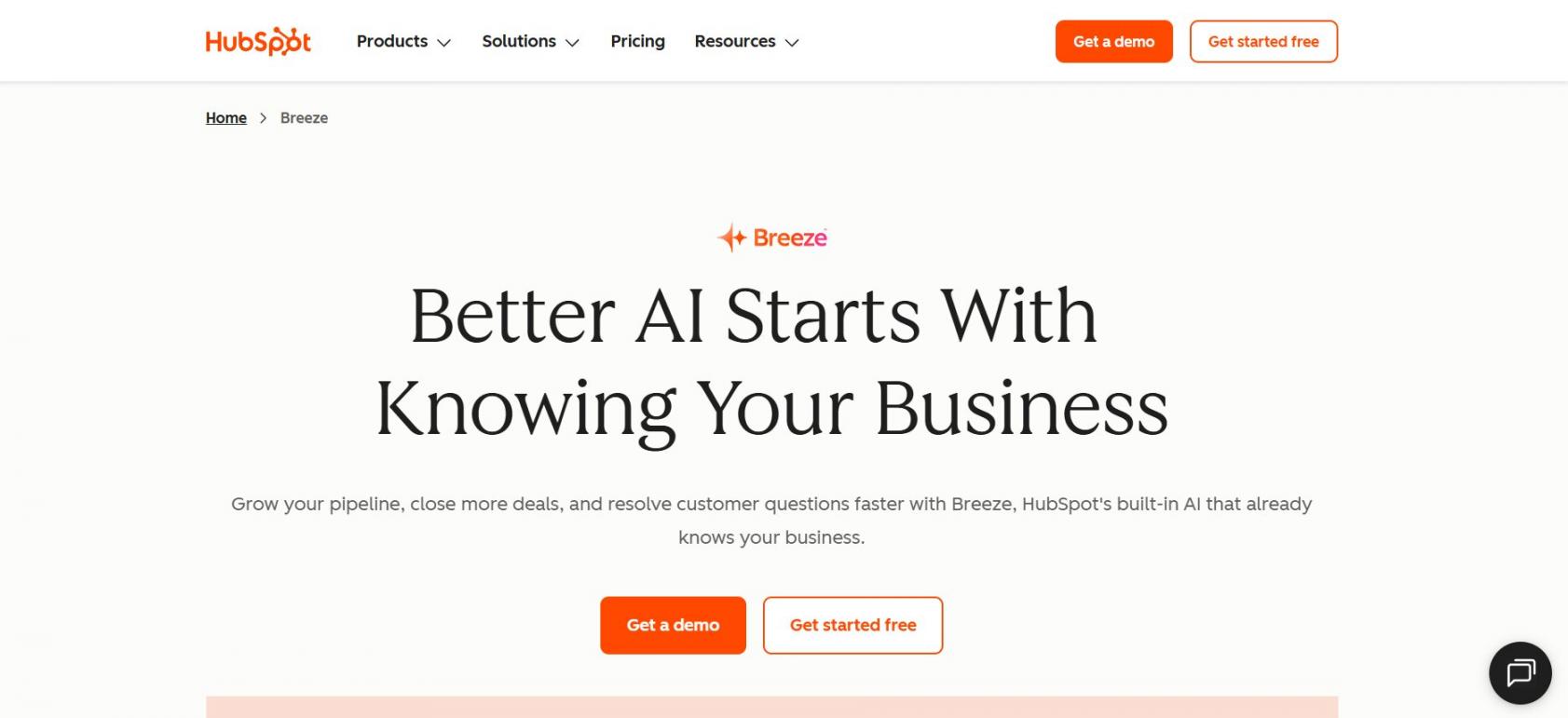
Image via HubSpot
HubSpot is the best conversational AI platform for teams that want AI customer engagement built natively into their CRM. Its Breeze Customer Agent resolves conversations, qualifies leads, and books meetings around the clock, grounded in your own content. HubSpot is strongest when you want chat, your contact records, and your reporting in one place.
Key Features
- Breeze Customer Agent: This is an autonomous AI agent that resolves support and sales conversations 24/7
- Knowledge-grounded replies: Answers come from your approved content, with sources cited to reduce errors
- Intelligent human handoff: The agent escalates to live reps based on rules and working hours
- Omnichannel inbox: Chat, email, and social conversations land in one shared workspace
- Native CRM context: Every conversation is automatically tied to the contact record
Pros
- AI chat sits inside the same platform as your marketing, sales, and service data
- Free tools include live chat and a rule-based chatbot builder
- Source-cited answers improve trust and cut hallucinations
Cons
- The AI Breeze Customer Agent requires Service Hub Professional, which is priced higher than SMB budgets typically expect
- The usage-based credit model can be costly for high conversion volume
- Answer quality depends heavily on how complete your knowledge base is
Pricing:
- Free
- Starter: From $10/seat/month
- Professional: From $100/month
- Enterprise: From $150/month
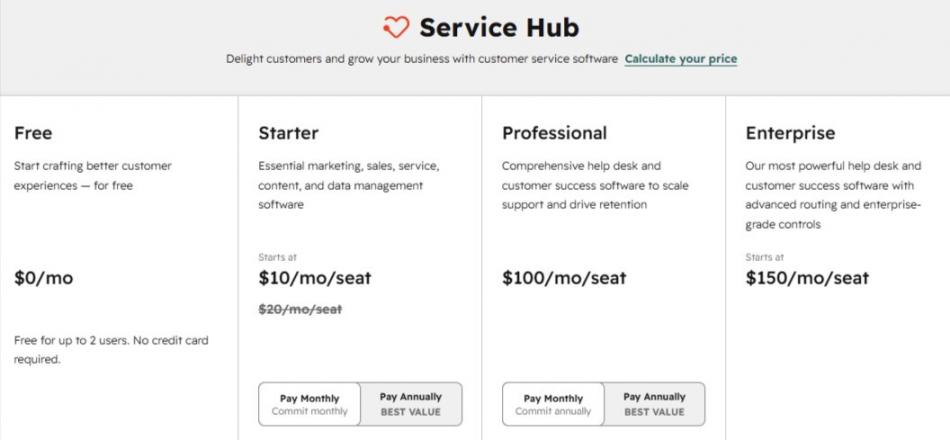
Image via HubSpot
Tool Level
- Best for SMBs through mid-market and growing teams already on, or moving to, HubSpot’s CRM.
Usability
- The chat and chatflow builders are approachable, though the full platform has a learning curve for new admins.
Pro Tip: Feed the Breeze Customer Agent your best help-center articles and past tickets before launch, then expand its scope as resolution quality proves out.
2. Intercom
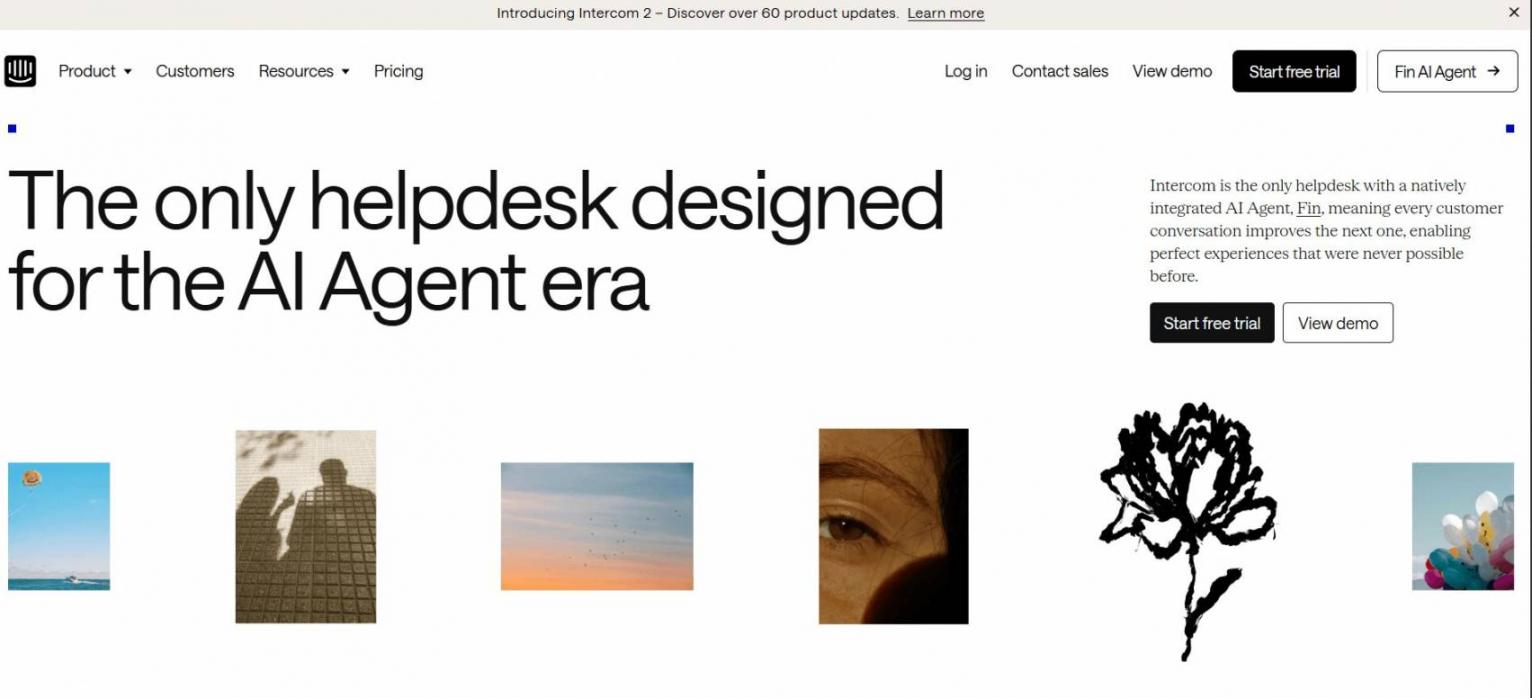
Image via Intercom
Intercom is a conversational AI platform built around Fin, an AI agent priced by outcome. Fin resolves customer questions across chat, email, and voice, and you pay only when it successfully resolves a customer’s query. It is a strong fit for SaaS and ecommerce support teams that want fast setup.
Key Features
- Fin AI Agent: Resolves conversations using your help content, billed per resolution
- Unified help desk: Tickets, inbox, and automation in one workspace
- Omnichannel: Chat, email, phone, and social with 45+ language support
- Workflow automation: No-code flows route and resolve common requests
Pros
- Outcome-based pricing means you pay only when Fin actually resolves an issue
- Fast to deploy on top of an existing help center
- Strong reputation, with a 4.5/5 G2 rating across thousands of reviews
Cons
- Per-resolution costs might be difficult to estimate if your volume goes up
- If your help content is thin or poorly structured, quality decreases
- There is no free plan, so you have to commit before gaining access to the full value
Pricing
- 14-day trial on all plans
- Essential: $39/seat/month
- Advanced: $99/seat/month
- Expert: $139/seat/month
- Fin AI Agent: $0.99 per Fin outcome
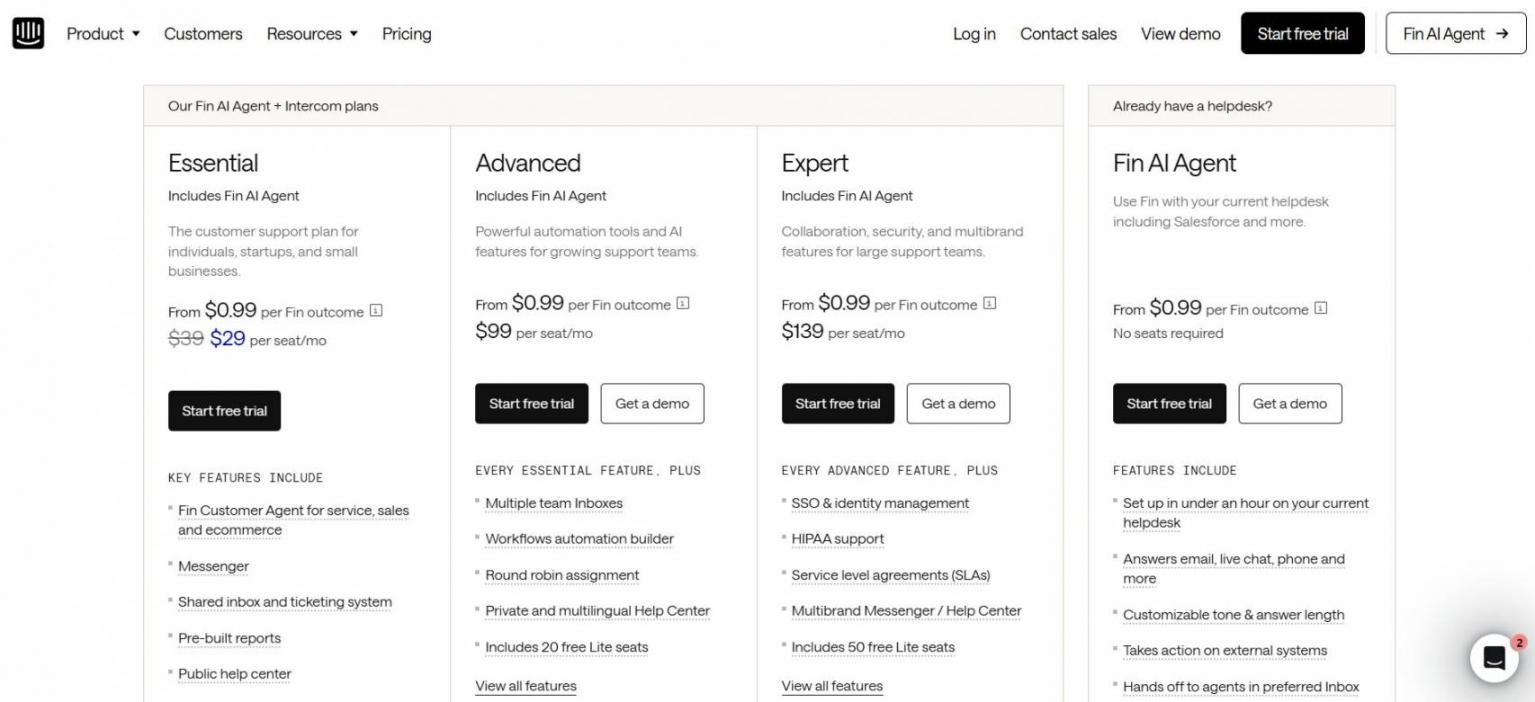
Image via Intercom
Tool Level
- Best for SMB to mid-market SaaS and ecommerce support teams.
Usability
- Clean, modern interface that Support teams can pick up quickly.
Pro Tip: Audit your help center first, since Fin’s resolution rate rises directly with the quality of the content it draws from.
Fin's pay-per-resolution plan is great because it makes your spending proportional to your results. So, as you grow, your spending and gains stay balanced too.
3. Zendesk
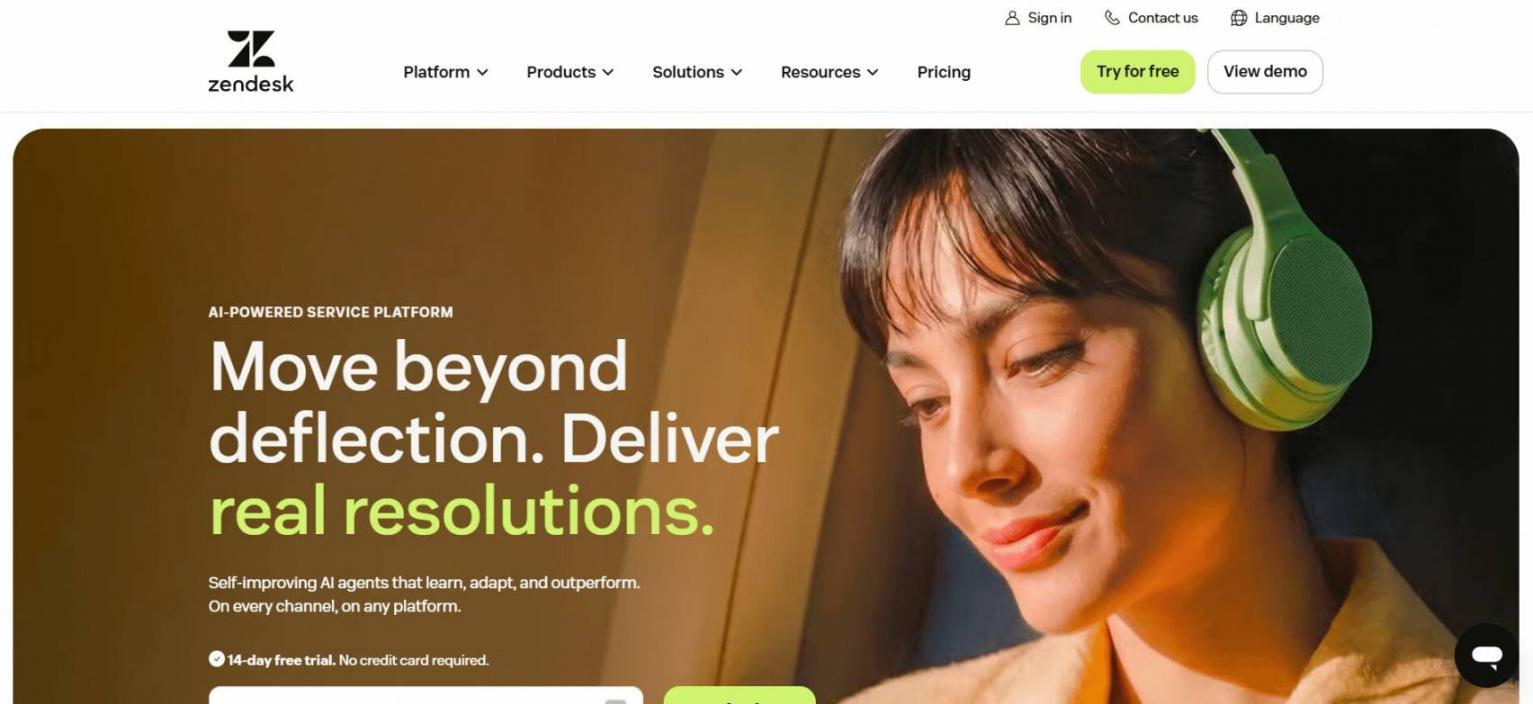
Image via Zendesk
Zendesk is a conversational AI platform that integrates AI agents with many customer service channels. It is perfect for mid-market and large teams looking for AI resolution, agent support, and ticketing in one place.
Key Features
- AI agents: Automated resolution included across Suite and Support plans
- AI Copilot: Real-time suggestions and summaries for human reps
- Omnichannel: Email, chat, voice, and social in a unified inbox
- Marketplace: 1,800+ apps and integrations
Pros
- AI agents are included in every Suite plan
- The ecosystem is quite extensive and spans across inbox, QA, workforce management, and voice
- AI usage is outcome-based, and users are charged per resolved automation
Cons
- Costs can add up pretty quickly
- Enterprise tiers and Copilot require sales engagement
- Full configuration takes time for smaller teams to set up
Pricing
- Support Team: $19/agent/month
- Suite Team: $55/agent/month
- Suite Professional: $115/agent/month
- Suite Enterprise + Copilot: Contact Sales
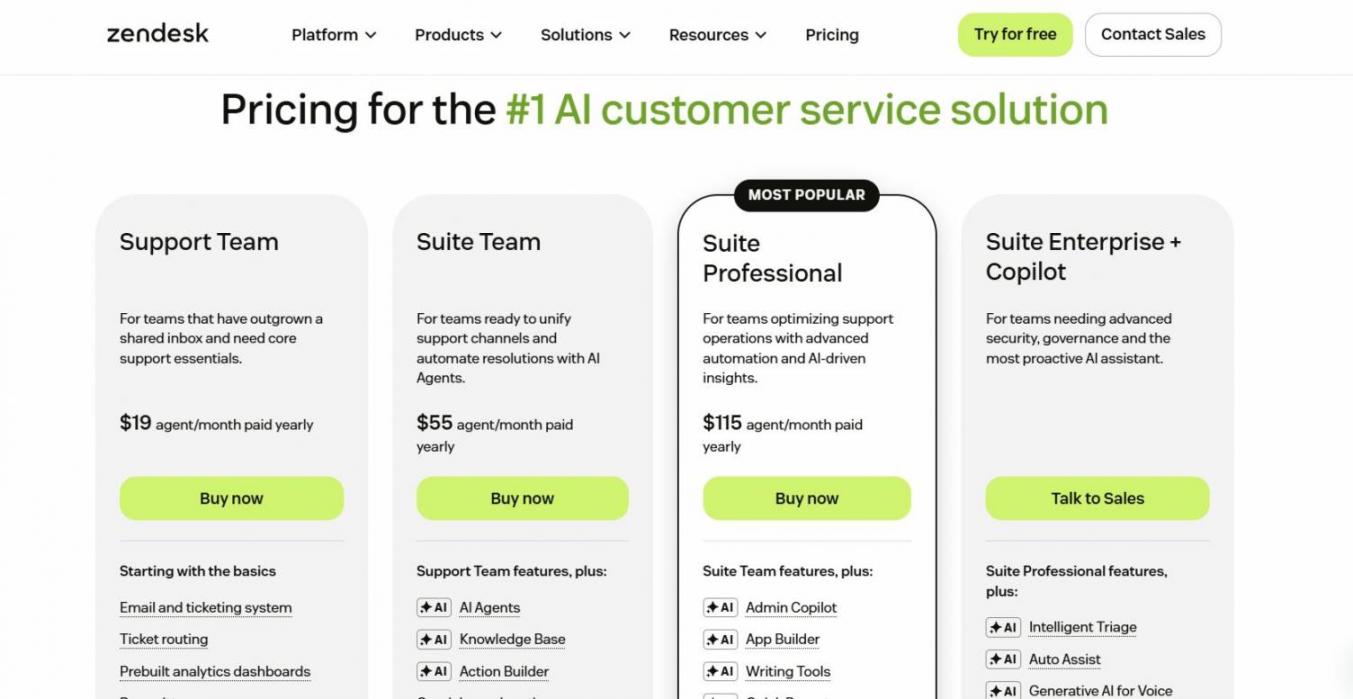
Image via Zendesk
Tool Level
- Best for mid-market to enterprise customer service teams.
Usability
- Familiar to support teams, though full configuration takes time.
Pro Tip: Identify the ticket types that are safe for automation first. Then, you can gradually increase AI resolution as you become more confident in the containment figures.
4. LivePerson
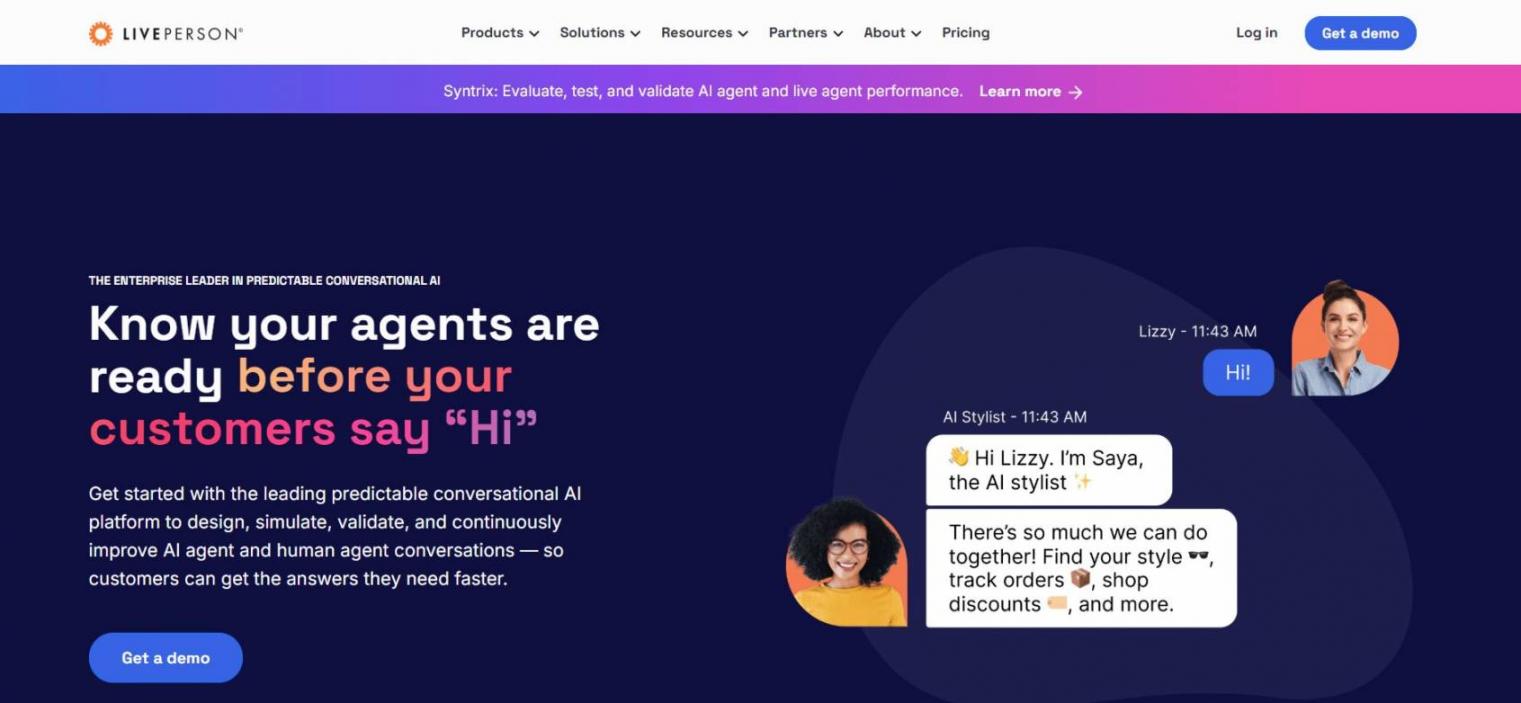
Image via LivePerson
LivePerson is an enterprise conversational AI platform built for messaging-first customer engagement at scale. Its Conversational Cloud unifies voice and more than 20 digital channels, which suits large, often regulated, organizations. LivePerson is strongest for high-volume contact centers.
Key Features
- Conversational Cloud: Orchestrates voice plus 20+ digital and messaging channels
- Generative AI suite: Summaries, AI-generated replies, and automated CSAT
- Real-time agent assist: Native LLM integrations support live reps
- Industry-tuned NLU: Trained on a large proprietary message dataset
Pros
- Extensive channel coverage, integrating WhatsApp, Apple Messages, and RCS
- Excellent choice for highly regulated industries with demanding routing requirements
- Top-notch analytics and orchestration designed for large-scale operations
Cons
- Configuration requires technical resources
- The impending purchase by SoundHound AI could leave buyers unsure of the future product roadmap
- Without a price listing and a self-serve trial, the evaluation process takes time
Pricing
- Contact Sales
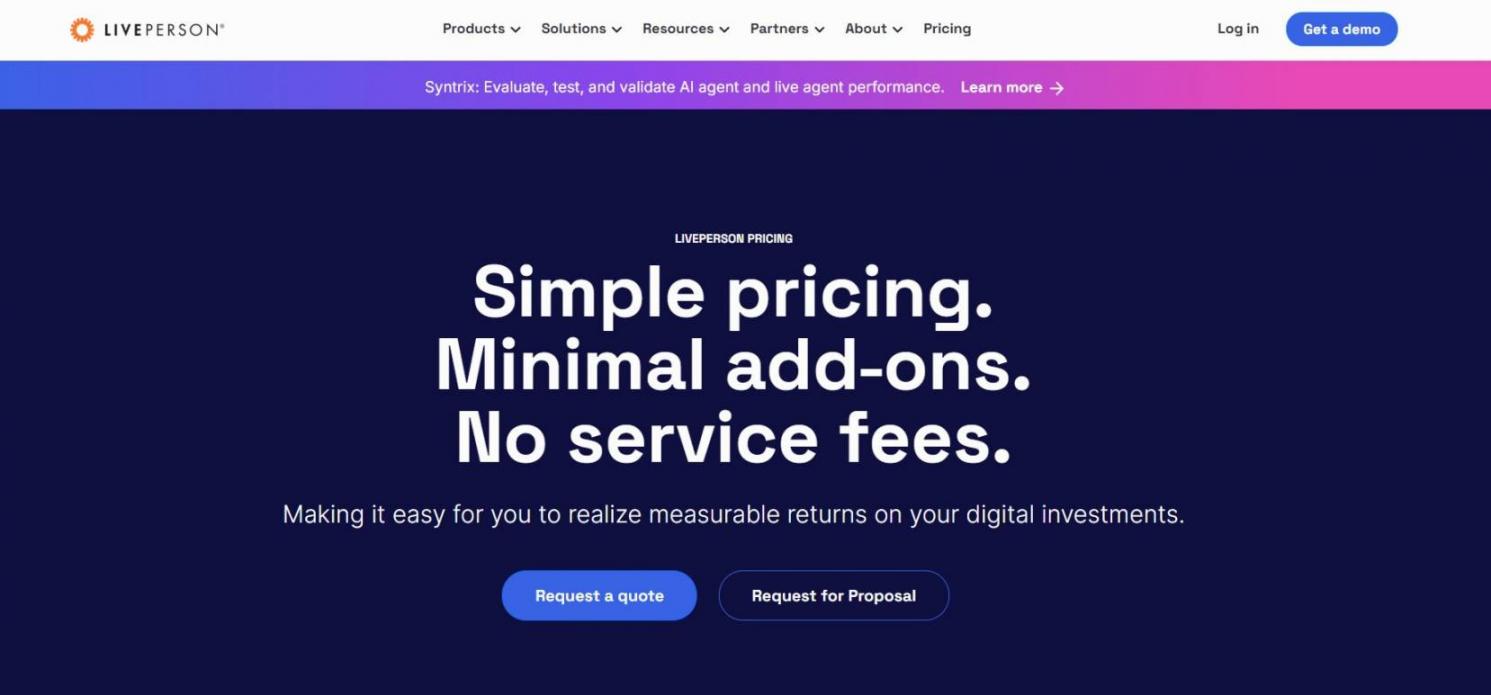
Image via LivePerson
Tool Level
- Best for large enterprises and high-volume contact centers.
Usability
- Powerful but complex. Setup is by no means quick.
Pro Tip: Scope your channel and compliance requirements tightly before demos, since LivePerson’s value shows most in complex, multi-channel deployments.
5. Ada
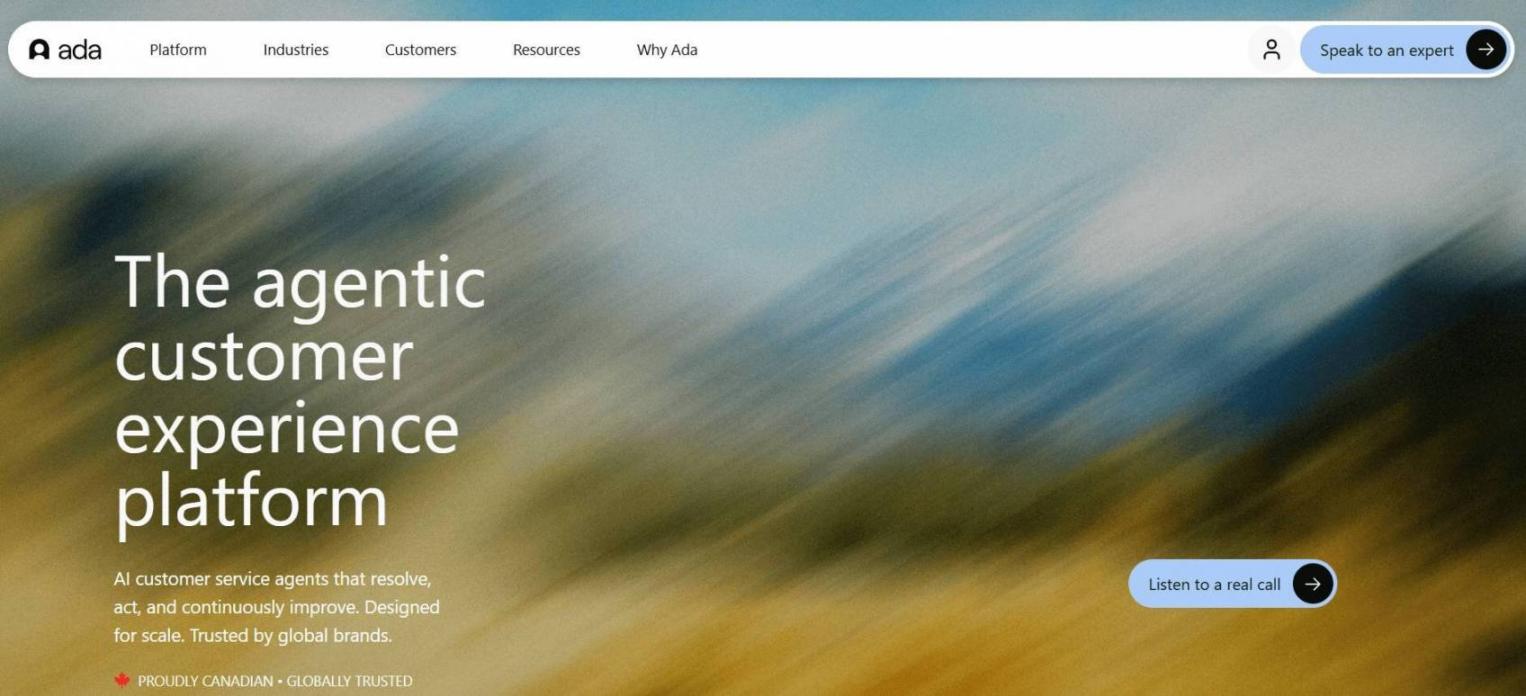
Image via Ada
Ada is an enterprise conversational AI platform focused on autonomous resolution across chat, email, and voice. Its reasoning engine aims to resolve 70% or more of inquiries without a human. Ada is a strong fit for large brands that want a brand-controlled AI agent.
Key Features
- Unified Reasoning Engine: One AI layer working consistently across channels
- Voice AI: Handles complex procedures like troubleshooting and account changes
- 50+ languages: Multilingual support from a single configuration
- Brand controls: Tight control over tone and behavior
Pros
- High autonomous resolution rates reported by enterprise customers
- Consistent reasoning across chat, email, and voice
- Strong G2 standing at 4.6/5
Cons
- Enterprise-only, with a high conversation-volume fit threshold
- No transparent pricing; every deal runs through sales
- No free plan or self-serve trial to test before you commit
Pricing
- Contact Sales
Tool Level
- Best for large enterprises with high inbound conversation volume.
Usability
- Polished for its target buyer, but evaluation requires a sales process.
Pro Tip: Bring your current resolution and deflection baselines to the demo so you can hold Ada to a measurable lift, not a feature tour.
Its reasoning engine resolves most inquiries autonomously across channels, so large teams cut handle time without sacrificing brand control.
6. Sprinklr
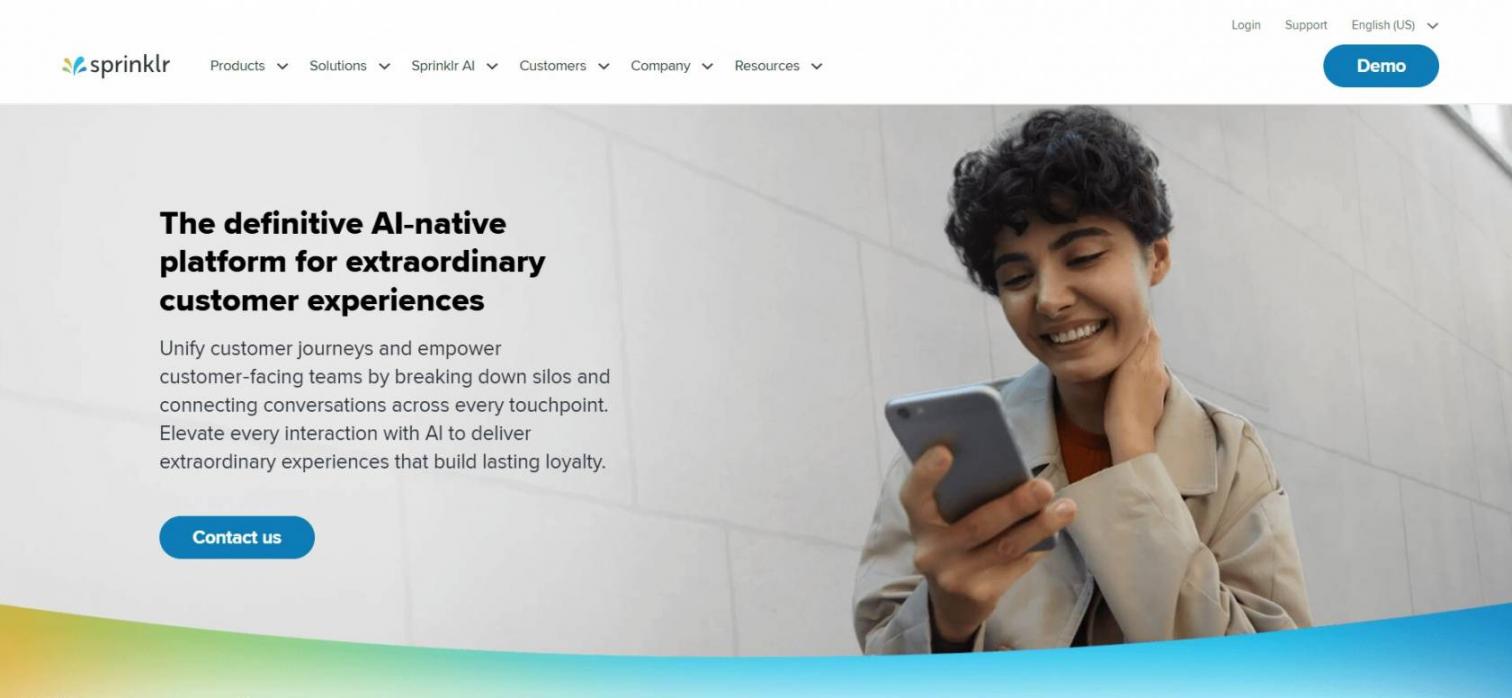
Image via Sprinklr
Sprinklr is an enterprise conversational AI platform for brands that engage customers across social, digital, and voice channels. Sprinklr Service covers more than 30 channels and provides unified analytics, which is well-suited to high-volume social operations. It is strongest for large brands that live on social media.
Key Features
- 35+ channel coverage: Social, messaging, email, chat, voice, and video in one console
- AI+ platform: Generative plus predictive AI for routing and bot responses
- AI Agent platform: Autonomous agents across the service lifecycle
- Unified analytics: Cross-channel reporting and compliance tooling
Pros
- Unmatched social and messaging breadth for global brands
- Combines generative and predictive AI for smart routing
- One console for care across every public and private channel
Cons
- Steep learning curve is the most-cited user complaint
- Enterprise-only model, with self-serve plans discontinued in 2026
- Implementation and professional services costs are high
Pricing
- Contact Sales
Tool Level
- Best for large enterprises with heavy social and omnichannel volume.
Usability
- Capable but complex; budget for implementation and training.
Pro Tip: Lead with your social-care use cases in the evaluation, since that breadth is where Sprinklr distinguishes itself from suite-based competitors.
7. Tidio
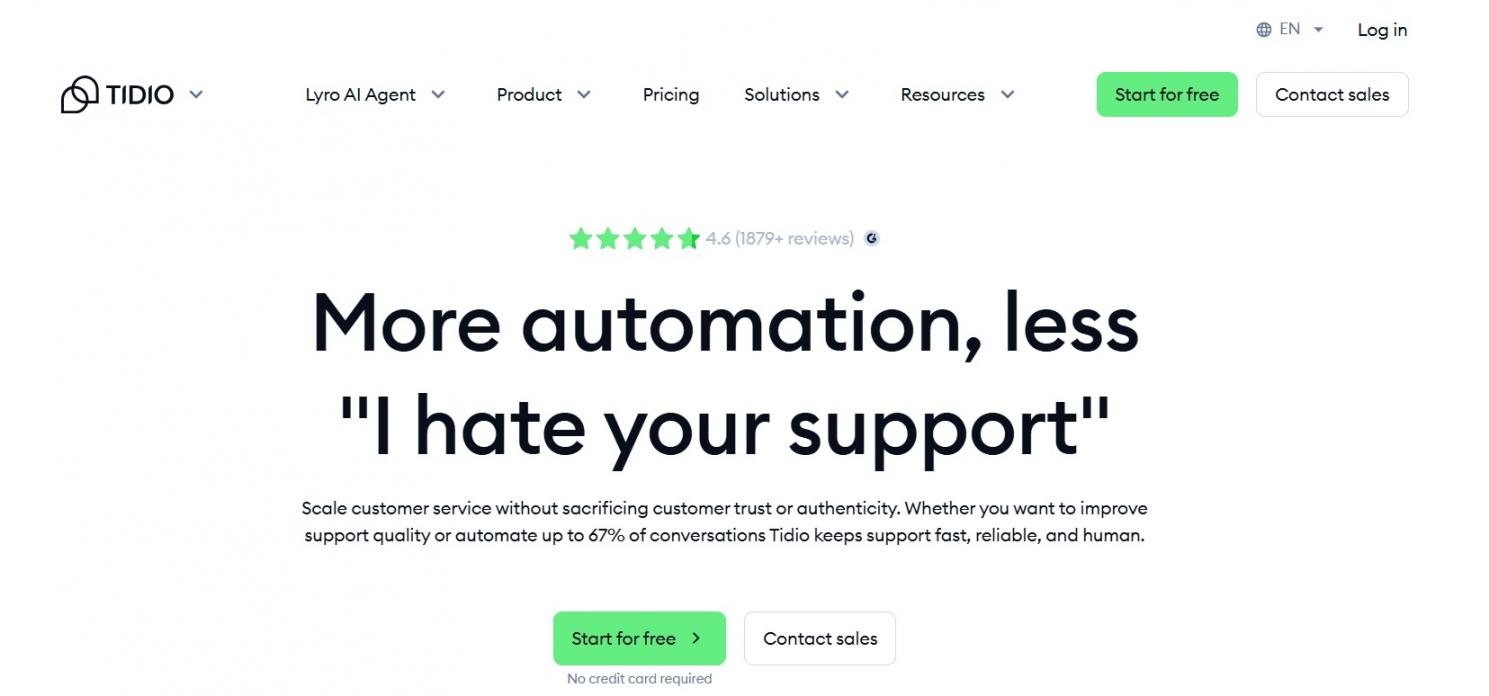
Image via Tidio
Tidio is an affordable conversational AI platform for SMB and ecommerce, built around its Lyro AI agent. It pairs live chat, ticketing, and AI in a plug-and-play package, with no enterprise onboarding. Tidio is the best fit for small online retailers. For more options here, see my guide to ecommerce chatbots.
Key Features
- Lyro AI: Resolves up to about 67% of common questions autonomously
- Live chat + ticketing: A full support stack for small teams
- Ecommerce integrations: Native Shopify, WooCommerce, and BigCommerce support
- Proactive messaging: Behavior-triggered flows automatically engage visitors
Pros
- Affordable and genuinely fast to set up, with no coding
- Strong ecommerce features, including order lookups
- Excellent 4.6/5 G2 rating across nearly 2,000 reviews
Cons
- Lyro AI is billed separately, which can roughly double the entry cost
- Conversation limits on lower tiers get tight for busy stores
- Advanced support features lag behind the dedicated enterprise suites
Pricing
- 7-day Free Trial across all plans
- Starter: $29/month
- Growth: $59/month
- Plus: $749/month
- Premium: Contact Sales
- Lyro AI Agent: $39/month
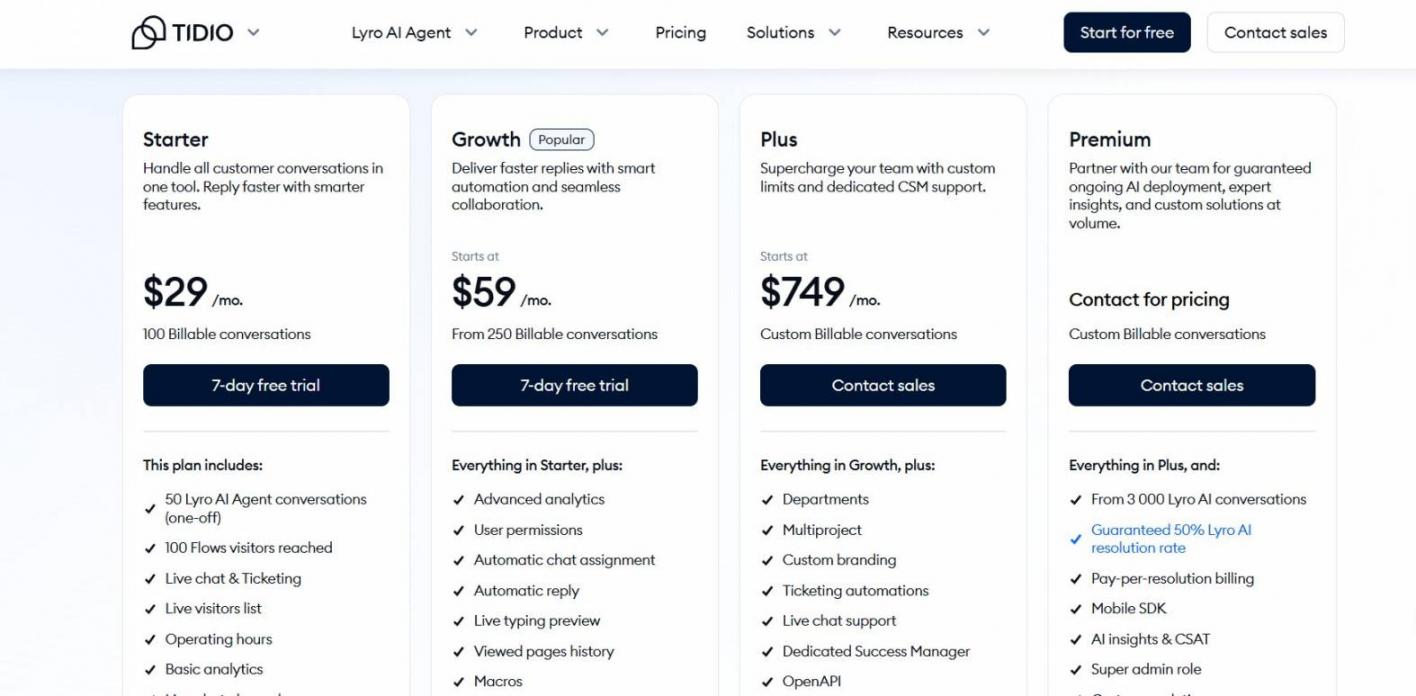
Image via Tidio
Tool Level
- Best for SMB and ecommerce stores.
Usability
- One of the easiest tools here to launch quickly.
Pro Tip: Turn on proactive triggers for cart and pricing pages first, since that is where Tidio converts browsing into conversations.
8. Kore.ai
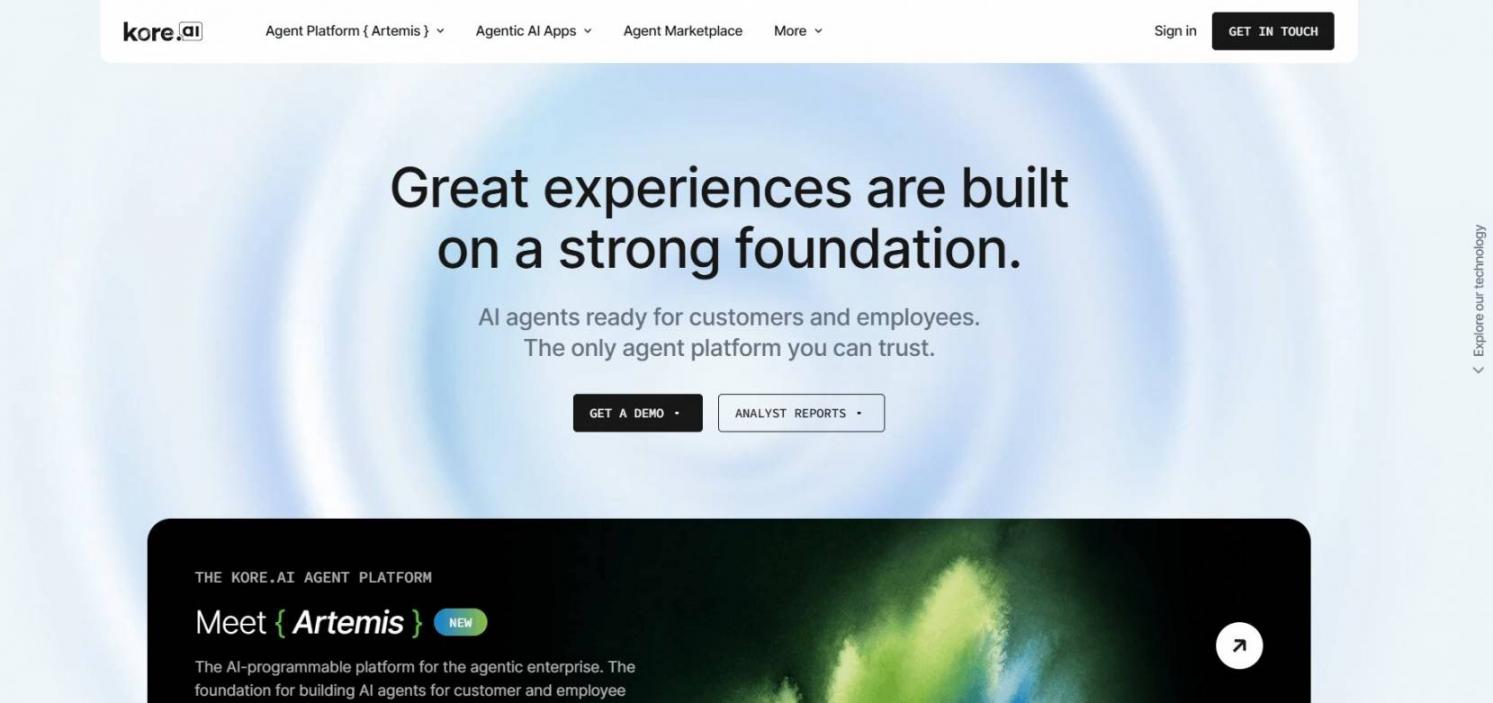
Image via Kore.ai
Kore.ai is an enterprise conversational AI platform for teams building highly customized voice and chat assistants. Its XO Platform pairs strong NLU with low-code and pro-code building, which suits complex workflows. Kore.ai is strongest when you need to build, not just configure.
Key Features
- Multi-engine NLU: Uses multiple LLMs, with RAG for generative answers
- Omnichannel orchestration: Voice, web, mobile, messaging apps, and social
- Low-code and pro-code: Visual building plus full API and scripting access
- Responsible AI guardrails: Enterprise compliance and governance controls
Pros
- Deep customization for complex, multi-turn use cases
- Strong voice and contact-center capabilities
- Highly rated at 4.6/5 on G2
Cons
- Billing by 15-minute session blocks is non-intuitive
- Significant implementation investment and technical resources are required
- Non-technical teams need developer help to build and maintain bots
Pricing
- Contact the Sales team for pricing.
Tool Level
- Best for enterprises with technical teams and complex needs.
Usability
- Powerful but developer-oriented; not a quick no-code launch.
Pro Tip: Use the free developer sandbox to prototype a high-value flow before you commit, so you can validate the effort against the impact.
9. Yellow.ai
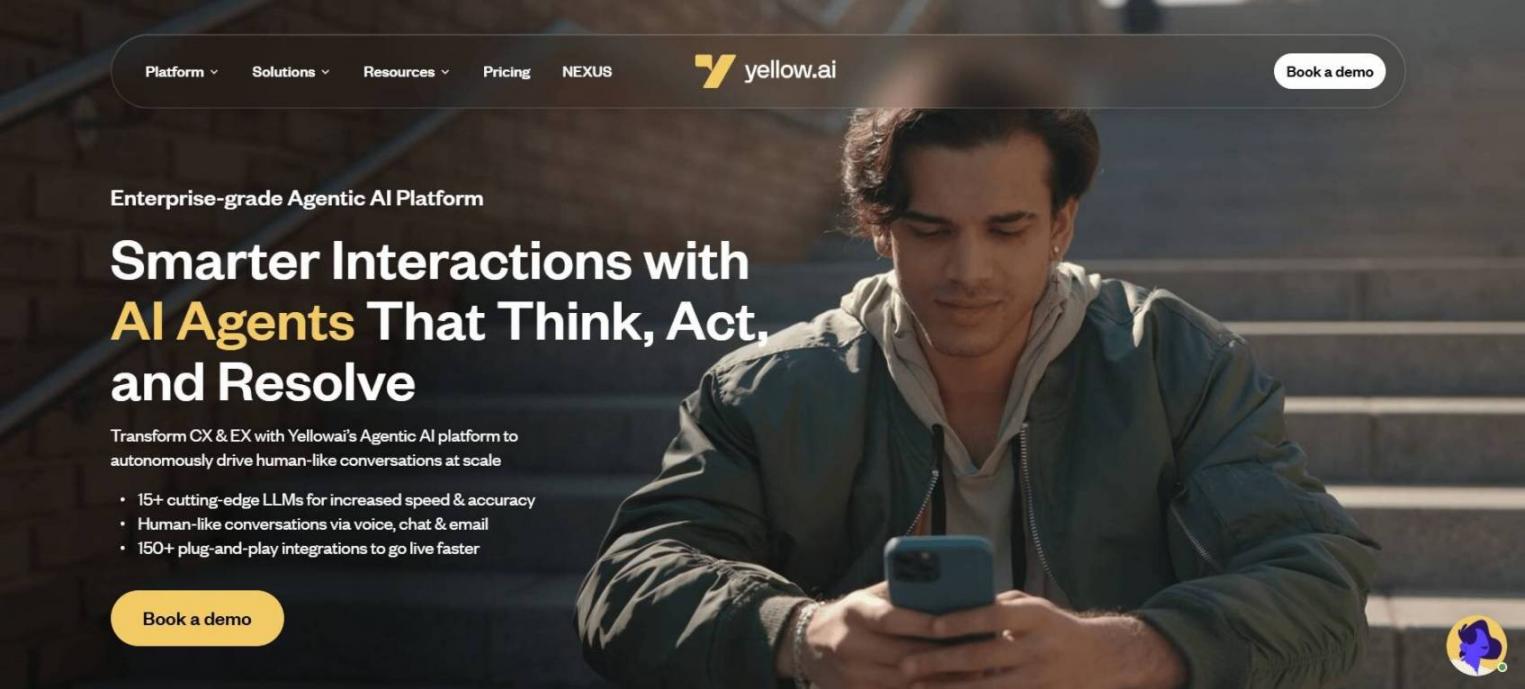
Image via Yellow.ai
Yellow.ai is a conversational AI platform built for multilingual, multichannel customer engagement at scale. It supports 35+ channels and 100+ languages, with multi-LLM orchestration. Yellow.ai is a strong fit for global and APAC-focused teams.
Key Features
- Multi-LLM orchestration: Routes tasks across 15+ models for the best fit
- 35+ channels: Web, voice, WhatsApp, SMS, and social from one build
- 100+ languages :Broad coverage, including regional language models
- Channel continuity: Conversations persist if a customer switches channels
Pros
- Outstanding language and channel breadth for global brands
- A multi-model approach lets you match the model to the task
- Freemium entry point for early testing
Cons
- Smaller G2 review base than the support-suite leaders
- Advanced customization can need technical support
- No public pricing for premium tiers, so budgeting needs a sales call
Pricing
- Freemium: 500 Chat Sessions per month, then $0.99 per resolution
- Enterprise: Contact Sales
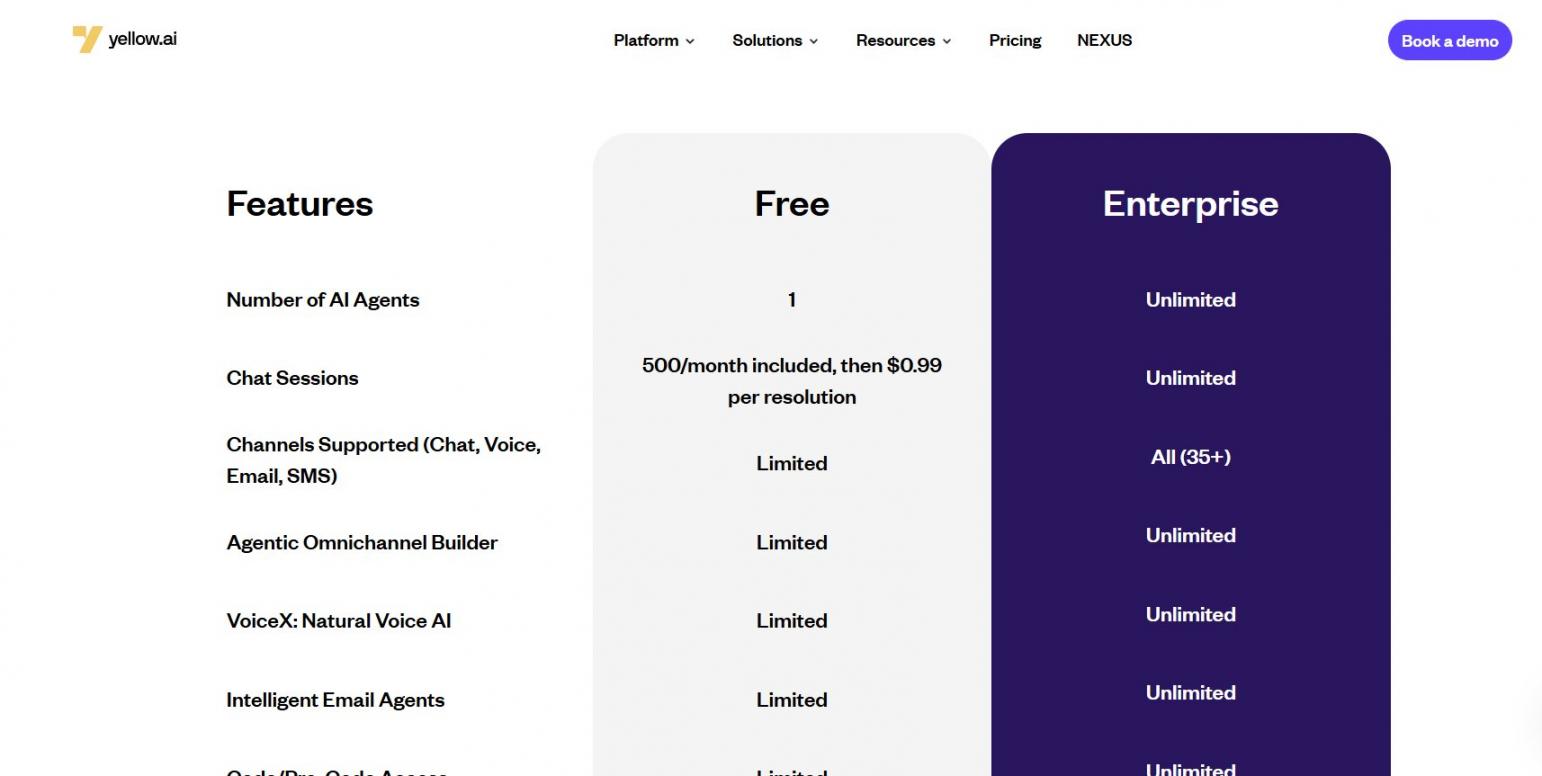
Image via Yellow.ai
Tool Level
- Best for mid-market to enterprise teams with global, multilingual needs.
Usability
- Capable, with a moderate learning curve for advanced builds.
Pro Tip: Pilot it on your highest-volume non-English market first, since multilingual depth is where Yellow.ai earns its keep.
Data, Security, and Compliance Considerations
A conversational AI platform reads, stores, and acts on every customer conversation. So verify its security posture before you deploy, not after. The cost of a data mistake here is far higher than any subscription.
These tools touch your most sensitive data: customer messages, account details, and sometimes payment or health information. So treat security as a buyer requirement, not an afterthought.
Use this checklist when you evaluate vendors. Treat each vendor attestation as a claim to confirm in their trust center, never as a given.
| What to Verify | Why it Matters | How to Check |
|---|---|---|
| SOC 2 Type II | Independent audit of security controls | Request the report under NDA |
| ISO 27001 | Certified information-security management | Ask for the current certificate |
| GDPR / CCPA | Lawful handling of personal data | Review the DPA and privacy terms |
| HIPAA / PCI | Required for health or payment data | Confirm a signed BAA or PCI scope |
| Encryption | Protects data in transit and at rest | Check the security or trust page |
| No training on your data | Keeps your data out of shared models | Get it in writing in the contract |
| Data residency | Meets regional storage rules | Confirm available hosting regions |
| Access controls / SSO | Limits who can see conversations | Verify SSO, roles, and audit logs |
Note that a vendor logo on a compliance page is not proof in and of itself. You should always request the current certificate or audit report and confirm the no-training clause in your contract.
Is conversational AI secure for customer data?
It can be, if you verify SOC 2, ISO 27001, encryption, and a no-training-on-your-data policy in writing before you deploy.
Measuring Conversational AI’s Impact on Customer Engagement
To prove a conversational AI platform improves customer engagement, track the right metrics before and after launch. Watch resolution rate, response, and handle time, customer satisfaction, conversion, and cost per resolution. The goal is engagement that retains and converts, not just deflection.
Set your baseline first. Without before-and-after numbers, you cannot tell if the tool earned its cost or just shifted work around.
Some 51% of consumers say they prefer bots for immediate service, per Zendesk’s CX Trends research. And reps using AI spend about 20% less time on routine cases, according to Salesforce.
| Metric | What It Tells You | How Conversational AI Moves It |
|---|---|---|
| Resolution/containment rate | Share of issues solved without a human | Automated answers close routine cases |
| Deflection rate | Tickets avoided via self-service | Customers self-serve 24/7 |
| First-response time | Speed to first reply | AI replies instantly, at any hour |
| Average handle time | Effort per resolved issue | Copilot drafts and summarizes for reps |
| CSAT / CES | How satisfied customers feel | Faster, accurate answers improve scores |
| Conversion rate | Conversations that become sales | Proactive, personal prompts convert better |
| Cost per resolution | Efficiency of your support spend | AI handles volume at a lower marginal cost |
Lead with independent benchmarks. Don’t rely entirely on the claims made by product vendors. Your own data and experiment results are the most reliable evidence you can get.
What are the best ways to quantify the return on investment of conversational AI?
Measure customer service KPIs such as first-contact resolution rate, average handling time, CSAT, number of upsells, and cost per contact before launch and follow up after launch. Your net benefit is the difference between the two.
The Future of Conversational AI
Conversational AI is shifting focus from chatbot scripts towards independent AI agents, more advanced voice AI, and diverse modes of interaction. The winning platforms in the coming years will be those that provide solutions, not just answers to questions.
Three shifts stand out for 2026 and beyond:
First, agentic AI is here. Ada’s reasoning engine, HubSpot’s Breeze agents, and Sprinklr’s AI Agent platform all move from answering to acting. Service teams expect agentic AI to lift upsell revenue by around 15%, per Salesforce.
Second, voice AI is maturing fast. Modern voice agents now handle complex, multi-step tasks with the same reasoning as chat. That reopens the phone as a scalable channel.
Third, modern conversational AI platforms increasingly orchestrate multiple large language models and modalities. Yellow.ai already routes across 15+ models, and that flexibility is becoming the norm. These conversational AI technologies will continue to raise customer expectations for every brand.
Where is conversational AI heading?
Toward autonomous agents that resolve issues end-to-end, stronger voice AI, and multi-model platforms, all raising the bar for engagement.
Conversational AI Glossary and Buyer’s Checklist
Here is a quick reference for the terms in this guide, plus a checklist to run before you buy. Keep both handy when you sit through vendor demos.
Glossary of key terms:
| Term | Plain definition |
|---|---|
| NLP (natural language processing) | The broad ability of software to read and process human language. |
| NLU (natural language understanding) | The part of NLP that figures out intent and meaning, not just words. |
| NLG (natural language generation) | The ability to produce human-sounding written or spoken replies. |
| LLM (large language model) | An AI model trained on vast text that generates fluent responses. |
| Machine learning | How the system improves accuracy by learning from data over time. |
| Intent | What the customer is actually trying to do in a message. |
| Entity | A specific detail in a message, such as an order number or date. |
| Dialogue management | The logic that keeps a conversation coherent across turns. |
| RAG (retrieval-augmented generation) | Grounding answers in your own content to keep them accurate. |
| Generative AI | AI that creates new responses rather than picking from a script. |
| AI agent | An autonomous system that completes tasks, not just answers. |
| AI copilot | An assistant that helps a human agent work faster. |
| Containment rate | The share of conversations resolved without a human. |
| Human handoff | Passing a conversation from AI to a live agent. |
| Omnichannel | One connected experience across chat, voice, and social. |
Buyer’s checklist:
- Which channels does it cover natively?
- Does it integrate with your CRM and help desk?
- How well does it ground answers in your content?
- How smooth is the human handoff?
- What analytics and reporting are built in?
- Does it meet your security and compliance needs?
- Which pricing model applies, and how does it scale?
- How much deployment effort and technical skill does it need?
- What languages does it support?
- Will it scale with your conversation volume?
Run the checklist against your top two finalists, and the right conversational AI platform usually becomes obvious.
FAQ
Q1. What is a conversational AI platform?
A. A conversational AI platform is business software that builds, deploys, and manages AI assistants across chat, messaging, and voice. It understands natural language, responds quickly, and integrates with your systems and data.
Q2. What is the best conversational AI platform?
A. HubSpot is best for native CRM engagement, while Intercom and Zendesk are best for support teams. Tidio suits SMB and ecommerce, while LivePerson, Ada, or Sprinklr suit large enterprises.
Q3. How does conversational AI work?
A. It reads a message with natural language processing and finds intent with natural language understanding. Then a large language model generates a grounded reply, and machine learning improves it over time.
Q4. Is ChatGPT a conversational AI?
A. Yes, ChatGPT is a conversational AI assistant. But it is a general consumer tool, not a business platform. You configure a platform with your own data, channels, and workflows to engage customers.
Q5. How much does a conversational AI platform cost?
A. The price range is very broad. HubSpot and Tidio offer free and freemium plan options. Paid plans cost between $20 to $100 per seat each month. Payment per outcome is around $0.50 to $1.50 per resolved issue, while enterprise tools use custom quotes
Q6. What is the difference between a chatbot and a conversational AI platform?
A. A chatbot is a single bot, often rule-based. A platform builds, trains, and manages many AI assistants and agents across every channel. It adds the integrations, analytics, and controls a business needs.
Q7. How do I measure the ROI of conversational AI?
A. Establish your baseline, then monitor resolution rate, response and handle time, customer satisfaction, conversion, and cost per resolution post-launch. The difference between the before-and-after figures is your return on investment.
Q8. What should I look for in a conversational AI platform for customer engagement?
A. Place key emphasis on channel coverage, answer quality, and knowledge grounding. Also, weigh human handoff, CRM integrations, analytics, security, and a manageable pricing model.
Q9. Is conversational AI secure for customer data?
A. It can be, but you need to double-check. Seek out tools that offer SOC 2, ISO 27001 certifications, and GDPR or HIPAA compliance. You should also request encryption and a documented no-training policy for your data.
Q10. Can conversational AI replace human agents?
A. No, it manages routine, high-volume conversations 24/7 and refers complex or sensitive cases to human agents. The best results are achieved through collaboration between AI and humans, rather than one replacing the other.
Final Thoughts
The best conversational AI platform is compatible with your channels, engagement volume, and customer communication preferences.
Before settling on an option, assess its suitability, confirm its security, and evaluate its performance. Only then will you be able to transform fragmented chats into interactions that retain and convert.
Want an AI agent inside your CRM? Start with HubSpot’s free tools and AI customer agent, then grow from there. Want help building the engagement and content engine around it? My team offers digital marketing consulting to map the strategy to your goals.
Disclaimer: This content contains some affiliate links for which we will earn a commission (at no additional cost to you). This is to ensure that we can keep creating free content for you.