Freelance work moves fast. Messages, proposals, and follow-ups pile up each week. You need the best CRM for freelancers like HubSpot to track every client without losing details or getting overwhelmed.
Key features like timely task reminders, integration support, automation, and detailed reporting are essential for smooth freelancing and management of customer relationships. Instead of scanning emails for past conversations, you can open a client’s record and see the full history.
HubSpot CRM is an excellent customer relationship management tool for freelancers, and this post will explain why. We’ll also cover alternatives like Brevo, Keap, and Bloom. Keep reading to learn about the key features that make each CRM tool effective, as well as the limitations to consider.
Disclaimer: This content contains some affiliate links for which we will earn a commission (at no additional cost to you). This is to ensure that we can keep creating free content for you.
How We Chose the Best CRM for Freelancers
Before choosing a CRM tool for your freelance business, you must pay attention to crucial factors that determine its effectiveness. Here’s what we looked for in the best CRM for freelancers:
- Contact Management: The best CRM for freelancers should store all client details in one dashboard. Tools like HubSpot CRM show email history, project notes, and payment processing status in one view.
- Task and Reminder Tracking: Freelancers often manage multiple projects simultaneously. The best CRM for freelancers lets you set reminders for calls, proposal follow-ups, or invoice checks.
- Integration Capabilities: The right CRM for freelancers should connect with tools like email, calendars, and invoicing apps. For example, HubSpot CRM includes 2,000+ integrations, making it easier to share CRM data.
- Reporting and Activity Tracking: Reports and analytics within a CRM platform help you review your work patterns. The best CRM tools should show data like the number of leads, closed projects, and response times.
- Pricing Structure: Freelancers sometimes work with limited budgets. Review the pricing model before choosing because some tools charge per user each month.
- Mobile Access: Freelancers often don’t work from a permanent office. The best CRM for freelancers should allow access from a phone or tablet for added convenience.
The Best CRM for Freelancers Comparison Table
Before we dive into the specifics of the best CRM for freelancers, here’s a side-by-side comparison table to give you an overview.
| System | Key Feature | Best For | Free Plan | Starting Plan |
|---|---|---|---|---|
| HubSpot | 2,000+ integrations | First-time freelancers | ✅ | $15/month/seat |
| Brevo | Email campaigns | Freelancers focused on email marketing | ❌ | $9/month |
| Keap | Email/SMS automation | Freelancers managing simultaneous leads | ❌ | $299/month |
| Bloom | Client portals and management | Creative freelancers managing projects | ❌ | $18/month |
| Moxie | Automated time tracking | Freelancers tracking expenses | ❌ | $12/month |
| Pipedrive | Lead generation and management | Freelancers tracking deal stages | ❌ | $24/month/seat |
| Capsule | Case-based project management | Freelancers needing organized client records | ✅ | $21/month/user |
| HoneyBook CRM | Built-in contract and invoice system | Freelancers managing full client workflow | ❌ | $36/month |
| OnePage | Contact list management | Solo freelancers managing daily follow-ups | ❌ | $15/month/user |
The Best CRM for Freelancers for Daily Business Operations
HubSpot CRM tops our list of the best CRM for freelancers, along with several other strong options. Below are some of the leading tools that offer features necessary for freelancers to manage clients efficiently and streamline workflows.
1. HubSpot CRM
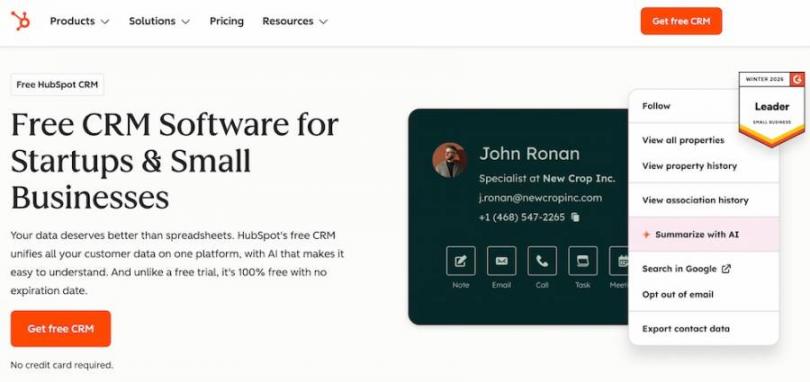
Image via HubSpot CRM
HubSpot CRM tops the list of the best CRM for freelancers due to its ability to keep contacts, emails, and deal records in one dashboard.
You can open a client profile, review past emails, and check proposal status without leaving the dashboard.
HubSpot CRM takes care of repetitive tasks, such as logging your meeting notes, scheduling reminders, and tracking project stages accurately. This keeps client details clear when managing simultaneous projects.
Key Features
- Detailed contact records
- Deals pipeline tracking
- 2,000+ integrations
- Timely task reminders
- Detailed activity reports
Pros
- Free CRM plan available
- Visual deal pipelines
- Reliable email tracking
- Clear contact timelines
Cons
- Advanced features require higher-priced plans
- Cost may increase as you scale up
Pricing
- Free
- Starter: $15/month/seat
- Professional: $50/month/seat
- Enterprise: $75/month/seat
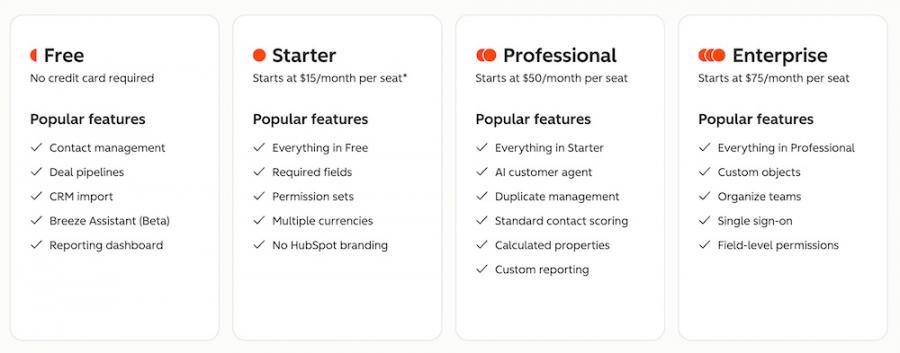
Image via HubSpot CRM
Tool Level
- Beginner
Usability
- HubSpot CRM allows any freelance business owner to review client history, schedule tasks, and track deals without switching tools.
Pro Tip: Use HubSpot CRM’s email tracking to improve your sales process. Check when a client opens your proposal email, then schedule a follow-up within one day.
2. Brevo
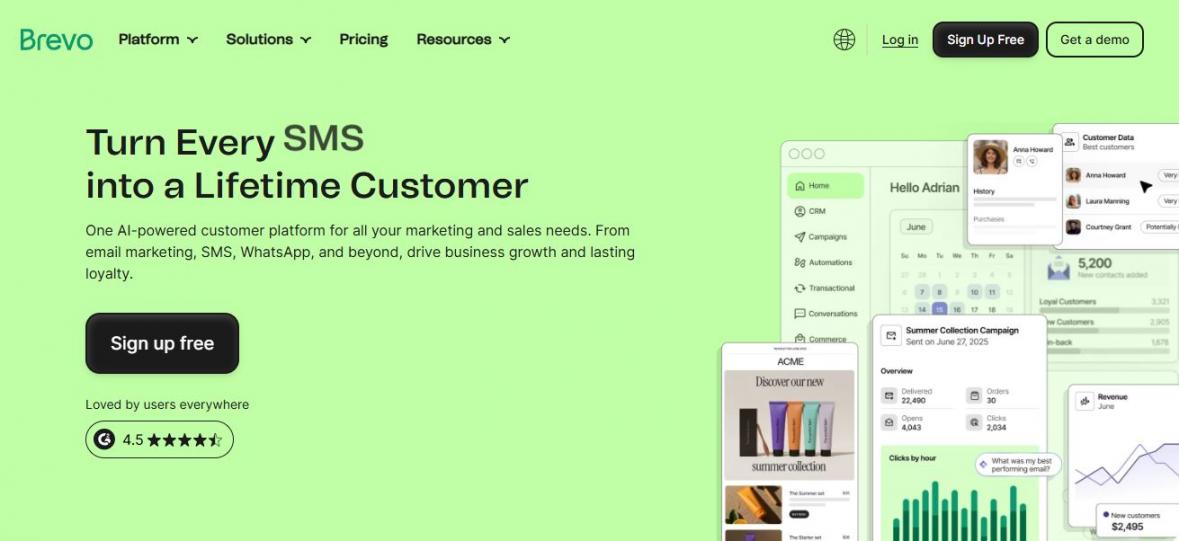
Image via Brevo
Brevo allows you to manage contacts while providing essential business tools in one centralized dashboard. Instead of switching between a CRM and an email platform, you have both in the same workspace.
It’s one of the best CRM for freelancers who rely on email outreach to find or retain clients. Like HubSpot CRM, Brevo tracks how customers interact with your messages, helping you improve client communication.
This also helps independent professionals decide when to send a follow-up and when to let go of cold leads.
Key Features
- Email marketing campaigns
- Workflow automation
- Sales pipeline tracking
- Educational resources
- Contact segmentation tools
Pros
- CRM and email marketing in one dashboard
- Contact segmentation for targeted outreach
- Option to communicate on multiple channels
- Automates message scheduling
Cons
- Steep learning curve
- Customer support can be slow
Pricing
- Starter: $9/month
- Standard: $18/month
- Professional: $499/month
- Enterprise: Custom pricing
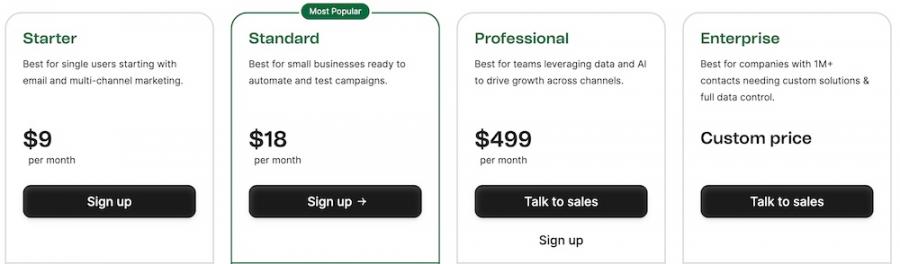
Image via Brevo
Tool Level
- Intermediate to advanced
Usability
- Brevo provides the basic tools for client management in one dashboard. However, it requires significant familiarity to make the most of it.
Pro Tip: Use contact segmentation to group clients by service type, such as design or copywriting. This helps you send relevant project details and updates to the right group.
3. Keap
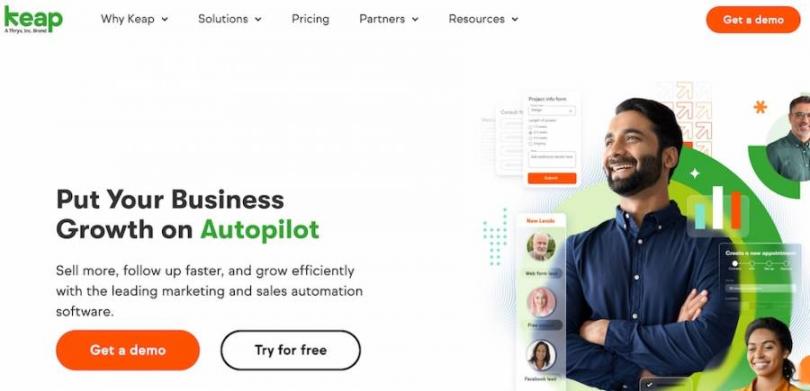
Image via Keap
Freelancers often struggle with tracking leads and following up with clients on time. Keap is a CRM tool that helps with client management by combining contact records, email communication, and payment tracking in one workspace.
You can review a client conversation, check the deal stage, and confirm payment activity before sending a reply.
Keap also helps you reduce manual work by automating common steps. For example, it automatically adds new contacts and sends a welcome email.
Key Features
- Customizable workflows
- Lead management
- Contact migration
- Integration with thousands of apps
- Analytics and reporting
Pros
- Secure automation of workflows
- Built-in appointment scheduling
- Integrated payment tracking
- Convenient all-in-one intuitive platform
Cons
- Expensive with mandatory onboarding fees
- Limited customization
Pricing
- A premium CRM, Keap’s paid plans start from $299/month for 2 users and 1,500 contacts.
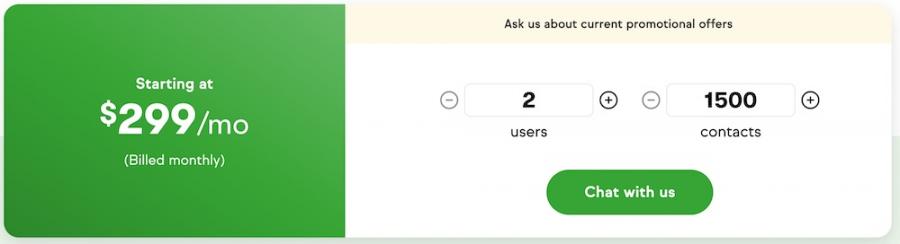
Image via Keap
Tool Level
- Intermediate
Usability
- Keap has a user-friendly interface. That said, it’s ideal if you already have experience handling basic CRM software solutions.
Pro Tip: To improve your sales process, create an automated email sequence that sends a reminder three days after a proposal email if the client hasn’t replied.
4. Bloom
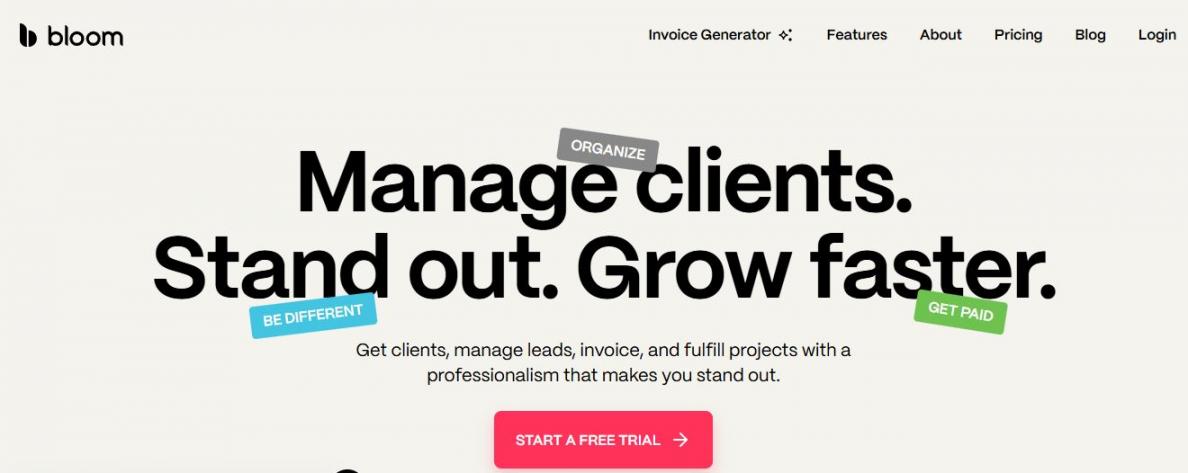
Image via Bloom
Bloom is a CRM system that handles customer interactions, proposals, and payments. It helps creative professionals with project management, from inquiry to final payment.
Another thing that makes Bloom one of the best CRM for freelancers is its automation features that streamline workflows. While it’s not as refined as HubSpot’s, it handles repetitive tasks like sending proposals and invoices automatically.
It also tracks time spent on projects, which is crucial for new freelancers struggling with accurate billing.
Key Features
- Automated follow-up emails
- Creation and sending of professional invoices
- Contact and e-signature management
- Digital layouts for work presentations
- Central dashboard for managing client relationships and accounts
Pros
- Saves time on admin tasks
- Provides professional branding
- Faster invoicing
- A combination of multiple tools
Cons
- Limited customization and basic reports
- Mobile app offers fewer features than the desktop version
Pricing
- Starter: $18/month
- Standard: $44/month
- Plus: $78/month
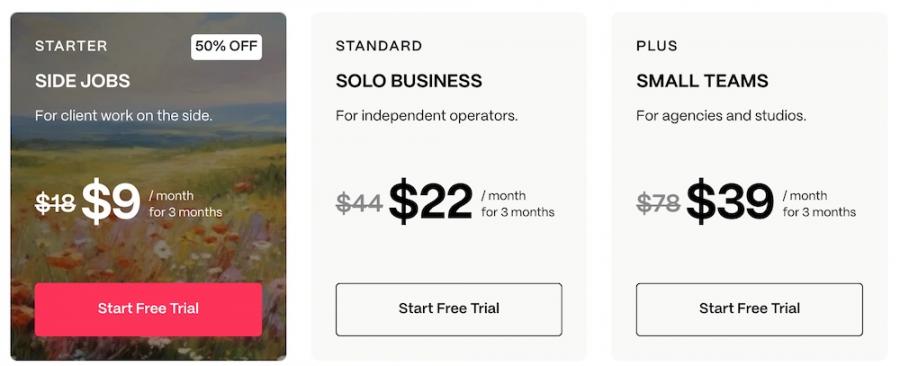
Image via Bloom
Tool Level
- Intermediate
Usability
- Bloom’s clean layout and intuitive interface let you see your daily tasks at a glance, making it simple to move from one client project to the next without confusion.
Pro Tip: Use the automated follow-up sequences to stay in touch with past projects and clients. You can set it to check every few months.
5. Moxie
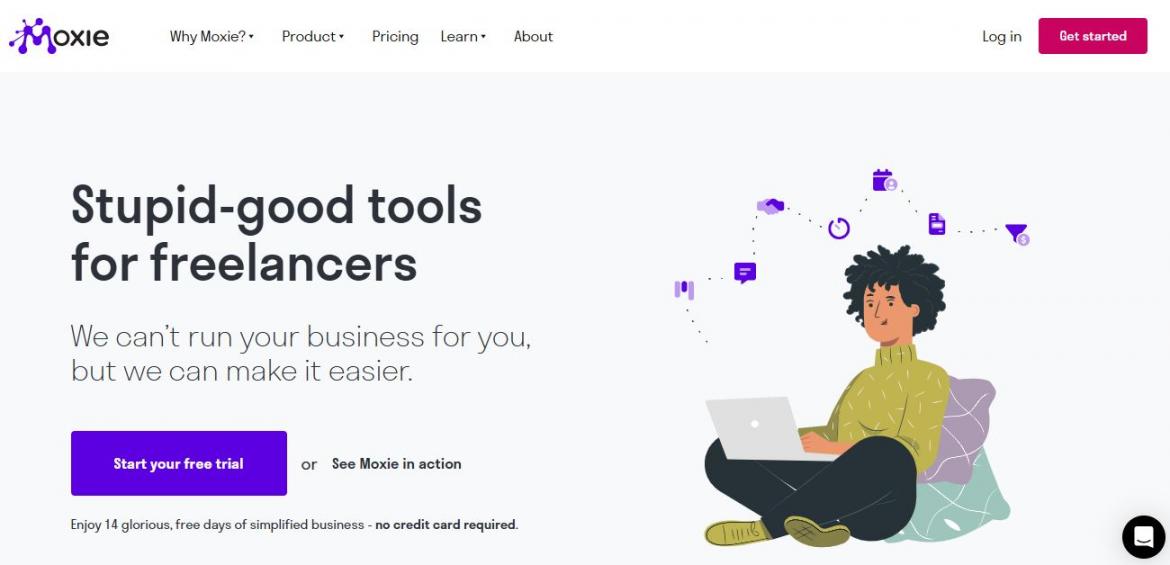
Image via Moxie
Managing freelance businesses takes more than just tracking clients. Moxie provides an all-in-one workspace for managing client relationships alongside your daily business tasks.
You get project management tools that break down work into tasks while setting realistic deadlines. This is necessary for nurturing stronger client relationships.
One of the advanced features of this CRM automation platform is that it provides a clear view of your expenses so you can manage your finances without additional apps.
Key Features
- Customizable client management
- Automated time tracking
- Proposal generation
- Expense tracking for business
- Client portal for file sharing
Pros
- Clear profitability insight
- No need for app switching
- Financial data is organized centrally
- Branding options
Cons
- Overwhelming if you only need simple customer relationship management
- Automation is limited to nurturing leads
Pricing
- Starter: $12/month
- Pro: $25/month
- Teams: $40/month
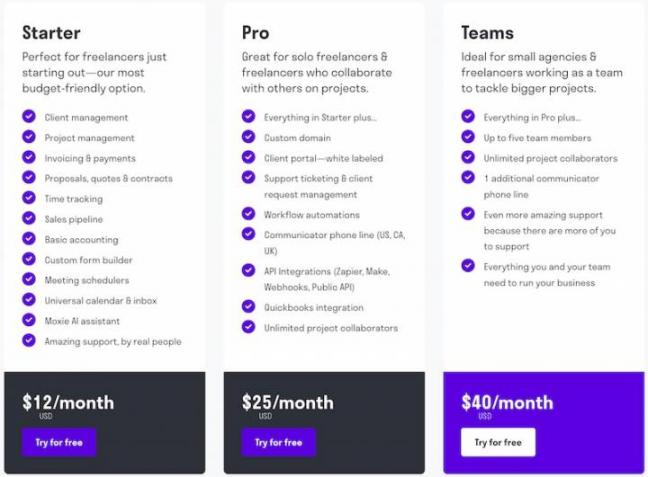
Image via Moxie
Tool Level
- Intermediate
Usability
- Moxie’s user-friendly interface groups everything by client. This CRM platform lets you see all emails, tasks, and invoices for one person in a single view.
Pro Tip: Use the client portal to share project details and files. This cuts down on long email threads and keeps client communication stored in one spot.
6. Pipedrive
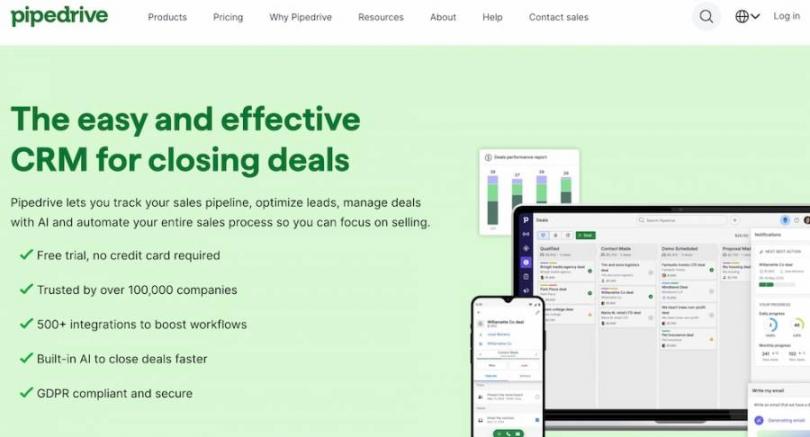
Image via Pipedrive
Pipedrive CRM is designed for any freelance business juggling multiple clients. Like most of the best CRM for freelancers, its advanced features include a central hub with a visual sales process showing where each client stands.
This CRM software solution also shines in automation. You can set up emails to send automatically when a proposal is viewed or create activities that remind you to check in with a client.
Although it lacks marketing features like HubSpot CRM, it handles routine actions well. Read this HubSpot vs Pipedrive comparison for a detailed breakdown.
Key Features
- Nora AI for sales advice
- Automated lead nurturing
- Seamless integrations with existing tools
- Personalized onboarding
- Reliable security for customer data
Pros
- Highly visual and intuitive interface
- Email tracking with real-time updates
- Mobile app for convenient access
- Detailed reporting for sales activities
Cons
- Limited features for marketing and branding
- No native Kanban view for contacts
Pricing
- Lite: $24/month/seat
- Growth: $49/month/seat
- Premium: $79/month/seat
- Ultimate: $99/month/seat
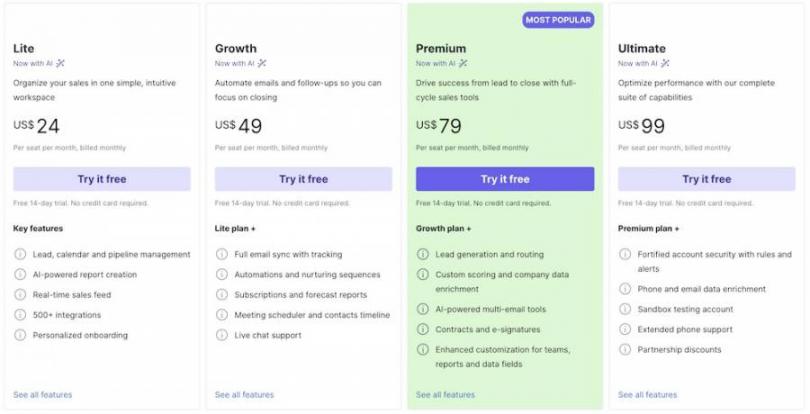
Image via Pipedrive
Tool Level
- Intermediate
Usability
- Pipedrive is as easy to use as HubSpot CRM. You can navigate its simple dashboard even without help.
Pro Tip: Use the email tracking feature to get alerts when a client opens your proposal, so you can follow up while your project is still on their mind.
7. Capsule
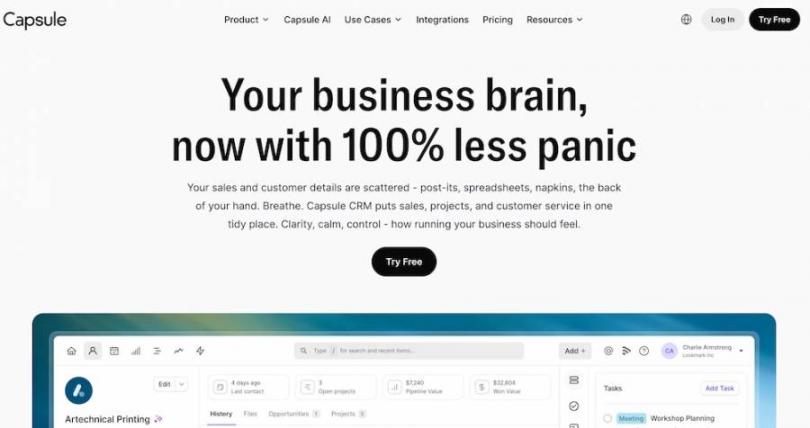
Image via Capsule
Capsule reduces clutter by keeping all your freelance projects, tasks, and client information neatly organized in one platform.
This clarity helps you track conversations and deadlines without getting lost in complex menus.
Capsule also logs every email and call and accurately tags them to a specific project. However, unlike HubSpot CRM, this tool lacks marketing automation.
Key Features
- AI assistant for detailed summaries
- Case feature for project management
- Integrations with third-party tools
- Mobile CRM app
- Syncs emails and calendar events automatically
Pros
- A user-friendly interface
- Inclusion of a free plan
- Advanced case management
- Integration with accounting software
Cons
- Lacks built-in marketing automation
- Basic automated workflows
Pricing
- Free
- Starter: $21/month/user
- Growth: $38/month/user
- Advanced: $60/month/user
- Ultimate: Custom pricing
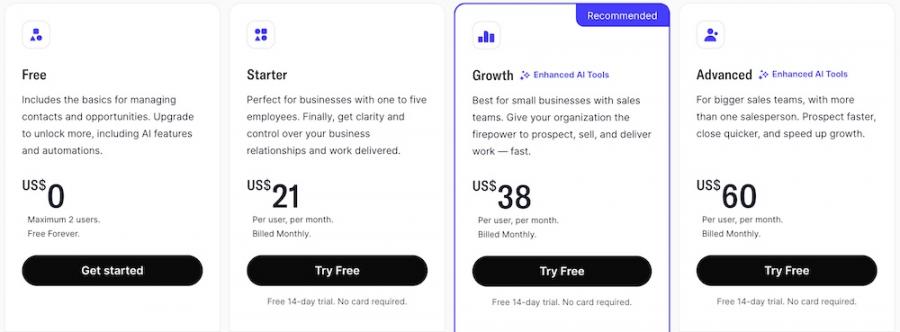
Image via Capsule
Tool Level
- Intermediate
Usability
- Capsule uses a drag-and-drop system, making it easy and intuitive to visually move deals through different stages.
Pro Tip: Use the Cases feature to bundle all emails, notes, and files for a specific project. This gives you a complete record, which can serve as a reference for future work.
8. HoneyBook
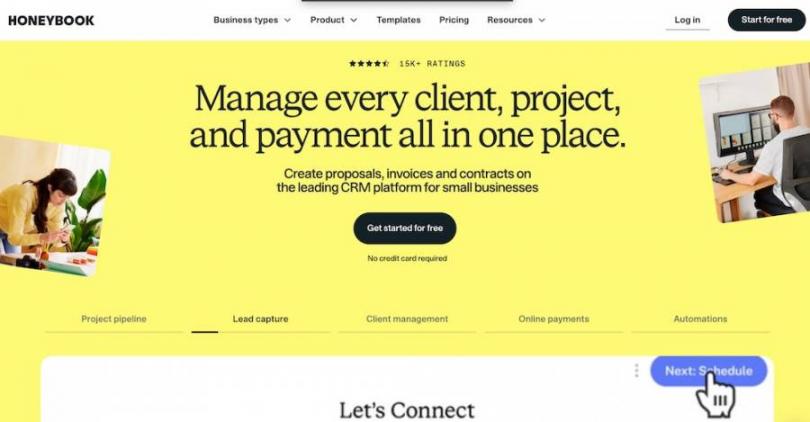
Image via HoneyBook
Next on our list of the best CRM for freelancers is HoneyBook. It stands out for its ability to go beyond storing names and emails. You can use it to send proposals, sign contracts, and collect deposits all in one place.
This means you spend less time jumping between different apps and more time on the actual work you bill for.
This CRM software provides professional branding. You can send branded documents and automated reminders that keep active projects moving forward.
Key Features
- Project tracking and task management
- Lead scoring via AI
- Integrations with Flodesk, Outlook, and more
- Built-in invoice system
- Client portal for customers
Pros
- Streamlined client workflow
- Automated emails save time
- Professional branding
- Integrated payments for fast invoicing
Cons
- Expensive
- Customer support is limited to email and chat
Pricing
- Starter: $36/month
- Essentials: $59/month
- Premium: $129/month
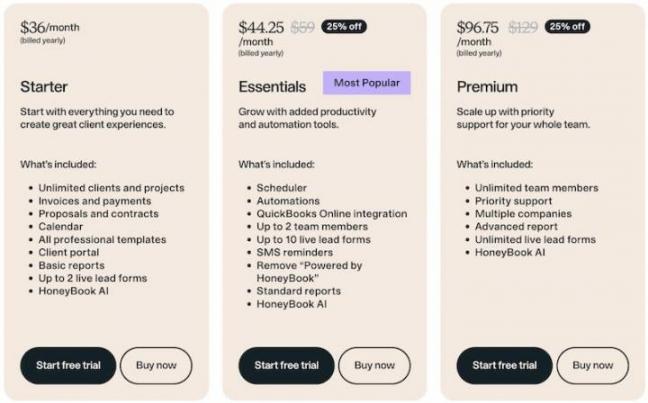
Image via HoneyBook
Tool Level
- Beginner
Usability
- HoneyBook is one of the most beginner-friendly CRM software. You don’t need detailed training to make the most of it.
Pro Tip: Use HoneyBook’s branding tools to add your logo to every email and maintain a professional look.
9. OnePageCRM
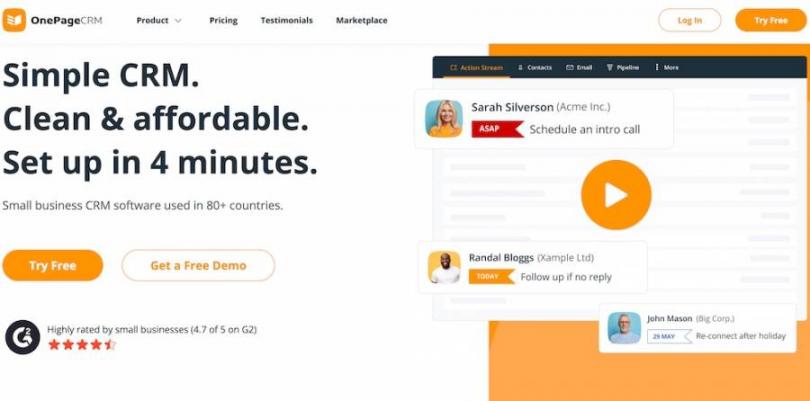
Image via OnePage
OnePageCRM positions itself as a strong option for solo professionals. Its core strength lies in transforming your client list into an actionable daily plan and forecasting sales.
This premium CRM turns your database into a dynamic to-do list that tells you precisely who to call or email each day.
Another helpful aspect is how OnePageCRM strips away the complexity of traditional CRMs. You manage your entire client base from a single, scrollable page that looks and feels like your email inbox.
Key Features
- Automated email synchronization
- Lead Clipper browser extension for capturing leads
- Mobile CRM for attending to clients on the go
- Follow-up reminders
- Team collaboration for larger freelance teams
- Deal tracking and autogeneration of sales quotes
Pros
- Comprehensive free option
- Easy and quick to set up
- Clean and clutter-free design
- Ability to hide sales features you don't need
Cons
- Limited reporting compared to HubSpot CRM
- No native marketing automation
Pricing
- Professional: $15/month/user
- Business: $29/month/user
- Max: $45/month/user
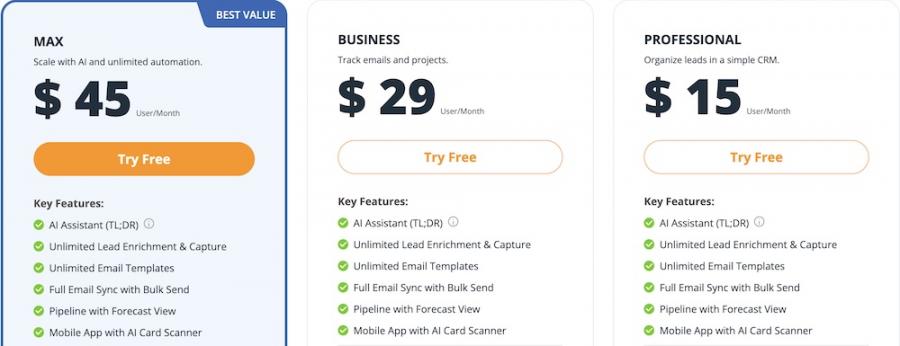
Image via OnePage
Tool Level
- Beginner
Usability
- OnePage CRM is designed to look like a regular email inbox. You work from a split screen: a list of contacts on the left and their full profile on the right.
Pro Tip: Use the Lead Clipper browser extension to find a potential client on any website. This instantly creates a new contact profile in your CRM.
FAQ
Q1. What is the best CRM for freelancers?
A. HubSpot is one of the best CRM for freelancers. It organizes emails, notes, and administrative tasks on a single dashboard. You can open a client record and review past emails before sending a project update.
Q2. What are the four types of CRM?
A. CRM systems fall into four main categories:
- Operational CRM: Focuses on daily business operations, such as contact records and sales tracking
- Analytical CRM: Analyzes data, such as lead sources or project volume, so you can review trends
- Collaborative CRM: Allows teams to share client data across tools like email and chat
- Strategic CRM: Centers on long-term client relationships and retention planning
Q3. Which CRM software solution is best suited for freelancers?
A. HubSpot CRM is often listed among the best CRM for freelancers because it tracks contacts, emails, and deals in one workspace. Other options include Brevo for email management, Keap for client tracking and automation features, and Bloom for proposals and project records.
Q4. Which features should you look for in the best CRM for freelancers?
A. The best CRM for freelancers should have the following essential CRM features:
- Affordable pricing
- Task and reminder tracking
- Seamless integrations
- Reporting and activity tracking
- Mobile access
- Contact management
Q5. Can CRM tools help freelancers manage invoices and follow-ups?
A. Yes. The best CRM for freelancers often connects with invoicing or billing tools, so you can track payments next to client records.
Get the Best CRM for Freelancers
Freelancers often handle multiple clients, messages, and deadlines at the same time. That’s why choosing the best CRM for freelancers can make a real difference in how you manage daily work.
Among the many options above, HubSpot CRM is our top recommendation due to its affordability and simplicity. It offers automation and timely reminders. It can also be used by beginners even without in-depth training.
So, try HubSpot today and transform your freelance work management.
Disclaimer: This content contains some affiliate links for which we will earn a commission (at no additional cost to you). This is to ensure that we can keep creating free content for you.