Businesses need the best CRM for lead management to centralize contacts in one place. This tool shows exactly where each lead is in the pipeline, allowing you to follow up on time and stay organized. As a result, you can improve response times and close more sales.
If you're struggling to keep track of your leads, a reliable CRM for lead management can help address this problem. That said, it all starts with choosing the right tool. HubSpot CRM is one popular tool but there are so many others that come with different capabilities and features.
In this guide, we’ll define lead management, its importance, and present a list of the best CRM platforms for lead management, along with their features, pros, cons, and pricing.
Disclaimer: This content contains some affiliate links for which we will earn a commission (at no additional cost to you). This is to ensure that we can keep creating free content for you.
Table of Contents
What is Lead Management and Why is it Important?
Lead management involves capturing, qualifying, tracking, nurturing, and converting B2C or B2B leads into paying customers. It covers every step from the first contact to the final sale.
According to a recent study, 86% of marketers use CRM tools to streamline the customer journey.
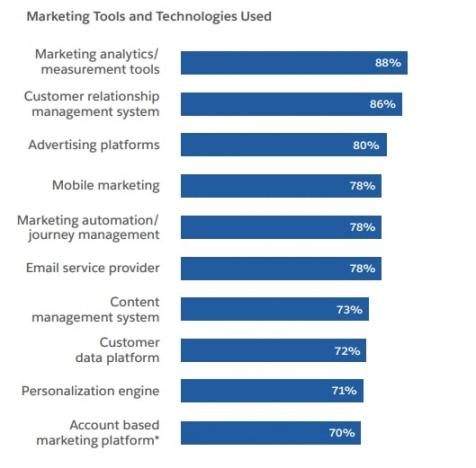
Image via Salesforce
A well-structured lead management system helps you understand where leads come from, how they behave, and what they need before making a purchase. Using the best CRM for lead management makes this journey smoother and more predictable.
In short, lead management is the systematic way you turn interested prospects into happy customers.
How We Chose the Best CRM for Lead Management
Selecting the best CRM for lead management requires understanding each platform’s capabilities, how well it fits with your workflow, and whether it can scale with your business.
Here are the factors we considered:
- Ease of Use: A complex CRM slows down your marketing and sales teams. You need a system that’s easy to learn and navigate. We considered platforms with clean dashboards, intuitive menus, and easy setup so you and your team can get started without long training sessions.
- Lead Capture and Organization: A great CRM can help with your lead generation strategy by collecting leads from various channels and keeping them organized. We selected tools that offer web forms, landing page integrations, chat widgets, and smooth data import options.
- Lead Scoring and Routing Features: The best CRM tools for lead management help you score leads automatically and send them to the right team members. This keeps your sales process efficient and prevents missed opportunities.
- Automated Lead Nurturing and Engagement: Nurturing leads manually can be tedious. We prioritized the best CRM platforms that let you schedule and automate email follow-ups and reminders to build brand awareness and strengthen customer relationships.
- Analytics and Reporting: You need to know whether your sales efforts are working or not. So, we chose tools that provide clear reports and sales funnel metrics. This includes lead sources, conversion rates, sales performance, and engagement trends.
- AI Features: The best CRM for lead management leverages AI to analyze lead behavior, suggest the next best action, and predict which leads are most likely to convert.
To choose the best CRM solutions for lead management, look for comprehensive analytics, automation, ease of use, and AI features.
Best CRM for Lead Management: Brief Comparison
| CRM Lead Management Tool | Lead Management Features | Unique Strength | Free Tier | Starting Price | Best For |
|---|---|---|---|---|---|
| HubSpot CRM | Contact and deal tracking, pipeline management, sales automation | Deep integration across marketing, sales, and service hubs | ✅ | From $15/seat/month | Scaling companies wanting an all-in-one platform |
| Pipedrive | Visual pipeline management, lead routing, AI Sales Assistant | Sales-focused lead management | ❌ | From $24/seat/month | Sales-driven teams needing pipeline visibility |
| Salesforce Sales Cloud | Lead scoring and routing, Einstein AI insights, custom pipelines | Enterprise-grade CRM with deep customization | ❌ | From $25/user/month | Large enterprises requiring complex customization |
| Zoho CRM | AI (Zia) for predictions, lead capture via web forms | Strong automation for modest budgets | ✅ | From $14/user/month | SMEs already using Zoho tools |
| Freshsales | Freddy AI lead scoring, workflow automation, multi-channel communication | AI assistant and built-in communication | ❌ | From $11/user/month | SMEs needing AI-driven lead prioritization and communication tools |
| LeadSquared Sales CRM | Lead capture and management, automated lead scoring and distribution | High-volume lead capture and fast deal closure | ❌ | From $40/user/month | Businesses handling high sales volumes |
| Zendesk Sell | Pipeline and deal management, lead tracking and scoring | Combines sales CRM with support-focused features | ❌ | From $19/month | Companies wanting CRM + customer support/ticket integration in one tool |
| Keap | Sales and marketing automation, invoicing, payment processing | CRM, marketing automation, and invoicing in one platform | ❌ | From $299 for 2 users/month | SMEs and ecommerce online stores requiring payment integration |
| Monday CRM | Customizable workflows and fields, email sync and tracking | High level of visual customization and flexibility | ❌ | From $25/seat/month | Teams wanting a high level of visual customization |
From all-in-one CRM platforms like HubSpot to specialized niche solutions, each tool caters to different business needs and goals.
9 Best CRM Platforms for Efficient Lead Management
Choosing the best CRM for lead management can feel overwhelming, especially with so many tools to choose from. Each platform promises grand results, but the truth is, not every CRM is a great fit for your business.
That’s why we’ve compiled a list of the top lead management tools to help you narrow down your options. Let’s take a look at how they compare.
1. HubSpot CRM
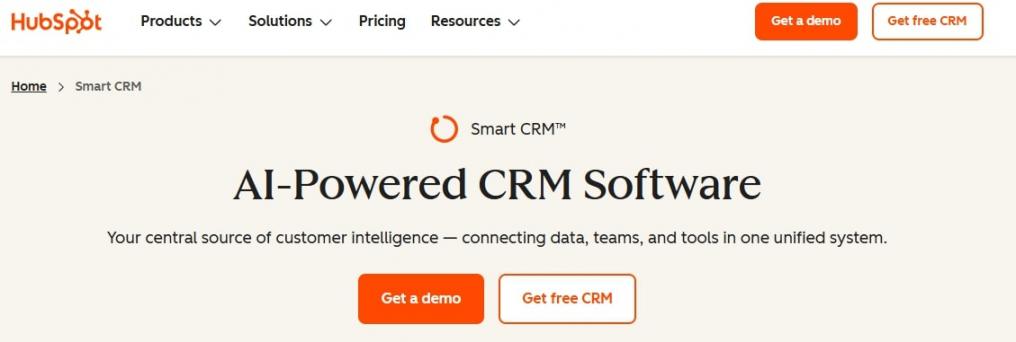
Image via HubSpot
HubSpot is an ideal choice for companies that want complete CRM capabilities in one tool. It’s a powerful, mobile-friendly, and easy-to-use AI-powered smart CRM. It has a clean dashboard where you can track every lead from the start. You can see a full timeline of calls, emails, notes, and lead data in a single view.
HubSpot CRM stands out as the best CRM for lead management due to its all-in-one approach. You get marketing, sales, customer service, and content tools that work together seamlessly and grow with your business.
Moreover, HubSpot offers a free version that provides essential lead management tools, perfect for startups and small businesses. As you grow, you can upgrade to its paid plans for more advanced features.
Breeze AI, HubSpot’s unified AI feature, helps you save time and improve accuracy across its sales, marketing, and service hub tools.
You can also use this AI tool to draft emails, summarize conversations, and pull data from the CRM lead management software without leaving your workspace.
HubSpot is an excellent choice if you’re looking for a comprehensive solution with free tools.
Key Features
- Breeze AI analyzes behavior, interactions, and historical data to identify your highest-quality leads
- Breeze Prospecting Agent monitors target accounts, detects buying signals, and drafts personalized outreach automatically
- AI overviews provide valuable insights and flag missing CRM data or issues
- Live chat and chatbot builder help you engage and capture leads
- Flexible CRM data views, including table, Kanban (pipeline), calendar, map, Gantt chart, or custom report-style
- Intelligent automation and workflows triggered by customer behaviour, deal stage, contact properties, or events
- Safeguard and manage confidential customer data, including health and financial records
- The Quote Software (CPQ) in HubSpot’s Sales Hub allows sales reps to create and send quotes and receive payments directly from the CRM
Pros
- Full-stack CRM, marketing, sales, service, and operations tools
- Integration with 2,000+ third-party business apps
- Built-in AI and workflow automation for lead management
- Powerful reporting and analytics
Cons
- Advanced features can get pricey
Pricing
HubSpot CRM offers a free plan. Its paid tiers include:
- Starter: $15/seat/month
- Professional: $50/seat/month
- Enterprise: $75/seat/month
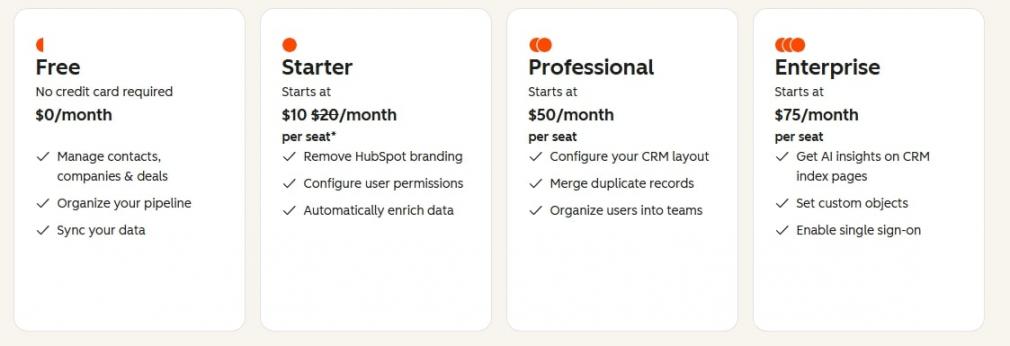
Image via HubSpot
Pro Tip: Sync your calendar to automate meeting scheduling and track email opens, clicks, and replies in your CRM. This reduces manual updates and gives you clean, real-time visibility into every conversation.
2. Pipedrive
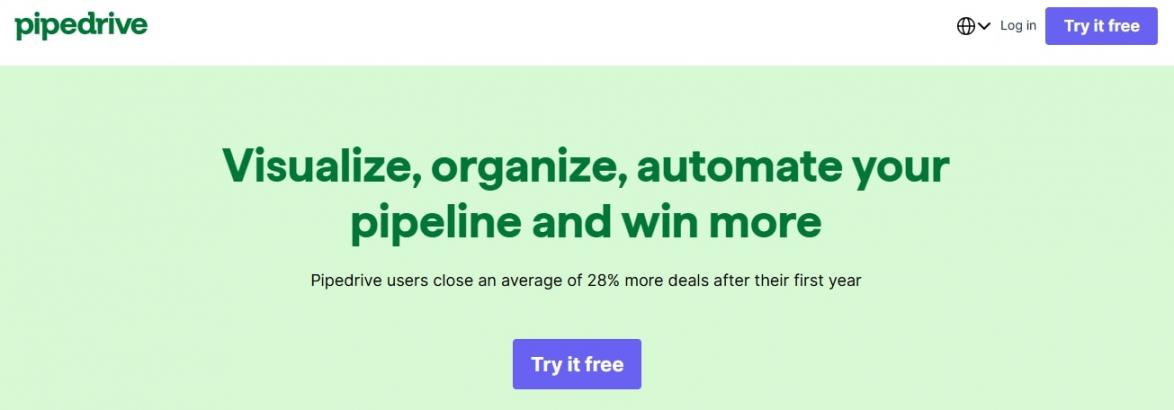
Image via Pipedrive
Pipedrive provides a clean visual sales pipeline, which makes lead tracking easier. You can see your deals at a glance and move them across stages with simple drag-and-drop actions.
The system also helps you track emails and calls, schedule follow-ups, automate routine steps, and predict closing chances.
This makes Pipedrive a reliable CRM for lead management if you want strong sales features.
Key Features
- Customizable web forms to capture quality leads
- Lead inbox to collect, filter, and sort leads
- Built-in calling, email syncing, and calendar integration
- Lead routing and nurturing workflow automations
- Pipedrive AI Sales Assistant for valuable suggestions and insights
Pros
- Access to clear, data-backed revenue projections
- Pipedrive’s AI email generator for drafting personalized campaigns
- Allows you to create multiple pipelines for different product lines
Cons
- Limited marketing tools compared to all-in-one CRMs like HubSpot
- No forever free plan
Pricing
Pipedrive offers a 14-day free trial and several paid plans:
- Lite: $24/seat/month
- Growth: $49/seat/month
- Premium: $79/seat/month
- Ultimate: $99/seat/month
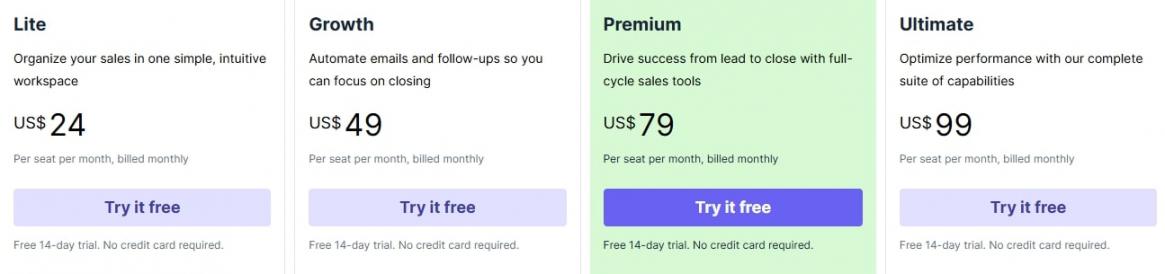
Image via Pipedrive
Pro Tip: Set a specific rotting duration for each pipeline stage to instantly identify stalling deals and focus on them.
3. Salesforce Sales Cloud
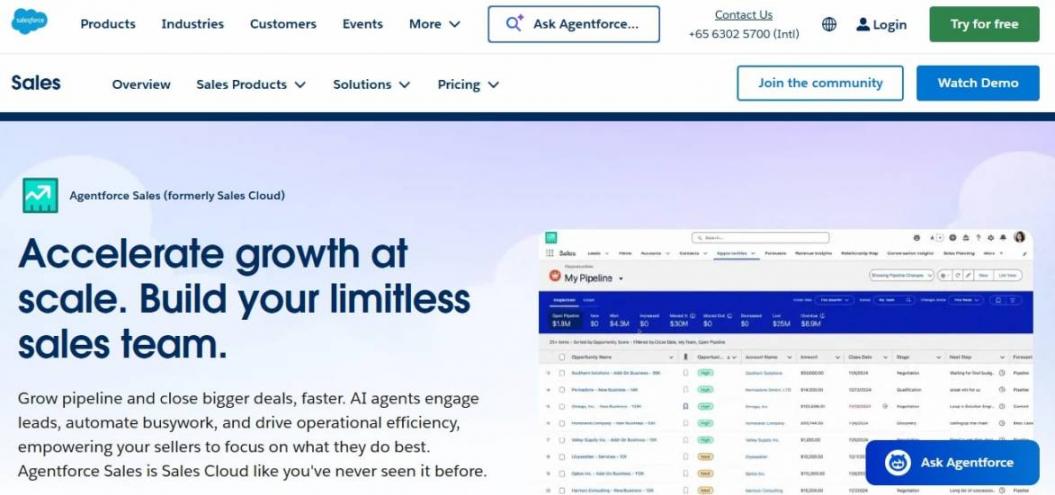
Image via Salesforce Sales Cloud
If you run a large enterprise or a growing business with complex customization needs, Salesforce is the CRM for you. Its Sales Cloud service provides advanced lead generation, qualification, and routing features.
It helps you capture leads from several channels, score them, create custom workflows, and automate every part of your sales process.
Salesforce is ideal for enterprise-level lead management and pipeline customization.
Key Features
- Lead capture using web forms, ads, chat, and email
- Agentforce automates outreach tasks, lead nurturing sequences, and meeting scheduling
- Automate follow-ups, handoffs, reminders, and sales processes
- Custom fields and data structures to match your business model
- Einstein AI for insights and predictions
Pros
- AI agents provide round-the-clock customer support
- Smooth data flow across marketing, service, and sales processes
- Dedicated mobile app, enabling sales reps to update and manage leads on the go
Cons
- Complex to set up and maintain
- Expensive compared to other lead management CRM solutions
Pricing
Salesforce Sales Cloud offers several pricing tiers:
- Starter Suite: $25/user/month, billed annually or monthly
- Pro Suite: $100/user/month, billed annually
- Enterprise: $175/user/month, billed annually
- Unlimited: $350/user/month, billed annually
- Agentforce 1 Sales: $550/user/month, billed annually
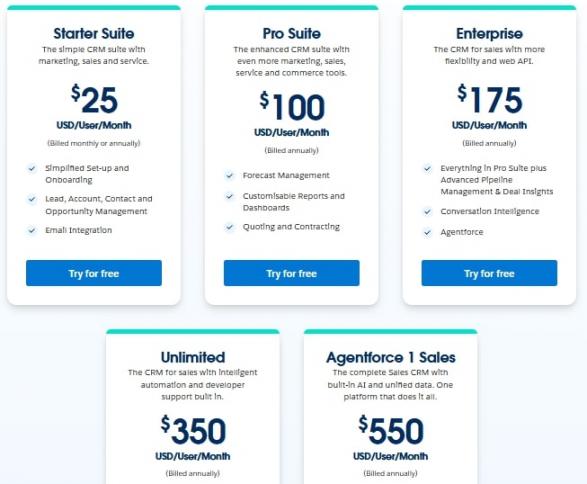
Image via Salesforce Sales Cloud
Pro Tip: Use the Scheduler feature to send a link to your prospects where they can book a meeting directly on your calendar.
4. Zoho CRM
Image via Zoho
If you want comprehensive lead management features without the high price tag, Zoho CRM is an ideal choice. It helps you capture and manage leads, track conversations, score prospects, and automate follow-ups and retargeting campaigns easily.
You get a unified view of your sales leads, tasks, emails, calls, social interactions, and deals in one place. You can also connect Zoho CRM with other Zoho products for a full ecosystem that supports sales, marketing, and customer service.
Choose Zoho CRM if you want full flexibility and customization without paying enterprise prices.
Key Features
- Omnichannel email, phone, live chat, and social media lead communication
- Blueprint feature allows you to define and enforce a step-by-step sales process
- AI-assisted workflow automation saves time
- Native AI assistant Zia provides predictive sales insights and suggestions
- Detailed reports show lead source performance and lead conversion rates
Pros
- AI recommendations maximize engagement
- Integrated Zoho ecosystem, eliminating the need for third-party apps
- Double opt-in ensures data privacy and regulation compliance
Cons
- Some features take time to set up
- Customer support can be slow at times
Pricing
Zoho CRM offers a free version that includes access for three users and basic lead management tools. Its paid plans include:
- Standard: $14/user/month
- Professional: $24/user/month
- Enterprise: $35/user/month
- Ultimate: $45/user/month
- Team Users: $8/team user/month (can be an add-on)
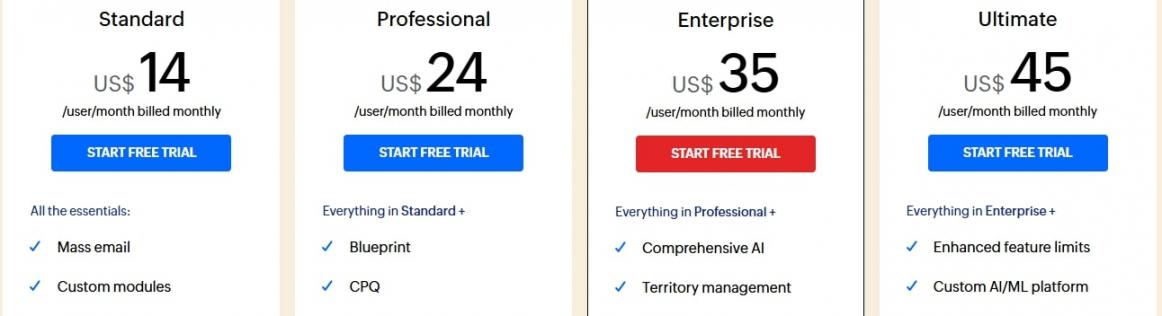
Image via Zoho
Pro Tip: Use Zia’s suggestions to identify the best follow-up times and increase your response rate.
5. Freshsales
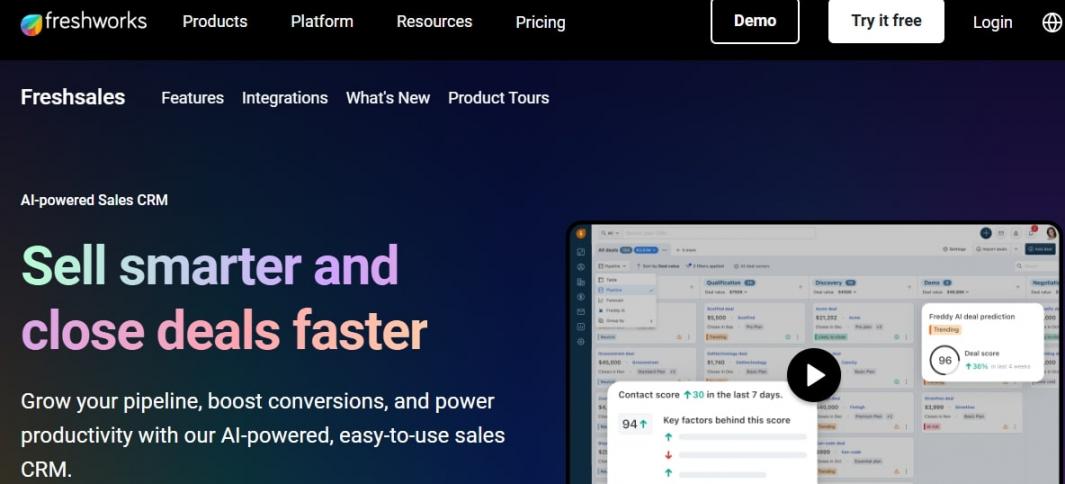
Image via Freshworks
Freshsales by Freshworks is another notable CRM for lead management. It’s an AI-powered CRM solution that helps you easily manage leads, track your sales funnel, and streamline your sales efforts.
It gives you a 360-degree view of your contacts, from first interaction to when they become a customer. Matching the capabilities of Hubspot smart CRM’s AI, the AI assistant, Freddy AI, helps you identify and score high-intent leads, predict deal outcomes, and recommend the best next steps.
Freshsales is suitable if you’re looking for built-in AI tools that help you identify and understand your leads quickly.
Key Features
- Run email marketing sales campaigns and track results
- AI-powered lead generation, qualification, scoring, routing, and tracking
- Built-in phone, email, and chat tools to reach new leads
- Automation workflows for follow-ups, assignments, and reminders
- Smart data analytics for valuable insights into your sales efforts
Pros
- Freddy AI provides deal insights and risk signals
- Automated data enrichment reduces the need for manual research
- Personalized outreach with AI content suggestions
Cons
- Fewer third-party apps than other lead management software
- Limited features for large enterprises with complex needs
Pricing
Freshsales offers a free plan for up to 3 users. Here are its paid plans:
- Growth: $11/user/month
- Pro: $47/user/month
- Enterprise: $71/user/month
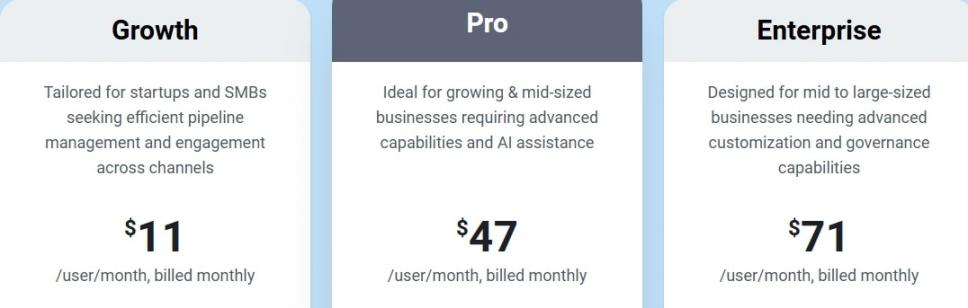
Image via Freshworks
Pro Tip: Use Freddy AI to score and prioritize the right leads. It increases your chances of converting more potential customers.
6. LeadSquared Sales CRM
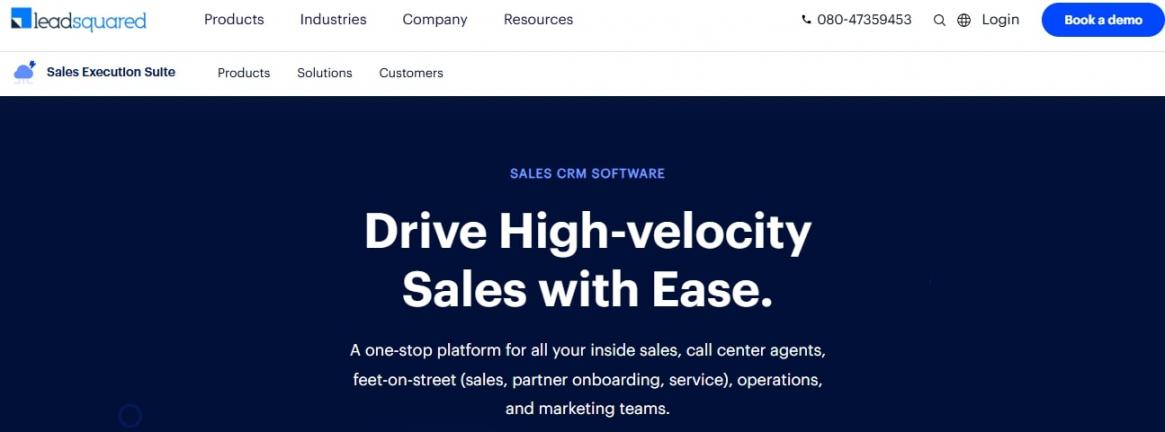
Image via LeadSquared
If you handle a huge volume of leads from multiple sources, LeadSquared is a great lead management software worth considering. It helps your sales teams in lead scoring, nurturing, and routing.
With this CRM, you can manage lead data, track activities, and guide potential customers through your sales funnel using personalized messaging.
LeadSquared is ideal for growing and large businesses because it scales well as lead volume increases.
Key Features
- Automated lead capture from web forms, landing pages, ads, chat, and more
- Unique lead fields prevent or merge duplicate contacts if they occur
- Automated alerts for calls, emails, and meetings
- Marketing automation with multi-step drip campaigns and workflows
Pros
- Automated lead distribution ensures quick and consistent lead routing
- Strong tracking and reporting features
- Offers custom solutions for different industries
Cons
- Complex features may not be ideal for small businesses
Pricing
LeadSquared offers two paid plans for its sales CRM:
- Sales Pro: $40/user/month
- Sales Super: $60/user/month
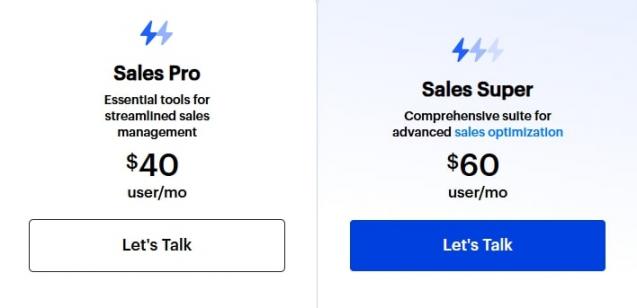
Image via LeadSquared
Pro Tip: Integrate LeadSquared with your marketing tools for smoother lead generation and nurturing.
7. Zendesk Sell
Image via Zendesk
Zendesk is known for its customer service software. However, it also offers a sales CRM, Zendesk Sell, which helps businesses track leads, create pipelines, and automate follow-ups.
Zendesk Sell also integrates seamlessly with its help desk system, giving you a complete view of lead interactions and conversations. This makes it easier to track customer data and convert leads more effectively.
Overall, Zendesk Sell is an ideal CRM for lead management for support-heavy businesses that want sales and service in one platform.
Key Features
- Effective lead generation through your website, social media, and email
- Lead capture and enrichment with company data and verified contact details
- Native calling and texting tools for communicating with leads
- Task and follow-up automation sequences and triggers
Pros
- Great for customer support and sales teams
- Flexible pipelines that scale with your business
- Works great if you already use Zendesk Support
Cons
- Limited marketing and lead generation tools compared to other CRM platforms
Pricing
Zendesk Sell provides several paid plans for its lead management software:
- Sell Team: $19/month
- Sell Growth: $55/month
- Sell Professional: $115/month
- Sell Enterprise: $169/month
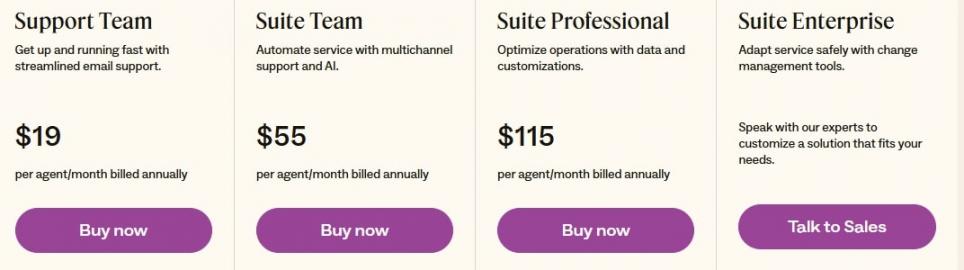
Image via Zendesk
Pro Tip: Use the mobile app to update lead interactions while traveling or doing field visits.
8. Keap
Image via Keap
Keap offers a blend of CRM, sales, and marketing automation. Its main selling point is that it helps you build complex, multi-step marketing and sales campaigns.
The tool helps you automatically capture leads, tag them based on their behavior, and send personalized follow-up emails, texts, and internal tasks. You can also track payments, invoices, and sales from one dashboard.
Keap is suitable if you want to manage leads, run full marketing campaigns, and track payments from one platform.
Key Features
- Visual campaign builder for automated workflows with drag-and-drop triggers
- Ecommerce tracking for purchases, abandoned carts, and checkout behavior
- Native payments and invoicing directly inside Keap
- Appointment booking and scheduling tools to help you close deals faster
- Automated email marketing and SMS flows
Pros
- Powerful marketing and automation tools
- Highly customizable lead journeys
- Offers built-in invoicing and payments
Cons
- Unlike HubSpot’s affordable CRM, Keap has high entry price
- Limited advanced reporting
Pricing
Keap’s pricing for its all-in-one software solution varies, depending on the number of users and contacts. It begins at $299/month for 2 users and 1,500 contacts.
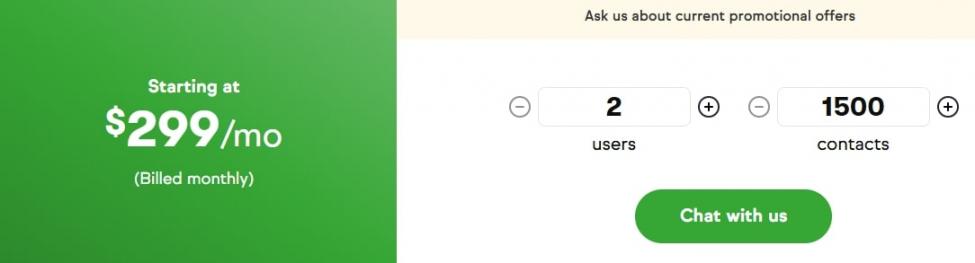
Image via Keap
Pro Tip: Build segmented email lists to send more personalized campaigns and content recommendations.
9. Monday CRM
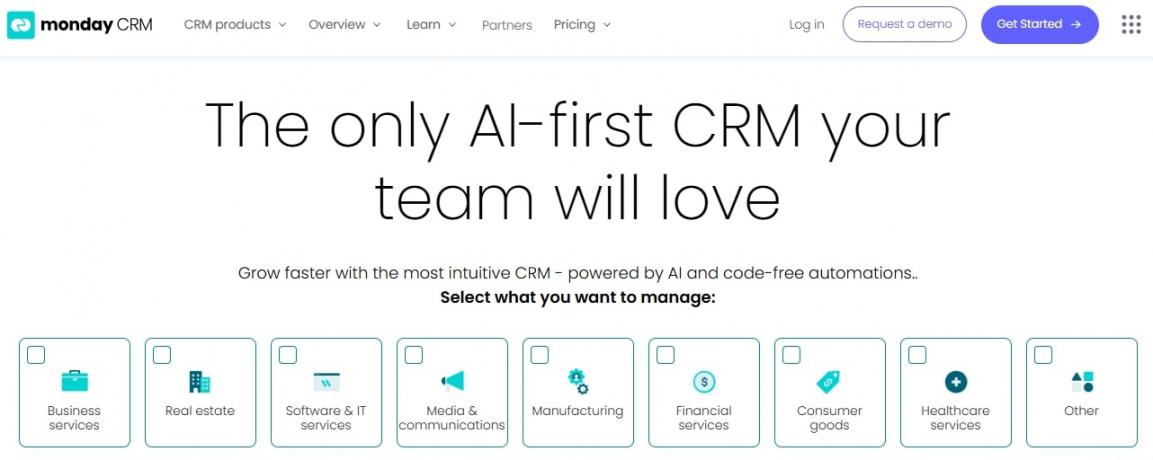
Image via monday CRM
Monday CRM is a good CRM for lead management if you want a solution built around your sales process — a feature that HubSpot Sales Hub offers along with other CRM features. It lets you organize every step of your workflow, from capturing leads to closing deals.
You can design your own custom dashboards, automate tasks, store customer details, assign tasks to teammates, and track every deal.
Monday CRM works well for teams that want custom layouts and flexible pipeline designs.
Key Features
- Fully customizable pipelines and lead management boards
- Team collaboration tools for task assignments, comments, and file sharing
- Automated notifications for tasks and deals
- Timeline, Kanban, and table views for visualizing the sales process
- Built-in email sync keeps conversations and follow-ups in one place
- Customizable reports and dashboards based on the data columns you create
Pros
- Provides 200+ Monday Work OS Integrations
- Shared boards are perfect for cross-team collaboration
- Add more boards and workflows as your sales funnel and process becomes more complex
Cons
- Full customization requires time to set up
- Limited traditional CRM features
Pricing
Monday CRM provides several paid packages:
- Basic: $15/seat/month
- Standard: $20/seat/month
- Pro: $33/seat/month
- Enterprise: Custom pricing
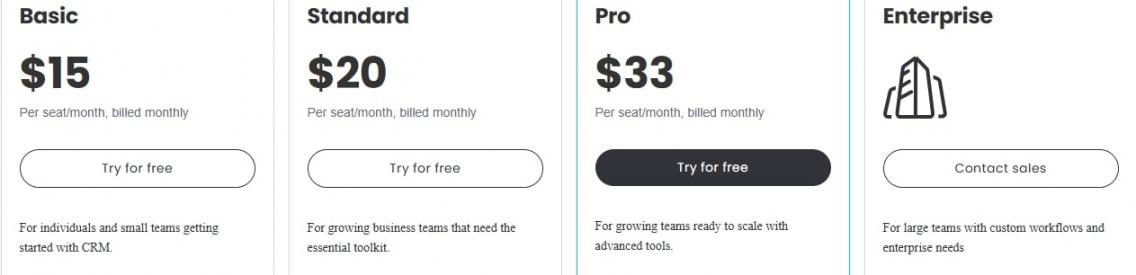
Image via monday CRM
Pro Tip: Create separate boards for different sales pipelines if you have multiple product lines.
FAQ
Q1. What is the best CRM for lead management?
A. HubSpot CRM is widely considered the best CRM for lead management. It’s easy to use, offers powerful email marketing and sales tools, and integrates well with almost any app. It also offers a free plan with features that many platforms don’t offer.
Q2. What is the difference between a CRM and a lead management system?
A. A CRM manages your entire customer journey from the first interaction to post-sales support. A lead management system, on the other hand, focuses specifically on the initial stages.
Q3. Is lead management part of CRM?
A. Yes, lead management is a part of CRM. Most CRM tools like HubSpot include lead capture, tracking, scoring, pipeline management, and follow-up automation.
Q4. Which is the most popular CRM tool for lead management?
A. HubSpot is one of the best CRM tools for lead management. It offers powerful features, a user-friendly interface, and a free plan that helps you get started without high upfront costs.
Q5. Which is the best CRM tool for beginners?
A. HubSpot is the best CRM tool for beginners due to its clean, simple dashboard and step-by-step guides that make it easy to learn. Best of all, you can start free, try different features, and upgrade only when you need more tools.
Wrapping Up
Finding the best CRM for lead management becomes easier when you understand your needs and compare tools carefully.
Each platform on this list gives you unique features that help you capture leads, stay organized, and close more deals. Choose the one that aligns with your team and long-term growth goals.
If you want a tool that’s easy to learn yet powerful enough to scale, HubSpot is an excellent choice. It’s easy to use, keeps everything in one place, and grows with you.
Try HubSpot’s free CRM today and watch how much easier lead management becomes.
Disclaimer: This content contains some affiliate links for which we will earn a commission (at no additional cost to you). This is to ensure that we can keep creating free content for you.