AI email marketing tools are changing how email campaigns are run, with HubSpot being one of the best options. They help write emails faster, test subject lines, and analyze how people react to messages. These tools are indispensable if you manage multiple subscribers and clients.
However, finding an AI email marketing tool that simplifies your work isn’t easy. You must consider their AI features, affordability, integrations, and automation control.
Some options, such as HubSpot, meet most of these requirements, but there are alternatives you can use.
In this post, we’ll show you what makes each AI email marketing software effective. We’ll explore their best features and limitations to help you make an informed decision.
Disclaimer: This content contains some affiliate links for which we will earn a commission (at no additional cost to you). This is to ensure that we can keep creating free content for you.
How We Chose the Best AI Email Marketing Tools
The best AI email marketing tools depend on your marketing needs. However, in general, you can base the final selections on the following factors:
- Data Analysis and Learning Ability: Most AI email marketing tools rely on machine learning to analyze historical data and inform future marketing campaigns. Check how well the platform monitors and learns user behavior, engagement patterns, and message performance.
- Personalization Depth: The best AI email marketing tools should adjust subject lines, send times, and content based on subscriber behavior. Options like HubSpot allow you to deliver messages that match user interests.
- Automation Control: Automation allows you to run email campaigns without constant manual work and human intervention. The right AI email marketing tools should be able to automatically respond to subscriber actions.
- Integration with Marketing Systems: Effective AI email marketing tools must connect with the platforms that hold your customer data. If you’re looking for a tool that keeps subscriber data consistent, HubSpot is perfect as it integrates with over 2,000 apps.
- Deliverability Management: You must know whether your emails reach inboxes instead of spam folders. Good AI email marketing tools should track sender reputation, engagement signals, and open times.
- Reporting and Performance Tracking: The right AI-powered email marketing tool should provide detailed campaign reports. For example, HubSpot tracks open rates, click activity, subscriber behavior, and revenue impact.
Comparison Table: Best AI Email Marketing Tools
Before diving into the different AI tools for email marketing, here’s a quick comparison of the best options.
| Tool | Key Features | Best For | Free Plan | Starting Price |
|---|---|---|---|---|
| HubSpot | CRM-powered email marketing and automation | Businesses needing integrated CRM + marketing automation | ✅ | $15/seat/month |
| MailerLite | Drag-and-drop email builder with automation | Beginners and small businesses | ❌ | $10/month |
| Elastic Email | High-volume email API and SMTP service | Developers and bulk senders | ✅ | $19/month |
| Brevo | Email + SMS marketing with CRM | Small to mid-size businesses | ❌ | $9/month |
| Ortto | AI-driven customer data and automation | Data-driven marketing teams | ❌ | $199/month |
| Lemlist | Personalized cold email outreach | Sales teams and lead generation | ❌ | $79/month |
| Drip | Ecommerce-focused marketing automation | Online stores and DTC brands | ❌ | $39/month |
| Instantly | AI cold email scaling platform | Agencies and outbound sales teams | ❌ | $47/month |
| Sequenzy | Email automation, transactional emails, customer segmentation | SaaS startups and product-led businesses | ✅ | $19/month |
| Zeta | AI marketing platform with identity data | Large enterprise marketing teams | ❌ | Custom pricing |
| Missive | Collaborative team inbox with email workflows | Customer support and shared inbox teams | ❌ | $18/month |
| Optimizely | Experimentation and personalization platform | Enterprises running advanced marketing experiments | ❌ | Custom pricing |
| EmailOctopus | Amazon SES-powered email marketing | Budget-focused marketers and startups | ✅ | $10/month |
The Best AI Email Marketing Tools for Businesses
After testing multiple AI email marketing tools, below is a breakdown of the best tools worth checking out.
1. HubSpot
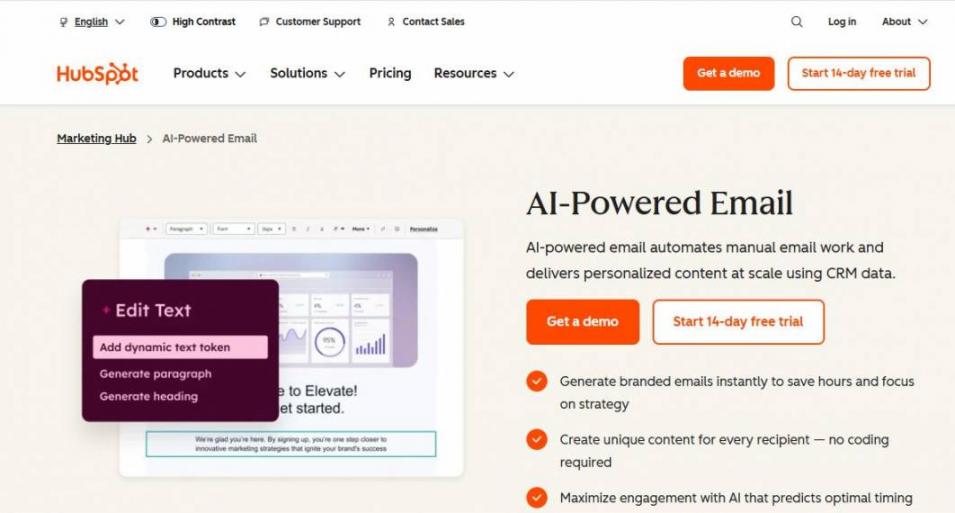
Image via HubSpot
HubSpot is one of the best AI email marketing tools due to its ability to study contact behavior, campaign results, and engagement signals. A combination of these data guides targeting and timing decisions.
This way, the platform can learn from each campaign and refine future email sends.
HubSpot also provides deep personalization across emails. It pulls contact and company data from its CRM to automatically generate unique content for each recipient.
The platform also integrates directly with over 2,000 CRM and marketing apps. This connection allows access to marketing, sales forecasting, and analytics data to stay synchronized without additional installations.
Key Features
- AI email content generation
- Customer portals
- Workflow automation builder
- Predictive send time optimization
- Campaign performance summaries
Pros
- Unified CRM and email system
- Strong AI personalization
- Large integration ecosystem
- Detailed campaign reporting
Cons
- The free option is limited
- Pricing increases as contact lists grow
Pricing
- Free
- Starter: $15/month/seat
- Professional: $890/month/3 core seats
- Enterprise: $3,600/month/5 core seats
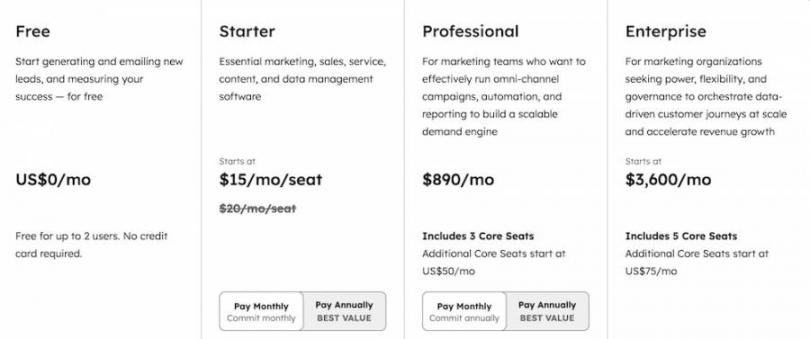
Image via HubSpot
Tool Level
- Beginner
Usability
- HubSpot uses visual editors that even beginners can comfortably use. They won’t need deep training. It suits marketers who manage structured email programs.
Pro Tip: Use the CRM-based personalization tokens across email campaigns to improve message relevance without manually rewriting each email.
2. MailerLite
Image via MailerLite
Next on the list of the best AI email marketing tools is MailerLite. It guides email campaigns by analyzing engagement data like open rates and clicks. While it doesn’t rely on deeper CRM data like HubSpot, MailerLite provides reliable audience targeting.
MailerLite uses subscriber fields and behavioral segmentation for personalization. This allows you to adjust content using stored audience data and engagement signals.
You can also integrate MailerLite with ecommerce platforms and analytics software to maintain synchronized subscriber data.
You also get reporting capabilities, allowing you to review campaign performance and adjust your email strategy.
Key Features
- Email teaser popups
- Newsletter builders
- Drag-and-drop visual editors
- Subscriber segmentation tools
- Landing page and form builder
Pros
- Clean campaign editor
- Reliable automation builder
- User-friendly interface
- Affordable plans
Cons
- Template restrictions
- Long approval processes
Pricing
- Free
- Growing Business: $10/month, up to 500 subscribers
- Advanced: $20/month, up to 500 subscribers
- Enterprise: Custom pricing
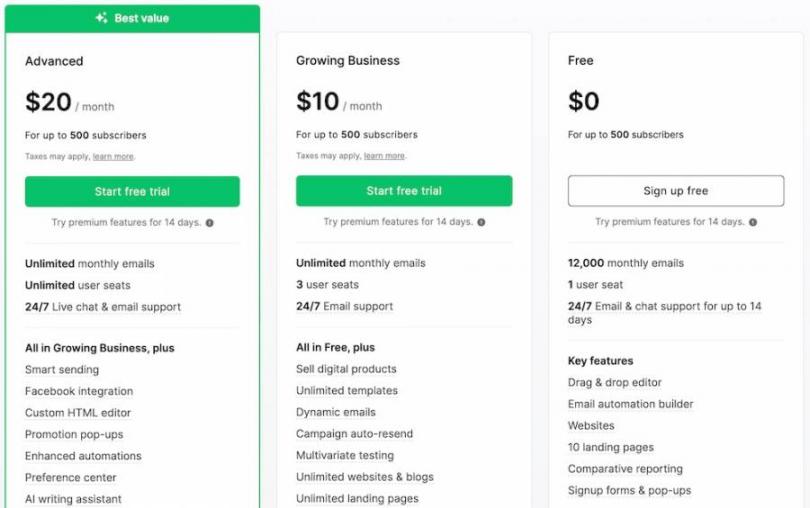
Image via MailerLite
Tool Level
- Intermediate
Usability
- MailerLite manages campaigns and workflows without technical setup. It works best for marketers and brands who need smarter email marketing campaigns.
Pro Tip: Use segmentation rules that update automatically to keep each email aligned with current audience behavior.
3. Elastic Email
Image via Elastic Email
Elastic Email focuses on large-scale email delivery and campaign control. This robust AI email marketing tool works well for large teams handling high email volumes.
The tool tracks engagement signals, such as open activity, click behavior, and bounce rates. This data helps you review audience response and adjust campaign timing.
Elastic Email also provides triggered workflows and scheduled campaigns. With these features, you can create automated sequences based on subscriber activity and list changes to maintain campaign timing.
You can also use its Email API for third-party app integrations. However, Elastic Email sells this as a separate add-on, unlike HubSpot, which bundles this in one plan.
Key Features
- Automated email responses and scheduling
- Email marketing campaign creator
- Email API for integrations
- Email templates
- Campaign reporting and analytics
Pros
- Wide email template library
- API access for custom systems
- Customizable segmentation rules
- Scalable sending capacity
Cons
- Interface requires technical familiarity
- Add-ons cost extra
Pricing
- Free
- Marketing: $19/month for 10,000 contacts
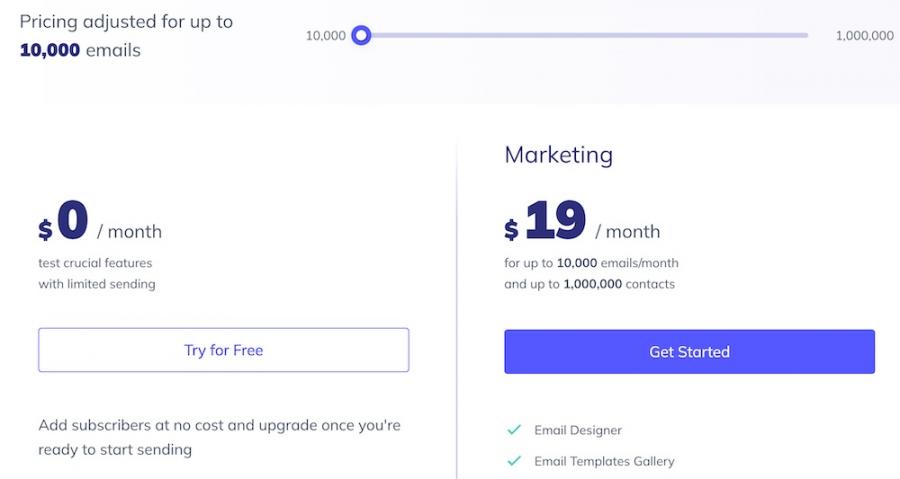
Image via Elastic Email
Tool Level
- Intermediate
Usability
- Elastic Email is easy to navigate for intermediate users with prior experience handling automated emails. It works best for teams managing large email lists.
Pro Tip: Use engagement-based segmentation every time you’re about to send a new campaign. This keeps messages focused on active subscribers and maintains strong inbox placement.
4. Brevo
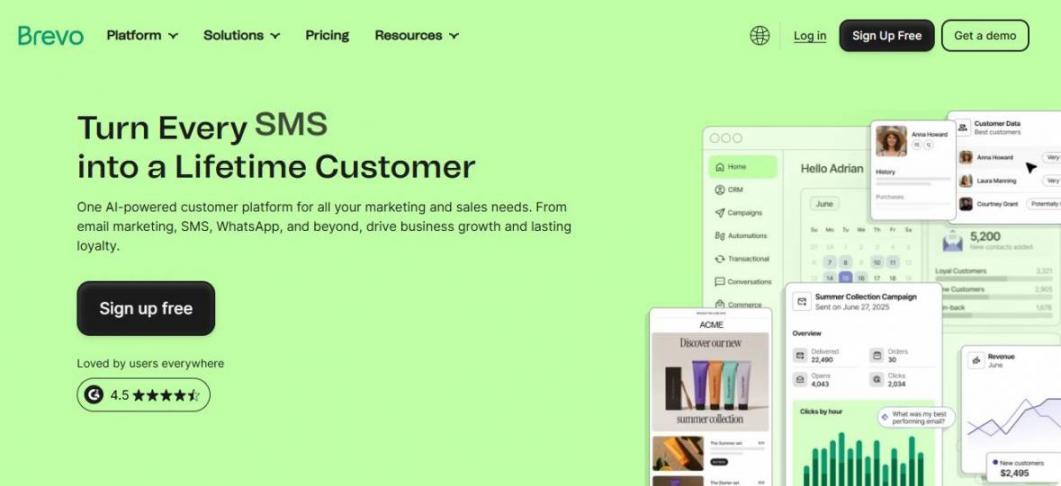
Image via Brevo
Brevo effectively combines marketing and transactional messaging, making it one of the most reliable AI email marketing tools. It records engagement signals like opens, clicks, and delivery results.
Additionally, Brevo analyzes user behavior to improve targeting and segmentation. It achieves this by grouping contacts based on interaction data and list attributes. While its prediction is great, it’s not on the same level as HubSpot.
Brevo provides marketing automation controls for repetitive tasks. You can trigger campaigns using actions like sign-ups, list updates, or engagement signals. These workflows help maintain consistent campaign timing without manual scheduling.
Key Features
- Integration with major CMS tools
- Built-in marketing automation
- Newsletters and contact forms
- Landing page builders with templates
- Segmentation and contact management
Pros
- Unified marketing and transactional email system
- Reliable email delivery infrastructure
- Clear campaign reporting
- Flexible contact segmentation
Cons
- CRM data depth is smaller than HubSpot
- Page builders are too basic
Pricing
- Starter: $9/month
- Standard: $18/month
- Professional: $499/month
- Enterprise: Custom pricing
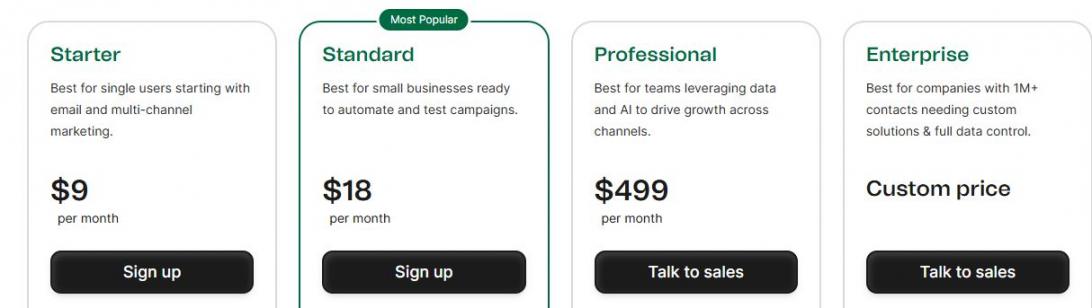
Image via Brevo
Tool Level
- Intermediate
Usability
- Brevo relies on a visual dashboard with a structured interface. Anyone familiar with how AI email marketing tools work can navigate without issues.
Pro Tip: Use behavioral segmentation rules before each campaign send. This keeps messages aligned with recent subscriber activity and improves engagement accuracy.
5. Ortto
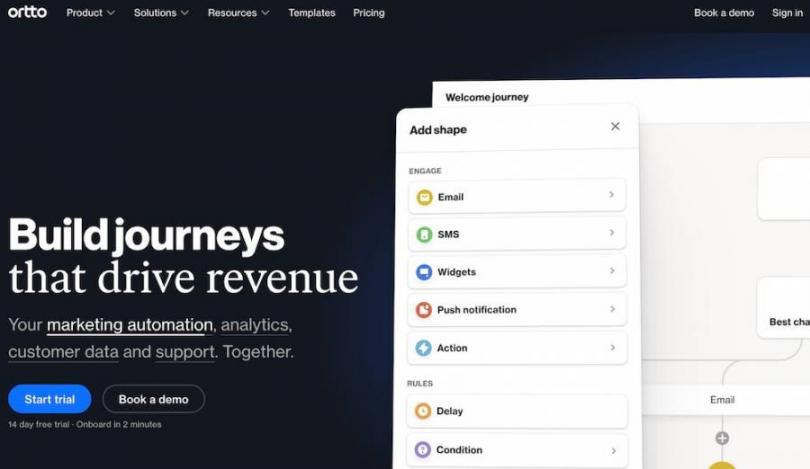
Image via Ortto
Most of the AI email marketing tools discussed here focus on automation before data. Meanwhile, Ortto places customer data and behavior at the center of every campaign. It analyzes this data to refine targeting decisions.
The system also groups contacts based on interaction signals and audience attributes stored in its data layer.
You can personalize messages based on contact attributes, activity data, and segmentation rules. This keeps messages aligned with dynamic subscriber behavior in real time.
Key Features
- Two-factor authentication
- Single sign-on with Okta support
- Shared inbox for large teams
- AI responses for emails
- Custom reports and analytics
- Lead scoring capabilities
Pros
- Strong behavioral data tracking
- Reliable customer data security
- Detailed audience segmentation
- Multi-channel campaign management
Cons
- Smaller integration ecosystem than HubSpot
- Lacks a native CRM
Pricing
- Starter: From $199/month for 5,000 contacts
- Professional: Custom pricing
- Enterprise: Custom pricing
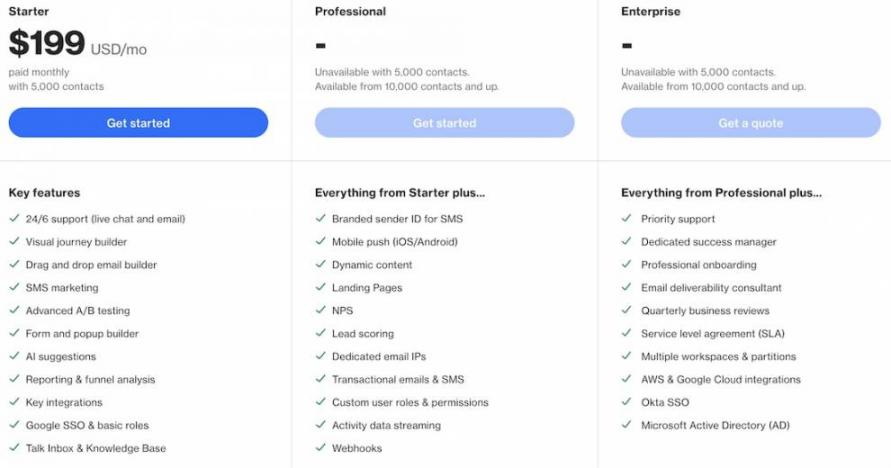
Image via Ortto
Tool Level
- Intermediate
Usability
- Ortto is a visual campaign tool with intuitive audience dashboards. With this tool, you can manage complex data-driven campaigns. It works for teams relying on behavioral data to guide messaging decisions.
Pro Tip: Use behavioral audience segments that update automatically to keep campaigns aligned with current user activity.
6. Lemlist
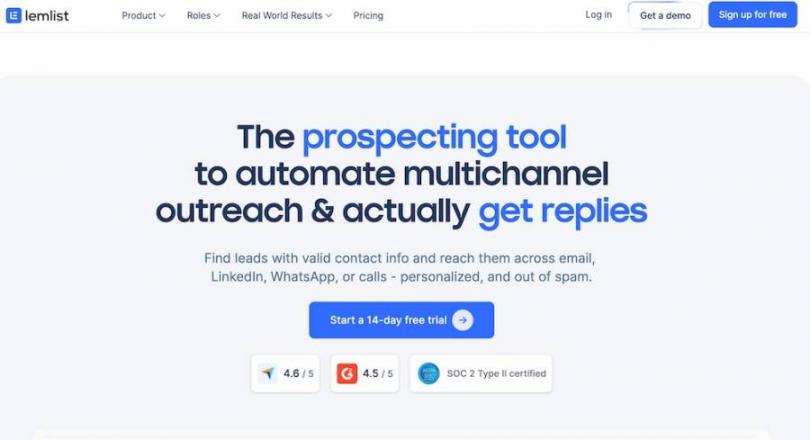
Image via Lemlist
Lemlist prioritizes personalization to ensure every email is relevant to the recipient. It achieves this through heavy data analysis and learning from past campaign performances.
What makes Lemlist stand out from other AI email marketing tools is that its personalization goes beyond using a first name. You can also customize images and product/service offers based on specific prospect data.
Automation control is strong, allowing you to build complex multi-step sequences that trigger based on recipient actions.
It also offers reliable email deliverability management, with features to warm up inboxes and check your spam score before you send emails. This helps you maintain a healthier sender reputation.
Despite these key features, we’d like to note that Lemlist’s lead management capabilities aren’t as refined as HubSpot’s.
Key Features
- Custom image and text personalization
- Multi-channel support
- Lemwarm anti-spam
- AI content generation
- Unified inbox with reporting capabilities
- Integrations with other CRM tools
Pros
- Delivers personalized engagement
- Built-in data finder
- Support for multichannel campaigns
- Reliable email deliverability
Cons
- Expensive compared to alternatives
- Unreliable lead data quality
Pricing
- Email Pro: $79/month/user
- Multichannel Expert: $109/month/user
- Enterprise: Custom pricing
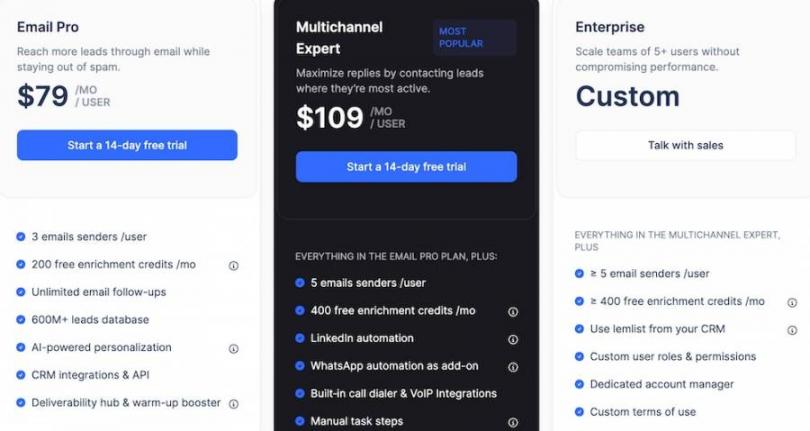
Image via Lemlist
Tool Level
- Intermediate
Usability
- To use Lemlist to your advantage, you need a basic understanding of outreach strategies. The platform is designed specifically to engage prospects personally.
Pro Tip: Use Lemlist’s AI to identify the messaging that resonates best. Then, automatically apply those winning elements.
7. Drip
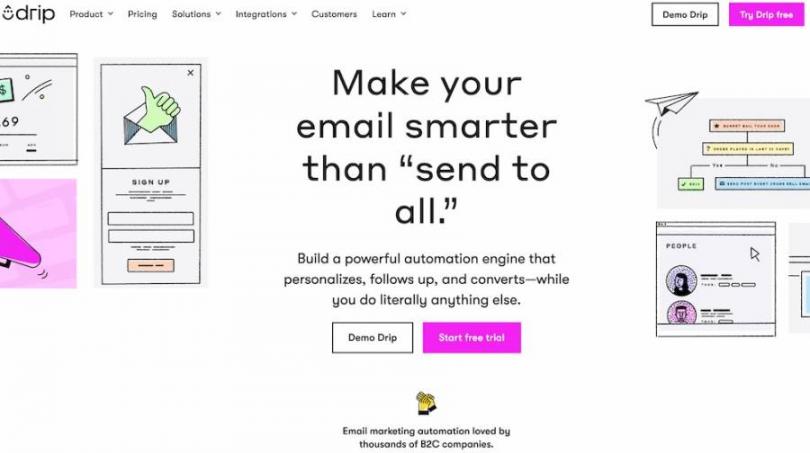
Image via Drip
Drip focuses on collecting and analyzing behavioral data to inform marketing decisions. It tracks how people interact with your brand and uses that information to improve campaign relevance.
For instance, you can reference viewed products or consumed content. This lets you tailor subsequent messages based on this data.
Drip also offers automation through visual builders that map out specific areas of customer journeys. This automation isn’t as deep as HubSpot’s, but it makes your work easy by handling repetitive steps.
Furthermore, Drip provides branding services. This means you can send emails that carry your logo.
Key Features
- Visual workflow builders
- Segmentation
- Integration with ecommerce apps and platforms
- Lead scoring for ranking prospects
- Detailed revenue attribution
- A/B testing
Pros
- Uses behavioral data to shape decisions
- Supports specialized segmentation
- Consistent brand voice
- Significant improvement of user engagement
Cons
- Reporting isn’t as advanced as HubSpot
- The initial setup time is long
Pricing
- Starts at $39/month (up to 2,500 contacts)
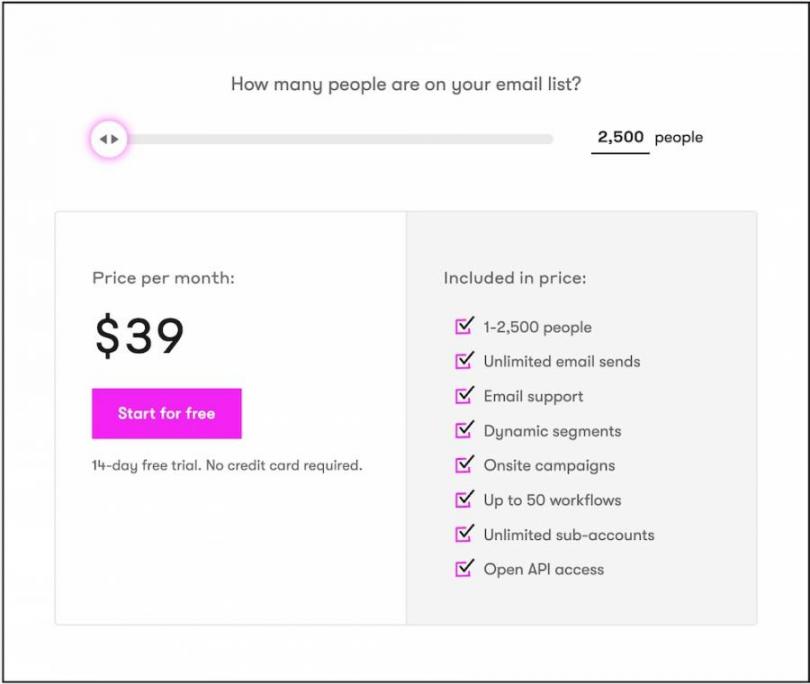
Image via Drip
Tool Level
- Intermediate
Usability
- Drip requires some level of experience with email marketing tools. It specifically serves ecommerce brands that use email marketing automation to boost personalization.
Pro Tip: Use Drip's lead scoring feature to automatically identify which of your subscribers are most engaged.
8. Instantly
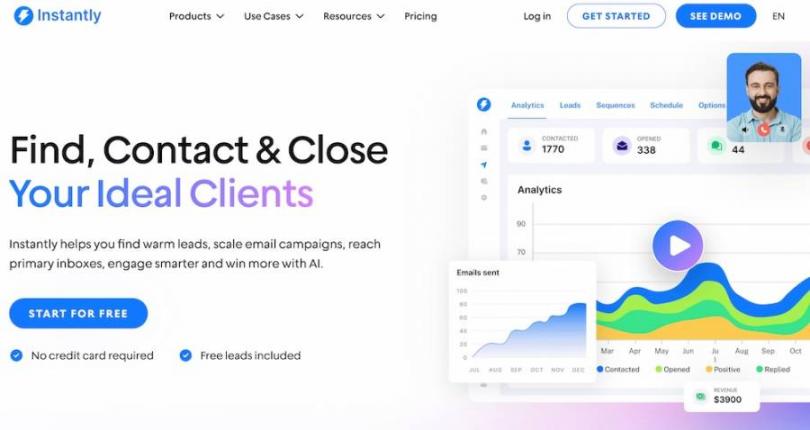
Image via Instantly
The best AI email marketing tools can handle the mechanics of delivery and data. Instantly focuses on this operational layer, positioning itself as a practical engine for cold outreach and list building.
It improves outreach by analyzing sending patterns and account health, then automatically adjusting delivery times. The system prioritizes keeping emails out of spam by warming up and rotating accounts based on performance.
Additionally, Instantly offers a degree of CRM automation through its campaign flows. With this feature, you can pause, resume, or change a sequence based on whether a lead replies.
It also integrates with major marketing systems through native connections. However, the integration range isn’t as rich as HubSpot’s.
Key Features
- Unified inbox for aggregating replies
- AI-powered lead generation
- Automatic email warmup
- Multi-account management
- Smart rotation of email accounts
- Campaign pipeline analytics
- Accelerator templates for sales
Pros
- Efficient email management
- Handles complex automation sequences
- Real-time alerts when leads reply
- Strong cold email features
Cons
- Lead generation costs extra
- Slow support
Pricing
- Growth: $47/month
- Hypergrowth: $97/month
- Lightspeed: $358/month
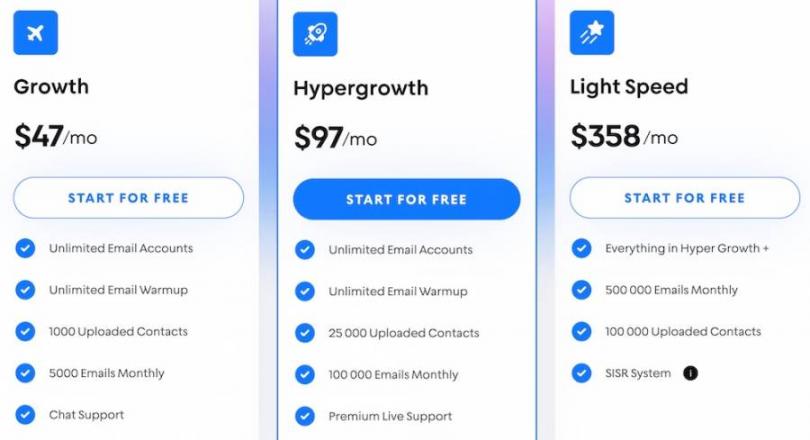
Image via Instantly
Tool Level
- Intermediate to advanced
Usability
- Instantly operates at an intermediate-to-expert tool level. Unlike HubSpot, which is easy to use right away, it requires you to understand email infrastructure basics first.
Pro Tip: Use Instantly's built-in email verifier on every list before launching a campaign. This keeps your metrics reliable and your accounts healthy.
9. Sequenzy
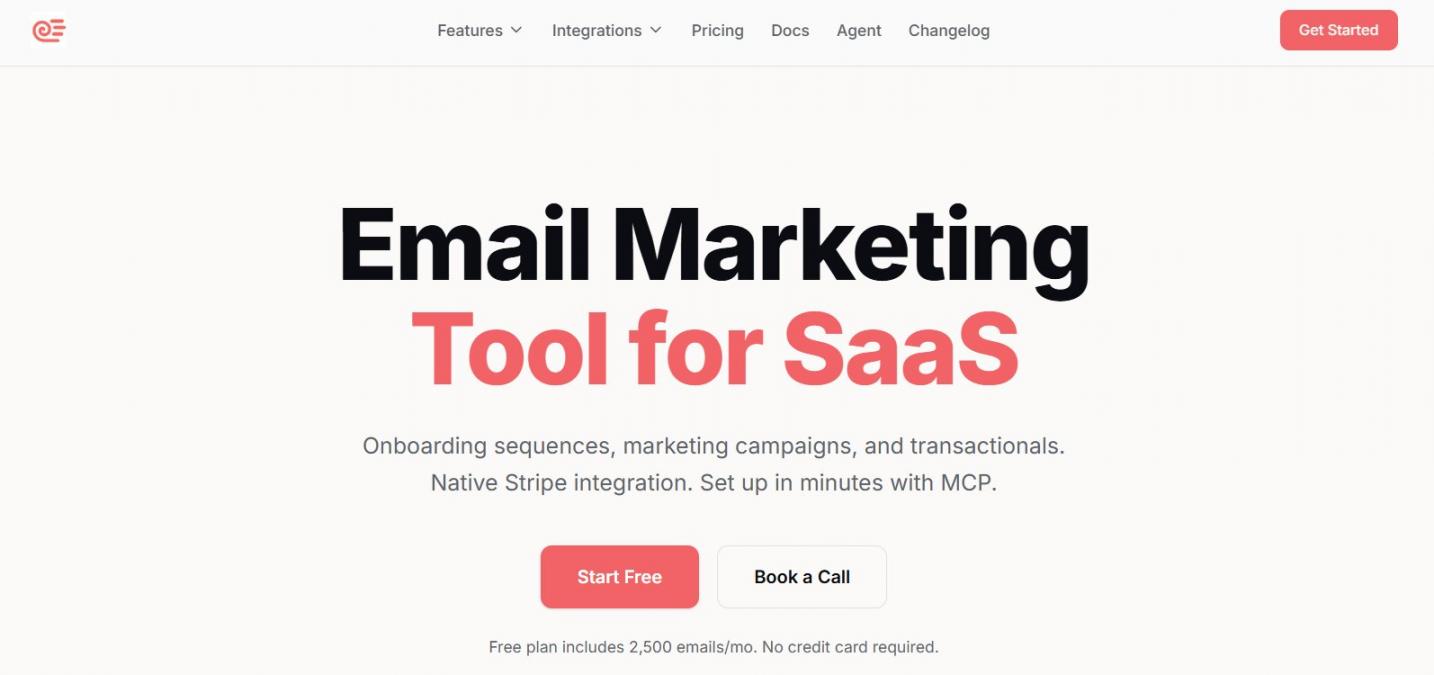
Image via Sequenzy
Sequenzy flips the usual email pricing model. Instead of charging by contact count, it charges per email sent with unlimited contacts on every plan. This is great for SaaS businesses with huge email lists.
It also combines marketing and transactional email in one place, so receipts, password resets, and campaigns all run through the same sender.
Where Sequenzy really stands out from older platforms is the AI layer. There's an MCP server that lets Claude, Cursor, and other AI agents manage campaigns, subscribers, and sequences.
Also, the AI sequence builder turns a plain-language goal into a full multi-email flow in seconds.
Key Features
- Pay-per-email pricing with unlimited contacts
- Combined marketing and transactional email
- MCP server for AI agents (Claude, Cursor, etc.)
- CLI for terminal-driven workflows
- AI-generated email sequences from plain-language goals
- Native Stripe, Paddle, Lemon Squeezy integrations
Pros
- AI-native workflow out of the box
- All features on every plan
- Permanent free tier with 2,500 emails/month
- Strong SaaS-specific billing integrations
Cons
- No HubSpot or Salesforce integration
- Smaller integration catalog than legacy tools
Pricing
- Free: $0/month for 2.5k emails
- Pro: $19/month for 15k to 1.2M emails
- Enterprise: Custom pricing
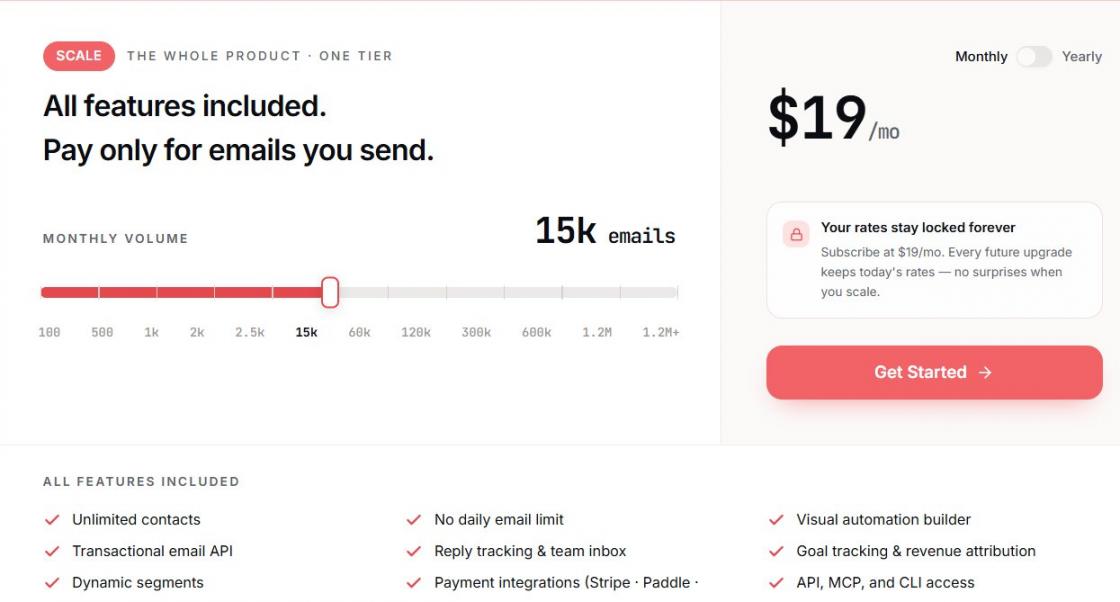
Image via Sequenzy
Tool Level
- Intermediate
Usability
- Sequenzy is one of the AI email marketing tools that are fairly easy to use.
Pro Tip: Hook Sequenzy's MCP server into Claude or Cursor and let the agent draft sequences, segment subscribers, and trigger campaigns for you. It turns email from a manual task into something your AI workflow handles directly.
10. Zeta

Image via Zeta
Zeta Global focuses on data signals to power its AI email marketing tools. It has a machine learning layer that forecasts sales and automates campaign adjustments based on those insights.
The platform integrates deeply with your existing tech stack through its Broadcast Campaign APIs, allowing you to manage campaigns seamlessly. With this, you can build campaigns in your preferred marketing content tools. Meanwhile, Zeta handles the execution.
Zeta also offers a Report Builder feature for analyzing bounce rates. This helps you protect your sender's reputation. It also comes with a centralized dashboard offering a unified view of all prospects.
Key Features
- Autonomous AI agents
- Unified customer profiles
- Report builders
- SQL-based custom datasets
- Analytics and reporting
Pros
- Reduction of manual work through autonomous AI
- 360-degree customer view
- Easy scaling for large enterprises
- Robust control over data quality
- Deep predictive analytics
Cons
- Not ideal for small enterprises
- Limited third-party integrations
Pricing
- Custom pricing
Tool Level
- Expert
Usability
- Zeta has a steep learning curve. You’ll need to be an advanced marketer to make the most of it, unlike HubSpot, which is easy for beginners to use.
Pro Tip: Leverage the inbound data controls to enforce strict formatting rules on your data as it enters the platform. This ensures personalization works with reliable data.
11. Missive
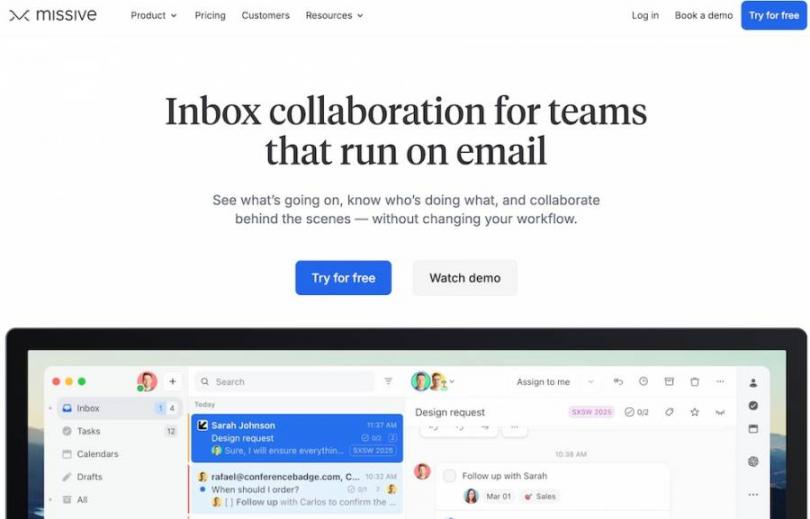
Image via Missive
Missive is one of the best AI email marketing tools for collaborative teams that manage email threads. It creates a workspace where marketing tools enable teams to collaborate easily on a daily basis.
The tool analyzes incoming messages to draft replies and suggests content based on the context of the conversation. It focuses on optimizing immediate responses rather than on long-term predictive modeling.
The platform integrates with marketing systems through its API and third-party connectors. These links all your email interactions inside your CRM. However, it doesn’t offer the same integration depth as HubSpot, which works with over 2,000 apps.
Key Features
- Shared inboxes
- Collaborative drafts
- AI-assisted writing
- Automation for manual tasks
- Integrations with over 25 apps
- Team chatrooms
Pros
- Fast team response times
- Visible customer conversations
- Flexible automation rules
- Works with existing email providers
- Clean and fast interface
Cons
- Lacks built-in broadcast email features
- Limited integration support
Pricing
- Starter: $18/month/user
- Productive: $30/month/user
- Business: $45/month/user
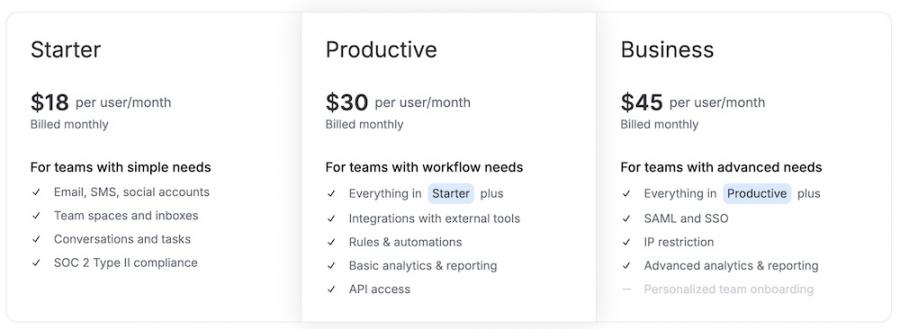
Image via Missive
Tool Level
- Intermediate
Usability
- Missive requires some expertise to set up, but you don’t need expert-level skills to use it. It’s designed for customer-facing teams like support, sales, and account management.
Pro Tip: Use the rules engine to create shared labels and assignments based on email content. This automatically organizes incoming requests so the right person sees them first.
12. Optimizely
Image via Optimizely
Optimizely analyzes customer behavior across your site and apps to form email content. It then connects web interactions directly to message timing and offers.
Automation control in Optimizely relies on triggers linked to real-time customer actions. You can move people through journeys based on their current engagement level.
The platform also integrates with marketing systems through its customer comms hub. This connects email with web personalization and experimentation data.
However, Optimizely lacks the native CRM connections available on HubSpot. This can make it more difficult to link sales activities to the CRM.
For email deliverability, Optimizely provides tools to manage sender reputation and monitor inbox placement. Its reporting and performance tracking show you which messages drive the most engagement.
Key Features
- Experimentation support
- Real-time customer profile updates
- Journey orchestration
- Centralized campaign management
- AI-generated content
Pros
- Connects email performance with engagement metrics
- A/B testing support
- Reliable enterprise security
- Supports targeted personalization
Cons
- Requires constant developer support
- Complex setup for beginners
Pricing
- Custom pricing
Tool Level
- Expert
Usability
- Optimizely demands familiarity with experimentation concepts and data integration. It works best for enterprises and growth-stage companies that rely on tests.
Pro Tip: Use the experimentation panel to set up a holdout group in your email sends. This lets you measure the true lift of your campaigns.
13. EmailOctopus
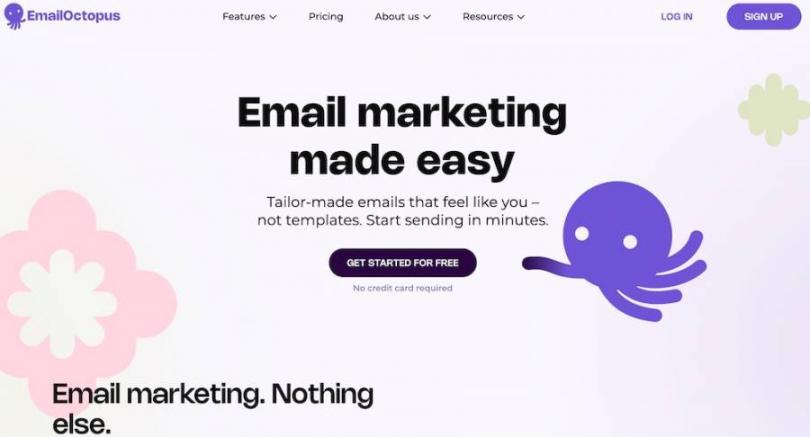
Image via EmailOctopus
EmailOctopus analyzes campaign performance by integrating with Amazon Web Services (AWS). This provides deep personalization through dynamic content tags that pull subscriber data directly into your messages.
With messages relevant to customers’ current needs, it helps you interact with each of them as a separate individual.
The platform integrates with marketing systems through native connections to Shopify, WordPress, and other popular tools. It also offers a clean API for custom builds.
Compared to HubSpot, which provides better attribution, EmailOctopus keeps its reporting focused on campaign essentials like open rates and click maps.
To manage deliverability, EmailOctopus partners with Amazon SES, ensuring high sending success rates. You can even access real-time bounce rates, which help you come up with better countermeasures.
Key Features
- Drag-and-drop templates
- A/B testing capabilities
- Custom fields for subscriber data
- Email verification services
- Reporting and analytics
Pros
- GDPR-compliant
- Affordable plans
- Reliable sending infrastructure via AWS
- In-built verification tools
Cons
- Lacks predictive audience scoring
- Basic segmentation capabilities
Pricing
- Free
- Pro: $10/month
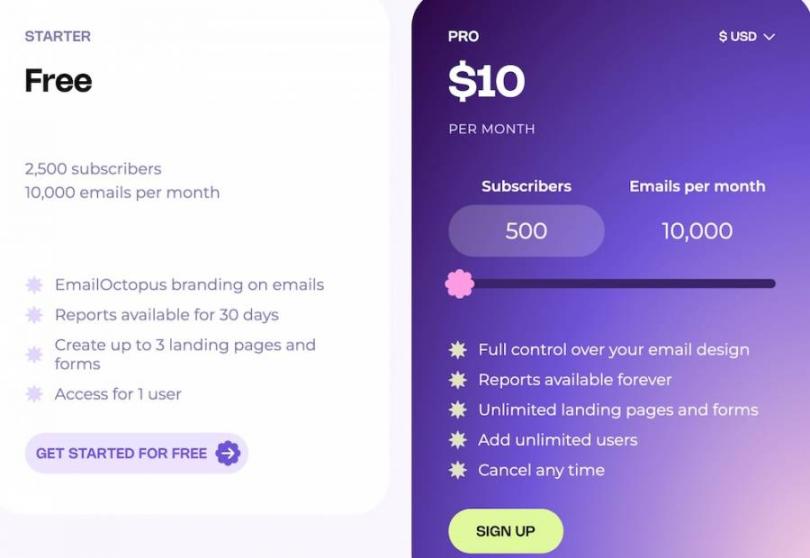
Image via EmailOctopus
Tool Level
- Beginner
Usability
- You can use Email Octopus right away to send emails, even without training. It’s designed for startup businesses that need reliable delivery without complexity.
Pro Tip: Use the custom fields feature to store engagement scores from your own calculations. This lets you differentiate your most active subscribers from those who haven't engaged recently.
FAQ
Q1. Can AI do email marketing?
A. Yes, there are various uses for AI in email marketing. It can write better subject lines, suggest email copy, and choose send times based on past data.
You can also use AI to group subscribers by behavior. For example, it may place people who clicked a product link into one list and send them a related offer.
Q2. What are the 4 pillars of email marketing?
A. Most email marketing plans rely on four core pillars:
- List Building: Collect email addresses from people who want to hear from you.
- Segmentation: Group subscribers based on behavior, interests, or past actions.
- Content: Send useful emails, such as tips, updates, or product news.
- Analytics: Review open rates, clicks, and replies to learn what works.
Q3. What is the best AI tool for email?
A. HubSpot is a great choice. It combines email marketing, AI automation, and AI writing tools in one place. It can write catchy subject lines, suggest better send times, and connect email data with customer records.
Q4. Is email marketing going to be replaced by AI?
A. AI will change how email marketing works, but it will not replace it. Email still gives you a direct line to your audience.
AI mostly handles repetitive tasks like writing drafts, sorting contacts, and testing subject lines. You still guide the message, tone, and timing. This is because people respond better when emails sound human.
Q5. Do people care if you use AI for emails?
A. Most people don’t mind if AI is used to write an email. What they notice is when the message feels useful and relevant. If an email sounds robotic or generic, readers may lose interest.
Conclusion
The best AI email marketing tools feature various capabilities. Some tools excel at cold outreach, others at team collaboration, and a few at enterprise-scale data processing.
HubSpot consistently ranks at the top for its wide range of email marketing features. It delivers AI email marketing tools that actually work with your customer data.
If you want a platform that combines email marketing, automation, and customer data, try HubSpot Marketing Hub to streamline your email campaigns and improve results.
Disclaimer: This content contains some affiliate links for which we will earn a commission (at no additional cost to you). This is to ensure that we can keep creating free content for you.