SaaS CRM has grown rapidly as more businesses move from on-premise systems to cloud-native platforms. From giants like HubSpot to newer players, the best CRM for SaaS companies are elevating customer experience while ensuring revenue growth.
The demand for CRM is growing. As a result, the SaaS CRM market is expected to be worth nearly $157 billion by 2032.
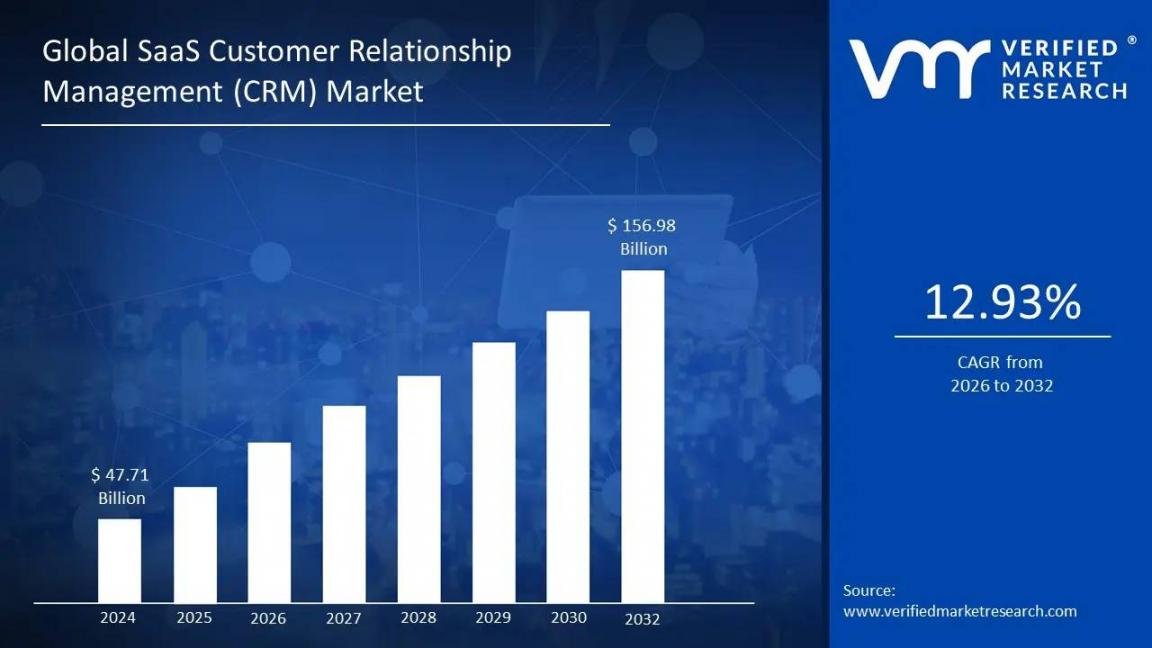
Image via Verified Market Research
In this article, we’ve reviewed the top 11 CRM software, highlighting their key features, pros, cons, and pricing. We’ll also discuss why HubSpot remains a go-to SaaS CRM.
Let’s get started.
Disclaimer: This content contains some affiliate links for which we will earn a commission (at no additional cost to you). This is to ensure that we can keep creating free content for you.
How We Chose the Best CRM for SaaS Companies
We chose the best CRMs for SaaS companies based on the following important factors:
- SaaS Features: A SaaS CRM system should focus on subscription management, clean contact management, and customization. Automation is also another essential feature that helps retain customers.
- User-Friendliness: We’ve selected SaaS CRM solutions, like HubSpot Smart CRM, that are simple and flexible. Customizable dashboards, seamless navigation, and an intuitive interface reduce onboarding time.
- AI Features: Most CRM tools are powered by AI. That’s why we’ve analyzed how well AI has been integrated into these CRM SaaS tools.
- Analytics and Reporting: The best SaaS-based CRM tools offer advanced analytics and reporting. HubSpot has been quite impressive here, with its in-depth data analytics, systematic data management, and custom reporting.
- Customer Support: The tools we’ve chosen offer quality support on multiple channels like email, live chat, phone, and more. Tools like HubSpot also provide tutorials, FAQs, and other resources to reduce the learning curve.
- Easy Integration: A good SaaS-based CRM offers extensive integration capabilities. We’ve selected tools offering native apps to enhance functionality. We’ve also checked how seamlessly they integrate with third-party apps to enhance customer experience.
The best CRM for SaaS companies should provide core CRM features, detailed analytics and reporting, reliable customer support, AI features, and easy integration and setup.
Comparison Table of Top SaaS CRM Companies
| CRM Tool | Key SaaS CRM Features | Unique Strength | Free Plan | Starting Price | Best For |
|---|---|---|---|---|---|
| HubSpot Smart CRM | AI-powered context-based insights, workflows, deal and sequence automation, 2000+ integrations | Unified marketing, sales, and service hubs | ✅ | From $15/user/month | SaaS businesses of all sizes |
| Zoho CRM | AI Zia Agents, customizable fields and modules, 1100+ integrations | Budget-friendly, multichannel communication | ✅ | From $20/user/month | SaaS startups and SMBs |
| Close CRM | AI Lead Insights, custom fields and pipelines, automated dialers | Built-in email, calling, and SMS | ❌ | From $49/user/month | Growing businesses |
| Pipedrive | AI Nora, customizable pipelines, AI-assisted segmentations | Workflow automation for better sales management | ❌ | From $19/user/month | Sales-first SaaS companies |
| Saleforce | AI Einstein, deep analytics, customizable workflows and pipelines | Enterprise-level pipeline automation, account-based management | ✅ | From $25/user/month | Large SaaS companies |
| monday CRM | Free web forms, unlimited dashboards, lead sequencing, activity tracking | Seamless project management and CRM integration | ✅ | From $15/user/month | Teams already using monday’s project management tool |
| Insightly | Visual pipelines, communication and workflow automation, sales pipeline and lead management | Combines marketing CRM, email, and live chat support | ❌ | From $29/user/month | SaaS startups |
| NetHunt CRM | Gmail-native pipeline management, multi-channel sequences, no-code workflow automation, lead capture from 10+ sources | Built inside Gmail — not a plugin or sidebar | ❌ | From $30/user/month | SaaS and B2B sales teams using Google Workspace |
| Nutshell CRM | AI agents, automated sales funnel creation, predictive forecasting | Syncs with calendar and email platforms, imports email and contact details | ❌ | From $19/user/month | B2B-focused SaaS businesses |
| Freshsales by Freshworks | AI Freddy, AI lead scoring, custom pipelines, conditional triggers | 360-degree customer data view | ✅ | From $11/user/month | Solopreneurs and SaaS startups |
| Copper | Automated lead capture, workflow management, AI email templates, visual pipelines | Automatically trigger email communications for Google Workspace users | ❌ | From $12/user/month | SaaS teams already using Google Workspace |
Top Customer Relationship Management Tools for Your SaaS Business
Take a look at the 11 best CRM for SaaS companies in 2026 to help you find the right tool.
1. HubSpot CRM
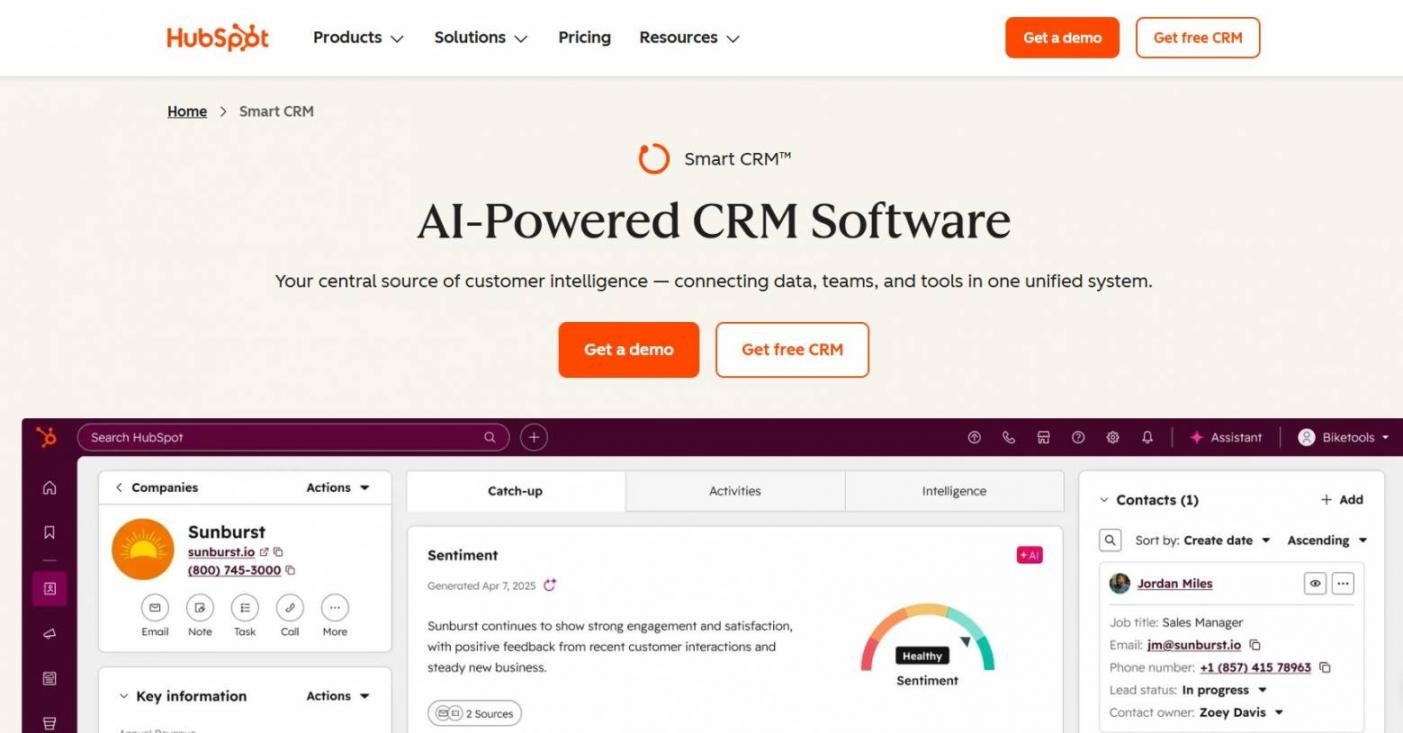
Image via HubSpot
HubSpot is the best CRM for SaaS companies of all sizes. The HubSpot platform combines CRM with marketing, content management, sales, and customer service capabilities to streamline your sales process.
HubSpot Smart CRM’s onboarding process is effortless. With a user-friendly UI and on-page tutorials, beginners can start using the platform quickly.
HubSpot's Smart CRM also offers workflow automation for effective follow-ups, lead routing, campaign retargeting, and task management. With advanced lead and contact management capabilities, you can qualify and segment leads accurately to help you close deals faster.
HubSpot is an all-in-one CRM tool that integrates seamlessly with your existing marketing and automation processes to boost overall performance.
Key Features
- AI-powered HubSpot Smart CRM analyzes data to offer context-based insights
- AI Overviews (Beta) can identify missing information in customer records and automatically enrich it
- Centralized audit log tracks all activities, both human and AI, to maintain transparency
- HubSpot CRM interface configuration displays the most relevant data to your team
- Generate customized reports to track progress and represent data meaningfully
Pros
- Straightforward pricing with no hidden fees
- Extensive app marketplace offering 2,000+ integrations
- HubSpot’s feature-rich free plan delivers excellent customer relationship management
- Automated duplicate detection keeps your contact records clean and accurate
Cons
- Doesn’t offer a free trial on its paid plans
- Limited marketing automation in the free plan
Pricing
HubSpot Smart CRM plans are suitable for both startups and enterprises.
- Free Plan
- Starter: $15/user/month
- Smart CRM Professional: $50/seat/month
- Smart CRM Enterprise: $75/seat/month
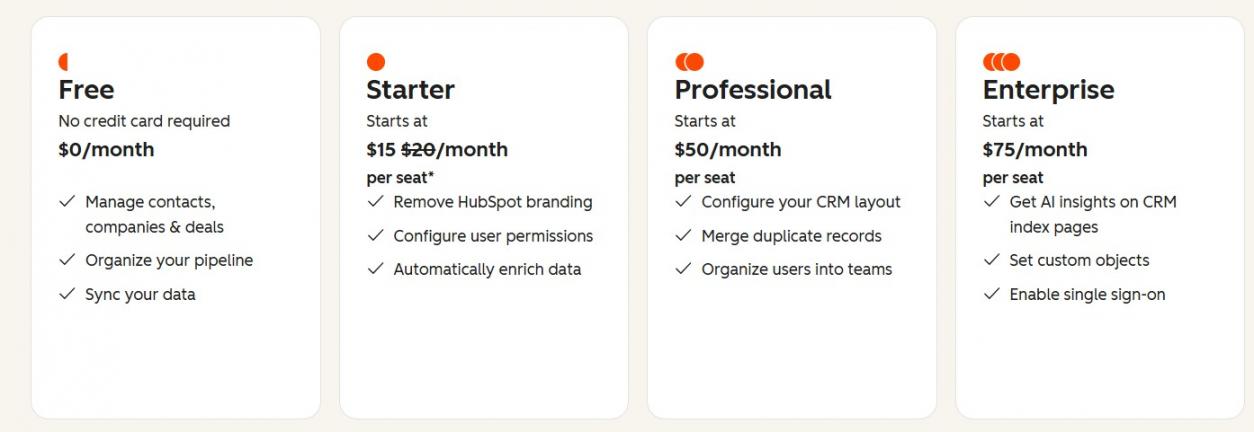
Image via HubSpot
Tool Level
- Beginner/Intermediate
Usability
- Intuitive interface that’s easy to use
Pro Tip: Use HubSpot CRM to create customized pipelines and automate multi-channel campaigns to deliver an unmatched customer experience.
2. Zoho CRM
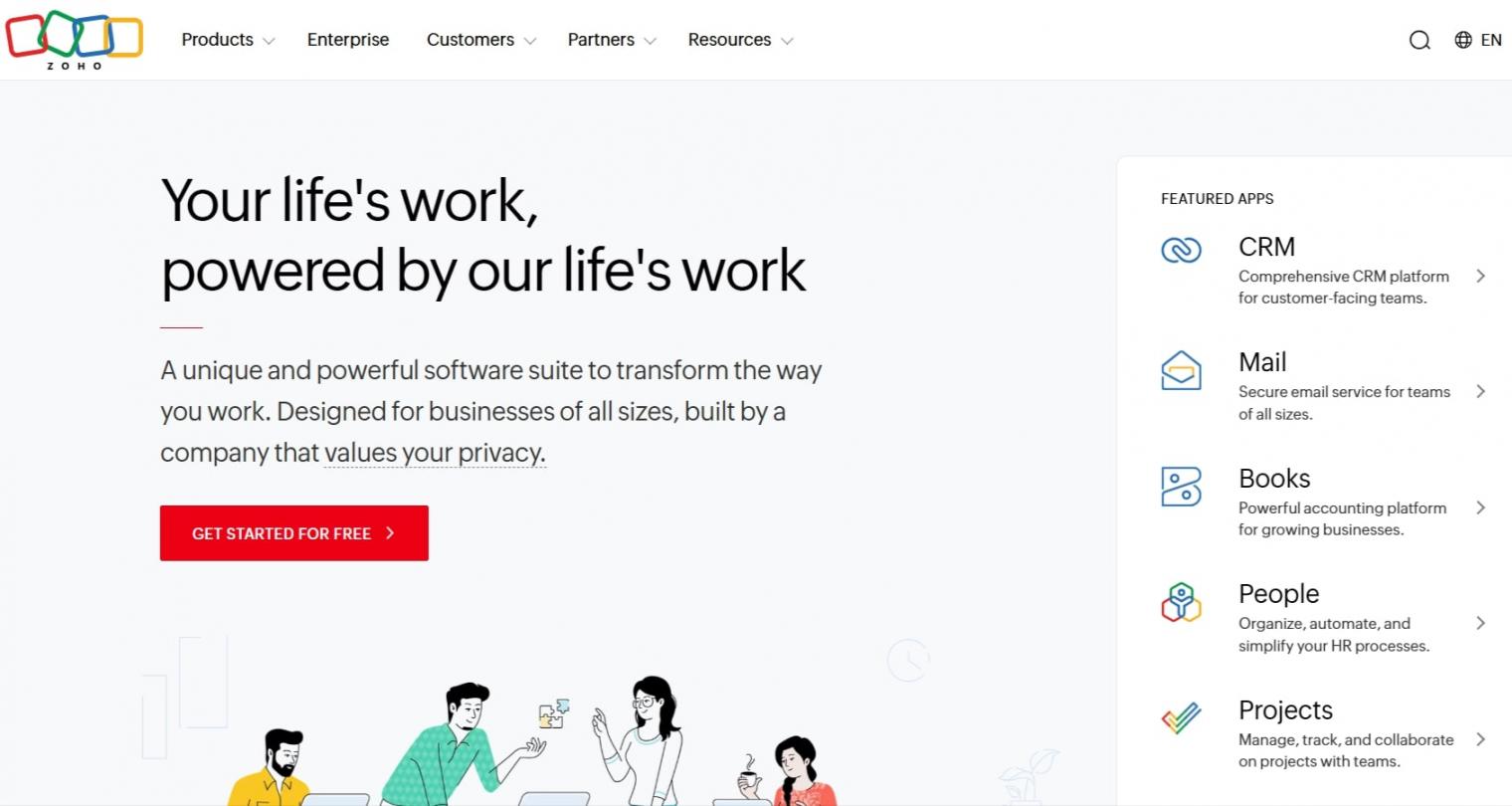
Image via Zoho
Zoho CRM is a worthy choice for budget-conscious SaaS companies. It offers customizable fields, modules, and end-to-end processes to automate sales, track renewals, and tailor subscription lifecycles.
However, Zoho doesn’t offer unified services similar to other SaaS-based CRMs like HubSpot.
Zoho CRM is an AI-driven CRM that simplifies workflow and sales pipeline management.
Key Features
- Zia Agents offer advanced AI-powered features to enhance the customer lifecycle
- Sales automation to streamline follow-ups, renewals, and approvals
- Integrates with 1,100+ tools to unify your business data
- Offers omnichannel communication (email, SMS, WhatsApp, social, calls)
- 360-degree comprehensive reporting dashboards
Pros
- Budget-friendly and scalable SaaS CRM for fast-growing businesses
- 24/7 customer support and AI-powered chatbot
- Advanced analytics for accurate sales reporting and forecasting
Cons
- AI features are only available to top-tier users
- Limited features on the free plan
Pricing
Zoho CRM offers a free plan, providing access to three users. Its paid plans come with a 15-day free trial.
- Standard: $20/user/month
- Professional: $35/user/month
- Enterprise: $50/user/month
- Ultimate: $65/user/month
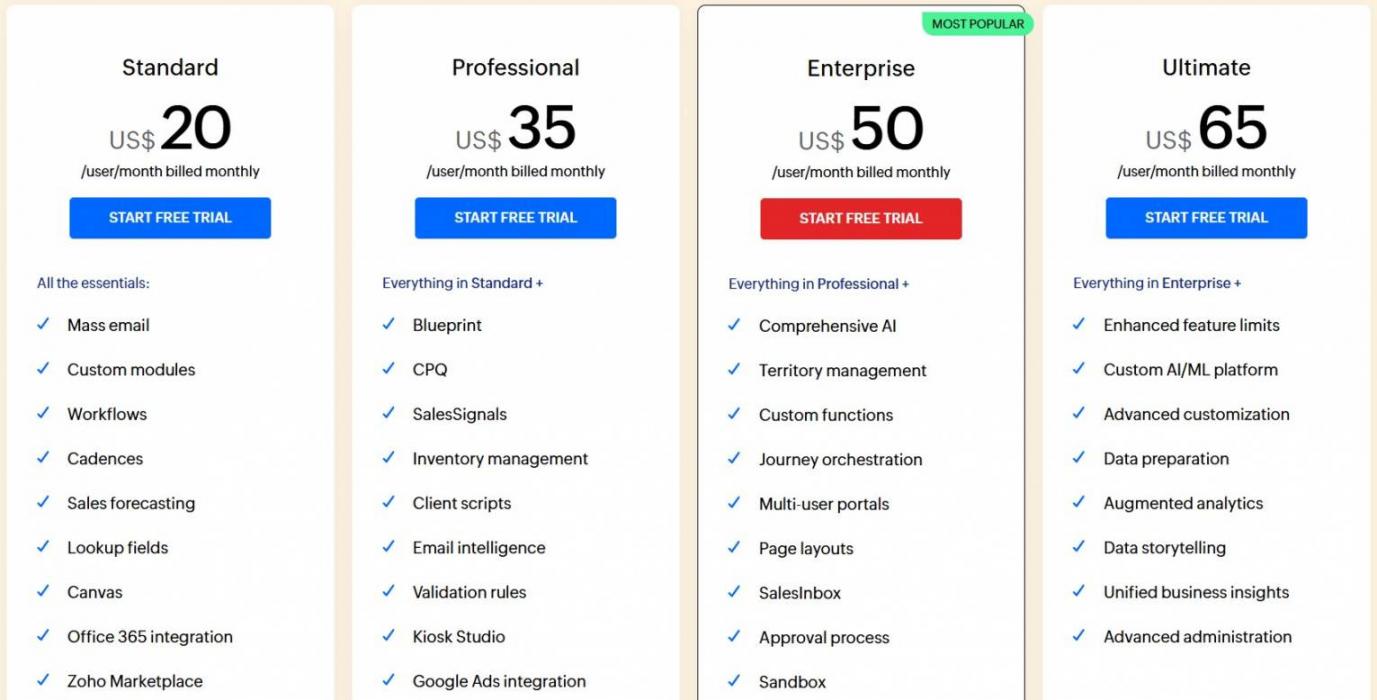
Image via Zoho
Tool Level
- Beginner
Usability
- Easy to use
Pro Tip: Use Zia’s predictive analytics for highly accurate sales forecasting.
3. Close CRM
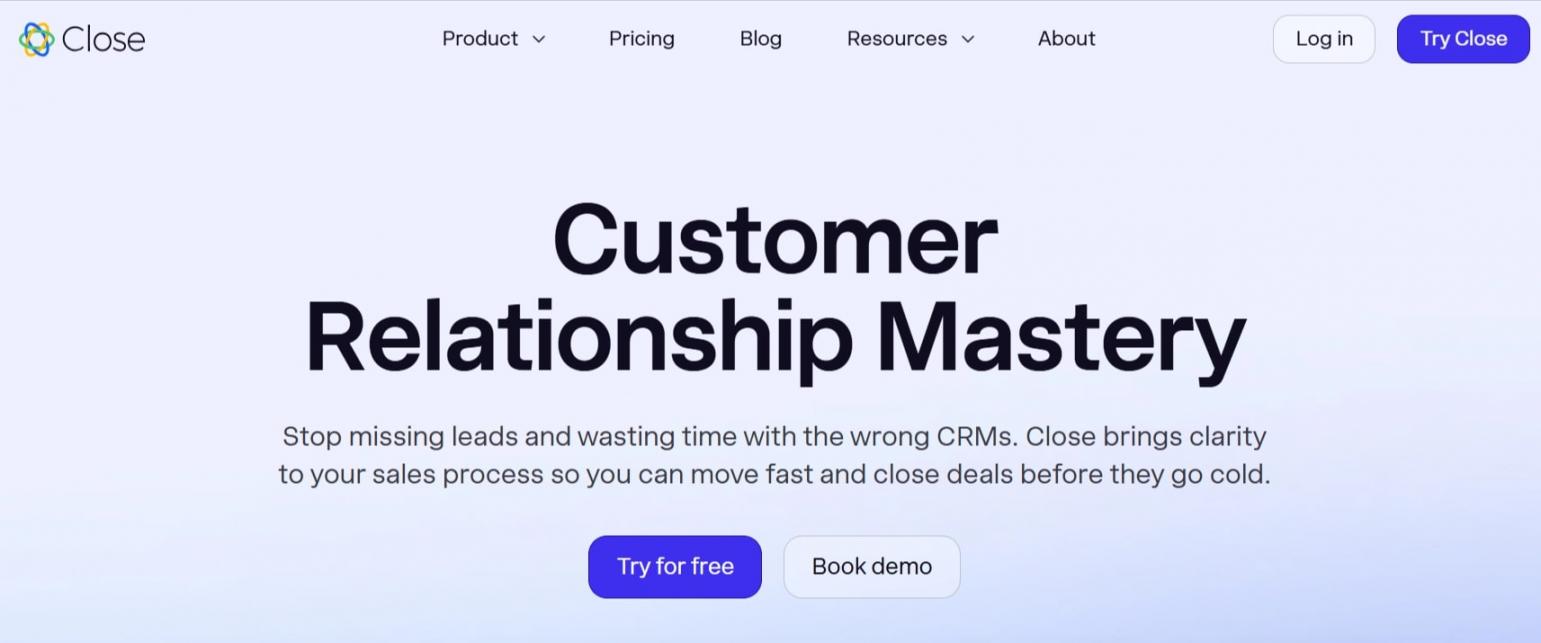
Image via Close
Close CRM is one of the best CRM for SaaS companies, helping your sales team close more deals, automate the entire sales cycle, and boost productivity. This SaaS CRM software allows you to interact with prospects and manage sales pipelines effectively.
Overall, Close CRM is an AI-powered tool that’s best for SaaS companies wanting to scale fast.
Key Features
- AI Lead Insights fosters accurate and timely interactions to boost your SaaS sales strategy
- Deal progression and pipeline automation for faster deal closure
- Easily manage multiple communication channels
- Create custom fields and pipelines based on your business requirements
- Built-in automated dialers to speed up sales efforts
Pros
- Integrates with top marketing, support, and calendar tools
- Detailed analytics and reporting
- Automated follow-ups and task reminders to boost lead conversion
Cons
- Doesn’t offer a free plan, unlike other SaaS CRM software
- Limited customer success tools compared to HubSpot
- Lacks advanced marketing automation
Pricing
Close CRM doesn’t offer a free plan. However, it offers a 14-day trial on its paid plans.
- Solo: $9/seat/month
- Essentials: $49/seat/month
- Growth: $109/seat/month
- Scale: $149/seat/month
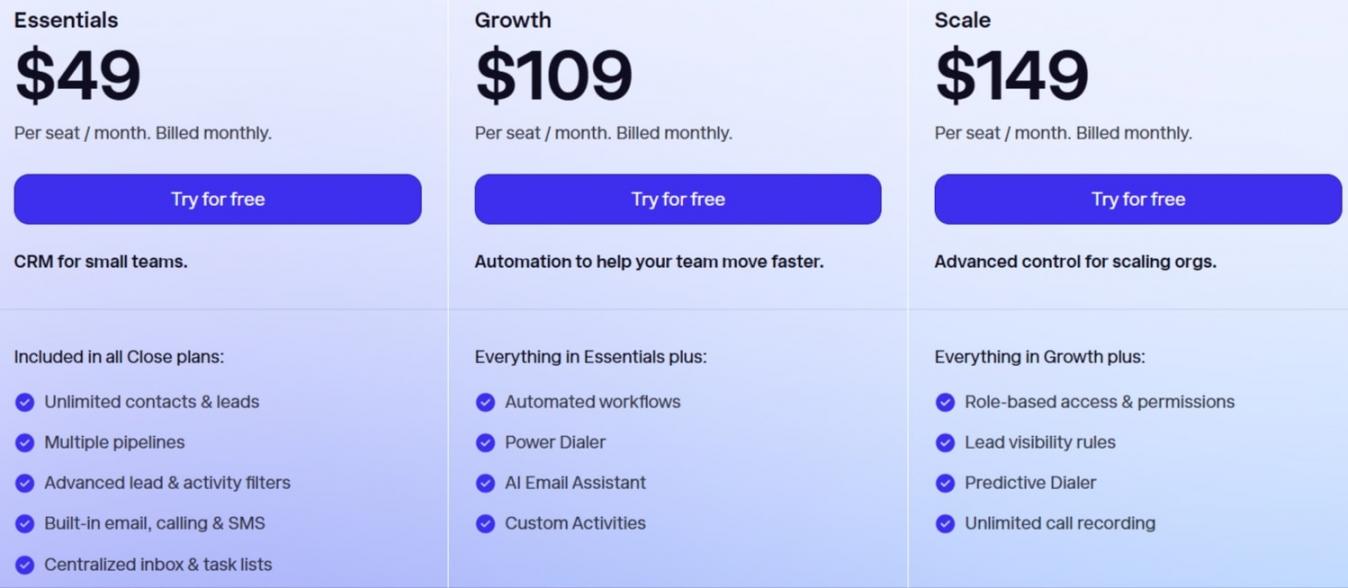
Image via Close
Tool Level
- Intermediate
Usability
- Moderate learning curve
Pro Tip: Use Close CRM’s AI to create custom pipelines based on demographics and products. This results in faster trial-to-paid conversions.
4. Pipedrive
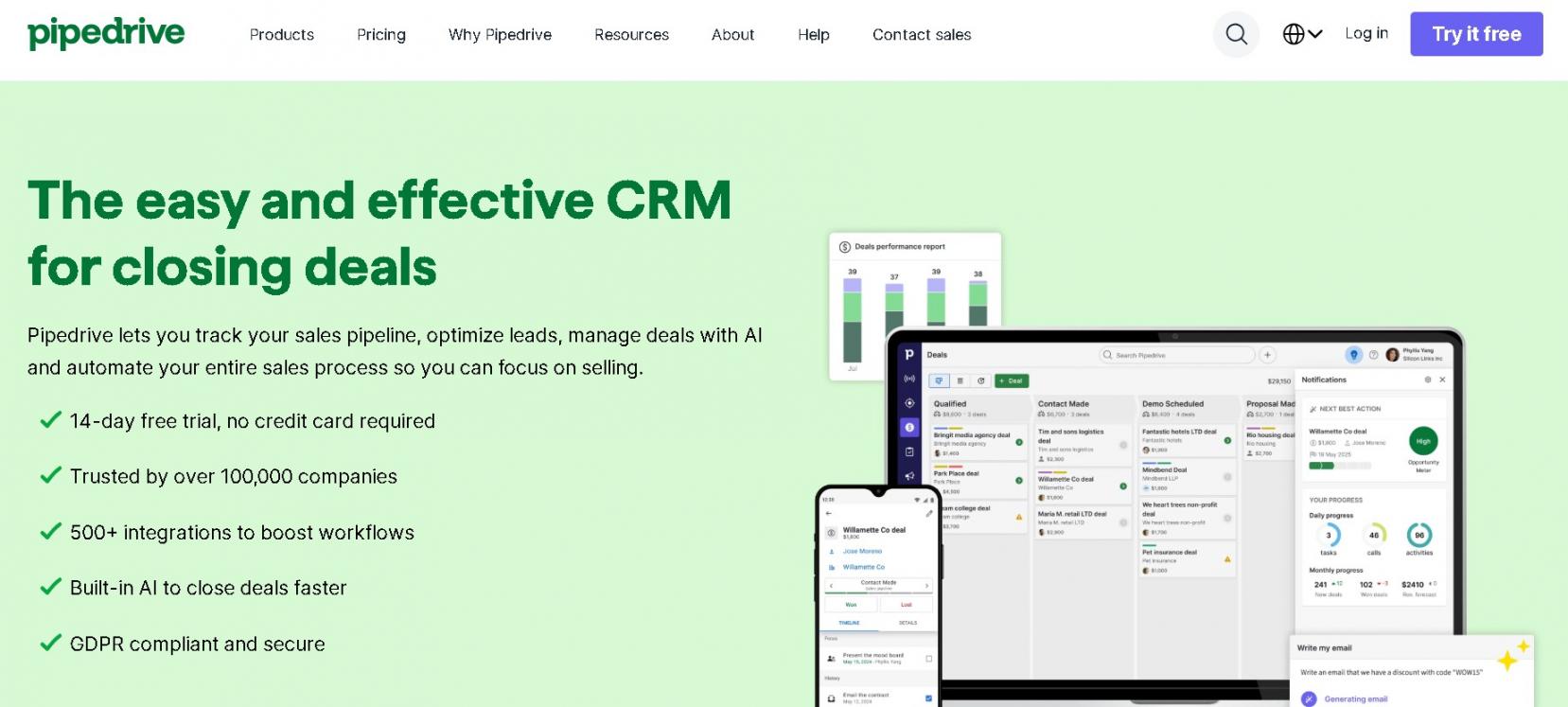
Image via Pipedrive
Pipedrive is a sales-first SaaS CRM designed to streamline your sales cycle. This CRM solution helps visualize the sales pipeline for effective activity tracking and workflow automation.
Its AI and automation features enhance usability and efficiency. However, HubSpot, being the best CRM for SaaS companies, packs more robust features in its free plan.
Pipedrive is a great CRM tool for SaaS companies focused on sales.
Key Features
- Customizable stages for subscription sales processes
- AI email generation tools help streamline communication
- AI-powered reporting for more accurate sales forecasting
- AI sales adviser, Nora, provides 24/7 assistance to your sales team
Pros
- Provides practical insights and customizable reports
- Lead filtering and AI-assisted segmentation
- 500+ integrations
- Strong for sales teams but less suited for multi-department SaaS needs
Cons
- Doesn’t offer a free plan like other CRM for SaaS
- This cloud-based CRM requires several integrations
Pricing
Pipedrive offers a 14-day free trial on its paid plans.
- Light: $19/seat/month
- Growth: $34/seat/month
- Premium: $64/seat/month
- Ultimate: $89/seat/month
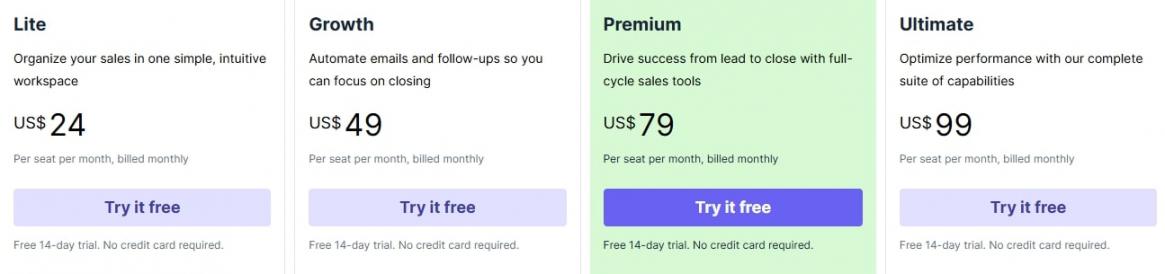
Image via Pipedrive
Tool Level
- Beginner/Intermediate
Usability
- Slight learning curve
Pro Tip: Use AI-powered analytics to create custom reports that provide a comprehensive overview of your sales performance.
5. Salesforce
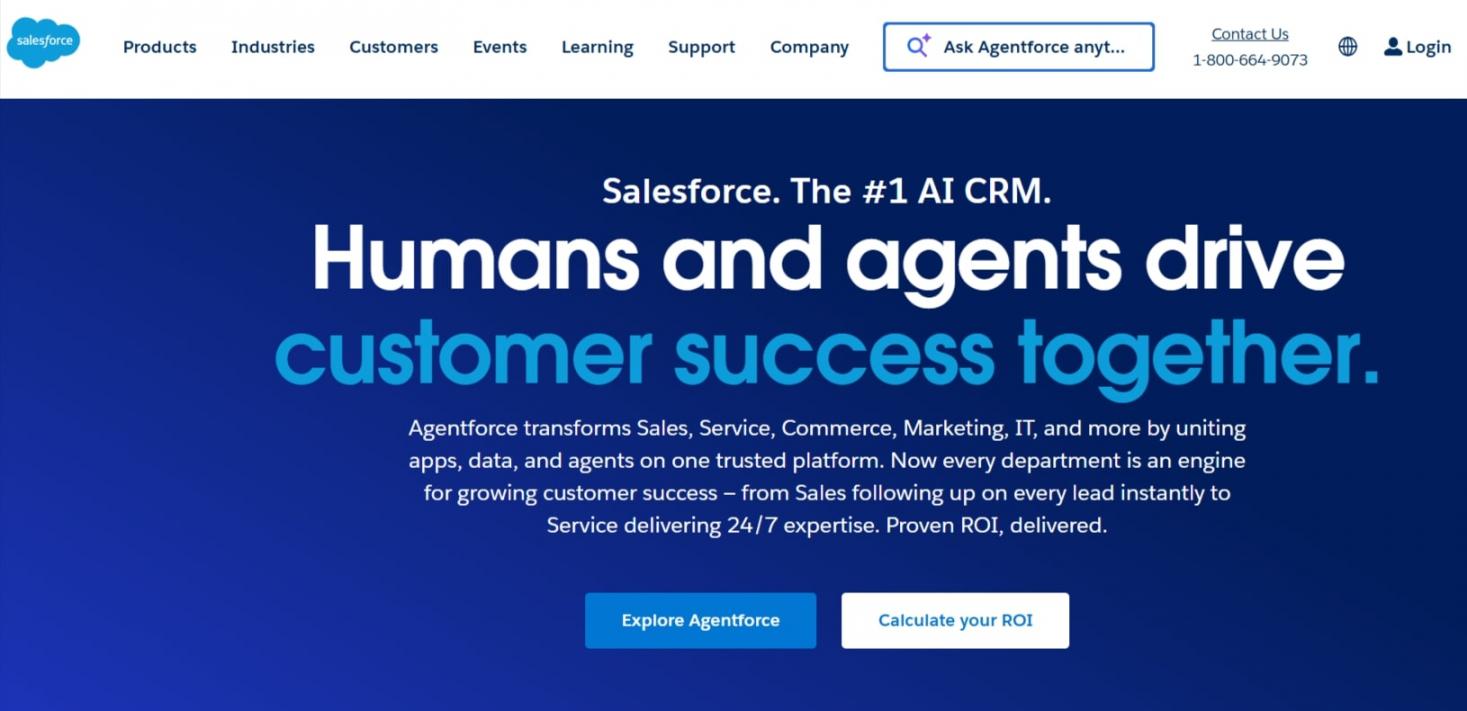
Image via Salesforce
Salesforce is a cloud-based CRM system perfect for large businesses, especially those with sales teams handling a sophisticated sales process and complex analytics.
It offers enterprise-level sales pipeline customization to boost conversion rate. The platform is intuitive, with a customizable workspace and mobile-friendly layout.
Overall, Salesforce is ideal for large organizations needing advanced customization and deep analytics to manage complex sales operations efficiently.
Key Features
- Einstein AI for accurate lead scoring and predictive forecasting
- Integrates with leading billing solutions and email marketing tools
- Lead and contact management for streamlined communication
- Collate customer data from the pipeline, customer activities, campaigns, and case studies to improve customer retention
- Customizable dashboards to create visually impressive reports
Pros
- AI-assisted lead scoring helps focus your lead generation efforts on high-quality leads
- Agentic AI facilitates seamless collaboration between sales professionals and AI agents
- Impressive ecosystem of built-in apps and third-party add-ons
Cons
- Higher cost with hidden fees
- Steep learning curve
Pricing
As one of the best CRM for SaaS companies, Salesforce offers a 30-day free trial on its paid plans.
- Free Suite
- Starter Suite: $25/user/month
- Pro Suite: $100/user/month
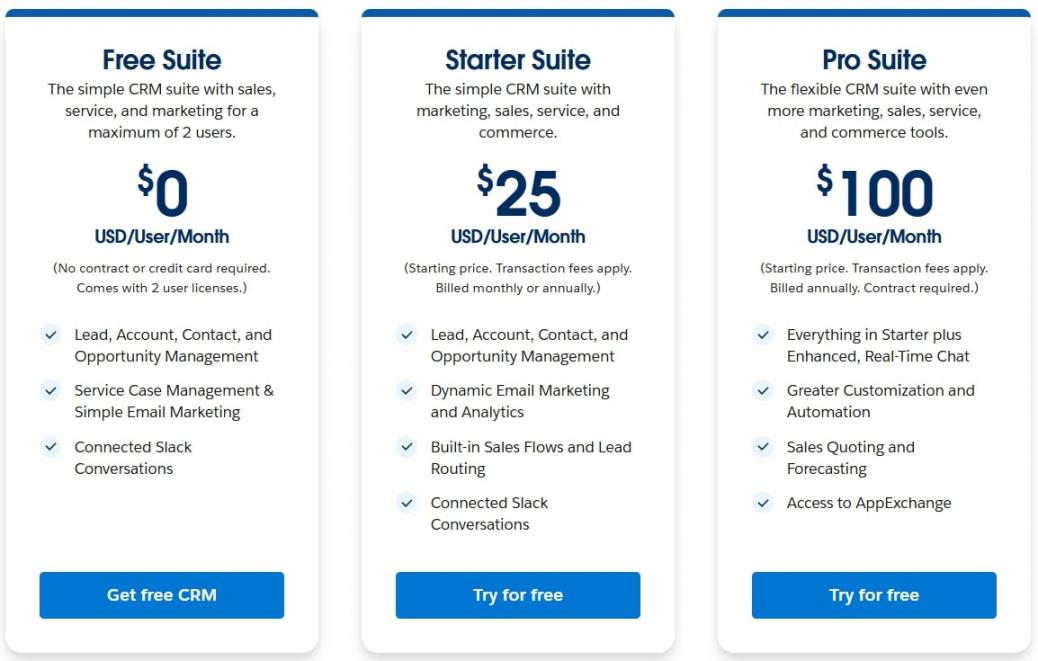
Image via Salesforce
Tool Level
- Expert
Usability
- Steep learning curve
Pro Tip: Step up your CRM game with the Salesforce CRM suite that offers recurring billing, marketing, and sales tools.
6. Monday CRM
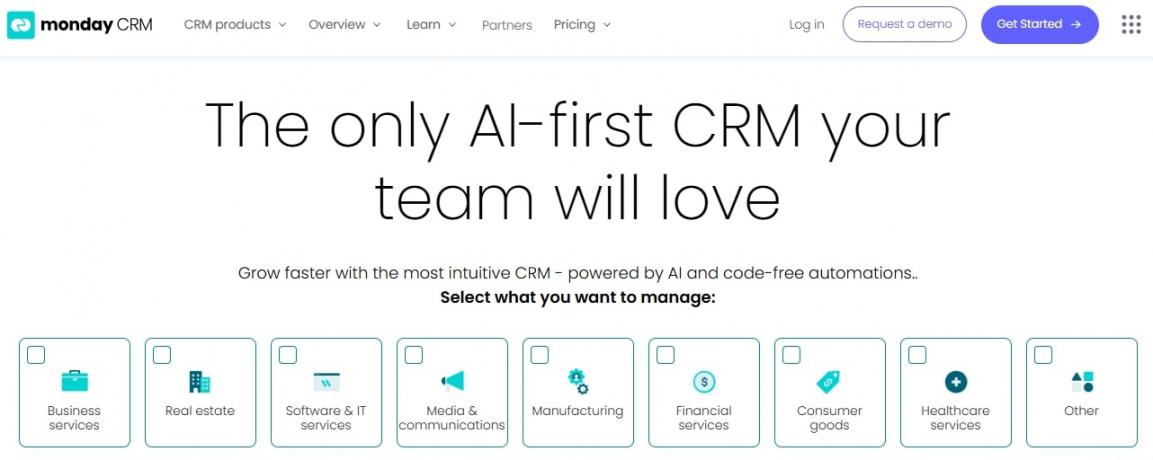
Image via Monday
Monday is a good CRM for SaaS businesses already using its project management platform. This smart SaaS CRM software focuses on integrating business processes with its unified platform.
This CRM software uses AI to track customer interactions and score leads. You can channelize campaigns more effectively using customer data. With automated and customizable workflows, you can enhance customer engagement.
Monday CRM is best for SaaS teams wanting to manage CRM, projects, and customer workflows in one integrated platform.
Key Features
- Dashboard updates to evaluate pipeline health, deal values, and performance
- Free web forms to capture and convert leads quickly
- Monday CRM AI for lead sequencing and activity tracking
- Unlimited dashboards with customizable widgets and CRM templates
- Project management capabilities
Pros
- Leverage advanced analytics and reporting for accurate sales forecasting
- Seamlessly import and merge customer data to elevate customer satisfaction
- Integrate with your favorite tools to enhance your sales team’s performance
Cons
- Needs several integrations to function fully
- CRM free version is limited compared to HubSpot’s Smart CRM
Pricing
This SaaS CRM offers a free plan. It also provides a 14-day free trial on its paid plans.
- Free
- Basic: $15/user/month
- Standard: $20/user/month
- Pro: $33/user/month
- Ultimate: Contact the sales team
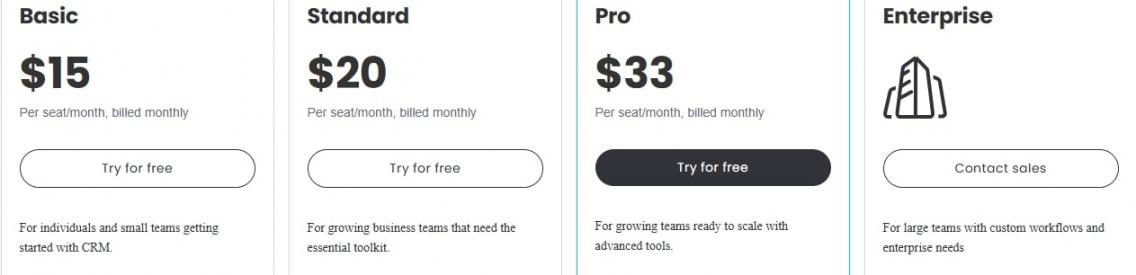
Image via Monday
Tool Level
- Beginner
Usability
- Simple and user-friendly SaaS-based CRM
Pro Tip: Utilize Monday’s extensive CRM automation capabilities to create a DIY CRM dashboard.
7. Insightly
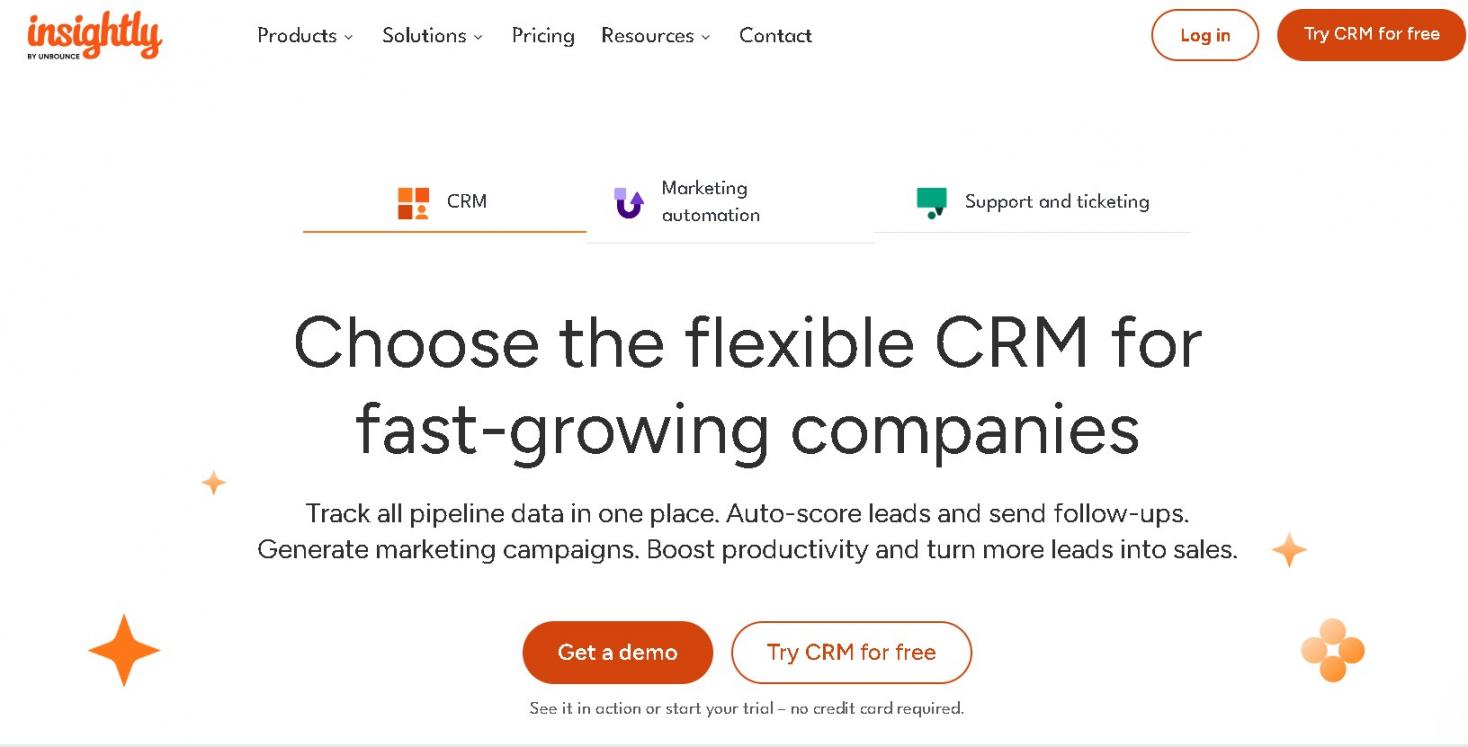
Image via Insightly
Insightly combines marketing and CRM services to address the needs of a growing SaaS business. With data visualizations and advanced workflow automation, your team can close deals faster and build strong customer relationships.
Insightly is a notable CRM for SaaS companies seeking a simple yet flexible solution.
Key Features
- Powerful sales pipeline and lead management for effective lead generation
- Communication and workflow automation to build an effective sales cycle
- AI-powered tools ensure data accuracy and compliance
- Intuitive and customizable dashboards for better project management
Pros
- Advanced project and task management for smooth sales cycles
- Offers email and live chat support
- Visualize your sales funnel performance using customizable reports
Cons
- No advanced AI compared to HubSpot
- Separate add-on costs for Marketing and Service
- Doesn’t offer a free version
Pricing
Insightly offers a 14-day trial. The paid plans are as follows:
- Plus: $29/user/month (billed annually)
- Professional: $49/user/month (billed annually)
- Enterprise: $99/user/month (billed annually)
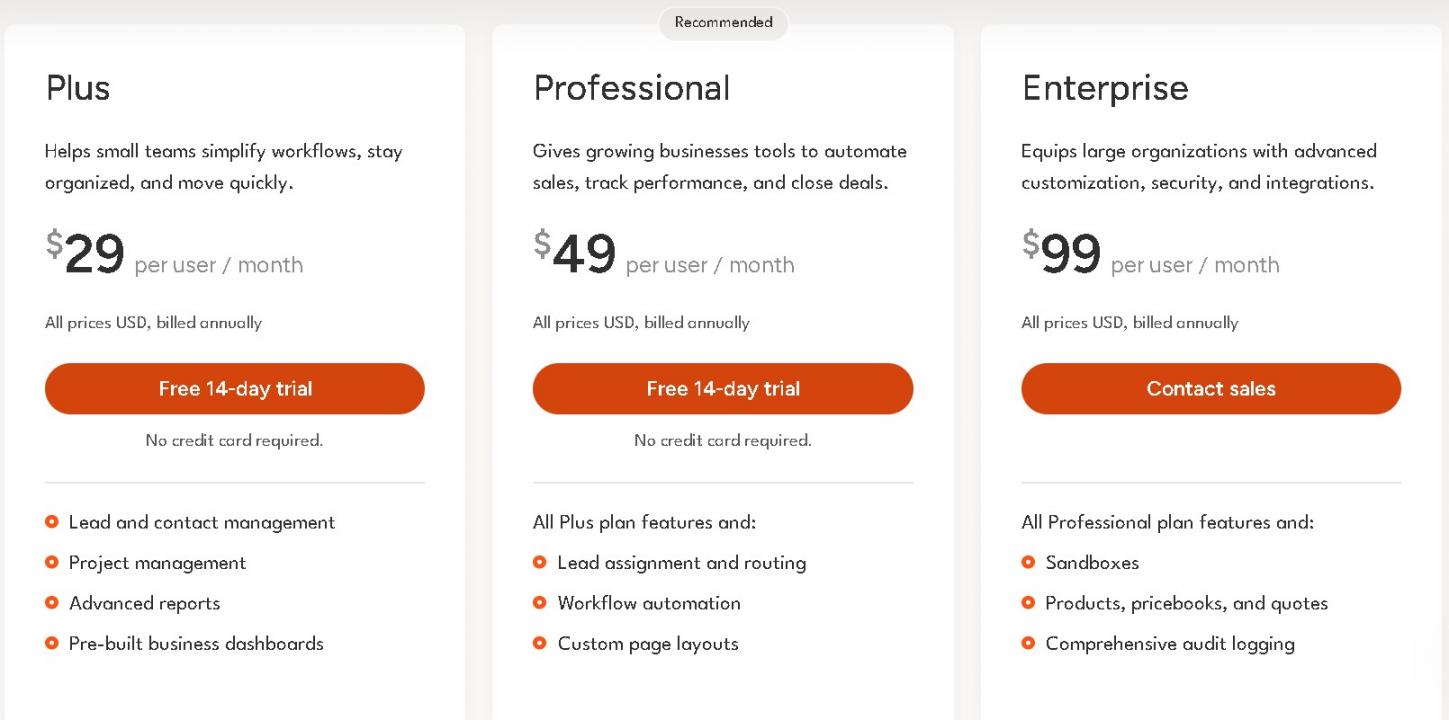
Image via Insightly
Tool Level
- Beginner/Intermediate
Usability
- User-friendly CRM SaaS
Pro Tip: Use Insightly’s project management module to automate onboarding workflows for new SaaS clients.
8. NetHunt CRM
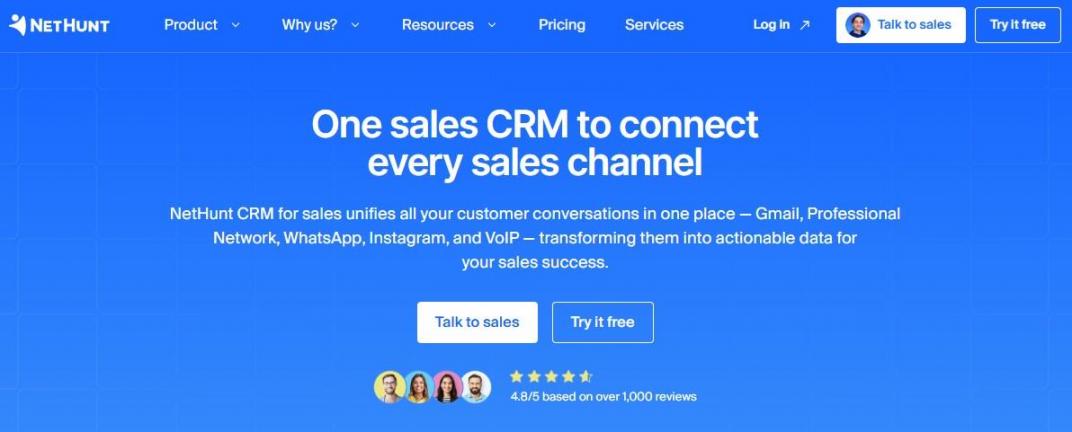
Image via NetHunt CRM
NetHunt CRM is a Gmail-native CRM built for B2B sales teams and SaaS companies. Unlike tools that simply sync with Gmail, NetHunt is embedded inside the inbox. So, you can manage leads, run automations, track deals, and communicate across channels without ever switching tabs.
For SaaS teams specifically, it covers the full subscription lifecycle from a single Gmail-based workspace.
NetHunt is an excellent CRM for SaaS companies that run on Google Workspace.
Key Features
- Sales workflow automation for lead assignment, follow-up, and more
- Multi-source lead capture organized into a centralized database
- Customizable sales pipelines with custom stages and visual deal tracking
- CRM-integrated email campaigns with built-in open and click tracking
- Real-time dashboards, team activity reports, and revenue forecasting
Pros
- Built natively inside Gmail — zero tab switching
- Fast setup — teams operational within one day
- Ultra-customizable: fields, pipelines, views, workflows
- Multi-channel: WhatsApp, Instagram, Telegram, and VoIP in one place
Cons
- Reporting less robust than enterprise BI tools
- No free plan (14-day trial only)
- Limited features for Microsoft 365 users
Pricing
NetHunt CRM offers a 14-day free trial and five plans billed per user per month.
- Basic: $30 /user/month
- Basic Plus: $42 /user/month
- Business: $60 /user/month
- Business Plus: $84/user/month
- Custom
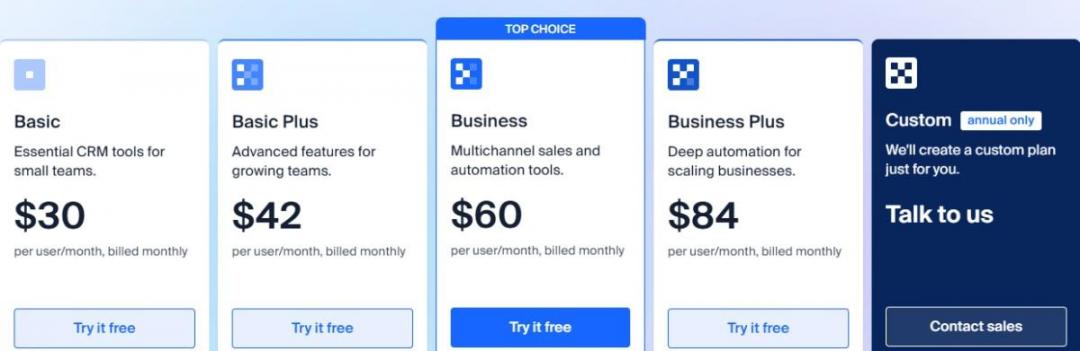
Image via NetHunt CRM
Tool Level
- Beginner/Intermediate
Usability
- Easy to use
Pro Tip: Start a 14-day free trial at nethunt.com to test its features. You don’t need a credit card, and all features are included.
9. Nutshell CRM
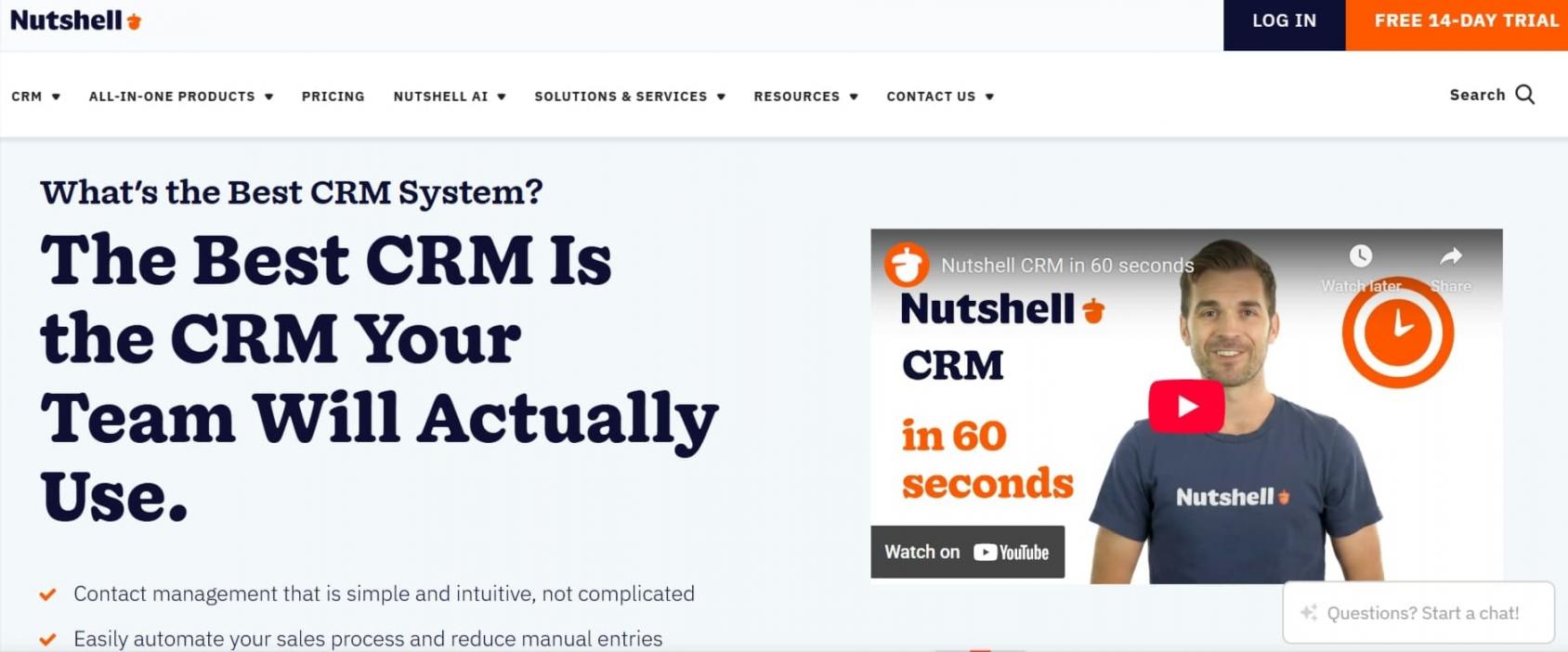
Image via Nutshell
Busy sales professionals can close more deals with Nutshell’s AI capabilities.
With custom pipelines, you can organize data to generate high-quality leads and manage them more productively. Its sales automation tools enable your team to strengthen customer relationships and drive more revenue with every interaction.
Nutshell is one of the best CRM for SaaS companies focusing on B2B clients.
Key Features
- Advanced contact management helps centralize customer insights
- Email automation tool for creating and running personalized campaigns
- Nutshell’s AI agents help create custom pipelines based on demographics and interests
- Email writing assistance generates reply-worthy emails
Pros
- Import email and contact details from multiple sources
- Sync your email and calendar
- Automatically create sales funnels and forecast dashboards
Cons
- Doesn’t offer a free plan, unlike other SaaS CRM systems
- Phone support is available only for the highest tier
Pricing
Nutshell CRM offers a 14-day free trial for its paid plans.
- Foundation: $19/user/month
- Growth: $32/user/month
- Pro: $49/user/month
- Business: $67/user/month
- Enterprise: $89/user/month
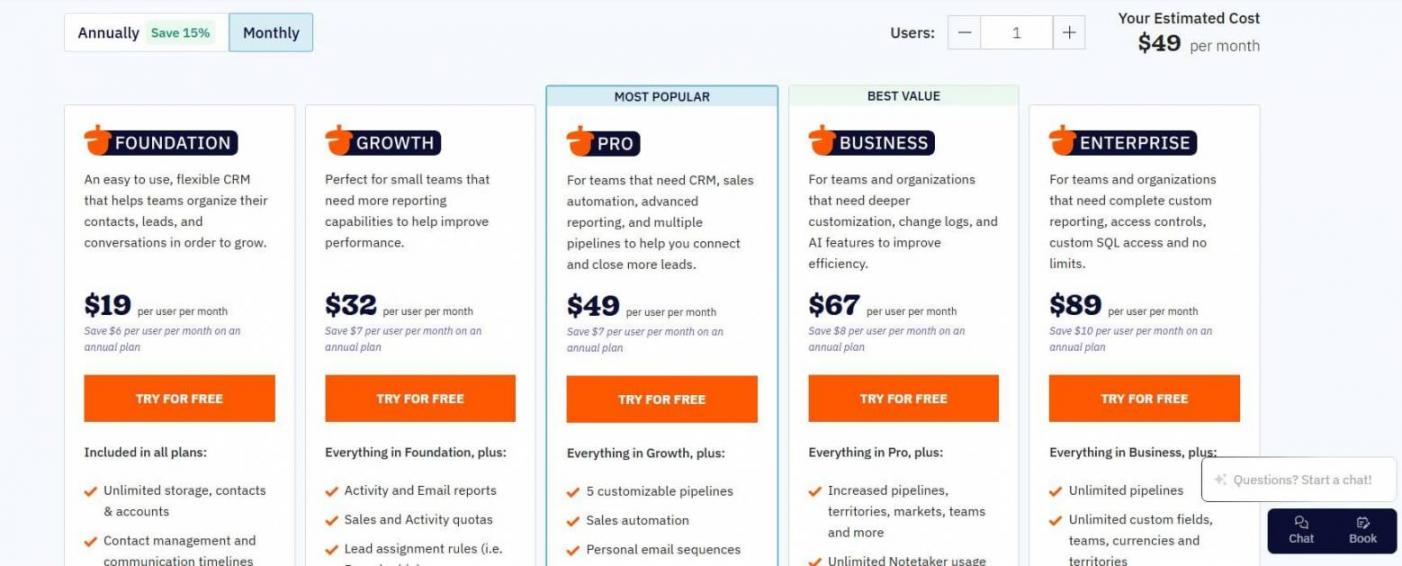
Image via Nutshell
Tool Level
- Intermediate
Usability
- Slight learning curve
Pro Tip: Nutshell CRM searches social media and the internet to automatically collect customer insights. Utilize this feature to enrich customer data.
10. Freshsales by Freshworks
Image via Freshworks
Freshsales offers features like lead scoring, trial-to-paid conversion, and contact management to help you convert more leads.
It features an intuitive interface and fast setup. Freddy AI agent improves your CRM efficiency by analyzing customer information. It offers customized recommendations and sales forecasting to improve sales campaigns.
Freshsales is a great CRM software for SaaS startups and SMBs that want to improve their lead conversion efforts.
Key Features
- Freddy AI analyzes data and assists in AI lead scoring, deal insights, and anomaly detection
- 360-degree view of customer data for creating personalized campaigns
- Conditional triggers to automate multi-channel communication
Pros
- Build multiple custom pipelines that suit your sales cycle
- Low entry cost with advanced features
- AI-powered insights help score leads and prioritize them on deal value
Cons
- Unlike HubSpot, Freshsales doesn’t offer a free plan
- Limited integration
Pricing
Freshsales offers a 21-day free trial for all plans.
- Growth: $11/user/month
- Pro: $47/user/month
- Enterprise: $71/user/month
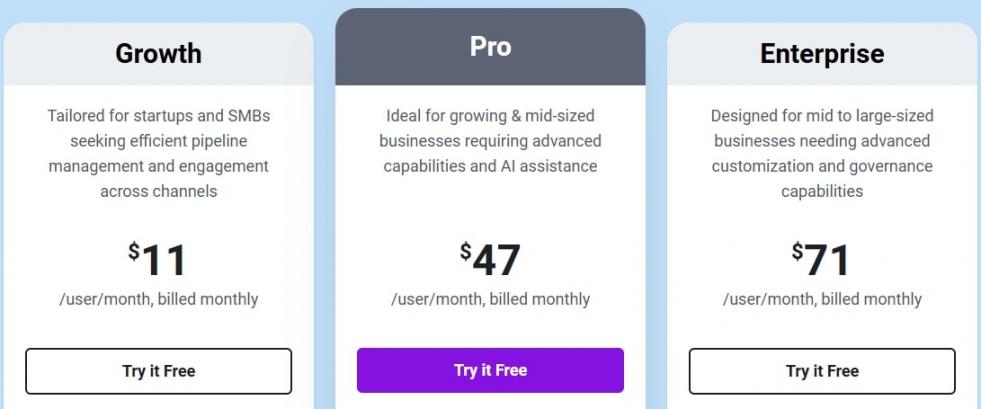
Image via Freshworks
Tool Level
- Beginner/Intermediate
Usability
- Easy-to-use SaaS CRM
Pro Tip: Use Freddy AI to auto-score trial users and trigger follow-up emails when they hit key product activation milestones.
11. Copper
Image via Copper
Copper is a popular CRM for SaaS companies in 2026. It seamlessly integrates with Google Workspace for quick adoption and better usability.
You can capture leads, manage subscription pipelines, and automate onboarding workflows from a single platform. Features like merge fields, AI email templates, and Gemini quick responses facilitate engaging interactions.
Copper is best for SaaS teams that rely on Google Workspace and want a CRM that works natively within their existing tools.
Key Features
- Manage leads, communications, and customer activities within Google Workspace
- Automatically capture meeting and email data for customer records
- Customizable reporting dashboards for valuable insights that improve customer retention
- AI tools to create visual pipelines and automatically trigger email communications
Pros
- Simplified data collection and analysis from multiple sources
- Intuitive interface for Google-first teams
- Copper mobile CRM to manage sales processes on the go
Cons
- No free plan
- Requires third-party apps to access advanced analytics, sales forecasting, and marketing automation
Pricing
Copper users get a 14-day free trial for its paid plans.
- Starter: $12/user/month
- Basic: $29/user/month
- Professional: $69/user/month
- Business: $134/user/month
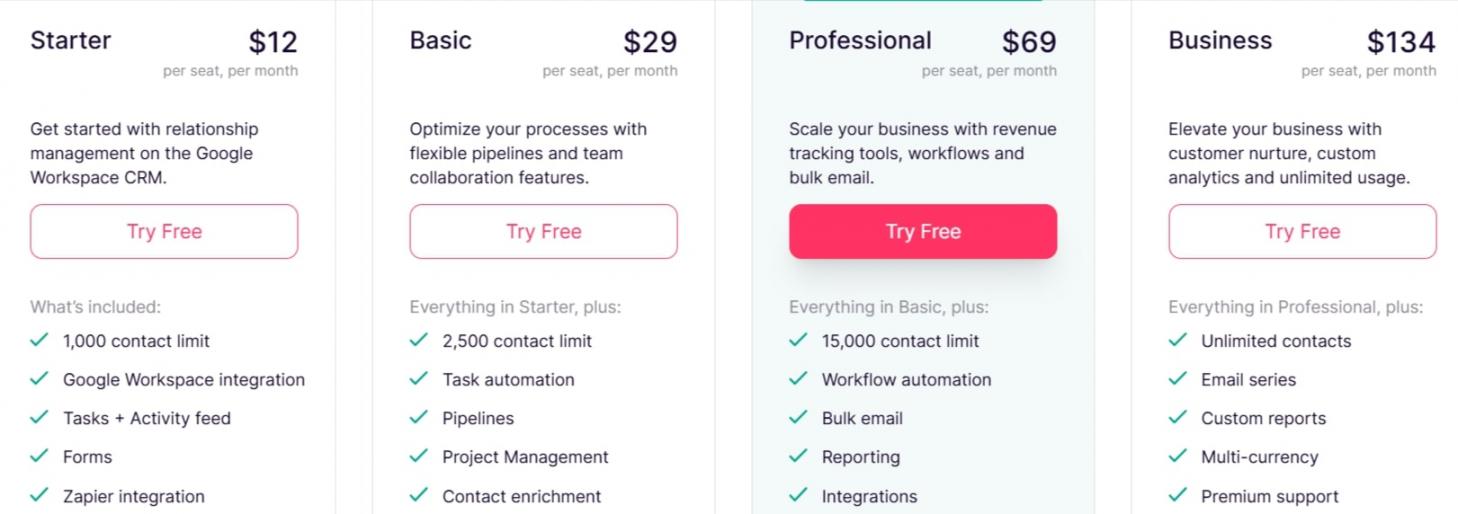
Image via Copper
Tool Level
- Beginner
Usability
- User-friendly interface
Pro Tip: Connect Copper with Google Workspace to view each contact’s communications and activity details.
FAQ
Q1. What is a SaaS CRM?
A. A SaaS CRM is a cloud-based solution for customer relationship management. It streamlines customer interactions, pipeline management, and workflow automation. CRM software allows teams to collaborate and close deals faster.
Q2. What are the best CRM for SaaS companies?
A. Here are the best CRMs for SaaS companies:
- HubSpot
- Zoho CRM
- Close CRM
- Pipedrive
- Salesforce
- Monday CRM
- Insightly
- NetHunt
- Nutshell CRM
- Freshsales by Freshworks
- Copper
Q3. What are the benefits of using HubSpot SaaS CRM?
A. Here are the core benefits of using this SaaS CRM tool:
- Offers advanced workflow automation to improve lead generation
- AI agents reduce customer acquisition cost
- HubSpot AI analyzes data for contextual insights
- Automatically enrich customer reports
Q4. How does HubSpot perform compared to Salesforce?
A. Here are the features that make HubSpot stand out compared to Salesforce:
- Suitable for both startups and enterprises
- Generous free plan
- Up to 200 calculated properties
- Automated lead scoring and conversion
- 2,000+ integrations
- Built-in custom reporting
Q5. What are the key features you should look for in a SaaS-based CRM?
A. Always look for these core features in your CRM solution:
- Advanced billing integrations
- Product usage tracking
- Comprehensive lead scoring
- Automatic workflow and pipeline customization
Choose the Best CRM for SaaS Companies
The best CRM for SaaS companies can help streamline business processes and build stronger customer relationships. Look for user-friendliness, advanced AI capabilities, and analytics.
HubSpot, for instance, offers one of the best AI-powered pipeline customization, automation, and extensive integration.
Utilize free trials or free plans to test a platform’s functionality. Tools like HubSpot Smart CRM offer a feature-rich free plan that you can use to capture more leads and boost sales.
Get started with HubSpot’s free Smart CRM to experience the quickest time-to-value.
Disclaimer: This content contains some affiliate links for which we will earn a commission (at no additional cost to you). This is to ensure that we can keep creating free content for you.