The best social media management tool for marketing teams depends on how much of your stack you want connected. HubSpot works well if you need social scheduling tied to CRM data and automation. Buffer and Later are better fits for teams that only need scheduling and basic analytics.
Still, choosing the right tool is tricky, given the sheer number of options available in the market. That’s where we can help.
Today, we’ll explore the top social media management tools for marketing teams. We will look at the core features, pricing, and ideal use cases to help marketing teams make informed decisions.
Disclaimer: This content contains some affiliate links for which we will earn a commission (at no additional cost to you). This is to ensure that we can keep creating free content for you.
How We Chose the Best Social Media Management Tools for Marketing Teams
We evaluated each tool based on factors that directly impact day-to-day execution, reporting accuracy, and team collaboration. Here is what guided our selections:
- Multi-Channel Publishing: Scheduling posts across several platforms at once reduces manual work and keeps messaging consistent. Strong social media management tools for marketing teams centralize publishing so you can plan campaigns without switching between apps.
- Analytics and Reporting: Clear reporting shows what content drives reach, clicks, and engagement. Good tools break down performance by channel and post type. They should offer real-time data so you can adjust strategy based on actual results, not guesses.
- Team Collaboration: Your team needs shared access, approval workflows, and role-based controls to keep content aligned and prevent posting errors. Reliable social media management tools for marketing teams should allow all team members to work together without confusion.
- CRM Integration: Connecting social data to your CRM helps you track how engagement links to leads and customers. Platforms like HubSpot combine these data points. This makes social media management tools for marketing teams more useful for tracking real business impact.
- Scalability: Your needs will grow as your audience and channels expand. The best social media management tools for marketing teams let you scale operations without breaking your workflow.
Social Media Management Tools for Marketing Teams At a Glance
Below is a quick comparison of all seven tools before we get into the full reviews:
| Tool | CRM Integration | Marketing Automation | Best For | Free Tier | Starting Price |
|---|---|---|---|---|---|
| HubSpot | Native | Full | All-in-one platform | ✅ | $15/month/seat |
| Vista Social | Limited | Limited | Enterprise collaboration | ❌ | $79/month |
| Hootsuite | Via 3rd party | Limited | Multi-channel scheduling | ❌ | $249/month |
| Buffer | No | No | Small teams, budget | ✅ | $6/month |
| Later | No | No | Visual/Instagram focus | ❌ | $25/month |
| Zoho Social | Zoho CRM only | Limited | Zoho ecosystem users | ✅ | $15/month |
| Sendible | No | No | Multi-client agencies | ❌ | $29/month |
7 Social Media Management Tools for Marketing Teams
The tools below range from all-in-one marketing platforms to purpose-built scheduling apps. Each is reviewed across the same criteria — features, pros, cons, pricing, and usability.
1. HubSpot
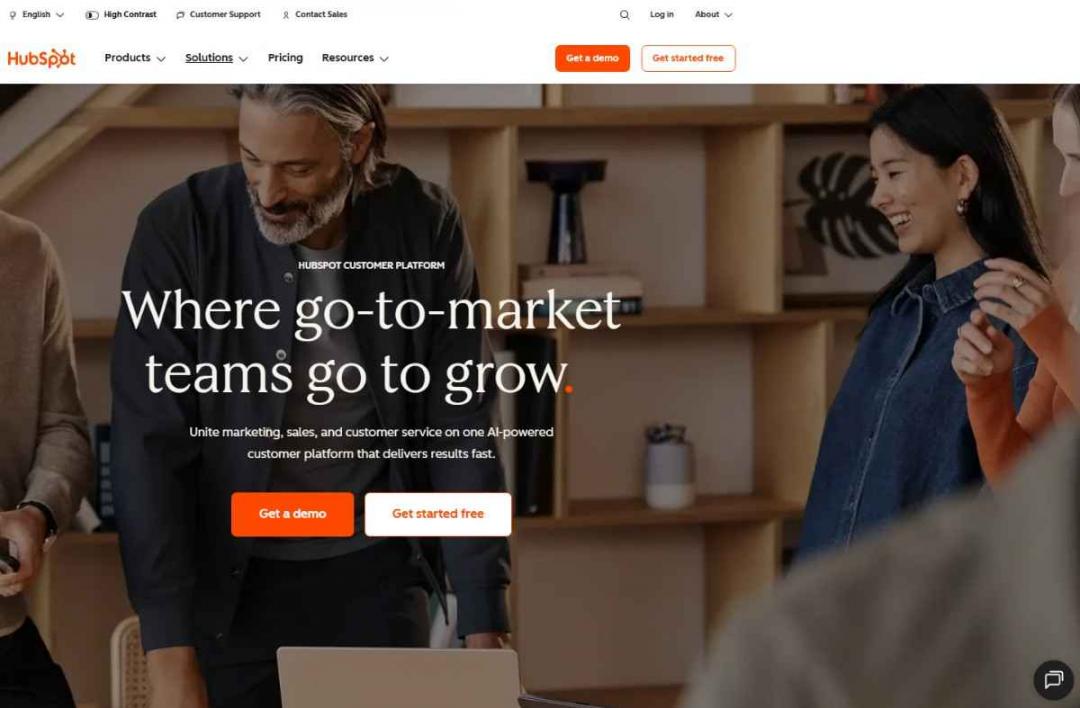
Image via Hubspot
HubSpot tops our list of the best social media management tools for marketing teams that need more than a publishing calendar. HubSpot's Marketing Hub brings together social media scheduling, contact management, email marketing, and advanced analytics under one roof.
The platform uses Breeze AI to surface real-time insights across your social campaigns, CRM data, and website behavior. Teams can generate captions, repurpose content, and get recommendations for publishing times.
HubSpot is also built for cross-team collaboration. With shared dashboards, campaign-level attribution, and role-based permissions, marketing and sales teams can work from the same data without friction.
HubSpot's social tools are part of a broader unified platform that includes Marketing Hub, Sales Hub, Service Hub, and Content Hub. This means marketing teams can manage social campaigns alongside email, paid ads, and landing pages.
Key Features
- Brand mention monitoring
- Post-scheduling with content calendars
- Automatic social interactions logging
- Campaign performance tracking
- Caption generation
- Email sequence triggers
- Lead scoring updates
Pros
- Connects social data directly to CRM
- Offers a free plan
- Scales for teams of any size
- Streamlines content creation with AI
- Tracks performance across multiple channels
Cons
- Advanced features require higher-tier plans
- Scaling costs increase as you expand
Pricing
- Free: $ 0/month
- Starter: From $15/month/seat
- Professional: From $890/month
- Enterprise: From $3,600/month
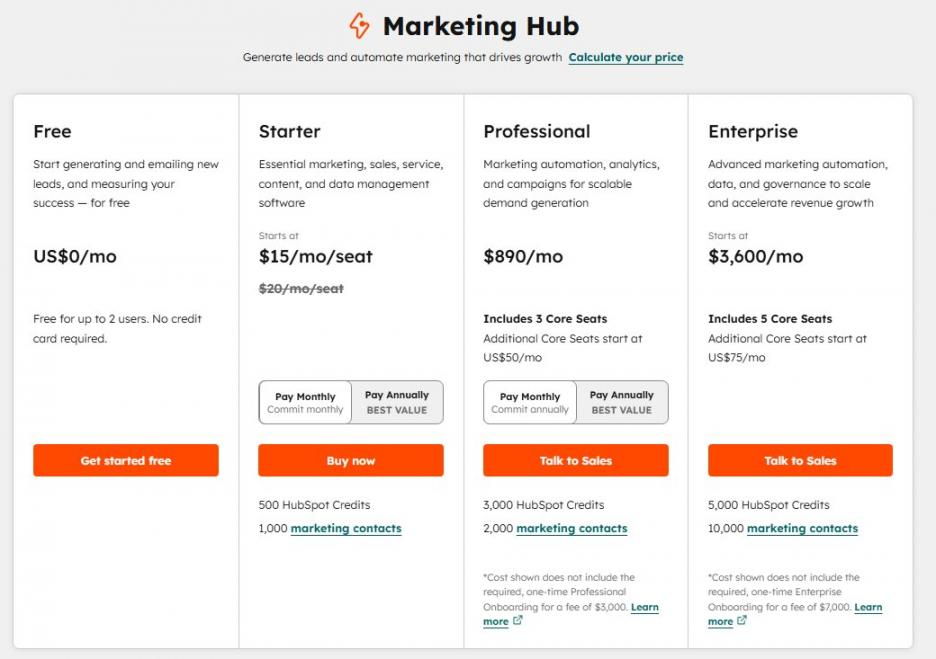
Image via Hubspot
Tool Level
- Intermediate – Advanced
Usability
- HubSpot is relatively easy to start with, though advanced features require onboarding and configuration.
Pro Tip: Use HubSpot's campaign tool to group your social media posts, emails, and ads under a single campaign.
2. Vista Social
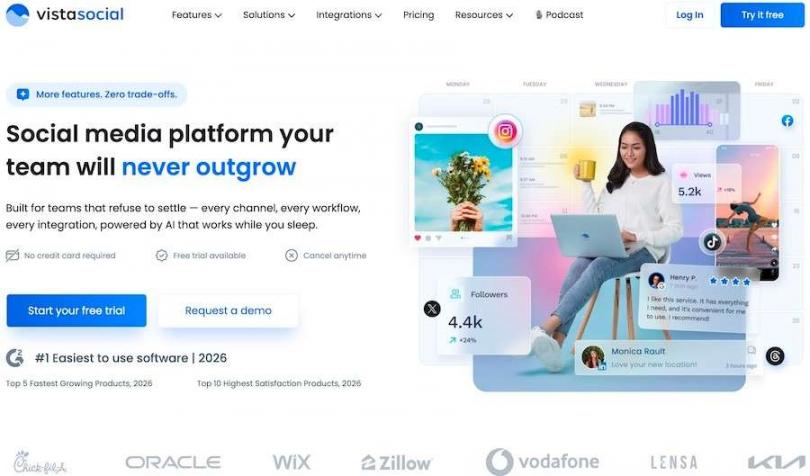
Image via Vista Social
Vista Social is one of the best social media management tools for marketing teams looking to combine publishing, engagement, and reporting. You can plan social media content, respond to messages, and track results without switching tools.
It also improves how you handle audience interactions. You get a unified inbox that collects comments, messages, and mentions from different platforms. This helps you respond faster and keep conversations organized.
However, when comparing overall capabilities, HubSpot offers more depth. Vista mostly focuses on scheduling, engagement, and social listening.
HubSpot, on the other hand, goes a step further by linking social data to CRM records, automation, and revenue tracking.
Key Features
- Unified inbox for messages
- Content scheduling with a visual calendar
- Analytics dashboard
- Social listening to track brand mentions
- AI caption generator
- Review management for customer feedback
- Multi-account management
Pros
- Offers key features under one roof
- Strong scheduling tools
- Reliable social listening capabilities
- Works with multiple social media accounts
Cons
- Occasional account linking issues
- Limited AI credits
Pricing
- Professional: $79/month
- Advanced: $149/month
- Scale: $379/month
- Enterprise: Custom pricing
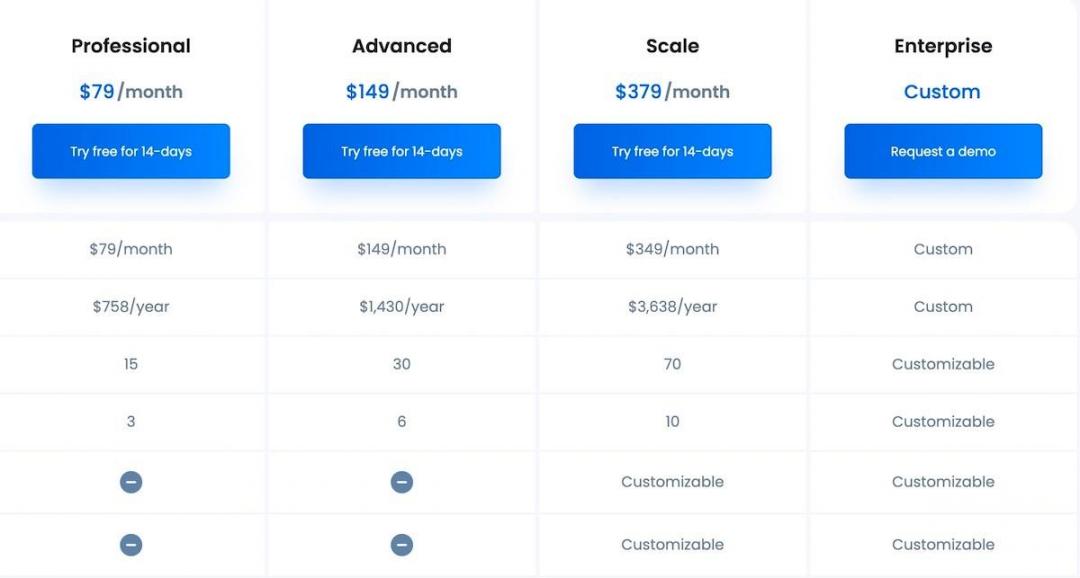
Image via Vista Social
Tool Level
- Intermediate
Usability
- Vista Social works well for teams managing several social accounts and needing structure. You get clear dashboards and organized workflows that reduce confusion.
Pro Tip: Use the unified inbox to tag and group messages by topic or urgency. This helps your team respond faster and keeps customer communication consistent across channels.
3. Hootsuite
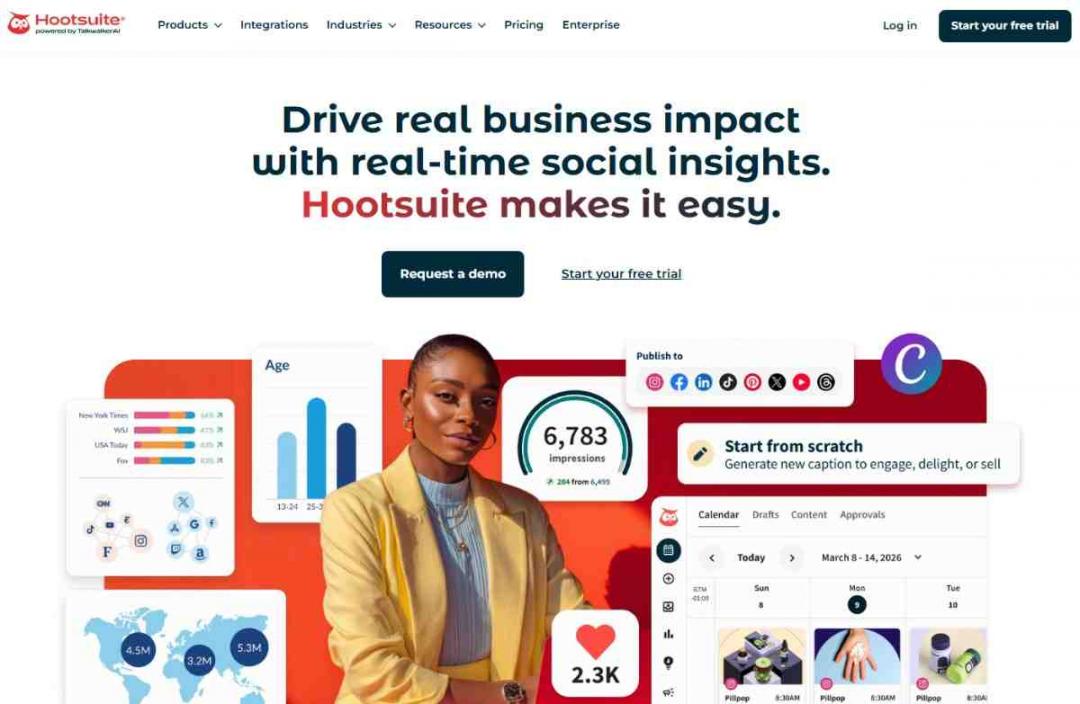
Image via Hootsuite
Hootsuite is one of the most widely used social media management tools for marketing teams, supporting 35+ networks. It is a social media scheduling app designed for teams publishing high volumes of content to multiple accounts.
You can schedule posts, track mentions, and respond to messages from one dashboard. This reduces time spent switching platforms and keeps your workflow consistent.
Compared to HubSpot, which goes beyond social media, Hootsuite emphasizes social listening. If you need a tool that gives you a deeper view of your social media efforts, then HubSpot is the better choice.
Key Features
- Post scheduling across major social platforms
- Stream-based monitoring for mentions
- Analytics dashboard with performance tracking
- Team collaboration with permissions and approvals
- Content calendar for planning campaigns
- Integration with 150+ social media apps
Pros
- Bulk-scheduling across multiple channels
- Social media listening and keyword monitoring
- Team workflows with role-based access
- Detailed analytics for tracking performance
Cons
- Expensive plans
- No native CRM
Pricing
- Standard: $249/month/user
- Advanced: $499/month/user
- Enterprise: Custom pricing
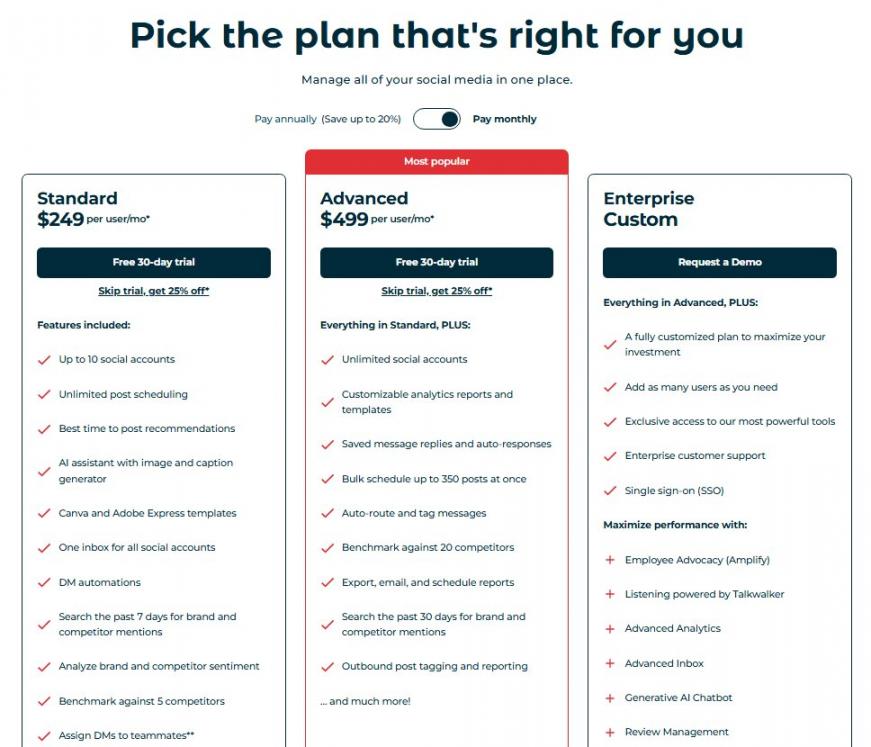
Image via Hootsuite
Tool Level
- Beginner / Intermediate
Usability
- Easy to set up for scheduling, but reporting focuses on engagement metrics and may require additional social media management software for deeper attribution.
Pro Tip: Use Hootsuite's bulk upload feature (via CSV) to schedule weeks of content in minutes, especially useful for campaigns with a fixed content calendar.
4. Buffer
Image via Buffer
Buffer is one of the most reliable social media management tools for marketing teams that prioritize simplicity. It covers content queuing, basic analytics, and team approvals.
Marketing teams evaluating Buffer for multi-channel campaigns should note that it handles scheduling well but does not connect social activity to leads or revenue. This is a gap that becomes more visible as reporting requirements grow.
For social media content ideas and straightforward scheduling, Buffer is easy to adopt. However, if you want better integrations that connect all your marketing efforts, then go with HubSpot, which offers 2,000+ integrations.
Key Features
- Publishing and scheduling
- AI assistant
- Unified inbox for engagement
- Analytics and reporting
- Content creation and planning
Pros
- Affordable
- Clean, minimal interface
- Supports multiple social channels
- Timely and accurate scheduling
Cons
- No CRM, automation, or revenue attribution
- Analytics are basic and do not scale well for growing teams
Pricing
- Free
- Essentials: $6/month
- Team: $12/month
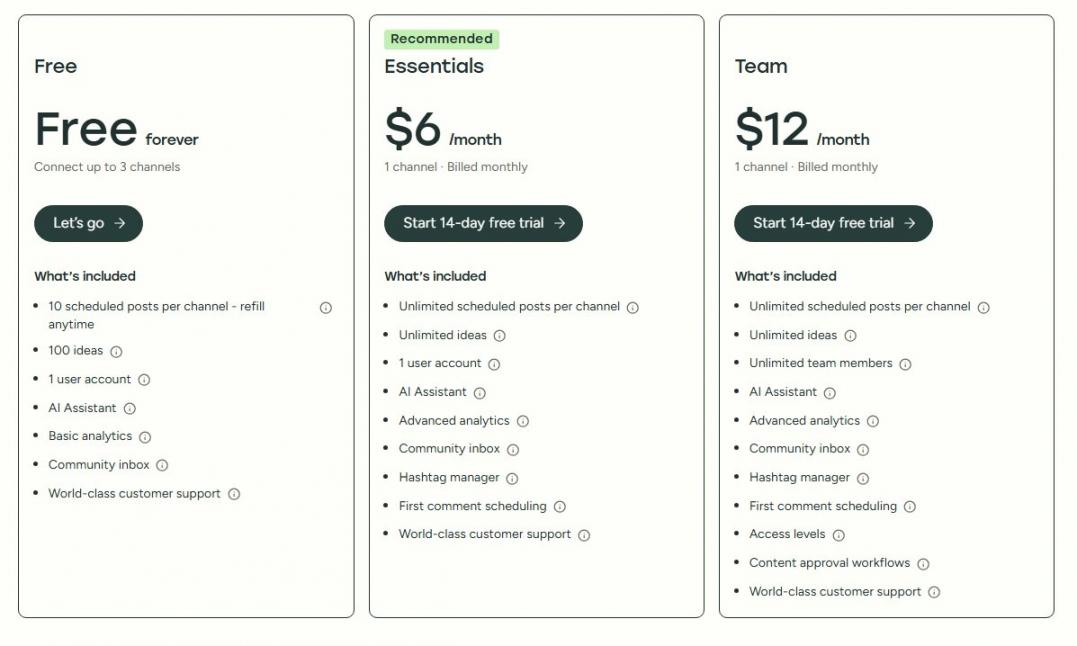
Image via Buffer
Tool Level
- Beginner
Usability
- Buffer is easy to set up and requires no technical configuration. Most users can start scheduling posts within minutes of connecting their social accounts.
Pro Tip: Use Buffer's ‘Ideas' feature as a lightweight content backlog. Drop post drafts in as inspiration hits, then promote them to the queue when you're ready to schedule.
5. Later
Image via Later
Next on our list of the best social media management tools for marketing teams is Later. It comes with a strong visual focus and is popular among e-commerce brands and content teams.
Later works best for social media managers who prioritize Instagram and TikTok, alongside other social media channels.
Its visual content calendar lets teams preview how posts will appear in their Instagram grid before publishing. This makes it easier to maintain a consistent brand aesthetic through content marketing.
Similar to other social media management tools for marketing teams, Later focuses on polishing content for social media. However, as other social media tools focused on publishing, it lacks the CRM and automation depth found in platforms like HubSpot Marketing Hub.
Key Features
- Visual drag-and-drop content calendar
- Landing page builder
- Media library for asset organization
- Social media scheduling
- Social inbox and engagement
- AI content curation
- Influencer marketing tools
Pros
- Good visual calendar
- Simple enough for small creative teams
- Useful content library
- Offers a free plan
- Social media ROI reports
Cons
- Limited to visual-first channels
- Limited CRM and automation
Pricing
- Starter: $25/month
- Growth: $50/month
- Scale: $110/month
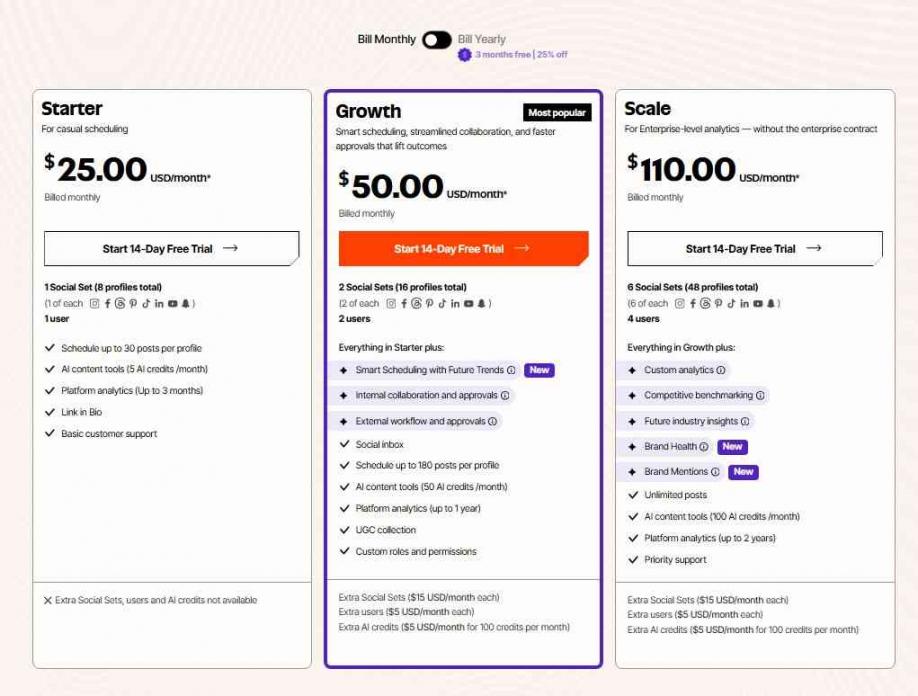
Image via Later
Tool Level
- Beginner / Intermediate
Usability
- Easy to use for visual scheduling. However, its usefulness decreases the moment your strategy moves beyond Instagram and TikTok.
Pro Tip: Use Later's media library labels to organize assets by campaign and content type. Pair it with a hashtag generator tool to maximize reach on each post.
6. Zoho Social
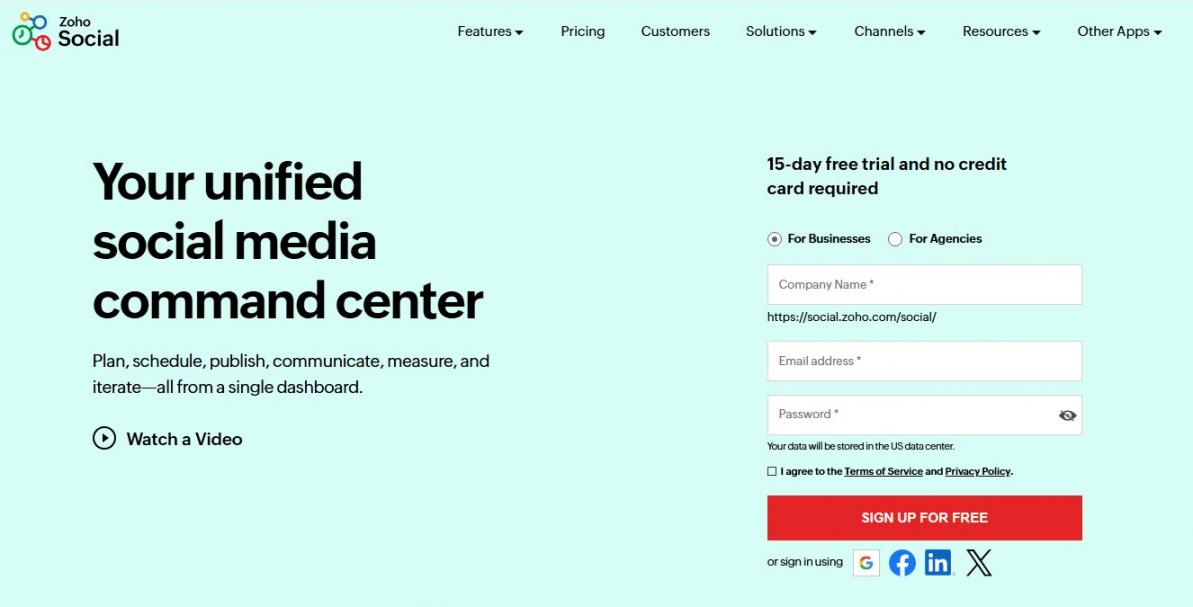
Image via Zoho Social
Zoho Social is one of the best social media management tools for marketing teams already using the Zoho ecosystem. It integrates seamlessly with Zoho CRM, allowing teams to automatically convert social interactions into CRM leads.
Its monitoring streams let users track brand keywords, competitor mentions, and industry terms directly from the dashboard.
As a social media marketing tool, Zoho Social provides CRM integrations through the Zoho ecosystem. However, it does not match the depth of HubSpot.
Key Features
- Multi-channel publishing
- Summary reports
- Image editors
- Content scheduling
- User tagging
Pros
- Clean Zoho CRM integration
- SmartQ prediction
- Comprehensive engagement monitoring
- Intuitive user interface
- Reliable post scheduling
Cons
- The integration ecosystem is largely limited
- Mostly confined to the Zoho ecosystem
Pricing
- Free
- Standard: $15/month
- Professional: $40/month
- Premium: $65/month
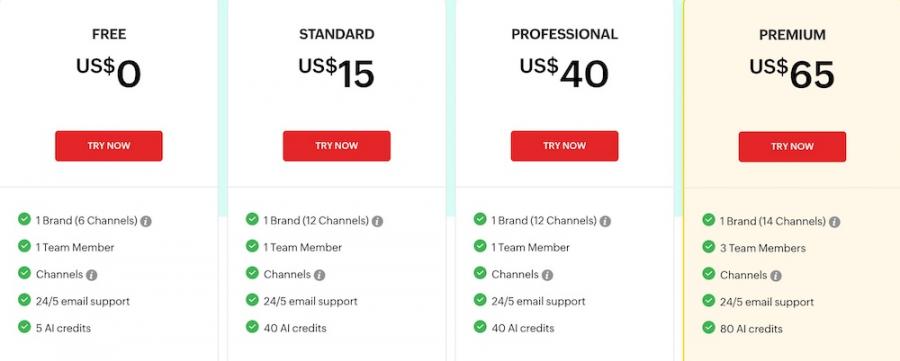
Image via Zoho Social
Tool Level
- Beginner / Intermediate
Usability
- Straightforward if you are already inside the Zoho ecosystem. Less intuitive if you are adopting it as a standalone social tool.
Pro Tip: Connect Zoho Social to Zoho CRM and configure lead generation rules to automatically create CRM records from social interactions.
7. Sendible
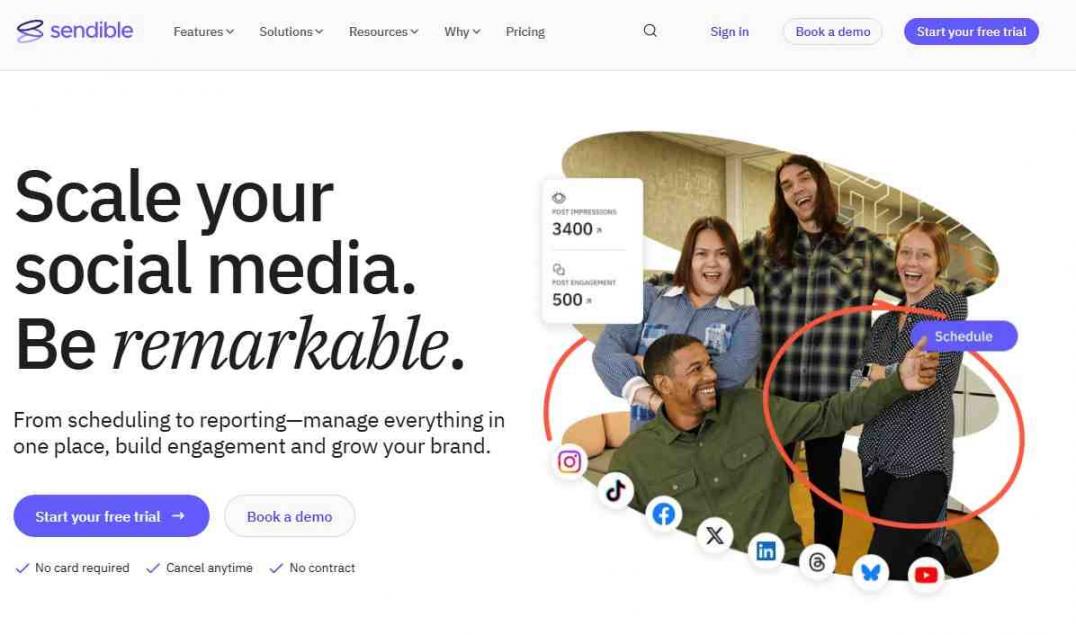
Image via Sendible
Sendible is built for agencies handling social media for multiple clients. It includes white-labeling, client dashboards, and automated reporting features designed for agency workflows.
Agencies focused on B2B lead generation will appreciate Sendible's ability to manage multiple brand voices from a single platform.
Sendible offers tiered, agency-friendly pricing for focused social tools. However, it’s not as cost-efficient as HubSpot, which provides a free CRM and scalable plans that offer broader value beyond social alone.
Key Features
- White-label reporting
- Canva and Google Drive integration
- RSS feeds and auto-posting
- Priority inbox for social engagement
- Multi-platform support
- Bulk scheduling
- Automated reporting
Pros
- User-friendly interface for beginners
- Comprehensive inbox control
- Built-in AI tools
- Reliable content approval workflows
- Canva integration for visuals
Cons
- Lacks CRM features
- Add-ons like white labeling cost extra
Pricing
- Creator: $29/month
- Traction: $89/month
- Scale: $199/month
- Advanced: $299/month
- Enterprise: $750/month
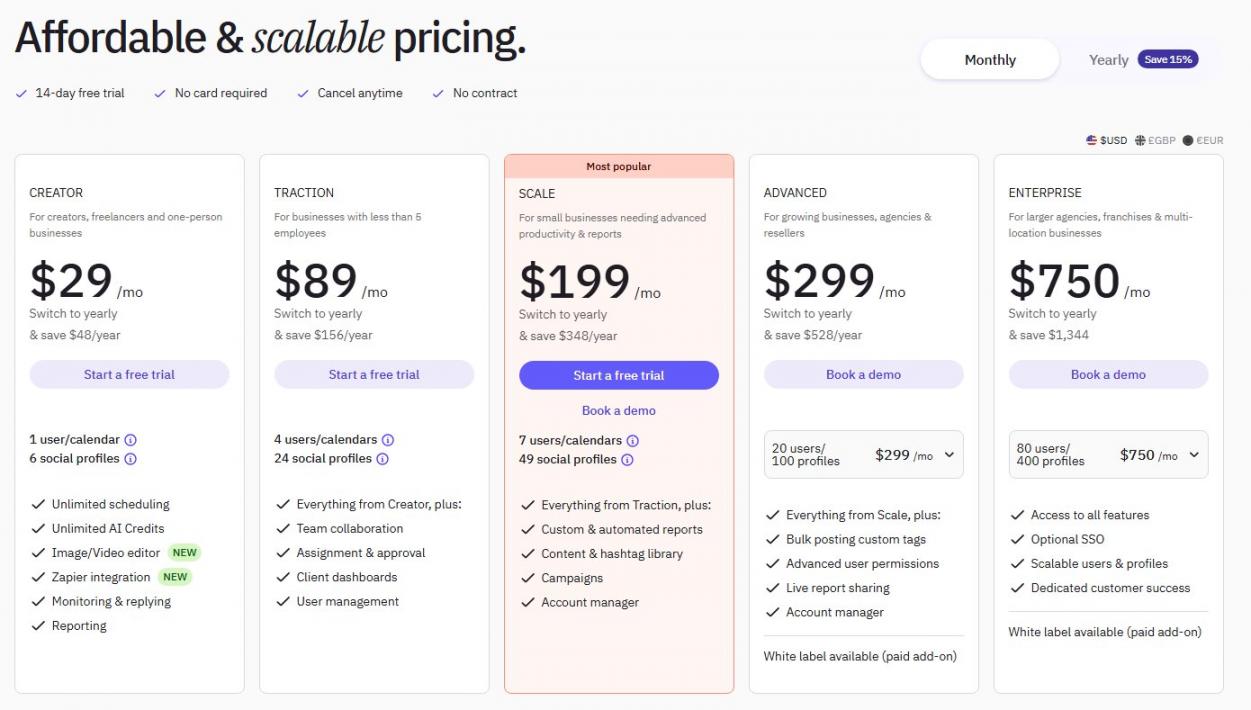
Image via Sendible
Tool Level
- Beginner / Intermediate
Usability
- Onboarding new client accounts on this social media management platform is fast, and white-label reporting saves time each month.
Pro Tip: Use Sendible's campaign tagging to group posts by client and content type. Combined with the white-label report builder, it cuts your monthly client reporting time significantly.
FAQ
Q1. What are the best social media management tools for marketing teams?
A. The best social media management tools for marketing teams include HubSpot, Vista Social, Hootsuite, Buffer, Later, Zoho Social, and Sendible.
Q2. What is HubSpot CRM best for?
A. HubSpot CRM is best for marketing teams that want to connect social media activity, email campaigns, and website behavior to individual contact records.
Q3. How does HubSpot compare to Hootsuite for marketing teams?
A. Hootsuite focuses on social media scheduling and monitoring, while HubSpot's platform adds CRM integration, email marketing, marketing automation, and full-funnel revenue attribution on top of social management.
Q4. Is HubSpot good for small marketing teams?
A. HubSpot's free CRM and standard plan make it accessible for a small business. As teams grow, HubSpot scales with them.
Q5. What social media platforms does HubSpot support?
A. HubSpot Marketing Hub supports publishing, scheduling, and monitoring for LinkedIn, Facebook, Instagram, X (formerly Twitter), and YouTube. Social interactions on these platforms are automatically linked to contact records in HubSpot CRM.
Conclusion
HubSpot tops our list of social media management tools for marketing teams. It is affordable, easy to use, and goes beyond social media through reliable CRM integrations.
There are also other alternatives you can use. Buffer suits small teams with simple needs, while Later is purpose-built for visual content. That said, if you need more comprehensive, end-to-end marketing functionality, HubSpot remains the stronger choice.
So, sign up with HubSpot today and take your social media marketing to the next level.
Disclaimer: This content contains some affiliate links for which we will earn a commission (at no additional cost to you). This is to ensure that we can keep creating free content for you.