The best B2B CRM software solution is the one that aligns with your sales motion, team size, and tech stack. There is no single winner for every team. HubSpot fits growing teams that want to start for free. Salesforce suits enterprise customization, and Pipedrive wins on pipeline focus.
So, the smarter question is which CRM fits how your team actually sells.
Most buyers compare and choose B2B CRM software based on features, and then watch adoption stall by month two. The problem is rarely the tool. It is the mismatch between the tool and the sales motion.
Here's the reframe: the right CRM is a fit decision, not a feature contest.
According to Fortune Business Insights, the global CRM market will reach $126.17 billion in 2026. In this guide, I’ll compare 11 of the best B2B CRM software platforms on price, fit, and ease of adoption.
Disclaimer: This content contains some affiliate links for which we will earn a commission (at no additional cost to you). This is to ensure that we can keep creating free content for you.
Match the pick to your sales motion. Pick HubSpot for a free, scalable start, Salesforce for enterprise depth, Pipedrive for pipeline-first reps, and Close for inside-sales dialing.
How Did I Choose the Best B2B CRM Software?
I looked at cost, ease of use, features, scalability, and other factors to curate this list of the best B2B CRM software.
When comparing options, match the CRM to your sales motion, team size, and tech stack. That single decision predicts adoption better than any spec sheet, and it shapes the sales funnel metrics you can trust. The platform your reps actually use beats the one with more checkboxes every time.
Now, let’s look at the factors I considered to make this list of the best B2B CRM software.
- Total Cost of Ownership: I counted license, onboarding, add-ons, and admin time, not just the sticker price.
- Adoption and Usability: I assessed how quickly a rep can start delivering value without lengthy training.
- Pipeline and Forecasting: When comparing the B2B CRM software, I also checked deal-stage clarity, reporting depth, and forecast reliability.
- Automation and AI: I tested workflow automation, lead scoring, and how native the AI features feel.
- Integrations and Tech Stack: Next, I mapped how cleanly each CRM connects to common B2B tools.
- Scalability: Lastly, I assessed what happens at year three when seats and customer data both grow.
You can use the same for choosing the best B2B CRM software solution for your business.
Before you commit, ask yourself these five questions.
- What is the real cost, including onboarding, add-ons, and admin time?
- Will my reps actually adopt it within the first month?
- Does it connect to the tools my team already uses daily?
- What does pricing and complexity look like at year three?
- How hard is it to migrate out if the fit doesn't work out?
Start with your sales motion, team size, and tech stack, then shortlist on total cost of ownership and adoption. The CRM your reps use daily is the one worth paying for.
Consider the total cost of ownership and ease of adoption rather than just the list of features. Automation, AI capabilities, integrations, and scalability are also important.
Quick Comparison: Which are the Best B2B CRM Software Solutions?
| CRM | Best For | Starting Monthly Price | Free Plan | G2/Capterra rating |
|---|---|---|---|---|
| HubSpot CRM | All-in-one + free upgrade path | $15 | Yes | 4.5 |
| Salesforce Agentforce Sales | Enterprise customization | $25 | No | 4.4 |
| Zoho CRM | Value across SMB to mid-market | $20 | Yes | 4.1 |
| Pipedrive | Pipeline-first sales teams | $19 | No | 4.3 |
| Microsoft Dynamics 365 Sales | Microsoft-stack enterprises | $95 (billed annually) | No | 3.8 |
| Freshsales | AI features at an SMB price | $11 | Yes | 4.5 |
| Close | High-velocity inside sales | $49 | No | 4.7 |
| monday CRM | Visual, cross-team operations | $18 | No | 4.6 |
| Insightly | CRM plus project delivery | $29 (billed annually) | No | 4.2 |
| Salesflare | Automated data entry for SMB B2B | $39 | No | 4.8 |
| Coevera | Visual reporting, no-admin CRM | $65 | No | 4.6 |
Sources: 1, 2, 3, 4, 5, 6, 7, 8, 9, 10, 11 (All ratings verified at source, as of May 2026)
Which Are the 11 Best B2B CRM Software Solutions?
The best B2B CRM software fits your sales motion, team size, and tech stack. I ranked each pick on those terms.
1. HubSpot CRM
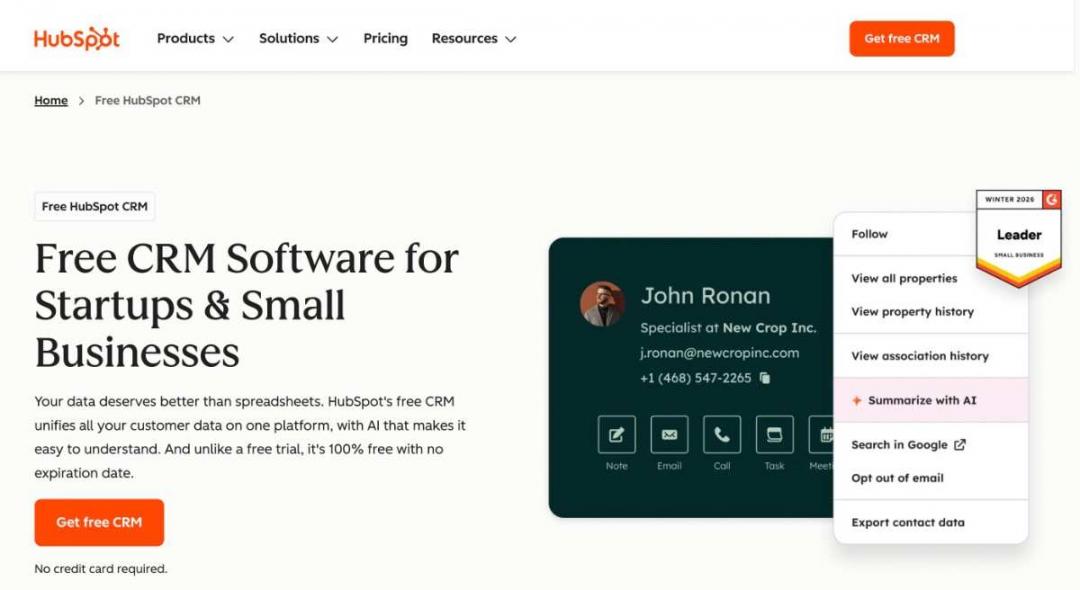
Image via HubSpot
For most growing teams, the best B2B CRM software solution is the free HubSpot CRM. It runs on the underlying AI-powered Smart CRM, which unifies every customer record. It suits founders, RevOps leads, and marketing-led teams that already run their B2B marketing tools in one place and want a real upgrade path later.
Small teams can start with the free CRM and upgrade to premium versions as they grow. For larger teams, it also makes sense to invest in HubSpot Sales Hub to get advanced sales and CRM features.
HubSpot is one of the best all-in-one B2B CRM software solutions. It offers lead management, reporting tools, and several advanced features in a user-friendly interface.
Key Features
- Unified Records: Keep one unified customer record that links contacts, deals, emails, and tickets across teams.
- Contact and Deal Management: Track unlimited contacts and visual deal stages.
- Pipeline Management: Get a clear view of the entire sales cycle and accurate revenue projections.
- Breeze AI: Use native AI to draft emails, score leads, and summarize deal activity inside records.
- Wide Integrations: Connect 1,700-plus tools to your existing stack via the App Marketplace.
Pros
- The free CRM is genuinely useful for small B2B teams, not a stripped-down demo.
- The upgrade path skips procurement friction since you buy more seats yourself.
- Mixed seat types allow paying customers and free users to share a single customer record.
- Reporting and automation feel native, not bolted onto a legacy core.
Cons
- The Pro tier price jumps sharply once a team outgrows the Starter.
- Advanced custom objects and permissions sit behind the Enterprise tier.
- Heavy contact databases can push you into higher marketing pricing brackets.
Pricing
- Free
- Starter: Starts at $15 per seat per month
- Professional: Starts at $50 per seat per month
- Enterprise: Starts at $75 per seat per month
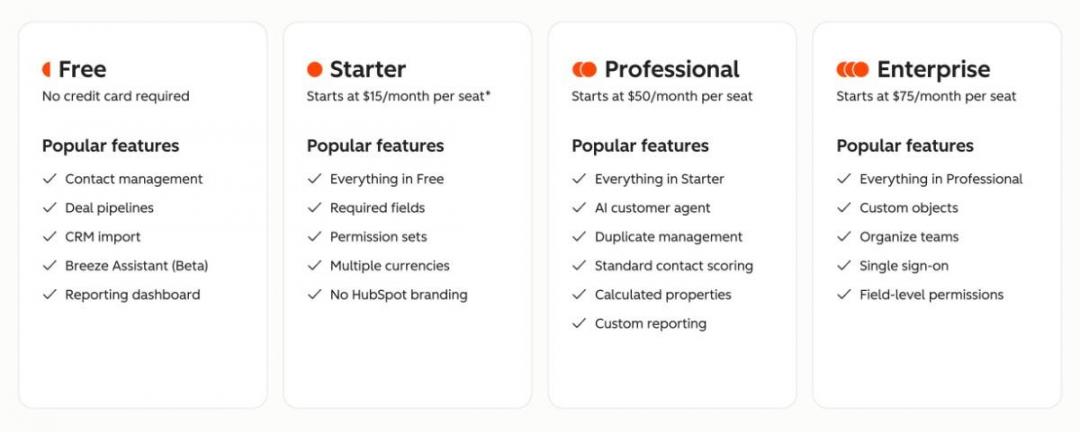
Image via HubSpot
Tool Level
- Beginner to advanced
Usability
- It offers a clear, beginner-friendly interface. That makes it one of the best B2B CRM software for startups.
Pro Tip: Start free, then upgrade only the closers who need advanced capabilities. Mixed seats keep your costs lean.
2. Salesforce Agentforce Sales (Formerly Sales Cloud)
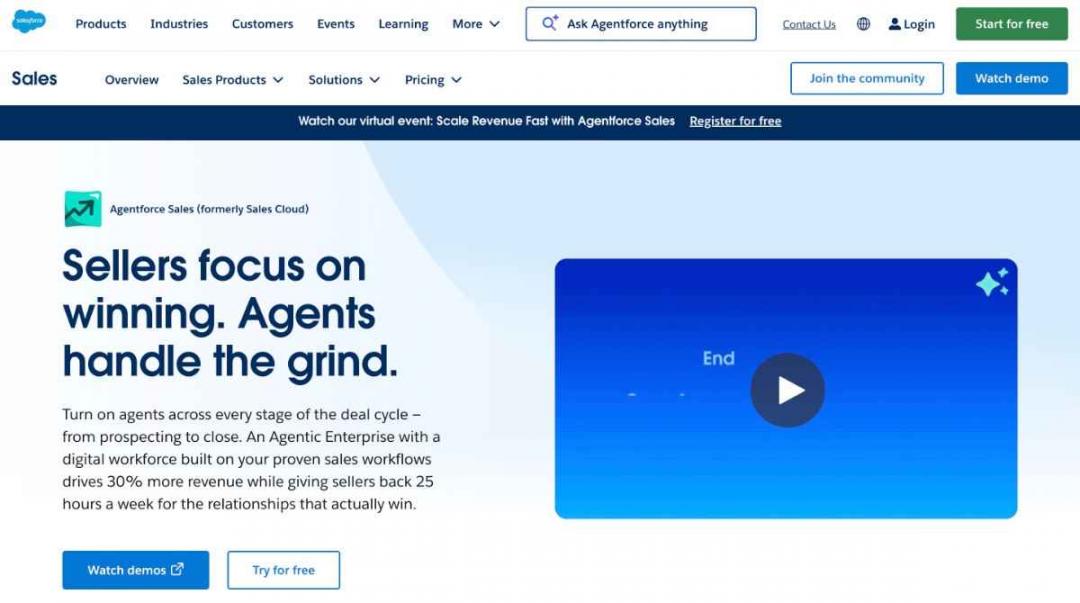
Image via Salesforce
Salesforce Agentforce Sales is the best B2B CRM software solution for enterprise teams. It offers deep customization and can help you manage complex sales processes. Compared to HubSpot, which is also feature-rich, it’s more difficult for first-time users to learn.
It fits large RevOps functions, multi-region sales orgs, and companies with dedicated admins. Smaller teams often consider other B2B CRM software options and upgrade to this only when needed.
Overall, it’s an enterprise-grade CRM that offers extensive customization options. You can use it for complex deals as well as repetitive tasks.
Key Features
- Custom Objects and Fields: Model almost any business process with configurable objects and validation rules.
- AppExchange Marketplace: Extend the platform with 3,000-plus vetted apps and integrations.
- Agentforce: Use AI agents to handle research, follow-ups, and pipeline tasks autonomously.
- Advanced Reporting: Build granular dashboards, forecasts, and territory analytics at scale.
- Workflow Automation: Leverage the Flow Builder to route leads and trigger approvals across the organization.
Pros
- No other B2B CRM matches its configurability for complex enterprise sales models.
- The partner ecosystem means an integration exists for nearly every stack.
- Reporting depth supports forecasting that finance and the board will trust.
- Agentforce points the platform toward genuinely agentic sales workflows.
Cons
- Implementation often takes months and needs certified consultants.
- Admin overhead is real, so most teams hire or assign a full-time owner.
- The interface feels heavy for small teams that want speed over depth.
Pricing
It offers a 30-day free trial, after which you can upgrade to a paid plan.
- Starter: Starts at $25 per user per month
- Pro Suite: Starts at $100 per user per month (billed annually)
- Enterprise: Starts at $175 per user per month (billed annually)
- Unlimited: Starts at $350 per user per month (billed annually)
- Agentforce 1 Sales: Starts at $550 per user per month (billed annually)
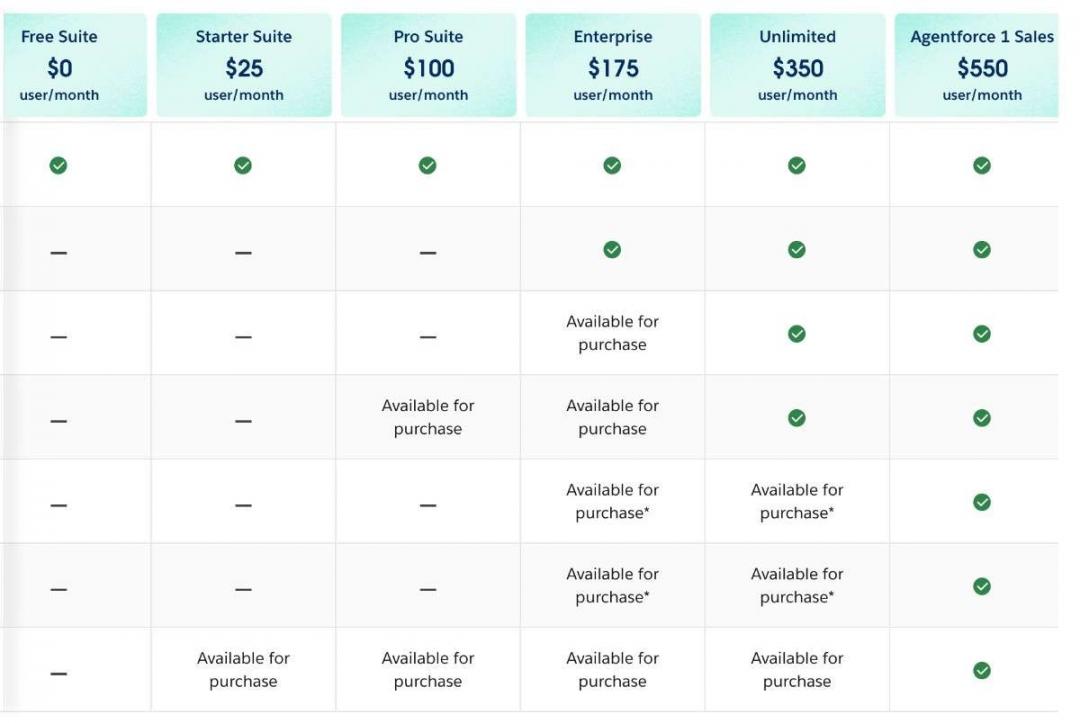
Image via Salesforce
Tool Level
- Advanced
Usability
- Full configuration usually requires expert help. That’s why it’s one of the B2B CRM software solutions with a steep learning curve.
Pro Tip: Scope your custom objects before implementation. Unplanned configuration is where most Salesforce rollouts blow past budget.
3. Zoho CRM
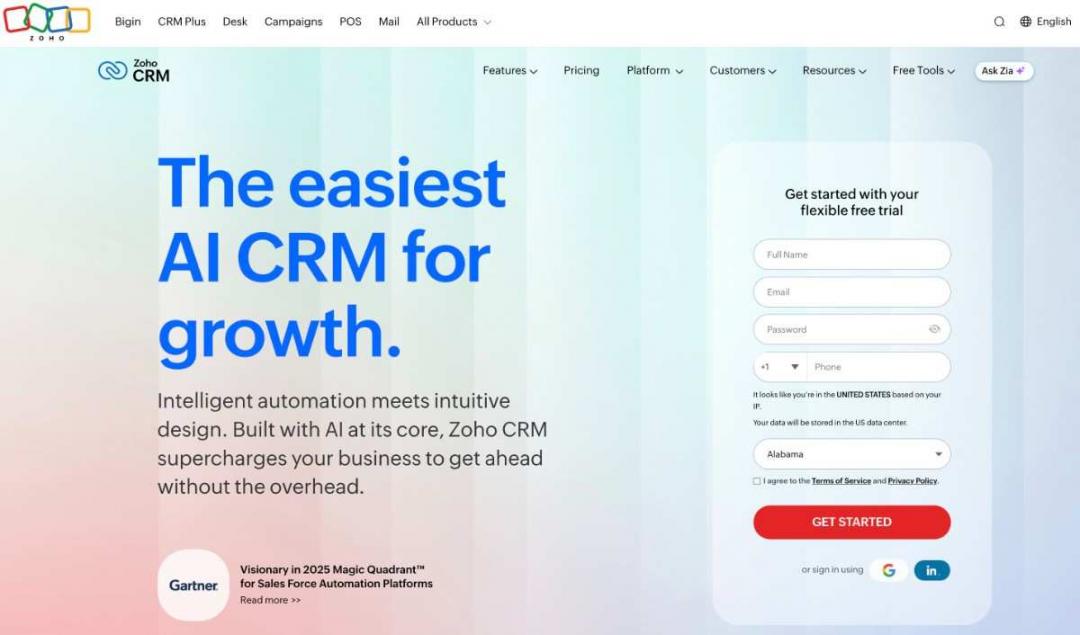
Image via Zoho CRM
Zoho CRM is one of the best B2B CRM software solutions for value as you scale from SMB into the mid-market.
It suits cost-conscious founders, teams doing B2B SaaS lead generation on a budget, and businesses already inside the Zoho ecosystem.
Key Features
- Visual Pipeline Management: Drag deals through stages with custom views and filters.
- Workflow Automation: Build rules, alerts, and field updates without writing code.
- Zia AI Assistant: Use Zia to predict deal closes, flag anomalies, and suggest the next steps.
- Zoho Ecosystem: Connect natively to Zoho Books, Desk, Campaigns, and 50-plus apps.
- Omnichannel Inbox: Manage email, calls, and social touchpoints from one record.
Pros
- Per-seat pricing stays low even as you add advanced tiers.
- The free plan for up to three users can actually run a small pipeline.
- The wider Zoho suite removes the need for many third-party tools.
- Customization is deep for the price, with custom modules on mid tiers.
Cons
- The sheer breadth of settings can overwhelm new admins early on.
- Support response times lag behind premium-priced competitors.
- Some integrations feel smoother inside Zoho than with outside apps.
Pricing
Like many B2B CRM software solutions, it offers a 15-day free trial. The paid plans include:
- Standard: $20 per user per month
- Professional: $35 per user per month
- Enterprise: $50 per user per month
- Ultimate: $65 per user per month
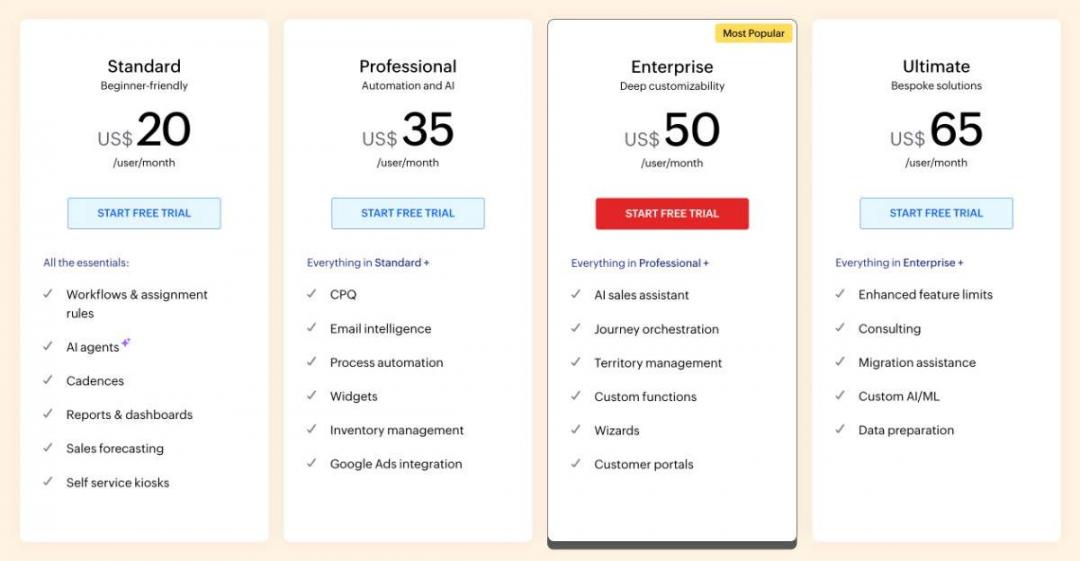
Image via Zoho CRM
Tool Level
- Beginner to intermediate
Usability
- Core navigation is approachable, though deeper customization takes time to learn. Overall, it’s one of the B2B CRM software solutions that are fairly easy to use.
Pro Tip: Turn on Zia's prediction scores early. Coach reps to work the highest-probability deals first.
4. Pipedrive
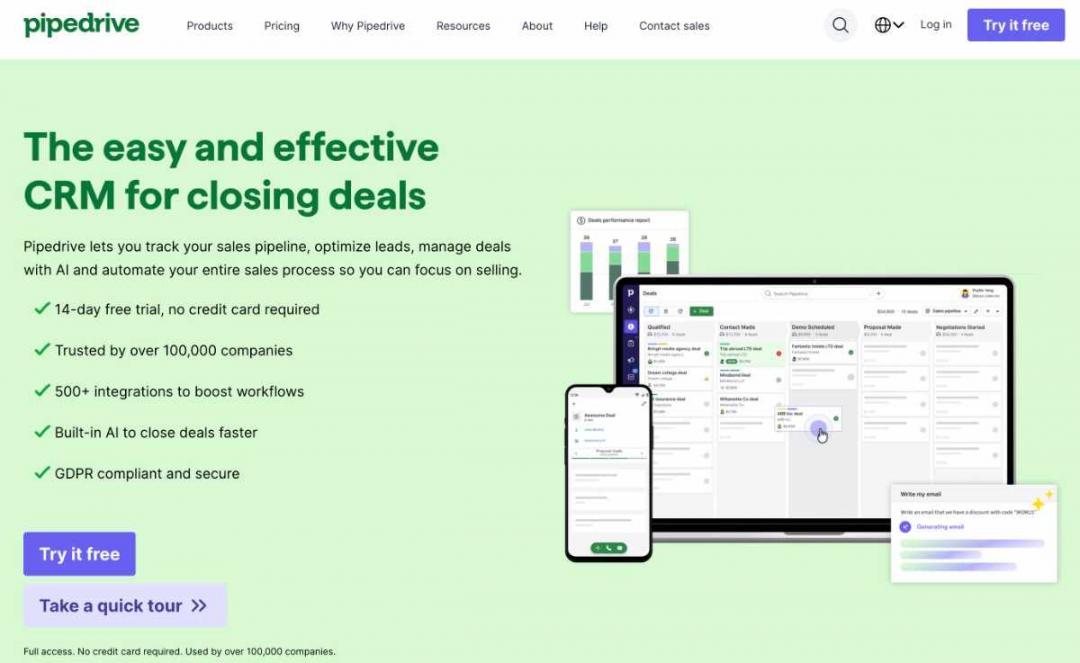
Image via Pipedrive
Pipedrive is the best B2B CRM software for pipeline-first sales teams that want reps to adopt it in week one. It offers fewer features when you compare it to HubSpot or Salesforce, but it covers all the essentials.
It fits small sales orgs, agencies, and founders building a SaaS sales strategy around the deal view.
Key Features
- Visual Deal Stages: A drag-and-drop pipeline shows every open deal at a glance.
- Activity-Based Selling: The system nudges reps toward the next scheduled action.
- Sales Automation: It automates follow-ups, stage moves, and admin tasks with simple triggers.
- AI Sales Assistant: The built-in AI surfaces deal tips and flags stalled opportunities.
- Customizable Reporting: Tracks conversion rates and forecasts revenue from clean dashboards.
Pros
- Reps adopt the pipeline view fast, which lifts data quality from day one.
- Setup takes hours, not weeks, so small teams launch without consultants.
- The activity focus keeps follow-ups from slipping through the cracks.
- Pricing entry is low for a team that needs core sales tracking.
Cons
- Marketing tools and features are limited, so you need to add Campaigns, which costs $16 per month.
- Web Visitors lead tracking is a separate add-on costing $49 monthly.
- Reporting depth trails the larger platforms at the enterprise end.
Pricing
Like many B2B CRM software solutions, it also offers a free trial (14 days). The paid plans include:
- Lite: $19 per seat per month
- Growth: $34 per seat per month
- Premium: $64 per seat per month
- Ultimate: $89 per seat per month
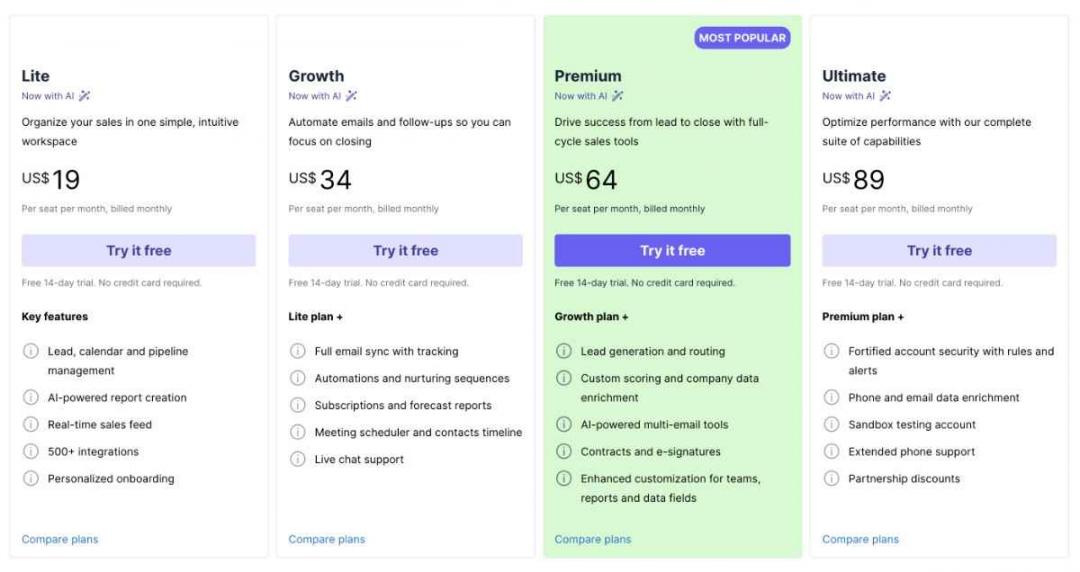
Image via Pipedrive
Tool Level
- Beginner
Usability
- Onboarding is among the fastest on this list, with a near-flat learning curve. That makes it one of the easiest-to-use B2B CRM software solutions.
Pro Tip: Price the add-ons you actually need first. Campaigns and Web Visitors add-ons can quietly double a small team's bill.
5. Microsoft Dynamics 365 Sales
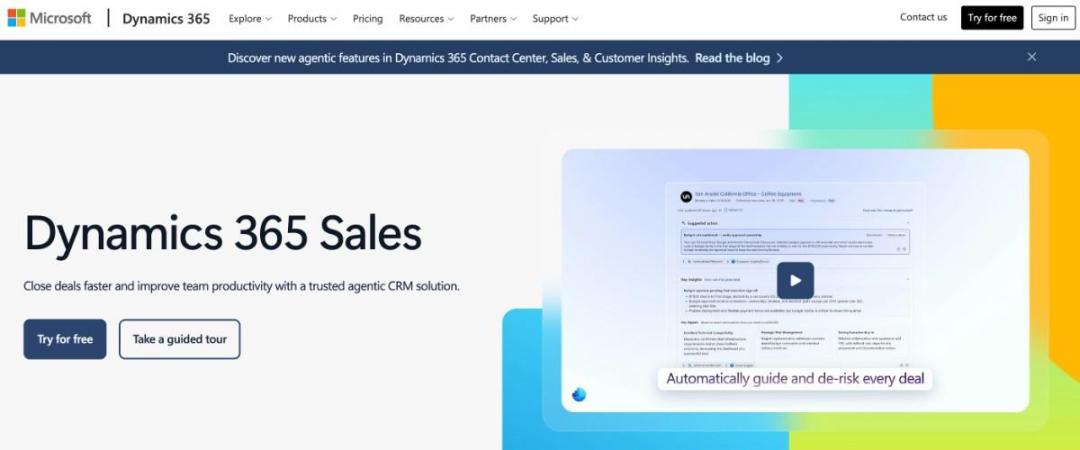
Image via Microsoft
The best B2B CRM software solution for a Microsoft-stack enterprise is often the one already wired into your daily tools. Microsoft Dynamics 365 Sales works inside Teams, Outlook, and Power BI by default. For RevOps teams standardized on Microsoft, that native fit removes a lot of friction.
Compared to Salesforce and HubSpot, Microsoft Dynamics 365 has similar features, but HubSpot is much easier to use than both. Still, it’s one of the top B2B CRM software solutions for businesses with long sales cycles that need advanced analytics.
Key Features
- Outlook and Teams Integration: Reps work deals, log emails, and join calls inside the Microsoft apps they already use.
- Copilot for Sales: The AI assistant drafts emails, summarizes meetings, and surfaces next steps inside the sales workflow.
- Power BI Reporting: Native dashboards turn pipeline data into board-ready charts your finance team already trusts.
- Sales Forecasting: Predictive scoring and forecast models flag which deals slip before your Friday review does.
- LinkedIn Sales Navigator Sync: Buyer intent and relationship data flow into the customer record for warmer outreach.
Pros
- If your org runs Microsoft 365 and Azure, the data and identity layer just connect.
- Entities, workflows, and security roles tailored to complex sales cycles that most tools cannot model.
- Power BI gives you reporting depth that few CRM platforms match natively.
- Copilot agents handle research and follow-up tasks, freeing reps for live selling.
Cons
- Most mid-market rollouts need a partner, and setup fees often rival the first year's license fees.
- Admins need real Dynamics experience, so a casual setup rarely sticks past month two.
- New reps face more screens and fields than a pipeline-first tool would ever show them.
Pricing
As one of the best B2B CRM software, it offers a 30-day free trial. Paid plans include:
- Dynamics 365 Sales Professional: $65 per user per month, billed annually
- Dynamics 365 Sales Enterprise Edition: $105 per user per month, billed annually
- Dynamics 365 Sales Premium: $150 per user per month, billed annually
- Microsoft Relationship Sales: Custom pricing
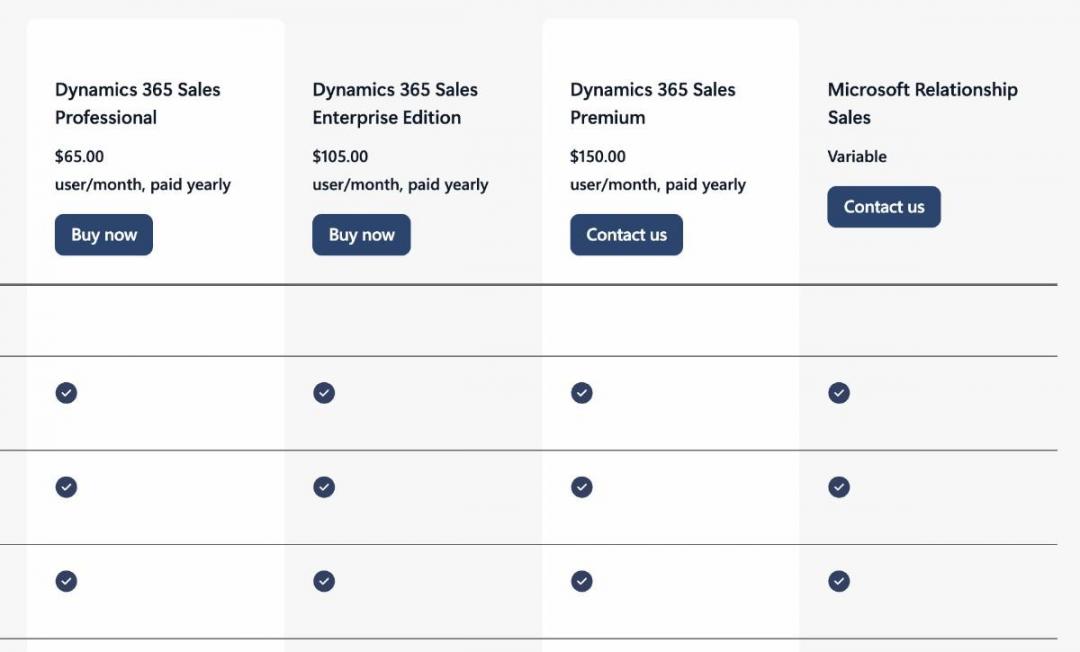
Image via Microsoft
Tool Level
- Intermediate to advanced
Usability
- The learning curve is moderate to steep. Reps adapt fast inside Outlook, but admins need Dynamics-specific skills to configure and maintain it.
Pro Tip: Roll Copilot for Sales out to your top 20% of reps first. Measure meeting summary time saved before you expand seats.
6. Freshsales
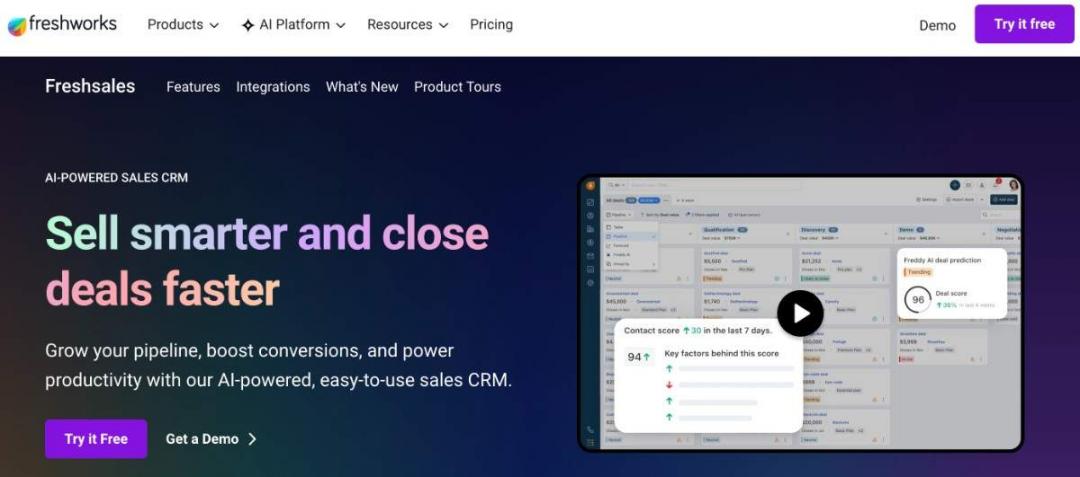
Image via Freshworks
For teams that want AI features without enterprise pricing, Freshsales is often the best B2B CRM software solution. It pairs a clean interface with Freddy AI at a price small sales teams can actually approve. That mix makes it a strong fit for growing SMBs.
I like Freshsales for first-time CRM buyers. The setup is quick, it pairs well with your lead-generation software, and reps tend to adopt it within a week of training. The lifecycle view is great for customer service teams that want to enhance customer relationships.
Key Features
- Freddy AI Scoring: The built-in AI ranks leads by conversion likelihood, so reps work the contacts most likely to close.
- Built-In Phone and Email: Native calling and email marketing sequences run directly in the CRM, without a separate dialer subscription.
- Visual Pipeline Management: Drag-and-drop deal stages give reps a clear view of where each opportunity stands.
- Workflow Automation: Routine follow-ups, lead routing, and task creation are driven by rules rather than manual effort.
- Contact Lifecycle View: A single timeline displays all emails, calls, and notes associated with each customer record.
Pros
- Freddy delivers valuable insights and scoring capabilities usually reserved for pricier platforms.
- Most small teams go live within days, not after weeks of consulting.
- Reps find it intuitive, which helps adoption stick past the first month.
- Tier jumps stay reasonable as your team grows from 5 to 30 reps.
Cons
- Custom analytics trail what HubSpot and Salesforce deliver out of the box.
- The Freshworks app marketplace offers fewer integrations than larger CRM systems.
- The most useful Freddy features sit on higher plans, not the entry tier.
Pricing
- Free
- Growth: $11 per user per month
- Pro: $47 per user per month
- Enterprise: $71 per user per month
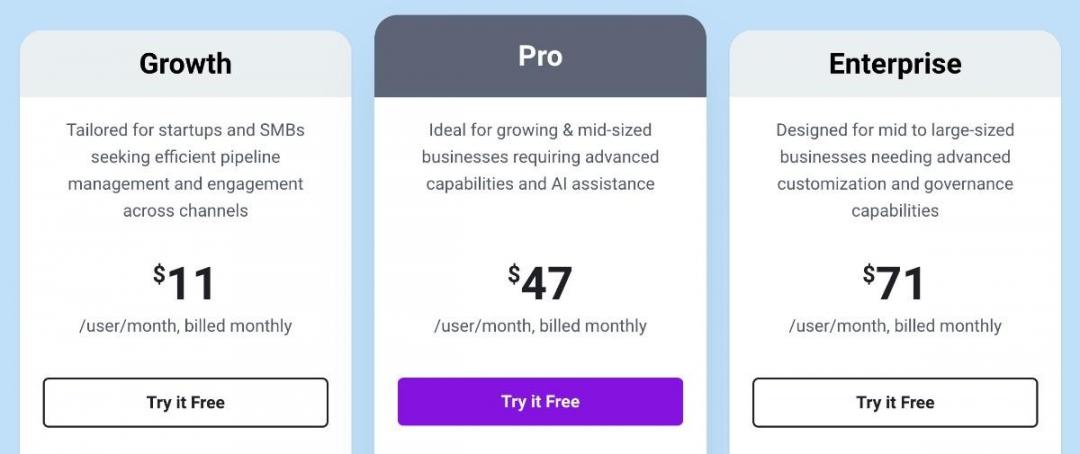
Image via Freshworks
Tool Level
- Beginner to intermediate
Usability
- Freshsales is one of the B2B CRM software solutions that are easy to use. The interface is clean, onboarding is fast, and reps rarely need formal training to start working deals.
Pro Tip: Calibrate Freddy AI scoring against your closed-won data first. Then route only A and B grade leads to senior reps.
7. Close
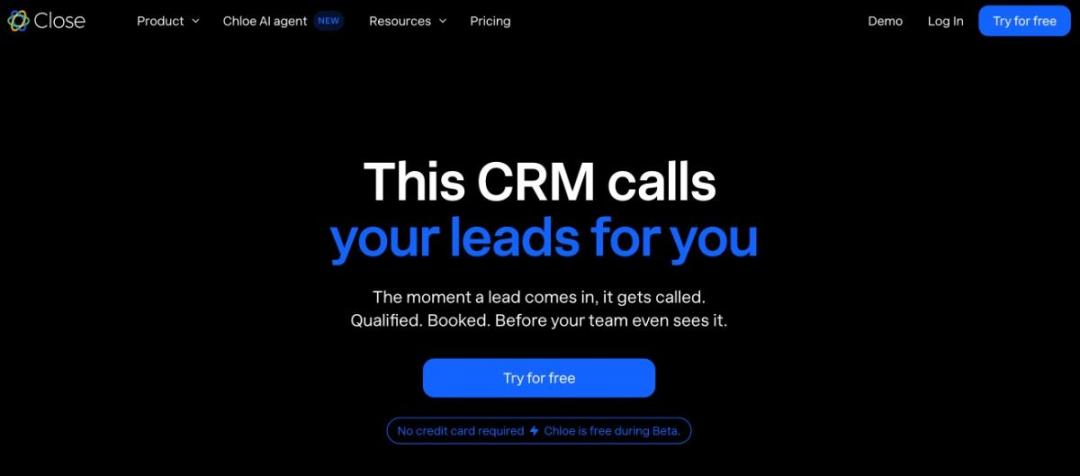
Image via Close
If your team uses CRM on the phone, the best B2B CRM software might be the one built around calling. Close bakes a power and predictive dialer, SMS, and email into one workspace. That design makes it a natural pick for high-velocity inside sales.
I have watched SDR teams double dial volume on Close. The built-in dialer closes the gap between selecting a lead from your B2B lead-generation tools and reaching them. Overall, it’s one of the B2b CRM software that you can use for managing sales pipelines.
Key Features
- Built-In Calling and SMS: Reps can dial and text from the CRM, with every touch automatically logged to the contact.
- Power and Predictive Dialer: Auto-dialing queues numbers back-to-back, so reps spend more time talking than clicking.
- Email Sequencing: Multi-step outreach runs on autopilot, with replies pulling leads back into the live workflow.
- Activity-Based Reporting: Dashboards track calls, emails, and connect rates to show what actually drives the pipeline.
- Workflow Automation: Smart Views and triggers route leads and surface the next best action for each rep.
Pros
- No bolt-on phone tool means cleaner data and faster ramp for new reps.
- The dialer and CRM automation cut the time between a new lead and a live conversation.
- Metrics center on outreach volume and connect rates, which inside sales managers care about.
- A small team can be calling within a day, with little admin overhead.
Cons
- Close focuses on sales activity, so there is no real marketing automation suite here.
- Per-user costs add up fast once you scale past a small SDR pod.
- The dialer-first design suits inside sales, not long, relationship-led enterprise cycles.
Pricing
Close offers a 14-day free trial, like many other B2B CRM software solutions. Its pricing plans include:
- Essentials: $49 per seat per month
- Pro: $109 per seat per month
- Enterprise: $149 per seat per month
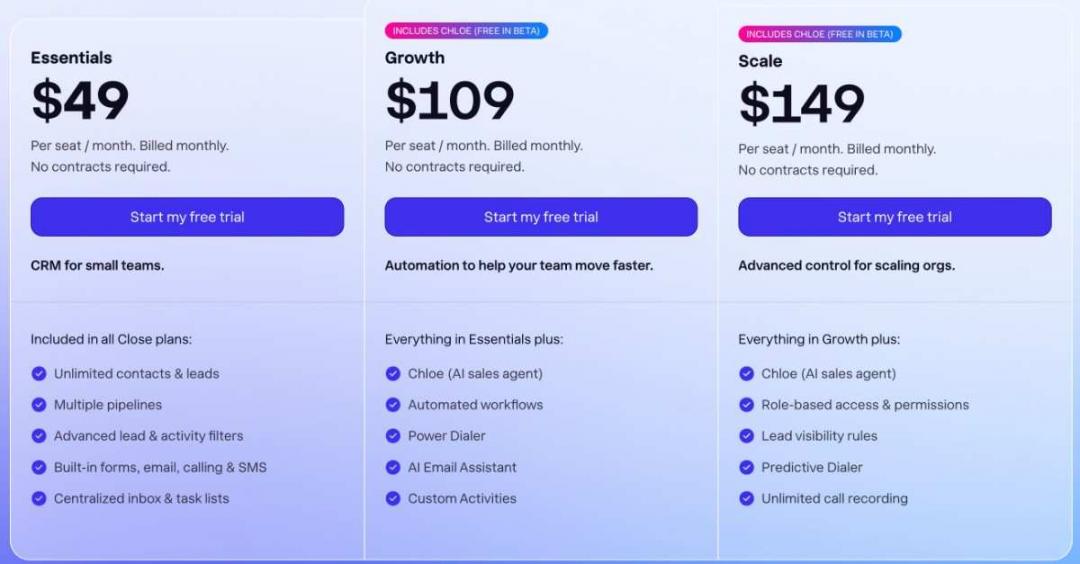
Image via Close
Tool Level
- Beginner to intermediate
Usability
- It’s another one of the easy-to-use B2B CRM software solutions. The dialer-centric layout is intuitive for reps, and onboarding takes hours rather than weeks.
Pro Tip: Build a Smart View for leads untouched in 48 hours. Load it straight into the predictive dialer each morning.
8. monday CRM
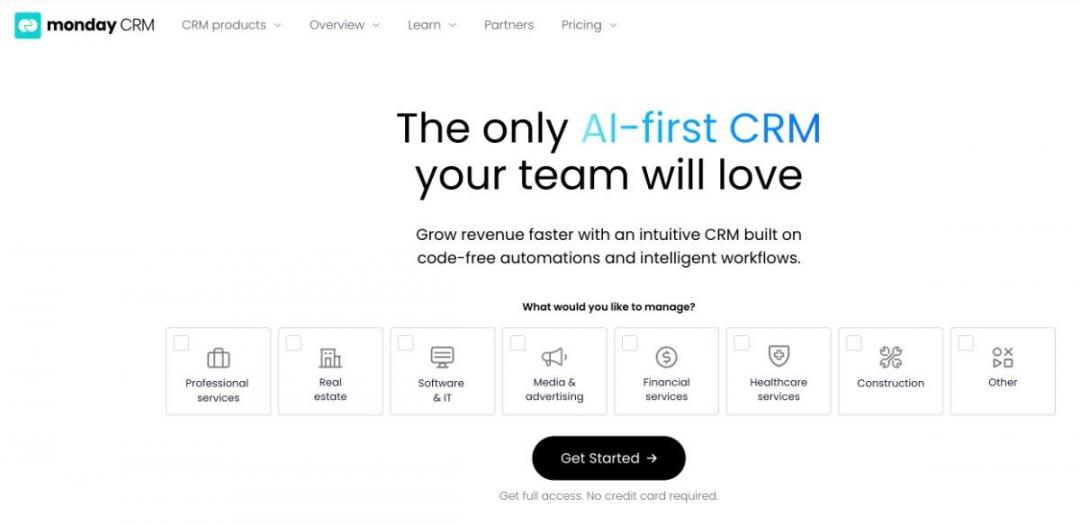
Image via monday CRM
For cross-functional revenue teams, the best B2B CRM software is often the one everyone can configure without code. The monday CRM tool brings a visual, board-based design to pipeline work. It’s a part of the broader monday Work OS, so sales, marketing, and ops share a single system.
I recommend it to RevOps leaders who want sales and delivery on the same platform. The visual boards make handoffs obvious and keep your B2B marketing strategies aligned with the pipeline.
Key Features
- Visual Board Pipeline: Color-coded boards show deal stage, owner, and value at a glance for the whole team.
- No-Code Customization: Teams build columns, automations, and views themselves, without waiting on an admin queue.
- Cross-Team Workflows: Sales pipelines connect to marketing and project boards inside the same monday workspace.
- Workflow Automation: Rule-based recipes move deals, assign owners, and trigger alerts without manual updates.
- Dashboards and Reporting: Drag-and-drop widgets populate forecasts and sales performance views with deal-related data.
Pros
- Non-technical users shape the CRM to their process in an afternoon, not a sprint.
- It links sales to marketing and the project management tools in Monday’s suite of tools.
- The board view makes pipeline status readable for reps and execs alike.
- As you grow, the same platform supports new teams without a fresh tool purchase.
Cons
- Solo operators and pairs pay for capacity they will not use at the entry tier.
- Dialer and native sales engagement features are lacking in comparison to dedicated sales CRM software.
- Advanced automations and dashboards are available on higher plans, so the feature needs to push you up fast.
Pricing
It offers a 14-day free trial, not unlike other B2B CRM software. The paid plans are:
- Basic: $18 per seat per month
- Standard: $25 per seat per month
- Pro: $41 per seat per month
- Ultimate: Custom pricing
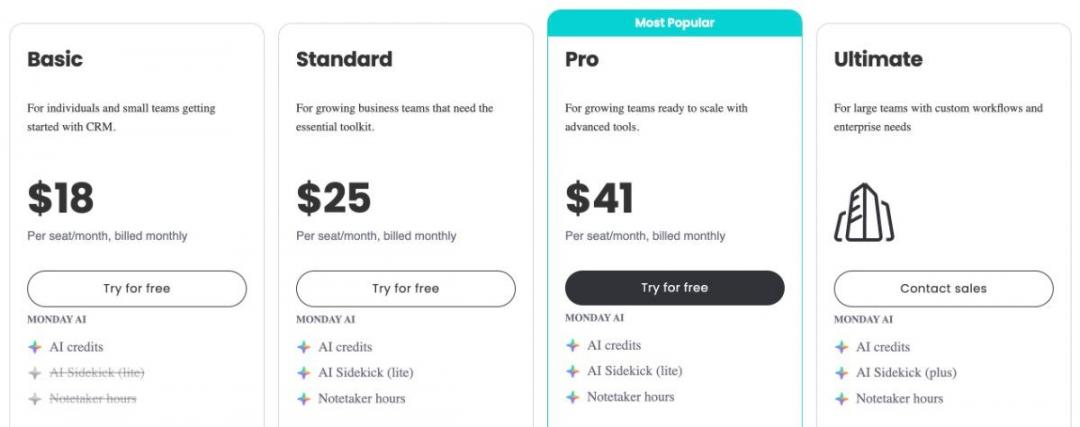
Image via monday CRM
Basic starts at $12 per user/month and Standard at $17. Pro is $28 per user/month, all with a three-seat minimum. Enterprise pricing is custom. Higher tiers add automation volume, advanced dashboards, and deeper integrations.
Tool Level
- Beginner
Usability
- As one of the best B2B CRM software for small teams, monday CRM offers a great user experience. The board interface feels familiar, and most teams can configure their first pipeline without any training.
Pro Tip: Lock one board as your master CRM template before rollout. Reps then inherit a clean setup instead of inconsistent boards.
9. Insightly
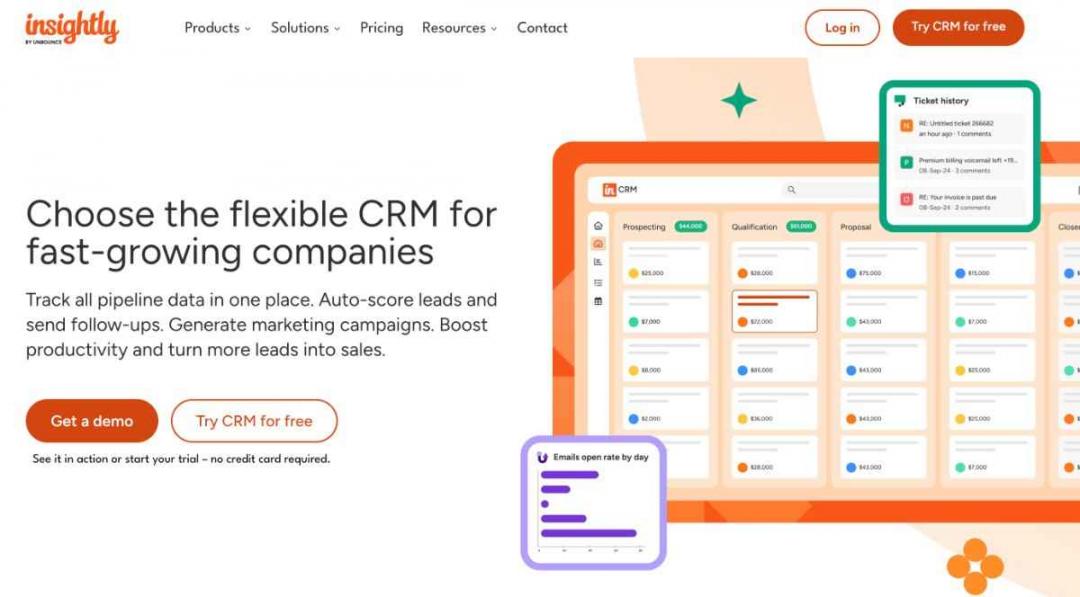
Image via Insightly
Insightly earns a spot among the best B2B CRM software for one reason most lists miss. It pairs a real sales CRM with project delivery.
A won deal becomes a tracked project without a second tool, which helps customer retention after the sale. That fit matters most for services firms and agencies.
Key Features
- Linked Records: Contacts, organizations, opportunities, and projects connect through a relationship map you can follow in two clicks.
- Project Delivery: A won opportunity becomes a project with milestones, tasks, and owners already assigned.
- Workflow Automation: Stage changes trigger emails, task assignments, and record updates without manual entry.
- Custom Dashboards: Drag-and-drop cards report on pipeline, delivery, and revenue side by side.
- AppConnect Integrations: A native iPaaS layer ties Insightly to billing, support, and marketing apps.
Pros
- Sales-to-delivery handoff lives in one record, so nothing drops after the contract is signed.
- Relationship linking maps multi-stakeholder B2B accounts better than most flat-record CRMs.
- The same platform covers CRM, marketing, and service if you buy the bundle.
Cons
- The interface feels dated compared to other B2B CRM software.
- Mobile apps lag the web experience, which frustrates field-heavy teams.
- Costs climb fast if you add the marketing or service modules on top.
Pricing
Insightly offers a 14-day free trial and the following paid plans:
- Plus: $29 per user per month
- Professional: $49 per user per month
- Enterprise: $99 per user per month
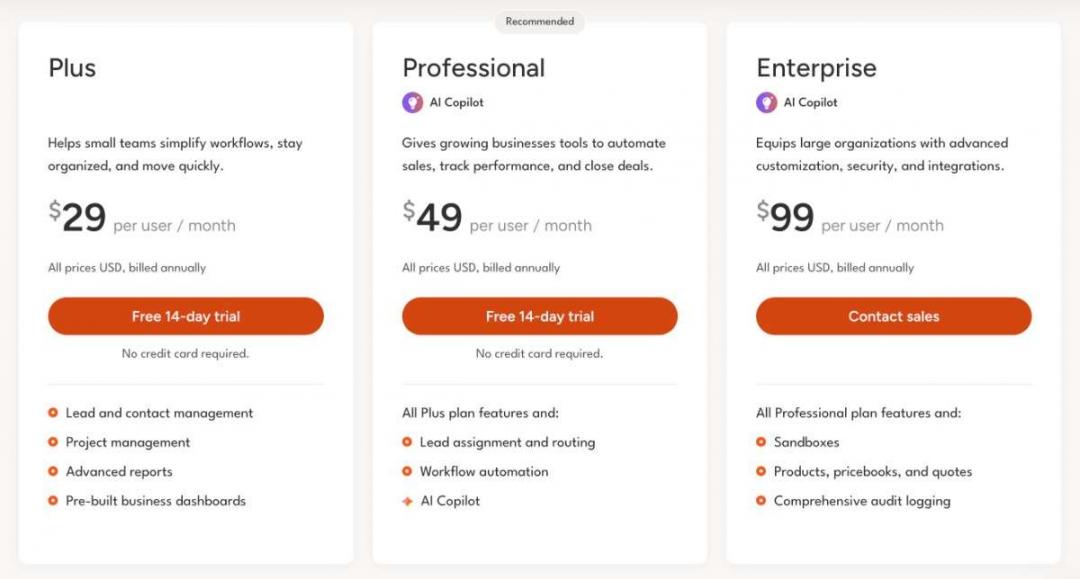
Image via Insightly
Tool Level
- Intermediate
Usability
- Setup is straightforward, and the project link logic clicks fast for ops-minded users. However, as one of the feature-rich B2B CRM software, it has a slight learning curve.
Pro Tip: Map your own delivery stages inside Insightly before you import deals, since the project pipeline is where it beats a sales-only CRM. Pair it with dedicated project management tools only if your delivery work runs deeper than client onboarding.
10. Salesflare
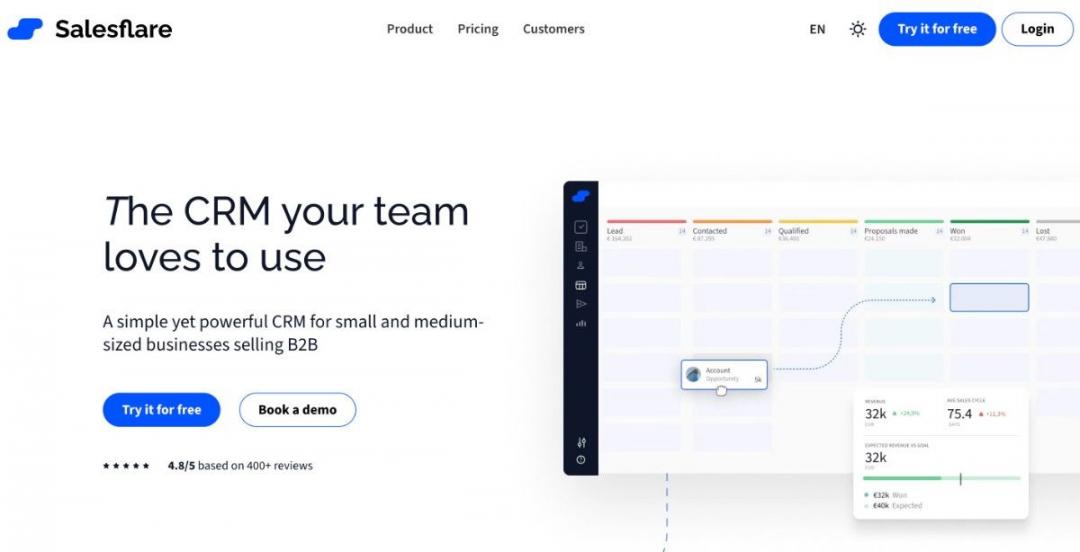
Image via Salesflare
Salesflare belongs on any shortlist of the best B2B CRM software for teams that hate data entry. It auto-logs emails, calls, and meetings, then builds contact records from your inbox and signature scans. Reps stop typing and start selling, with cleaner data feeding your B2B digital marketing funnel.
Overall, it’s a good CRM for analyzing past sales data to improve sales strategies.
Key Features
- Automated Capture: Email, calls, and calendar events automatically log to the correct contact and account.
- Inbox-Native Sidebar: A full CRM panel lives inside Gmail and Outlook, so reps never switch tabs.
- Account Timelines: Every touch across a buying group appears in a single chronological feed.
- Email Sequences: Built-in drip email campaigns and open tracking are tied to the same record.
- Data Enrichment: Salesflare pulls company and contact details from signatures and public sources.
Pros
- Auto-logging removes the admin tax that kills CRM adoption on small teams.
- The Gmail and Outlook sidebar makes daily use feel native, not bolted on.
- Setup takes hours, not weeks, so a founder-led team is selling the same day.
Cons
- Due to basic reporting and forecasting, RevOps-heavy teams often outgrow it.
- The Enterprise tier requires a minimum of 5 users, which solo buyers cannot meet.
- It targets B2B with named accounts, so high-volume B2C pipelines fit poorly.
Pricing
Like other B2B CRM software, Salesflare also offers a free trial. Its paid plans are:
- Growth: $39 per user per month
- Pro: $64 per user per month
- Enterprise: $124 per user per month
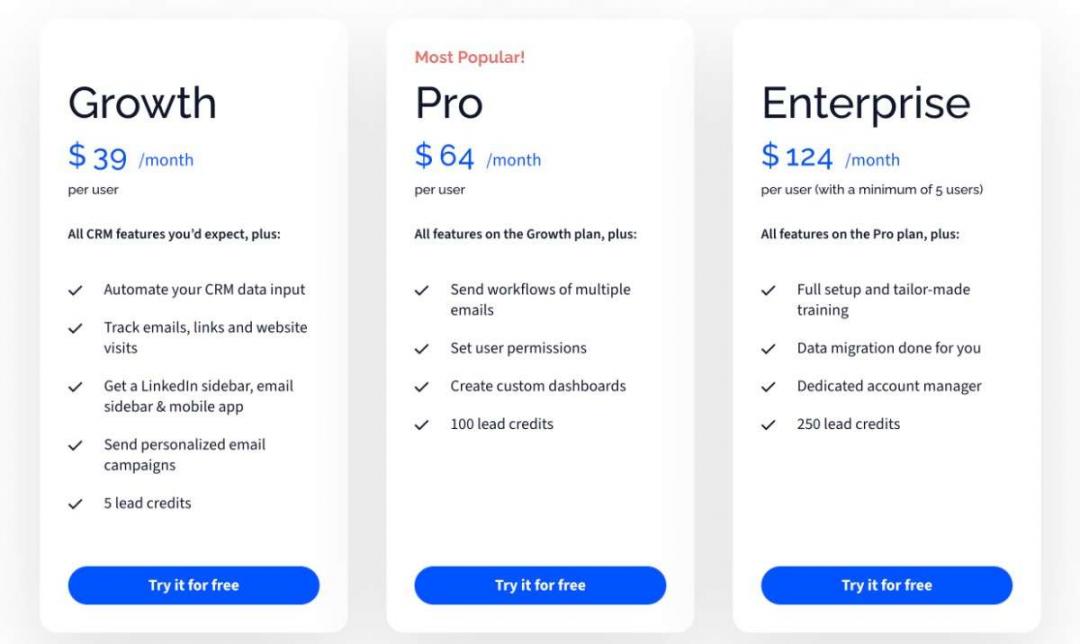
Image via Salesflare
Tool Level
- Beginner
Usability
- This is one of the easiest B2B CRM software solutions for startups because the data fills itself in. The trade-off is fewer levers for teams that want heavy configuration.
Pro Tip: Connect Salesflare to your email on day one and let it run for a week before you judge it, since the auto-built timelines only show their value once real activity accrues.
11. Coevera (Formerly Pipeliner)
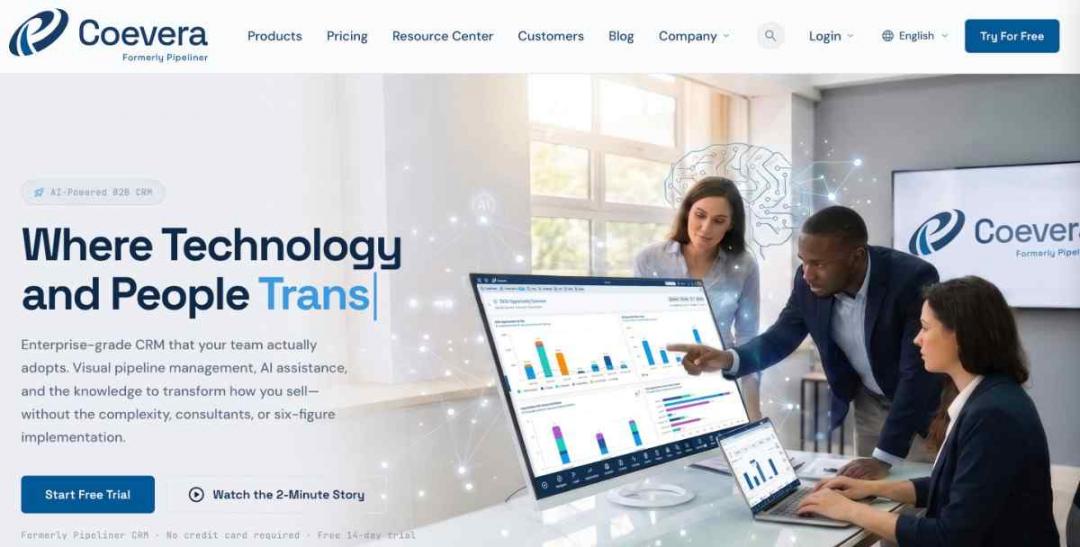
Image via Coevera
Coevera rounds out my list of the best B2B CRM software with a visual-first, no-admin philosophy. It offers all the essentials, including contact management and sales pipeline management.
Every pipeline, report, and forecast renders as a chart you can drag and filter, much like your web analytics tools. That gives sales managers reporting depth without a dedicated administrator.
Key Features
- Visual Pipelines: Multiple drag-and-drop views show deals by stage, owner, value, or velocity.
- Built-In Reporting: Dashboards and forecasts are built through clicks, with no query language required.
- No-Admin Design: Most configuration happens in a visual editor that a sales lead can run.
- Account and Contact Maps: Org charts and relationship graphs make complex buying groups visible.
- AI Sales Assistant: Voya, the built-in assistant, scores deals and flags at-risk opportunities.
Pros
- Reporting and sales forecasting feel genuinely visual, so managers read pipeline health at a glance.
- The no-admin approach removes the certified-administrator cost that weighs on bigger platforms.
- The flat, navigation-free layout keeps everything one or two clicks away.
Cons
- Per-user pricing starts high, so the entry cost beats most SMB rivals on this list.
- The three-user minimum rules it out for true solo operators.
- The dense visual interface can overwhelm reps who want a simple list view.
Pricing
Coevera offers a 14-day free trial and the following pricing plans:
- Starter: $65 per user per month, billed annually
- Business: $85 per user per month, billed annually
- Enterprise: $115 per user per month, billed annually
- Unlimited: $150 per user per month, billed annually
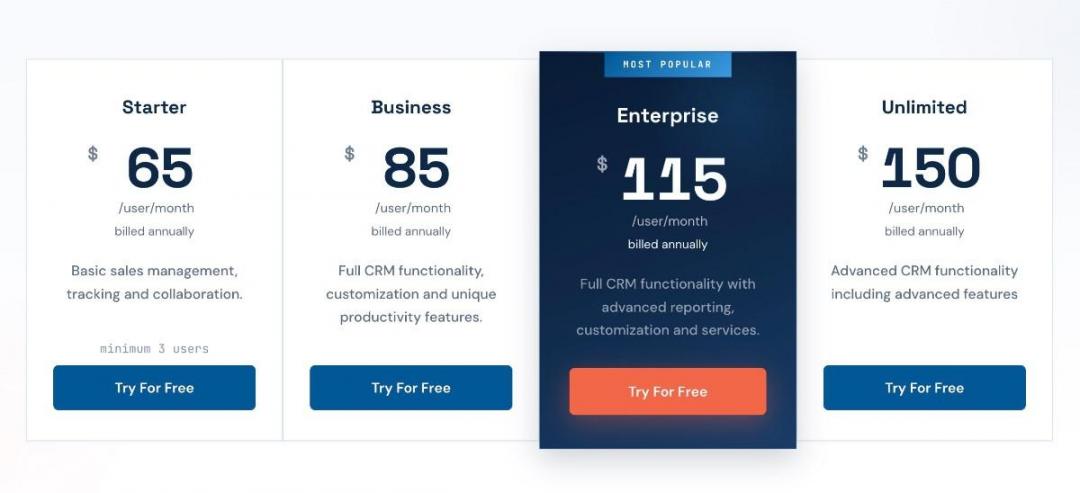
Image via Coevera
Tool Level
- Intermediate to advanced
Usability
- New reps face a learning curve before the dense dashboards feel natural. That’s expected, given that it’s one of the advanced B2B CRM software solutions.
Pro Tip: Build your forecast view in Coevera first, then design stages around it, since the reporting engine is the real reason to pick this CRM over a cheaper pipeline tool.
- HubSpot: Best for a team under 20 reps that wants to start for free
- Salesforce: Perfect for large enterprises that want deep customization
- Zoho CRM: It fits teams already using other Zoho apps
- Pipedrive: Great for pipeline-first teams that need an easy-to-use CRM
- Microsoft Dynamics 365: Best for companies that use Microsoft Teams, Outlook, and Power BI
- Freshsales: Great for first-time CRM users who want an easy setup
- Close: Ideal for teams that run high-velocity inside sales and want a dialer and SMS built into the record
- monday CRM: Good for those who need a visual and configurable CRM
- Insightly: Great for businesses that sell services and then deliver projects, and want both jobs in one platform
- Salesflare: Ideal for those who want CRM to fill itself in from Gmail or Outlook
- Coevera: Best suited for mid-market teams that need visual reporting and forecasting without hiring an administrator.
What are the Top B2B CRM Trends to Watch Out for in 2026?
The best B2B CRM software in 2026 is being reshaped by AI, moving from features to the architecture. The shift mirrors wider B2B vs B2C marketing differences in how buyers research. Four trends are worth your attention as you shortlist a platform this year.
1. AI-Native CRM is the New Baseline
The AI-in-CRM market is valued at about $15.06 billion in 2026 and is projected to reach $51.67 billion by 2030, growing at a 36.4% CAGR.
Image via The Business Research Company
B2B CRM software platforms with AI in the core, not bolted on, are pulling ahead. Expect built-in summaries, drafting, and the kind of AI chatbots reps now treat as standard.
2. Predictive Analytics and Lead Scoring Are Going Mainstream
In Salesforce's 2026 State of Sales report, 87% of sales organizations now use some form of AI, including predictive scoring.
Predictive scoring ranks open deals by likelihood. Reps focused on B2B SaaS lead generation work on the pipeline that will actually close instead of guessing.
3. RevOps Consolidation is Collapsing the Tech Stack
Teams are unifying sales, marketing, and customer success on a single customer record to cut data silos. The practical effect is fewer point tools and one source of truth for the whole revenue motion.
Strong LinkedIn for B2B sales workflows now feed straight into that record.
4. Agentic Sales Assistants Are Arriving Fast
Salesforce's 2026 State of Sales report has a clear projection. AI agents will cut prospect research time by 34% and email drafting by 36%.
Agents that research accounts and draft outreach aim straight at that lost time.
AI is moving from a feature to the foundation of B2B CRM software. Predictive scoring, RevOps consolidation, and agentic assistants are the trends most likely to affect which CRM earns your budget this year.
FAQ
Q1. What is the best B2B CRM software in 2026?
A. There is no single best B2B CRM software for every team. The right pick depends on your sales motion, headcount, and tech stack. HubSpot suits small and growing teams, Salesforce fits large enterprises, and Pipedrive works well for pipeline-first sales teams that adopt quickly.
Q2. What is CRM software, and how does it help B2B sales?
A. A customer relationship management software is a system that stores every contact, deal, and interaction in one shared record. For B2B sales, it gives reps and managers a single view of each account, automates follow-ups, and makes pipeline and forecasting visible across long, multi-stakeholder buying cycles.
Q3. How much does B2B CRM software cost per user?
A. Most B2B CRM software plans cost between $14 and $175 per user each month, billed annually. Entry tiers start at around $9 to $29, mid-market tiers sit around $40 to $90, and enterprise tiers climb past $150. Implementation and onboarding fees often add to that sticker price.
Q4. Is there a free B2B CRM that works for small businesses?
A. Yes. HubSpot offers a free B2B CRM software solution with lead and deal management that holds up for small B2B teams, especially under five users. Zoho CRM is free for up to three users. Free tiers cap advanced automation and reporting, so growing teams usually upgrade within a year.
Q5. What is the difference between a sales CRM and an all-in-one CRM platform?
A. A sales CRM focuses on pipeline, deals, and rep activity. An all-in-one B2B CRM software tool combines marketing automation, customer service, and reporting into a single record. Sales CRMs suit focused teams, while all-in-one platforms suit companies that want sales, marketing, and support unified.
Q6. How long does CRM implementation take?
A. Implementation ranges from a single day to several months, depending on the B2B CRM software solution. A simple SMB rollout on HubSpot or Salesflare can go live in hours. A customized enterprise Salesforce or Dynamics 365 build, with data migration and integrations, often takes one to three months and dedicated admin time.
Q7. Which CRM is best for a small B2B team under 10 reps?
A. Small B2B teams under 10 reps do well with HubSpot, Pipedrive, or Salesflare. These tools are easy to adapt, need little admin work, and start at low per-user prices. HubSpot adds a free tier, Pipedrive leads on pipeline simplicity, and Salesflare automates most data entry.
Q8. Do B2B CRMs include workflow automation and lead scoring?
A. Most B2B CRMs include workflow automation on paid tiers, handling follow-ups, lead routing, and stage updates without manual entry. Lead scoring is also common, though predictive AI scoring usually sits on higher tiers. Check which tier unlocks these features before you commit, since gating varies widely.
Q9. How do I migrate from a spreadsheet to a CRM?
A. Start by cleaning your spreadsheet so columns map to CRM fields like contact, company, and deal stage. Most CRMs offer a guided import tool.
Q10. What should I look for in a CRM for a growing sales pipeline?
A. Look for clear pipeline visibility, automation that scales, and reporting your managers will trust. Check that the CRM integrates with your email and tech stack, and confirm the upgrade path stays affordable. The best fit is the one your reps will actually open every day.
Final Verdict: Which is the Best B2B CRM Software Solution?
The best B2B CRM software comes down to your sales motion, team size, and existing tech stack, not the longest feature list. The right pick is the one your reps will actually open every Monday morning, with an upgrade path that grows as you do.
If your team is under 20 reps and wants to get started fast, use HubSpot's free CRM and upgrade only the seats that need it. For larger teams, the comparison table above will help you shortlist based on price and fit.
Want help turning that CRM into a pipeline that fills itself? Explore my lead generation services to put the right system to work.
Drop your questions in the comments, and I'll answer them.
Disclaimer: This content contains some affiliate links for which we will earn a commission (at no additional cost to you). This is to ensure that we can keep creating free content for you.