- Most of the sales week isn't spent selling: Salesforce's 2026 State of Sales report puts sellers at 40% selling time. That's the gap every tool here targets.
- Time saved is not revenue gained: Gartner's 2026 research puts AI's return near 4.8 hours per seller weekly. Yet 72% of organizations fail to reinvest it.
- More tools stop helping fast: Sales teams now average eight tools, and 42% of reps feel overwhelmed by them (Salesforce 2026).
- Buy against your bottleneck, not the category: Get the CRM right first, then fix whichever stage leaks most deals.
- Measure before you roll out: Set a baseline for reply rate, cycle length, and admin hours. Without it, nothing proves the tool worked.
Sales productivity tools are software applications that eliminate non-selling tasks such as CRM data entry, scheduling, quoting, and follow-up. The best sales productivity tools available today include HubSpot, Salesforce Sales Cloud, Pipedrive, Gong, PandaDoc, and Zapier.
Most sales reps spend less than half their week actually closing deals. Salesforce’s 2026 State of Sales report shows that reps spend just 40% of their time selling, with the rest eaten up by admin work. Team leaders often try to resolve this drag on productivity by introducing new software tools.
Choosing the right tool depends on where your deals stall. Often, this includes messy data, scheduling headaches, or unsigned contracts sitting in inboxes.
Disclaimer: This content contains some affiliate links for which we will earn a commission (at no additional cost to you). This is to ensure that we can keep creating free content for you.
In this comprehensive guide, I rank nine of the best sales productivity tools, starting with HubSpot and ending with Zapier. Each fixes a different bottleneck. You'll get a category map, verified 2026 pricing, a bottleneck diagnostic, and a measurement plan.
Here's how a typical sales week splits.
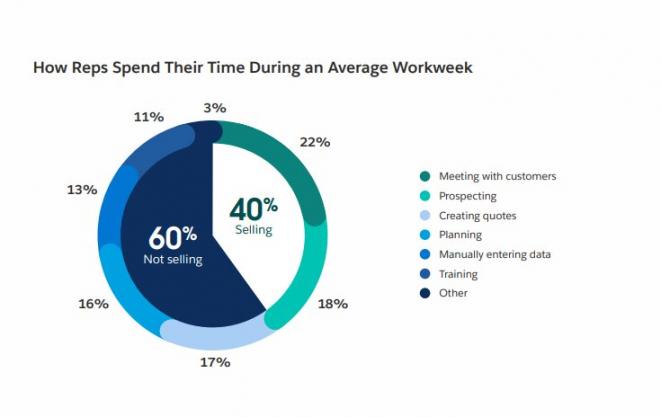
Image via Salesforce
This content contains some affiliate links for which we will earn a commission (at no additional cost to you).
Here's the same nine mapped onto their categories.
The gap between what reps are paid to do and what they spend time on is wide. Salesforce's 2026 State of Sales report puts sellers at 40% selling time.
The other 60% goes to admin, research, internal updates, and data entry. Salesforce also found that teams run an average of eight standalone tools.
That's the second problem. Tool sprawl creates the exact admin burden the tools were bought to remove.
Software categories get thrown around pretty loosely, so let’s set a clear boundary. Sales productivity software is the broad umbrella covering all nine categories in this guide.
Sales engagement platforms are one category inside it, not a synonym. Vendors like to blur these lines to make a single-feature tool look like an all-in-one platform.
Three terms carry most of the confusion:
- CRM: The system of record for your contacts, companies, deals, and pipeline stages.
- Sales Engagement Platform: Software that runs and tracks multi-step outreach sequences across email, phone, and LinkedIn.
- Conversation Intelligence: Software that records and transcribes sales calls, then surfaces patterns across the team.
A lot of tools sold as standalone products are actually just features. Take email tracking, for example. It used to be its own software category, but today it comes built into almost every CRM and engagement tool on the market.
The 9 Categories of Sales Productivity Tools
Here's the full map, with what each category takes off a rep's plate.
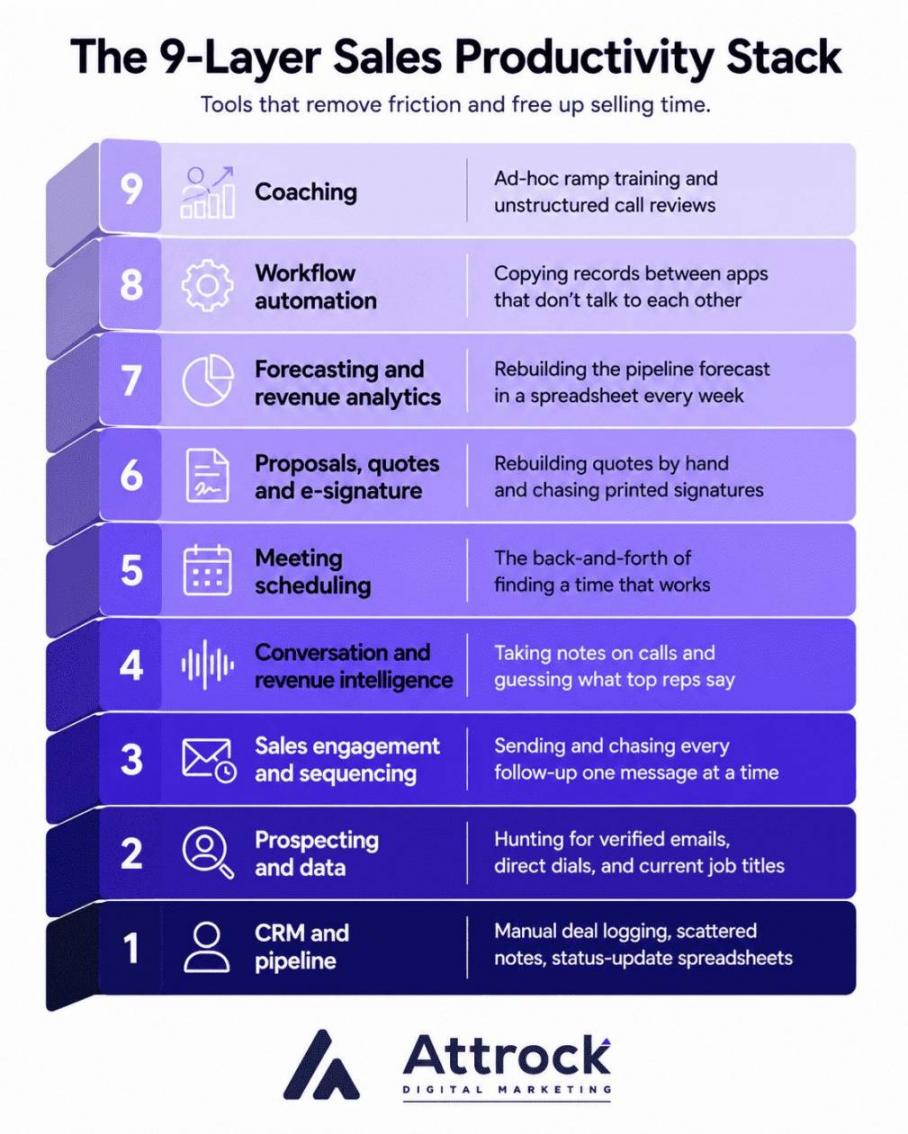
| Category | What It Removes From the Rep’s Day | Example Tool | Typical Entry Price |
|---|---|---|---|
| CRM and pipeline | Manual deal logging, scattered notes, status-update spreadsheets | HubSpot | $20/user/month |
| Prospecting and data | Hunting for verified emails, direct dials, and current job titles | Apollo.io | $65/user/month |
| Sales engagement and sequencing | Sending and chasing every follow-up one message at a time | Apollo.io | $65/user/month |
| Conversation and revenue intelligence | Taking notes on calls and guessing what top reps say | Gong | Quote only |
| Meeting scheduling | The back-and-forth of finding a time that works | Calendly | $12/user/month |
| Proposals, quotes and e-signature | Rebuilding quotes by hand and chasing printed signatures | PandaDoc | $35/user/month |
| Forecasting and revenue analytics | Rebuilding the pipeline forecast in a spreadsheet every week | Not ranked here. See my guide to forecasting tools. | Quote only |
| Workflow automation | Copying records between apps that don't talk to each other | Zapier | $29.99/month |
| Enablement and coaching | Ad-hoc ramp training and unstructured call reviews | Not ranked here. Start with what your CRM already includes. | Varies |
A CRM is one category of sales productivity tool, the system of record for your contacts and deals. The term “sales productivity tools” is the broader term for every app that removes non-selling work.
How I Picked the Best Sales Productivity Tools
I built this list around five pass-or-fail criteria that every tool had to satisfy before making the cut.
First, let's address the potential conflict of interest, because almost every software roundup has one. As a digital marketing agency rather than a sales software vendor, Attrock has no product on this list.
While auditing ten vendor-run roundups for this piece, I found that nine ranked their own software at the very top. That is a bias worth keeping in mind before trusting any ranking.
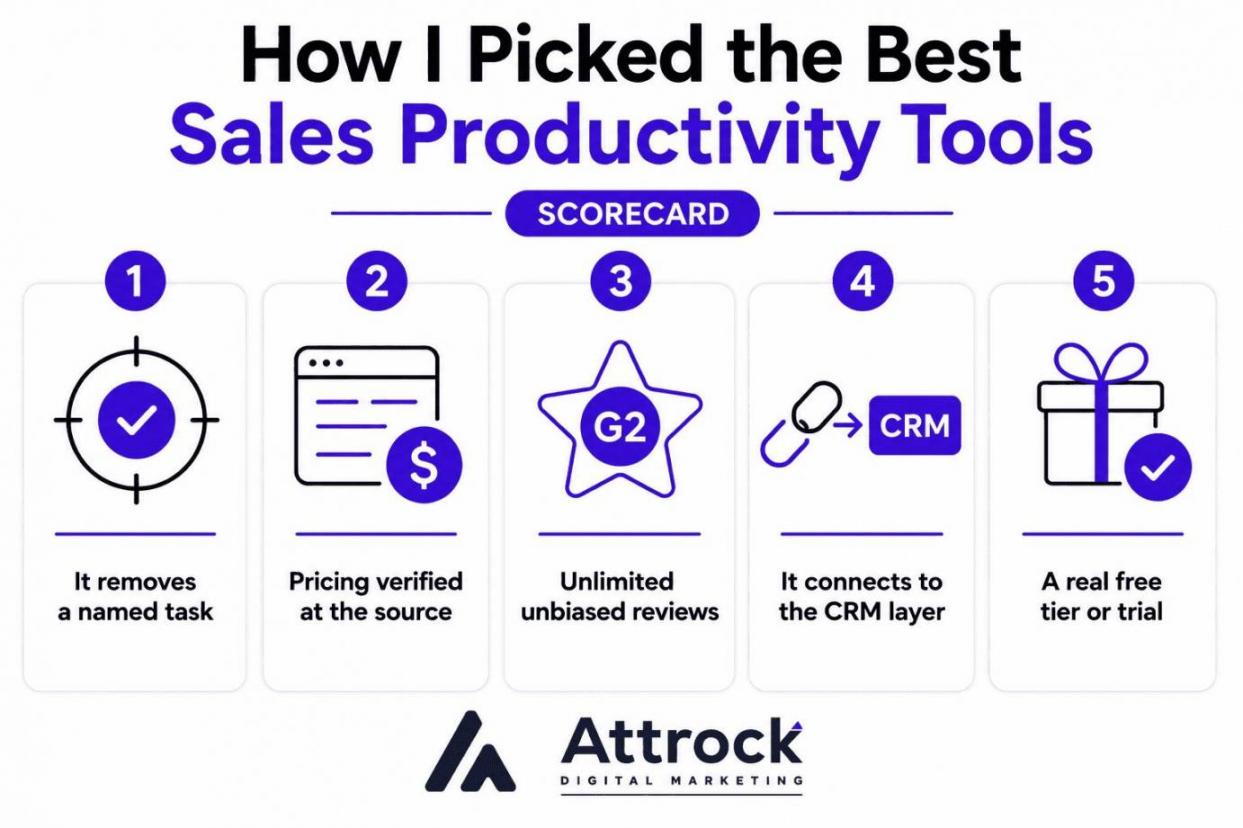
Here are the five criteria:
- It Removes A Named Task: The tool has to kill one specific non-selling chore, not promise general efficiency
- Pricing Verified At The Source: Every number comes from the vendor's own pricing page, not a comparison site
- Unlimited Unbiased Reviews: Each tool carries a G2 score built on thousands of real reviews
- It Connects To The CRM Layer: The tool has to write into your CRM, not sit beside it
- A Real Free Tier Or Trial: I state the ceiling honestly, including seat caps and credit limits
To stay fully up to date, I verified each price myself through the vendors' official pricing pages as of July 19, 2026. All figures here are the real price, i. e., with no discounts applied, priced monthly, and in US dollars.
In client work, I come across multiple sales tech stacks, and one thing stays the same. Teams typically purchase a tool that’s supposed to fix a certain problem. Then, inexplicably, they fail to integrate the tool with their CRM.
Start with the single non-selling task that costs your reps the most hours, then buy for that one job. Confirm the tool writes back to your CRM first.
All 9 sales productivity tools at a glance, with list pricing and G2 ratings.
Two notes. Every price is the published list rate, so promotional and annual-contract discounts are excluded. Every free plan shows its real ceiling.
| Tool | Best For | Starting Price (List, Monthly USD) | G2 Rating | Free Plan |
|---|---|---|---|---|
| HubSpot | Teams wanting CRM, engagement, and reporting in one system | $20/user/mo | 4.4/5 (13,870) | Yes, up to 2 users |
| Salesforce Sales Cloud | Large teams with complex pipelines and custom processes | $25/user/mo | 4.4/5 (24,668) | Yes, Free Suite |
| Pipedrive | Small teams that want a visual pipeline fast | $14/user/mo (billed annually) | 4.3/5 (3,059) | No, 14-day trial |
| Apollo.io | Prospecting and sequencing from one contact database | $65/user/mo | 4.7/5 (9,357) | Yes, 900 credits per seat per year |
| LinkedIn Sales Navigator | Finding and warming up buyers on LinkedIn | $119.99/user/mo | 4.4/5 (2,205) | No |
| Gong | Coaching reps with evidence from real sales calls | Quote only | 4.7/5 (6,659) | No |
| Calendly | Ending the back-and-forth of booking meetings | $12/user/mo | 4.7/5 (2,641) | Yes, 1 event type and 1 calendar |
| PandaDoc | Sending quotes and proposals that get signed faster | $35/user/mo | 4.7/5 (3,598) | Yes, 60 documents per year |
| Zapier | Connecting apps your CRM doesn't reach natively | $29.99/mo, task-based, not per seat | 4.5/5 (2,079) | Yes, 100 tasks per month |
All prices are list rate as of July 19, 2026, and exclude annual discounts and promotional offers.
Where Your Sales Team Is Actually Losing Time?
Match the tool to your biggest time leak, not to the category with the best reviews. Every sales process has one step that eats the most hours.
The best sales productivity tools remove one specific bottleneck. In most teams I audit, the leak is admin work nobody assigned, and CRM automation clears much of it.
Find out from your reps where the last five deals got stuck. That response should then be incorporated in your sales enablement strategy assessment, not in a vendor demo.
More tools rarely buy more selling time. As Salesforce's 2026 State of Sales report notes, most sales teams are equipped with eight standalone tools.
Salesforce also found that 42% of reps are overwhelmed by too many tools. Another 84% of teams without an all-in-one platform plan to consolidate.
Gartner's 2024 seller survey found that 50% of sellers are overwhelmed by the technology their job requires. Gartner tied that overload to results: overwhelmed sellers were 45% less likely to attain quota.
So, the next tool should earn its place only by removing a named task or replacing two others. Before you buy, decide what gets turned off on day one.
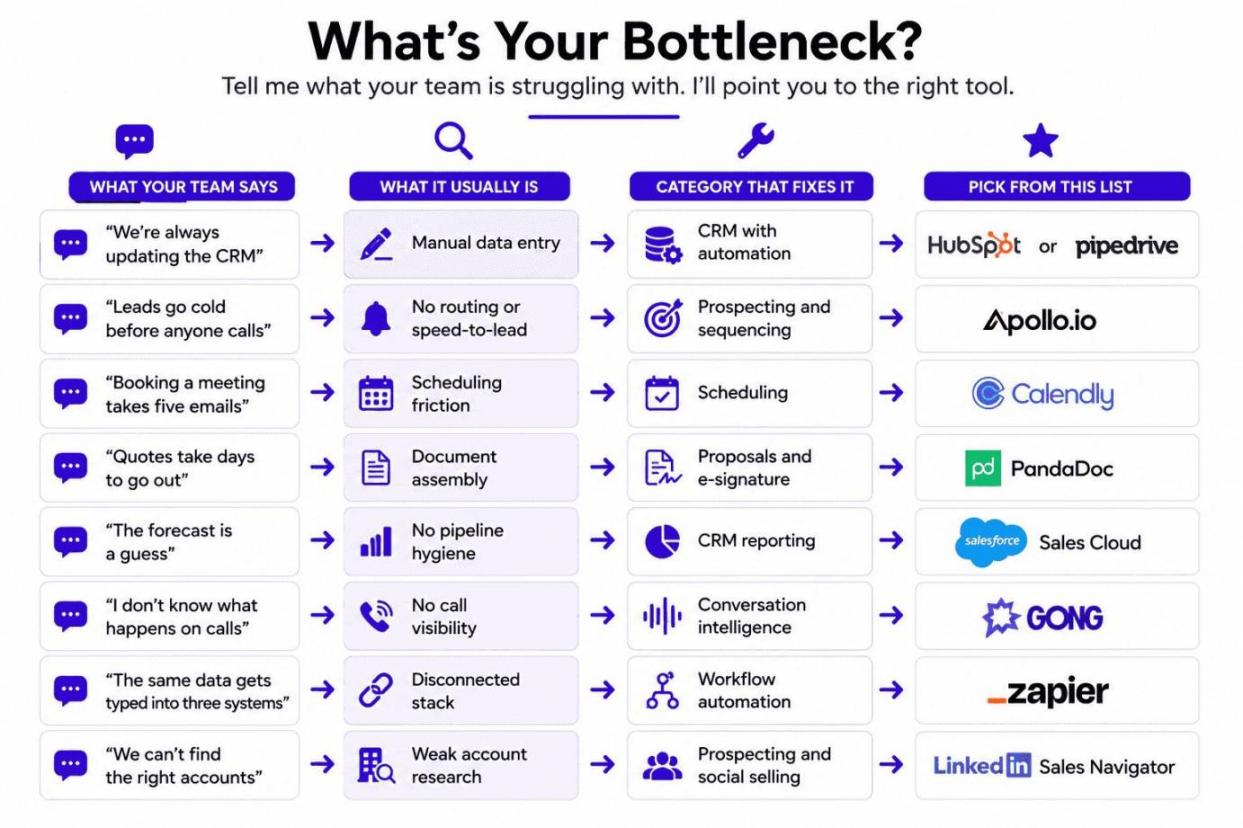
| What Your Team Says | What It Usually Is | Category That Fixes It | Pick From This List |
|---|---|---|---|
| “We're always updating the CRM” | Manual data entry | CRM with automation | HubSpot or Pipedrive |
| “Leads go cold before anyone calls” | No routing or speed-to-lead | Prospecting and sequencing | Apollo.io |
| “Booking a meeting takes five emails” | Scheduling friction | Scheduling | Calendly |
| “Quotes take days to go out” | Document assembly | Proposals and e-signature | PandaDoc |
| “The forecast is a guess” | No pipeline hygiene | CRM reporting | Salesforce Sales Cloud |
| “I don't know what happens on calls” | No call visibility | Conversation intelligence | Gong |
| “The same data gets typed into three systems” | Disconnected stack | Workflow automation | Zapier |
| “We can't find the right accounts” | Weak account research | Prospecting and social selling | LinkedIn Sales Navigator |
When leads go cold, the problem is rarely a lack of effort. It usually means you are missing lead scoring software solutions that highlight who is actually ready to buy.
If your problem is simply an empty funnel, you need lead generation software to bring in fresh prospects first.
The right tool always depends on your team's size, current stack, and daily routine. Inside sales teams need features built for heavy phone and email volume, whereas field reps need smooth mobile access and quick contract signatures.
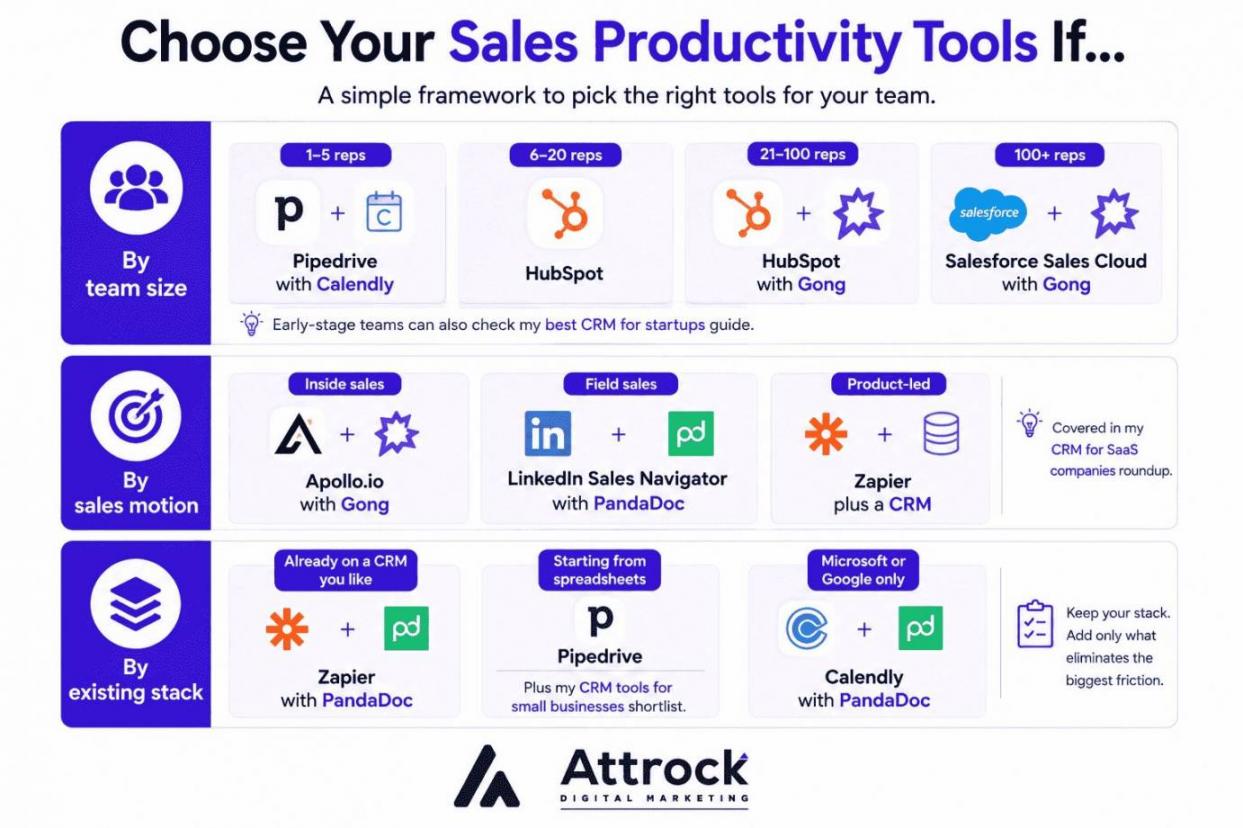
By team size. 1–5 reps: Pipedrive with Calendly. 6–20 reps: HubSpot. 21–100 reps: HubSpot with Gong. 100+ reps: Salesforce Sales Cloud with Gong. Early-stage teams can also check my best CRM for startups guide.
By sales motion. Inside sales: Apollo.io with Gong. Field sales: LinkedIn Sales Navigator with PandaDoc. Product-led: Zapier plus a CRM, covered in my CRM for SaaS companies roundup.
By existing stack. Already on a CRM you like: Zapier with PandaDoc. Starting from spreadsheets: Pipedrive, plus my CRM tools for small businesses shortlist. Microsoft or Google only: Calendly with PandaDoc.
Five Questions to Ask Before You Buy Any Sales Productivity Tool
- What is the real first-year cost? Add onboarding fees, migration help, and uncounted seats.
- Will reps use it daily? Run a live deal through the trial and watch two reps work.
- Does it write data back into your CRM? If data only flows one way, you haven't solved manual data entry. You've just moved it.
- What does year three look like? Protect yourself early. Ask for a capped renewal price and request a quote at double your current headcount.
- How much does it cost to leave? Check your exit terms ahead of time. Make sure you can easily export your data and retain full ownership of recorded calls and customer history.
This framework assumes you already run a CRM. If you don't, make that your absolute first purchase. Everything else on this list can wait.
Buy against your biggest time leak. If reps lose the most hours to manual CRM updates, an automated CRM comes before scheduling or proposal tools.
Best Sales Productivity Tools for 2026
The best sales productivity tools for 2026 don't win on feature count. They win by eliminating your team's specific bottleneck. My top CRM and sales productivity tools span three main areas: full-service CRMs, outreach platforms, and revenue intelligence engines.
HubSpot leads for mid-market teams that need everything in one connected place. Salesforce fits larger operations that require custom builds. And Pipedrive works best for lean teams running without a dedicated admin.
Each review cuts through the vendor fluff with verified list rates, genuine drawbacks, and sharp fit/no-fit criteria.
Shortlist the two that sit closest to your biggest time leak, then trial both against one live deal. Nine tools is the market; two is a decision.
1. HubSpot
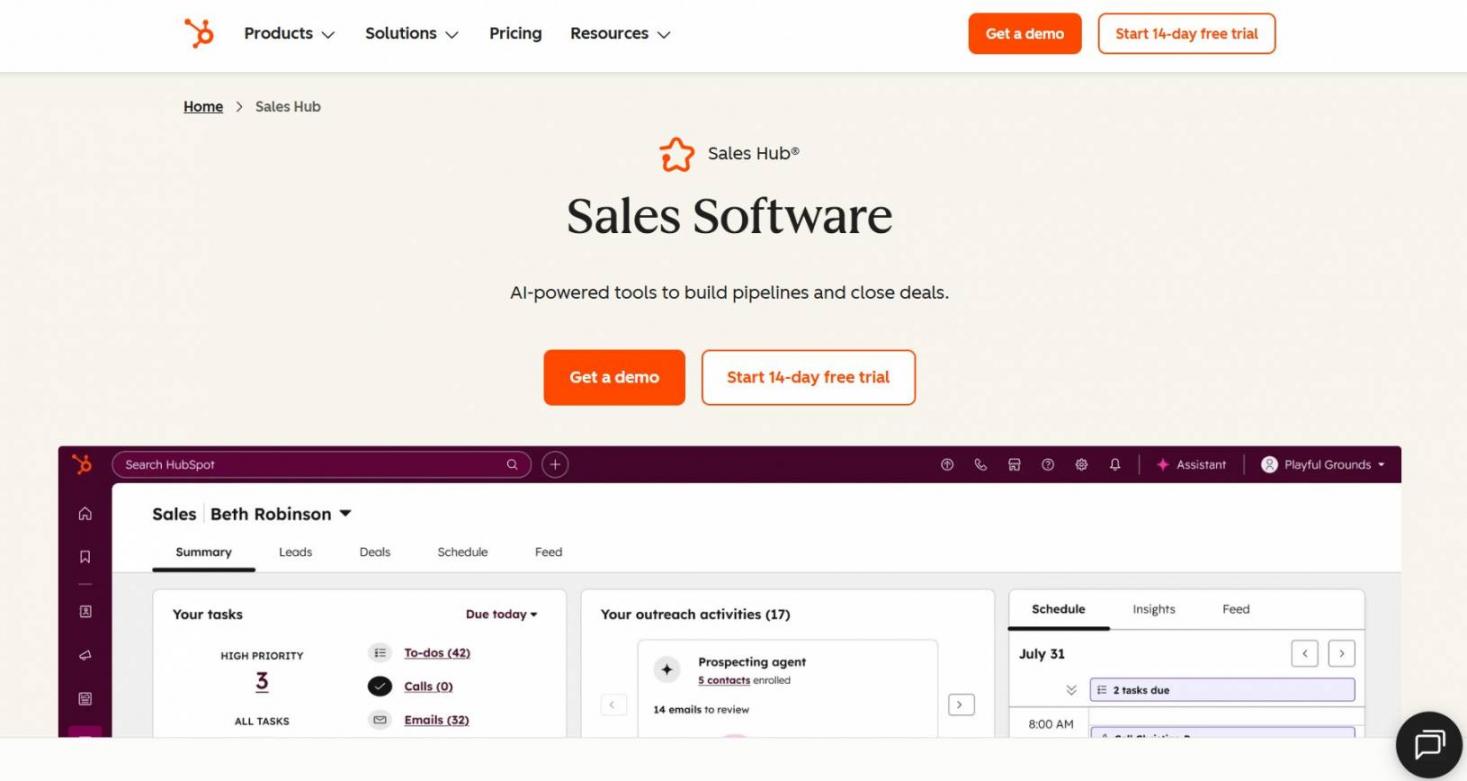
Image via HubSpot
HubSpot is one of the best sales productivity tools for teams that want their CRM, sales outreach, and reporting under one roof without having to cycle between different tools.
HubSpot ranks first among sales productivity tools because it removes manual CRM data entry and follow-up. Users rate Sales Hub 4.4 out of 5 across 13,870 G2 reviews.
For smaller pipelines, see my HubSpot vs Pipedrive breakdown.
Teams needing custom objects should read HubSpot vs Salesforce first.
Yes, the free Smart CRM covers two users at $0, and Starter seats list at $20 monthly.
Key Features
- Smart CRM: Automatically tracks email, call, and meeting activities against the correct record.
- Email and document tracking: Deal view displays when and who opened emails, clicked on links, and read documents.
- Sequences and automation: Multi-step follow-up fires on triggers, so no lead stalls.
- Breeze Assistant: Drafts custom emails and summarizes account histories right inside the record.
Pros
- Genuinely free tier for two users, so teams test before spending.
- One platform covers CRM, email, and automation, cutting tool sprawl.
- Connects natively with almost every major sales tool.
Cons
- Onboarding is mandatory and billed separately: $1,500 for Professional and $3,500 for Enterprise.
- Cost is the loudest G2 complaint, with 318 reviews calling the platform expensive.
- Per-seat pricing climbs fast, since Professional runs $100 and Enterprise $150 monthly.
- Breeze agents bill per outcome, so AI spends swing unpredictably month to month.
Pricing:
- Free
- Starter: From $20/month/seat
- Professional: $100/month/seat
- Enterprise: $150/month/seat
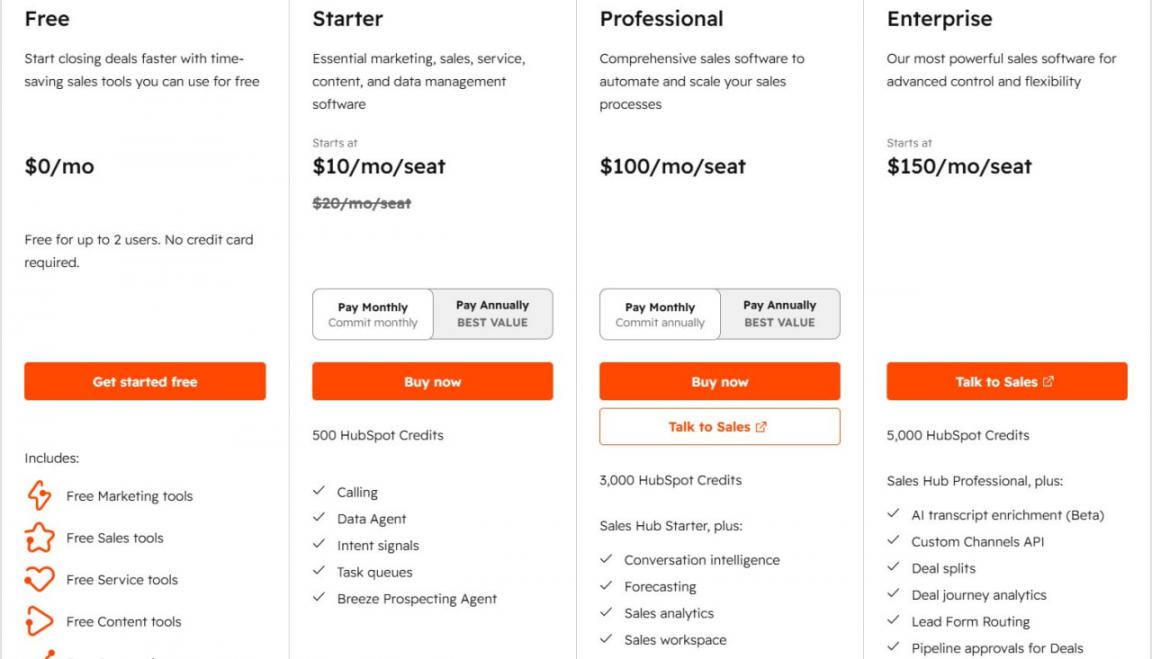
Image via HubSpot
Tool Level:
- Startups through mid-market teams, roughly 2 to 200 seats. Not for enterprises needing engineered custom objects and approval chains.
Usability:
- It’s highly intuitive, meaning most reps are fully productive within a week. Plus, it keeps your administrative overhead to a minimum.
Pro Tip: Set up your sequence triggers and follow-up schedules before paying for AI agents. Fix your core process first. AI only helps if the underlying system actually works.
2. Salesforce Sales Cloud
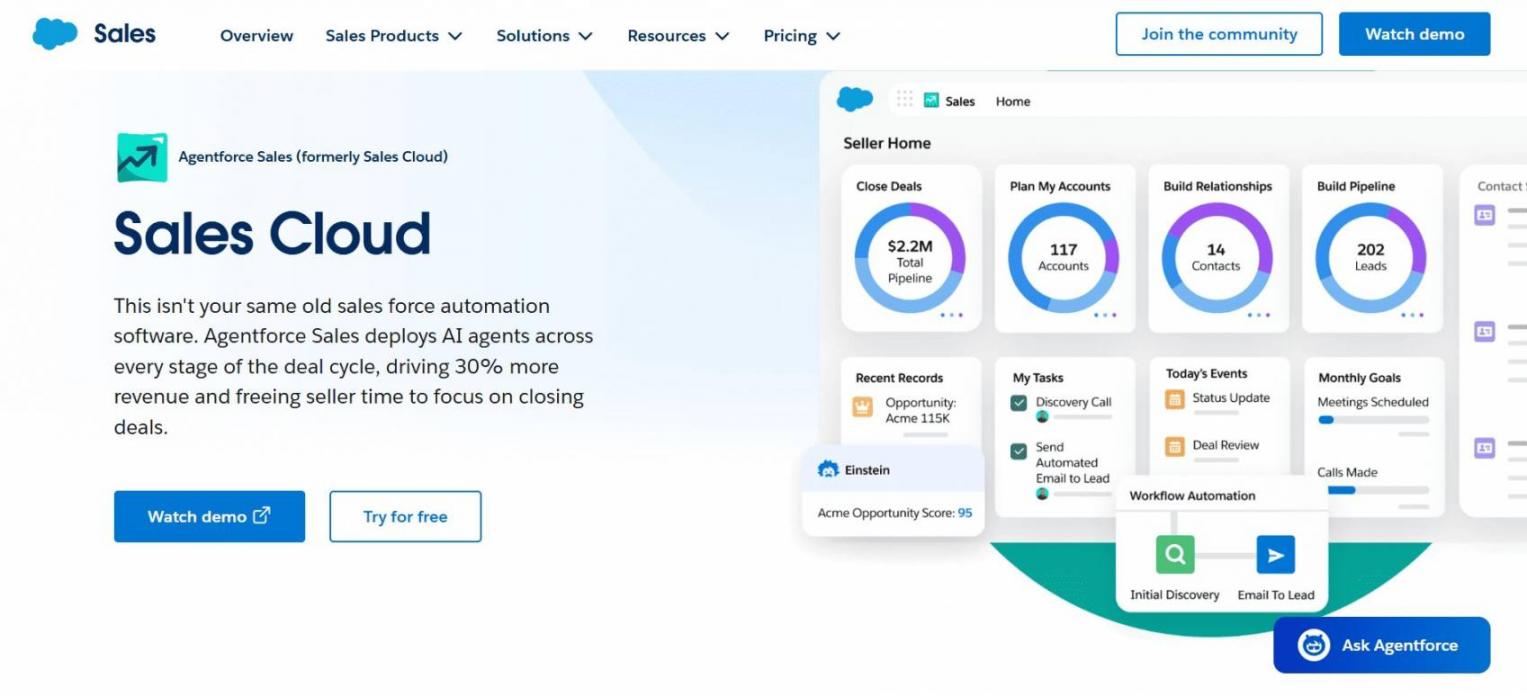
Image via Salesforce
Salesforce Sales Cloud is the heaviest of the sales productivity tools on this list. It gives reps a single dashboard to track their pipeline, view account details, and manage revenue forecasts without tab-switching.
Sales Cloud eliminates a major bottleneck by finally giving you a pipeline view you can actually trust. It scores 4.4 out of 5 from 24,668 G2 reviews.
Teams weighing Salesforce productivity tools for sales teams should also read my B2B CRM software roundup.
No, Salesforce's pricing page says AI can be added to Enterprise and above tiers at an extra 125/user/month on top of the base price.
Key Features
- Pipeline management: Stages, products, and close dates roll into one forecast.
- Forecasting and quotas: Managers set quotas by role hierarchy and track commit.
- Deep API customization: Custom objects, flows, and Apex model any sales process.
- Agentforce AI agents: AI handles research and customer conversations inside the console.
Pros
- Scales to thousands of seats without the reporting layer buckling.
- The biggest partner ecosystem in CRM, so integration gaps are rare.
- Compliance controls satisfy regulated industries that smaller CRMs cannot serve.
Cons
- AI is locked behind the Enterprise tier and above, which means you're looking at $175 per user before Agentforce charges even kick in
- Juggling two different billing models, Flex Credits and per-conversation fees, makes it tough to forecast your budget
- You will likely need a certified admin or partner to get everything running, adding significant expense on top of the license fees
Pricing
- Starter Suite: $25/user/month
- Pro Suite: $100/user/month
- Enterprise: $175/user/month
- Unlimited: $350/user/month
- Agentforce 1 Sales: $550/user/month
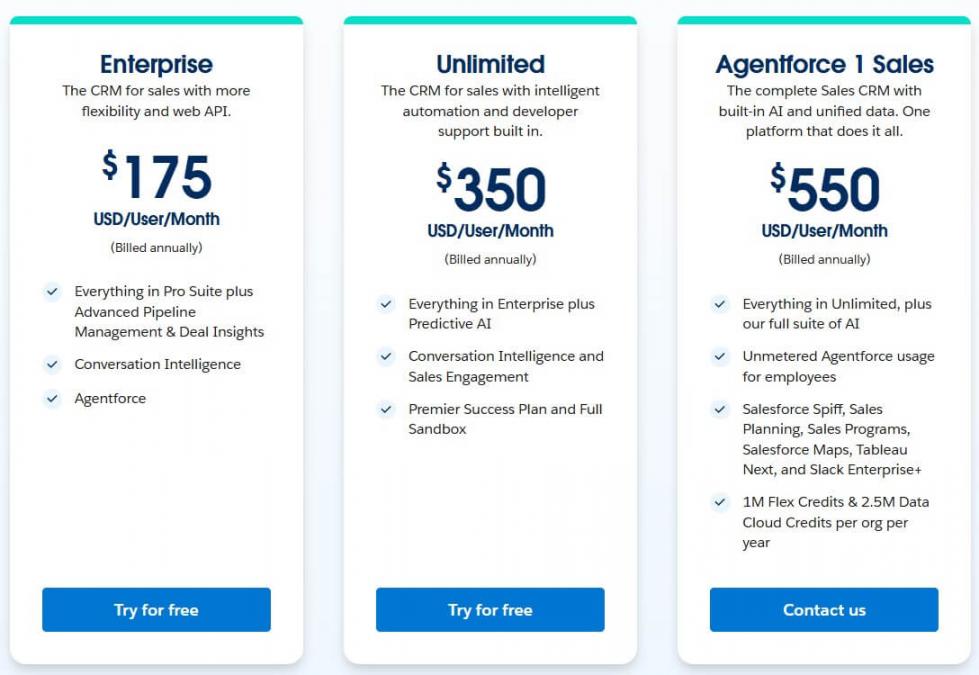
Image via Salesforce
Tool Level
- Mid-market and enterprise from roughly 50 seats upward. Not for a five-person startup.
Usability
- Steep learning curve. Reps need structured training, and you'll want a certified admin.
Pro Tip: Set up your sales territories and goals correctly before launching Agentforce. If your data structure is broken, the tool’s predictions will come out flawed.
3. Pipedrive
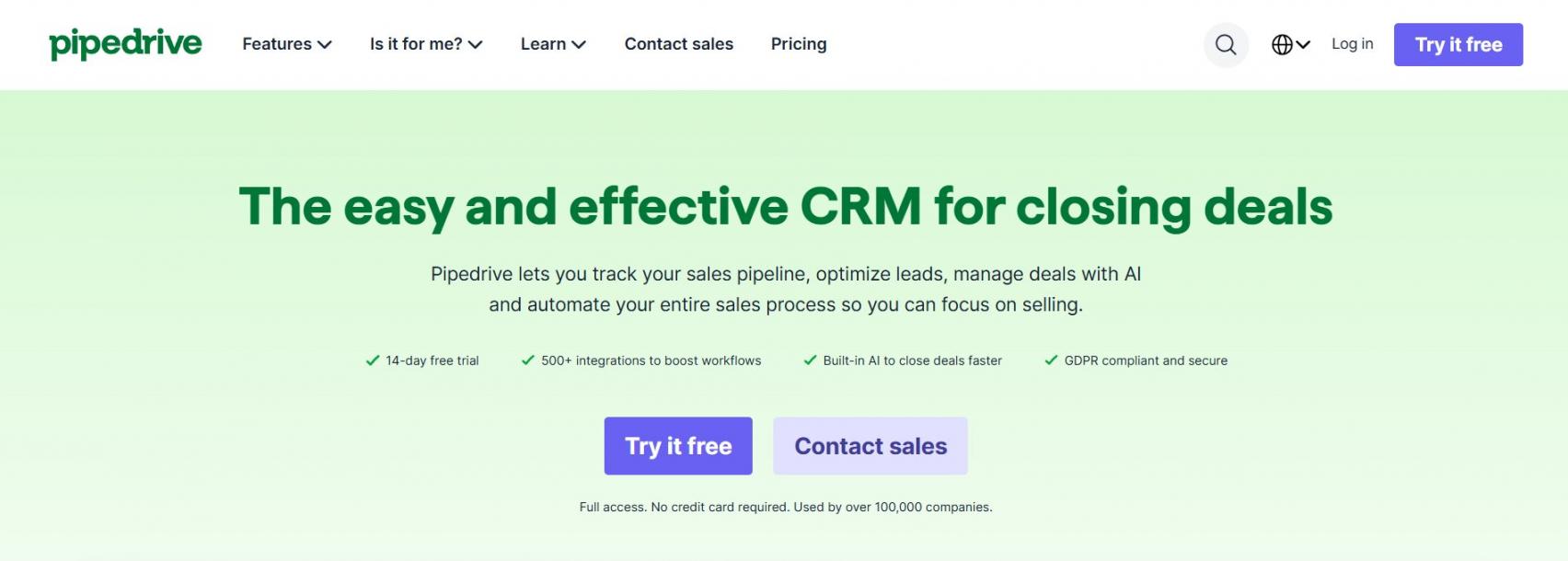
Image via Pipedrive
Pipedrive is one of the lightest sales productivity tools available, and that's the point. It removes pipeline admin that elsewhere needs a full-time hire.
Everything in Pipedrive is built around a visual pipeline. Reps simply drag and drop deals as they progress, keeping the workflow incredibly clear.
It scores 4.3 out of 5 across 3,059 G2 reviews. My CRM for lead management guide covers alternatives.
No, Pipedrive has no free tier, though it offers a 14-day free trial with no credit card.
Key Features
- Visual deal pipeline: Reps drag deals between stages, and the board shows value.
- Activity reminders: Every deal demands a scheduled next action, so nothing sits forgotten.
- Two-way email sync: Inbox conversations attach to the right deal without any forwarding.
- AI across all tiers: Every plan gets AI, including AI-assisted reports on entry-level Lite.
Pros
- Reps actually enjoy using it because the visual board naturally aligns with how they think.
- You can get everything up and running in a few hours rather than weeks, without needing a certified admin
- The entry-level pricing is ideal for smaller teams managing a single pipeline
Cons
- Add-on costs stack up fast, with five paid add-ons priced separately on top.
- 230 G2 reviews cite add-on costs and basic functionality missing from the plans.
- There is no free plan at all, so evaluation stops when the trial ends.
Pricing
- Free Trial
- Lite: $24/seat/month
- Growth: $49/seat/month
- Premium: $79/seat/month
- Ultimate: $99/seat/month
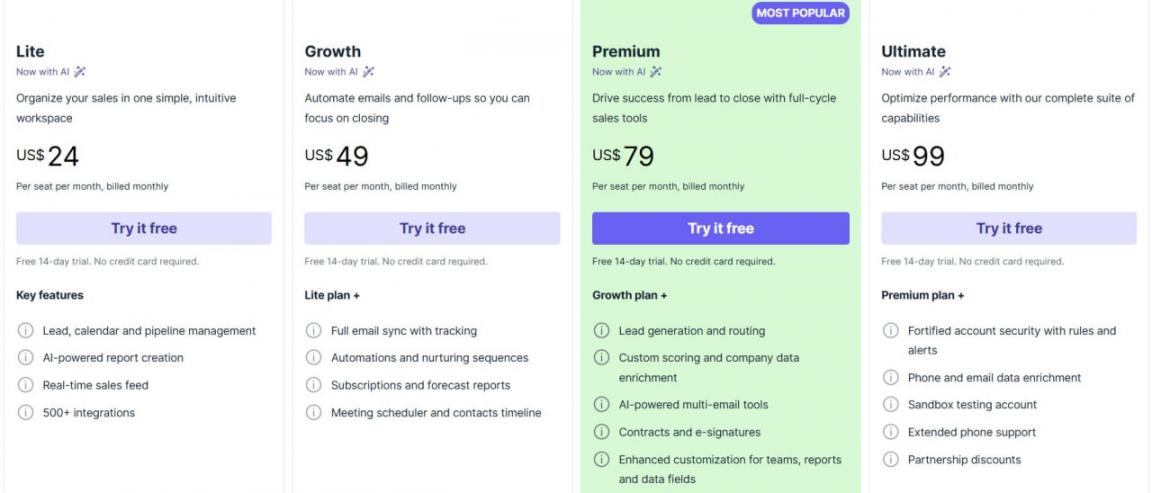
Image via Pipedrive
Tool Level
- The platform is designed for solo founders and teams with fewer than 30 reps. If you are an enterprise organization relying heavily on custom objects, this likely isn't the right fit.
Usability
- It is easily the most user-friendly tool on this list. Most reps can comfortably manage their deals on day one, and it requires virtually zero administrative maintenance.
Pro Tip: Price out the add-ons you need before committing to a Pipedrive tier. Teams often land on Growth, then pay Premium money.
4. Apollo.io
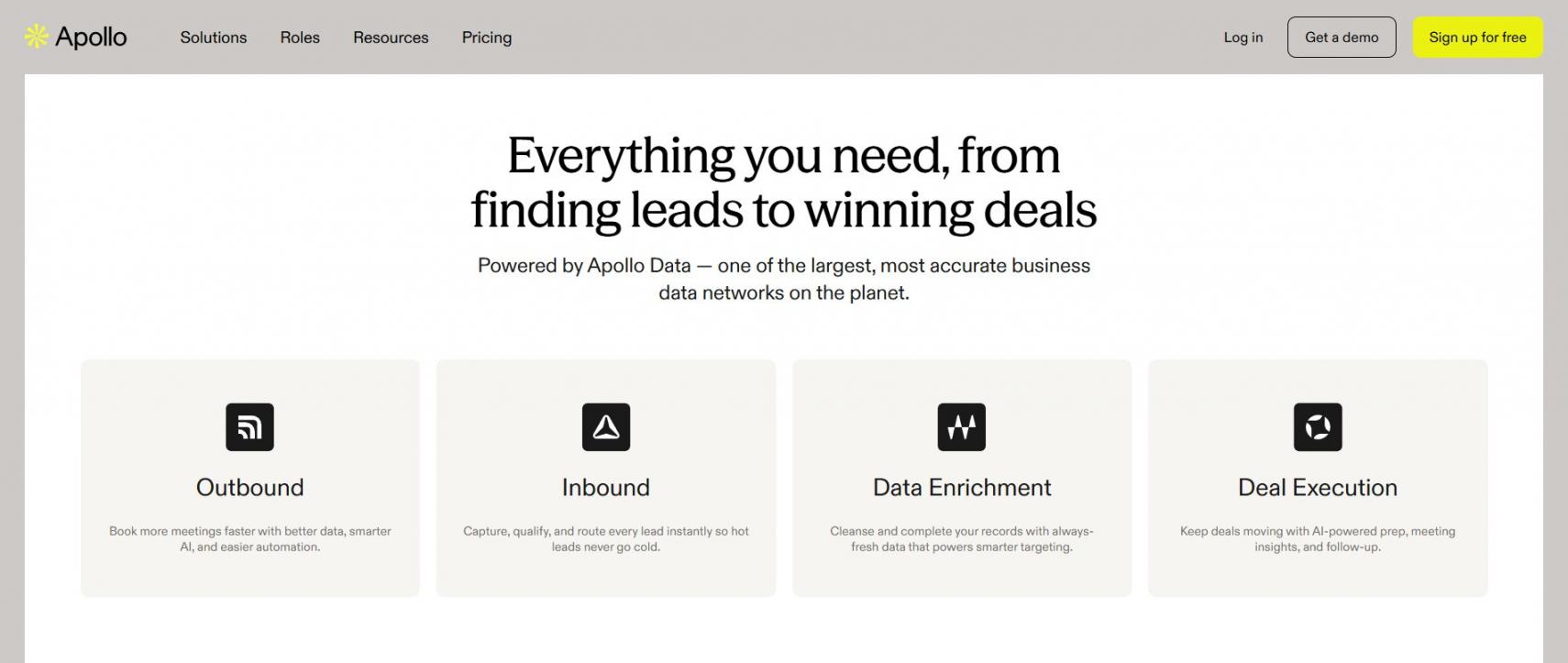
Image via Apollo.io
Apollo.io is one of the few sales productivity tools pairing a B2B database with outreach. Teams weighing ZoomInfo alternatives for their outbound stack shortlist it early.
It ends sourcing in one tool and sequencing in another. Its AI research and drafting overlap with the AI assistant tools for sales productivity.
Apollo fits SMB and mid-market outbound teams wanting both jobs in one login. It's not for enterprises on a data contract, where sales engagement platforms go deeper.
For most SMB and mid-market teams, yes, since sourcing and sequencing share one dataset.
Key Features
- Contact database: Search B2B records by title, industry, headcount, and buying signals.
- Sequences: Run multi-step email and call cadences from the contact record.
- Built-in dialer: Browser calling, with recording and local presence on paid tiers.
- CRM enrichment: Push refreshed contact and account fields into your CRM.
Pros
- Sourcing and outreach share one login, cutting tab switching.
- The free plan gives 900 credits per seat each year.
- G2 reviewers rate Apollo 4.7 out of 5 across 9,357 reviews.
Cons
- The Organization tier bills annually with a three-seat minimum, so small teams overbuy.
- Unlimited plans sit under a fair-use policy, so heavy senders hit ceilings.
- Credit budgeting adds a monthly admin task that seat-based rivals never create.
Pricing
- Free
- Basic: $65/seat/month
- Professional: $99/seat/month
- Organization: $149/seat/month
Tool Level
- Apollo.io is perfect for small and medium businesses, along with mid-market outbound teams managing their own lists
Usability
- It has a very steep learning curve and is dense to look at right away, but once you get used to it, searching and the whole process becomes routine.
Pro Tip: Set weekly credit limits for individual reps before the launch. If you leave it open, a couple of reps could easily burn through your whole credit pool on unverified leads.
5. LinkedIn Sales Navigator
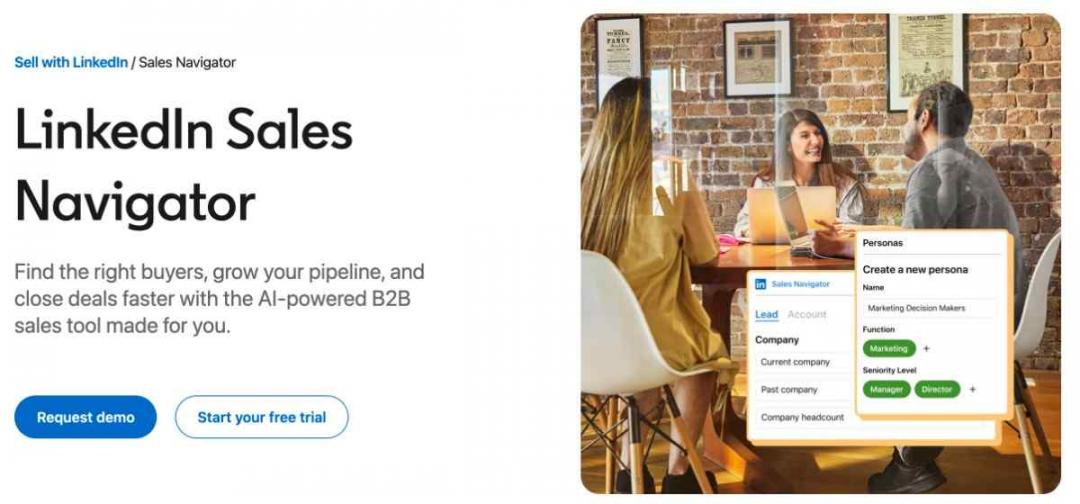
Image via LinkedIn Sales Navigator
Sales Navigator is one of the most unique sales productivity tools because it’s built on a live professional network rather than a database. Filters run over LinkedIn's member graph, not a static list.
It clears up the problem of your reps spending time deciding who they should target as a prospect. Most LinkedIn for B2B sales programs I run start with saved searches.
I include Sales Navigator for relationship-led teams selling into named accounts, not transactional teams needing bulk export.
Often yes, since the member graph updates when people change roles.
Key Features
- Advanced lead search: Filter the member graph by role, seniority, geography, and job changes.
- Saved leads and accounts: Track buyers and companies, with alerts when activity shifts.
- InMail messaging: Reach prospects outside your network without a shared connection.
- Account IQ and Lead IQ: AI account insights on Advanced tiers and above.
Pros
- The member graph updates in real time as buyers change roles.
- Filters map buying committees that static databases miss.
- G2 reviewers rate it 4.4 out of 5 across 2,205 reviews.
Cons
- At list price, it is the most expensive per-seat tool on this list.
- 44 G2 reviews cite expense, and 37 cite missing features like CSV export.
- No free plan exists, so teams cannot test the filters before buying seats.
Pricing
- Core: $119.99/month/license
- Advanced: $159.99/month/licence
- Advanced Plus: Contact Sales
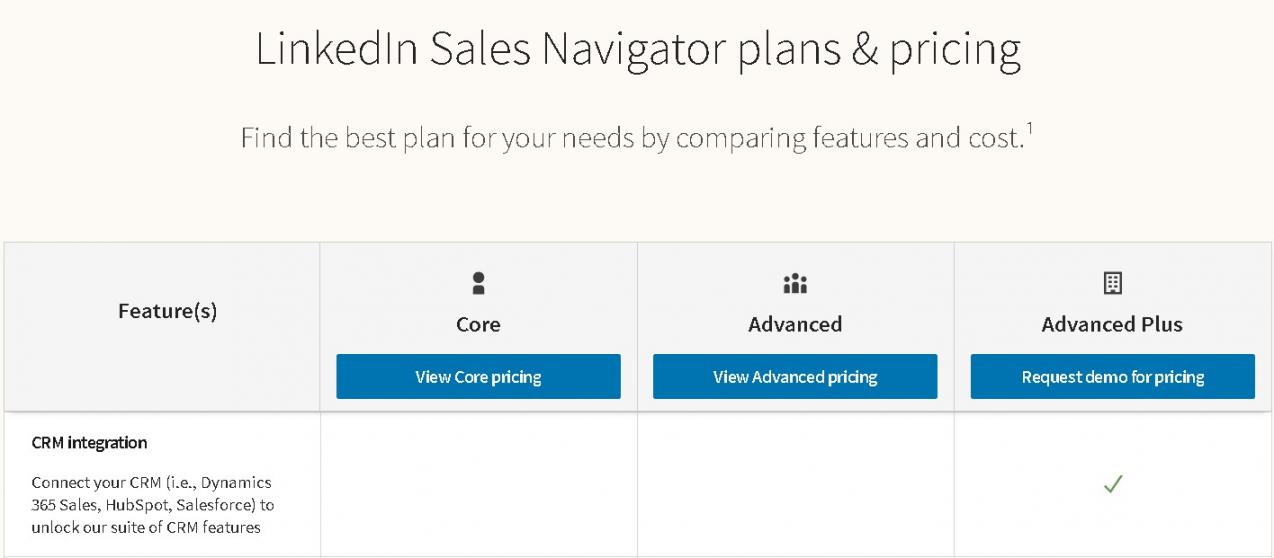
Image via LinkedIn Sales Navigator
Tool Level
- Teams with more than twenty named accounts per representative will find this tool useful. For teams with fewer than twenty named accounts per representative, the cost of the tool is usually not worth it.
Usability
- The Search function will feel familiar to anyone who uses LinkedIn. That said, it might take some time to get used to the filters and make them work correctly.
Pro Tip: Set up a saved search for each key buying trigger, like a newly hired VP of Sales, and check those alerts weekly instead of running fresh searches every time.
6. Gong
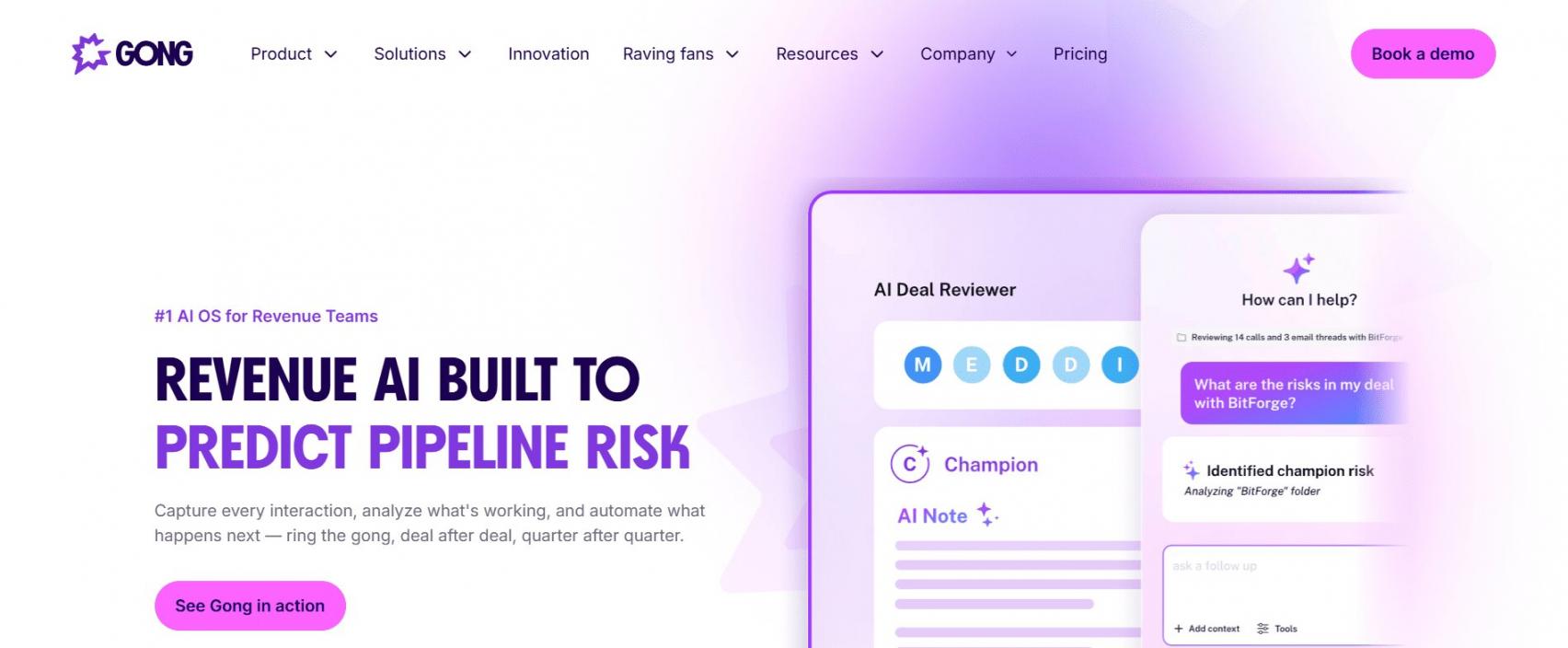
Image via Gong.io
Gong turns call recordings into the evidence layer other sales productivity tools lack. It records and transcribes calls, then analyzes conversation and data from deals.
The problem is that managers usually try to coach people based on what they remember and what other people tell them. Gong gives them the actual words that the buyers used.
I include Gong for managers running structured coaching programs. Small teams needing only transcripts should opt instead for lighter sales coaching platforms.
Recording is the easy part, and the value sits in Gong's analysis layer above it.
Key Features
- Call recording and transcription: Capture calls automatically, then search transcripts by keyword.
- Conversation analytics: Score talk ratios, topics, and competitor mentions across every call.
- Deal intelligence and forecasting: Read engagement and risk on open opportunities, then forecast.
- Coaching workflows: Share snippets, leave timestamped comments, and build winning-call libraries.
Pros
- Coaching runs on recorded evidence rather than a manager's memory.
- Snippet libraries shorten ramp time for new reps.
- Managers spot competitor mentions across the team, not one call.
Cons
- Pricing is quote-only, so you cannot size the cost without a vendor call.
- Licenses bill per user, plus a platform fee that adds a second cost line.
- 119 G2 reviews cite delayed access to recordings after the call ends.
Pricing
- Contact Sales
Tool Level
- Mid-market and enterprise teams running structured coaching.
Usability
- The interface is easy on the eye, but the amount of information can be too much for teams that do not have a review process. Gong has a rating of 4.7 out of 5 based on 6,659 reviews on G2.
Pro Tip: Choose three moments from calls to focus on each week. If you try to review everything that Gong provides, you will probably stop using the tool, which's what happens to a lot of managers with Gong.
7. Calendly
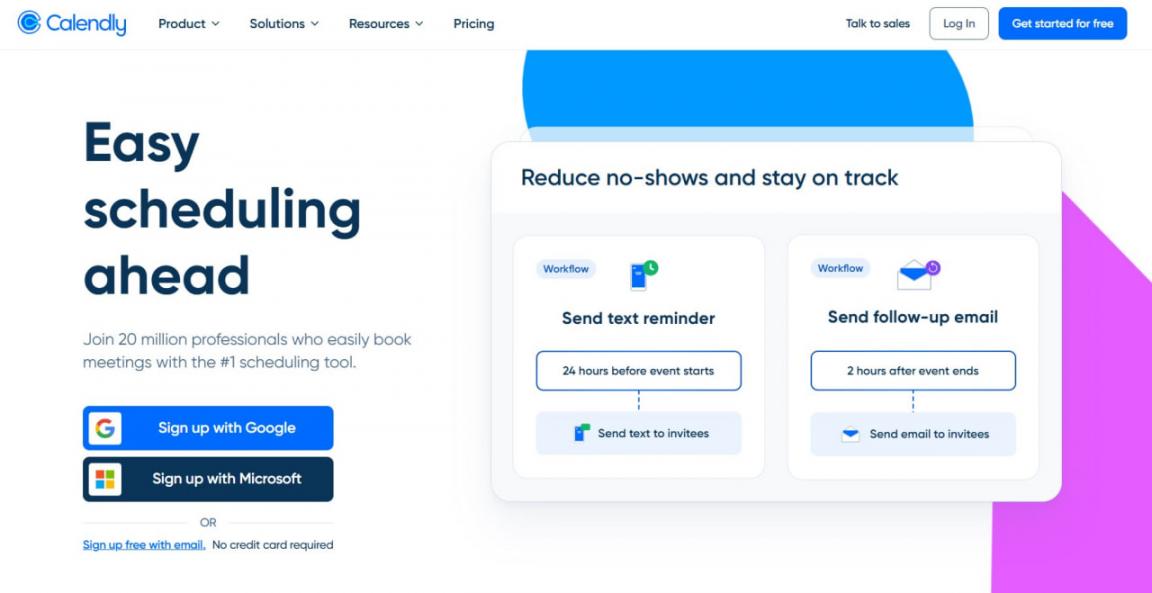
Image via Calendly
Calendly is one of the most efficient sales productivity tools. Calendly does one specific thing, but it does it perfectly every single day. It shares your actual availability, books the meeting, and sends it to the right salesperson.
This eliminates the annoying five-email back-and-forth it usually takes just to schedule a call. It’s perfect for any team regularly booking external meetings, but don't expect it to handle your sales forecasting.
Not anymore. Notetaker and Contacts now ship as separate products, so recaps and action items sit beside scheduling.
Key Features
- Availability sharing: One link reflects your live calendar and blocks double bookings.
- Meeting routing: Inbound bookings reach the right rep by territory or round robin.
- Notetaker: Meeting recaps and action items land without a separate note app.
- Contacts: Everyone you have met is stored with their booking history.
Pros
- Prospects book in seconds instead of trading availability by email.
- Routing sends inbound demos to the rep who owns the account.
- New reps go live the day they get a license.
Cons
- The free plan is easy to outgrow as it only includes 1 event type and 1 calendar
- 54 G2 reviewers cite missing features in that free plan as their main complaint.
- 38 reviewers call the pricing prohibitive once a team grows past a few seats.
Teams outgrowing those caps often review Calendly alternatives before paying per seat.
Pricing
- Free
- Standard: $12/seat/month
- Teams: $20/seat/month
- Enterprise: From $15,000 per year
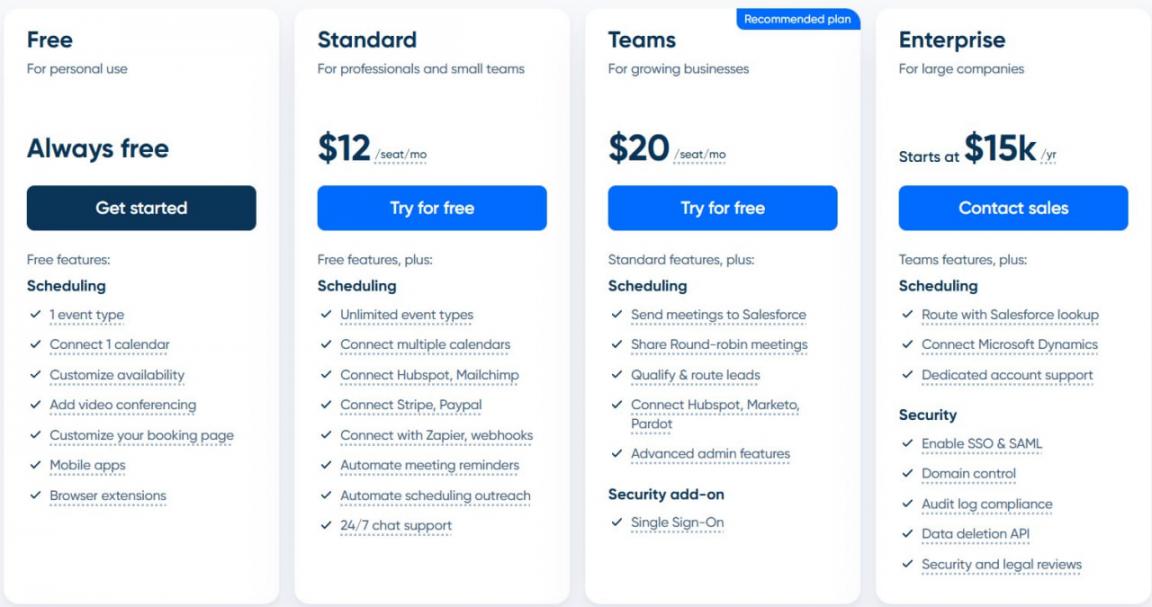
Image via Calendly
Tool Level
- Teams booking outside meetings weekly. Not for teams needing forecasting in the same product.
Usability
- Setup takes just a few minutes, and your prospects never have to create an account. That frictionless experience is exactly why more than 2,600 reviewers on G2 give it a 4.7 out of 5 rating.
Pro Tip: Create separate event types for different deal stages, like 30 minutes for discovery and 45 minutes for a demo. Once they're running, compare the no-show rates to see where buyers are dropping off.
8. PandaDoc
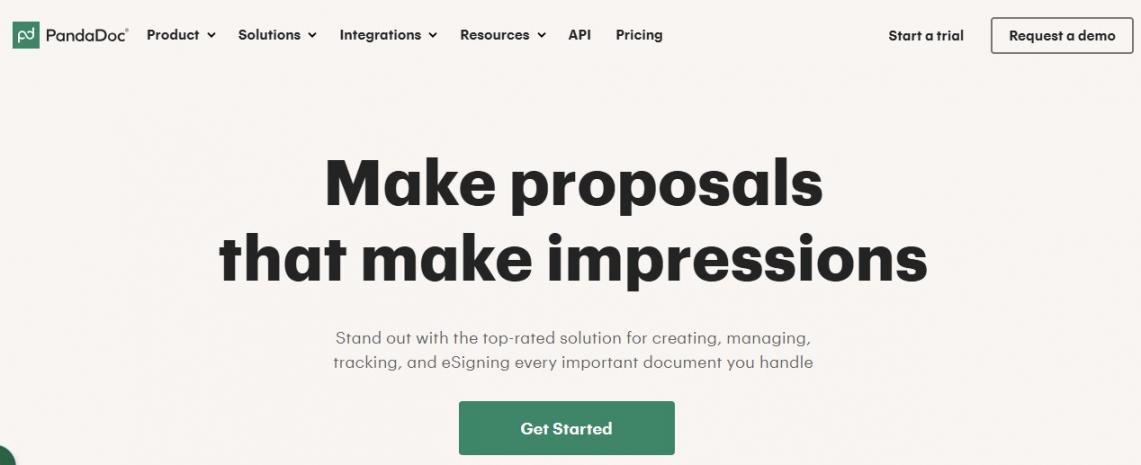
Image via PandaDoc
Most sales productivity tools stop before the paperwork starts, and PandaDoc covers that stage. It builds, sends, tracks, and e-signs proposals, quotes, and contracts from one library.
That clears the bottleneck of quotes sitting in a rep's drafts folder. PandaDoc fits teams sending custom quotes weekly, not teams that only want a signature.
For most sales teams, it does. Creation, tracking, and legally binding signature happen in one workflow.
Key Features
- Template and content library: Approved templates, pricing tables, and clauses cut build time.
- Document tracking: You see when a buyer opens the proposal and which sections hold them.
- Native e-signature: Buyers sign inside the document without exporting to another service.
- Approval workflows: Nonstandard discounts route to a manager before the buyer sees them.
Pros
- Reps send an accurate, on-brand quote in minutes, not hours.
- Tracking shows who opened the contract, which sharpens follow-up timing.
- One template library keeps every rep on current pricing.
Cons
- 120 G2 reviewers cite missing features such as document expiration control.
- 109 reviewers cite expense as their main complaint with the platform overall.
- Paid tiers now carry document-volume caps, so heavy senders watch a meter.
- Starter monthly charges overage up to $3.50 for each extra document sent.
Pricing
- Free
- Starter: $35/user/month
- Business: $65/user/month
- Enterprise: Contact Sales
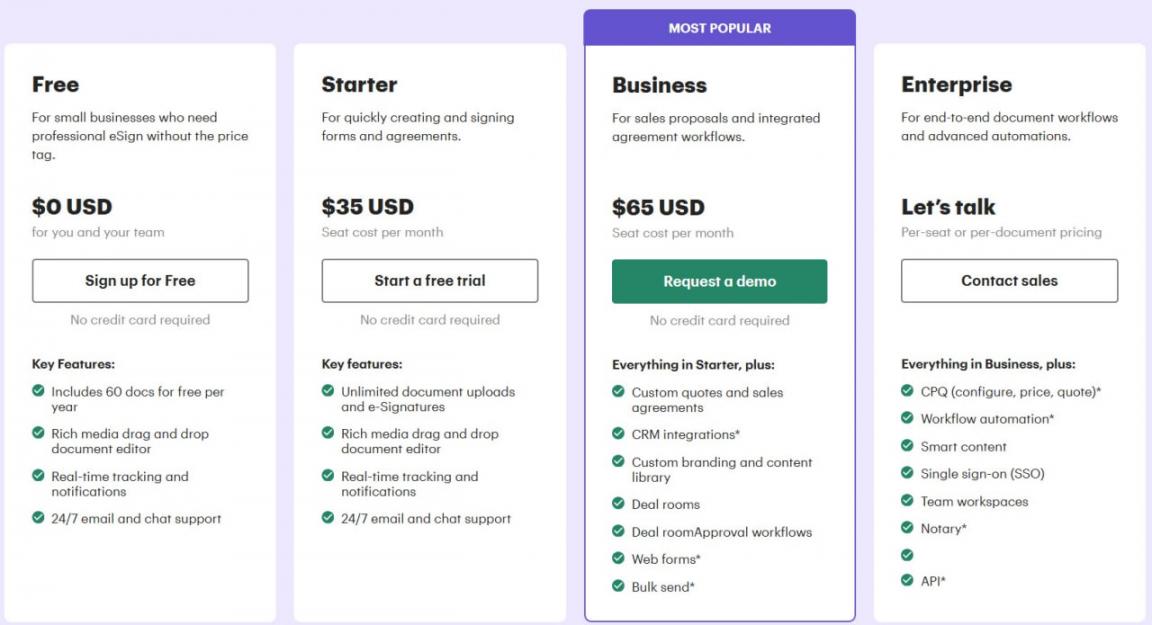
Image via PandaDoc
Tool Level
- Teams sending custom quotes weekly. Teams needing only a signature should see DocuSign alternatives.
Usability
- There is virtually no learning curve here, as the interface mirrors standard slide-building software. It’s highly effective, earning a 4.7 out of 5 rating across more than 3,500 reviews on G2.
Pro Tip: Keep an eye on the tracking data to see where buyers linger. If there are pages that people consistently skip past, remove them entirely.
9. Zapier
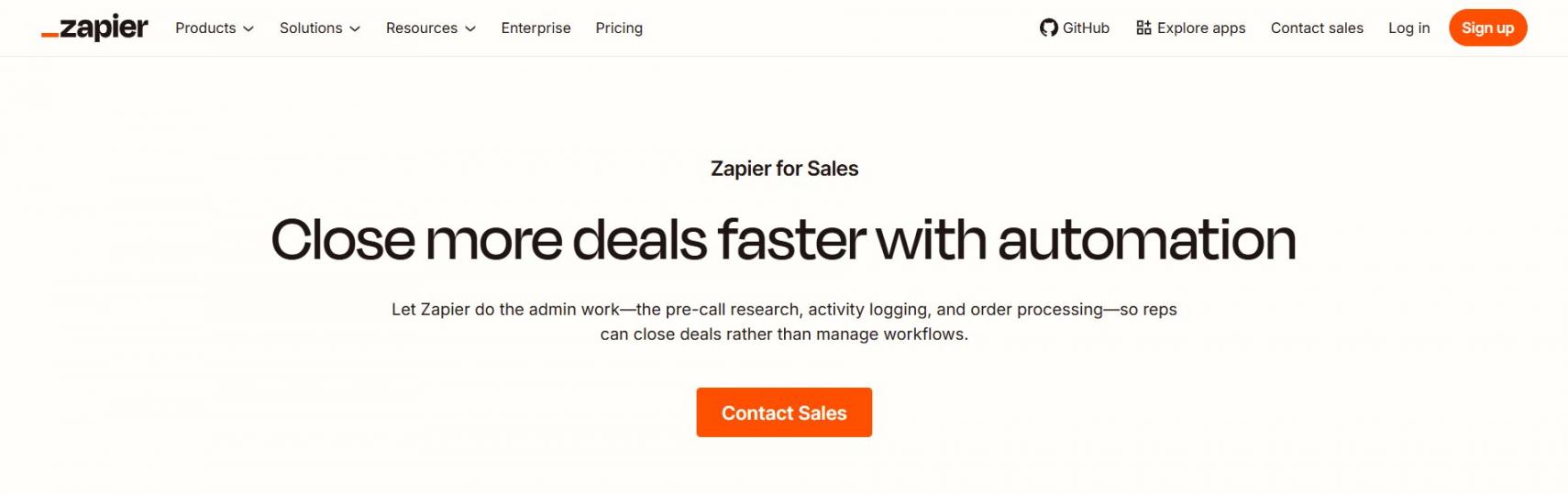
Image via Zapier
Zapier sits beneath your other sales productivity tools rather than beside them. It connects over 9,000 apps into multi-step workflows, with tables and AI actions.
Essentially, it puts an end to the mind-numbing task of typing the exact same data into three different systems. Automation rarely tops a list of the best sales productivity tools 2026 offers, yet it holds the rest together.
It works as a standalone automation layer, linking your CRM, forms, and billing without code.
Key Features
- Multi-step Zaps: One trigger fires several actions across apps in sequence.
- 9,000-plus app directory: Connections cover the CRM, forms, and billing tools you use.
- AI actions: AI steps draft copy or classify records inside a workflow.
- Tables and Interfaces: Store records and build internal forms without a separate database.
Pros
- One layer covers apps your CRM won't reach natively.
- Operations staff build workflows without waiting on an engineer.
- Pairing Zapier and HubSpot closes gaps with niche apps.
Cons
- 125 G2 reviewers cite high cost, and 100 cite pricing issues.
- Overage bills at a higher per-task rate than the base subscription.
- AI steps, code, and SDK calls draw on one shared task pool.
- Each MCP call costs two tasks, so usage climbs faster than expected.
Pricing
- Free
- Professional: $29.99/month
- Team: $103.50/month
- Enterprise: Contact Sales
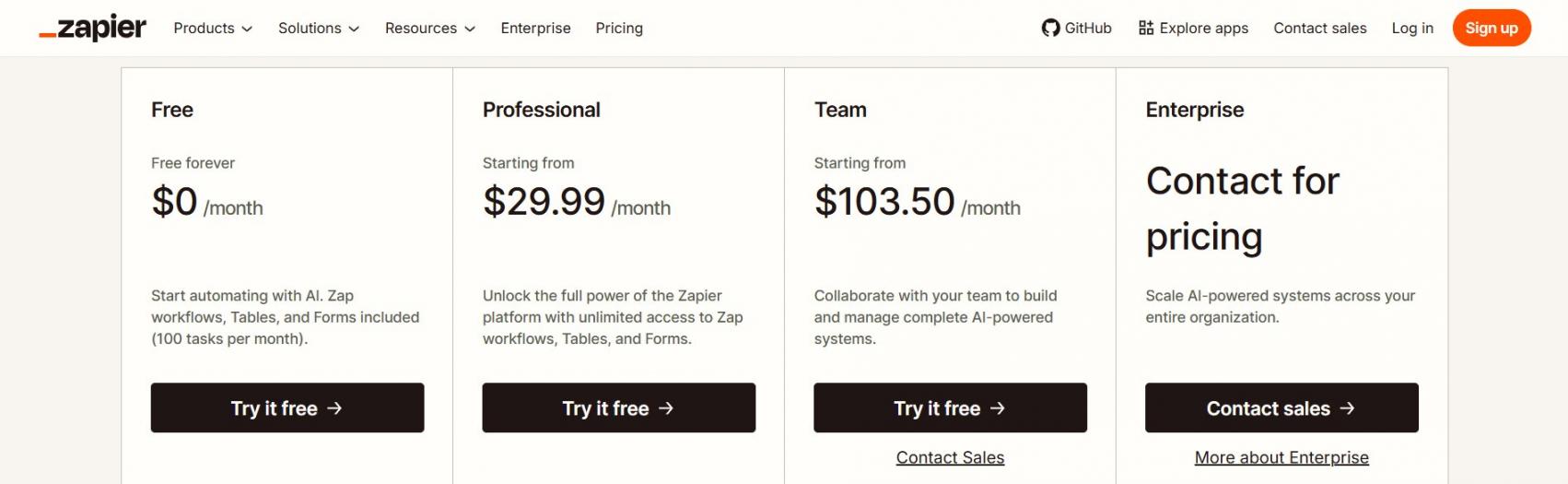
Image via Zapier
Tool Level
- Zapier is tailor-made for operations leaders who need to connect their CRM to forms and billing platforms.
Usability
- You can get your first basic automation running in minutes, though complex, multi-step workflows will require some testing. Across more than 2,000 reviews on G2, it holds a strong 4.5 out of 5 rating, with cost being the most common complaint.
Pro Tip: Set a calendar reminder to audit your task usage every month. Be sure to turn off any Zaps that trigger on every single record change, as those will quietly burn through your budget in no time.
How to Measure Sales Productivity Gains After You Buy
You simply cannot prove a new tool is working if you don't establish a clear baseline before rolling it out. Yet, most teams skip this step entirely, leaving them to debate software renewals based on guesswork rather than evidence.
Gartner's 2026 survey of chief sales officers put a number on the gap. Across 210 respondents, AI saves sellers an average of 4.8 hours per week.
But 72% of sales organizations fail to reinvest that time in high-value activities. Hours returned are an input, not a result. What reps do with those hours is the result.
The teams that reinvest pull ahead. They're 2.2 times more likely to exceed customer growth goals. On lead-to-opportunity conversion, they're 3.1 times more likely. The spread is wide. 25% of sales organizations report a 50% or higher return on their AI investments.
Another 20% report a 50% or higher negative return. That range is why I set the measurement plan before the contract is signed.
You don't need new software. Most tools to track sales productivity metrics already live in your CRM, besides your sales funnel metrics. Here are the eight I reviewed.
| Metric | What It Actually Measures | How To Calculate It | Review Cadence |
|---|---|---|---|
| Selling-time ratio | Share of the workday spent in front of buyers | Selling hours ÷ total logged hours × 100 | Monthly |
| Hours returned per rep per week | Admin load the tool actually lifted | (Baseline weekly admin hours − current weekly admin hours) ÷ reps | Monthly |
| Admin hours per closed deal | Non-selling effort each win costs you | Total admin hours in period ÷ deals closed-won | Quarterly |
| Lead response time | Speed from inbound submission to first human contact | Sum of minutes to first touch ÷ inbound leads | Weekly |
| Sales cycle length | Days a deal sits in the pipeline | Total days from first touch to closed-won ÷ deals closed | Quarterly |
| Quota attainment rate | Share of the team hitting its number | Reps at or above quota ÷ total reps × 100 | Quarterly |
| Ramp time to full productivity | Months before a new hire carries a full quota | Sum of months to full quota ÷ new hires | Twice a year |
| Forecast variance | Gap between the call and the close | (Forecast − actual) ÷ forecast × 100 | Monthly |
What to Baseline Before Rollout
Take four readings in the two weeks before anything switches on.
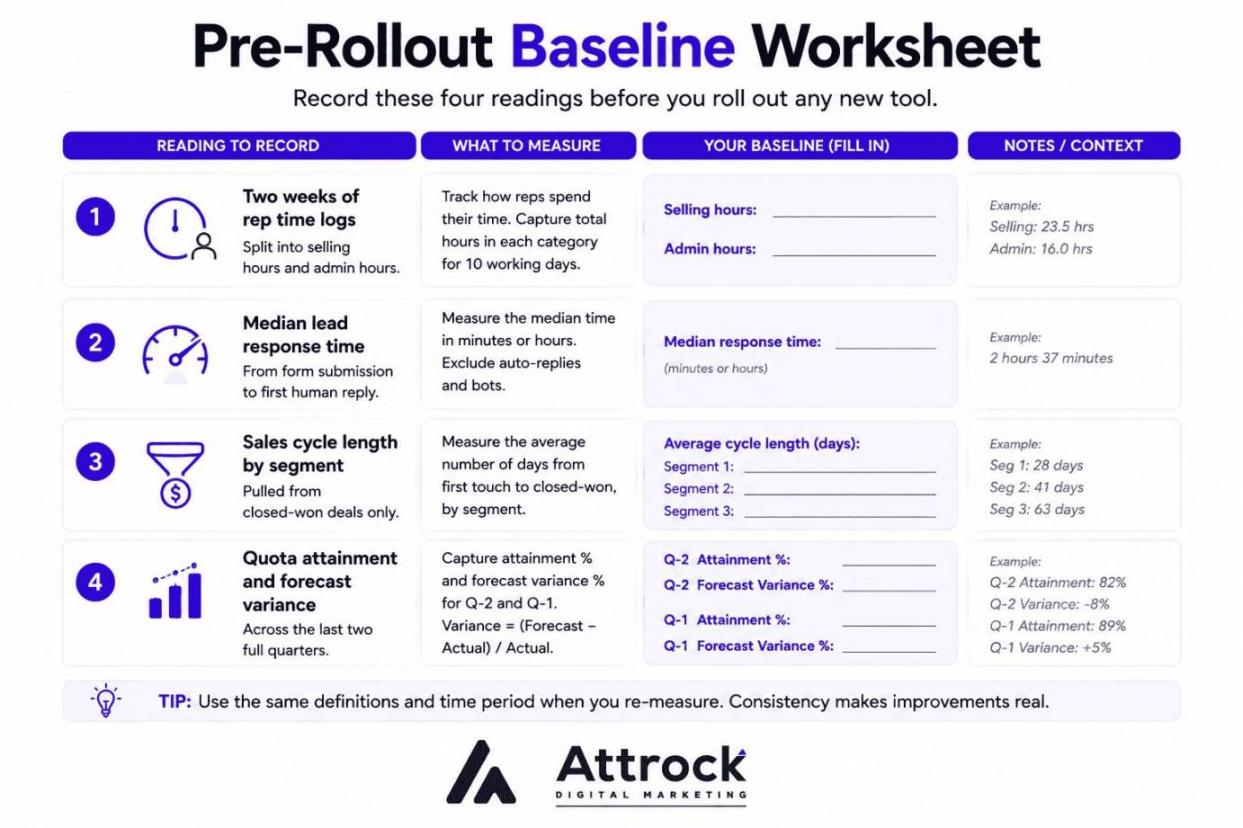
Image via Attrock
- Two weeks of rep time logs, split into selling hours and admin hours.
- Median lead response time, measured from form submission to first human reply.
- Sales cycle length by segment, pulled from closed-won deals only.
- Quota attainment and forecast variance across the last two full quarters.
Record your pipeline shape too. My pipeline-building guide covers the stage definitions worth locking in first.
Budget for a dip before the lift. The Bridge Group’s latest study of 158 B2B companies highlights a tough reality: average ramp time has climbed to 6.2 months, the highest in the research's history.
Overall quota attainment has also slid, with just 48% of reps hitting their numbers compared to 51% a couple of years ago.
The same report noted that 57% of reps hit quota in organizations with heavy AI adoption, compared to just 39% in companies with low AI engagement. The authors point out this is observational rather than causal, so view it as a strong signal rather than definitive proof.
Give it one full sales cycle plus 30 days, then compare against your pre-rollout baseline. Year-over-year comparisons carry too many unrelated variables.
Data, Security, and Compliance Checks Before You Buy
Any tool that records calls, reads email bodies, or stores buyer contact data belongs in your security review. Of the eleven top pages I audited for this article, one addressed security at all.
Salesforce's 2026 State of Sales report found 46% of sales professionals using AI agents say data quality hurts their sales. It also found 74% of AI-using sales teams now prioritize data hygiene.
Dirty data and loose access controls travel together. Here's the checklist I hand buyers before they sign.
| What to Verify | Why It Matters for a Sales Tool | How to Confirm It |
|---|---|---|
| SOC 2 Type II | Covers controls over a period, not a single audit day | Request the current report and bridge letter per the vendor's trust center |
| ISO 27001 | Signals a managed security program rather than a one-off review | Check the certificate number and scope statement per the vendor's trust center |
| GDPR posture and DPA availability | Reps import EU buyer contact data on day one | Ask for the standard DPA and sub-processor list per the vendor's trust center |
| Data residency | Some buyers require records to stay inside one region | Confirm the hosting regions listed per the vendor's trust center |
| Encryption at rest and in transit | Call recordings and email content sit in vendor storage | Verify stated ciphers and key management per the vendor's trust center |
| Model-training and no-train commitment | Your deal notes can become training data by default | Find the written no-train commitment per the vendor's trust center or DPA |
| Call-recording consent by jurisdiction | Consent rules differ by state and by country | Review the consent controls and disclosures per the vendor's trust center |
| SSO and audit logs | Departing reps keep access without central identity control | Confirm SSO tiers and log retention per the vendor's trust center |
| Retention and deletion terms | You need a defensible answer when a buyer requests deletion | Read the retention schedule and deletion terms per the vendor's trust center |
I don't state that any tool here holds any certification. Scopes differ between products inside one suite, and status changes between renewals. Verify each item yourself.
Conversation intelligence tools carry the heaviest consent burden. Some US states require all-party consent before recording. Others require consent from only one party.
The answer varies by jurisdiction. Ask your counsel to set the recording policy for every region you sell into.
Yes, if the tool records calls, reads inboxes, or stores buyer contact data. Work through the nine checks above per the vendor's trust center before you sign.
Sales Productivity Tool Trends to Watch in 2026
The real change in 2026 is that sales AI now completes tasks instead of only drafting them.
Autonomous software agents are officially shifting from assisting to acting. Salesforce's recent State of Sales report found that 54% of sales teams are already using AI agents in their workflows, with another 34% planning to adopt them within the next two years.
Order fulfillment and automated quote creation are the most common and impactful use cases for these agents. AI tools that only draft text still leave the bulk of the execution on your rep's plate. Moving forward, the best way to judge any sales productivity tool is by evaluating the specific tasks it can own outright.
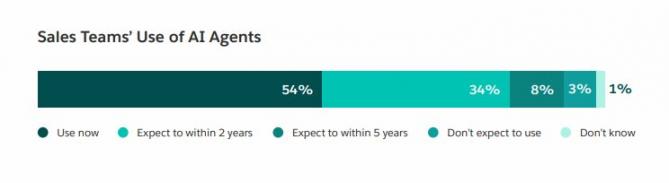
Image via Salesforce
The actual productivity payoff is still up for debate. Gartner predicts that by 2028, AI agents will outnumber human sellers ten to one. Yet, fewer than 40% of current sellers say that these agents actually improved their productivity.
Remember, that’s a forecast, not a measured result. High adoption doesn't automatically mean high performance. The smart move is to buy for a specific bottleneck, then track whether your team actually saves time.
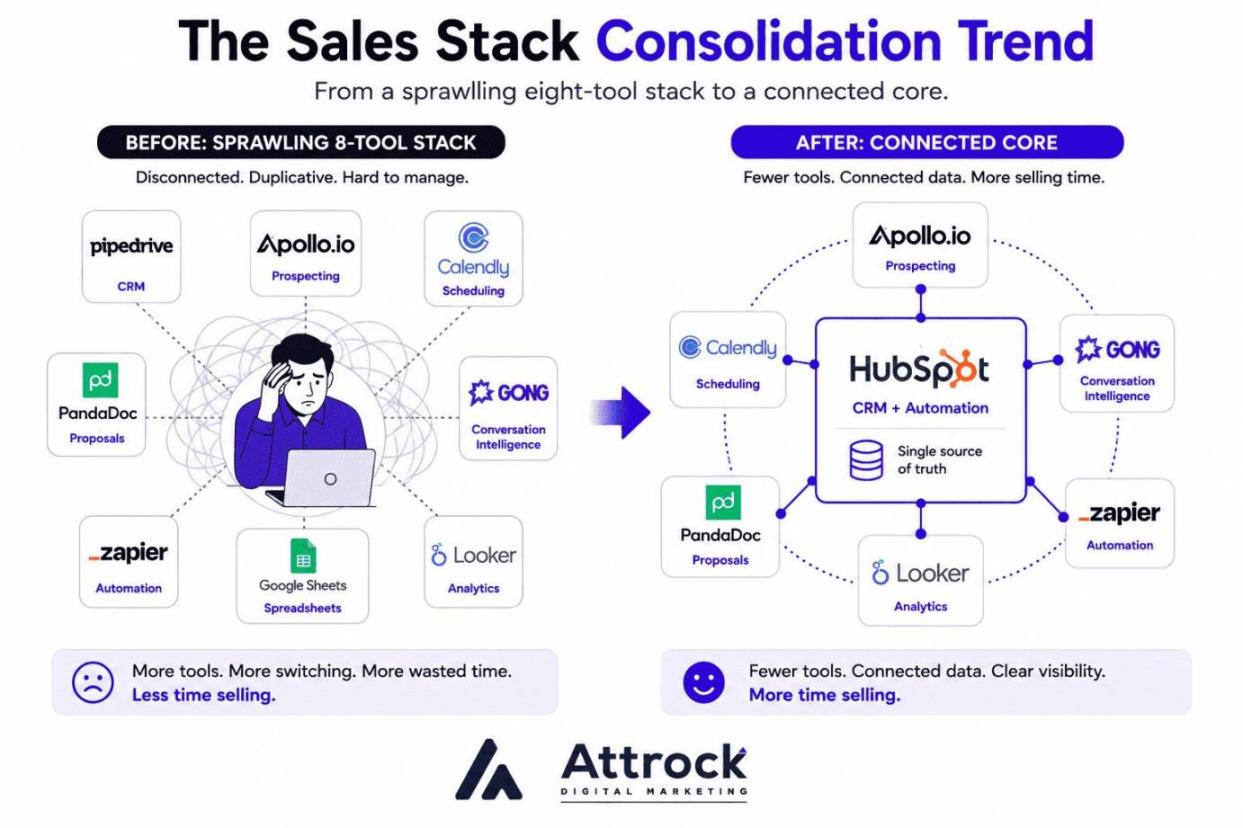
We are also seeing a major shift toward consolidation over accumulation. Salesforce’s recent report found that 84% of sales teams without an all-in-one platform are actively planning to consolidate their tech stacks. The same study found that 51% of sales leaders say siloed technology is actively delaying their AI initiatives.
This matters because AI productivity tools only work well when your data records are fully connected. Fewer systems mean fewer sync errors and less administrative busywork for your reps. If prospecting happens to be your current bottleneck, my roundup of AI prospecting tools can help narrow down your options.
Pick the one bottleneck costing your reps the most hours, then buy against it. Agent adoption is real, but the productivity gain is not automatic.
Sales Productivity Glossary and Evaluation Checklist
Most stack decisions go wrong because two people define one term differently. Here are the 13 that matter.
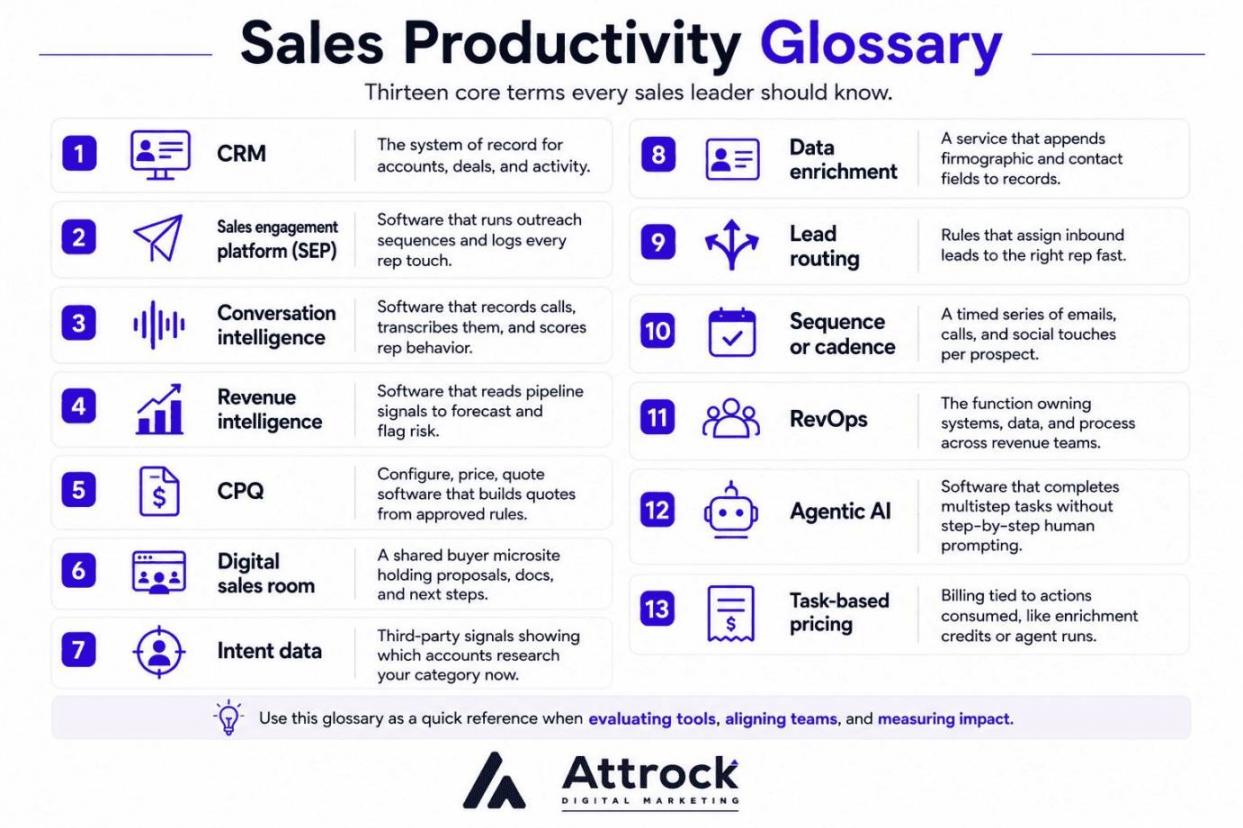
Image via Attrock
The vocabulary:
- CRM: The system of record for accounts, deals, and activity.
- Sales engagement platform (SEP): Software that runs outreach sequences and logs every rep touch.
- Conversation intelligence: Software that records calls, transcribes them, and scores rep behavior.
- Revenue intelligence: Software that reads pipeline signals to forecast and flag risk.
- CPQ: Configure, price, quote software that builds quotes from approved rules.
- Digital sales room: A shared buyer microsite holding proposals, docs, and next steps.
- Intent data: Third-party signals showing which accounts research your category now.
- Data enrichment: A service that appends firmographic and contact fields to records.
- Lead routing: Rules that assign inbound leads to the right rep fast.
- Sequence or cadence: A timed series of emails, calls, and social touches per prospect.
- RevOps: The function owning systems, data, and processes across revenue teams.
- Agentic AI: Software that completes multistep tasks without step-by-step human prompting.
- Task-based pricing: Billing tied to actions consumed, like enrichment credits or agent runs.
Run these 10 checks on every vendor before signing.
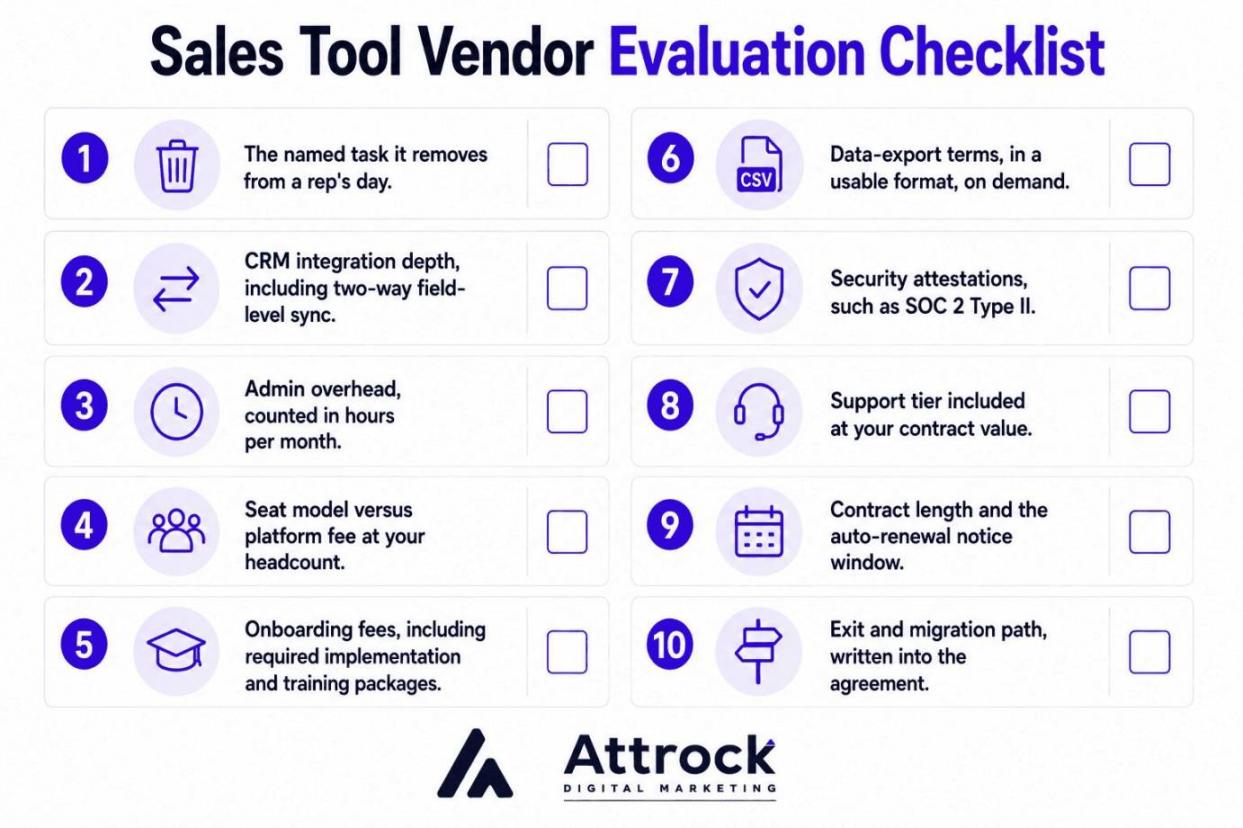
Image via Attrock
- The named task it removes from a rep's day.
- CRM integration depth, including two-way field-level sync.
- Admin overhead, counted in hours per month.
- Seat model versus platform fee at your headcount.
- Onboarding fees, including required implementation and training packages.
- Data-export terms, in a usable format, on demand.
- Security attestations, such as SOC 2 Type II.
- Support tier included at your contract value.
- Contract length and the auto-renewal notice window.
- Exit and migration path, written into the agreement.
The same logic applies to customer retention strategy tools.
Agree on the terminology first, then score both against the same ten checks. Most bad comparisons are two people using one word differently.
FAQ
Q1. What are the four types of productivity tools used in sales?
A. The categories include CRM and pipeline tools, data and prospecting tools, conversation intelligence, and the automation of workflows. CRM systems and pipeline tools are filled using prospecting tools. Conversation intelligence tools inform users about the outcome of calls. Workflow automation eliminates manual work in between.
Q2. What is an example of sales productivity?
A. Sales productivity is measured in hours of time gained. For example, a sales rep who spends six hours a week on data entry and scheduling loses productivity. Automation of these tasks may give that rep up to four hours of productivity back.
Q3. What are the best tools for sales teams under 10 reps?
A. For teams with fewer than 10 salespeople, the best tools are HubSpot, Pipedrive, Calendly, and Apollo.io. The free version of the CRM can manage contacts and deals, but leaves automation out. The free version of Calendly lets one event type be scheduled, while Apollo.io has a credit limit.
Q4. Do sales productivity tools actually increase revenue?
A. Only if the time is reinvested in selling. A tool that saves three hours a week is ineffective if the time is allotted to other administrative work. The tool creates extra capacity which your processes can occupy.
Q5. How much do sales productivity tools cost per rep?
A. For this lineup, expect sales productivity tools to cost between $12 and $160 per employee, with Salesforce Unlimited the outlier, costing $350. Conversation intelligence tools are more expensive and are quoted at customized prices. The cost of tools also often includes three things concealed from the customer: training fees, platform fees, and task overages.
Q6. How many sales productivity tools does a team actually need?
A. It’s more useful to count bottlenecks than tools. Most teams need one CRM, one outreach tool, and one automation tool. If a bottleneck is still present after those three, then you can add another.
Q7. Are sales productivity tools different for B2B and B2C?
A. They are only different beyond the CRM. In B2B, you need tools for account research and multi-threaded outreach, and you need a tool for forecasting that can accommodate longer sales cycles since more than one person is needed to close the sale. In B2C, you need tools that allow you to sell to more people quickly.
Q8. What is the 70/30 rule in sales?
A. The 70/30 rule means that a sales rep should spend 70% of the time on a sales call listening, and 30% talking. The 70/30 rule can also be applied to a sales rep’s entire workday. For approximately 70% of the workday, a sales rep should be doing sales-related work. Make sure you track your time properly.
Q9. How long does it take to see results from a sales productivity tool?
A. One to two quarters is the standard expectation. The initial month consists of the setup, data preparation, and employee training. The first signs of behavioral changes are at the eight-week mark, and proving it requires a starting point.
Q10. Can small sales teams use free sales productivity tools?
A. Yes, but with specific constraints. The free version of HubSpot CRM is the best-performing free CRM for a B2B context and includes Deals, Contacts, and basic Email functions. It is free until automation comes into play.
Final Thoughts
The best sales productivity solutions do not increase the number of software solutions your team uses. Instead, they reduce the activities that prevent your reps from selling. Figure out your main constraint and go for the solution that addresses that problem instead of increasing the number of tools you use.
For most growing sales teams, HubSpot Sales Hub offers the best balance of CRM, sales engagement, automation, reporting, and AI in one connected platform. It helps eliminate manual work so reps can focus on building relationships and closing deals.
Ready to spend less time on admin and more time selling? Sign up for HubSpot Sales Hub and see how a connected sales platform can help your team close more deals.
Disclaimer: This content contains some affiliate links for which we will earn a commission (at no additional cost to you). This is to ensure that we can keep creating free content for you.