- HubSpot is a strong all-around choice for businesses that want contact management alongside sales and marketing tools.
- Zoho CRM offers flexible contact management features that work well for growing businesses and varied team needs.
- Pipedrive is a good fit for sales-focused teams that want straightforward contact and pipeline management.
- The best software keeps customer details, emails, interactions, and follow-ups organized in one place, helping teams save time and stay organized.
- When choosing a platform, consider ease of use, integrations, automation, pricing, and the features your team actually needs.
The best contact management software keeps every client detail, call note, and email in one searchable record your team can reach. My five picks for 2026 are HubSpot, Zoho CRM, Pipedrive, Copper and Nimble. HubSpot leads because it’s the only one with a free tier that never expires.
Contact management helps teams avoid scattered customer data and keeps important details easy to find. Salesforce’s 2026 State of Sales reported that 46% of sales professionals say data quality issues affect their sales. A central contact record can reduce duplicate and inconsistent customer records.
Below, I break down what each contact management software costs, who it fits and where it falls short.
Disclaimer: This content contains some affiliate links for which we will earn a commission (at no additional cost to you). This is to ensure that we can keep creating free content for you.
Table of Contents
What Is Contact Management Software?
Contact management software is a tool that stores, organizes, and tracks information about people and companies. It gives teams one shared, searchable place for contact details, interaction history, notes, and follow-up information.
It replaces a spreadsheet when your team needs more structure than rows and columns can provide. A spreadsheet can work well when one person manages a small number of contacts. It becomes harder to manage when multiple people update the same customer records.
You’ll see contact management software sold as contact list management software or contact management database software too. The product is essentially the same, but vendors use different search terms.
Once contacts are centralized, CRM automation tools can assign leads and trigger follow-ups automatically. Your team spends less time managing records and more time acting on sales opportunities. That makes more of your lead generation effort productive.
It replaces a shared spreadsheet with one database holding every contact plus your full interaction history. Anyone on the team can see what was said and what happens next.
What’s the Difference Between Contact Management Software and a CRM?
Contact management software stores who you know and what you’ve discussed with them. A customer relationship management (CRM) software does all of that and adds deal pipelines, sales forecasting, and reporting on top. Every CRM contains contact management. Not every contact manager is a CRM.
If you only need to track relationships, a smaller tool may be enough. If you need to track deal values and revenue, CRM software offers more depth. Here’s how they compare across different factors:
| Contact Management Software | CRM | |
|---|---|---|
| Stores | People, companies, interaction history | All of that, plus deals and revenue |
| Answers | Who do we know and what did we say? | What will we close and when? |
| Typical user | Founders, agencies, service teams | Sales teams with a defined pipeline |
| Reporting | Activity and coverage | Forecast, conversion rate, revenue |
| Upgrade trigger | You start tracking deal value | You outgrow one pipeline |
In practice, the line between the two has blurred. Most vendors now combine both functions in one product and place pipeline features behind paid plans.
A dedicated CRM for lead management can look similar to a simpler contact tool on its pricing page.
Teams that need more advanced sales workflows can add lead scoring software to the platform they choose.
Contact management software stores people and conversation history. A CRM adds deal pipelines, forecasting and revenue reporting. Every CRM includes contact management, but not every contact management software is a CRM.
Is Free Contact Management Software Actually Enough?
Free contact management software works if you’re under three users and a few thousand contacts. Past that, every tool I checked either caps you or has no free plan. The free tier is also shrinking across the market.
I verified all five pricing pages in August, 2026 for HubSpot, Zoho, Pipedrive, Copper, and Nimble. Two of these contact management software solutions still offer free plans.
| Tool | Free Plan | What You Get | Where It Stops |
|---|---|---|---|
| HubSpot | Yes, no expiry | 2 users, 1,000 contacts | Paid starts at Starter |
| Zoho CRM | Yes | 3 users, 5,000 records | No seat-by-seat growth |
| Pipedrive | No | 14-day trial | Add-ons priced separately |
| Copper | No | 14-day trial | Contact caps drive the tier |
| Nimble | No | 14-day trial | Single plan, no buy-down |
So free contact management software now comes down to two vendors, and choosing between them is based on your seat count. Choose HubSpot if you have two users, and Zoho CRM if you have three.
Every tool listed runs in a browser, so you can access your contact records online. If you're comparing free and paid options, the same pricing factors matter when choosing a CRM for startups.
Yes, HubSpot and Zoho CRM are free contact management software solutions. HubSpot allows 2 users and 1,000 contacts with no expiration. Zoho CRM allows 3 users and 5,000 records.
How Did I Pick the Best Contact Management Software?
I verified every claim against the vendor’s live pages in August, 2026. I then compared those findings with the features and pricing buyers care about when choosing contact management software.
Here’s the sequence I followed:
- Reviewed Current Search Results: I read the live search results for the main search term and two related variants. This showed which tools appeared most relevant to people actively looking for contact management software solutions.
- Checked Monthly Pricing: I opened the pricing page and recorded the month-to-month rate instead of the annual rate. Buyers can have a view of the actual monthly cost without the yearly commitment.
- Verified Free Plans: I checked if each contact management software still offers a free plan. Several vendors have reduced or removed their free options, so I treated current availability as an important buying factor.
- Recorded Contact Limits: I recorded the contact caps that trigger a higher pricing tier. These limits often become the real cost driver as a business adds more customers and contacts.
- Reviewed G2 Feedback: I pulled current G2 ratings and read the reviews. I checked through common issues with customer experience management, usability, and support.
Any figure I couldn’t confirm isn’t here. I also labeled annual-billing prices instead of presenting them as monthly headline rates. You can use the same approach to evaluate customer feedback tools or other software for managing customer data and relationships.
I focused on current pricing, free-plan availability, contact limits, search relevance, and user feedback. The final picks are based on information I could verify rather than claims I could not confirm.
Sales contact management software buyers should look at Pipedrive when their work revolves around active deals. Teams can also pair their contact system with lead generation software when new contacts arrive through campaigns.
Contact Management Software Compared at a Glance
Here’s the price, rating, and free-tier status for the five top contact management software solutions on the list. All figures and G2 ratings were read on August, 2026.
| Tool | Best For | Starting Price | G2 Rating | Free Plan |
|---|---|---|---|---|
| HubSpot | Free contact management that scales | $20 per seat/month | 4.4/5 from 13,906 reviews, Sales Hub profile | Yes, 2 users |
| Zoho CRM | Simple deal tracking workflow | $20/user/month | 4.1/5 from 2,948 reviews | Yes, 3 users |
| Pipedrive | Pipeline-driven sales | $24 per seat/month | 4.3/5 from 3,105 reviews | No |
| Copper | Google Workspace teams | $29 per seat/month | 4.5/5 from 1,158 reviews | No |
| Nimble | Relationship-led selling | $29.90 per seat/month | 4.5/5 from 1,114 reviews | No |
Two details need context. HubSpot promotes Starter at $10 per seat/month, but that is a limited-time offer for new customers. The $20 list price is the standard monthly rate after the promotion.
The G2 rating shown for HubSpot comes from its Sales Hub profile, rather than a contact-management-specific profile. The ratings for other contact management software solutions are also overall G2 product ratings.
How Can You Choose the Best Contact Management Software?
The best choice depends on your contact volume, team size, and how your team works. Features alone don't tell you what a tool will really cost or how well your team will use it. Check these areas before choosing a platform.
Choose by Team Size
- HubSpot: Go for HubSpot if you have one or two users, want a free plan, and would grow into paid features. You can expand without moving your contact records to another system.
- Zoho CRM: Pick Zoho CRM if you want a low-cost path after the free plan ends. Its free tier gives small teams more room before they need to upgrade.
- Pipedrive or Copper: If you have five to 20 users and a defined sales process, use these tools. Pipedrive fits pipeline-driven sales, while Copper suits teams already working heavily in Google Workspace.
- Nimble: Choose Nimble if you have a growing team focused on maintaining customer relationships.
- None of These: Skip all of them if you have more than 15 users and a dedicated RevOps owner. At that point, permissions, data controls, and workflow requirements matter.
Five Questions to Ask When Choosing Contact Management Software
- What’s the real cost at your contact count? Look beyond seat prices because contact limits can trigger higher tiers. Copper charges $69 per seat monthly at 15,000 contacts and $134 above that.
- Will your team actually log activity? Sales teams rarely keep up with tools that add too much manual data entry. Salesforce’s 2026 State of Sales report put the average seller at 40% of time actually selling. So anything that adds manual entry gets dropped.
- What does the vendor’s trust center attest? Check the vendor’s security documentation before moving customer data into the platform. Ask for SOC 2 Type II, ISO 27001 or a GDPR data processing agreement by name, not a security page.
- How will you know in 90 days it worked? Set two performance metrics before you use any contact management software. Track complete contact records and active contacts with a clear next step.
- What breaks if you leave? Test the export process during the trial. Export your notes and activity history, then confirm you can reuse the data elsewhere.
Contact management software for small businesses usually includes a free tier. Startups or small businesses can compare the limits before choosing a paid option. Teams that outgrow the free options can compare paid features in CRM tools for small businesses.
Your team needs accurate customer history before it can track relationships and follow up. Organized contacts also provide the foundation for customer retention strategies.
If you move platforms, export your data to CSV and map your columns before importing. Work through these criteria, and the shortlist should become much easier to narrow down.
Choose based on your team size, contact volume, workflow, and expected growth. Check pricing limits, activity tracking, security, success measures, and data exports before committing.
What Are the Best Contact Management Software Solutions?
The five best contact management software picks are HubSpot, Zoho CRM, Pipedrive, Copper, and Nimble. Each tool below is reviewed across features, pros, cons, pricing, tool level, and usability. Prices are month-to-month.
1. HubSpot
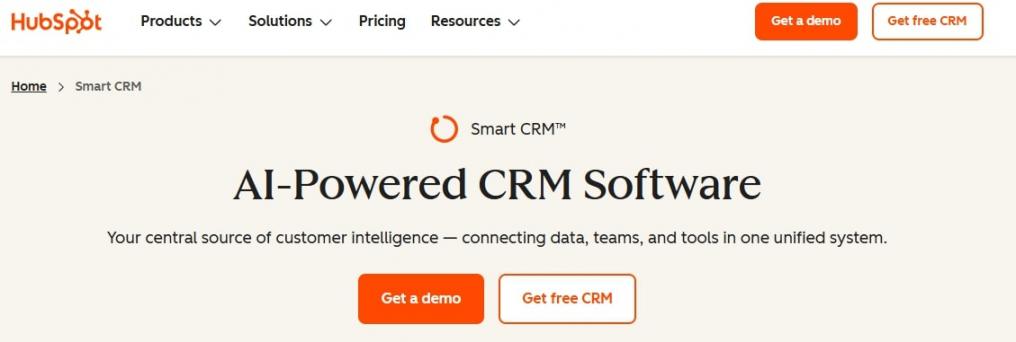
Image via HubSpot
HubSpot is the contact management software I’d recommend to most teams because of its free tier. Stores can add up to 1,000 contacts for two users. That solves the buyer’s problem, which is leaving a spreadsheet without committing a budget.
It’s the only contact management software on our list whose free contact database never expires. Paid tiers can support up to 15 million records without forcing a migration.
Key Features
- Activity Logging: Records emails, calls, meetings, and other sales activities.
- Contact Records: Keeps contact details, communication history, and activities together.
- Company Associations: Links contacts with their related companies and records.
- CRM Import: Lets teams import existing CRM data into HubSpot.
- Native integrations: Connects with Gmail, Outlook, and more than 2,000 apps.
Pros
- Offers a free plan with no time limit
- Records stay usable up to 15 million on paid plans
- Has a large integration ecosystem compared to other contact management software solutions
Cons
- Professional and Enterprise plans require onboarding fees, pegged at $1,500 and $3,500
- The free plan caps at two users only
- Paid plans use per-seat pricing, which can get expensive as teams grow
Pricing
- Free forever for 2 users and 1,000 contacts
- Starter: $20/month/seat, though a limited-time new-customer offer shows $10
- Professional: $50/month/seat
- Enterprise: $75/month/seat
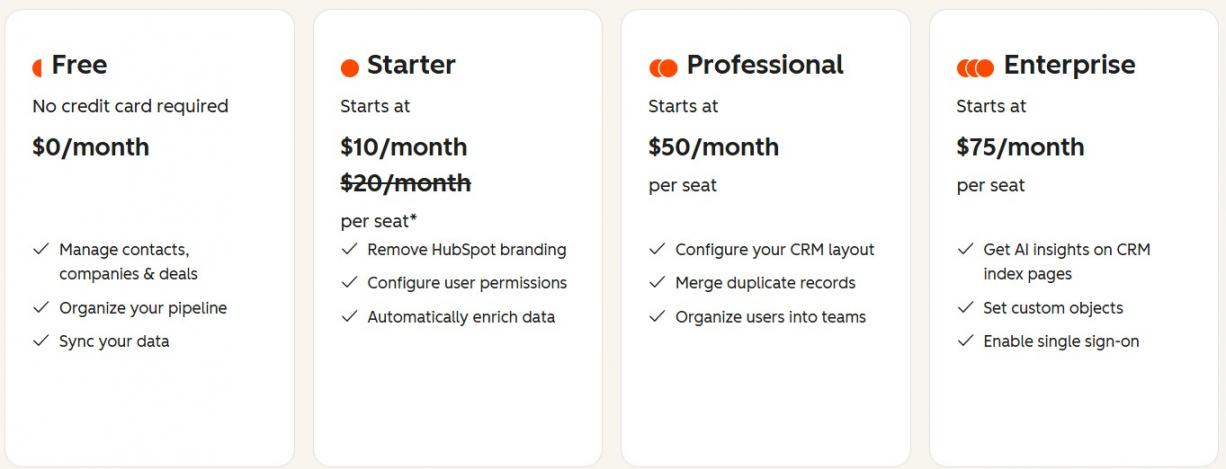
Image via HubSpot
Tool Level
- Solopreneurs through enterprise teams, with smaller teams fitting the free plan.
Usability
- Customer onboarding is straightforward, with complexity appearing only when you add workflows.
Pro Tip: Connect HubSpot and Zapier before importing, so new contacts can arrive tagged by source.
2. Zoho CRM
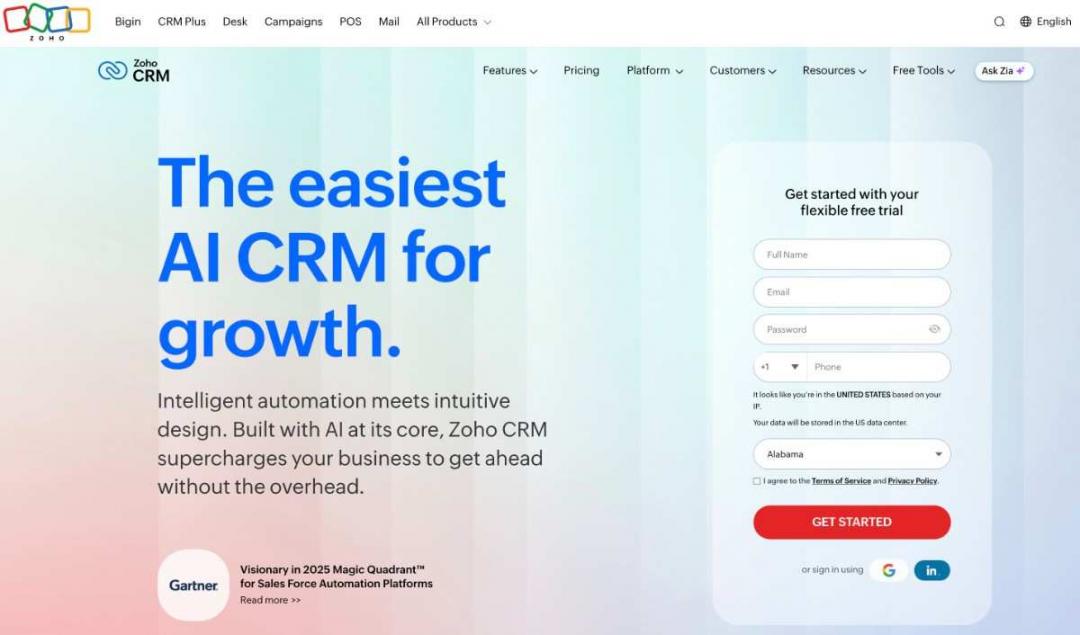
Image via Zoho
Zoho CRM is a contact management software option for small teams working with limited budgets. Its free edition supports three users and 5,000 records.
If you compare HubSpot vs Zoho free plan, the extra seat is a major difference. Zoho CRM supports several sales processes through customizable fields, layouts and modules. Teams can also connect Zoho CRM with other Zoho applications.
Key Features
- 360-Degree Contact View: Shows deals, accounts, activities, emails, notes and documents together.
- Contact Associations: Links contacts with accounts, deals, campaigns, invoices and other records.
- Interaction Tracking: Keeps emails, calls, meetings, tasks, and completed activities with each contact
- Lead Management: Attract leads, captures, qualifies, and tracks them through the sales process.
Pros
- Teams can manage up to 5,000 records on the free edition
- Connects with Zoho apps and other business applications
- Deep customization without developer help
Cons
- Capped at three users with limited integration for free users
- Custom contact setups can require considerable configuration time
- New users may need time to understand the platform and its setup
Pricing
- Free for three users and 5,000 records
- Standard: $20/user/month
- Professional: $35/user/month
- Enterprise: $50/user/month
- Ultimate: $65/user/month
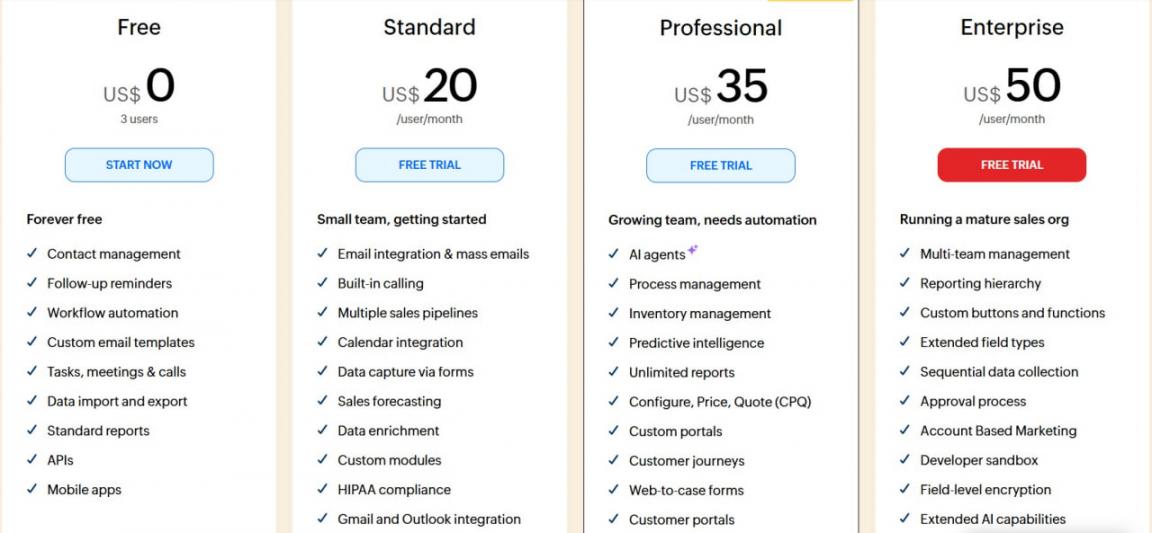
Image via Zoho
Tool Level
- Small business and mid-market — 3 to 50 people on a budget.
Usability
- Moderate learning curve that requires configuration time.
Pro Tip: Set unique fields for email addresses to prevent duplicate contacts during imports.
3. Pipedrive
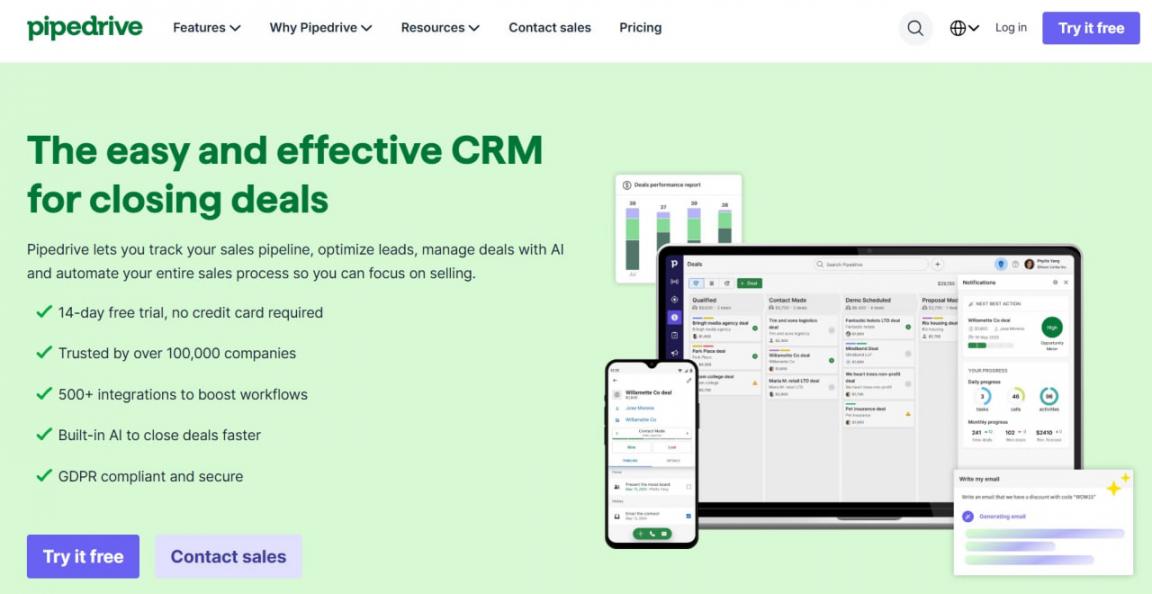
Image via Pipedrive
Pipedrive handles contact management as part of its sales pipeline management. It suits sales teams that manage contacts around active deals. Contacts exist to move deals forward, not to sit in a directory.
Teams can also add tools for lead generation, website visitors, projects, and campaigns. Between Pipedrive vs HubSpot and other contact management software, sales engagement is the distinguishing factor. Pipedrive centers contacts around active sales opportunities.
Key Features
- Deal-Linked Contacts: Connects people and organizations directly with deals.
- Visual Pipeline: Shows deals across stages in a drag-and-drop pipeline.
- Custom Fields: Lets teams add fields for the contact data they need.
- Add-On Modules: LeadBooster, Web Visitors, Projects, Campaigns for sales engagement
Pros
- The clearest pipeline view in this comparison
- Core sales information remains easy to find
- Easy customization for fields and views without complex technical work
Cons
- No free plan, only a 14-day trial
- Core capabilities sit behind add-ons, which add cost per month
- May not suit teams focused mainly on relationships
Pricing
- Lite: $24/seat/month
- Growth: $49/seat/month
- Premium: $79/seat/month
- Ultimate: $99/seat/month
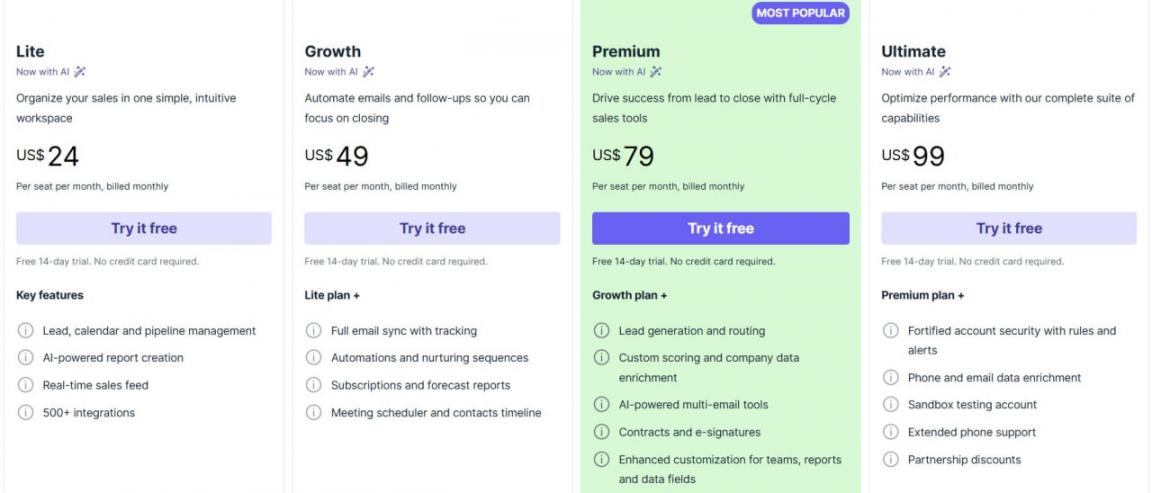
Image via Pipedrive
Tool Level
- SMB and mid-market sales teams with three to 50 representatives and active pipelines.
Usability
- Easy to navigate, especially for teams familiar with sales pipelines.
Pro Tip: Price the required add-ons first before choosing a plan, since LeadBooster and Campaigns can double the Lite plan cost.
4. Copper
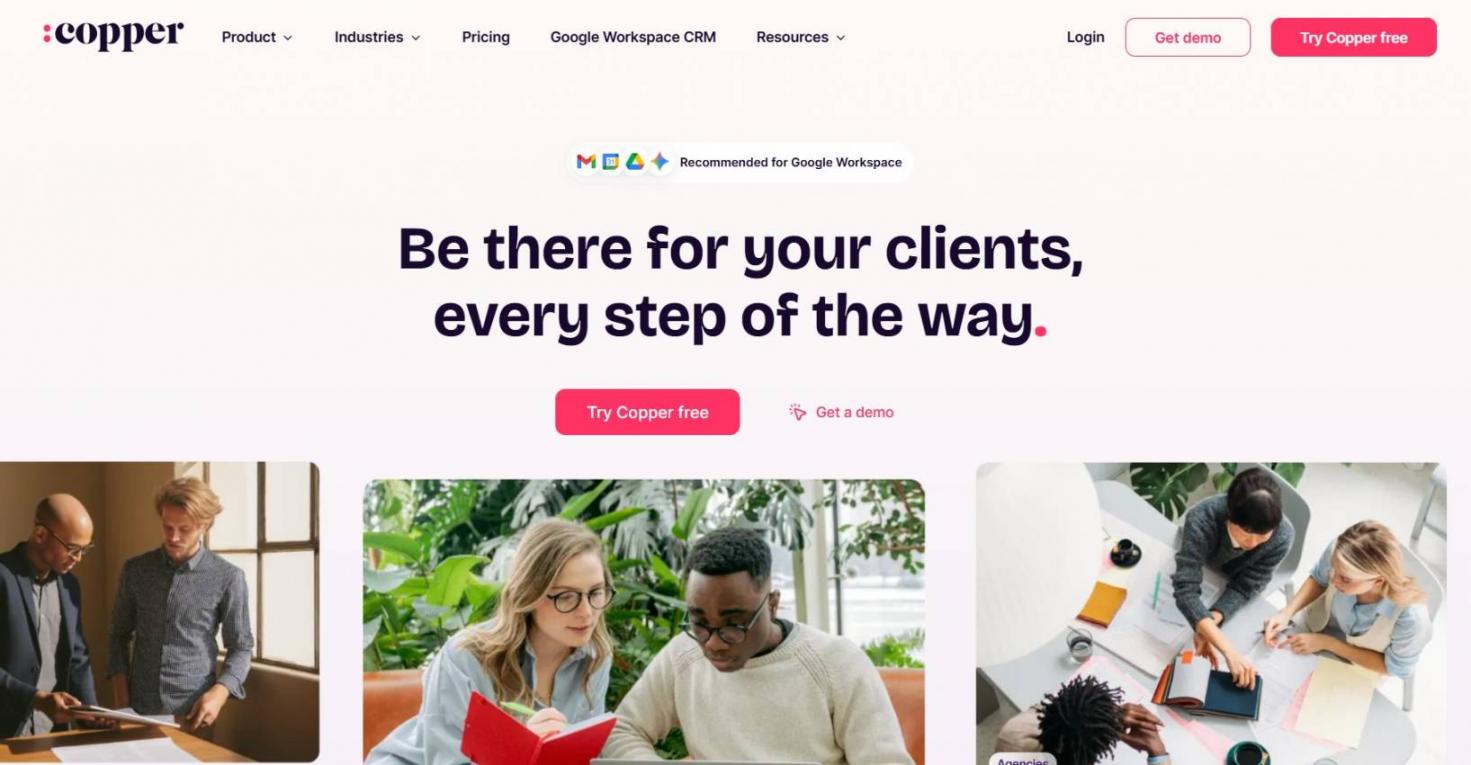
Image via Copper
Copper is contact management software built around Google Workspace. It connects with Gmail, Google Calendar, Google Contacts and Google Drive. That removes the tab-switching that tends to erode logging discipline.
Users can view contact details, activity history and related records without leaving Gmail. Google Calendar adds contact details and relationship history to scheduled events. Copper can also add contacts from calendar events and sync relevant activities.
Key Features
- Gmail and Google Calendar Integration: Add contacts and review their history inside Gmail and from Google Calendar.
- Google Contacts Sync: Sync contact information between Copper and Google Contacts.
- Activity Feed: Shows emails, calls, notes and other contact activities together.
- Contact Enrichment: Adds company information and other details to contact profiles.
Pros
- The tightest Google Workspace integration here
- Works alongside other CRM tools
- Can update several contact records at once with bulk editing
Cons
- No free plan, 14-day trial only, which is short for a migration
- Contact limits can force teams onto higher-priced plans as databases grow
- No native Microsoft 365 integration
Pricing
- Basic: $29/seat/month
- Professional: $69/seat/month
- Business: $134/seat/month
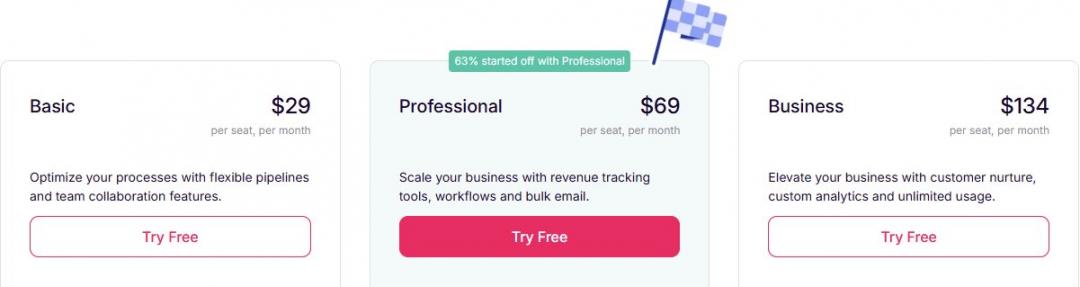
Image via Copper
Tool Level
- Small and mid-sized businesses, especially teams already using Google Workspace.
Usability
- Feels familiar and easy to set up if your team already works in Gmail and Google Calendar.
Pro Tip: Create a saved filter for contacts you have not reached recently, then use it for follow-ups.
5. Nimble
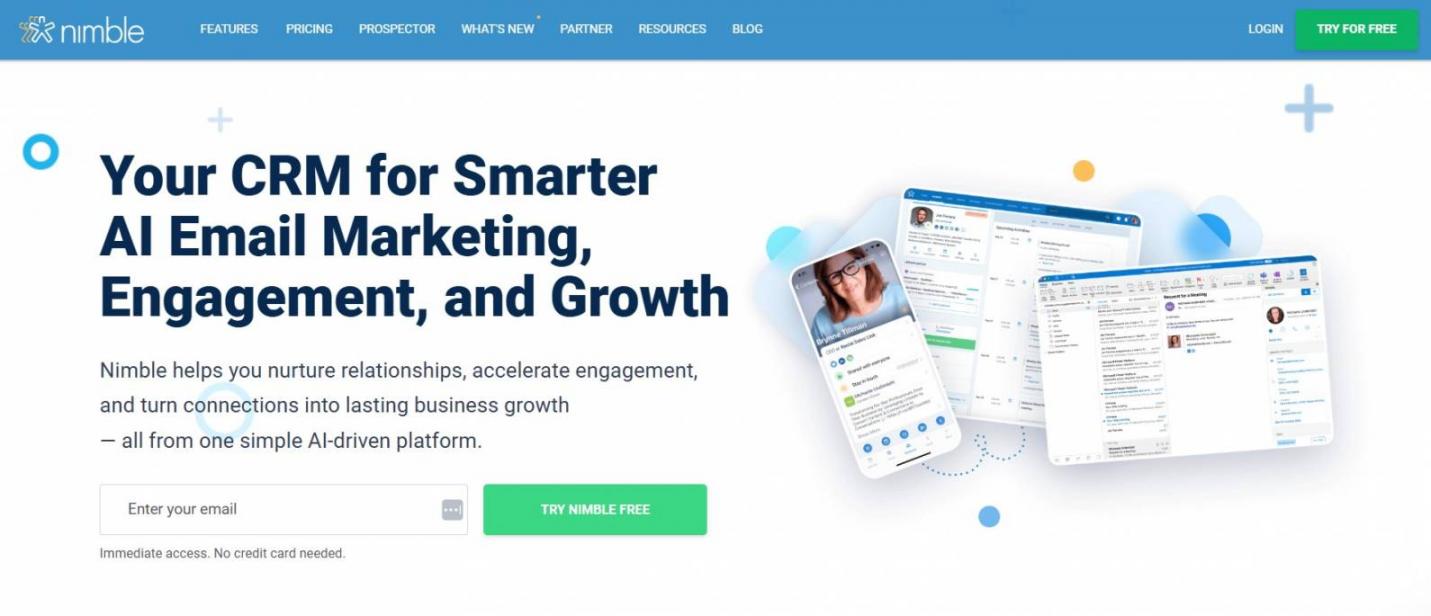
Image via Nimble
Nimble is the contact management software for people who sell through relationships. It enriches contact records with information from social networks and the wider web. You get useful background on a person without researching it yourself, and the whole thing runs on a single plan.
Nimble also works with Gmail and Outlook. You can manage contacts alongside emails, which separate email marketing tools would have been used for.
Key Features
- Social Profiles: Pulls available social information into individual contact records.
- Unified Inbox: Displays contact information and history alongside email conversations.
- Contact Search: Finds people using names, companies, tags and other contact details.
- Contact Enrichment: Adds social profiles, company details and other contact information.
Pros
- No tier puzzle, since everyone gets the same features
- Brings email, calendar and contact data into one workspace
- Enrichment tools reduce the time spent researching prospects
Cons
- No free plan, only a 14-day trial limited to five licenses
- Email marketing, web forms and enrichment cost extra
- One plan means no cheaper option if you need less features
Pricing
$29.90 per seat monthly, or $24.90 billed annually. Includes 25,000 records and 2GB storage per seat. Add-ons run $10 to $15 monthly.
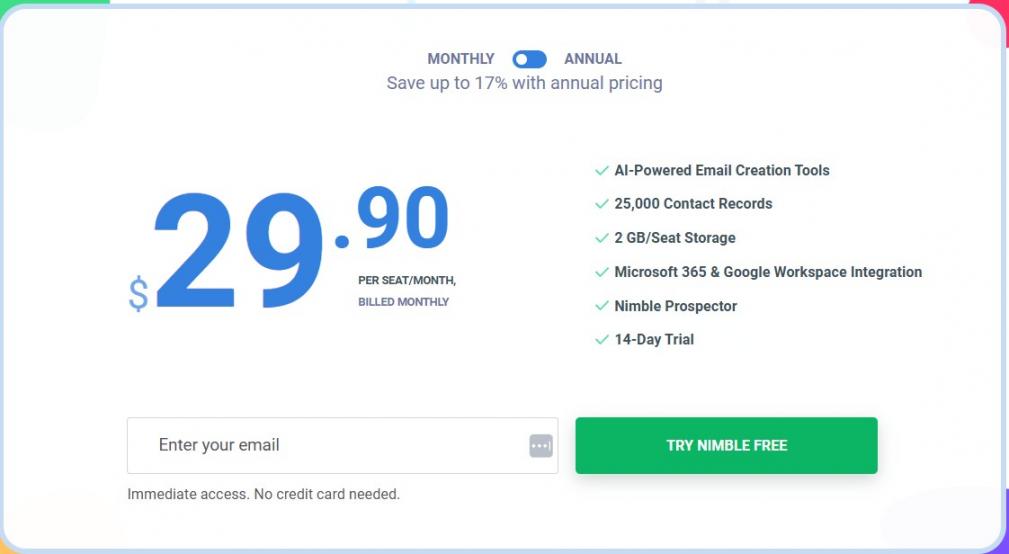
Image via Nimble
Tool Level
- Solopreneurs and small business teams that rely on relationship-based selling.
Usability
- Fairly simple to set up, but connecting email, calendars, and contact sync requires initial configuration.
Pro Tip: Pair enriched records with email tracking software so contact details and open rates sit on one record.
HubSpot focuses on broad CRM features, Zoho customization, Pipedrive sales pipelines, Copper Google Workspace, and Nimble relationship selling. The best contact management software depends on your team size, contact volume, and sales process.
FAQ
Q1. What is the best contact management software?
A. HubSpot is the best contact management software for teams of all sizes. Its free plan holds 1,000 contacts for two users and never expires. Zoho CRM is a better pick if you need three free users and up to 5,000 records. Pipedrive, Copper, and Nimble suit more specific needs and do not offer free plans.
Q2. What is the difference between a CRM and contact management software?
A. Contact management software stores people, companies, and your conversation history with them. A CRM adds deal pipelines, forecasting, and revenue reporting. The practical test is what you’re tracking: relationships point to contact management, money points to a CRM. Most vendors now sell both inside one product and gate the difference behind pricing.
Q3. What do you mean by contact management?
A. Contact management is the practice of recording who you do business with, plus every interaction you’ve had, in one place your team can search. It covers storing, updating, and retrieving that information reliably over time. The software is simply what makes the practice repeatable once more than one person is involved.
Q4. What are the 4 types of CRM?
A. The four commonly cited types of CRM are operational, analytical, collaborative, and strategic. Operational handles day-to-day sales and service tasks. Analytical models store data for segmentation and forecasting. Collaborative shares customer context across departments and with partners. Strategic organizes the whole business around long-term relationships rather than individual transactions.
Q5. Is there a genuinely free contact management software?
A. Yes. Of the five contact management software solutions I verified in August 2026, only two offer free plans. HubSpot gives two users and 1,000 contacts with no expiry. Zoho CRM gives three users and 5,000 records.
Q6. What is the best contact management software for a small business?
A. HubSpot and Zoho CRM are good options because they both offer free plans. HubSpot suits one or two users, while Zoho supports three users on its free plan.
Q7. Can I use contact management software just for myself?
A. Yes. You can use contact management software without needing a team. HubSpot offers a free plan for one person, while Nimble suits relationship-based selling. Team features like ownership and handoffs only matter when others use the system.
Q8. Does contact management software work for a nonprofit?
A. Yes, and it can suit nonprofits well because they manage donors, volunteers, and partners. A free plan may cover a small organization without adding software costs. Check for nonprofit pricing before paying, as some vendors offer discounted plans.
Final Thoughts
The right contact management software depends on your team, contacts, budget, and daily workflow.
HubSpot suits teams that want a strong free option with room to grow. Zoho CRM works well for small teams that need more customization. Pipedrive fits sales teams that manage contacts around active deals.
Copper suits businesses that rely on Google Workspace. Nimble is a strong option for relationship-focused sales teams.
Compare contact limits, pricing, integrations, and key features before making your choice. Start with the option that fits your current needs and expected growth.
Ready to organize your contacts? Try HubSpot free CRM tool and see whether that tier covers you.
Disclaimer: This content contains some affiliate links for which we will earn a commission (at no additional cost to you). This is to ensure that we can keep creating free content for you.