- Notes only save you time if they end up in your CRM or task list, so check that first
- Some guests get uneasy when a bot joins the call, so think about who you’re meeting
- Look at the plan limits before you commit, since a cheap plan can get pricey once you hit its caps
- Even if the tool announces itself, it’s still on you to get consent
The best AI meeting notes tools are HubSpot’s AI Meeting Notetaker, Granola, Otter.ai, Fireflies.ai, and Fathom. If your team uses HubSpot, Notetaker adds each call’s notes to the matching CRM record. That means there’s nothing to copy over.
Recaps and next steps are usually the first things to slip after back-to-back calls. A good AI meeting notes tool writes both for you. But every plan has limits, like transcription minutes, storage, or daily meeting caps.
So start with where you meet and where your AI meeting notes need to go. You’ll find each tool’s pricing below, plus a guide to using AI to take meeting notes.
Disclaimer: This content contains some affiliate links for which we will earn a commission (at no additional cost to you). This is to ensure that we can keep creating free content for you.
Table of Contents
How Did We Pick the Best AI Meeting Notes Tools?
We picked them based on where notes go, how they record, plan limits, and consent settings. Every price and feature comes from each vendor’s own pricing page and help docs. Here’s what we looked at under each one:
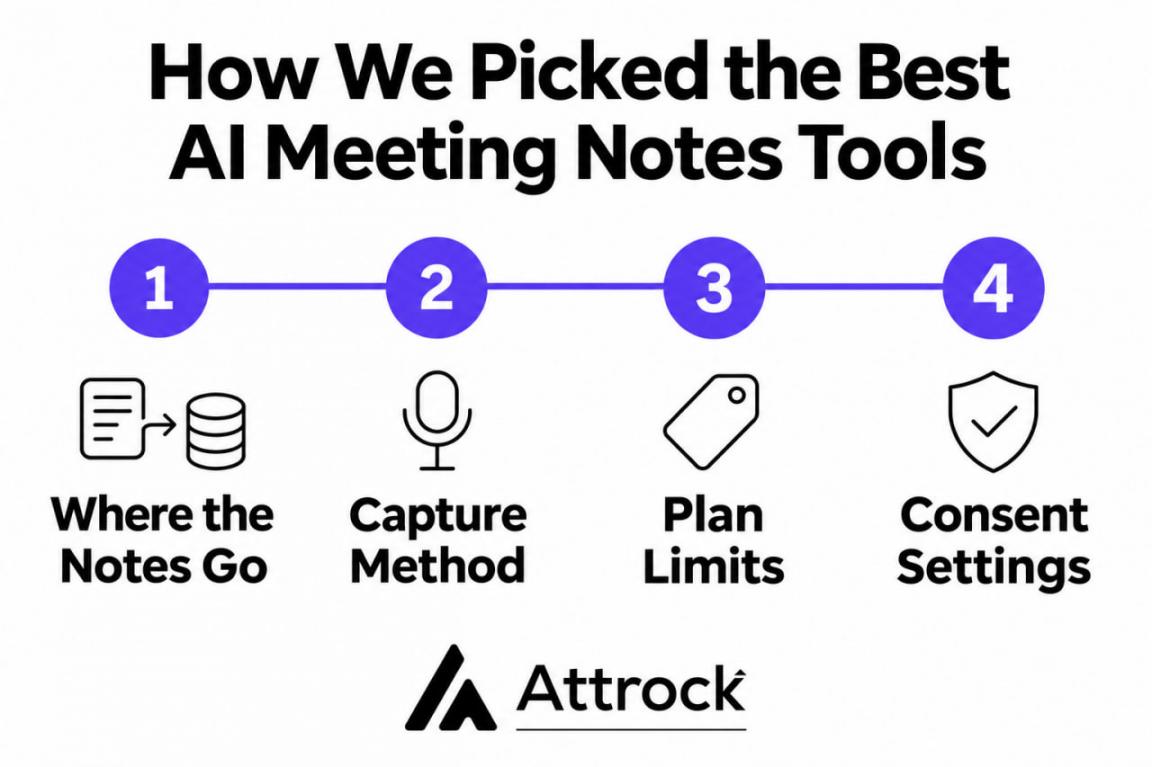
- Where the Notes Go: We checked if each tool’s AI meeting notes reach your CRM or popular CRM tools for small businesses.
- Capture Method: Some tools add a visible bot to the call, while others record device audio.
- Plan Limits: We compared monthly list prices and what each plan caps.
- Consent Settings: We checked for recording announcements, consent prompts, and AI training opt-outs.
Where your AI meeting notes go after the call matters most. A clean transcript won’t save much time if someone still has to file the action items by hand. So check that first, then compare the capture method, plan limits, and consent settings.
What Are the 5 Best AI Meeting Notes Tools?
Our five picks are HubSpot’s AI Meeting Notetaker, Granola, Otter.ai, Fireflies.ai, and Fathom. Each of these AI meeting notes tools suits a different kind of team. So it helps to see them side by side first:
| Tool | Best For | Capture Method | Starting Price (Monthly) | G2 Rating |
|---|---|---|---|---|
| HubSpot AI Meeting Notetaker | Logging call notes on CRM records | Bot joins the call | $20/seat (Sales Hub Starter) | 4.4/5 (14,397 reviews) (Sales Hub) |
| Granola | Bot-free notes on your own device | Device audio, no bot | $14/user (Business) | 4.6/5 (197 reviews) |
| Otter.ai | Live transcripts during calls | Bot, or bot-free desktop app | $16.99/user (Pro) | 4.4/5 (550 reviews) |
| Fireflies.ai | A searchable team archive | Bot, or bot-free desktop app | $18/seat (Pro) | 4.7/5 (756 reviews) |
| Fathom | Call clips and highlight playlists | Bot, or bot-free (beta) | $20/user (Premium) | 5.0/5 (7,168 reviews) |
Prices are monthly list rates from each vendor’s site. Ratings are from G2, checked November 16, 2026.
1. HubSpot AI Meeting Notetaker
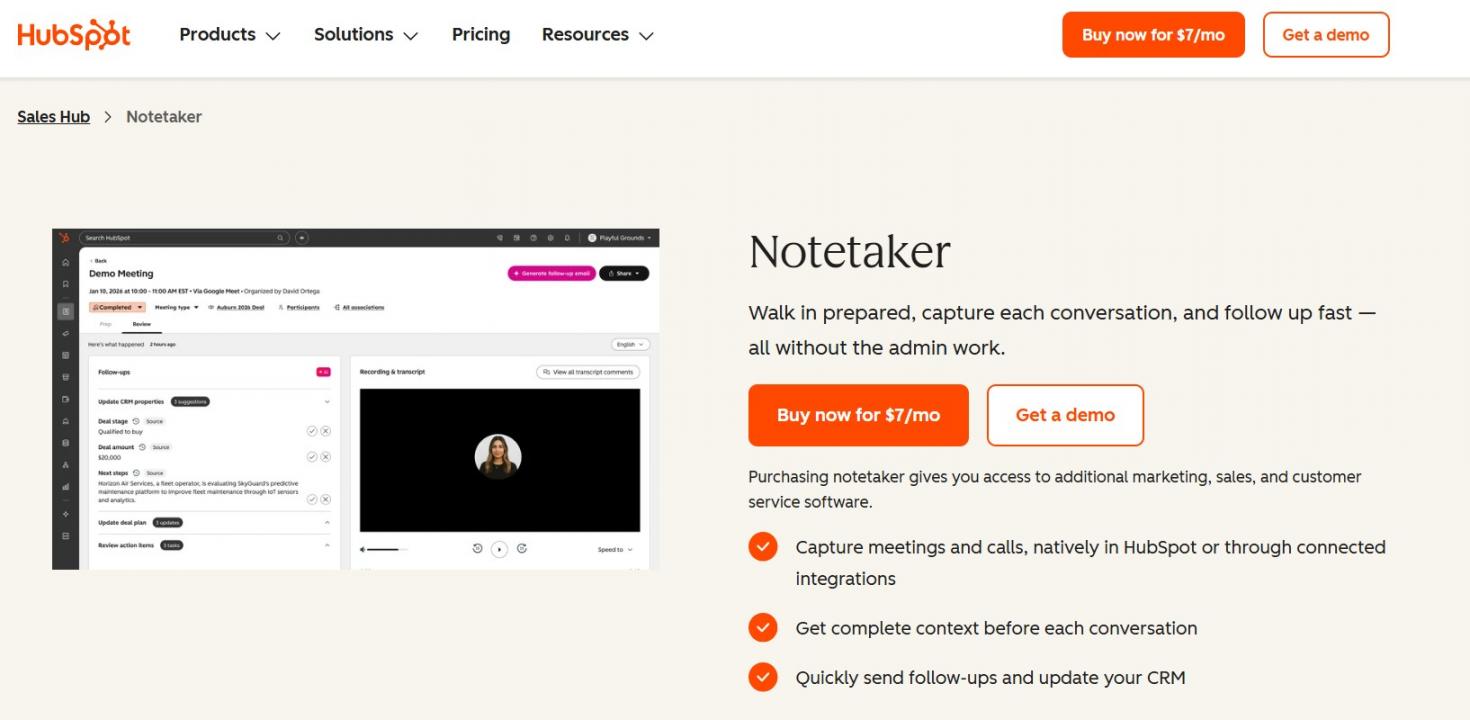
Image via HubSpot
HubSpot’s AI Meeting Notetaker comes with Sales Hub and target=”_blank” rel=”nofollow noopener” Service Hub, starting on Starter. A bot joins your Zoom, Google Meet, or Teams call and announces itself by voice or chat. Afterward, the AI saves meeting notes to a meeting record tied to your CRM.
Key Features
- Meeting Prep: Pulls deal stage, past activity, and buyer context together before the call
- Property Suggestions: Recommends CRM field updates, which a rep approves before they’re saved
- Consent Emails: An optional setting that skips recording unless every guest agrees by email
Pros
- Reps don’t have to copy AI meeting notes from another app into the CRM
- Managers can review calls beside the deal data they use for sales forecasting
- Guests always know when a call is being recorded
Cons
- Only available to HubSpot customers
- Zoom hosts have to turn on local recording first
Pricing
- Sales Hub Starter: $20/seat/month
- Sales Hub Professional: $100/seat/month, plus $1,500 for onboarding
- Sales Hub Enterprise: $150/seat/month, plus $3,500 for onboarding
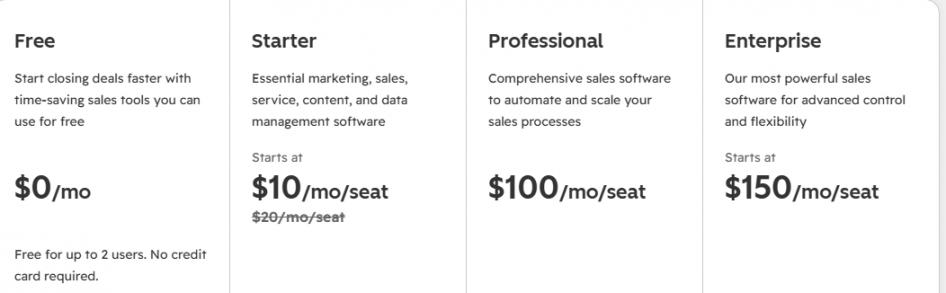
Image via HubSpot
Tool Level
- It's a mid-to-advanced tool for teams already using HubSpot as their CRM for lead management.
Usability
- It’s easy to use once a Super Admin turns it on.
Pro Tip: Consent is still your job, even with the bot’s announcement. If you turn on consent emails, send invites early, since a guest who never replies means no recording.
2. Granola
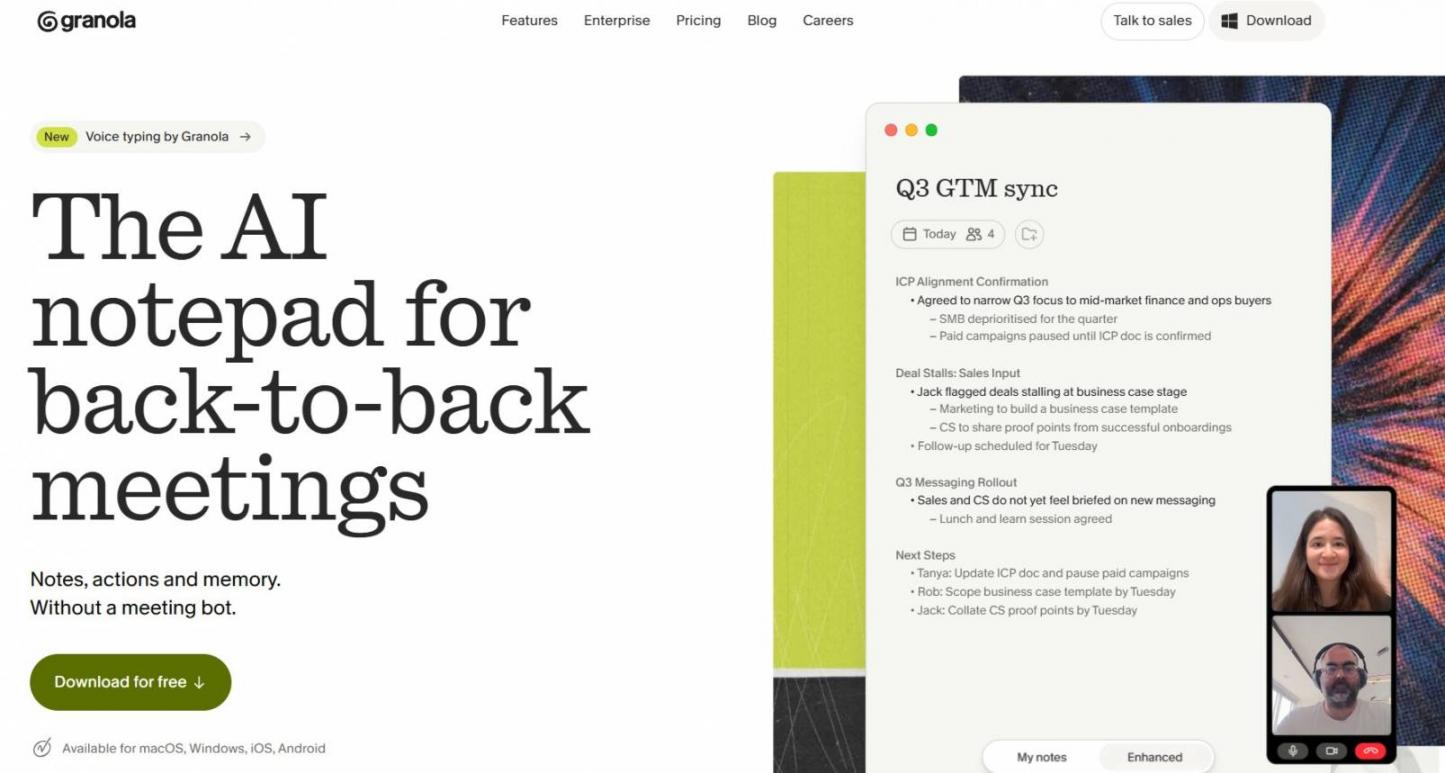
Image via Granola
Granola works more like a notepad than a recorder. You type rough notes during the call while it transcribes your device audio in the background. Then it fills gaps from the transcript, so the AI meeting notes follow what you flagged.
Key Features
- Recipes: Saved prompts that turn any note into a follow-up email, PRD, or coaching feedback
- HubSpot Sync: Pushes a finished note to the matching HubSpot contact record on Business plans
- Meeting Briefs: Sends a pre-meeting brief and a drafted follow-up, starting on the Business plan
Pros
- Clients won’t see a bot or hear a recording notice
- Your notes follow the points you thought mattered
- The iOS and Android apps capture in-person meetings too
Cons
- No audio recordings to play back
- It can’t capture a call you don’t join
- HubSpot sync sends one note at a time
Pricing
- Basic: Free
- Business: $14/user/month
- Enterprise: $35/user/month
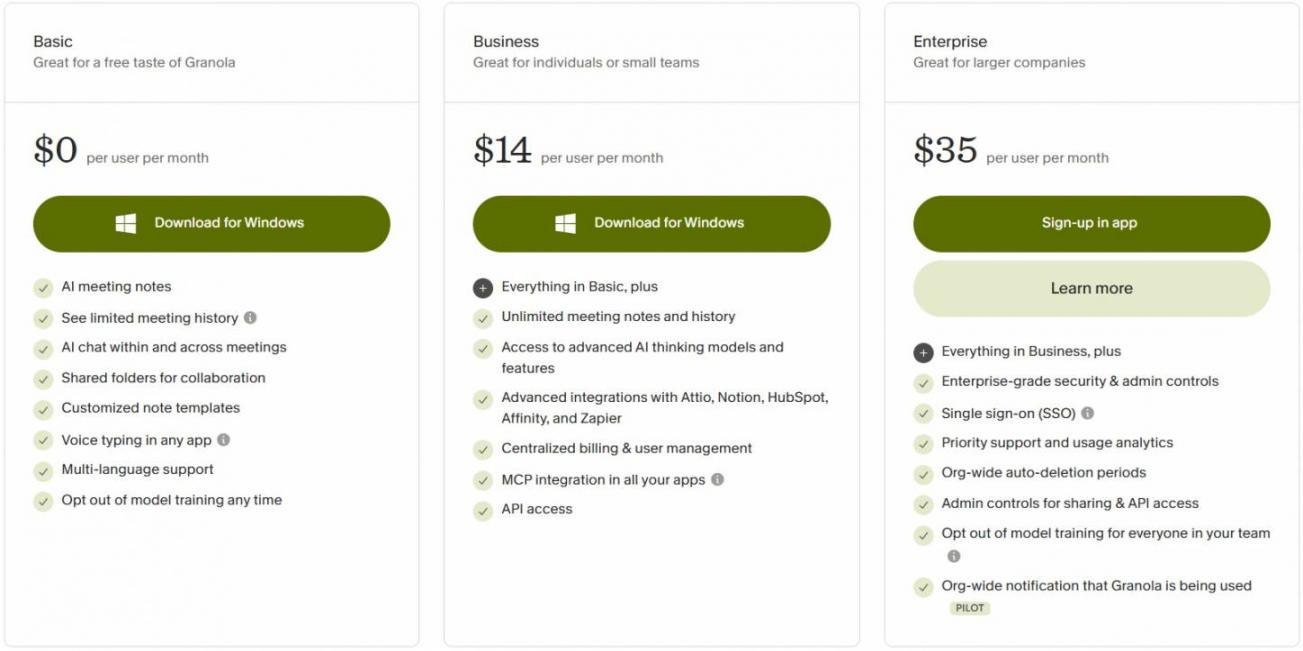
Image via Granola
Tool Level
- It’s a lightweight AI meeting notes app for solo users and small teams.
Usability
- It’s easy to use, since there’s no bot to set up.
Pro Tip: Type a few rough words whenever something important comes up. Granola builds the summary around what you flagged.
3. Otter.ai
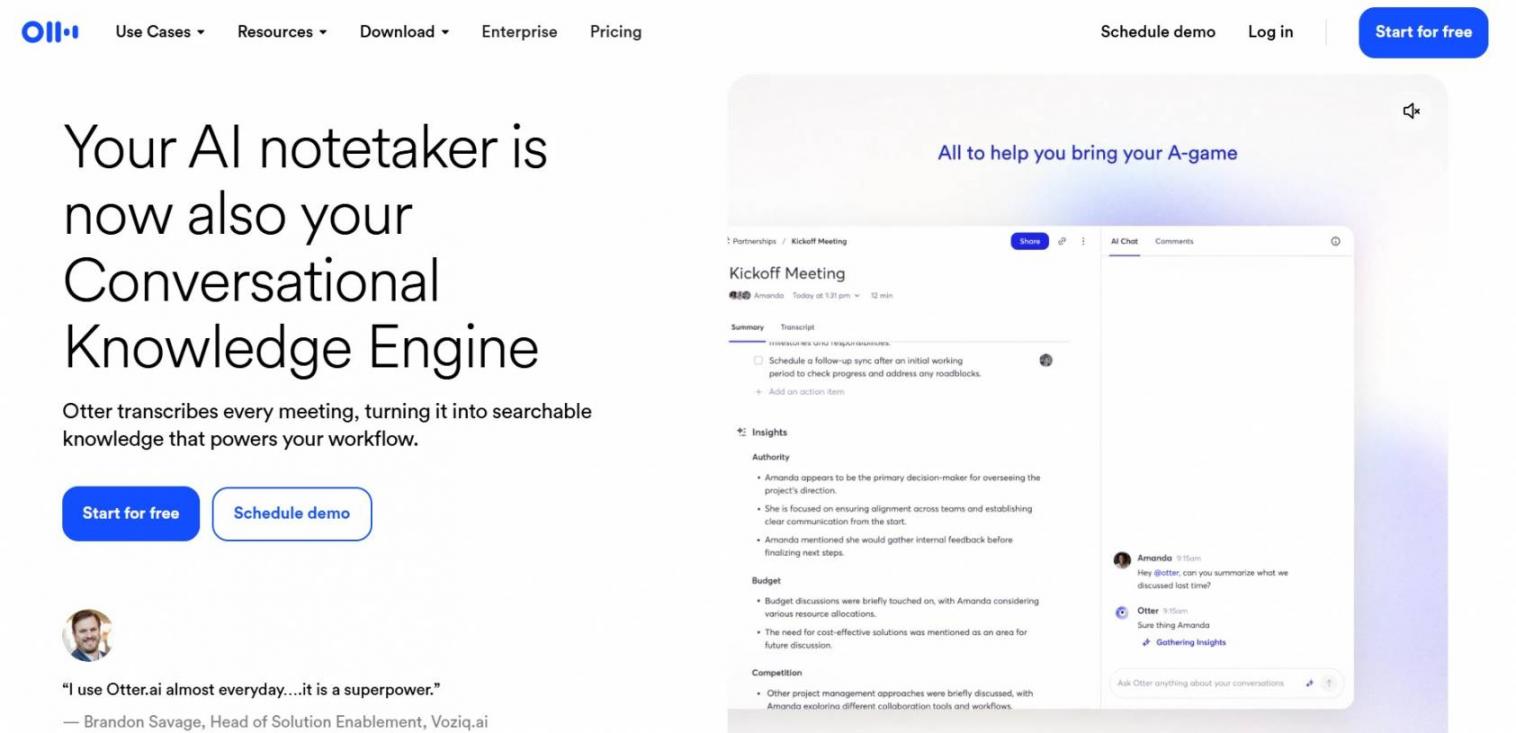
Image via Otter.ai
Otter.ai shows the transcript on screen while people are still talking. So if you miss a number or a name, you can scroll back without interrupting. That makes it a handy AI meeting note-taker for long, detail-heavy calls.
Key Features
- Otter AI Chat: Answers questions across your meeting history, with speaker names and timestamps
- Bot-Free Capture: Records through the desktop or mobile app when you’d rather skip the bot
- CRM Sync: Sends call notes to Salesforce or HubSpot on Business and Enterprise plans
Pros
- You can catch up mid-call without asking anyone to repeat themselves
- Speaker labels make it easy to see who said what
- The mobile app covers in-person meetings too
Cons
- Basic and Pro cap your monthly transcription minutes
- Pro limits each conversation to 90 minutes
- Business plan CRM sync covers up to five users
Pricing
- Basic: Free
- Pro: $16.99/user/month
- Business: $30/user/month
- Enterprise: Custom pricing
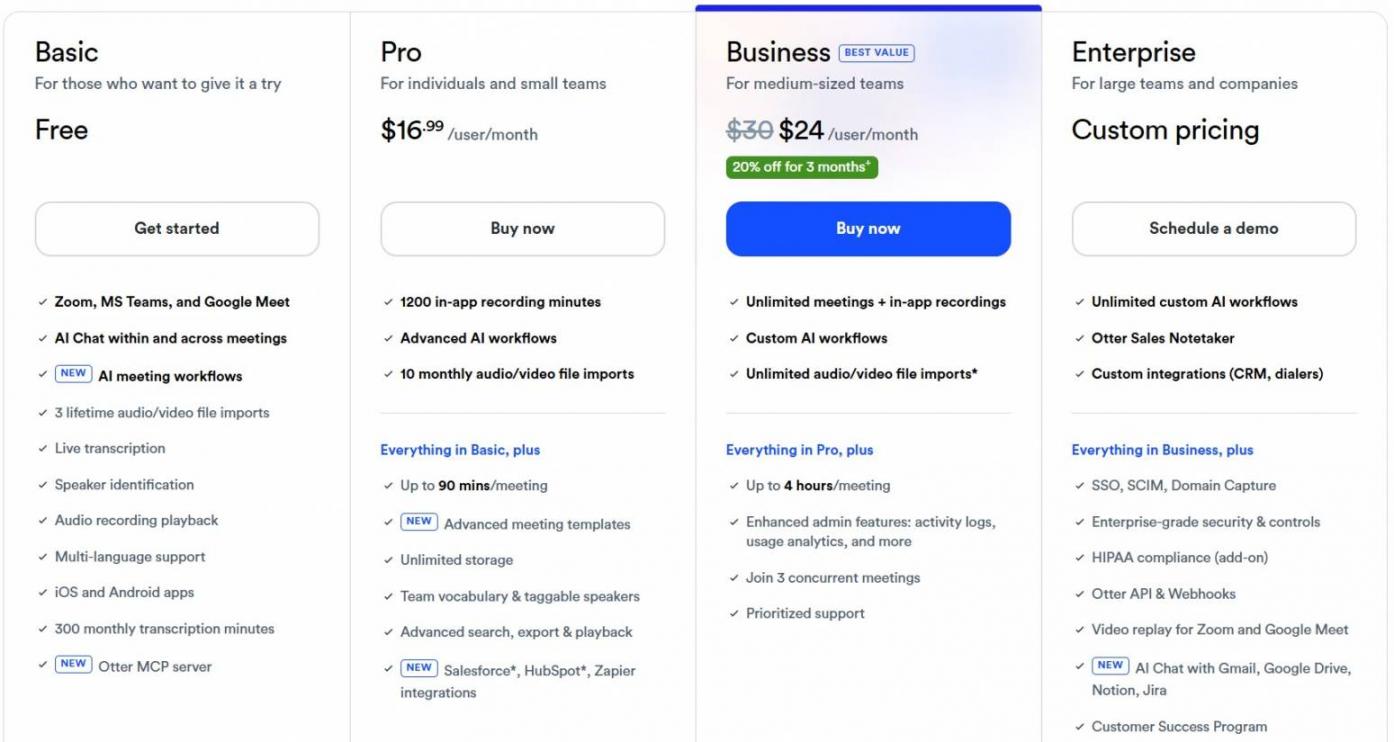
Image via Otter.ai
Tool Level
- It’s a mid-level tool for individuals and small teams with heavy call loads.
Usability
- It’s easy to set up and use from your first call.
Pro Tip: Count your monthly call minutes before picking a plan. Pro’s 1,200 minutes equal 20 hours, which a busy rep can use up fast.
4. Fireflies.ai
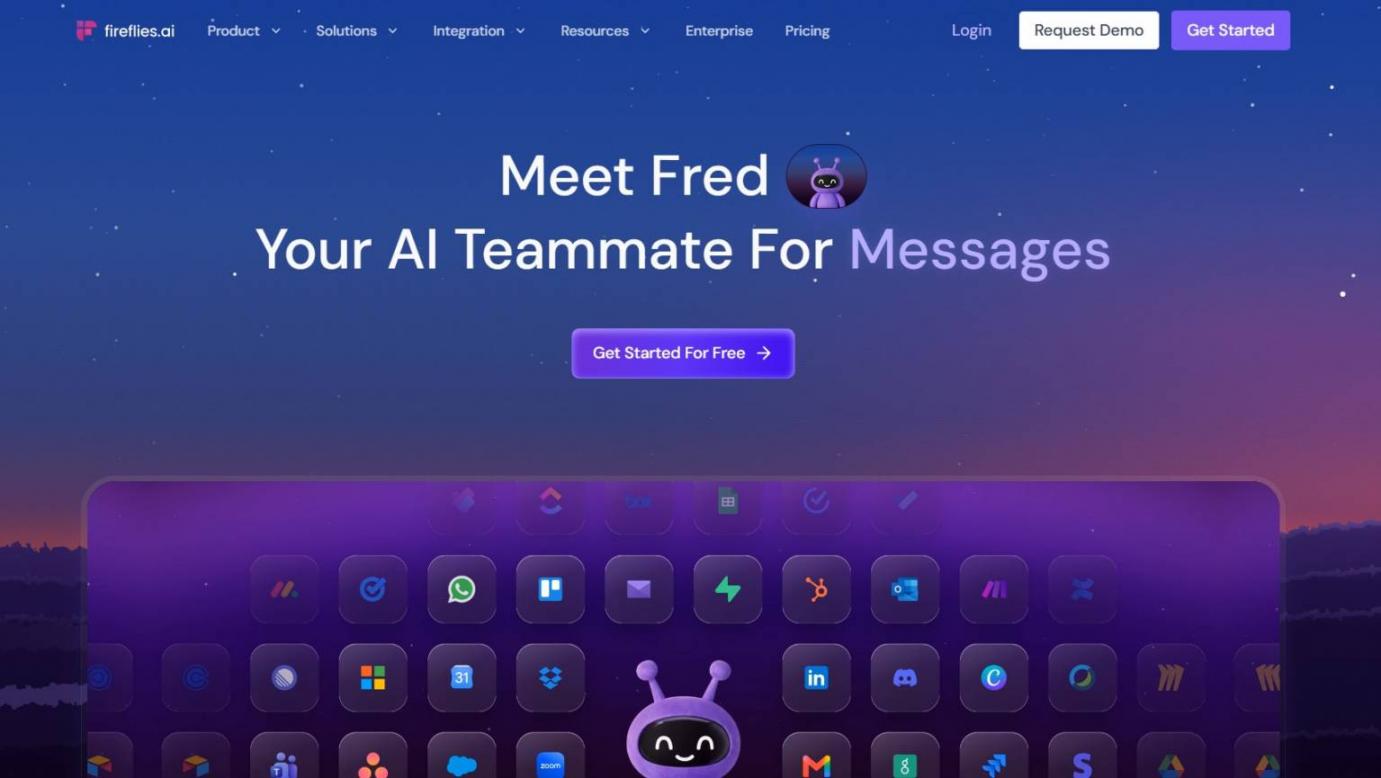
Image via Fireflies.ai
Fireflies.ai turns every call’s AI meeting notes into one searchable library for your team. Ask its assistant (AskFred) what a client said months ago, and it pulls the answer. As AI meeting notes software, it suits teams that share one call history.
Key Features
- AI Skills: Offers 200+ automations that update your CRM, draft follow-ups, or create tasks
- Bot-Free Options: Records through the desktop app or Chrome extension when a bot won’t fit
- Conversation Intelligence: Tracks talk time, sentiment, and topics across your team on Business plans
Pros
- New hires can review past client calls on their own, which helps employee productivity
- Multilingual teams can transcribe in more than 100 languages
- Business removes storage caps, so old calls never need deleting
Cons
- Pro and Business start with only 20 or 30 AI credits
- Pro caps each recording at two hours
- Enterprise is billed annually only
Pricing
- Free: $0
- Pro: $18/seat/month
- Business: $29/seat/month
- Enterprise: $39/seat/month, billed annually
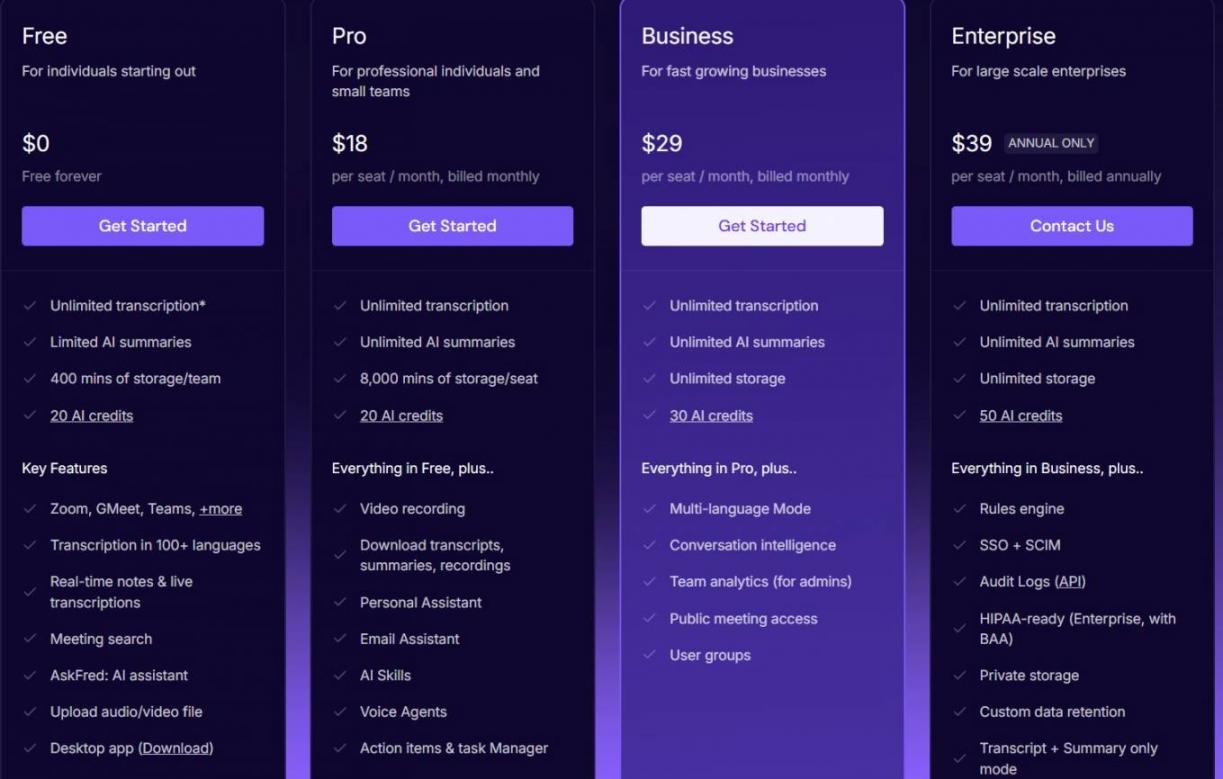
Image via Fireflies.ai
Tool Level
- It’s a mid-to-advanced tool for growing sales and remote teams that share call notes.
Usability
- It’s easy to use once the bot has calendar access.
Pro Tip: Budget AI credits before you roll out AI Skills. Credits are shared team-wide, and extra packs cost more.
5. Fathom
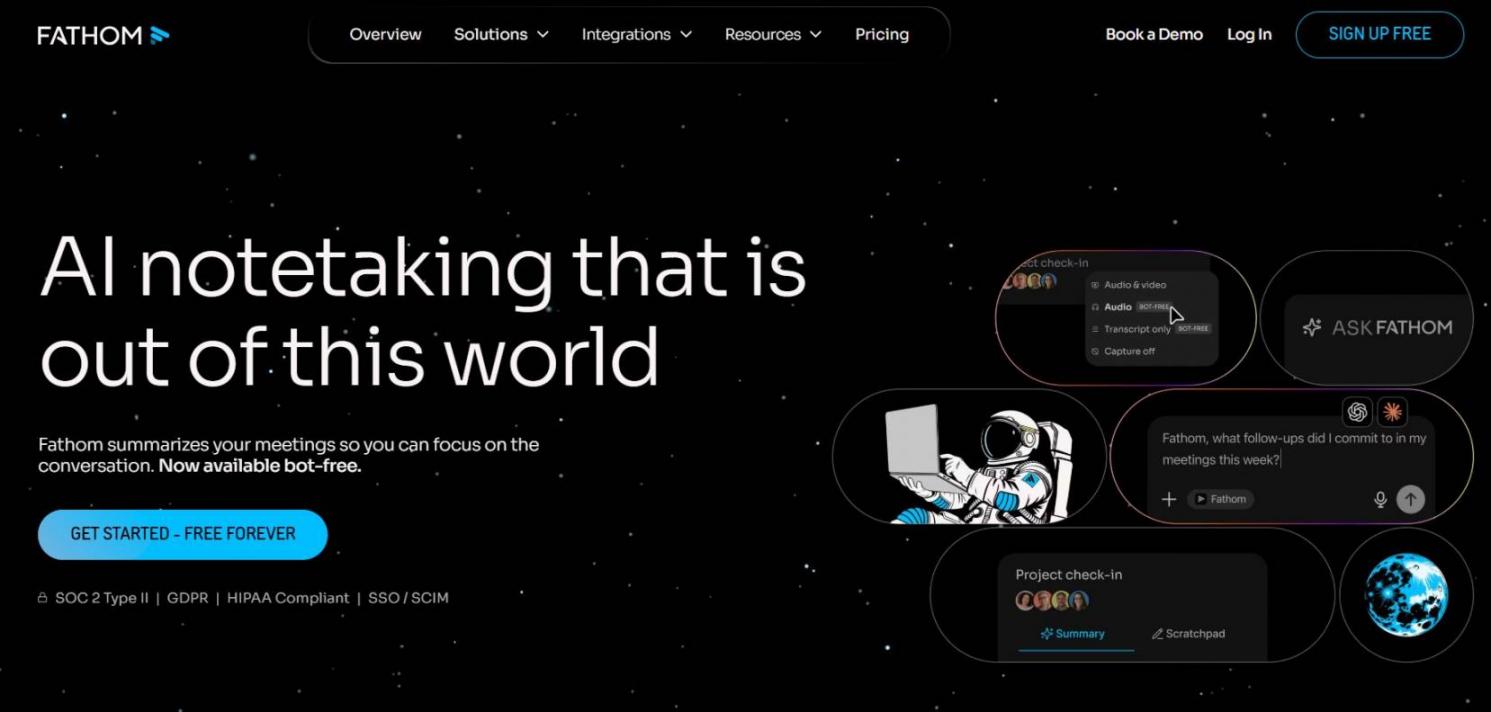
Image via Fathom
Fathom makes it easy to share the exact moment a client said something. You can clip part of a call and add it to a playlist for your team. And you can get AI meeting notes for free, since the free plan records unlimited calls.
Key Features
- CRM Field Sync: Updates Salesforce or HubSpot records on Business, so CRM automation tools get up-to-date data
- Deal View: Summarizes every call on a deal in one place, also on Business
- Ask Fathom: Answers questions about your calls, with a team-wide search starting on Team plans
Pros
- Works across Zoom, Google Meet, Teams, and Slack huddles
- Every paid plan comes with a 90-day money-back guarantee
- Team plans include HIPAA compliance with a standard BAA
Cons
- Team and Business plans need at least two users
- Bot-free recording is still in beta
- Enterprise is billed annually only
Pricing
- Individuals:
- Free: $0
- Premium: $20/user/month
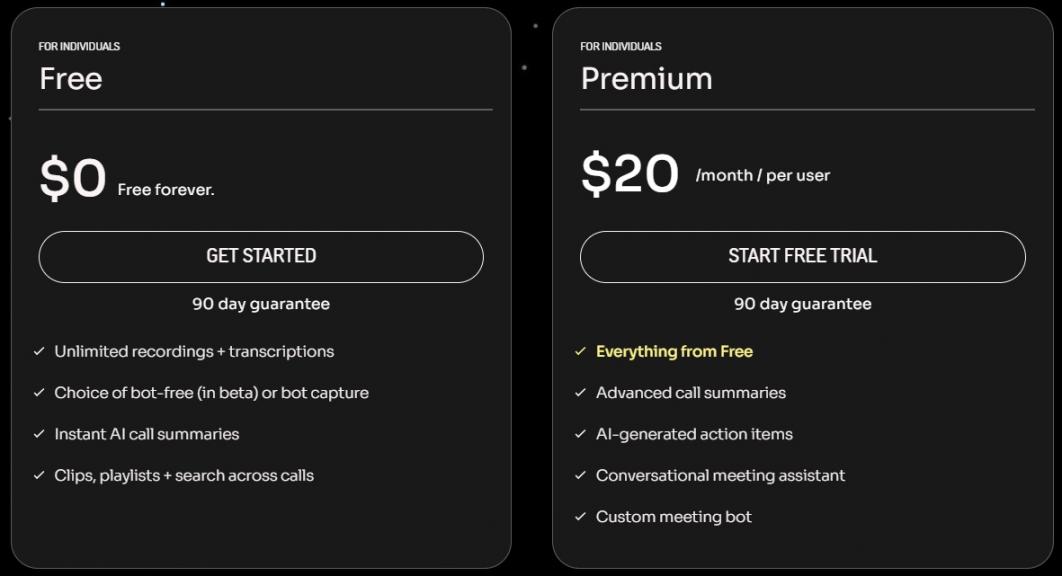
Image via Fathom
- Teams:
- Team: $19/user/month, two-user minimum
- Business: $34/user/month, two-user minimum
- Enterprise: $35/user/month, billed annually
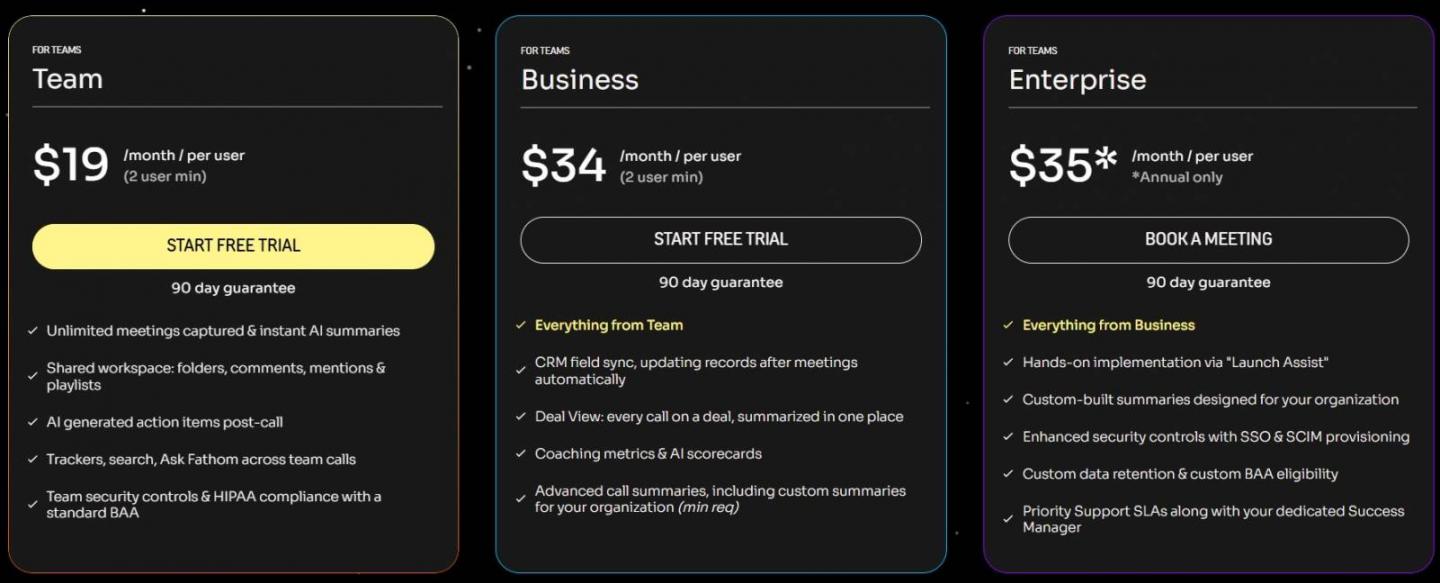
Image via Fathom
Tool Level
- It’s a beginner-friendly tool that scales to sales and customer success teams.
Usability
- It’s easy to use, with summaries ready as soon as calls end.
Pro Tip: If CRM sync matters, test Business on live deals during the 90-day guarantee window.
It depends. HubSpot’s AI Meeting Notetaker fits teams that want call notes on their CRM records. Granola suits bot-free calls, and Otter.ai suits live transcripts. Fireflies.ai and Fathom work well for searchable archives and shareable clips.
How to Use AI to Take Meeting Notes
Connect an AI notetaker to your calendar, tell guests it’s on, and check its notes. If you manage a remote team, these notes often become the only record of a decision. Here’s how to set it up:
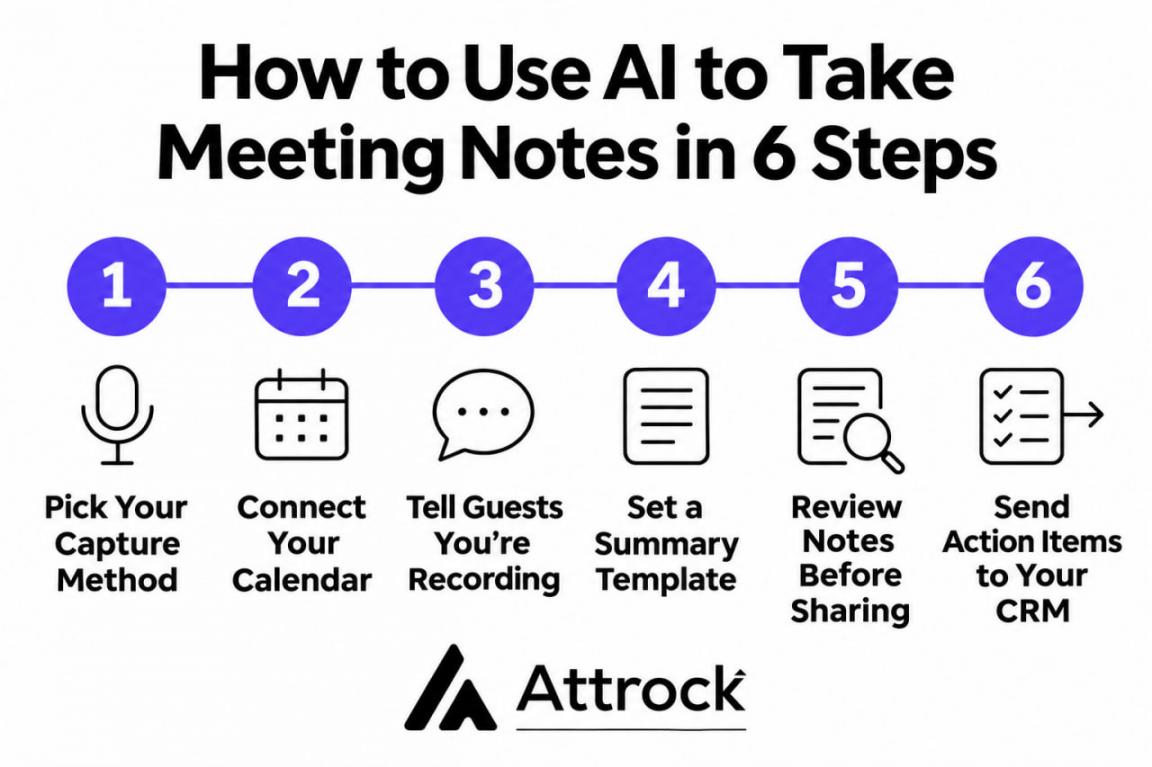
- Pick Your Capture Method: Before you set up any meeting notes with AI, decide between a bot and device audio. A bot shows guests the call is recorded, while device audio suits sensitive calls.
- Connect Your Calendar: Most notetakers start recording from your calendar invites. So connect your calendar first, including any Calendly alternatives your team books with.
- Tell Guests You’re Recording: Recording laws vary by state and country, so say upfront that a notetaker is on. HubSpot can also email guests for consent before the call starts.
- Set a Summary Template: Pick a template that fits the call type, like discovery or a weekly check-in. Then your AI meeting notes pull out the same details, such as budget and next steps.
- Review Notes Before Sharing: Using AI for meeting notes still needs a quick human check. AI can mishear names and numbers, so fix those before the recap goes out.
- Send Action Items Where Work Happens: Push tasks into your CRM or project tool instead of leaving them in email. Teams comparing HubSpot vs. Salesforce should check which CRMs their note-taker syncs with.
Reviewing AI meeting notes before you share them is very important. One misheard number in a client recap can undo the time the tool saved.
FAQ
Q1. What is the best AI for meeting notes?
A. The best AI for meeting notes depends on where you need the notes to go. HubSpot’s AI Meeting Notetaker suits teams that want notes on CRM records. Granola suits bot-free calls, and Fireflies.ai suits shared team archives.
Q2. Are AI note takers legal?
A. Yes, as long as you follow the recording laws in each participant's location. Some places require consent from everyone on the call. So announce the note-taker upfront and check local rules for regulated calls.
Q3. Can Zoom or Google Meet take meeting notes on their own?
A. Yes, both have built-in AI note-taking on eligible paid plans. Google Meet’s “Take notes for me” saves notes to a Google Doc. Zoom’s AI Companion sends summaries to your inbox. A dedicated tool helps when notes need to reach your CRM.
Q4. How accurate are AI meeting notes?
A. AI meeting notes are accurate enough to save time, but they still need a quick review. Names and numbers are where errors usually show up. So have someone who attended check the recap before it goes out.
Q5. Is a free AI meeting notes taker enough for a sales team?
A. Usually not, especially if your notes need to reach your CRM. Free tiers cap minutes, storage, or history, and CRM sync needs a paid plan. HubSpot’s Notetaker starts at $20/seat/month on Sales Hub Starter and logs notes on CRM records.
Q6. Can AI take notes in in-person meetings?
A. Yes, several tools record in-person meetings through a phone app. Granola, Otter.ai, and Fireflies.ai all offer iOS and Android apps for this. Fathom also lists in-person meetings among the calls it captures.
Q7. Does HubSpot have an AI meeting notes taker?
A. Yes, HubSpot’s Notetaker comes with Sales Hub and Service Hub, starting on Starter. Its bot joins Zoom, Google Meet, and Teams calls. Afterward, it adds the recording, transcript, summary, and action items to the meeting record.
Q8. Can HubSpot’s Notetaker update CRM records automatically?
A. It suggests CRM property updates, and a rep reviews them before they’re saved. That keeps a person in charge of what changes on a deal. The summary and action items still attach to the record on their own.
Which AI Meeting Notes Tool Should You Choose?
The right AI meeting notes tool depends on how your team handles calls and follow-ups. If you use HubSpot, its AI Meeting Notetaker keeps meeting notes connected to your CRM. Granola is a good choice if you prefer bot-free recording, while Otter.ai, Fireflies.ai and Fathom offer options for transcripts, searchable records and shareable clips.
Whichever tool you choose, review AI-generated notes before using them for client follow-ups. Accurate notes help your team keep conversations on track and build stronger customer relationships.
Looking to turn more prospects into sales conversations? Explore Attrock's lead generation services to attract qualified leads and build a stronger sales pipeline.
HubSpot's AI Meeting Notetaker is available with Sales Hub and Service Hub Starter, Professional and Enterprise plans, subject to seat requirements. You can explore HubSpot's Notetaker to see if it fits your team's workflow.
Disclaimer: This content contains some affiliate links for which we will earn a commission (at no additional cost to you). This is to ensure that we can keep creating free content for you.